Page 140 of 388
140 2-3. Operating the lights and wipers
■Daytime running light system (if equipped)
To make your vehicle more visible to other drivers, the headlights turn on
automatically (at a reduced intensity) whenever the engine is started and the
parking brake is released. Daytime running lights are not designed for use at
night.
■ Light reminder buzzer
A buzzer sounds when the key is removed and the driver's door is opened
while the lights are turned on.
NOTICE
■To prevent battery discharge
Do not leave the lights on longer than necessary when the engine is not run-
ning.
Page 142 of 388
142
2-3. Operating the lights and wipers
Windshield wipers and washer
■The windshield wiper and washer can be operated when
The engine switch must be in the ON position.
■ If no windshield washer fluid sprays
Check that the washer nozzles are not blocked and if there is washer fluid in
the windshield washer fluid reservoir.
Intermittent windshield
wiper operation
Low speed windshield wiper
operation
High speed windshield
wiper operation
Temporary operation
Washer/wiper dual operation
Wipers will automatically oper-
ate a couple of times after the
washer squirts.
Page 145 of 388

145
2
When driving
2-4. Using other driving systems
Driving assist systems
■Sounds and vibrations caused by the ABS
●A sound may be heard from the engine compartment when the engine is
started or just after the vehicle begins to move. This sound does not indi-
cate that a malfunction has occurred in this system.
● Any of the following conditions may occur when the above systems are
operating. None of these indicates that a malfunction has occurred.
• Vibrations may be felt through the vehicle body and steering.
• A motor sound may be heard after the vehicle comes to a stop.
• The brake pedal may pulsate slightly after the ABS is activated.
• The brake pedal may move down slightly after the ABS is activated.
■ EPS operation sound
When the steering wheel operates, a motor sound (whirring sound) may be
heard.
This does not indicate a malfunction.
■ Reduced effectiveness of EPS
The effectiveness of EPS is reduced to prevent the system from overheating
when there is frequent steering input over an extended period of time. The
steering wheel may feel heavy as a result. Should this occur, refrain from
excessive steering input or stop the vehicle and turn the engine off. The sys-
tem should return to normal within 10 minutes.
To help enhance driving safety a nd performance, the following sys-
tems operate automatically in res ponse to various driving situations.
Be aware, however, that these systems are supplementary and
should not be relied upon too heavi ly when operating the vehicle.
■ABS (Anti-lock Brake System) (if equipped)
The anti-lock brake system is designed to automatically help prevent
lock-up of the wheels during a sudden braking or braking on slippery
road surfaces. This assists in providing directional stability and steering
performance of the vehicle under these circumstances.
■EPS (Electric Power Steering)
Employs an electric motor to reduce the amount of effort needed to turn
the steering wheel.
Page 152 of 388
152 2-5. Driving information
Regulations on the use of snow chains● Regulations regarding the use of tire chains vary according to loca-
tion and type of road. Always check local regu lations before install-
ing chains.
● Use SAE Class “S” type radial tire chains, with the exception of
radial cable chains or V-bar type chains.
• Install the chains on the front tires.
• Refer to the explanation that comes with the tire chains for
installation instructions.
● Retighten the chains after drivi ng 1/4 - 1/2 mile (0.5 - 1.0 km).
■When driving the vehicle
Accelerate the vehicle slowly and drive at a reduced speed suit-
able to road conditions.
■ When parking the vehicle
Park the vehicle and move the shift lever to P (automatic trans-
mission) or to 1 or R (manual transmission) without setting the
parking brake. The parking brak e may freeze up, preventing it
from being released.
Page 162 of 388
162 2-5. Driving information
●In order to maintain engine braking efficiency, do not use the trans-
mission in D (automatic transmission) or 5 (manual transmission).
● Due to the added load of the trailer, your vehicle’s engine may
overheat on hot days (at temper atures over 85°F [30°C]) when
driving up a long or steep grade. If the engine coolant temperature
gauge indicates overheating, immediately turn off the air condition-
ing (if in use), pull your vehicle off the road and stop in a safe spot.
( P. 332)
● Always place wheel blocks under both the vehicle and the trailer
wheels when parking. Apply the parking brake firmly, and put the
transmission in P (automatic transmission) or in 1 or R (manual
transmission). Avoid parking on a slope, but if unavoidable, do so
only after performing the following:
Apply the brakes and keep them applied.
Have someone place wheel bloc ks under both the vehicle and
trailer wheels.
When the wheel blocks are in place, release the brakes slowly
until the blocks absorb the load.
Apply the parking brake firmly.
Shift into 1 or R (manual transmission) or P (automatic trans-
mission) and turn off the engine.
● When restarting after parking on a slope:
With the transmission in P (automatic transmission) or the
clutch pedal (manual transmission) depressed, start the
engine. On vehicles with an au tomatic transmission, be sure
to keep the brake pedal pressed.
Shift into a forward gear. If reversing, shift into R.
Release the parking brake (also brake pedal on vehicles with
an automatic transmission), and slowly pull or back away from
the wheel blocks. Stop and apply the brakes.
Have someone retrieve the blocks.
Page 164 of 388
164
2-5. Driving information
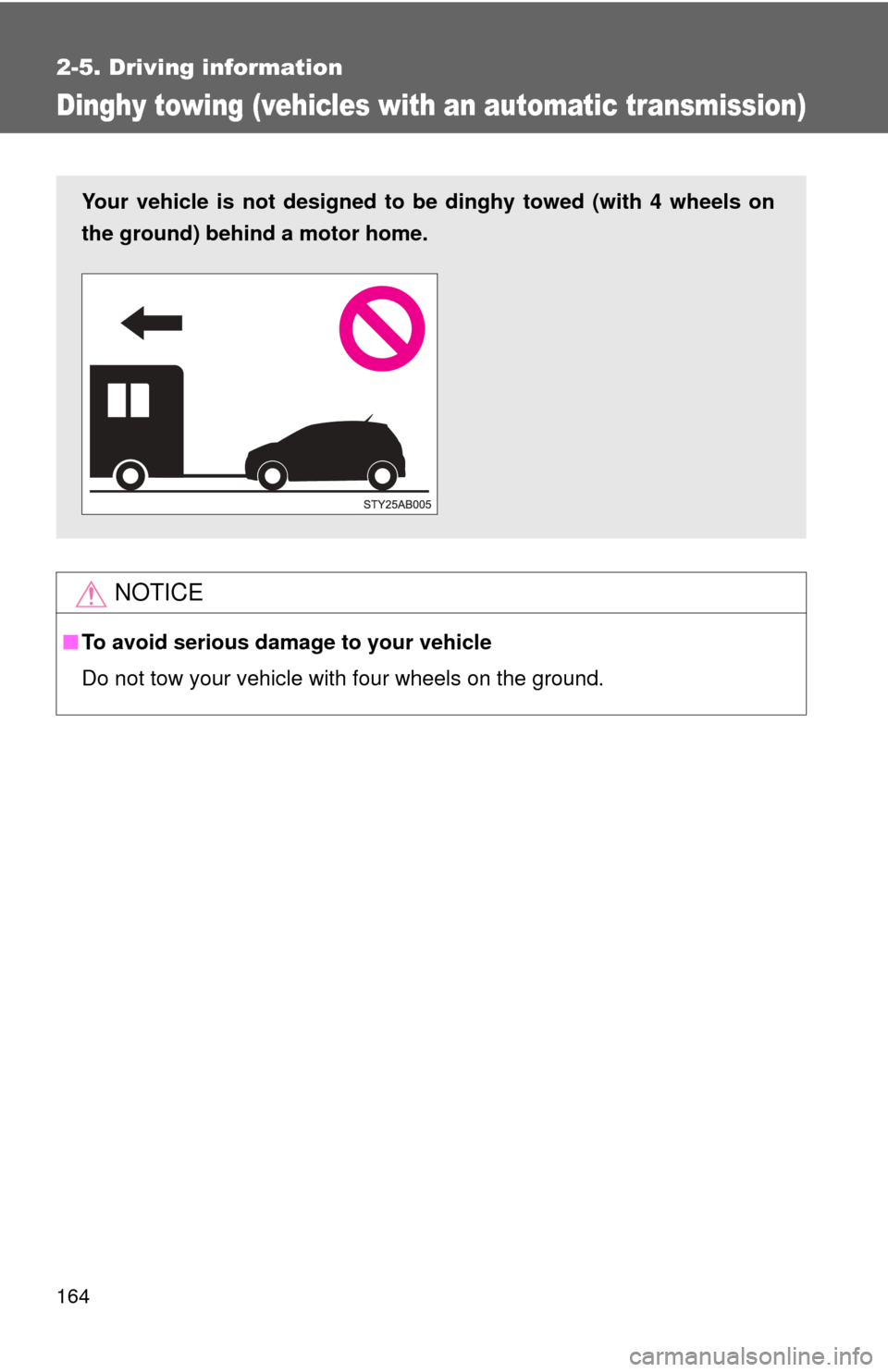
Dinghy towing (vehicles with an automatic transmission)
NOTICE
■To avoid serious damage to your vehicle
Do not tow your vehicle with four wheels on the ground.
Your vehicle is not designed to be dinghy towed (with 4 wheels on
the ground) behind a motor home.
Page 183 of 388
183
3-2. Using the audio system
3
Interior features
Using Dolby® B Noise Reduction
Press .
Reduces the level of noise for tapes recorded with Dolby
® B NR only.
Dolby noise reduction is manufactured under license from Dolby Labora-
tories Licensing Corporation. DOLBY and the double-D symbol are
registered trademarks of Dolby Laboratories.
■ Canceling noise reduction
Press ( ) again.
■ Canceling repeat playback
Press
(RPT) again.
■ Canceling reverse and fast-forward
Press ( ) or ( ) again.
■ Auto-reverse feature
After the cassette player reaches the end of a tape, it automatically reverses
and begins to play the other side, regardless of whether the cassette was
playing or fast forwarding.
■ When the cassette player does not operate correctly due to the cas-
sette recording conditions
Forwarding to the beginning of a track and repeat play may not be possib\
le
in the following situations:
●The interval between tracks is less than 3 seconds.
● When there is noise between 2 tracks.
● The beginning and end of subsequent tracks are not clearly defined.
Page 190 of 388
190 3-2. Using the audio system
■CD player protection feature
To protect the internal components, playback is automatically stopped when
a problem is detected while the CD player is being used.
■ If CDs are left inside the CD player or in the ejected position for
extended periods
CDs may be damaged and may not play properly.
■ Lens cleaners
Do not use lens cleaners. Doing so may damage the CD player.
NOTICE
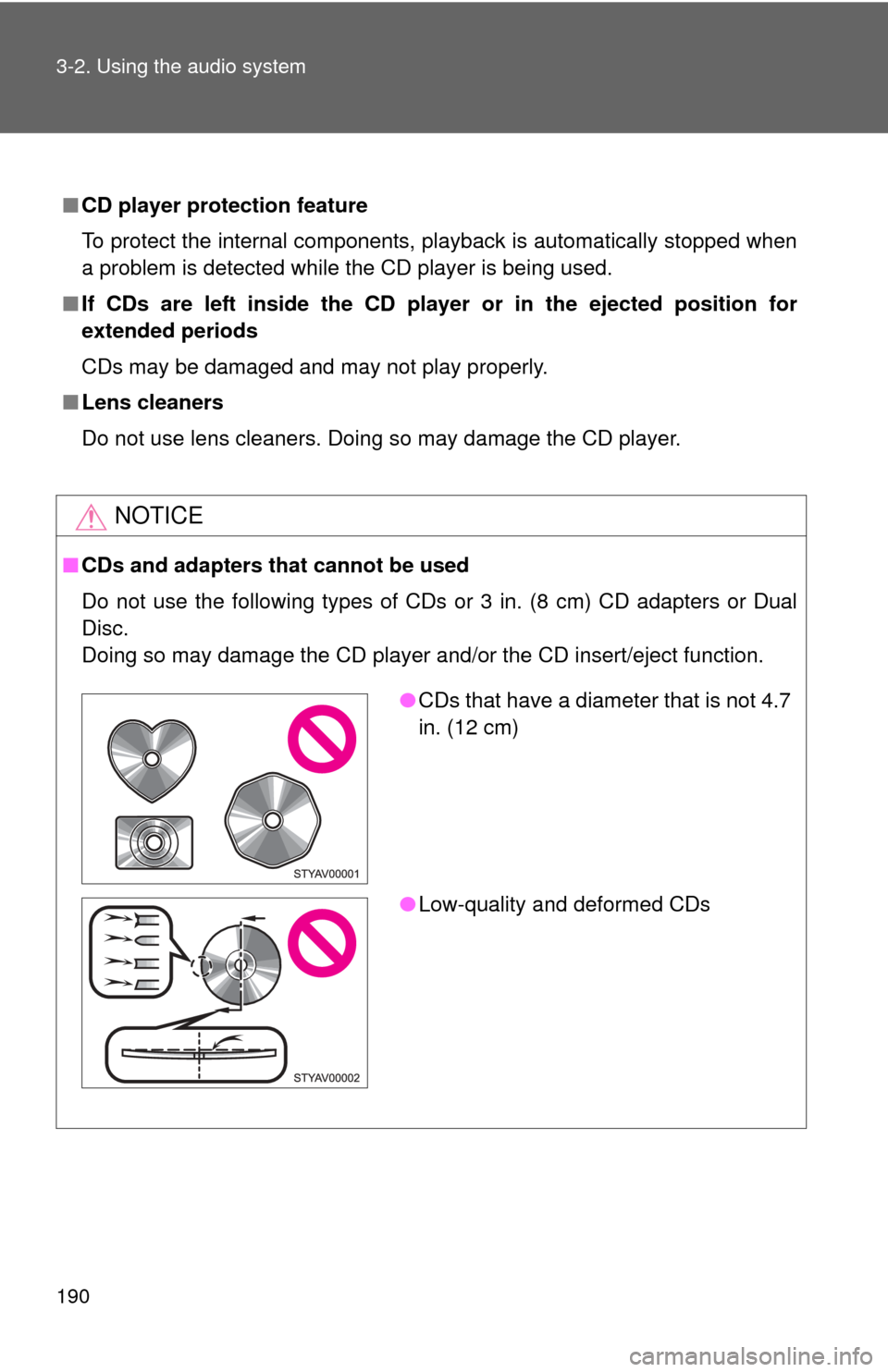
■CDs and adapters that cannot be used
Do not use the following types of CDs or 3 in. (8 cm) CD adapters or D\
ual
Disc.
Doing so may damage the CD player and/or the CD insert/eject function.
●CDs that have a diameter that is not 4.7
in. (12 cm)
● Low-quality and deformed CDs