Page 164 of 621
154
2008 TUNDRA from Apr. ’08 Prod. (OM 34477U)
XS14002
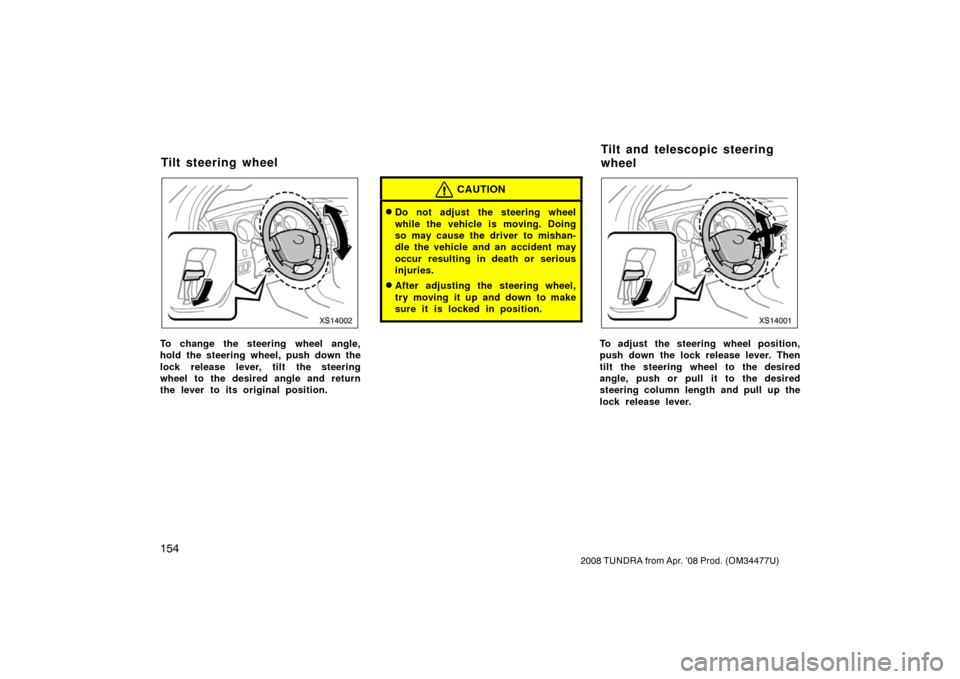
To change the steering wheel angle,
hold the steering wheel, push down the
lock release lever, tilt the steering
wheel to the desired angle and return
the lever to its original position.
CAUTION
�Do not adjust the steering wheel
while the vehicle is moving. Doing
so may cause the driver to mishan-
dle the vehicle and an accident may
occur resulting in death or serious
injuries.
�After adjusting the steering wheel,
try moving it up and down to make
sure it is locked in position.
XS14001
To adjust the steering wheel position,
push down the lock release lever. Then
tilt the steering wheel to the desired
angle, push or pull it to the desired
steering column length and pull up the
lock release lever.
Tilt steering wheel Tilt and telescopic steering
wheel
Page 165 of 621
155
2008 TUNDRA from Apr. ’08 Prod. (OM 34477U)
CAUTION
�Do not adjust the steering wheel
while the vehicle is moving. Doing
so may cause the driver to mishan-
dle the vehicle and an accident may
occur resulting in death or serious
injuries.
�After adjusting the steering wheel,
try moving it up and down to make
sure it is locked in position.
XS14003
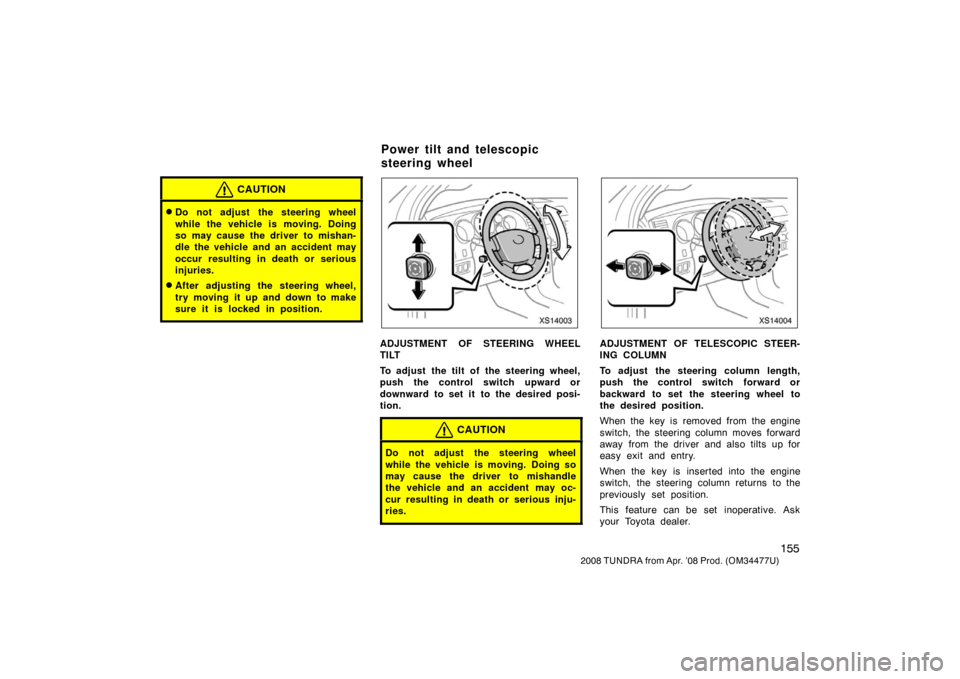
ADJUSTMENT OF STEERING WHEEL
TILT
To adjust the tilt of the steering wheel,
push the control switch upward or
downward to set it to the desired posi-
tion.
CAUTION
Do not adjust the steering wheel
while the vehicle is moving. Doing so
may cause the driver to mishandle
the vehicle and an accident may oc-
cur resulting in death or serious inju-
ries.
XS14004
ADJUSTMENT OF TELESCOPIC STEER-
ING COLUMN
To adjust the steering column length,
push the control switch forward or
backward to set the steering wheel to
the desired position.
When the key is removed from the engine
switch, the steering column moves forward
away from the driver and also tilts up for
easy exit and entry.
When the key is inserted into the engine
switch, the steering column returns to the
previously set position.
This feature can be set inoperative. Ask
your Toyota dealer.
Power tilt and telescopic
steering wheel
Page 166 of 621
156
2008 TUNDRA from Apr. ’08 Prod. (OM 34477U)
CAUTION
Do not adjust the steering column
while the vehicle is moving. Doing so
may cause the driver to mishandle
the vehicle and an accident may oc-
cur resulting in death or serious inju-
ries.
XS14005
Normal type
XS14021
Extend type
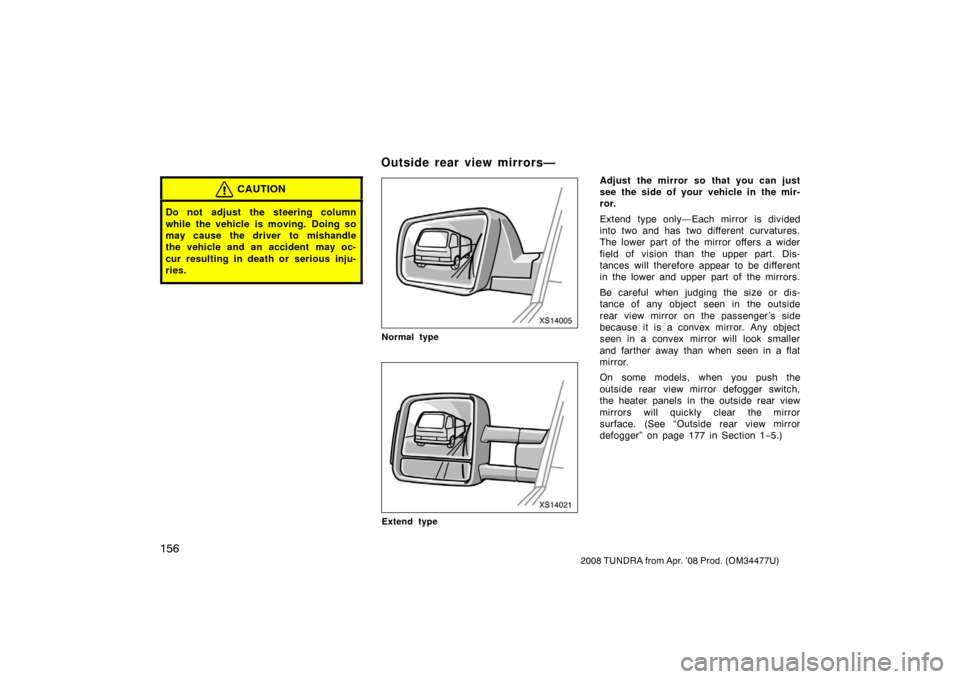
Adjust the mirror so that you can just
see the side of your vehicle in the mir-
ror.
Extend type only—Each mirror is divided
into two and has two different curvatures.
The lower part of the mirror offers a wider
field of vision than the upper part. Dis-
tances will therefore appear to be different
in the lower and upper part of the mirrors.
Be careful when judging the size or dis-
tance of any object seen in the outside
rear view mirror on the passenger ’s side
because it is a convex mirror. Any object
seen in a convex mirror will look smaller
and farther away than when seen in a flat
mirror.
On some models, when you push the
outside rear view mirror defogger switch,
the heater panels in the outside rear view
mirrors will quickly clear the mirror
surface. (See “Outside rear view mirror
defogger” on page 177 in Section 1 −5.)
Outside rear view mirrors—
Page 220 of 621
210
2008 TUNDRA from Apr. ’08 Prod. (OM 34477U)
XS17001a
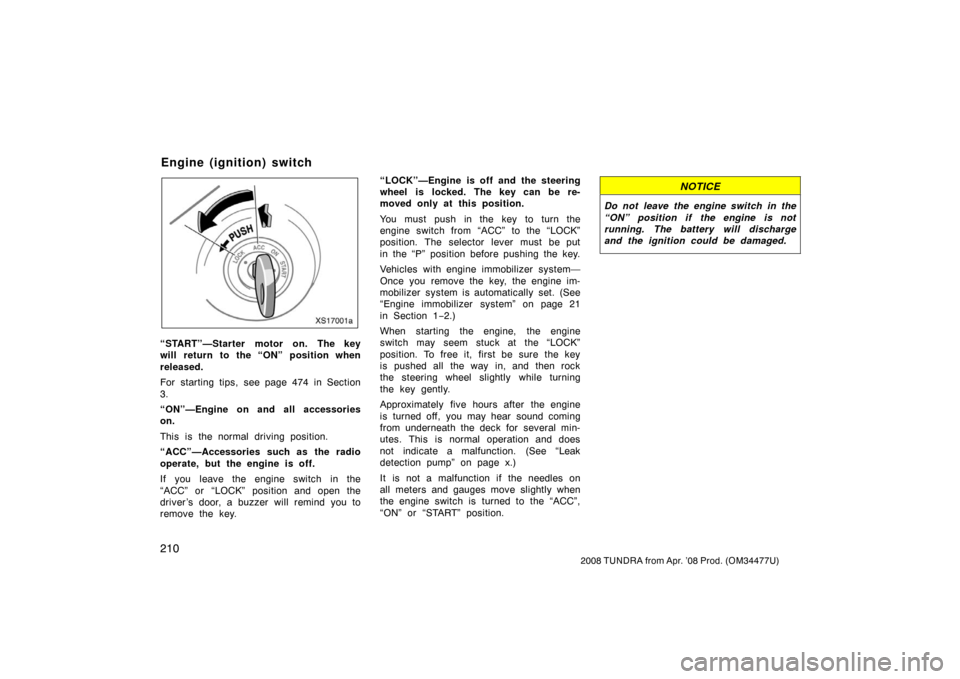
“START”—Starter motor on. The key
will return to the “ON” position when
released.
For starting tips, see page 474 in Section
3.
“ON”—Engine on and all accessories
on.
This is the normal driving position.
“ACC”—Accessories such as the radio
operate, but the engine is off.
If you leave the engine switch in the
“ACC” or “LOCK” position and open the
driver ’s door, a buzzer will remind you to
remove the key. “LOCK”—Engine is off and the steering
wheel is locked. The key can be re-
moved only at this position.
You must push in the key to turn the
engine switch from “ACC” to the “LOCK”
position. The selector lever must be put
in the “P” position before pushing the key.
Vehicles with engine immobilizer system—
Once you remove the key, the engine im-
mobilizer system is automatically set. (See
“Engine immobilizer system” on page 21
in Section 1−
2.)
When starting the engine, the engine
switch may seem stuck at the “LOCK”
position. To free it, first be sure the key
is pushed all the way in, and then rock
the steering wheel slightly while turning
the key gently.
Approximately five hours after the engine
is turned off, you may hear sound coming
from underneath the deck for several min-
utes. This is normal operation and does
not indicate a malfunction. (See “Leak
detection pump” on page x.)
It is not a malfunction if the needles on
all meters and gauges move slightly when
the engine switch is turned to the “ACC”,
“ON” or “START” position.
NOTICE
Do not leave the engine switch in the
“ON” position if the engine is not
running. The battery will discharge
and the ignition could be damaged.
Engine (ignition) switch
Page 257 of 621
247
2008 TUNDRA from Apr. ’08 Prod. (OM 34477U)
CAUTION
Do not use the “AUTO LSD” system
in conditions other than the above. A
much greater steering effort and more
careful cornering control will be re-
quired.
XS17010a
Traction control off mode
XS17046
“AUTO LSD” mode
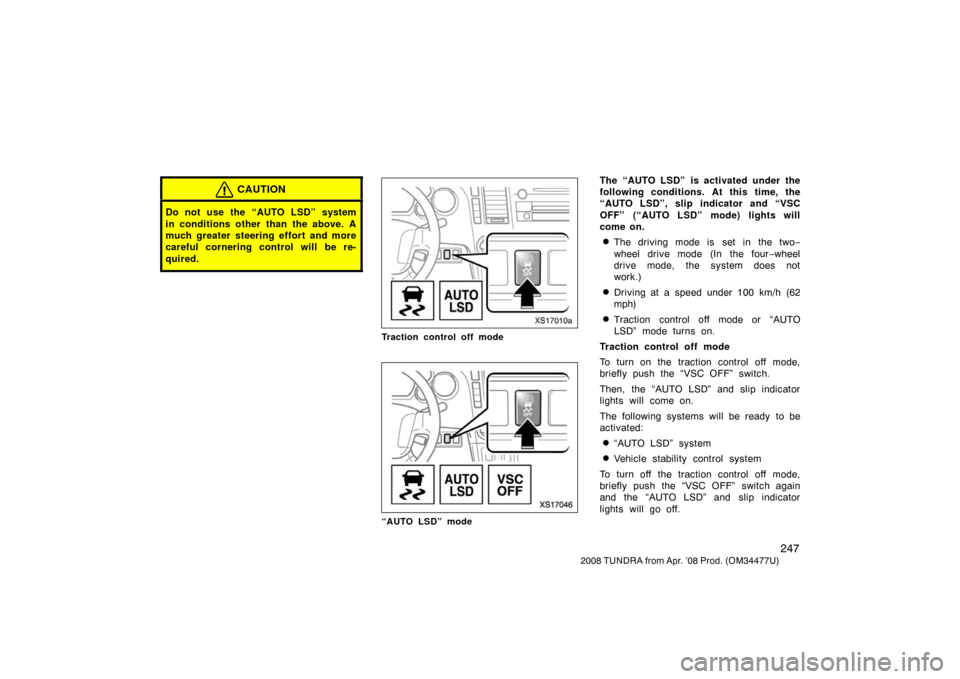
The “AUTO LSD” is activated under the
following conditions. At this time, the
“AUTO LSD”, slip indicator and “VSC
OFF” (“AUTO LSD” mode) lights will
come on.
�The driving mode is set in the two −
wheel drive mode (In the four −wheel
drive mode, the system does not
work.)
�Driving at a speed under 100 km/h (62
mph)
�Traction control off mode or “AUTO
LSD” mode turns on.
Traction control off mode
To turn on the traction control off mode,
briefly push the “VSC OFF” switch.
Then, the “AUTO LSD” and slip indicator
lights will come on.
The following systems will be ready to be
activated:
�“AUTO LSD” system
�Vehicle stability control system
To turn off the traction control off mode,
briefly push the “VSC OFF” switch again
and the “AUTO LSD” and slip indicator
lights will go off.
Page 260 of 621
250
2008 TUNDRA from Apr. ’08 Prod. (OM 34477U)
�The “VSC OFF” indicator light flashes
and the slip indicator light comes on
while driving.
CAUTION
Do not drive with the “AUTO LSD”
system continuously turned on.
The vehicle stability control system
helps provide integrated control of sys-
tems such as the antilock brake sys-
tem, traction control, engine control,
etc. This system automatically controls
the output of the brakes or engine to
help prevent the vehicle from skidding
when cornering on a slippery road sur-
face or when the steering wheel is op-
erated abruptly.
The vehicle stability control system is acti-
vated when the vehicle speed is more
than 15 km/h (9 mph).
You may hear a sound in the engine
compartment for a few seconds when the
engine is started or just after the vehicle
begins to move. This means that the sys-
tem is in self−check mode, but does not
indicate a malfunction.CAUTION
�Do not rely excessively on the ve-
hicle stability control system. Even
if the vehicle stability control sys-
tem is operating, you must always
drive carefully and attentively to
avoid serious injury. Reckless driv-
ing will result in an unexpected ac-
cident. If the slip indicator light
blinks and an alarm sounds, special
care should be taken while driving.
�Only use tires of specified size. The
size, manufacturer, brand and tread
pattern for all 4 tires should be the
same. If you use the tires other
than specified, or different type or
size, the vehicle stability control
system may not function correctly.
When replacing the tires or wheels,
contact your Toyota dealer. (See
“Checking and replacing tires” on
page 556 in Section 72.)
Vehicle stability control
system (twowheel drive mode
only)
Page 305 of 621
295
2008 TUNDRA from Apr. ’08 Prod. (OM 34477U)
MP3/WMA player
This button is used to change the display
for the MP3/WMA file that contains text
data.
To change the display, quickly push and
release the “TEXT” button while the
MP3/WMA file is playing. The display
changes in the order from the elapsed
time to folder name to file name to album
title to track title to artist name, then back
to the elapsed time.
If this button is pushed while an
MP3/WMA file that does not contain text
data is playing, “NO TITLE” will appear on
the display.
If the entire text data is not displayed,
push and hold it until you hear a beep.
The rest of the text data will appear. TUNE·FILE (Tuning and File up/down)
Radio
Turn the “TUNE·FILE” knob clockwise to
step up the frequency. Turn the knob
counterclockwise to step down the fre-
quency.
XM
� Satellite Radio∗—
Turn the “TUNE·FILE” knob clockwise to
step up the channel. Turn the knob coun-
terclockwise to step down the channel.
∗: Use of satellite radio requires XM�
tuner and service. Contact your Toyota
dealer for details.
MP3/WMA player
Turn the “TUNE·FILE” knob clockwise to
file up. Turn the knob counterclockwise to
file down.
XS18008a
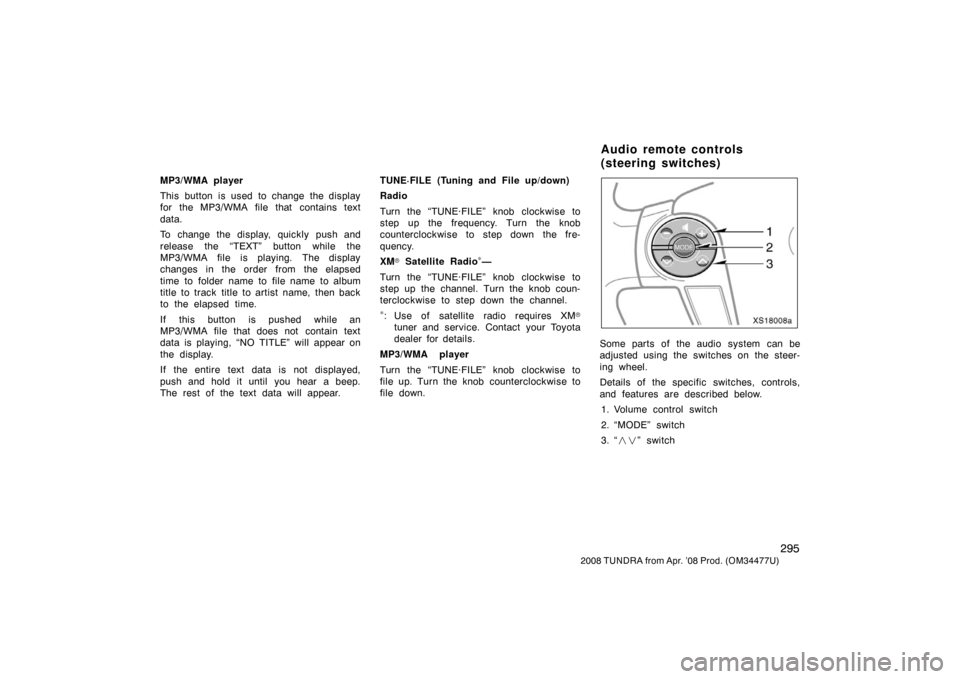
Some parts of the audio system can be
adjusted using the switches on the steer-
ing wheel.
Details of the specific switches, controls,
and features are described below. 1. Volume control switch
2. “MODE” switch
3. “ ��” switch
Audio remote controls
(steering switches)
Page 361 of 621
351
2008 TUNDRA from Apr. ’08 Prod. (OM 34477U)
�Delete Speed Dial
The registered speed dial can be de-
leted.
�List names
The registered names can be checked.
�Set Speed Dial
Speed dials can be set
Redial (see page 373)
Callback (see page 374)
Making a phone call (see page 376)
Receiving a phone call (see page 378)
Talking on the phone (see page 379)
—Some basics
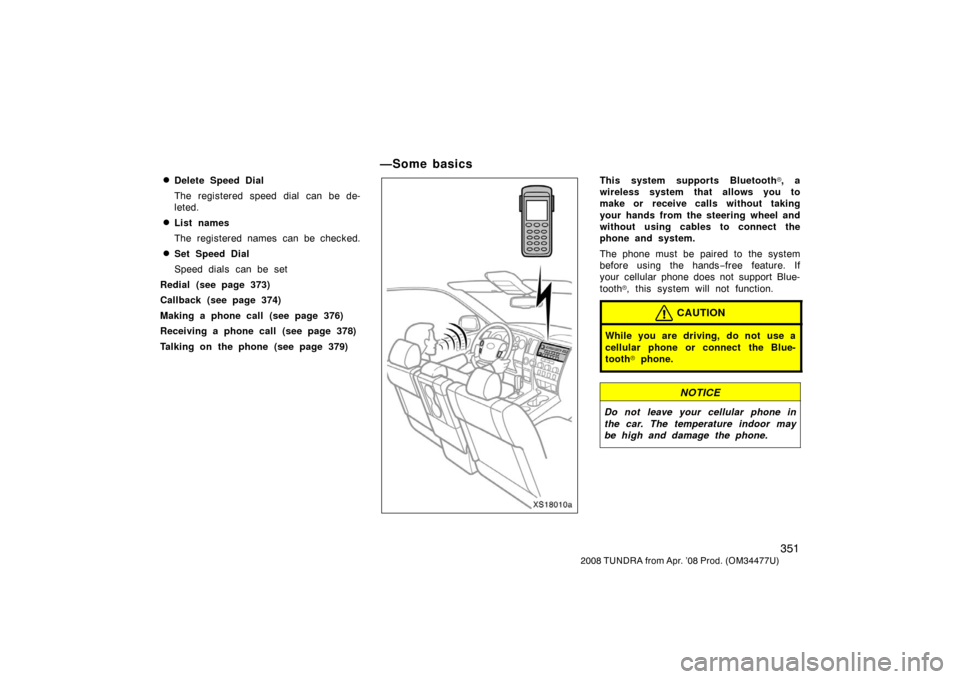
XS18010a
This system supports Bluetooth�, a
wireless system that allows you to
make or receive calls without taking
your hands from the steering wheel and
without using cables to connect the
phone and system.
The phone must be paired to the system
before using the hands −free feature. If
your cellular phone does not support Blue-
tooth
�, this system will not function.
CAUTION
While you are driving, do not use a
cellular phone or connect the Blue-
tooth
� phone.
NOTICE
Do not leave your cellular phone in
the car. The temperature indoor may
be high and damage the phone.