Page 30 of 531
31
1−2. Opening, closing and locking the doors
1
Before driving
nSwitching the door unlock function
If it is possible to set which doors the entry function unlocks.
Turn the “ENGINE START STOP” switch OFF.
When the indicator on the key surface is turned off, press and hold
, or for approximately 5 seconds while pressing
on the key.
The setting changes each time an operation is preformed, as shown below.
(When changing the setting continuously, release the buttons, wait for at least
5 seconds, and repeat step 2.)
STEP1
STEP 2
Multi−information
displayUnlocking function Beep
Hold the driver ’s door han−
dle to unlock only the
driver ’s door.Exterior: Beeps three
times
Interior: Pings once
Hold either door handle to
unlock all doors.
Exterior: Beeps twice
Interior: Pings once
Page 42 of 531
43
1
1−2. Opening, closing and locking the doors
Before driving
Side doors
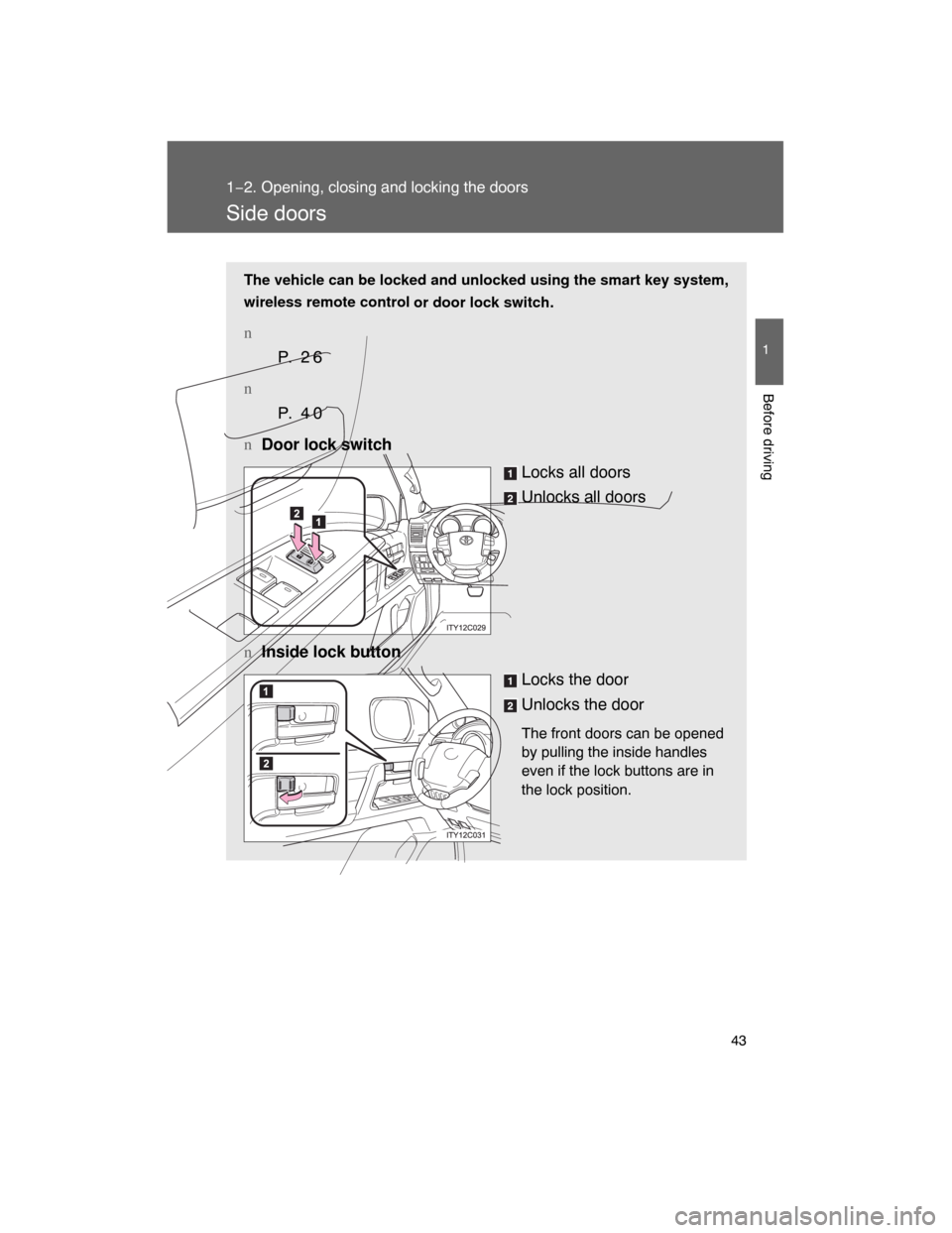
The vehicle can be locked and unlocked using the smart key system,
wireless remote control
or door lock switch.
n
P. 2 6
n
P. 4 0
n
Door lock switch
Locks all doors
Unlocks all doors
nInside lock button
Locks the door
Unlocks the door
The front doors can be opened
by pulling the inside handles
even if the lock buttons are in
the lock position.
Page 256 of 531
260
3−2. Using the audio system
Using the radio
Press or to choose either an AM or FM band.
LOAD
TYPE�DISCSEEK�TRACK
AM�SATFMDISC�AUXTRAF
12 3 4 56
TUNE�FILE
PUSHAUDIO CONTROL
PWR�VOL
TEXTSCAN
RAND RPT
1234 56DISCASLSCAN ADS FLD FILETR TRAFST MSGART
FORDER
PWR�VOLSCANPWR�VOLSCAN
ITY32C005
Scanning for receivable stations
Seeking the frequencyStation selector
AM/FM mode buttons
Changing the program typeAdjusting the frequency
Power Volume
Page 282 of 531
286 3−3. Using the rear seat entertainment system
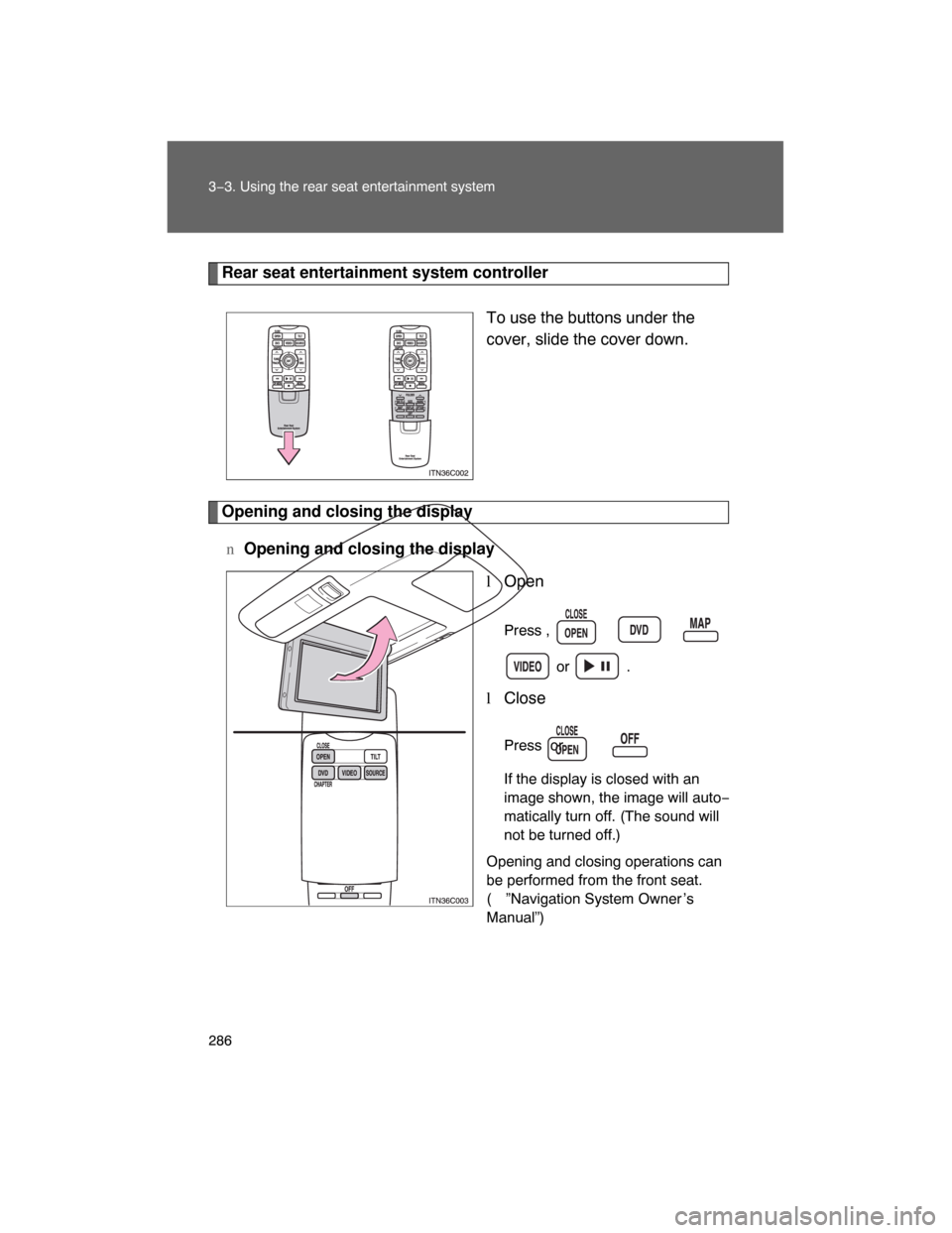
Rear seat entertainment system controller
To use the buttons under the
cover, slide the cover down.
Opening and closing the display
nOpening and closing the display
lOpen
Press , , ,
or .
lClose
Press or .
If the display is closed with an
image shown, the image will auto−
matically turn off. (The sound will
not be turned off.)
Opening and closing operations can
be performed from the front seat.
(
”Navigation System Owner ’s
Manual”)
Page 348 of 531
352
3−6. Other interior features
Garage door opener
The garage door opener (HomeLink Universal Transceiver) is manufac−
tured under license from HomeLink
.
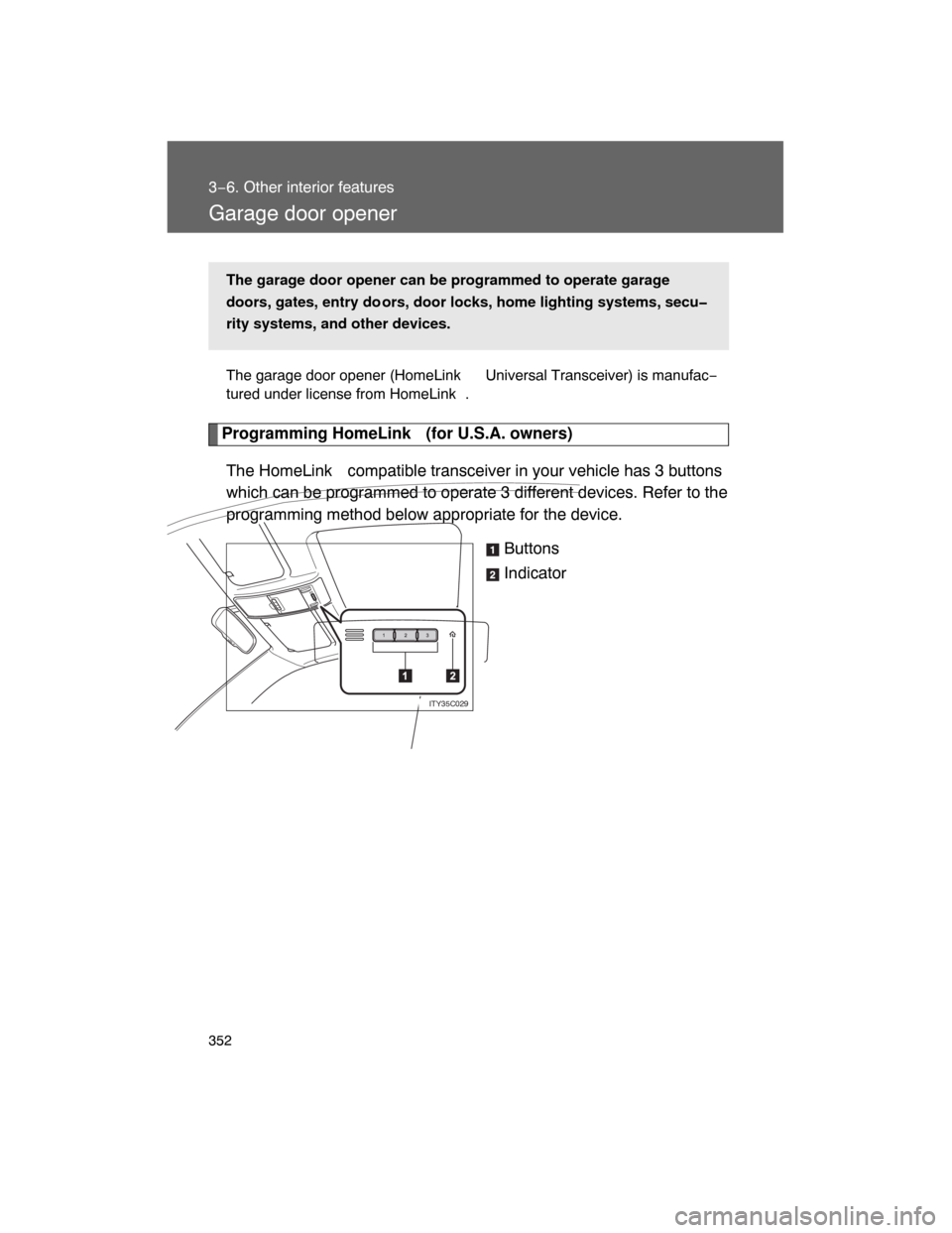
Programming HomeLink (for U.S.A. owners)
The HomeLink compatible transceiver in your vehicle has 3 buttons
which can be programmed to operate 3 different devices. Refer to the
programming method below appropriate for the device.
Buttons
Indicator
The garage door opener can be programmed to operate garage
doors, gates, entry do ors, door locks, home lighting systems, secu
rity systems, and other devices.
ITY35C029
Page 349 of 531
353 3−6. Other interior features
3
Interior features
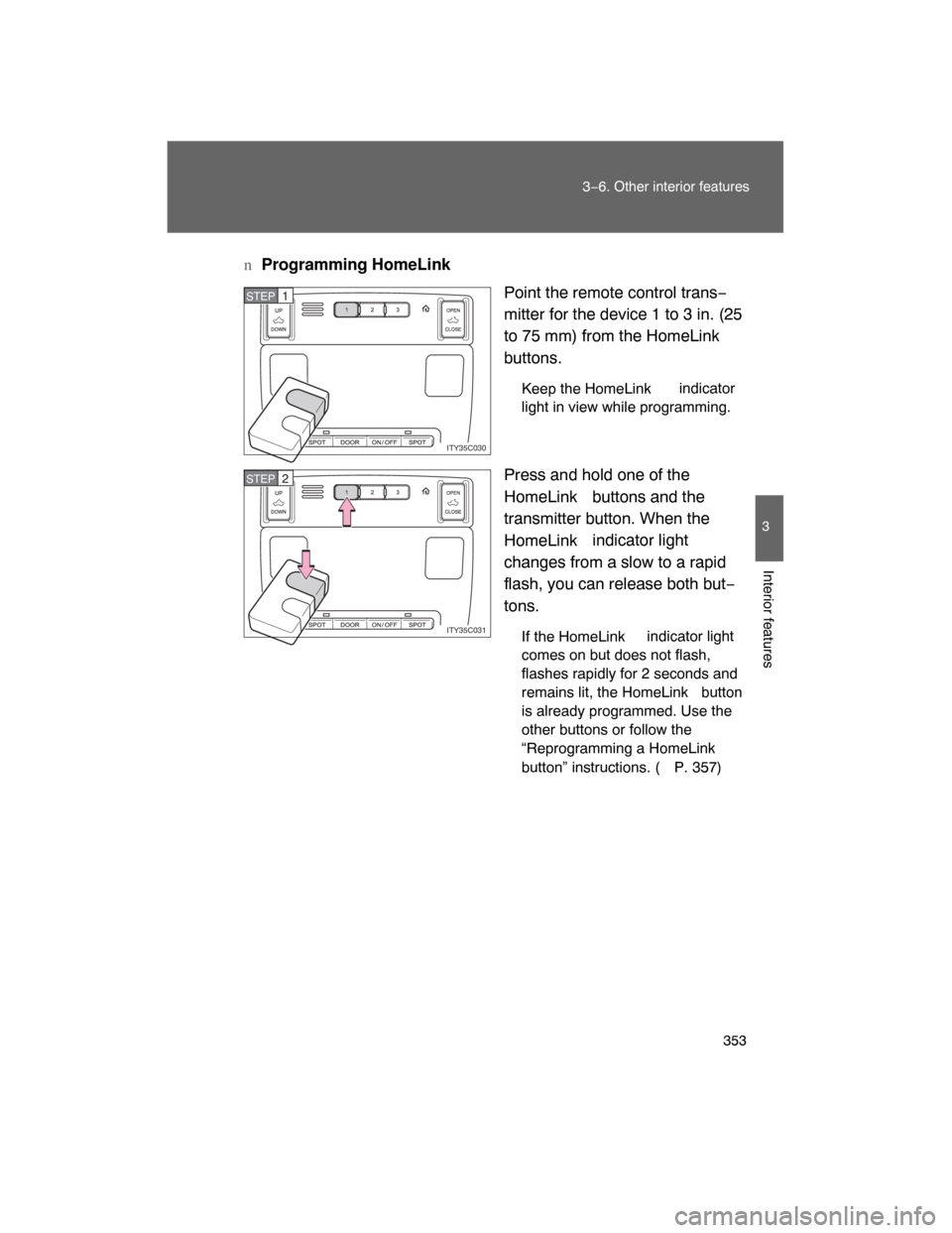
nProgramming HomeLink
Point the remote control trans−
mitter for the device 1 to 3 in. (25
to 75 mm) from the HomeLink
buttons.
Keep the HomeLink indicator
light in view while programming.
Press and hold one of the
HomeLink buttons and the
transmitter button. When the
HomeLink indicator light
changes from a slow to a rapid
flash, you can release both but−
tons.
If the HomeLink indicator light
comes on but does not flash,
flashes rapidly for 2 seconds and
remains lit, the HomeLink button
is already programmed. Use the
other buttons or follow the
“Reprogramming a HomeLink
button” instructions. (
P. 357)
ITY35C030
STEP1
ITY35C031
STEP2
Page 350 of 531
354 3−6. Other interior features
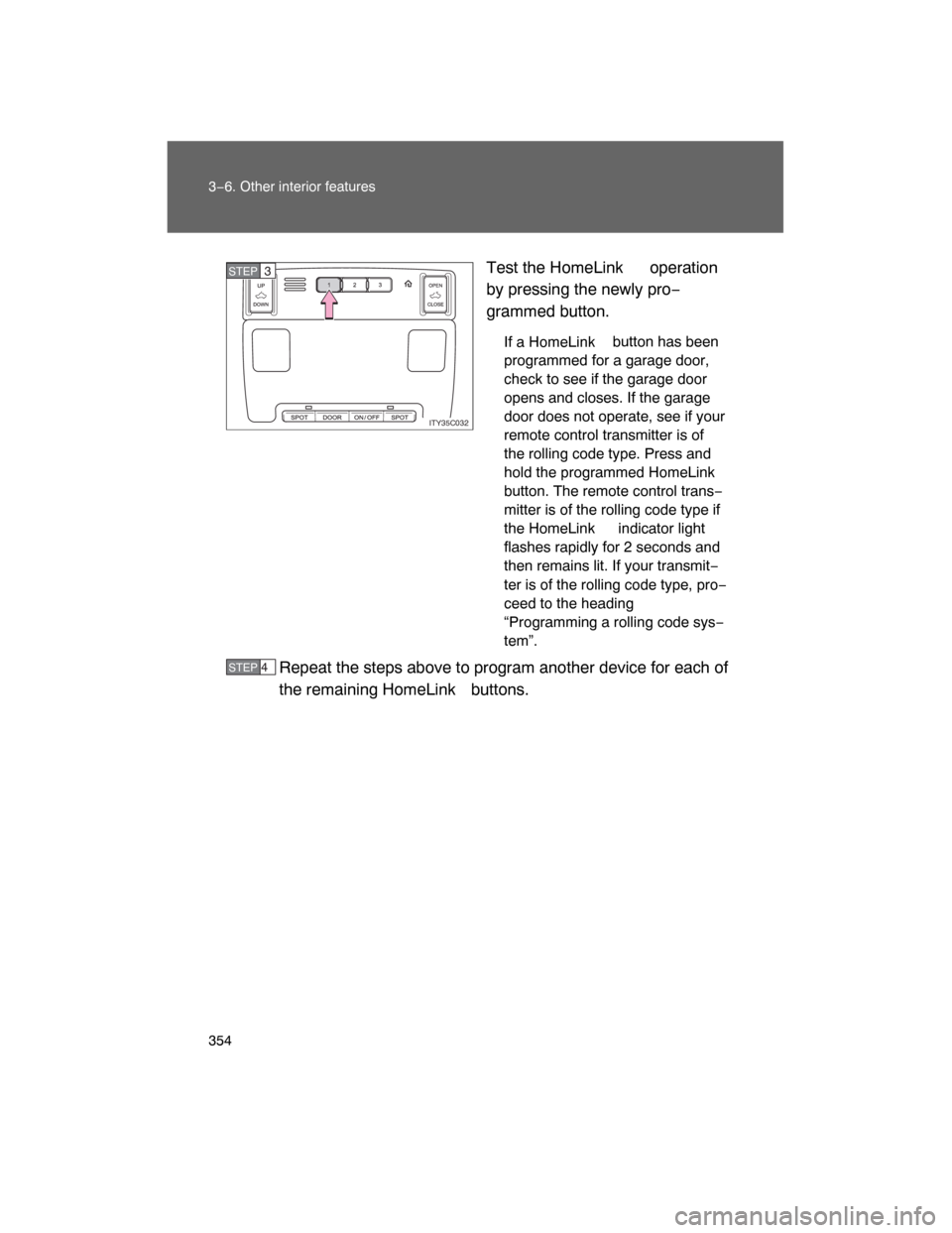
Test the HomeLink operation
by pressing the newly pro−
grammed button.
If a HomeLink button has been
programmed for a garage door,
check to see if the garage door
opens and closes. If the garage
door does not operate, see if your
remote control transmitter is of
the rolling code type. Press and
hold the programmed HomeLink
button. The remote control trans−
mitter is of the rolling code type if
the HomeLink indicator light
flashes rapidly for 2 seconds and
then remains lit. If your transmit−
ter is of the rolling code type, pro−
ceed to the heading
“Programming a rolling code sys−
tem”.
Repeat the steps above to program another device for each of
the remaining HomeLink
buttons.
ITY35C032
STEP3
STEP 4
Page 351 of 531
355 3−6. Other interior features
3
Interior features
nProgramming a rolling code system
If your device is rolling code e
quipped, follow the steps under the
heading “Programming HomeLink ” before proceeding with the
steps listed below.
Locate the training button on the ceiling mounted garage door
opener motor. The exact location and color of the button may
vary by brand of garage door opener motor.
Refer to the operation manual supplied with the garage door opener
motor for the location of the training button.
Press the training button.
Following this step, you have 30 seconds in which to initiate step 3
below.
Press and hold the vehicle’s programmed HomeLink button
for 2 seconds and release it. Repeat this step once again. The
garage door may open.
If the garage door opens, the programming process is complete. If
the door does not open, press and release the button a third time.
This third press and release will complete the programming process
by opening the garage door.
The ceiling mounted garage door opener motor should now recog−
nize the HomeLink
signal and operate the garage door.
Repeat the steps above to prog ram another rolling code sys−
tem for any of the remaining HomeLink
buttons.
STEP1
STEP 2
STEP 3
STEP 4