Page 213 of 452
213
3-2. Using the audio system
3
Interior features
AVALON_U_(L/O_0802)
■
CD-R and CD-RW discs
● CD-R/CD-RW discs that have not been subject to the “finalizing process”
(a process that allows discs to be played on a conventional CD player)
cannot be played.
● It may not be possible to play CD-R/CD-RW discs recorded on a music
CD recorder or a personal computer because of disc characteristics,
scratches or dirt on the disc, or dirt, condensation, etc. on the lens of the
unit.
● It may not be possible to play discs recorded on a personal computer
depending on the application settings and the environment. Record with
the correct format. (For details, contact the appropriate application manu-
facturers of the applications.)
● CD-R/CD-RW discs may be damaged by direct exposure to sunlight,
high temperatures or other storage conditions. The unit may be unable to
play damaged discs.
● If you insert a CD-RW disc into the MP3/WMA player, playback will begin
more slowly than with a conventional CD or CD-R disc.
● Recordings on CD-R/CD-RW cannot be played using the DDCD (Double
Density CD) system.
■ Unsuitable discs, and player precautions
P. 204
Page 252 of 452
252
AVALON_U_(L/O_0802)
3-4. Using the interior lights
Interior lights list
Illuminated entry system: The various lights automatically turn on/
off according to the presence of the key, whether the doors are
locked/unlocked, whether the doors are open/closed, and the
“ENGINE START STOP” switch or the engine switch mode.
Outer foot light
Front personal lights ( P. 254)
Rear personal light ( P. 254)
Interior light ( P. 254)
Center console light
Engine switch light (if equipped)
Page 253 of 452
253
3-4. Using the interior lights
3
Interior features
AVALON_U_(L/O_0802)
■
To prevent battery discharge
If the interior lights, personal lights and engine switch light (if equipped)
remain on when the door is not fully closed or the interior light switch in
“DOOR” position, the lights will go off automatically after 20 minutes.
■ Customization that can be co nfigured at Toyota dealer
Setting (e.g. The time elapsed before lights turn off) can be changed.
(Customizable features
P. 432)
Page 254 of 452
254 3-4. Using the interior lights
AVALON_U_(L/O_0802)
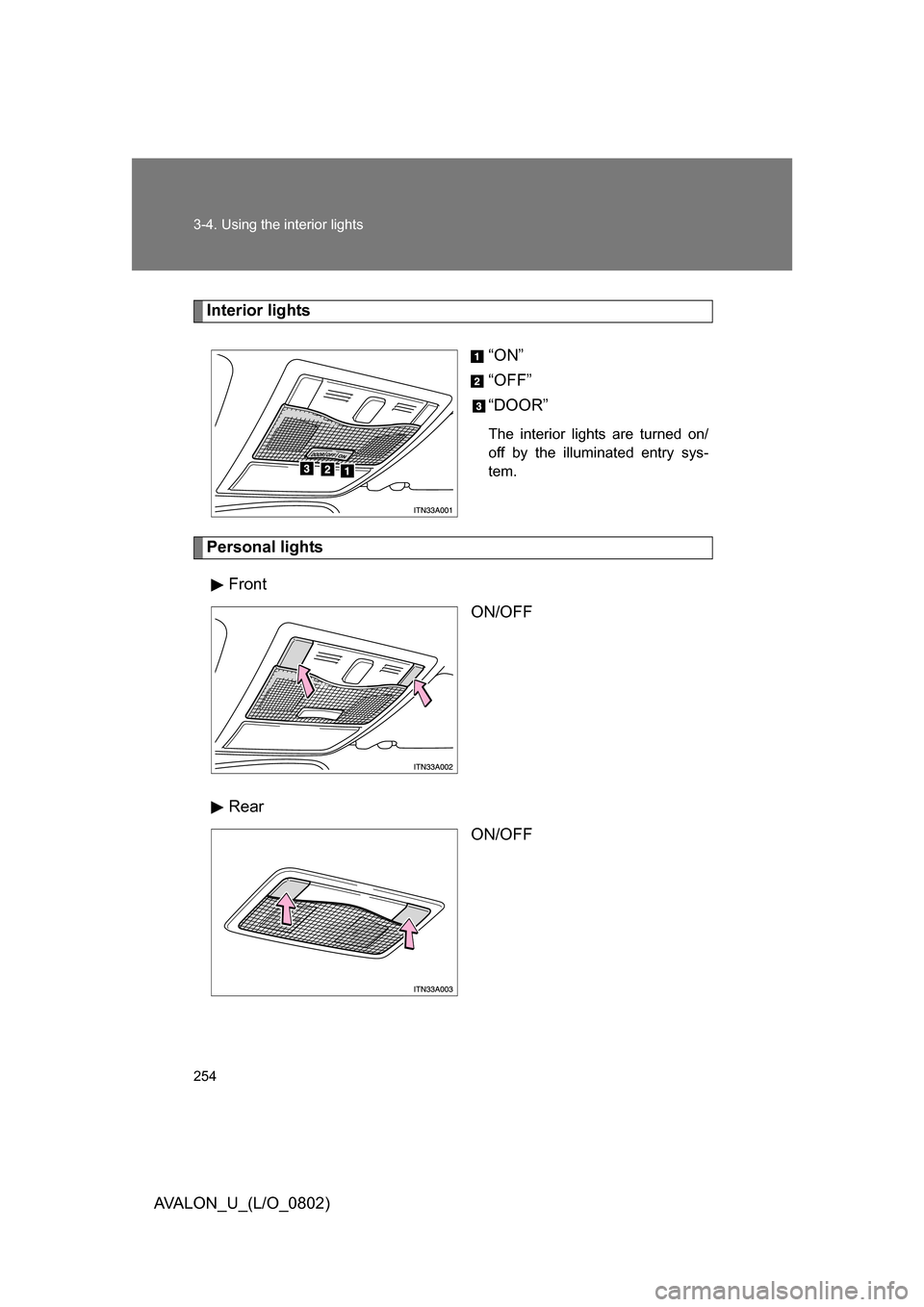
Interior lights“ON”
“OFF”
“DOOR”
The interior lights are turned on/
off by the illuminated entry sys-
tem.
Personal lightsFront ON/OFF
Rear ON/OFF
Page 256 of 452
256 3-5. Using the storage features
AVALON_U_(L/O_0802)
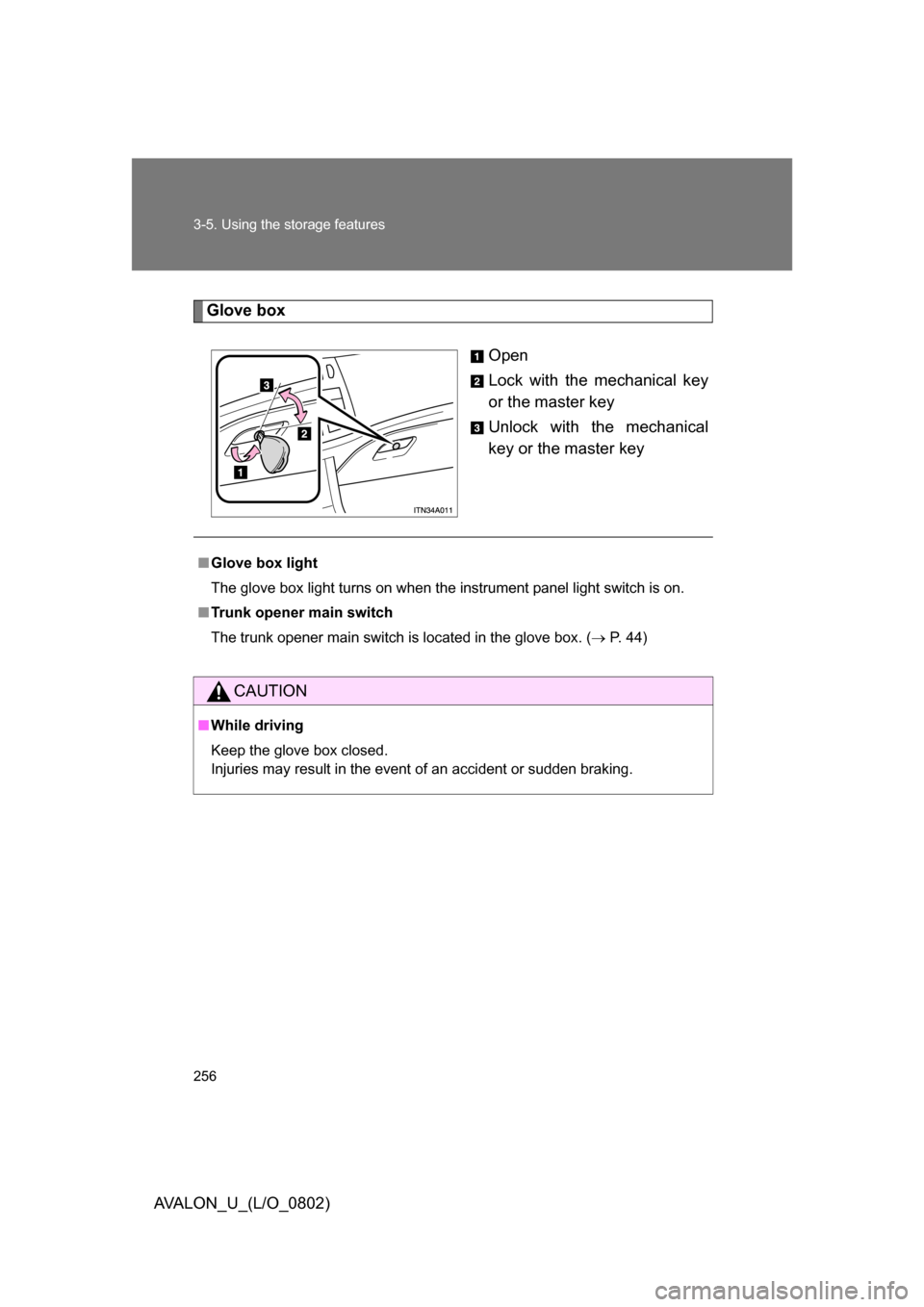
Glove boxOpen
Lock with the mechanical key
or the master key
Unlock with the mechanical
key or the master key
■Glove box light
The glove box light turns on when the instrument panel light switch is on.
■ Trunk opener main switch
The trunk opener main switch is located in the glove box. ( P. 44)
CAUTION
■While driving
Keep the glove box closed.
Injuries may result in the event of an accident or sudden braking.
Page 259 of 452
259
3-5. Using the
storage features
3
Interior features
AVALON_U_(L/O_0802)
CAUTION
■Items that should not be le ft in the overhead console
Do not leave glasses or lighters in the console.
If the interior of the vehicle becomes hot, lighters may explode and glasses
may warp or become cracked.
■ While driving
Do not leave the overhead console open. Items may fall out and cause
injury.
Page 264 of 452
264
3-6. Other interior features
AVALON_U_(L/O_0802)
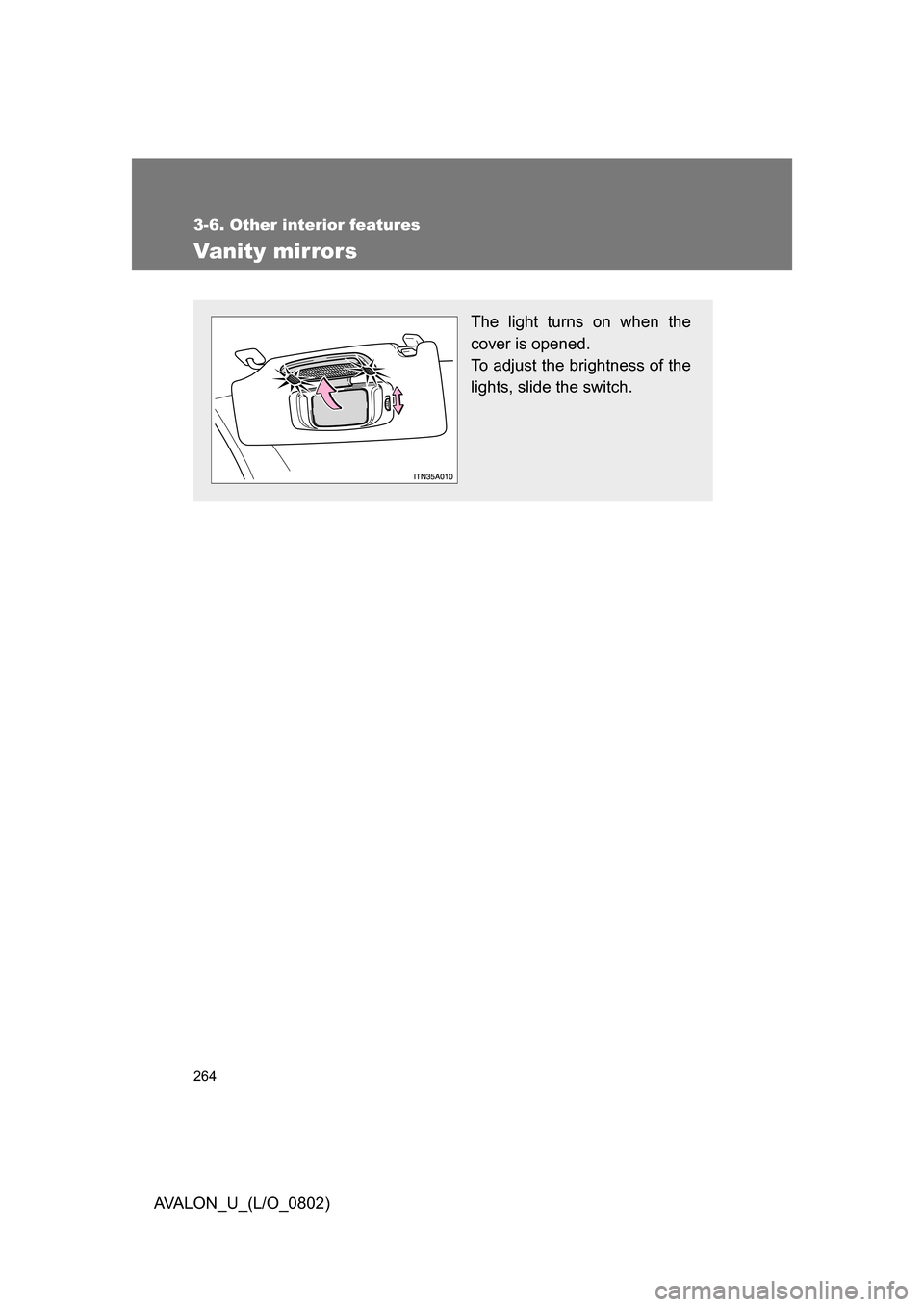
Vanity mirrors
The light turns on when the
cover is opened.
To adjust the brightness of the
lights, slide the switch.
Page 278 of 452
278
3-6. Other interior features
AVALON_U_(L/O_0802)
Garage door opener (if equipped)
The garage door opener (HomeLink Universal Transceiver) is manufac-
tured under license from HomeLink.
Programming the HomeLink (for U.S.A. owners)
The HomeLink
compatible transceiver in your vehicle has 3 buttons
which can be programmed to operate 3 different devices. Refer to the
programming method below appropriate for the device.
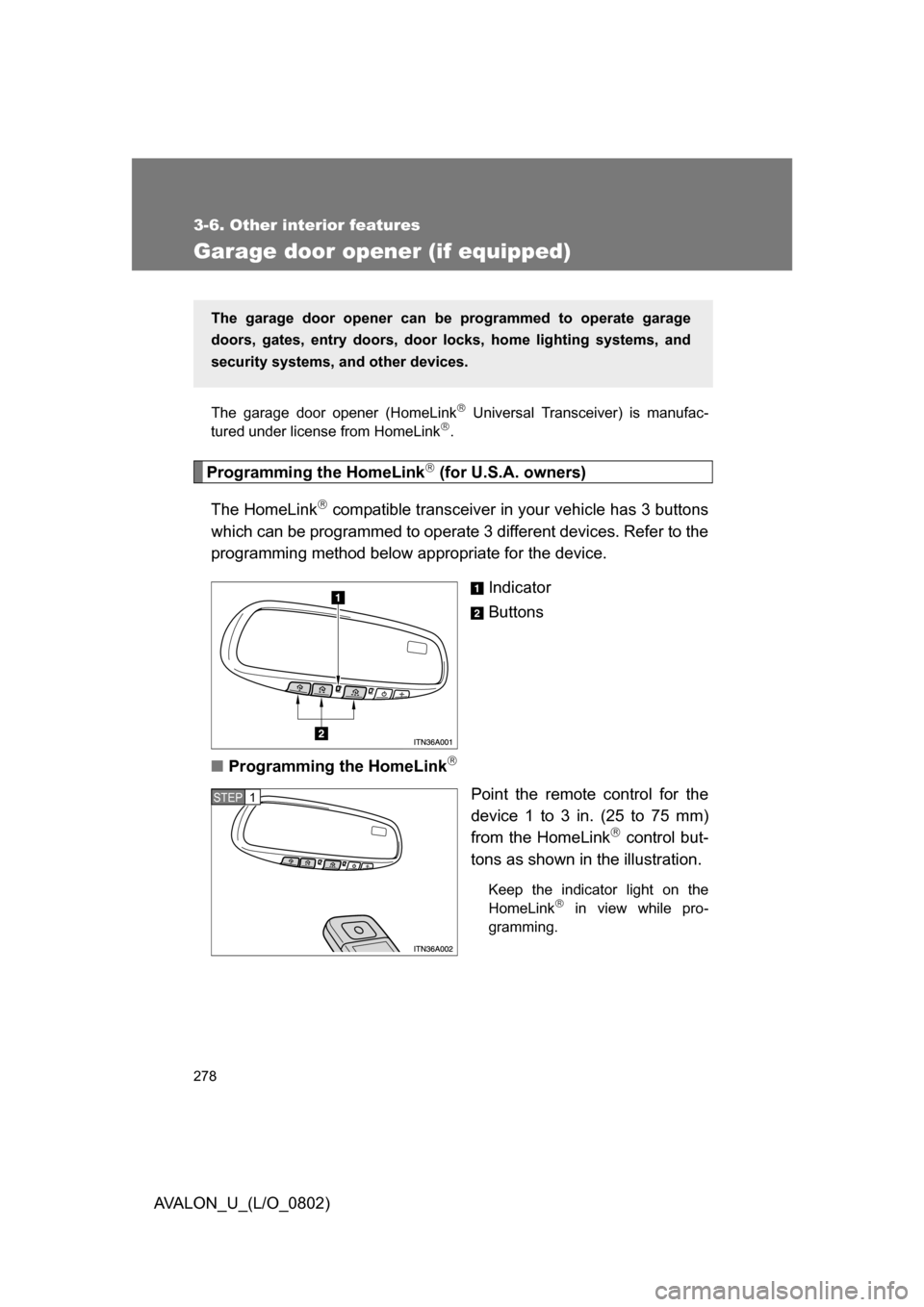
Indicator
Buttons
■ Programming the HomeLink
Point the remote control for the
device 1 to 3 in. (25 to 75 mm)
from the HomeLink
control but-
tons as shown in the illustration.
Keep the indicator light on the
HomeLink in view while pro-
gramming.
The garage door opener can be programmed to operate garage
doors, gates, entry doors, door locks, hom e lighting systems, and
security systems, and other devices.
STEP1