Page 194 of 452
194 3-2. Using the audio system
AVALON_U_(L/O_0802)■
Presetting XM
® Satellite Radio channels
Select the desired channel. Press and hold the button (1 - 6) until
you hear a beep.
■ Changing the channel category
Press “ ” or “ ” on .
■ Scanning XM
® Satellite Radio channels
● Scanning channels in the current category
Press .
When the desired channel is reached, press the button again.
● Scanning preset channels
Press and hold until you hear a beep.
When the desired channel is reached, press the button again.
■ Displaying text information
Press .
The display will show up to 12 characters.
The display changes as follows each time the button is pressed.
● CH NAME
● TITLE (SONG/PROGRAM TITLE)
● NAME (ARTIST NAME/FEATURE)
● CH NUMBER
STEP1
STEP2
STEP1
STEP2
Page 198 of 452
198
3-2. Using the audio system
AVALON_U_(L/O_0802)
Using the CD player
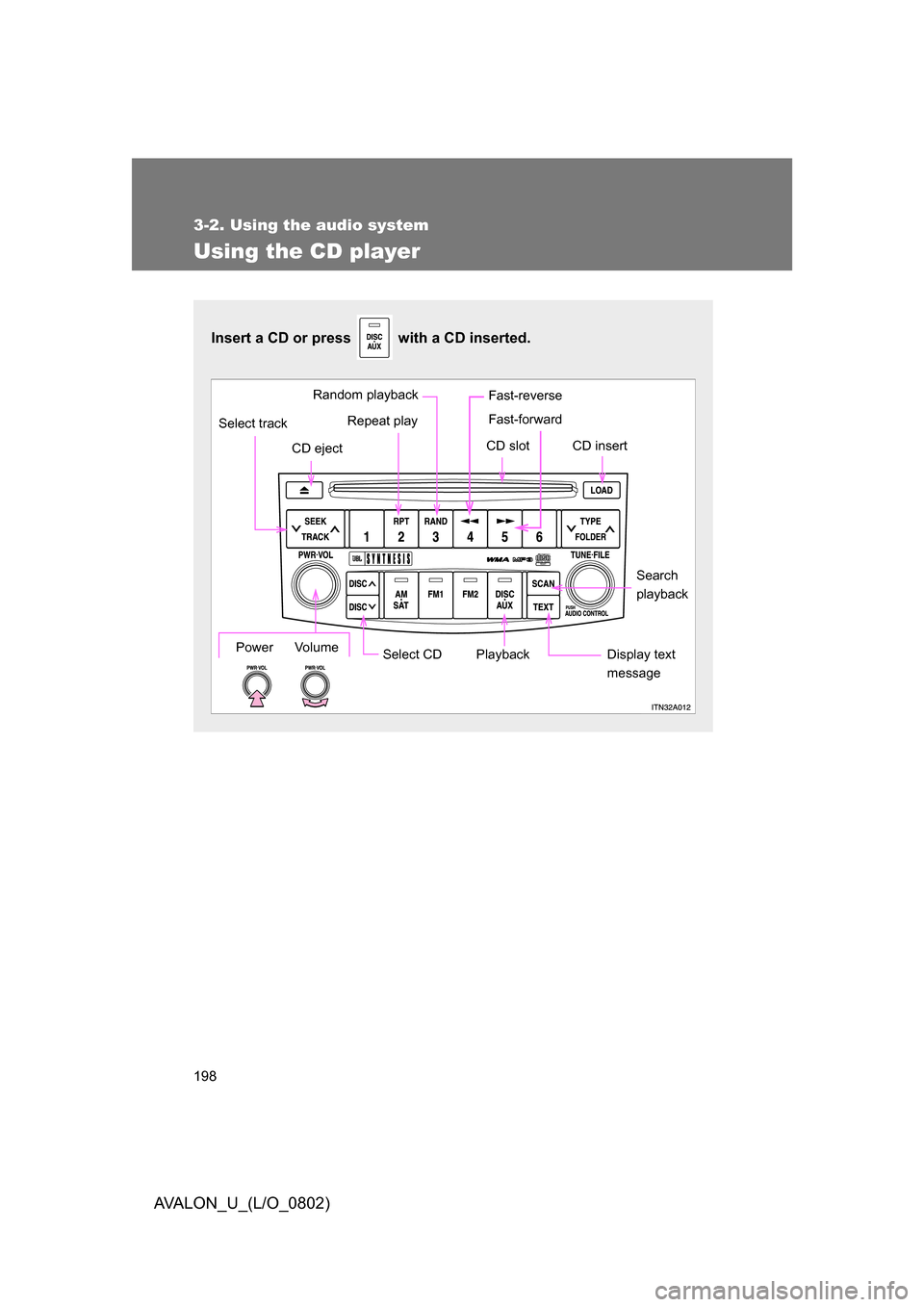
Insert a CD or press with a CD inserted.
Select CDSearch
playback
Repeat play
CD eject
Playback
Select track
CD slot CD insert
Display text
messagePower Volume
Random playback Fast-reverse
Fast-forward
Page 200 of 452
200 3-2. Using the audio system
AVALON_U_(L/O_0802)
Selecting a trackPress “ ” to move up and “ ” to move down using until the
desired track number is displayed.
Fast-forwarding and reversing tracks
To fast-reverse, press and hold .
To fast-forward, press and hold .
Scanning tracks Press .
The first 10 seconds of each track will be played.
Press the button again when the desired track is reached.
Selecting a CD
■ To select a CD to play
To select the desired CD, press “ ” or “ ” on .
■ To scan loaded CDs
Press and hold until you hear a beep.
The first 10 seconds of the first track on each CD will be played.
Press the button again when the desired CD is reached.
STEP1
STEP2
STEP1
STEP2
Page 201 of 452
201
3-2. Using the audio system
3
Interior features
AVALON_U_(L/O_0802)
Random playback
■ Current CD
Press .
Tracks are played in random order until the button is pressed again.
■All CDs
Press and hold until you hear a beep.
Tracks on all loaded CDs are played in random order until the button is
pressed again.
Repeat play
■ To repeat a track
Press .
■ To repeat all of the tracks on a CD
Press and hold until you hear a beep.
Switching the display
Press .
Each time the button is pressed, the display changes in the order of
“Track no./Elapsed time” “CD title” “Track name”.
Page 202 of 452
202 3-2. Using the audio system
AVALON_U_(L/O_0802)
■Canceling random, repeat and scan playback
Press , or again.
■ Display
Up to 12 characters can be displayed at a time.
If there are 13 characters or more, pressing and holding for 1 sec-
ond or more will display the remaining characters.
A maximum of 24 characters can be displayed.
Depending on the contents recorded, the characters may not be displayed
properly or may not be displayed at all.
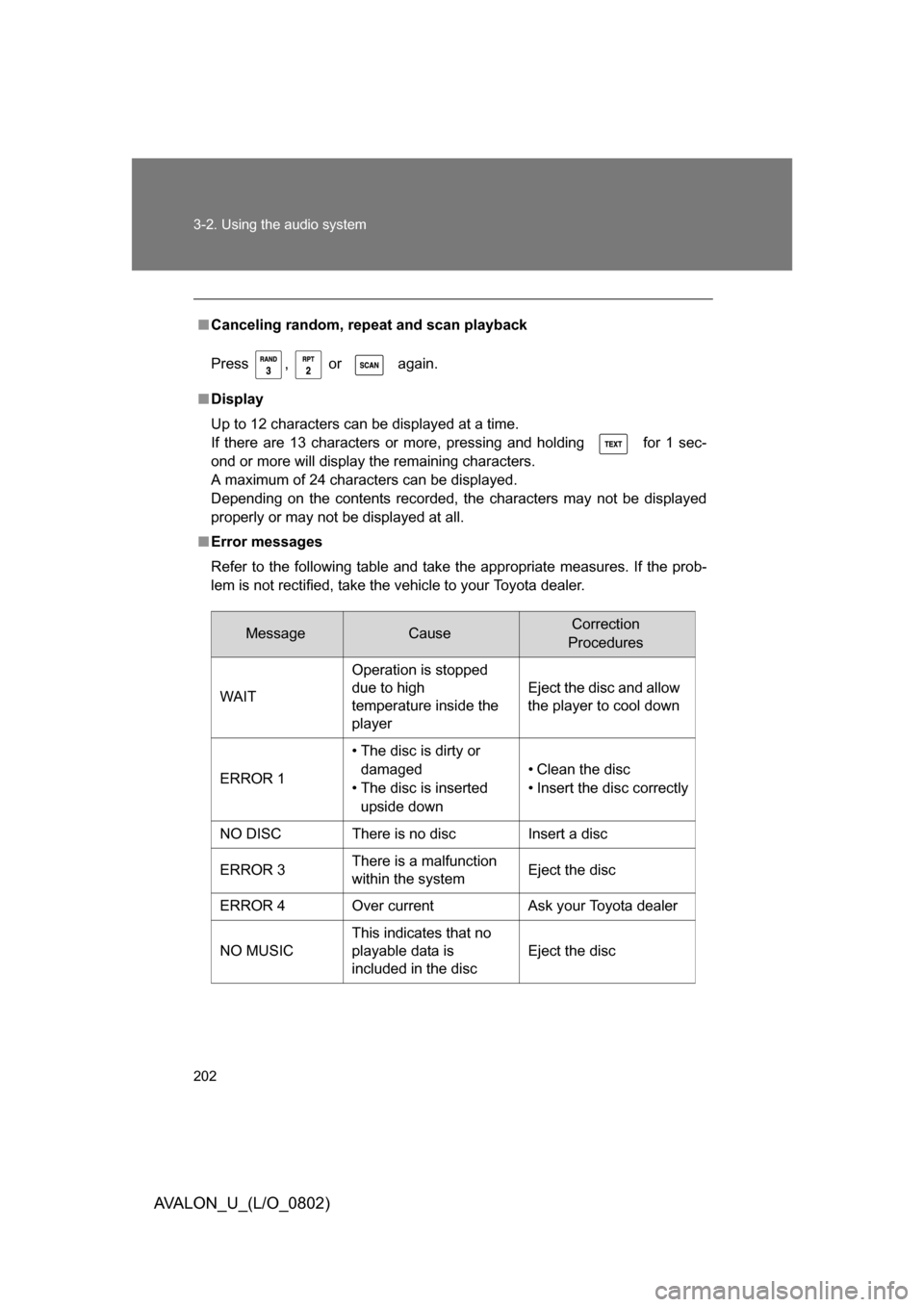
■ Error messages
Refer to the following table and take the appropriate measures. If the prob-
lem is not rectified, take the vehicle to your Toyota dealer.
MessageCauseCorrection
Procedures
WAIT Operation is stopped
due to high
temperature inside the
player Eject the disc and allow
the player to cool down
ERROR 1 • The disc is dirty or
damaged
• The disc is inserted upside down • Clean the disc
• Insert the disc correctly
NO DISC There is no disc Insert a disc
ERROR 3 There is a malfunction
within the system Eject the disc
ERROR 4 Over current Ask your Toyota dealer
NO MUSIC This indicates that no
playable data is
included in the disc
Eject the disc
Page 206 of 452
206
3-2. Using the audio system
AVALON_U_(L/O_0802)
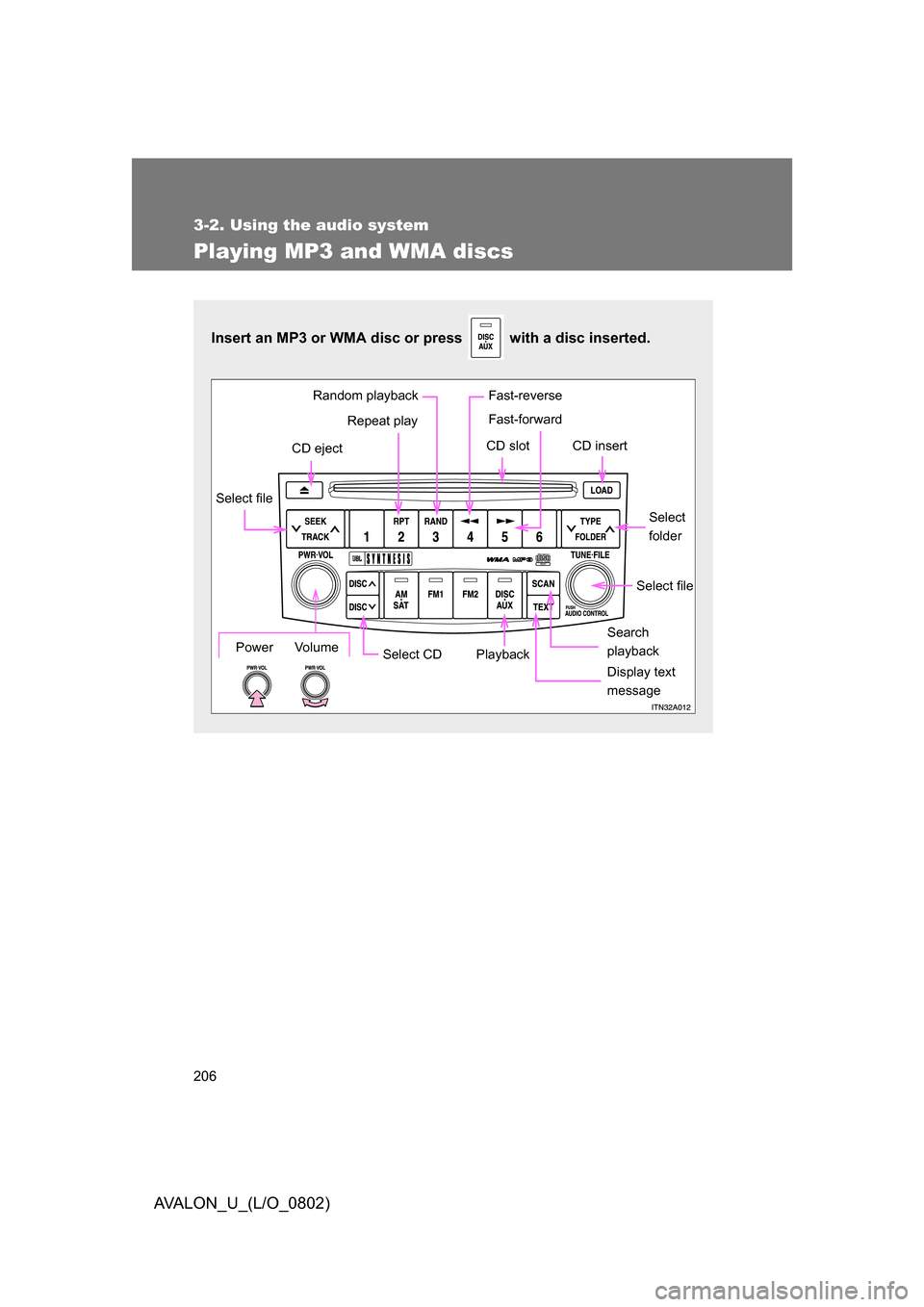
Playing MP3 and WMA discs
Insert an MP3 or WMA disc or press with a disc inserted.
Select CDSearch
playback
Random playback
Repeat play
CD eject
Playback
Select file
CD slot CD insert
Display text
message
Select file
Select
folder
Power Volume
Fast-reverse
Fast-forward
Page 208 of 452
208 3-2. Using the audio system
AVALON_U_(L/O_0802)
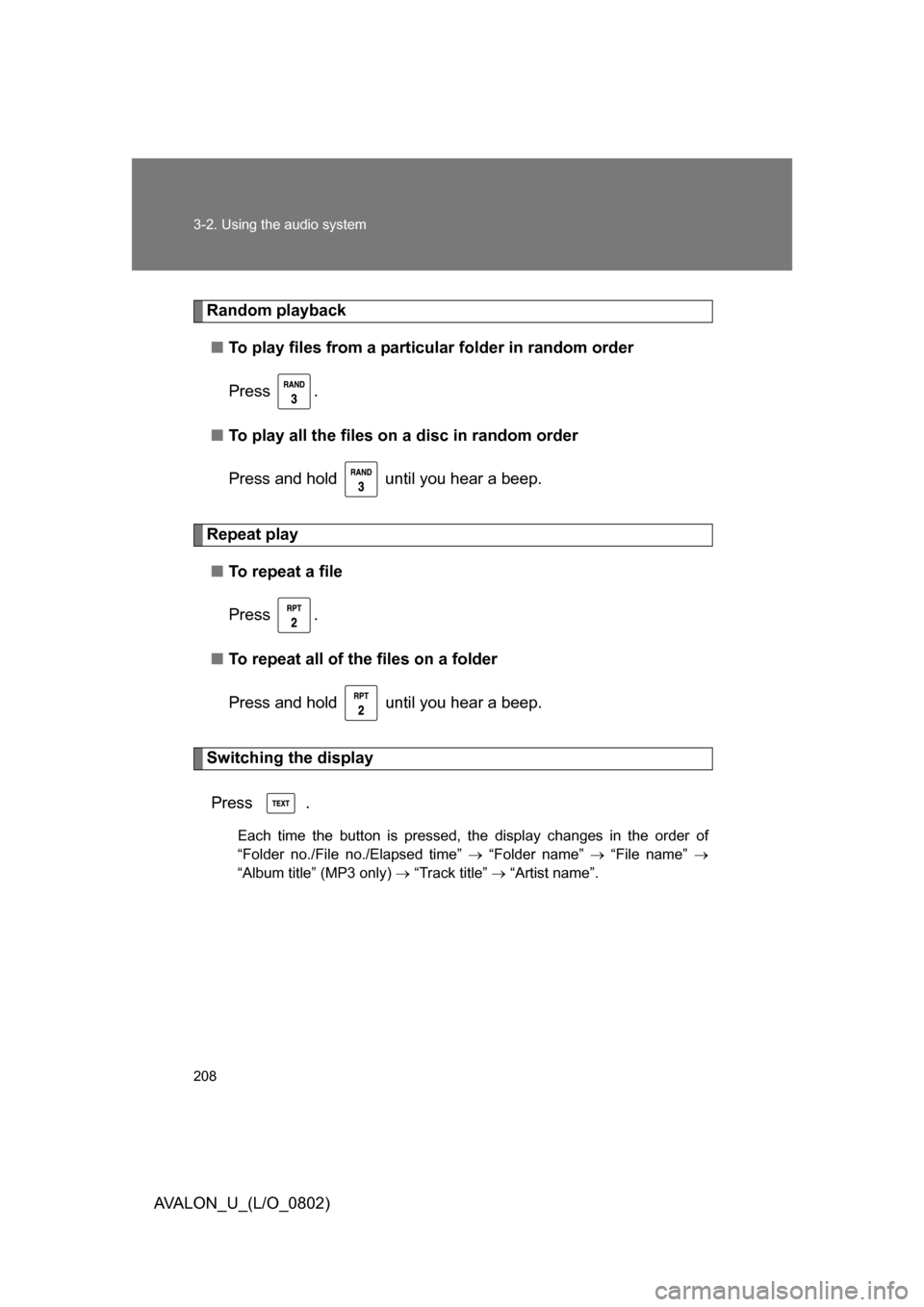
Random playback■ To play files from a partic ular folder in random order
Press .
■ To play all the files on a disc in random order
Press and hold until you hear a beep.
Repeat play ■ To repeat a file
Press .
■ To repeat all of the files on a folder
Press and hold until you hear a beep.
Switching the display
Press .
Each time the button is pressed, the display changes in the order of
“Folder no./File no./Elapsed time” “Folder name” “File name”
“Album title” (MP3 only) “Track title” “Artist name”.
Page 209 of 452
209
3-2. Using the audio system
3
Interior features
AVALON_U_(L/O_0802)
■
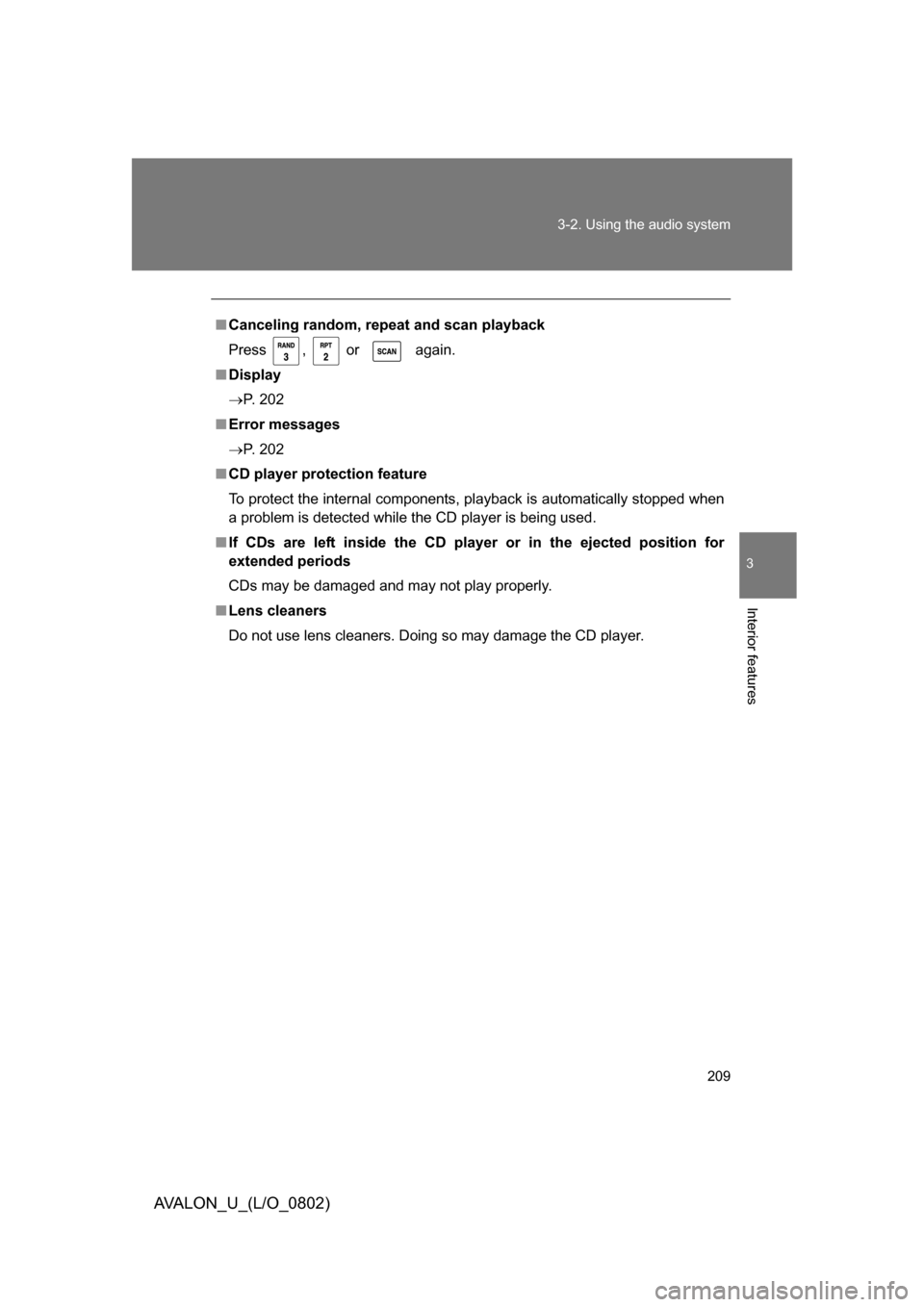
Canceling random, repeat and scan playback
Press , or again.
■ Display
P. 202
■ Error messages
P. 202
■ CD player protection feature
To protect the internal components, playback is automatically stopped when
a problem is detected while the CD player is being used.
■ If CDs are left inside the CD pla yer or in the ejected position for
extended periods
CDs may be damaged and may not play properly.
■ Lens cleaners
Do not use lens cleaners. Doing so may damage the CD player.