Page 22 of 496
10
∗1: For details, see �Service reminder indicators and warning
buzzers" on page 149 in Section 1−6.
∗2: For details, see �Roll sensing of curtain shield airbags off
switch" on page 95 in Section 1−3.
∗3: If this light flashes, see �Four−wheel drive system" on page
168 in Section 1−7.
∗4: If this light flashes, see �Rear height control air suspension"
on page 191 in Section 1−7.
∗5: If this light flashes, see �Cruise control" on page 203 in
Section 1−7.
Page 25 of 496
13
CY12023
�When starting the engine, do not
use the key with other transponder
keys around (including keys of oth-
er vehicles) and do not press other
key plates against the key grip.
Otherwise the engine may not start,
or may stop soon after it starts. If
this happens, remove the key once
and then insert it again after remov-
ing other transponder keys (includ-
ing keys of other vehicles) from the
ring or while gripping or covering
them with your hand to start the
engine.
CY12024
�Do not bend the key grip.
�Do not cover the key grip with any
material that cuts off electromagnet-
ic waves.
� Do not knock the key hard against
other objects.
� Do not leave the key exposed to
high temperatures for a long period,
such as on the dashboard and hood
under direct sunlight.
� Do not put the key in water or
wash it in an ultrasonic washer.
� Do not use the key with electromag-
netic materials.
Page 26 of 496
14
CY12025
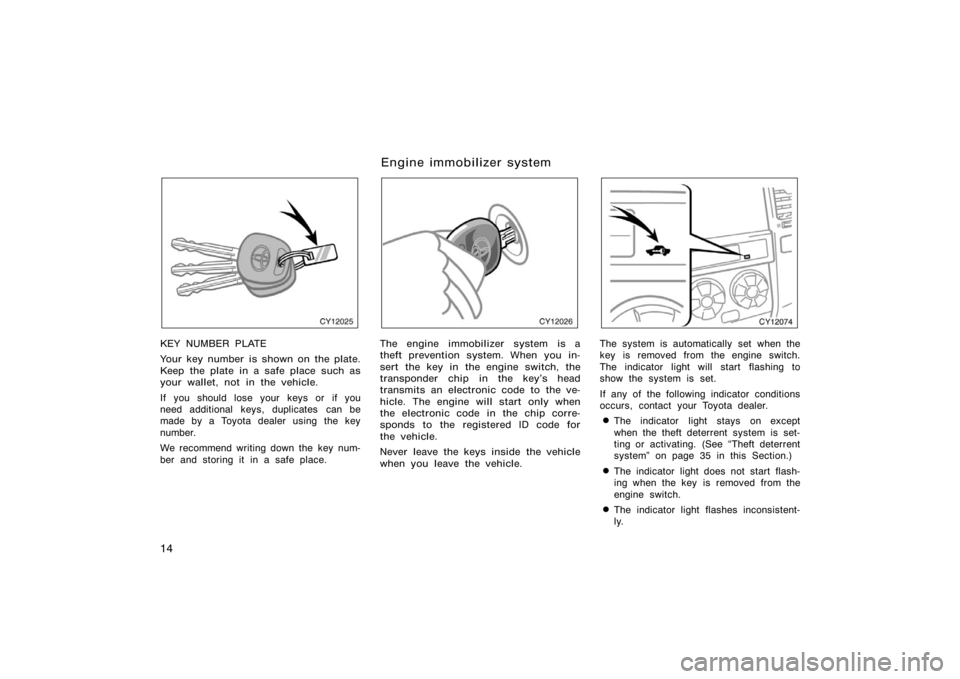
KEY NUMBER PLATE
Your key number is shown on the plate.
Keep the plate in a safe place such as
your wallet, not in the vehicle.
If you should lose your keys or if you
need additional keys, duplicates can be
made by a Toyota dealer using the key
number.
We recommend writing down the key num-
ber and storing it in a safe place.
CY12026
The engine immobilizer system is a
theft prevention system. When you in-
sert the key in the engine switch, the
transponder chip in the key’s head
transmits an electronic code to the ve-
hicle. The engine will start only when
the electronic code in the chip corre-
sponds to the registered ID code for
the vehicle.
Never leave the keys inside the vehicle
when you leave the vehicle.
CY12074
The system is automatically set when the
key is removed from the engine switch.
The indicator light will start flashing to
show the system is set.
If any of the following indicator conditions
occurs, contact your Toyota dealer.
�The indicator light stays on except
when the theft deterrent system is set-
ting or activating. (See �Theft deterrent
system" on page 35 in this Section.)
�The indicator light does not start flash-
ing when the key is removed from the
engine switch.
�The indicator light flashes inconsistent-
ly.
Engine immobilizer system
Page 27 of 496
15
Inserting the registered key in the engine
switch automatically cancels the system,
which enables the engine to start. The
indicator light will go off.
The system is maintenance−free.
For your Toyota dealer to make you a
new key with built−in transponder chip,
your dealer will need your key number
and master key. However, there is a limit
to the number of additional keys your
Toyota dealer can make for you.
If you make your own duplicate key,
you will not be able to cancel the sys-
tem or start the engine.
NOTICE
Do not modify, remove or disas-
semble the engine immobilizer sys-
tem. If any unauthorized changes or
modifications are made, proper opera-
tion of the system cannot be guaran-
teed.
For vehicles sold in U.S.A.
This device complies with Part 15 of the
FCC Rules. Operation is subject to the
following two conditions:
(1) this device may not cause harmful
interference, and (2) this device must
accept any interference received, includ-
ing interference that may cause unde-
sired operation.
CAUTION
Changes or modifications not ex-
pressly approved by the party respon-
sible for compliance could void the
user’s authority to operate the equip-
ment.
For vehicles sold in Canada
This device complies with RSS−210 of
Industry Canada. Operation is subject to
the following two conditions:
(1) this device may not cause interfer-
ence, and (2) this device must accept
any interference, including interference
that may cause undesired operation of
the device.
CY12070
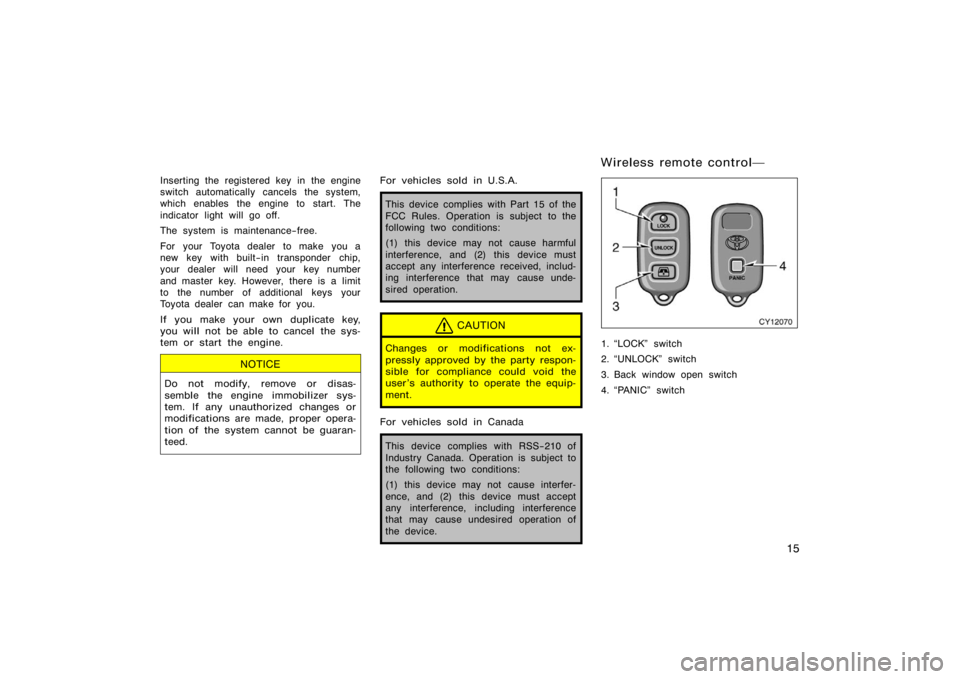
1. �LOCK" switch
2. �UNLOCK" switch
3. Back window open switch
4. �PANIC" switch
Wireless remote control�
Page 29 of 496

17
To lock and unlock all the side doors
and back door, push the switches of
the transmitter slowly and securely.
To lock: Push the �LOCK" switch. All the
side doors and back door are locked si-
multaneously. At this time one beep will
be heard, and the turn signal lights flash
once.
Check to see that all the side doors and
back door are securely locked.
If any of the side doors or the back door
is not securely closed, locking cannot be
performed by the �LOCK" switch and a
beep will sound continuously for 10 sec-
onds. However, if the key is in the engine
switch, a beep will not sound.
To stop the buzzer, close all the side
doors and back door securely or push the
�UNLOCK" switch.
The buzzer can be disabled. For details,
contact your Toyota dealer.
To unlock: Push the �UNLOCK" switch
once to unlock the driver ’s door alone.
Pushing the switch twice within 3 seconds
unlocks all the side doors and back door
simultaneously. Each time the �UNLOCK"
switch is pushed, two beeps will be heard,
and the turn signal lights flash twice.This double switch operation to unlock all
the side doors and back door can be
changed to a single switch operation. For
details, contact your Toyota dealer.
When the �UNLOCK" switch is pressed,
the interior light, luggage compartment
light, engine switch light and running
board lights (on some models) will come
on and remain on for about 15 seconds
before fading out. (For details, see
�Interior light" on page 136, �Luggage
compartment light" on page 138, �Engine
(ignition) switch light" on page 139 and
�Running board lights" on page 140 in
Section 1−5.)
You have 30 seconds to open a door after
using the wireless remote unlock feature.
If a door is not opened by then, all the
side doors and back door will be automati-
cally locked again.
The timing for the automatic door lock
function can be changed. For details, con-
tact your Toyota dealer.
If the �LOCK" or �UNLOCK" switch is kept
pressed in, the locking or unlocking opera-
tion is not repeated. Release the switch
and then push again.
The following adjustments can be made in
this system. For details, contact your
Toyota dealer.
�Cancelling the wireless door locking or
unlocking function
�Cancelling the flash of the turn si
gnal
lights
�Changing the volume of beep sound
Page 30 of 496
18
CY12084
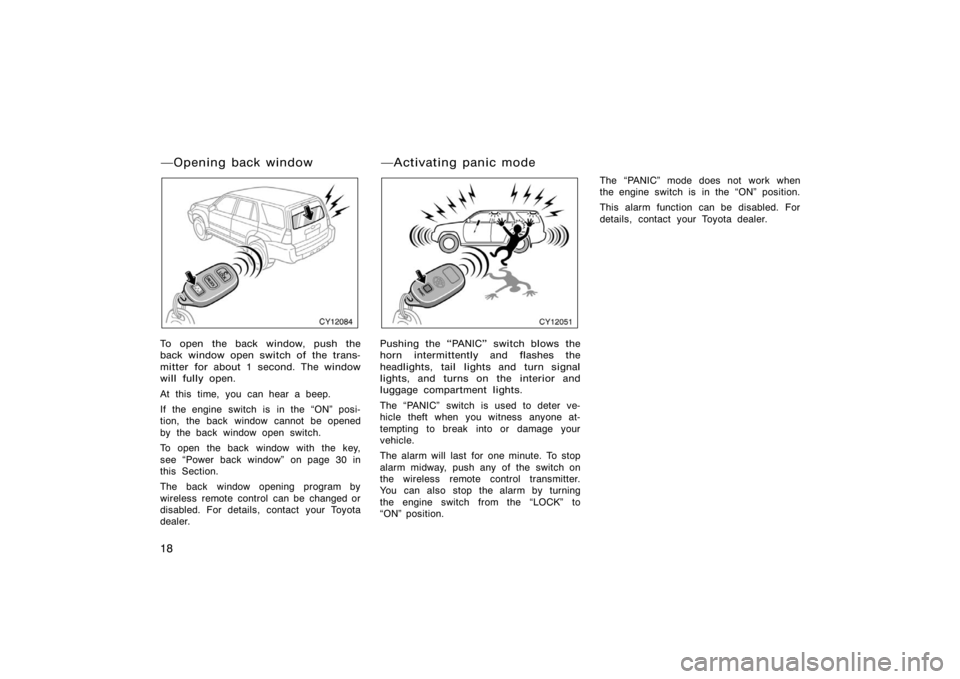
To open the back window, push the
back window open switch of the trans-
mitter for about 1 second. The window
will fully open.
At this time, you can hear a beep.
If the engine switch is in the �ON" posi-
tion, the back window cannot be opened
by the back window open switch.
To open the back window with the key,
see �Power back window" on page 30 in
this Section.
The back window opening program by
wireless remote control can be changed or
disabled. For details, contact your Toyota
dealer.
CY12051
Pushing the �PANIC" switch blows the
horn intermittently and flashes the
headlights, tail lights and turn signal
lights, and turns on the interior and
luggage compartment lights.
The �PANIC" switch is used to deter ve-
hicle theft when you witness anyone at-
tempting to break into or damage your
vehicle.
The alarm will last for one minute. To stop
alarm midway, push any of the switch on
the wireless remote control transmitter.
You can also stop the alarm by turning
the engine switch from the �LOCK" to
�ON" position.The �PANIC" mode does not work when
the engine switch is in the �ON" position.
This alarm function can be disabled. For
details, contact your Toyota dealer.
�Opening back window
�Activating panic mode
Page 34 of 496
22
CY12001
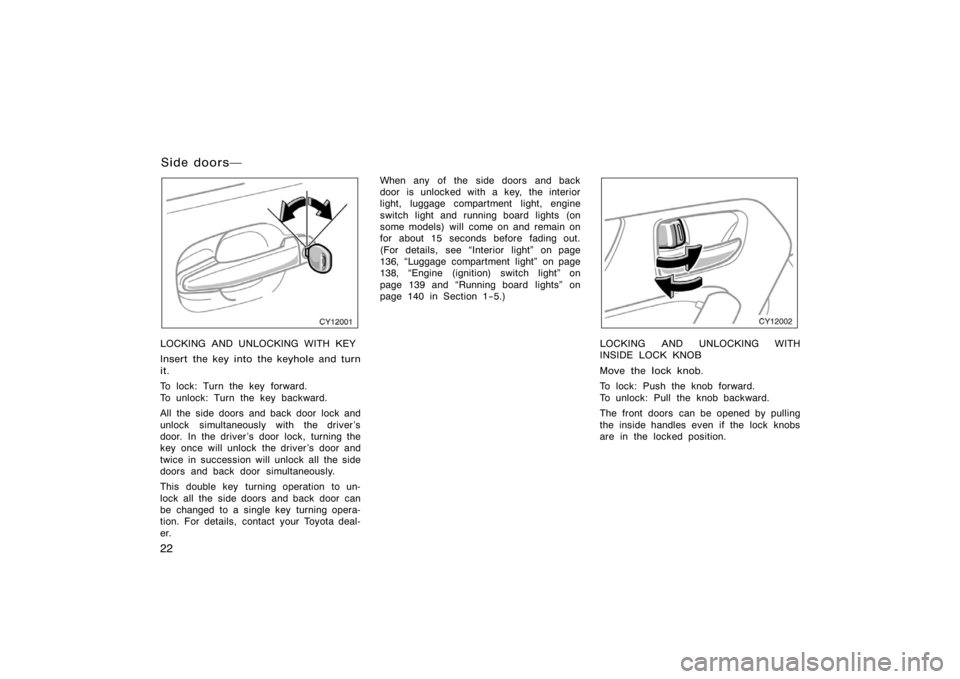
LOCKING AND UNLOCKING WITH KEY
Insert the key into the keyhole and turn
it.
To lock: Turn the key forward.
To unlock: Turn the key backward.
All the side doors and back door lock and
unlock simultaneously with the driver ’s
door. In the driver ’s door lock, turning the
key once will unlock the driver’s door and
twice in succession will unlock all the side
doors and back door simultaneously.
This double key turning operation to un-
lock all the side doors and back door can
be changed to a single key turning opera-
tion. For details, contact your Toyota deal-
er.When any of the side doors and back
door is unlocked with a key, the interior
light, luggage compartment light, engine
switch light and running board lights (on
some models) will come on and remain on
for about 15 seconds before fading out.
(For details, see �Interior light" on page
136, �Luggage compartment light" on page
138, �Engine (ignition) switch light" on
page 139 and �Running board lights" on
page 140 in Section 1−5.)
CY12002
LOCKING AND UNLOCKING WITH
INSIDE LOCK KNOB
Move the lock knob.
To lock: Push the knob forward.
To unlock: Pull the knob backward.
The front doors can be opened by pulling
the inside handles even if the lock knobs
are in the locked position.
Side doors�
Page 39 of 496
27
CY12005
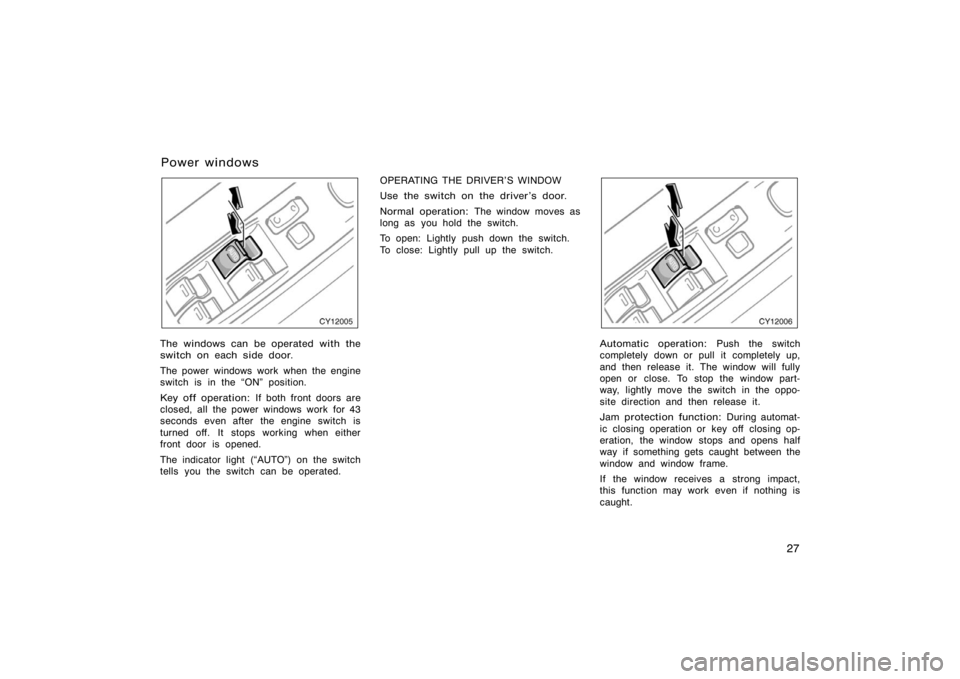
The windows can be operated with the
switch on each side door.
The power windows work when the engine
switch is in the �ON" position.
Key off operation: If both front doors are
closed, all the power windows work for 43
seconds even after the engine switch is
turned off. It stops working when either
front door is opened.
The indicator light (�AUTO") on the switch
tells you the switch can be operated. OPERATING THE DRIVER’S WINDOW
Use the switch on the driver’s door.
Normal operation:
The window moves as
long as you hold the switch.
To open: Lightly push down the switch.
To close: Lightly pull up the switch.
CY12006
Automatic operation: Push the switch
completely down or pull it completely up,
and then release it. The window will fully
open or close. To stop the window part-
way, lightly move the switch in the oppo-
site direction and then release it.
Jam protection function: During automat-
ic closing operation or key off closing op-
eration, the window stops and opens half
way if something gets caught between the
window and window frame.
If the window receives a strong impact,
this function may work even if nothing is
caught.
Power windows