2008 SUBARU TRIBECA buttons
[x] Cancel search: buttonsPage 203 of 409
!How to unload CDs from the player
! Ejecting a CD from the player
Of the discs loaded, you can select and
remove only one disc.
1. Use the disc select button (9) to select
the disc to be ejected.
2. Briefly press the “
”button (8). The
selected disc will be ejected. The disc
number indicator will flash at this time.
When you remove the ejected disc, the
disc number indicator will go off.
To remove more discs in succession,
repeat Steps 1 and 2.
! Ejecting all discs from the player (All
disc ejection mode)
1. If you continue to press the “
”button
(8), the player will produce beep sound
and will enter the all disc ejection mode.
2. Remove the disc that has been
ejected. The other discs loaded will then
be ejected one after another. If you do not
remove the disc that has been ejected, the
“All disc ejection mode ”will be canceled.
NOTE. Avoid driving the vehicle with a CD
sticking out, because vibration might
make it fall out.
. If you press the “
”button while the player is in all disc ejection mode,
the mode will be cancelled following
ejection of the disc that is currently
being ejected.
.
If you press the “CD ”button while
the player is in all disc ejection mode,
the player will draw in the discs that
have been ejected and play them.
Audio control buttonsThese buttons are located on the spokes
of the steering wheel. They allow the
driver to control audio functions without
taking his/her hands off the steering
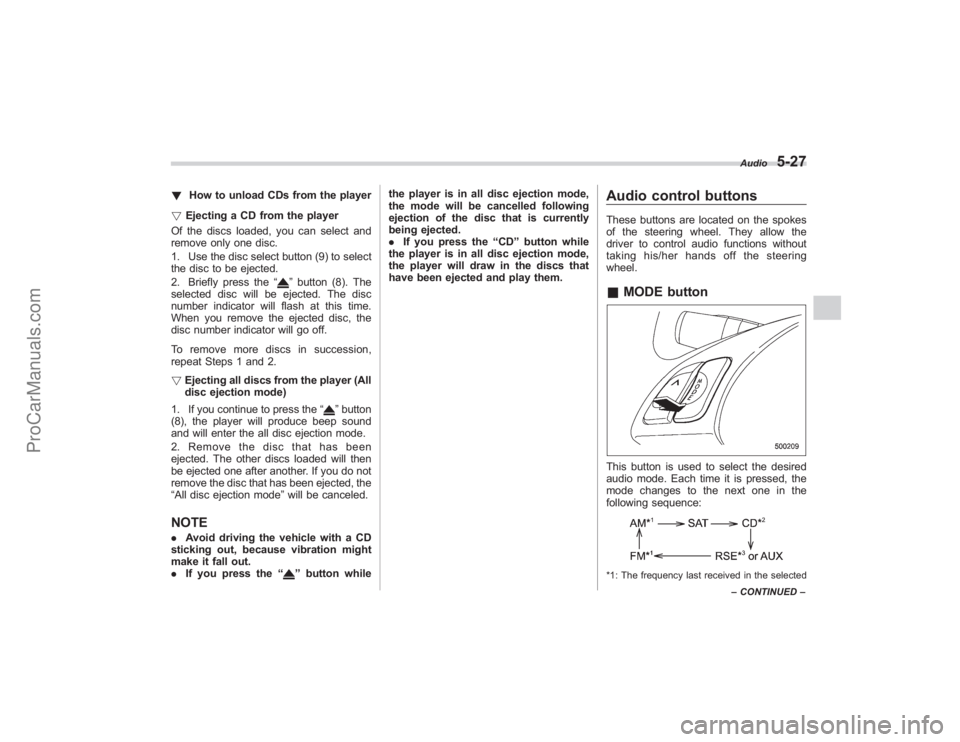
wheel.& MODE buttonThis button is used to select the desired
audio mode. Each time it is pressed, the
mode changes to the next one in the
following sequence:*1: The frequency last received in the selected Audio
5-27
–
CONTINUED –
ProCarManuals.com
Page 204 of 409
5-28
Audio
waveband will be displayed.
*2: Only when a CD is in the player.
*3: Only vehicle equipped with RSE (Rear Seat Entertainment)
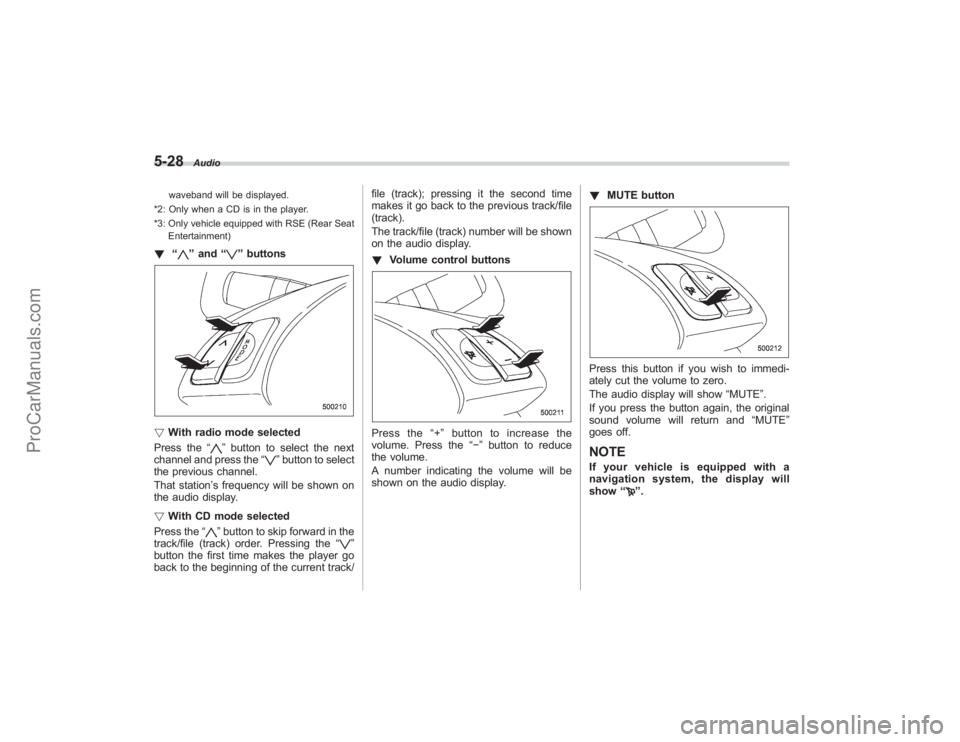
! “
”and “
”buttons
! With radio mode selected
Press the “
”button to select the next
channel and press the “
”button to select
the previous channel.
That station ’s frequency will be shown on
the audio display.
! With CD mode selected
Press the “
”button to skip forward in the
track/file (track) order. Pressing the “
”
button the first time makes the player go
back to the beginning of the current track/ file (track); pressing it the second time
makes it go back to the previous track/file
(track).
The track/file (track) number will be shown
on the audio display.
!
Volume control buttons
Press the “+ ” button to increase the
volume. Press the “−”button to reduce
the volume.
A number indicating the volume will be
shown on the audio display. !
MUTE button
Press this button if you wish to immedi-
ately cut the volume to zero.
The audio display will show “MUTE”.
If you press the button again, the original
sound volume will return and “MUTE ”
goes off.NOTEIf your vehicle is equipped with a
navigation system, the display will
show “
”.
ProCarManuals.com
Page 224 of 409
6-16
Interior equipment
&7-seater modelsHang the hook provided on the underside
of the lid on the rear edge of the roof to
keep the lid open.
HomeLink ®Wireless Control
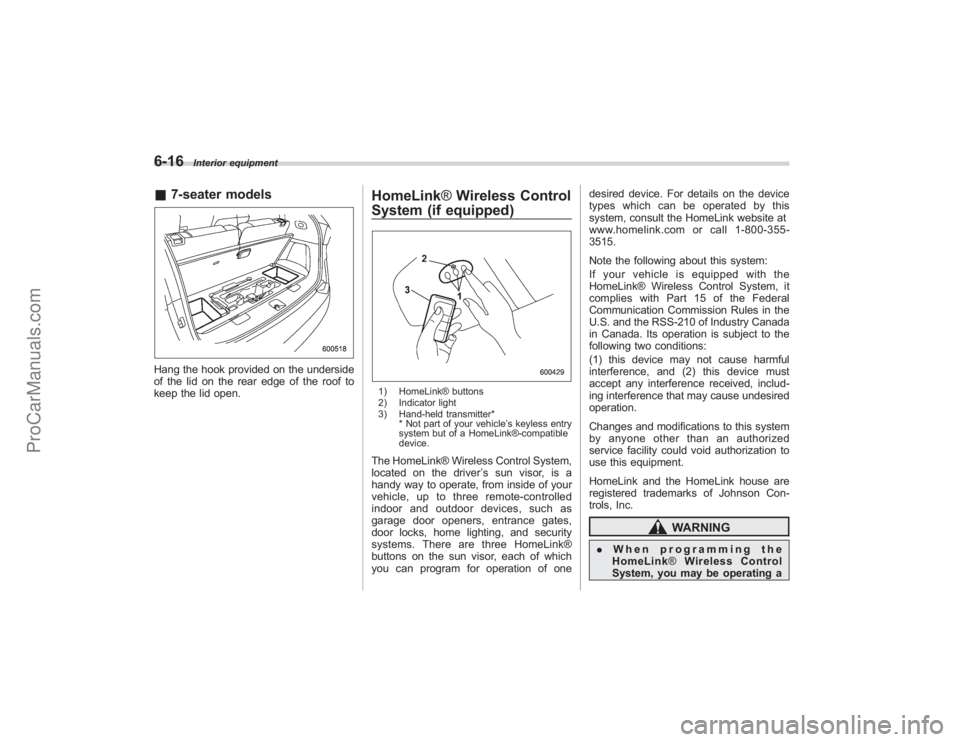
System (if equipped)1) HomeLink® buttons
2) Indicator light
3) Hand-held transmitter*
* Not part of your vehicle ’s keyless entry
system but of a HomeLink®-compatible
device.The HomeLink® Wireless Control System,
located on the driver ’s sun visor, is a
handy way to operate, from inside of your
vehicle, up to three remote-controlled
indoor and outdoor devices, such as
garage door openers, entrance gates,
door locks, home lighting, and security
systems. There are three HomeLink®
buttons on the sun visor, each of which
you can program for operation of one desired device. For details on the device
types which can be operated by this
system, consult the HomeLink website at
www.homelink.com or call 1-800-355-
3515.
Note the following about this system:
If your vehicle is equipped with the
HomeLink® Wireless Control System, it
complies with Part 15 of the Federal
Communication Commission Rules in the
U.S. and the RSS-210 of Industry Canada
in Canada. Its operation is subject to the
following two conditions:
(1) this device may not cause harmful
interference, and (2) this device must
accept any interference received, includ-
ing interference that may cause undesired
operation.
Changes and modifications to this system
by anyone other than an authorized
service facility could void authorization to
use this equipment.
HomeLink and the HomeLink house are
registered trademarks of Johnson Con-
trols, Inc.
WARNING
.
When programming the
HomeLink ®Wireless Control
System, you may be operating a
ProCarManuals.com
Page 225 of 409
garage door opener or other
device. Make sure that people
and objects are out of the way
of the garage door opener or
other device to prevent potential
harm or damage.
. Do not use the HomeLink ®Wire-
less Control System with any
garage door opener that lacks
the safety stop and reverse fea-
ture as required by applicable
safety standards. A garage door
opener which cannot detect an
object, signaling the door to stop
and reverse, does not meet these
safety standards. Using a garage
door opener without these fea-
tures increases risk of serious
injury or death. For more infor-
mation, consult the HomeLink
website at www.homelink.com
or call 1-800-355-3515.
CAUTION
When programming the HomeLink ®
Wireless Control System to operate
a garage door opener or an entrance
gate, unplug the device ’s motor
from the outlet during programming
to prevent motor burnout.
NOTE. After programming your HomeLink ®
Wireless Control System for the de-
sired devices, retain the hand-held
transmitters for further programming
or device testing in the event of a
problem.
. It is recommended that you insert a
new battery in the hand-held transmit-
ter of a device to ensure correct
programming.& Garage door opener pro-
gramming in the U.S.A.
NOTEWhen programming the HomeLink ®
Wireless Control System for a garage
door opener, it is suggested that you
park the vehicle outside the garage.
1. Unplug the motor of the garage door
opener from the outlet.
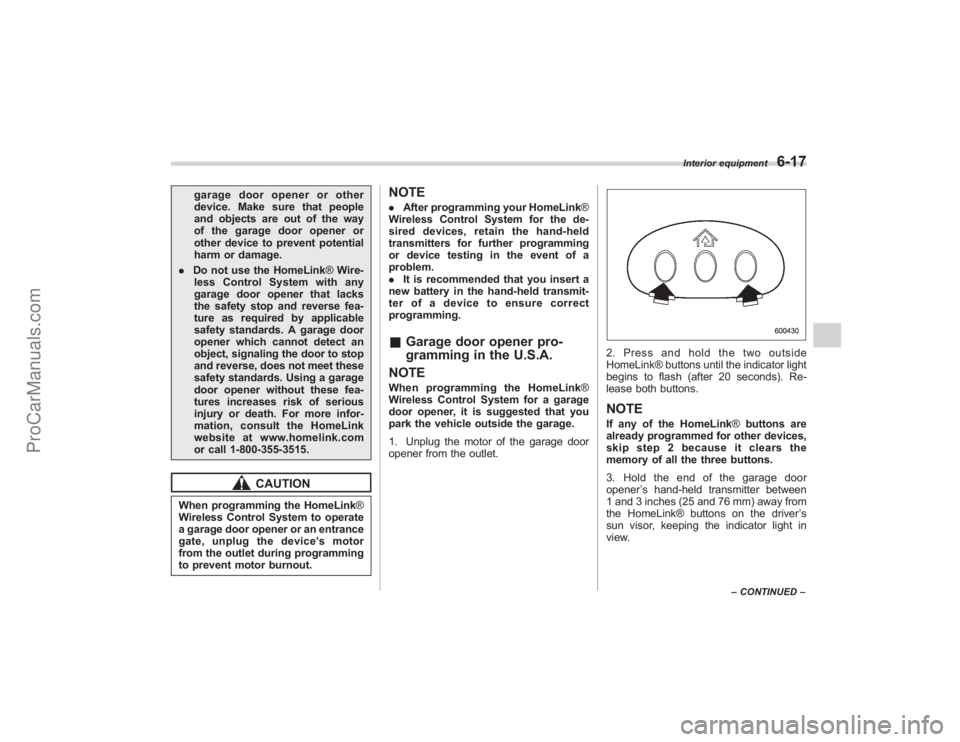
2. Press and hold the two outside
HomeLink® buttons until the indicator light
begins to flash (after 20 seconds). Re-
lease both buttons.NOTEIf any of the HomeLink ®buttons are
already programmed for other devices,
skip step 2 because it clears the
memory of all the three buttons.
3. Hold the end of the garage door
opener ’s hand-held transmitter between
1 and 3 inches (25 and 76 mm) away from
the HomeLink® buttons on the driver ’s
sun visor, keeping the indicator light in
view.
Interior equipment
6-17
– CONTINUED –
ProCarManuals.com
Page 226 of 409
6-18
Interior equipment
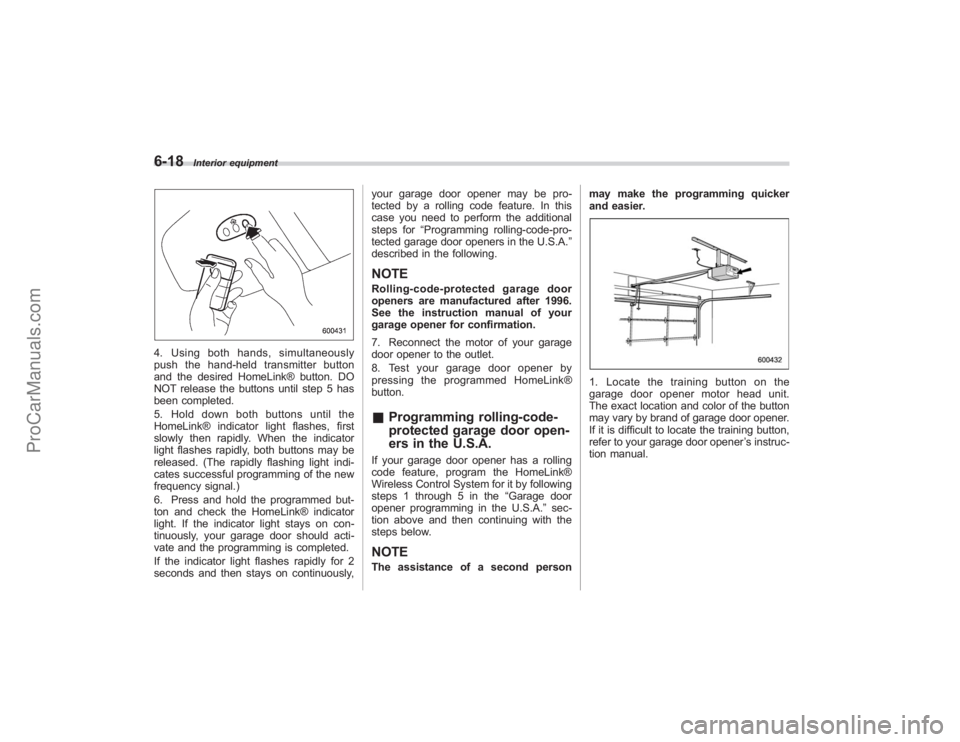
4. Using both hands, simultaneously
push the hand-held transmitter button
and the desired HomeLink® button. DO
NOT release the buttons until step 5 has
been completed.
5. Hold down both buttons until the
HomeLink® indicator light flashes, first
slowly then rapidly. When the indicator
light flashes rapidly, both buttons may be
released. (The rapidly flashing light indi-
cates successful programming of the new
frequency signal.)
6. Press and hold the programmed but-
ton and check the HomeLink® indicator
light. If the indicator light stays on con-
tinuously, your garage door should acti-
vate and the programming is completed.
If the indicator light flashes rapidly for 2
seconds and then stays on continuously,your garage door opener may be pro-
tected by a rolling code feature. In this
case you need to perform the additional
steps for
“Programming rolling-code-pro-
tected garage door openers in the U.S.A. ”
described in the following.
NOTERolling-code-protected garage door
openers are manufactured after 1996.
See the instruction manual of your
garage opener for confirmation.
7. Reconnect the motor of your garage
door opener to the outlet.
8. Test your garage door opener by
pressing the programmed HomeLink®
button.& Programming rolling-code-
protected garage door open-
ers in the U.S.A.If your garage door opener has a rolling
code feature, program the HomeLink®
Wireless Control System for it by following
steps 1 through 5 in the “Garage door
opener programming in the U.S.A. ”sec-
tion above and then continuing with the
steps below.NOTEThe assistance of a second person may make the programming quicker
and easier.
1. Locate the training button on the
garage door opener motor head unit.
The exact location and color of the button
may vary by brand of garage door opener.
If it is difficult to locate the training button,
refer to your garage door opener
’s instruc-
tion manual.
ProCarManuals.com
Page 227 of 409
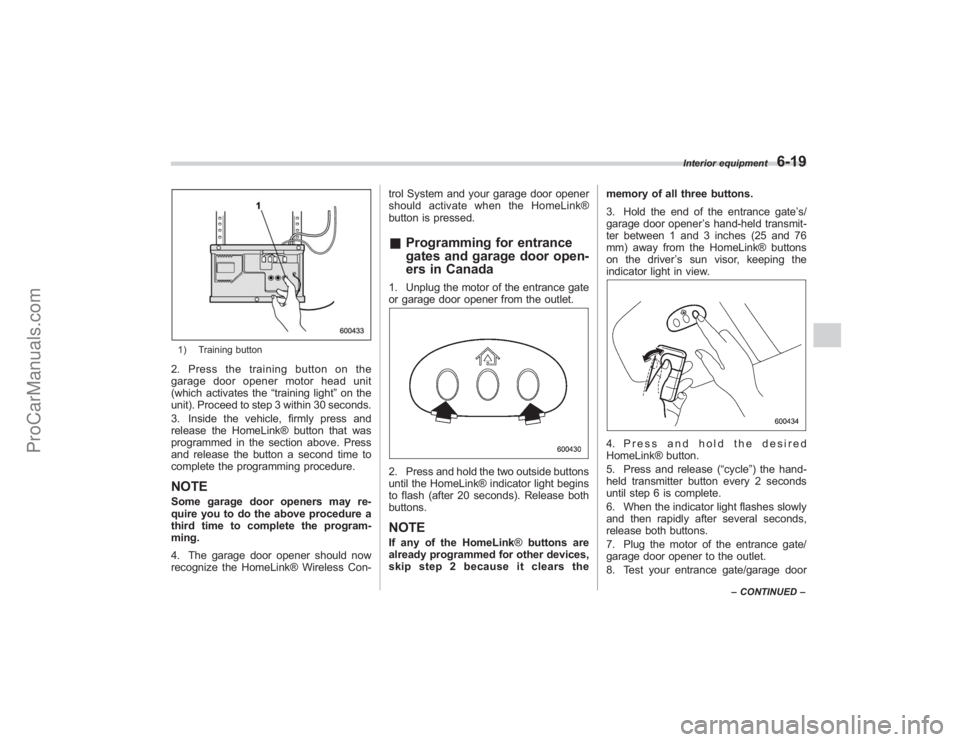
1) Training button2. Press the training button on the
garage door opener motor head unit
(which activates the“training light”on the
unit). Proceed to step 3 within 30 seconds.
3. Inside the vehicle, firmly press and
release the HomeLink® button that was
programmed in the section above. Press
and release the button a second time to
complete the programming procedure.NOTESome garage door openers may re-
quire you to do the above procedure a
third time to complete the program-
ming.
4. The garage door opener should now
recognize the HomeLink® Wireless Con- trol System and your garage door opener
should activate when the HomeLink®
button is pressed.
&
Programming for entrance
gates and garage door open-
ers in Canada1. Unplug the motor of the entrance gate
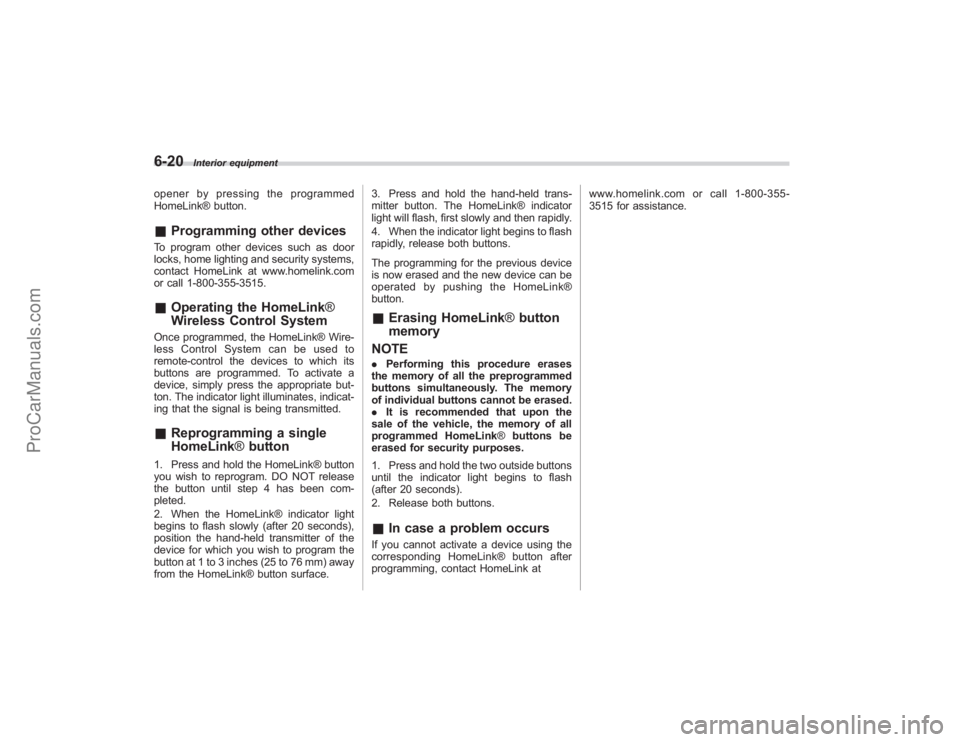
or garage door opener from the outlet.2. Press and hold the two outside buttons
until the HomeLink® indicator light begins
to flash (after 20 seconds). Release both
buttons.NOTEIf any of the HomeLink ®buttons are
already programmed for other devices,
skip step 2 because it clears the memory of all three buttons.
3. Hold the end of the entrance gate
’s/
garage door opener ’s hand-held transmit-
ter between 1 and 3 inches (25 and 76
mm) away from the HomeLink® buttons
on the driver ’s sun visor, keeping the
indicator light in view.
4. Press and hold the desired
HomeLink® button.
5. Press and release (“cycle”) the hand-
held transmitter button every 2 seconds
until step 6 is complete.
6. When the indicator light flashes slowly
and then rapidly after several seconds,
release both buttons.
7. Plug the motor of the entrance gate/
garage door opener to the outlet.
8. Test your entrance gate/garage door
Interior equipment
6-19
– CONTINUED –
ProCarManuals.com
Page 228 of 409
6-20
Interior equipment
opener by pressing the programmed
HomeLink® button.&Programming other devicesTo program other devices such as door
locks, home lighting and security systems,
contact HomeLink at www.homelink.com
or call 1-800-355-3515.&Operating the HomeLink ®
Wireless Control SystemOnce programmed, the HomeLink® Wire-
less Control System can be used to
remote-control the devices to which its
buttons are programmed. To activate a
device, simply press the appropriate but-
ton. The indicator light illuminates, indicat-
ing that the signal is being transmitted.& Reprogramming a single
HomeLink ®button1. Press and hold the HomeLink® button
you wish to reprogram. DO NOT release
the button until step 4 has been com-
pleted.
2. When the HomeLink® indicator light
begins to flash slowly (after 20 seconds),
position the hand-held transmitter of the
device for which you wish to program the
button at 1 to 3 inches (25 to 76 mm) away
from the HomeLink® button surface. 3. Press and hold the hand-held trans-
mitter button. The HomeLink® indicator
light will flash, first slowly and then rapidly.
4. When the indicator light begins to flash
rapidly, release both buttons.
The programming for the previous device
is now erased and the new device can be
operated by pushing the HomeLink®
button.
&
Erasing HomeLink ®button
memory
NOTE. Performing this procedure erases
the memory of all the preprogrammed
buttons simultaneously. The memory
of individual buttons cannot be erased.
. It is recommended that upon the
sale of the vehicle, the memory of all
programmed HomeLink ®buttons be
erased for security purposes.
1. Press and hold the two outside buttons
until the indicator light begins to flash
(after 20 seconds).
2. Release both buttons.& In case a problem occursIf you cannot activate a device using the
corresponding HomeLink® button after
programming, contact HomeLink at www.homelink.com or call 1-800-355-
3515 for assistance.
ProCarManuals.com