2008 PONTIAC TORRENT navigation
[x] Cancel search: navigationPage 235 of 434

g(Mute/Voice Recognition):Press and release to
silence the system. Press and release again, to turn the
sound on.
If your vehicle has the navigation system, press and
hold for longer than one second to initiate voice
recognition. See “Voice Recognition” in the Navigation
System manual for more information.
If your vehicle has OnStar
®, press and hold for longer
than one second to interact with the OnStar®system.
If your vehicle also has the Navigation System,
press this button to initiate voice recognition and say
“OnStar” to enter OnStar
®mode. See theOnStar®
System on page 2-39in this manual for more
information.
Radio Reception
Frequency interference and static can occur during
normal radio reception if items such as cell phone
chargers, vehicle convenience accessories, and external
electronic devices are plugged into the accessory power
outlet. If there is interference or static, unplug the item
from the accessory power outlet.
AM
The range for most AM stations is greater than for FM,
especially at night. The longer range can cause station
frequencies to interfere with each other. For better radio
reception, most AM radio stations boost the power levels
during the day, and then reduce these levels during the
night. Static can also occur when things like storms and
power lines interfere with radio reception. When this
happens, try reducing the treble on your radio.
3-111
Page 401 of 434
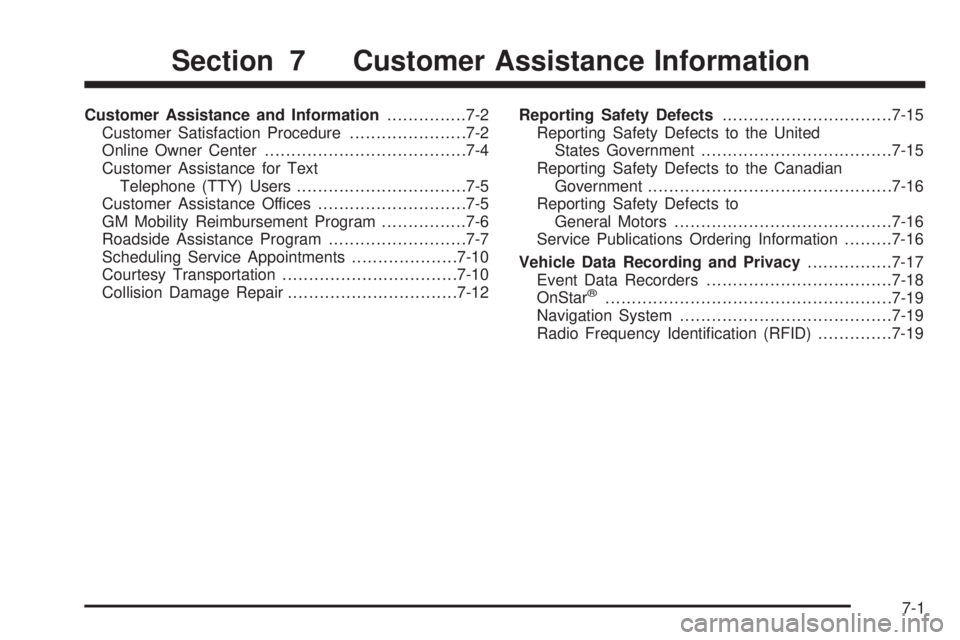
Customer Assistance and Information...............7-2
Customer Satisfaction Procedure......................7-2
Online Owner Center......................................7-4
Customer Assistance for Text
Telephone (TTY) Users................................7-5
Customer Assistance Offices............................7-5
GM Mobility Reimbursement Program................7-6
Roadside Assistance Program..........................7-7
Scheduling Service Appointments....................7-10
Courtesy Transportation.................................7-10
Collision Damage Repair................................7-12Reporting Safety Defects................................7-15
Reporting Safety Defects to the United
States Government....................................7-15
Reporting Safety Defects to the Canadian
Government..............................................7-16
Reporting Safety Defects to
General Motors.........................................7-16
Service Publications Ordering Information.........7-16
Vehicle Data Recording and Privacy................7-17
Event Data Recorders...................................7-18
OnStar
®......................................................7-19
Navigation System........................................7-19
Radio Frequency Identication (RFID)..............7-19
Section 7 Customer Assistance Information
7-1
Page 419 of 434
OnStar®
If your vehicle has OnStar and you subscribe to the
OnStar services, please refer to the OnStar Terms and
Conditions for information on data collection and
use. See alsoOnStar
®System on page 2-39in this
manual for more information.
Navigation System
If your vehicle has a navigation system, use of the
system may result in the storage of destinations,
addresses, telephone numbers, and other trip
information. Refer to the navigation system operating
manual for information on stored data and for deletion
instructions.
Radio Frequency
Identication (RFID)
RFID technology is used in some vehicles for functions
such as tire pressure monitoring and ignition system
security, as well as in connection with conveniences
such as key fobs for remote door locking/unlocking and
starting, and in-vehicle transmitters for garage door
openers. RFID technology in GM vehicles does not use
or record personal information or link with any other
GM system containing personal information.
7-19
Page 421 of 434
A
Accessories and Modications............................ 5-3
Adding Equipment to Your Airbag-Equipped
Vehicle.......................................................1-70
Additives, Fuel................................................. 5-6
Add-On Electrical Equipment............................5-99
Air Cleaner/Filter, Engine.................................5-20
Air Conditioning..............................................3-20
Airbag
Passenger Status Indicator...........................3-30
Readiness Light..........................................3-29
Airbag System................................................1-56
What Will You See After an Airbag Inates?....1-63
When Should an Airbag Inate?....................1-61
Where Are the Airbags?...............................1-59
Airbag Systems
Adding Equipment to Your Airbag-Equipped
Vehicle...................................................1-70
How Does an Airbag Restrain?......................1-62
Passenger Sensing System...........................1-64
Servicing Your Airbag-Equipped Vehicle..........1-69
What Makes an Airbag Inate?......................1-62
All-Wheel Drive...............................................5-44
All-Wheel Drive Disabled Light..........................3-42
All-Wheel-Drive (AWD) System........................... 4-8
All-Wheel-Drive Service Light............................3-42
Antilock Brake System (ABS)............................. 4-5
Antilock Brake, System Warning Light................3-34Appearance Care
Aluminum or Chrome-Plated Wheels..............5-95
Care of Safety Belts....................................5-92
Chemical Paint Spotting...............................5-96
Cleaning Exterior Lamps/Lenses....................5-93
Fabric/Carpet..............................................5-90
Finish Care.................................................5-94
Finish Damage............................................5-96
Instrument Panel, Vinyl, and Other Plastic
Surfaces.................................................5-92
Interior Cleaning..........................................5-88
Leather......................................................5-91
Sheet Metal Damage...................................5-96
Tires..........................................................5-96
Underbody Maintenance...............................5-96
Vehicle Care/Appearance Materials................5-97
Washing Your Vehicle...................................5-93
Weatherstrips..............................................5-92
Windshield and Wiper Blades........................5-94
Appointments, Scheduling Service.....................7-10
Ashtray.........................................................3-20
Audio System.................................................3-67
Audio Steering Wheel Controls....................3-110
Navigation/Radio System, see Navigation
Manual.................................................3-101
Radio Reception........................................3-111
Setting the Time..........................................3-68
Theft-Deterrent Feature...............................3-110
1
Page 428 of 434

Maintenance Schedule (cont.)
At Least Once a Year.................................... 6-9
Introduction.................................................. 6-2
Maintenance Footnotes.................................. 6-7
Maintenance Record....................................6-16
Maintenance Replacement Parts....................6-14
Maintenance Requirements............................. 6-2
Owner Checks and Services........................... 6-8
Recommended Fluids and Lubricants.............6-12
Scheduled Maintenance................................. 6-4
Using.......................................................... 6-2
Your Vehicle and the Environment................... 6-2
Malfunction Indicator Light................................3-36
Manual Lumbar Controls.................................... 1-4
Manual Reclining Seatbacks............................... 1-5
Manual Seats................................................... 1-2
Manual, Using.................................................... iii
Map Lamps....................................................3-17
Message
DIC Warnings and Messages........................3-52
Mirrors
Automatic Dimming Rearview with OnStar
®.....2-38
Manual Rearview Mirror................................2-37
Manual Rearview Mirror with OnStar
®.............2-37
Outside Convex Mirrors................................2-39
Outside Power Mirrors..................................2-38
MP3 .....................................................3-90, 3-95
MyGMLink.com................................................ 7-4
N
Navigation System, Privacy..............................7-19
Navigation/Radio System, see Navigation
Manual.....................................................3-101
New Vehicle Break-In......................................2-20
O
Odometer......................................................3-28
Odometer, Trip...............................................3-28
Off-Road Recovery..........................................4-12
Oil
Change Engine Oil Light...............................3-40
Engine.......................................................5-15
Pressure Light.............................................3-39
Oil, Engine Oil Life System..............................5-18
Older Children, Restraints................................1-31
Online Owner Center........................................ 7-4
OnStar, Privacy..............................................7-19
OnStar
®System, see OnStar®Manual...............2-39
Other Warning Devices...................................... 3-6
Outlet Adjustment............................................3-24
Outlets
Accessory Power.........................................3-19
Outside
Convex Mirrors............................................2-39
Power Mirrors.............................................2-38
8
Page 429 of 434

Overheated Engine Protection
Operating Mode..........................................5-26
Owner Checks and Services.............................. 6-8
Owners, Canadian............................................... ii
P
Paint, Damage...............................................5-96
Park Brake....................................................2-32
Park (P)
Shifting Into................................................2-33
Shifting Out of............................................2-35
Parking
Over Things That Burn.................................2-35
Passenger Airbag Status Indicator.....................3-30
Passenger Compartment Air Filter.....................3-24
Passenger Sensing System..............................1-64
Passing.........................................................4-12
PASS-Key
®III+..............................................2-18
PASS-Key®III+ Operation................................2-19
Perchlorate Materials Requirements, California...... 5-4
Power
Door Locks.................................................2-11
Reduced Engine Light..................................3-41
Retained Accessory (RAP)............................2-22
Seat............................................................ 1-3
Steering Fluid.............................................5-32
Windows....................................................2-16Privacy..........................................................7-17
Event Data Recorders..................................7-18
Navigation System.......................................7-19
OnStar.......................................................7-19
Radio Frequency Identication.......................7-19
Programmable Automatic Door Locks.................2-12
R
Radio Frequency Identication (RFID), Privacy....7-19
Radios..........................................................3-67
Radio(s)........................................................3-71
Radios
Navigation/Radio System, see Navigation
Manual.................................................3-101
Reception.................................................3-111
Setting the Time..........................................3-68
Theft-Deterrent..........................................3-110
Rear Compartment Storage Panel/Cover............2-45
Rear Door Security Locks................................2-12
Rear Seat Armrest..........................................2-46
Rear Seat Entertainment System.....................3-101
Rear Windshield Washer/Wiper.........................3-11
Rearview Mirror, Automatic Dimming with
OnStar
®.....................................................2-38
Rearview Mirror with OnStar®...........................2-37
Rearview Mirrors.............................................2-37
9