2008 PONTIAC SOLSTICE wheel
[x] Cancel search: wheelPage 105 of 348

Windshield Wipers
Use this lever, located on the right side of the steering
wheel, to operate the windshield wipers.
9(Off):Move the lever to this position to turn off the
windshield wipers.
&(Intermittent; Speed Sensitive Wipers):Move
the lever to this position for intermittent or speed
sensitive operation. The amount of delay time varies
between wiping cycles due to the delay setting selected
or the speed of the vehicle.
x(Delay):While the lever is in the intermittent
position, turn the intermittent adjust band with this
symbol on it up or down to select a shorter or longer
delay between wiping cycles. To the left of the
adjust band are bars, increasing in size from bottom totop, that indicate the frequency of the wipes. Smaller
bars mean the wipers movement is less frequent.
Larger bars mean the movement is more frequent.
6(Low Speed):Move the lever up to the rst
setting past intermittent, for steady wiping at low speed.
1(High Speed):Move the lever up to the second
setting past intermittent, for wiping at a high speed.
8(Mist):Move the lever all the way down to this
position for a single wiping cycle. Hold it there until the
windshield wipers start; then let go. The windshield
wipers stop after one wiping cycle. If additional wiping
cycles are needed, hold the lever down longer.
Damaged wiper blades can prevent you from seeing
well enough to drive safely. Clear ice and snow from
the wiper blades before using them to prevent damage.
If the wiper blades are frozen to the windshield, carefully
loosen or thaw them. If your blades do become damaged,
get new blades.
Heavy snow or ice can overload the wiper motor. A circuit
breaker stops the motor until it cools. Clear away snow
or ice to prevent an overload. If the motor gets stuck,
turn the wipers off, clear away the snow or ice, and then
turn the wipers back on.
As an added safety feature, if the wipers are on for
more than 15 seconds, the vehicle’s headlamps turn
on automatically. They turn off 15 seconds after
the wipers are turned off.
3-9
Page 106 of 348

Windshield Washer
To wash the windshield, press the button at the end of
the lever until the washers begin.
{CAUTION:
In freezing weather, do not use your washer
until the windshield is warmed. Otherwise the
washer uid can form ice on the windshield,
blocking your vision.
When the button is released, the washers stop, but the
wipers continue to wipe about three times or resume
the previous speed.
Cruise Control
If your vehicle has cruise control, it can maintain a
speed of about 25 mph (40 km/h) or more without
keeping your foot on the accelerator. This can really
help on long trips. Cruise control does not work at
speeds below 25 mph (40 km/h).
{CAUTION:
Cruise control can be dangerous where
you cannot drive safely at a steady speed.
So, do not use your cruise control on winding
roads or in heavy traffic.
Cruise control can be dangerous on slippery
roads. On such roads, fast changes in tire
traction can cause excessive wheel slip,
and you could lose control. Do not use
cruise control on slippery roads.
3-10
Page 107 of 348

Setting Cruise Control
{CAUTION:
If you leave your cruise control on when you
are not using cruise, you might hit a button
and go into cruise when you do not want to.
You could be startled and even lose control.
Keep the cruise control switch off until you
want to use cruise control.
The cruise control buttons
are located on the left side
of the steering wheel.
J(On/Off):Press this button to turn the cruise control
system on and off.RES+ (Resume):Press this button to resume a set
speed and to accelerate the speed.
SET−(Set):Press this button to set a speed and to
decrease the speed.
To set a speed do the following:
1. Press the on/off button to turn cruise control on.
The indicator light on the button will come on.
2. Get to the speed you want.
3. Press the SET−control button and release it.
The CRUISE ENGAGED message will appear
on the Driver Information Center (DIC) to show
the system is engaged.
4. Take your foot off the accelerator pedal.
When you apply the brakes or depress the clutch,
the cruise control will shut off.
Resuming a Set Speed
Suppose you set your cruise control at a desired
speed and then you apply the brake. This disengages
the cruise control. To return to your previously set
speed, you do not need to go through the set process
again. Once you are going about 25 mph (40 km/h)
or more, you can press the RES+ button briey.
This will take you back up to your previously chosen
speed and stay there.
3-11
Page 110 of 348

Daytime Running Lamps (DRL)
Daytime Running Lamps (DRL) can make it easier for
others to see the front of your vehicle during the day. DRL
can be helpful in many different driving conditions, but
they can be especially helpful in the short periods after
dawn and before sunset. Fully functional daytime running
lamps are required on all vehicles rst sold in Canada.
Your vehicle has a light sensor on top of the instrument
panel that helps control the DRL. Make sure it is not
covered or the headlamps will come on when they are
not needed.
The DRL system makes both low beam headlamps turn
on at reduced intensity when the following conditions
are met:
The ignition is on.
The exterior lamp control is turned to AUTO.
The light sensor detects daytime light.
The shift lever is not in PARK (P).
While the DRL system is on, the taillamps, sidemarker
lamps, and instrument panel lights will not be on.The DRL system turns off on U.S. vehicles by using
the on/off switch for one ignition cycle, if the vehicle
is in the PARK (P) position, or if the vehicle speed
is less than 5 mph (8 km/h) after the vehicle is started.
For vehicles rst sold in Canada the DRL system
will turn off when a automatic transmission vehicle is in
the PARK (P) position or the park brake is set on a
manual transmission vehicle and the vehicle speed
is less than 8 mph (13 km/h).
As with any vehicle, you should turn on the regular
headlamp system when it is needed.
Fog Lamps
If your vehicle has a fog
lamp button, it is located
on the instrument panel,
to the right of the
steering wheel.
The ignition must be on to turn your fog lamps on.
3-14
Page 111 of 348

Push the button to turn the fog lamps on. An indicator
light on the fog lamp button will come on when the
fog lamps are on. Push the button again to turn the
fog lamps off.
The parking lamps will automatically turn on and off
when the fog lamps are turned on and off.
The fog lamps will turn off while the high-beam
headlamps are turned on.
Some localities have laws that require the headlamps
to be on along with the fog lamps.
Instrument Panel Brightness
DInstrument Panel Brightness:The control for
this feature is located on the instrument panel to
the right of the steering wheel.
Turn the knob clockwise to brighten the lights or
counterclockwise to dim them.
Entry/Exit Lighting
The lamps inside your vehicle will go on when you
open any door. These lamps will fade out after about
20 seconds after all of the doors have been closedor when the ignition is turned on. These lamps will
also go on when you press the trunk release, unlock
symbol button or the horn symbol on the Remote
Keyless Entry System (RKE) Transmitter.
The lamps inside the vehicle will stay on for about
20 seconds after the key is removed from the ignition
to provide an illuminated exit.
Mirror Reading Lamps
Your vehicle has reading lamps on the rearview
mirror. Push the button to turn the reading lamps
on and off.
Battery Run-Down Protection
Your vehicle has a battery saver feature designed to
protect the vehicle’s battery.
When any interior lamp is left on and the ignition is
turned off, the battery rundown protection system
automatically turns the lamp off after 20 minutes.
This prevents draining of the battery.
3-15
Page 125 of 348
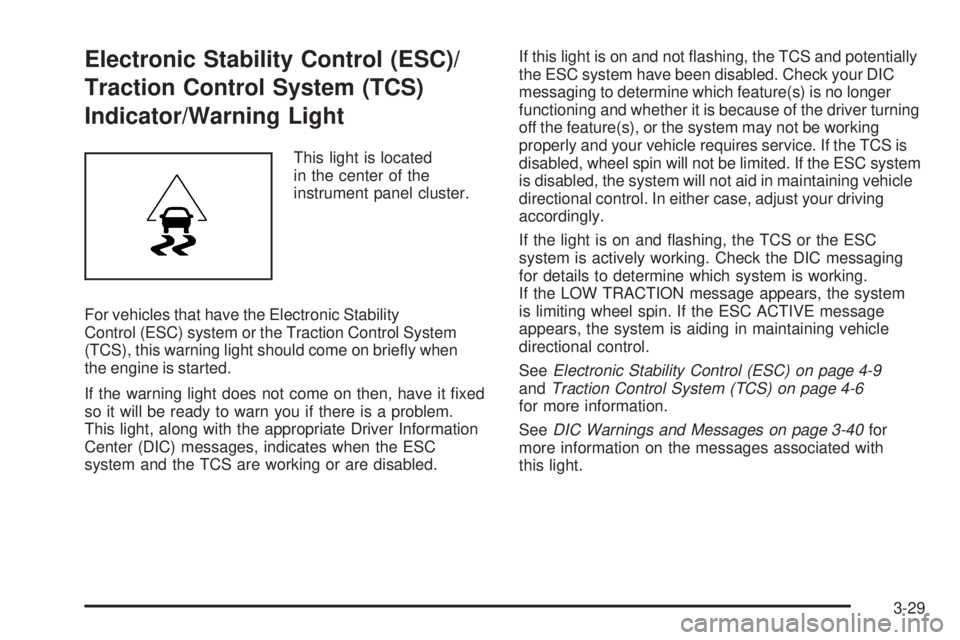
Electronic Stability Control (ESC)/
Traction Control System (TCS)
Indicator/Warning Light
This light is located
in the center of the
instrument panel cluster.
For vehicles that have the Electronic Stability
Control (ESC) system or the Traction Control System
(TCS), this warning light should come on briey when
the engine is started.
If the warning light does not come on then, have it xed
so it will be ready to warn you if there is a problem.
This light, along with the appropriate Driver Information
Center (DIC) messages, indicates when the ESC
system and the TCS are working or are disabled.If this light is on and not ashing, the TCS and potentially
the ESC system have been disabled. Check your DIC
messaging to determine which feature(s) is no longer
functioning and whether it is because of the driver turning
off the feature(s), or the system may not be working
properly and your vehicle requires service. If the TCS is
disabled, wheel spin will not be limited. If the ESC system
is disabled, the system will not aid in maintaining vehicle
directional control. In either case, adjust your driving
accordingly.
If the light is on and ashing, the TCS or the ESC
system is actively working. Check the DIC messaging
for details to determine which system is working.
If the LOW TRACTION message appears, the system
is limiting wheel spin. If the ESC ACTIVE message
appears, the system is aiding in maintaining vehicle
directional control.
SeeElectronic Stability Control (ESC) on page 4-9
andTraction Control System (TCS) on page 4-6
for more information.
SeeDIC Warnings and Messages on page 3-40for
more information on the messages associated with
this light.
3-29
Page 133 of 348

Low Fuel Warning Light
This light, below the
fuel gage, will come
on briey when the
engine is started.
This light also comes on when the fuel tank is low
on fuel. When you add fuel the light should go off.
If it does not, have your vehicle serviced.
Driver Information Center (DIC)
Your vehicle has a Driver Information Center (DIC).
The DIC display gives you the status of many of your
vehicle’s systems. The DIC is also used to display
driver personalization menu modes and warning/status
messages. All messages will appear in the DIC
display, located at the bottom of the instrument
panel cluster.The DIC buttons are
located on the left side
of the steering wheel.
INFO (Information):Press this button to scroll through
the vehicle information mode displays.
r(Reset):Press this button to reset some vehicle
information mode displays, select a personalization
menu mode setting, or acknowledge a warning
message.
Press and hold the information and reset buttons at
the same time for one second, then release the buttons
to enter the personalization menu. SeeDIC Vehicle
Personalization on page 3-44for more information.
3-37
Page 138 of 348

ESC (Electronic Stability Control) OFF
If your vehicle has Electronic Stability Control (ESC),
this message displays and the ESC/TCS light on
the instrument panel cluster comes on solid when
ESC is turned off. Adjust your driving accordingly.
SeeElectronic Stability Control (ESC) on page 4-9and
Electronic Stability Control (ESC)/Traction Control
System (TCS) Indicator/Warning Light on page 3-29
for more information.
KEY FOB BATT (Battery) LOW
This message displays if the Remote Keyless Entry
(RKE) transmitter battery is low. Replace the battery
in the transmitter. See “Battery Replacement” under
Remote Keyless Entry (RKE) System Operation
on page 2-4.
LEARN COMPLETE
On vehicles without the Remote Keyless Entry (RKE)
system, this message displays when the Tire Pressure
Monitor System (TPMS) has completed the tire
learning process. SeeTire Pressure Monitor System
on page 5-59for more information.
LOW TRACTION
If your vehicle has the Traction Control System (TCS),
this message displays and the ESC/TCS light on
the instrument panel cluster ashes when the system
is actively limiting wheel spin. Slippery road conditions
may exist if this message is displayed, so adjust
your driving accordingly. This message stays on for a
few seconds after the system stops limiting wheel spin.
SeeTraction Control System (TCS) on page 4-6and
Electronic Stability Control (ESC)/Traction Control
System (TCS) Indicator/Warning Light on page 3-29
for more information.
PARKING BRAKE
This message displays if the parking brake is left
engaged. SeeParking Brake on page 2-25for more
information.
SERVICE AIR BAG
This message displays when there is a problem with
the airbag system. Have your vehicle serviced by
your dealer/retailer immediately.
3-42