2008 PONTIAC SOLSTICE lights
[x] Cancel search: lightsPage 122 of 348

{CAUTION:
Even though the passenger sensing system is
designed to turn off the right front passenger’s
frontal airbag if the system detects a rear-facing
child restraint, no system is fail-safe, and no
one can guarantee that an airbag will not
deploy under some unusual circumstance,
even though it is turned off. We recommend
that rear-facing child restraints be secured in
the rear seat, even if the airbag is off.
If the word OFF or the off symbol is lit on the airbag
status indicator, it means that the passenger sensing
system has turned off the right front passenger’s frontal
airbag. SeePassenger Sensing System on page 1-43
for more on this, including important safety information.If, after several seconds, both status indicator lights
remain on, or if there are no lights at all, there may
be a problem with the lights or the passenger sensing
system. See your dealer/retailer for service.
{CAUTION:
If the airbag readiness light in the instrument
panel cluster ever comes on and stays on,
it means that something may be wrong with
the airbag system. If this ever happens, have
the vehicle serviced promptly, because an
adult-size person sitting in the right front
passenger’s seat may not have the protection
of the airbag(s). SeeAirbag Readiness Light
on page 3-24for more on this, including
important safety information.
3-26
Page 136 of 348

DIC Warnings and Messages
These messages appear if there is a problem detected
in one of your vehicle’s systems.
A message clears when the vehicle’s condition is no
longer present. To acknowledge a message and clear it
from the display, press and hold any of the DIC buttons.
If the condition is still present, the warning message
comes back on the next time the vehicle is turned off
and back on. With most messages, a warning chime
sounds when the message displays. Your vehicle may
have other warning messages.
AUTO (Automatic) LIGHTS OFF
This message displays if the automatic headlamp
system is disabled with the headlamp switch.
AUTO (Automatic) LIGHTS ON
This message displays if the automatic headlamp
system is enabled with the headlamp switch.
BRAKE FLUID
This message displays, while the ignition is on, when
the brake uid level is low. The brake system warning
light on the instrument panel cluster also comes on.
SeeBrake System Warning Light on page 3-27for
more information. Have the brake system serviced
by your dealer/retailer as soon as possible.
CHANGE OIL SOON
This message displays when the life of the engine oil
has expired and it should be changed.
When this message is acknowledged and cleared from
the display, the engine oil life system must still be
reset separately. SeeEngine Oil Life System on
page 5-19andScheduled Maintenance on page 6-4
for more information.
CHECK GAS CAP
This message displays if the fuel cap has not been fully
tightened. Recheck the fuel cap to make sure that it
is on properly. A few driving trips with the cap properly
installed should turn the message off.
CHECK TIRE PRESS (Pressure)
This message displays when the pressure in one or
more of the vehicle’s tires needs to be checked. If a tire
pressure message appears on the DIC, stop as soon
as you can. Have the tire pressures checked and set to
those shown on the Tire Loading Information label.
SeeTires on page 5-51,Loading Your Vehicle on
page 4-24, andInflation - Tire Pressure on page 5-58.
The DIC also shows the tire pressure values. See
DIC Operation and Displays on page 3-38. If the tire
pressure is low, the low tire pressure warning light
comes on. SeeTire Pressure Light on page 3-31.
3-40
Page 144 of 348

UNLK (Unlock) (Automatic
Transmission Only)
This screen displays only if your vehicle has an
automatic transmission and DRIVER or ALL is selected
for the AUTO UNLK feature. This feature determines
when the automatic door unlocking will occur. When
UNLK appears on the display, press and hold the reset
button for at least one second to scroll through the
available settings:
KEY OFF:The door(s) will unlock when the key is
turned off.
SHIFT TO P (Park) (default):The door(s) will unlock
when the vehicle is shifted into PARK (P).
SeeAutomatic Door Unlock on page 2-8for more
information.
To select a setting and move on to the next feature,
press the information button while the desired setting
is displayed on the DIC.
EXT (Exterior) LIGHTS
If your vehicle has Remote Keyless Entry (RKE), this
feature, which allows the vehicle’s exterior perimeter
lighting to turn on each time the unlock button on
the RKE transmitter is pressed, can be enabled or
disabled. When EXT LIGHTS appears on the display,
press and hold the reset button for at least one second
to scroll through the available settings:
OFF:The exterior perimeter lighting will not turn on
when the unlock button on the RKE transmitter is
pressed.
ON (default):The exterior perimeter lighting will turn
on when the unlock button on the RKE transmitter
is pressed.
SeeRemote Keyless Entry (RKE) System Operation
on page 2-4for more information.
To select a setting and move on to the next feature,
press the information button while the desired setting
is displayed on the DIC.
3-48
Page 174 of 348

Traction Control Operation
Traction control limits wheel spin by reducing engine
power to the wheels (engine speed management)
and by applying brakes to each individual wheel
(brake-traction control) as necessary.
The traction control system is enabled automatically
when you start your vehicle, and it will activate and ash
the ESC/TCS light and display the LOW TRACTION
message if it senses that any of the wheels are spinning
or beginning to lose traction while driving. For more
information on the LOW TRACTION message,
seeDriver Information Center (DIC) on page 3-37.
Notice:If you allow the wheel(s) of one axle to
spin excessively while the ESC/TCS, ABS and
Brake warning lights and the SERVICE ESC and/or
SERVICE TRACTION messages are displayed, you
could damage the differential. The repairs would not
be covered by your warranty. Reduce engine power
and do not spin the wheel(s) excessively while these
lights and this message are displayed.Notice:When traction control is turned off, or
Competitive Driving Mode is active, it is possible
to lose traction. If you attempt to shift with the
rear wheels spinning with a loss of traction, it is
possible to cause damage to the transmission.
Do not attempt to shift when the rear wheels do
not have traction. Damage caused by misuse of
the vehicle is not covered. See your warranty
book for additional information.
The traction control system may activate on dry or rough
roads or under conditions such as heavy acceleration
while turning or abrupt upshifts/downshifts of the
transmission. When this happens, you may notice
a reduction in acceleration, or may hear a noise or
vibration. This is normal.
If your vehicle is in cruise control when the system
activates, the ESC/TCS light will ash and the cruise
control will automatically disengage. When road
conditions allow you to use cruise control again,
you may re-engage the cruise control. SeeCruise
Control on page 3-10.
Adding non-dealer/non-retailer accessories can affect
your vehicle’s performance. SeeAccessories and
Modifications on page 5-3for more information.
4-8
Page 220 of 348

Engine Coolant
The cooling system in your vehicle is lled with
DEX-COOL®engine coolant. This coolant is designed
to remain in your vehicle for ve years or 150,000 miles
(240 000 km), whichever occurs rst, if you add only
DEX-COOL
®extended life coolant.
The following explains your cooling system and how
to add coolant when it is low. If you have a problem
with engine overheating, seeEngine Overheating
on page 5-27.A 50/50 mixture of clean, drinkable water and
DEX-COOL
®coolant will:
Give freezing protection down to−34°F (−37°C).
Give boiling protection up to 265°F (129°C).
Protect against rust and corrosion.
Help keep the proper engine temperature.
Let the warning lights and gages work as they
should.
Notice:Using coolant other than DEX-COOL
®may
cause premature engine, heater core, or radiator
corrosion. In addition, the engine coolant may
require changing sooner, at the rst maintenance
service after each 30,000 miles (50 000 km) or
24 months, whichever occurs rst. Any repairs
would not be covered by your warranty. Always use
DEX-COOL
®(silicate-free) coolant in your vehicle.
5-24
Page 245 of 348

License Plate Lamp
To replace the license plate lamp bulb:
1. Remove the two screws holding the license plate
lamp assembly to the fascia.
2. Turn and pull the license plate lamp forward
through the fascia opening.
3. Turn the bulb socket counterclockwise and pull the
bulb straight out of the socket.
4. Install the new bulb.
5. Reverse Steps 1 through 3 to reinstall the lamp
assembly.
Replacement Bulbs
Exterior Lamp Bulb Number
Back-Up Lamps 3047
Fog Lamp 898*
Front Parking/Turn Signal Lamp 3757NAK
Front Sidemarker Lamp 194
Headlamps,
High/Low-Beam/Daytime Running
LightsH13
License Plate Lamp 168
Stoplamp, Taillamp and
Turn Signal Lamp3157K
* Uplevel Model
For replacement bulbs not listed here, contact your
dealer/retailer.
5-49
Page 343 of 348
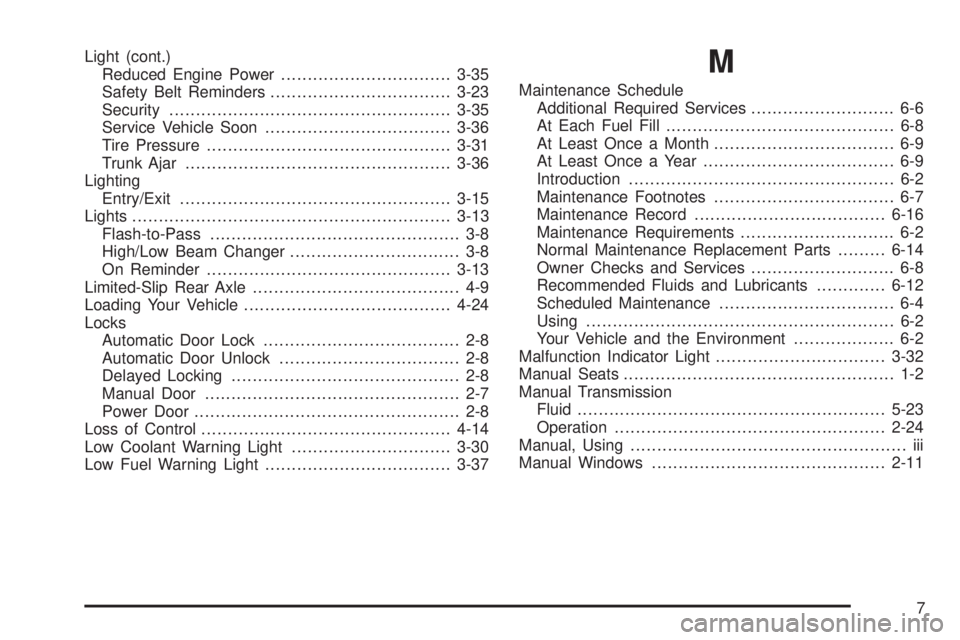
Light (cont.)
Reduced Engine Power................................3-35
Safety Belt Reminders..................................3-23
Security.....................................................3-35
Service Vehicle Soon...................................3-36
Tire Pressure..............................................3-31
Trunk Ajar..................................................3-36
Lighting
Entry/Exit...................................................3-15
Lights............................................................3-13
Flash-to-Pass............................................... 3-8
High/Low Beam Changer................................ 3-8
On Reminder..............................................3-13
Limited-Slip Rear Axle....................................... 4-9
Loading Your Vehicle.......................................4-24
Locks
Automatic Door Lock..................................... 2-8
Automatic Door Unlock.................................. 2-8
Delayed Locking........................................... 2-8
Manual Door................................................ 2-7
Power Door.................................................. 2-8
Loss of Control...............................................4-14
Low Coolant Warning Light..............................3-30
Low Fuel Warning Light...................................3-37M
Maintenance Schedule
Additional Required Services........................... 6-6
At Each Fuel Fill........................................... 6-8
At Least Once a Month.................................. 6-9
At Least Once a Year.................................... 6-9
Introduction.................................................. 6-2
Maintenance Footnotes.................................. 6-7
Maintenance Record....................................6-16
Maintenance Requirements............................. 6-2
Normal Maintenance Replacement Parts.........6-14
Owner Checks and Services........................... 6-8
Recommended Fluids and Lubricants.............6-12
Scheduled Maintenance................................. 6-4
Using.......................................................... 6-2
Your Vehicle and the Environment................... 6-2
Malfunction Indicator Light................................3-32
Manual Seats................................................... 1-2
Manual Transmission
Fluid..........................................................5-23
Operation...................................................2-24
Manual, Using.................................................... iii
Manual Windows............................................2-11
7
Page 348 of 348

V
Vehicle
Control........................................................ 4-3
Damage Warnings........................................... iv
Loading......................................................4-24
Parking Your...............................................2-28
Service Soon Light......................................3-36
Symbols......................................................... iv
Vehicle Data Recording and Privacy..................7-17
Vehicle Identication
Number (VIN).............................................5-94
Service Parts Identication Label...................5-94
Vehicle Personalization
DIC ...........................................................3-44
Ventilation Adjustment......................................3-20
Visors...........................................................2-13
W
Warning Lights, Gages and Indicators................3-20
Warnings
DIC Warnings and Messages........................3-40
Hazard Warning Flashers............................... 3-6
Other Warning Devices.................................. 3-6
Safety and Symbols......................................... iii
Vehicle Damage.............................................. ivWheels
Alignment and Tire Balance..........................5-71
Different Size..............................................5-69
Replacement...............................................5-72
Windows.......................................................2-10
Manual......................................................2-11
Power........................................................2-12
Windshield
Washer......................................................3-10
Washer Fluid..............................................5-36
Wiper Blade Replacement.............................5-50
Wiper Blades, Cleaning................................5-90
Wipers......................................................... 3-9
Winter Driving................................................4-19
Winter Tires...................................................5-52
X
XM Radio Messages.......................................3-67
XM™ Satellite Radio Antenna System................3-70
Y
Your Vehicle and the Environment....................... 6-2
12