Page 215 of 334
12. Turn the dust cap clockwise to
lock it into place.
13. For the driver side reinstall the
air cleaner/lter cover.
14. For the passenger side reinstall
the coolant bottle ller neck.
15. Reinstall the radiator support
screws.
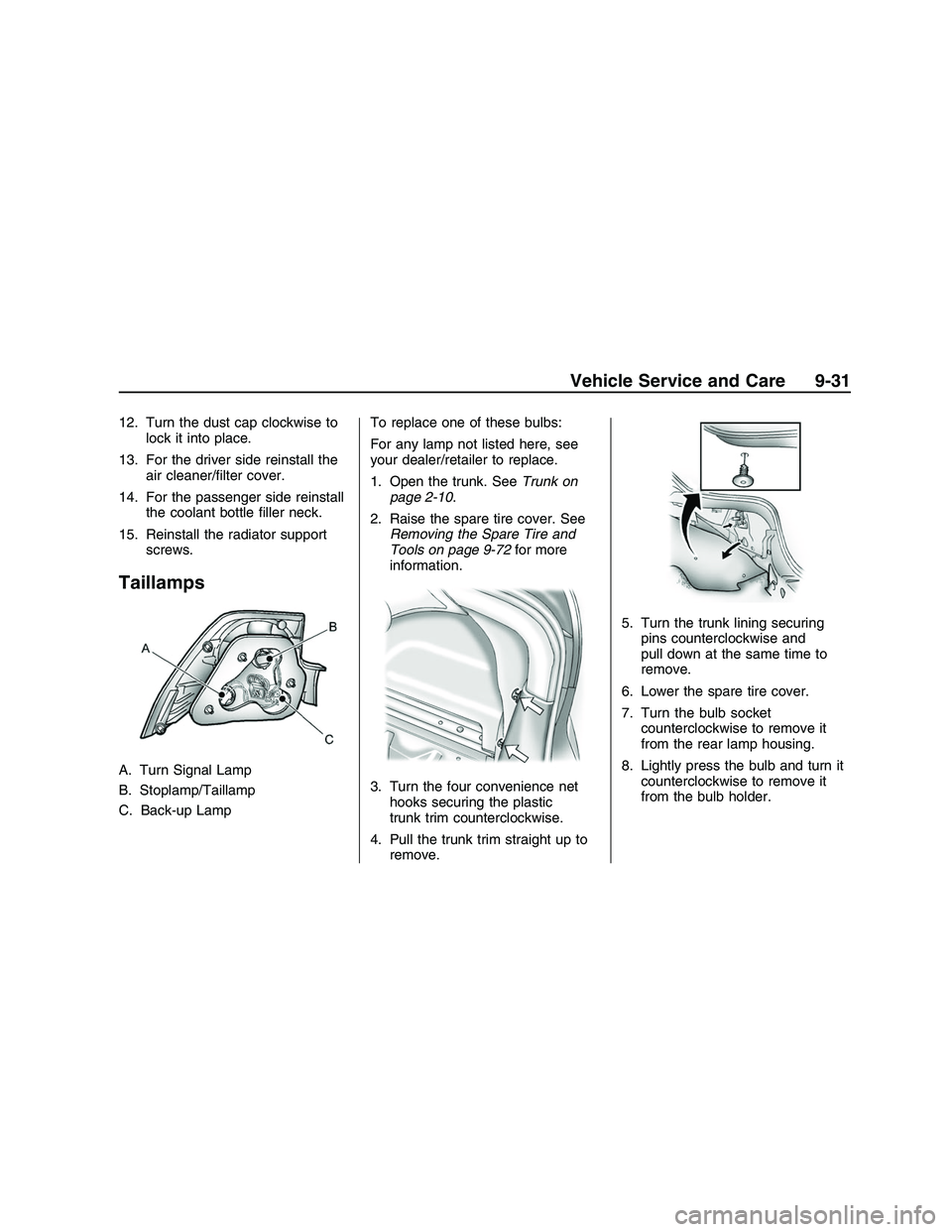
Taillamps
A. Turn Signal Lamp
B. Stoplamp/Taillamp
C. Back-up LampTo replace one of these bulbs:
For any lamp not listed here, see
your dealer/retailer to replace.
1. Open the trunk. SeeTrunk on
page 2-10.
2. Raise the spare tire cover. See
Removing the Spare Tire and
Tools on page 9-72for more
information.
3. Turn the four convenience net
hooks securing the plastic
trunk trim counterclockwise.
4. Pull the trunk trim straight up to
remove.5. Turn the trunk lining securing
pins counterclockwise and
pull down at the same time to
remove.
6. Lower the spare tire cover.
7. Turn the bulb socket
counterclockwise to remove it
from the rear lamp housing.
8. Lightly press the bulb and turn it
counterclockwise to remove it
from the bulb holder.
Vehicle Service and Care 9-31
2008 - Pontiac G8 Owner Manual
Page 216 of 334

9. Push the new bulb into the
socket and turn it clockwise
to lock it into place.
10. Push the bulb socket straight in
and turn it clockwise to lock it
into place.
11. Make sure the seals are applied
to the taillamp assembly and
screws.12. Raise the spare tire cover.
13. Turn the trunk lining securing
pins clockwise to lock into
place.
14. Return the plastic trunk trim to
its original location.
15. Reinstall the plastic
retaining pins.
Replacement Bulbs
Exterior LampBulb
Number
High-Beam
HeadlampH9
Low-Beam
HeadlampH11
Stoplamp/Taillamp P21/5W
Rear Turn
Signal LampPY21W
Back-up Lamp P21W
For replacement bulbs not listed
here, contact your dealer/retailer.
Electrical System
Add-On Electrical
Equipment
Notice:Do not add anything
electrical to your vehicle unless
you check with your
dealer/retailer rst. Some
electrical equipment can damage
your vehicle and the damage
would not be covered by your
warranty. Some add-on electrical
equipment can keep other
components from working as
they should.
Add-on equipment can drain your
vehicle’s battery, even if your vehicle
is not operating.
Your vehicle has an airbag system.
Before attempting to add anything
electrical to your vehicle, see
Servicing Your Airbag-Equipped
Vehicle on page 1-30.
9-32 Vehicle Service and Care
2008 - Pontiac G8 Owner Manual
Page 249 of 334

Using the Tire Sealant and
Compressor Kit to
Temporarily Seal and Inate a
Punctured Tire
Follow these directions closely for
correct sealant usage.
A. On/Off Switch
B. Air Compressor Accessory Plug
C. Air Compressor
D. Sealant Canister
E. Sealant/Air Hose
F. Air-only Hose
G. Pressure GageDo a safety check before
proceeding. SeeIf a Tire Goes Flat
on page 9-62.
Inspect the damaged tire.
The sealant cannot seal sidewall
damage, large punctures, or a
tire that has unseated from
the wheel. SeeRoadside Assistance
Program on page 12-6.
Do not remove any objects that
have penetrated the tire.
1. Place the tire sealant and
compressor kit on the ground and
unwrap the sealant/air hose (E)
from the side of the compressor.
2. Remove the air compressor
accessory plug (B) from the unit.
Do not plug the plug in yet.
3. Turn the tire valve stem cap
counterclockwise to remove.
4. Attach the sealant/air hose (E)
onto the tire valve stem. Turn
it clockwise until tight.5. Make sure the sealant and
compressor kit on/off switch (A) is
in the O (off) position.
Plug the air compressor
accessory plug (B) into an
accessory power outlet in the
vehicle. SeeAccessory Power
Outlet(s) on page 4-9for
more information.
Do not slam door or close
window on the compressor
accessory plug cord.
{CAUTION
Idling the engine in a closed-in
place or with the climate
control system off can cause
deadly carbon monoxide (CO).
SeeEngine Exhaust on
page 8-12.
6. Start the vehicle. The vehicle
must be running while using
the air compressor.
Vehicle Service and Care 9-65
2008 - Pontiac G8 Owner Manual
Page 251 of 334
11. Unplug the air compressor
accessory plug (B) from the
accessory power outlet in
the vehicle.
12. Turn the sealant/air hose (E)
counterclockwise to remove.
13. Replace the tire valve
stem cap.
14. Stow the sealant/air hose (E)
and air compressor accessory
plug (B) in their original
locations.
15. If the at tire was able to be
inated to the recommended
ination pressure, remove
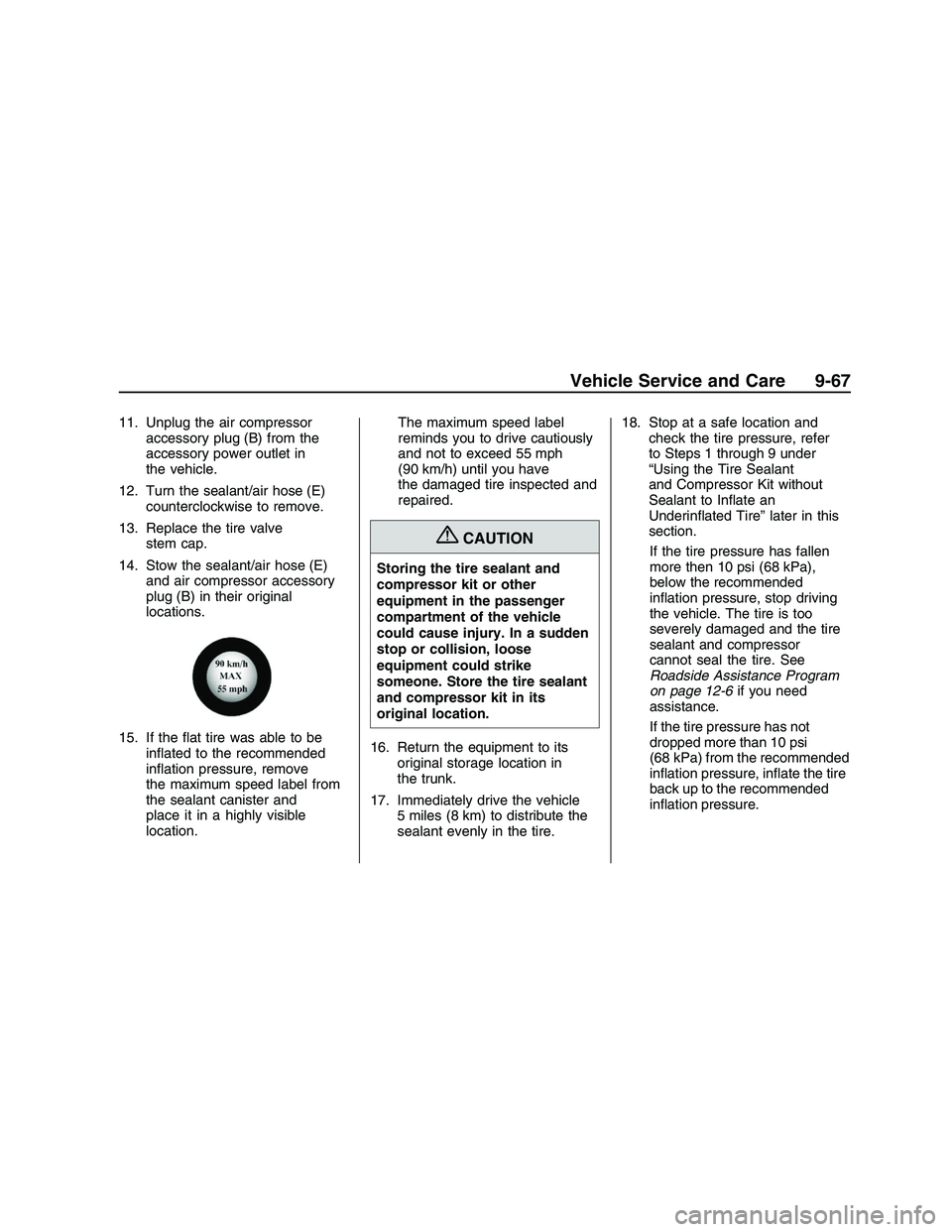
the maximum speed label from
the sealant canister and
place it in a highly visible
location.The maximum speed label
reminds you to drive cautiously
and not to exceed 55 mph
(90 km/h) until you have
the damaged tire inspected and
repaired.
{CAUTION
Storing the tire sealant and
compressor kit or other
equipment in the passenger
compartment of the vehicle
could cause injury. In a sudden
stop or collision, loose
equipment could strike
someone. Store the tire sealant
and compressor kit in its
original location.
16. Return the equipment to its
original storage location in
the trunk.
17. Immediately drive the vehicle
5 miles (8 km) to distribute the
sealant evenly in the tire.18. Stop at a safe location and
check the tire pressure, refer
to Steps 1 through 9 under
“Using the Tire Sealant
and Compressor Kit without
Sealant to Inate an
Underinated Tire” later in this
section.
If the tire pressure has fallen
more then 10 psi (68 kPa),
below the recommended
ination pressure, stop driving
the vehicle. The tire is too
severely damaged and the tire
sealant and compressor
cannot seal the tire. See
Roadside Assistance Program
on page 12-6if you need
assistance.
If the tire pressure has not
dropped more than 10 psi
(68 kPa) from the recommended
ination pressure, inate the tire
back up to the recommended
ination pressure.
Vehicle Service and Care 9-67
2008 - Pontiac G8 Owner Manual
Page 252 of 334
19. Wipe off any sealant from the
wheel, tire or vehicle.
20. Dispose of the used sealant
canister at a local dealer/retailer
or in accordance with local
state codes and practices.
After using the sealant canister,
replace it with a new canister
available from your
dealer/retailer.
This is a temporary repair. Take
the vehicle to your dealer/retailer
to have the tire repaired or
replaced as soon as possible.Using the Air Compressor
without Sealant to Inate an
Underinated Tire
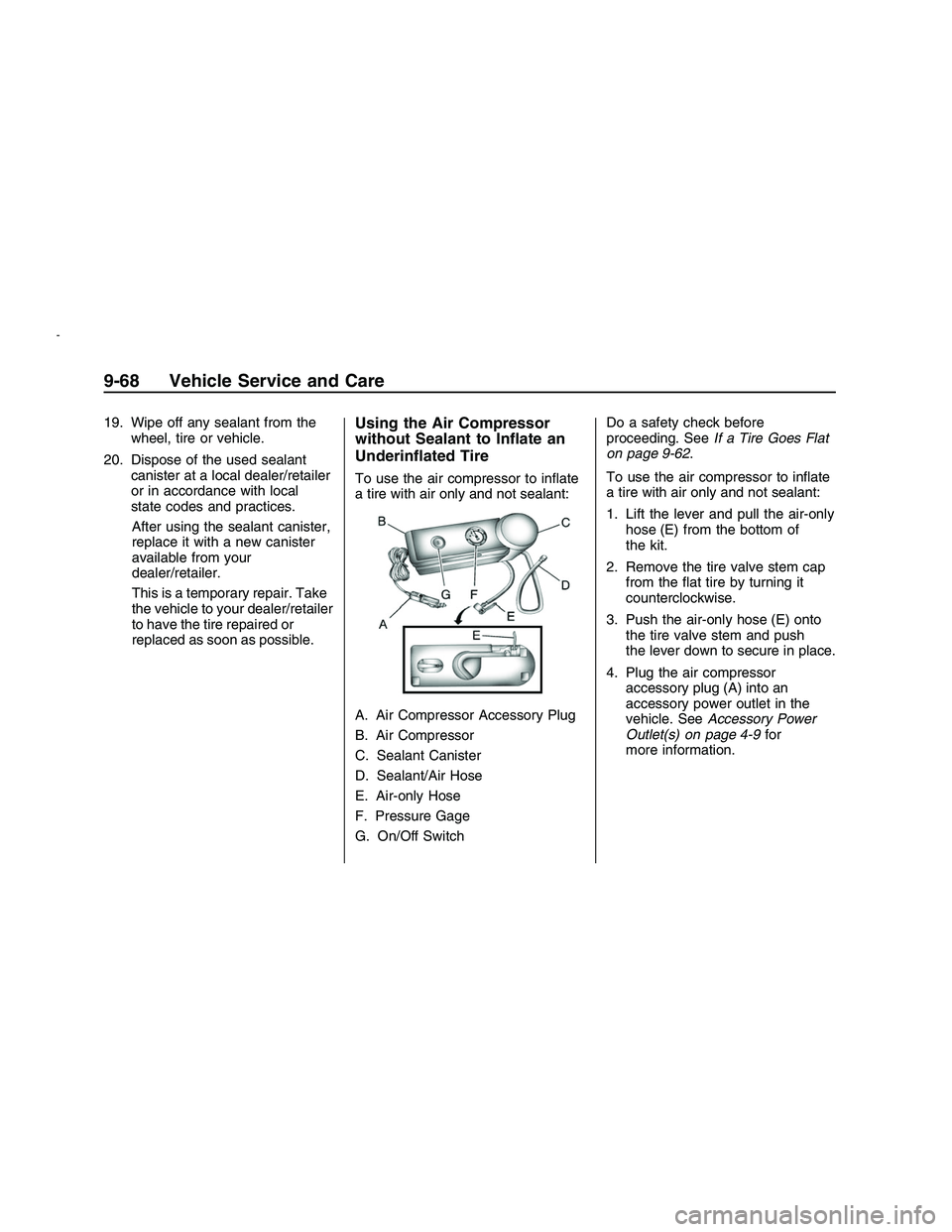
To use the air compressor to inate
a tire with air only and not sealant:
A. Air Compressor Accessory Plug
B. Air Compressor
C. Sealant Canister
D. Sealant/Air Hose
E. Air-only Hose
F. Pressure Gage
G. On/Off SwitchDo a safety check before
proceeding. SeeIf a Tire Goes Flat
on page 9-62.
To use the air compressor to inate
a tire with air only and not sealant:
1. Lift the lever and pull the air-only
hose (E) from the bottom of
the kit.
2. Remove the tire valve stem cap
from the at tire by turning it
counterclockwise.
3. Push the air-only hose (E) onto
the tire valve stem and push
the lever down to secure in place.
4. Plug the air compressor
accessory plug (A) into an
accessory power outlet in the
vehicle. SeeAccessory Power
Outlet(s) on page 4-9for
more information.
9-68 Vehicle Service and Care
2008 - Pontiac G8 Owner Manual
Page 254 of 334
Removal and Installation of
the Sealant Canister
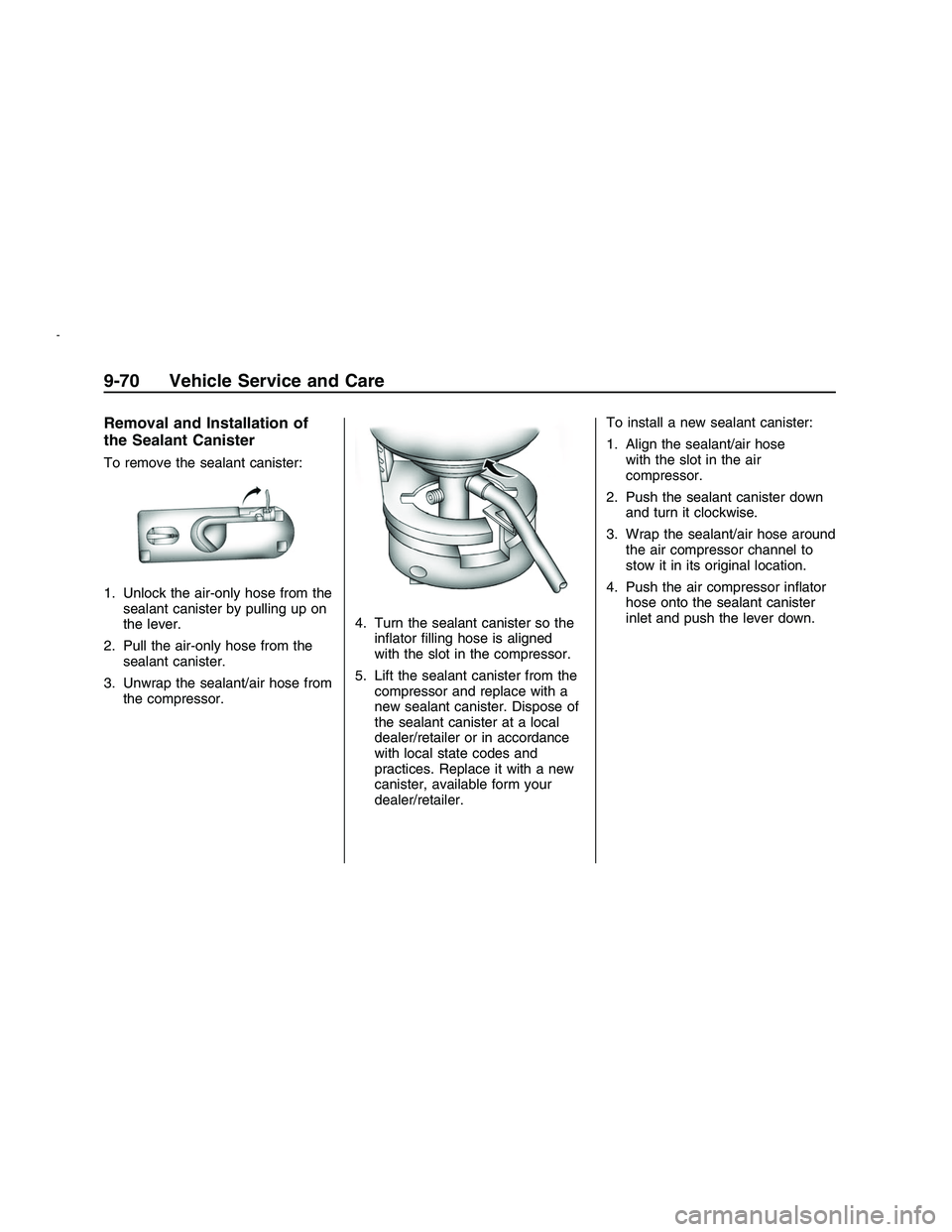
To remove the sealant canister:
1. Unlock the air-only hose from the
sealant canister by pulling up on
the lever.
2. Pull the air-only hose from the
sealant canister.
3. Unwrap the sealant/air hose from
the compressor.4. Turn the sealant canister so the
inator lling hose is aligned
with the slot in the compressor.
5. Lift the sealant canister from the
compressor and replace with a
new sealant canister. Dispose of
the sealant canister at a local
dealer/retailer or in accordance
with local state codes and
practices. Replace it with a new
canister, available form your
dealer/retailer.To install a new sealant canister:
1. Align the sealant/air hose
with the slot in the air
compressor.
2. Push the sealant canister down
and turn it clockwise.
3. Wrap the sealant/air hose around
the air compressor channel to
stow it in its original location.
4. Push the air compressor inator
hose onto the sealant canister
inlet and push the lever down.
9-70 Vehicle Service and Care
2008 - Pontiac G8 Owner Manual
Page 256 of 334
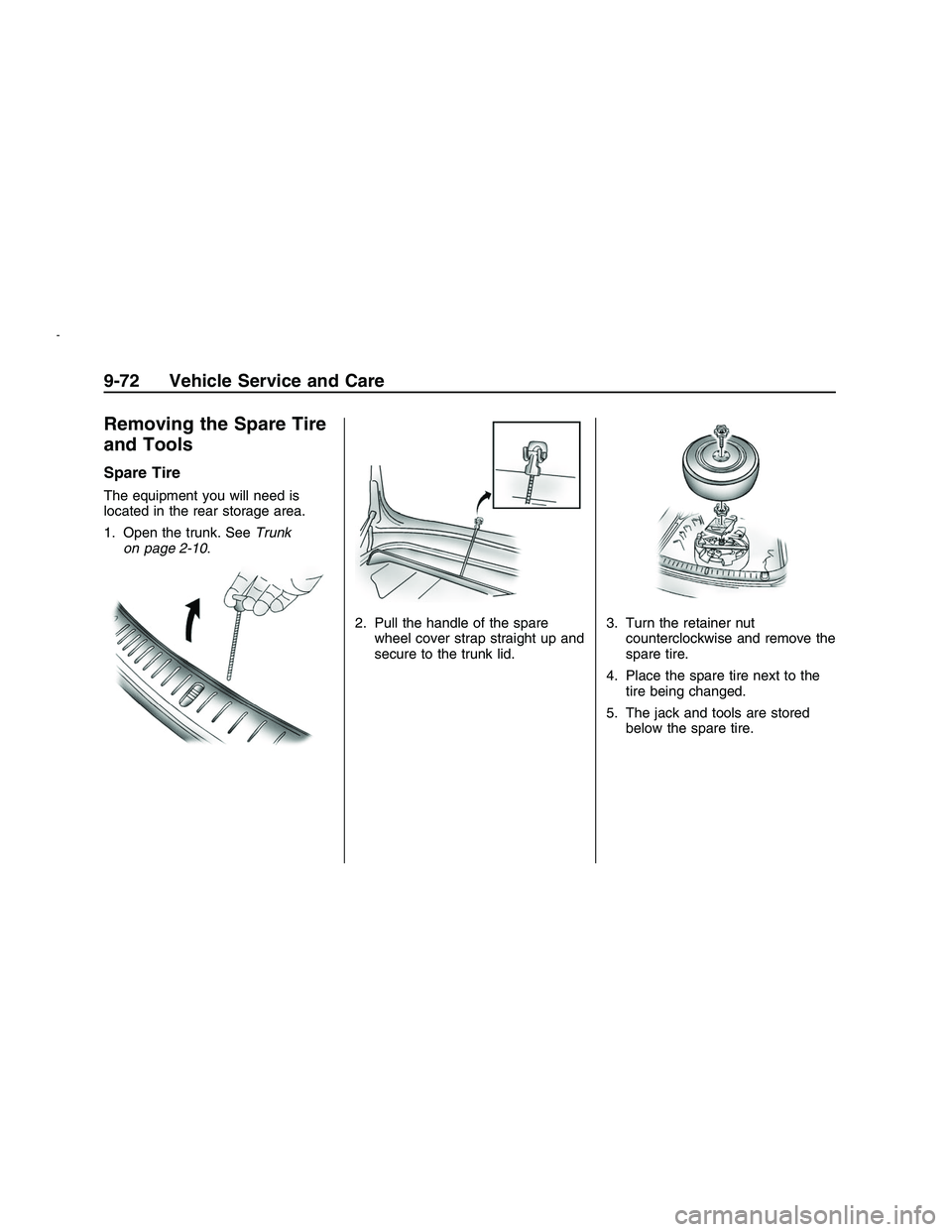
Removing the Spare Tire
and Tools
Spare Tire
The equipment you will need is
located in the rear storage area.
1. Open the trunk. SeeTrunk
on page 2-10.
2. Pull the handle of the spare
wheel cover strap straight up and
secure to the trunk lid.3. Turn the retainer nut
counterclockwise and remove the
spare tire.
4. Place the spare tire next to the
tire being changed.
5. The jack and tools are stored
below the spare tire.
9-72 Vehicle Service and Care
2008 - Pontiac G8 Owner Manual
Page 257 of 334
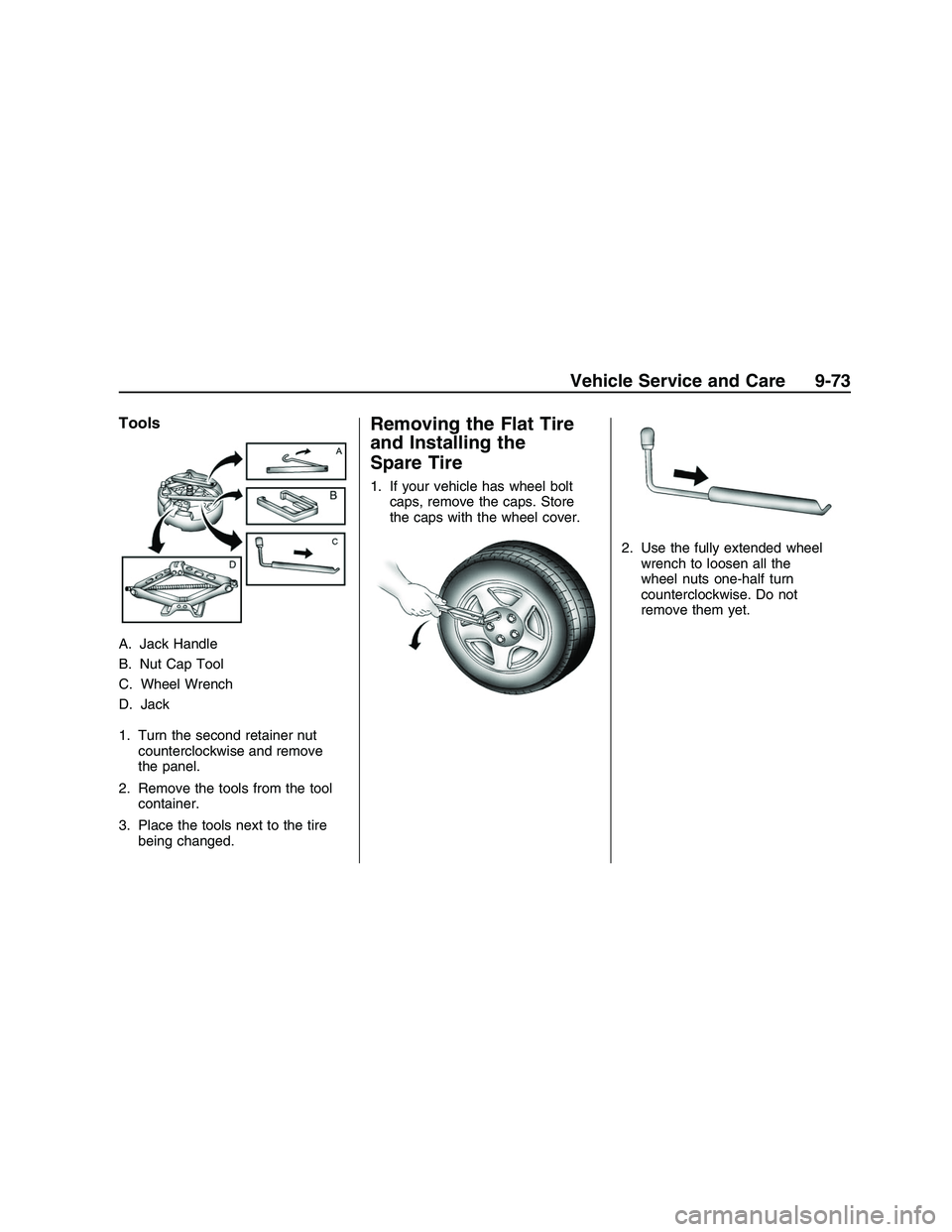
Tools
A. Jack Handle
B. Nut Cap Tool
C. Wheel Wrench
D. Jack
1. Turn the second retainer nut
counterclockwise and remove
the panel.
2. Remove the tools from the tool
container.
3. Place the tools next to the tire
being changed.
Removing the Flat Tire
and Installing the
Spare Tire
1. If your vehicle has wheel bolt
caps, remove the caps. Store
the caps with the wheel cover.
2. Use the fully extended wheel
wrench to loosen all the
wheel nuts one-half turn
counterclockwise. Do not
remove them yet.
Vehicle Service and Care 9-73
2008 - Pontiac G8 Owner Manual