2008 PEUGEOT 308 CC DAG radio
[x] Cancel search: radioPage 33 of 221

2
36
MULTIFUNCTION DISPLAYS
General menu "Audio functions" menu
Press the "MENU" button to gain
access to the general menu :
- audio functions,
- vehicle diagnostics,
- personalisation-confi guration,
- telephone (hands-free kit).
Press the " " or " " buttons to select
the menu required, then confi rm by
pressing the "OK" button.
With the WIP Sound switched on, once
this menu has been selected you can
activate or deactivate the functions
linked with use of the radio (RDS, REG,
RadioText), the CD or the CD changer
(introscan, shuffl e, CD repeat).
For further details concerning the
"Audio functions" application, refer to
the WIP Sound part of the "Audio and
Telematics" section.
MONOCHROME SCREEN C (WITH WIP SOUND)
Displays on the screen
This displays the following information:
- the time,
- the date,
- the outside temperature (this fl ashes if there is a risk of ice),
- the status of the accesses (doors, boot...),
- the audio sources (radio, CD...),
- the trip computer (refer to the end of the section).
Warning messages (e.g.: "Emission
control system faulty") or information
messages (e.g.: "Automatic switching
on of the headlamps activated") may
appear temporarily. These can be
cleared by pressing the "ESC" button. Controls
From the WIP Sound control panel, you
can:
press the "MENU" button to gain
access to the general menu ,
press the " " or " " buttons to scroll
through the items on the screen,
press the "MODE" button to change
the permanent application (trip
computer, audio source...),
press the " " or " " buttons to
change a setting value,
press the "OK" button to confi rm,
or
press the "ESC" button to abandon
the operation in progress.
Page 36 of 221
2
i
39
MULTIFUNCTION DISPLAYS
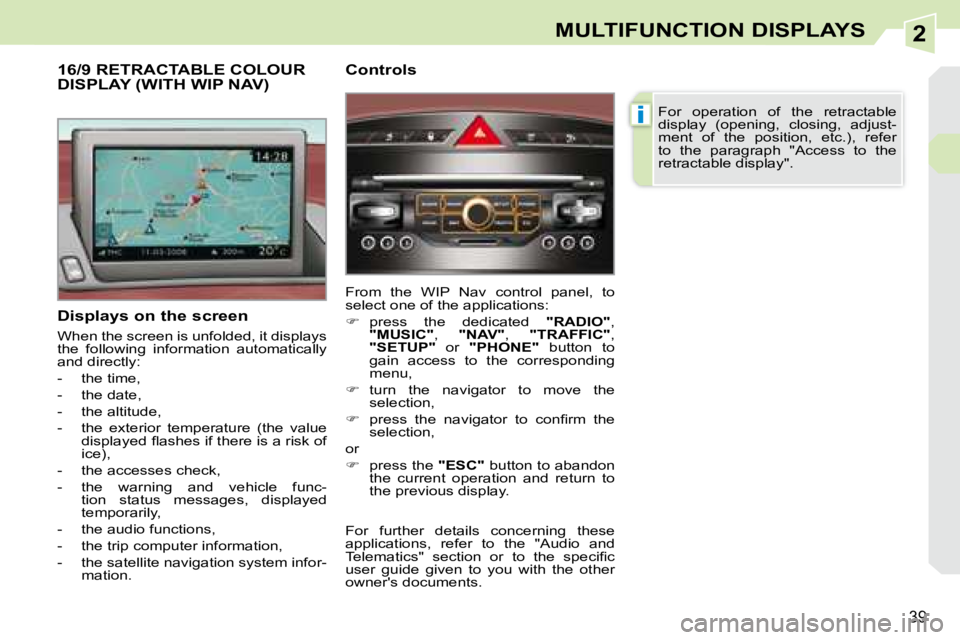
Displays on the screen
When the screen is unfolded, it displays
the following information automatically
and directly:
- the time,
- the date,
- the altitude,
- the exterior temperature (the value displayed fl ashes if there is a risk of
ice),
- the accesses check,
- the warning and vehicle func- tion status messages, displayed
temporarily,
- the audio functions,
- the trip computer information,
- the satellite navigation system infor- mation.
16/9 RETRACTABLE COLOUR DISPLAY (WITH WIP NAV) Controls
From the WIP Nav control panel, to
select one of the applications:
press the dedicated "RADIO" ,
"MUSIC" , "NAV" , "TRAFFIC" ,
"SETUP" or "PHONE" button to
gain access to the corresponding
menu,
turn the navigator to move the
selection,
press the navigator to confi rm the
selection,
or
press the "ESC" button to abandon
the current operation and return to
the previous display. For operation of the retractable
display (opening, closing, adjust-
ment of the position, etc.), refer
to the paragraph "Access to the
retractable display".
For further details concerning these
applications, refer to the "Audio and
Telematics" section or to the specifi c
user guide given to you with the other
owner's documents.
Page 38 of 221

2
i
41
MULTIFUNCTION DISPLAYS
16/9 HIGH DEFINITION RETRACTABLE COLOUR DISPLAY (WITH WIP COM 3D)
Displays on the screen
When the screen is unfolded, it displays
the following information automatically
and directly:
- the time,
- the date,
- the altitude,
- the exterior temperature (the value displayed fl ashes if there is a risk of
ice),
- the accesses check,
- the warning and vehicle function status messages, displayed tempo-
rarily,
- the audio functions,
- the trip computer information, Controls
From the WIP Com 3D control panel, to
select one of the applications:
press the dedicated "RADIO" ,
"MEDIA" , "NAV" , "TRAFFIC" ,
"ADDR BOOK" or "SETUP" button
to gain access to the corresponding
menu,
turn the navigator to move the
selection,
press the navigator to confi rm the
selection,
or
press the "ESC" button to abandon
the current operation and return to
the previous display. For operation of the retractable
display (opening, closing, adjust-
ment of the position, etc.), refer
to the paragraph "Access to the
retractable display".
For further details concerning these
applications, refer to the "Audio and
Telematics" section or to the specifi c
user guide given to you with the other
owner's documents.
- the telephone and address book
information,
- the satellite navigation system infor- mation.
Page 105 of 221
7
!
i
i
i
93
SAFETY
TYRE UNDER-INFLATION DETECTION
System which automatically checks the
pressure of the tyres while driving. All repairs and changing of tyres on
a wheel fi tted with this system must
be carried out by a PEUGEOT
dealer.
If, when changing a tyre, you in-
stall a wheel which is not detected
by your vehicle (example: fi tting
of snow tyres), you must have the
system reinitialised by a PEUGEOT
dealer.
This system does not eliminate
the need to have the tyre pres-
sure checked regularly (refer to the
"Identifi cation features" paragraph)
to ensure that the optimum dynamic
performance of the vehicle is main-
tained and prevent premature wear
of the tyres, particularly in arduous
driving conditions (heavy load, high
speed).
The tyre pressures must be
checked cold, at least once a
month. Remember to check the
pressure of the spare wheel.
The tyre under-infl ation detection
system may experience temporary
interference due to radioelectric
emissions on a frequency close to
that used by the system.
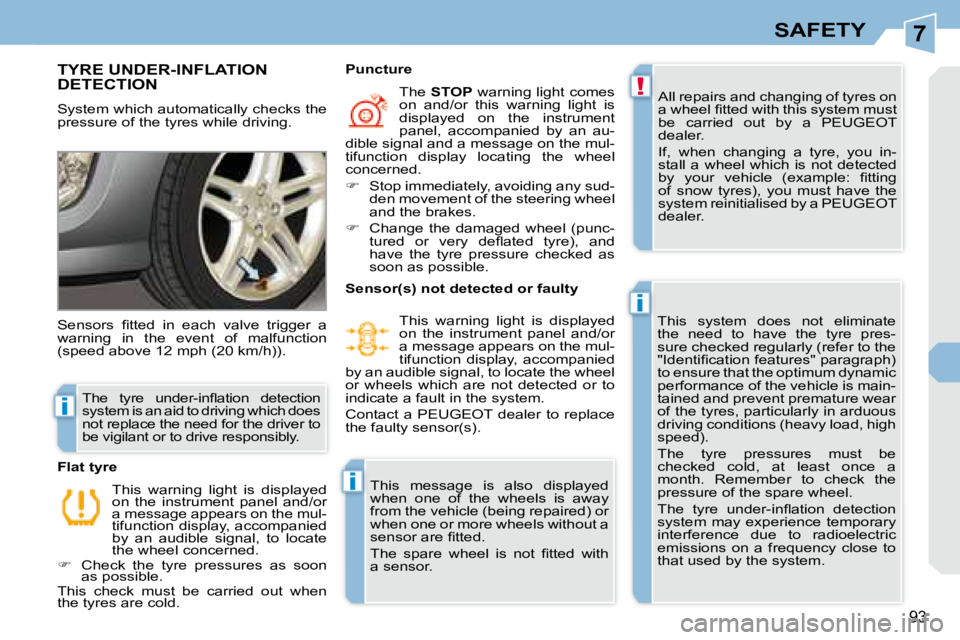
Sensors fi tted in each valve trigger a
warning in the event of malfunction
(speed above 12 mph (20 km/h)).
This warning light is displayed
on the instrument panel and/or
a message appears on the mul-
tifunction display, accompanied
by an audible signal, to locate
the wheel concerned.
Check the tyre pressures as soon as possible.
This check must be carried out when
the tyres are cold.
Flat tyre The
STOP warning light comes
on and/or this warning light is
displayed on the instrument
panel, accompanied by an au-
dible signal and a message on the mul-
tifunction display locating the wheel
concerned.
Stop immediately, avoiding any sud- den movement of the steering wheel
and the brakes.
Change the damaged wheel (punc- tured or very defl ated tyre), and
have the tyre pressure checked as
soon as possible.
Puncture
The tyre under-infl ation detection
system is an aid to driving which does
not replace the need for the driver to
be vigilant or to drive responsibly. Sensor(s) not detected or faulty
This warning light is displayed
on the instrument panel and/or
a message appears on the mul-
tifunction display, accompanied
by an audible signal, to locate the wheel
or wheels which are not detected or to
indicate a fault in the system.
Contact a PEUGEOT dealer to replace
the faulty sensor(s).
This message is also displayed
when one of the wheels is away
from the vehicle (being repaired) or
when one or more wheels without a
sensor are fi tted.
The spare wheel is not fi tted with
a sensor.
Page 168 of 221

10
!
i
i
153
PRACTICAL INFORMATION
The fi tting of electrical equipment
or accessories which are not rec-
ommended by PEUGEOT may
result in a failure of your vehicle's
electronic system.
Please note this specifi c warning.
You are advised to contact a rep-
resentative of the Marque to be
shown the range of recommended
equipment and accessories.
Depending on the country in which
the vehicle is sold, it is compulsory
to have a safety jacket, warning tri-
angle and spare bulbs available in
the vehicle.
"Styling":
"Universal": alloy wheels.
screenwash, interior and exte-
rior maintenance and cleaning
products.
"In-car technology":
audio systems, satellite navi-
gation systems, hands-free
kit, speakers, DVD player,
connection kit for MP3 player
or portable CD player, USB
Box, rear parking assistance.
Installation of
radiocommunication
transmitters
It is advisable to contact a repre-
sentative of the PEUGEOT marque
before installing accessory radio-
communication transmitters with
an external aerial on your vehicle.
The PEUGEOT network will pro-
vide you with the specifi cations
(frequency band, maximum out-
put power, aerial position, spe-
cial installation conditions) of the
transmitters which can be fi tted,
in accordance with the Vehicle
Electromagnetic Compatibility
Directive (2004/104/CE).
Page 178 of 221
164
11
22
10101111
131314141515
33445566778899
1212
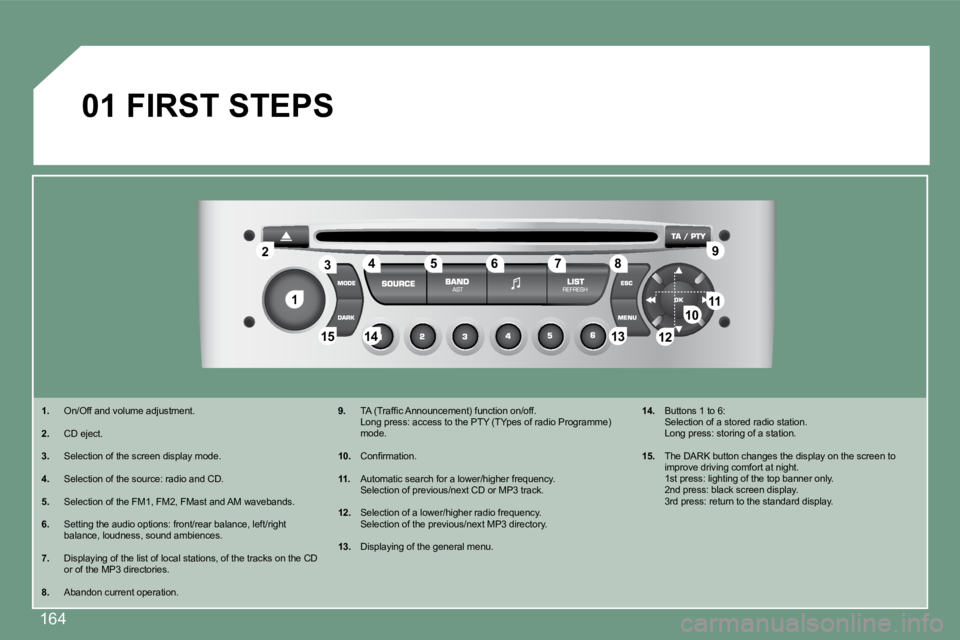
01 FIRST STEPS
1. On/Off and volume adjustment.
2. CD eject.
3. Selection of the screen display mode.
4. Selection of the source: radio and CD.
5. Selection of the FM1, FM2, FMast and AM wavebands.
6. Setting the audio options: front/rear balance, left/right balance, loudness, sound ambiences.
7. Displaying of the list of local stations, of the tracks on the CD or of the MP3 directories.
8. Abandon current operation.
9. TA (Traffi c Announcement) function on/off. Long press: access to the PTY (TYpes of radio Prog ramme) mode.
10. Confi rmation.
11. Automatic search for a lower/higher frequency. Selection of previous/next CD or MP3 track.
12. Selection of a lower/higher radio frequency. Selection of the previous/next MP3 directory.
13. Displaying of the general menu.
14. Buttons 1 to 6: Selection of a stored radio station. Long press: storing of a station.
15. The DARK button changes the display on the screen to improve driving comfort at night. 1st press: lighting of the top banner only. 2nd press: black screen display. 3rd press: return to the standard display.
Page 179 of 221
165
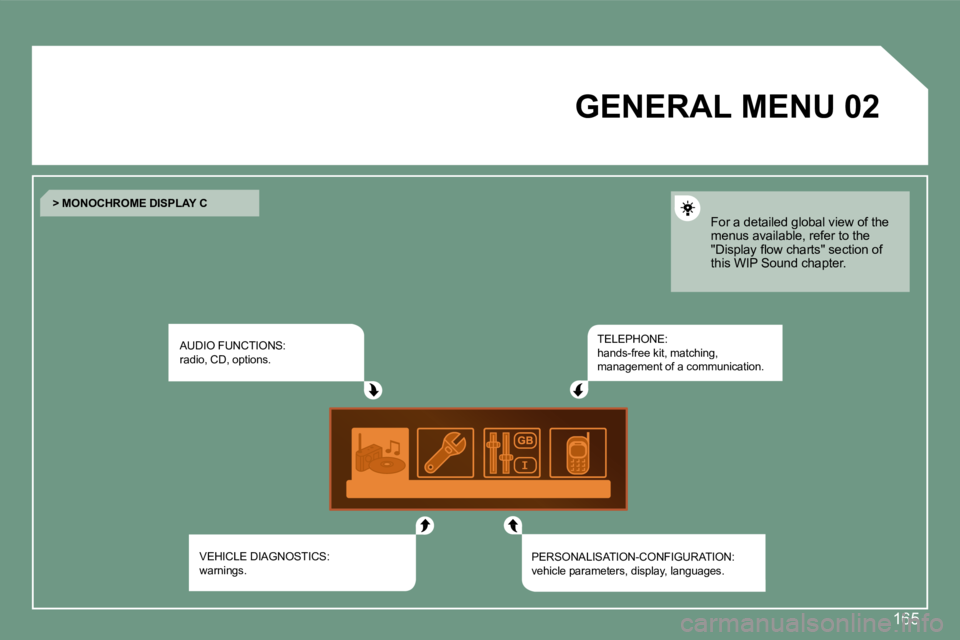
02 GENERAL MENU
AUDIO FUNCTIONS: radio, CD, options.
VEHICLE DIAGNOSTICS: warnings.
TELEPHONE: hands-free kit, matching, management of a communication.
PERSONALISATION-CONFIGURATION: vehicle parameters, display, languages.
> MONOCHROME DISPLAY C
For a detailed global view of the menus available, refer to the "Display fl ow charts" section of this WIP Sound chapter.
Page 180 of 221

166
03
11
22
33
44
22
44
33
11
AUDIO
Press the SOURCE button several times in succession and select the radio.
Press the BAND AST button to select a waveband: FM1, FM2, FMast, AM.
Briefl y press one of the buttons to carry out an automatic search of the radio stations.
Press one of the buttons to carry out a manual search of the radio stations.
Press the LIST REFRESH button to display the list of stations received locally (30 stations maximum). To update this list, press for more than two seconds.
Select ACTIVATE FREQUENCY FOLLOWING (RDS) then press OK. RDS appears on the display.
Select the FM WAVEBAND PREFERENCES function then press OK.
Select AUDIO FUNCTIONS then press OK.
Press the MENU button.
FM WAVEBAND PREFERENCES
ACTIVATE FREQUENCY FOLLOWING (RDS)
The external environment (hills, buildings, tunnels, basement car parks) may block reception, includ ing in RDS mode. This is a normal effect of the way in which radio waves are transmitted and does not indicate any failure of the audio equipment.
RDS
The RDS, if displayed, enables you to continue listening to the same station by means of frequency following. Howev er, in certain conditions, this RDS station is not followed throughout the country as radio stations do not cover 100 % of the territory. This explains the loss of reception of the station during a journey.
RADIO
SELECTING A STATION