2008 NISSAN TITAN position
[x] Cancel search: positionPage 199 of 270
Black plate (203,1)
Model "NISSAN_NAVI" EDITED: 2007/ 2/ 26
&2Latitude/Longitude:
Displays the latitude/longitude.
&3Approx Altitude:
Displays the approximate altitude.
&4Positioning status:
It indicates that satellites are available.
It indicates that satellites are being
searched for.
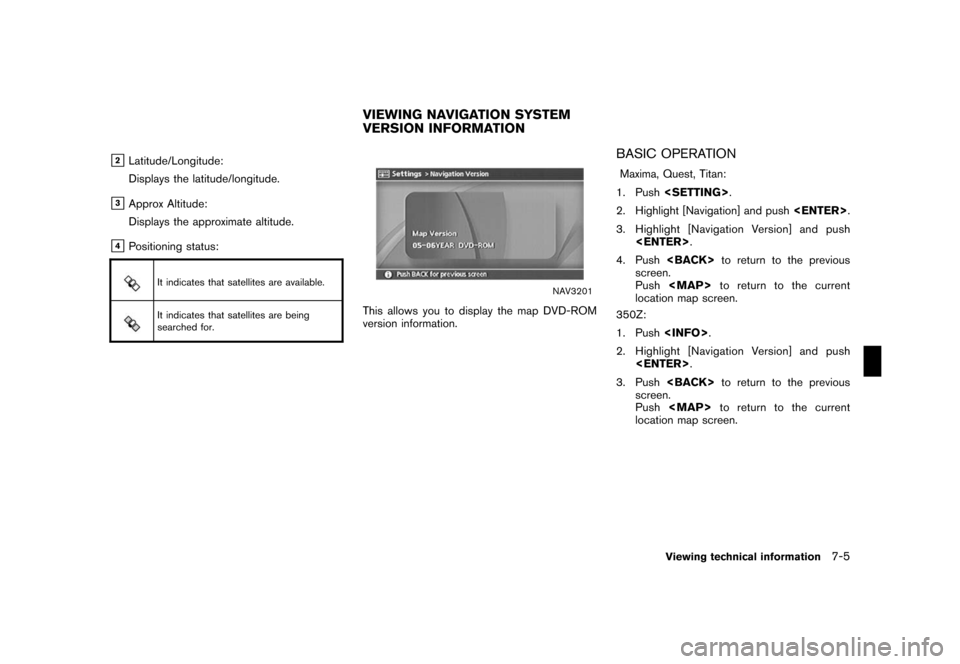
NAV3201
This allows you to display the map DVD-ROM
version information.
BASIC OPERATION
Maxima, Quest, Titan:
1. Push
2. Highlight [Navigation] and push
3. Highlight [Navigation Version] and push
4. Push
screen.
Push
Page 223 of 270
Black plate (227,1)
Model "NISSAN_NAVI" EDITED: 2007/ 2/ 26
If the vehicle icon indicating the current vehicle
location is not located in the correct position,
you can correct the position of the vehicle icon
on the map screen.
INFO:
.Regardless of the map view setting, the map
is displayed in Plan View when adjusting the
position of the vehicle icon.
.When you correct the position of the vehicle
icon, the map is automatically displayed in
the North Up mode. After finishing the
correction, the map restores the current
orientation setting.
.The position and direction of the vehicle icon
may be misaligned depending on the
external conditions and environment.
.If the vehicle icon is misaligned, drive for a
while in a location where the GPS signals
can be received. This may correct the
position of the vehicle icon.
“CURRENT VEHICLE LOCATION”
(page 9-3)
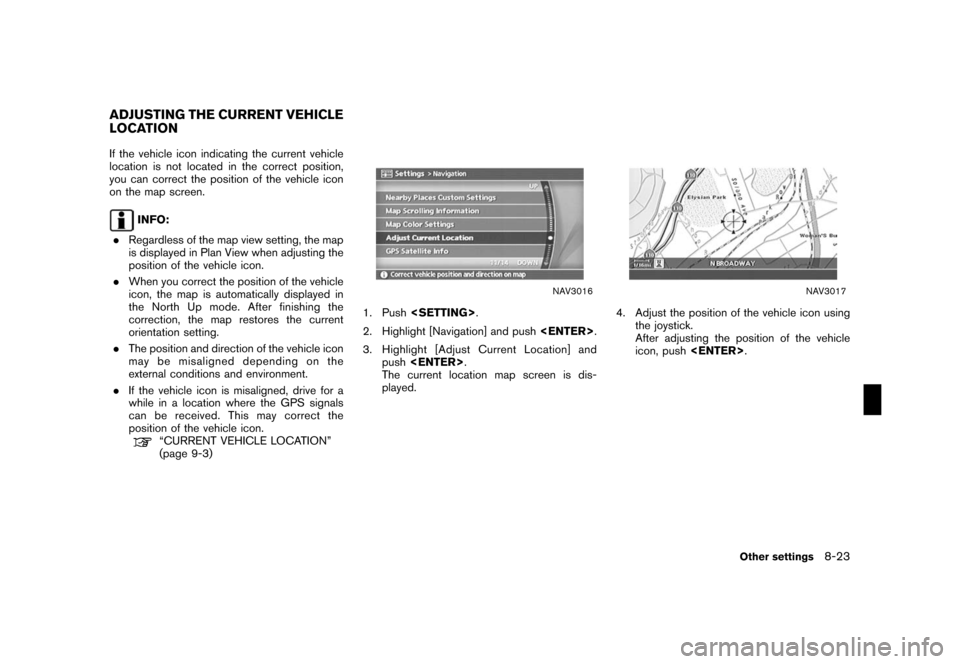
NAV3016
1. Push
2. Highlight [Navigation] and push
3. Highlight [Adjust Current Location] and
push
The current location map screen is dis-
played.
NAV3017
4. Adjust the position of the vehicle icon using
the joystick.
After adjusting the position of the vehicle
icon, push
ADJUSTING THE CURRENT VEHICLE
LOCATION
Other settings8-23
Page 227 of 270

Black plate (25,1)
9 General system information
Model "NISSAN_NAVI" EDITED: 2007/ 2/
Features of this navigation system.......................... 9-2
Route guidance............................................. 9-2
Points of interest (POI) directory........................ 9-2
Address book................................................ 9-2
Avoid area.................................................... 9-2
Automatic reroute........................................... 9-2
Detour......................................................... 9-2
Birdview
TM................................................... 9-3
Voice guidance.............................................. 9-3
Current vehicle location....................................... 9-3
Display of current vehicle location...................... 9-3
What is GPS (Global Positioning System)?.......... 9-3
Accuracy of positioning................................... 9-4
Incorrect display of vehicle position.................... 9-6
Detailed Map Coverage Areas (MCA) for the
navigation system........................................... 9-8
When a gray road is displayed on the map.......... 9-9Route calculation............................................... 9-9
Route guidance............................................... 9-11
Basics of voice guidance............................... 9-11
Directions provided and the distances to guide
points........................................................ 9-11
Repeating voice guidance.............................. 9-14
Notes on voice guidance............................... 9-14
Map DVD-ROM............................................... 9-15
How to order map DVD-ROM updates.............. 9-15
About the map DVD-ROM............................. 9-15
Map DVD-ROM drive location......................... 9-16
Disc replacement......................................... 9-17
How to handle the DVD-ROM......................... 9-18
How to handle the display.................................. 9-19
Characteristics of a liquid crystal display............ 9-19
Maintenance of the display............................. 9-20
Page 228 of 270

Black plate (232,1)
Model "NISSAN_NAVI" EDITED: 2007/ 2/ 26
ROUTE GUIDANCE
The main features of the NISSAN Navigation
System are visual guidance and voice guidance
in selected map coverage areas. Utilizing a
network of GPS (Global Positioning System)
satellites, the NISSAN Navigation System tracks
your location on the map and navigates you to a
preferred location.
Once you set the destination in a map coverage
area, the NISSAN Navigation System will
calculate a route from your current location to
your destination. The real-time map display and
turn-by-turn voice guidance leads the driver
along the route.
These features can be especially helpful when
driving to unfamiliar locations.
The system may be unable to set a destination
and/or calculate a route when the destination is
outside the map coverage area. Additionally,
voice guidance may not be available if the
destination is outside the map coverage area.
For more information on how to set a destina-
tion, refer to section 4.
POINTS OF INTEREST (POI) DIREC-
TO RY
The NISSAN Navigation System offers an
extensive Points of Interest (POI) directory in
map coverage areas. This directory includes awide variety of destinations ranging from gas
stations, ATMs, and restaurants to casinos, ski
resorts, shopping centers and businesses. By
accessing the Points of Interest directory, you
can search for addresses and phone numbers
for a destination, and just by pushing a button,
the NISSAN Navigation System will calculate a
route to the destination.
The POI directory has many uses. For example,
the directory can be sorted by the various types
of restaurants near your current location. If you
need an ATM or gas station, the NISSAN
Navigation System can navigate you to the
closest preferred location.
For more information on how to use the Points of
Interest directory, refer to section 4.
ADDRESS BOOK
The Address Book can store up to 100 locations
from map coverage areas into a personal
directory. This is especially useful for frequently
visited locations, such as clients, relatives and
friends. The Address Book function allows easy
access to frequently visited locations when
setting them as your destination.
For more information on how to use the Address
Book, refer to section 6.
AVOID AREA
The Avoid Area function allows you to identify
areas or freeways that you would like the
NISSAN Navigation System to avoid when
calculating routes. For example, if a freeway or
area is always congested with traffic, you can
set the NISSAN Navigation System to calculate
routes that exclude that freeway or area.
For more information on the Avoid Area function,
refer to section 6.
AUTOMATIC REROUTE
If you deviate from the suggested route, the
NISSAN Navigation System will automatically
recalculate a new route to your destination.
For more information on the Automatic reroute
function, refer to section 5.
DETOUR
If you want to make a detour due to traffic
conditions, you can use the Detour function to
calculate an alternative route. The NISSAN
Navigation System can calculate a route using
secondary roads that will return you to primary
roads after a specified number of miles.
For more information on the Detour function,
refer to section 5.
FEATURES OF THIS NAVIGATION
SYSTEM
9-2General system information
Page 229 of 270
Black plate (233,1)
Model "NISSAN_NAVI" EDITED: 2007/ 2/ 26
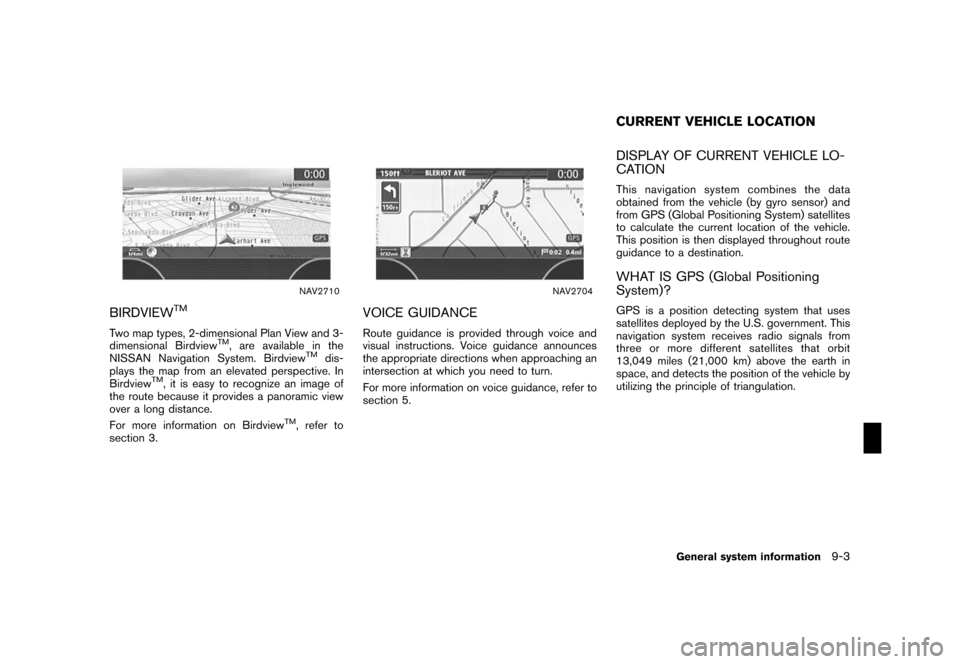
NAV2710
BIRDVIEWTM
Two map types, 2-dimensional Plan View and 3-
dimensional BirdviewTM, are available in the
NISSAN Navigation System. BirdviewTMdis-
plays the map from an elevated perspective. In
Birdview
TM, it is easy to recognize an image of
the route because it provides a panoramic view
over a long distance.
For more information on Birdview
TM, refer to
section 3.
NAV2704
VOICE GUIDANCE
Route guidance is provided through voice and
visual instructions. Voice guidance announces
the appropriate directions when approaching an
intersection at which you need to turn.
For more information on voice guidance, refer to
section 5.
DISPLAY OF CURRENT VEHICLE LO-
CATION
This navigation system combines the data
obtained from the vehicle (by gyro sensor) and
from GPS (Global Positioning System) satellites
to calculate the current location of the vehicle.
This position is then displayed throughout route
guidance to a destination.
WHAT IS GPS (Global Positioning
System)?
GPS is a position detecting system that uses
satellites deployed by the U.S. government. This
navigation system receives radio signals from
three or more different satellites that orbit
13,049 miles (21,000 km) above the earth in
space, and detects the position of the vehicle by
utilizing the principle of triangulation.
CURRENT VEHICLE LOCATION
General system information9-3
Page 230 of 270
Black plate (234,1)
Model "NISSAN_NAVI" EDITED: 2007/ 2/ 26
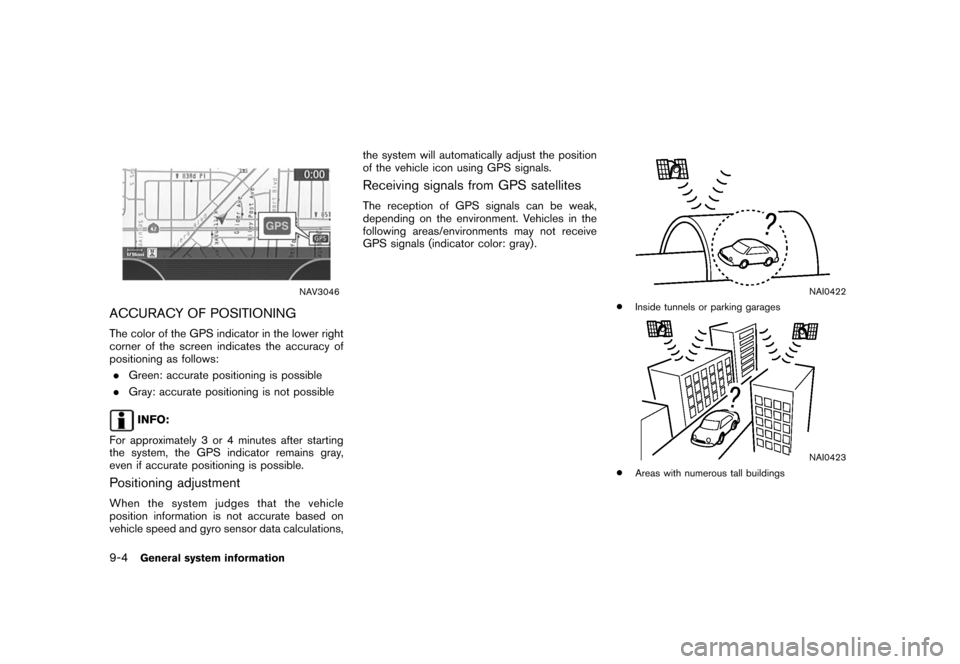
NAV3046
ACCURACY OF POSITIONING
The color of the GPS indicator in the lower right
corner of the screen indicates the accuracy of
positioning as follows:
.Green: accurate positioning is possible
.Gray: accurate positioning is not possible
INFO:
For approximately 3 or 4 minutes after starting
the system, the GPS indicator remains gray,
even if accurate positioning is possible.
Positioning adjustment
When the system judges that the vehicle
position information is not accurate based on
vehicle speed and gyro sensor data calculations,the system will automatically adjust the position
of the vehicle icon using GPS signals.
Receiving signals from GPS satellites
The reception of GPS signals can be weak,
depending on the environment. Vehicles in the
following areas/environments may not receive
GPS signals (indicator color: gray) .
NAI0422
*Inside tunnels or parking garages
NAI0423
*Areas with numerous tall buildings
9-4General system information
Page 232 of 270

Black plate (236,1)
Model "NISSAN_NAVI" EDITED: 2007/ 2/ 26
INCORRECT DISPLAY OF VEHICLE
POSITION
The following cases may affect the display
accuracy of the vehicle’s position or traveling
direction. The accuracy will return to normal if
the driving conditions return to normal.
NAI0426
*When there is a similar road nearby.
NAI0427
*When the vehicle is traveling in an area with a grid
pattern road system.
NAI0428
*When the vehicle is passing through a large Y-
shaped intersection/junction.
NAI0429
*When the vehicle is traveling on a continuous,
slowly curving road.
9-6General system information
Page 234 of 270

Black plate (238,1)
Model "NISSAN_NAVI" EDITED: 2007/ 2/ 26
NAI0436
*When the GPS positioning accuracy is low.
INFO:
.The vehicle icon may be misaligned when
starting the vehicle just after starting the
engine.
.The vehicle icon may also be misaligned if
different sized tires or tire chains are
installed.
.The system has a function that automatically
corrects the vehicle icon position when it is
misaligned from the actual position.
.Vehicle position correction by GPS may not
function when the vehicle is stopped..If the vehicle icon position does not return to
normal even after driving for a while, correct
the vehicle icon position manually.
“ADJUSTING THE CURRENT VEHI-
CLE LOCATION” (page 8-23)
DETAILED MAP COVERAGE AREAS
(MCA) FOR THE NAVIGATION SYS-
TEM
This system is designed to help you reach your
destination, and it also performs other functions
as outlined in this manual. However, you, the
driver, must use the system safely and properly.
Information concerning road conditions, traffic
signs and the availability of services may not
always be up-to-date. The system is not a
substitute for safe, proper and legal driving.
Map data covers select metropolitan areas in the
United States.
Map data is available on map DVD-ROMs. For
information about map DVD-ROMs, contact a
NISSAN dealer or call the NISSAN NAVIGA-
TION SYSTEM HELPDESK. See the contact
information on the inside front cover of this
manual.
Map data includes two types of areas: “Detailed
coverage areas” providing all detailed road data
and other areas showing “Main roads only”.
NOTE:
Detailed map data is not available in many
areas and is generally limited to select
major metropolitan areas.
For information on which metropolitan areas are
in detailed coverage areas, please refer to the
NISSAN Navigation System Software Booklet
(included) . When you purchase an updated map
DVD-ROM, a new software booklet will be
included.
9-8General system information