Page 291 of 444

Black plate (287,1)
Model "Z51-D" EDITED: 2008/ 6/ 26
SAA1783
Displaying user guideYou can confirm how to use voice commands by
accessing a simplified User Guide, which
contains basic instructions and tutorials for
several voice commands.
1. Push theINFObutton on the instrument
panel.
2. Highlight the “Others” key using the multi-
function controller and push theENTER
button.
3. Highlight the “Voice Recognition” key using
the multi-function controller and push the
ENTERbutton.
You can skip steps 1 to 3 above if you say“Help”.
4. Highlight the “User Guide” key using the
multi-function controller and push theEN-
TERbutton.
SAA1920
5. Highlight an item using the multi-function
controller and push theENTERbutton.
Available items:
.Getting Started
Describe the basics of how to operate the
NISSAN Voice Recognition system.
.Using the Address Book
Refer to Navigation System Owner’s Man-
ual.
.Finding a Street Address
Refer to Navigation System Owner’s Man-
ual.
Monitor, heater, air conditioner, audio, phone and voice recognition systems
4-125
Page 294 of 444
Black plate (290,1)
Model "Z51-D" EDITED: 2008/ 6/ 26
SAA1907
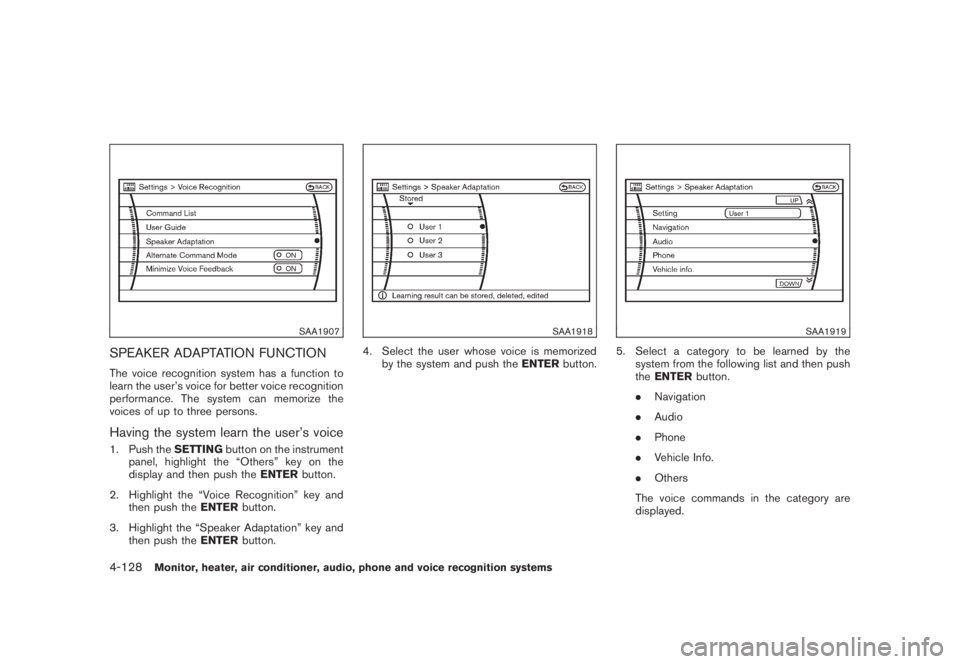
SPEAKER ADAPTATION FUNCTIONThe voice recognition system has a function to
learn the user’s voice for better voice recognition
performance. The system can memorize the
voices of up to three persons.Having the system learn the user’s voice1. Push theSETTINGbutton on the instrument
panel, highlight the “Others” key on the
display and then push theENTERbutton.
2. Highlight the “Voice Recognition” key and
then push theENTERbutton.
3. Highlight the “Speaker Adaptation” key and
then push theENTERbutton.
SAA1918
4. Select the user whose voice is memorized
by the system and push theENTERbutton.
SAA1919
5. Select a category to be learned by the
system from the following list and then push
theENTERbutton.
.Navigation
.Audio
.Phone
.Vehicle Info.
.Others
The voice commands in the category are
displayed.
4-128
Monitor, heater, air conditioner, audio, phone and voice recognition systems
Page 296 of 444
Black plate (292,1)
Model "Z51-D" EDITED: 2008/ 6/ 26
Continuous Learning:
When this item is turned to ON, you can have
the system learn the voice commands in
succession, without selecting commands one
by one.MINIMIZE VOICE FEEDBACK1. Push theSETTINGbutton on the instrument
panel, highlight the “Others” key on the
display and then push theENTERbutton.
2. Highlight the “Voice Recognition” key and
then push theENTERbutton.
3. Highlight the “Minimize Voice Feedback” key
and push theENTERbutton.
4. The item is turned to ON and the vocal
feedback is reduces if the voice recognition
system is activated.4-130
Monitor, heater, air conditioner, audio, phone and voice recognition systems
Page 298 of 444

Black plate (294,1)
Model "Z51-D" EDITED: 2008/ 6/ 26
NISSAN Voice Recognition allows hands-free
operation of the systems equipped on this
vehicle, such as the display, audio, climate
control, phone and optional navigation systems.
To operate NISSAN Voice Recognition, push
and release the TALK
switch located on the
steering wheel. Then speak the command for the
system you wish to activate. The command given
is picked up by the microphone, and it is
performed when it is properly recognized. At
this time NISSAN Voice Recognition will provide
a voice and message (in the center display) to
inform you of the command results.
COMMAND LIST
Displaying command listIf you are controlling the system by voice
commands for the first time or do not know the
appropriate voice command, perform the follow-
ing procedure for displaying the voice command
list and help list.
SAA1545
1. Push theINFObutton on the instrument
panel.
2. Highlight the “Voice Recognition”key
using the multi-function controller and push
theENTERbutton.
3. Highlight the “Command List” key using
the multi-function controller and push the
ENTERbutton.
SAA1935
4. Highlight a category using the multi-function
controller and push theENTERbutton.
NISSAN VOICE RECOGNITION
SYSTEM (models with navigation
system) (for Canada)4-132
Monitor, heater, air conditioner, audio, phone and voice recognition systems
Page 299 of 444
Black plate (295,1)
Model "Z51-D" EDITED: 2008/ 6/ 26
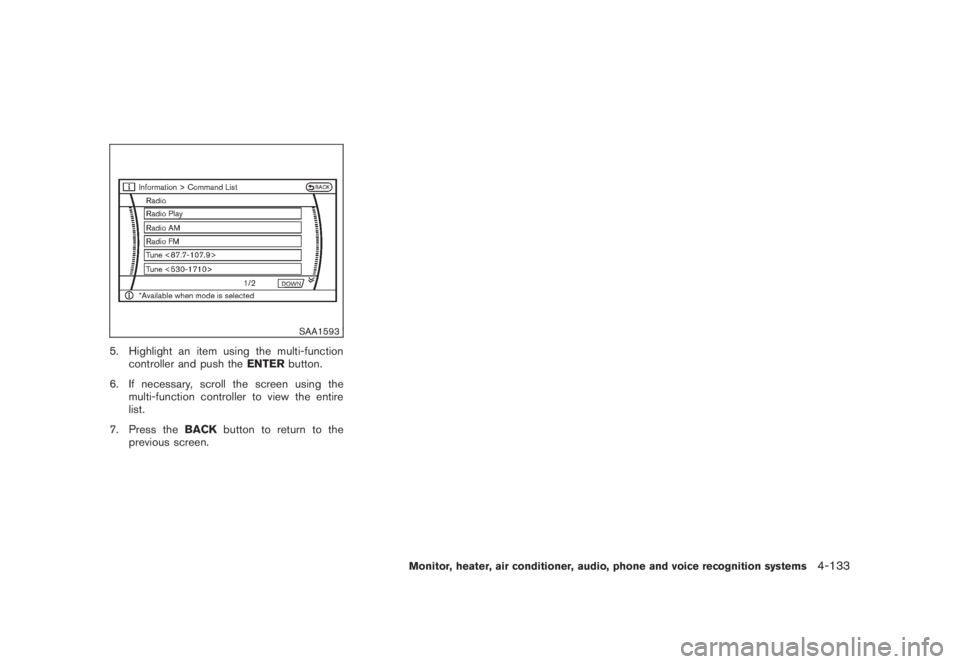
SAA1593
5. Highlight an item using the multi-function
controller and push theENTERbutton.
6. If necessary, scroll the screen using the
multi-function controller to view the entire
list.
7. Press theBACKbutton to return to the
previous screen.
Monitor, heater, air conditioner, audio, phone and voice recognition systems
4-133
Page 307 of 444
Black plate (303,1)
Model "Z51-D" EDITED: 2008/ 6/ 26
SAA1783
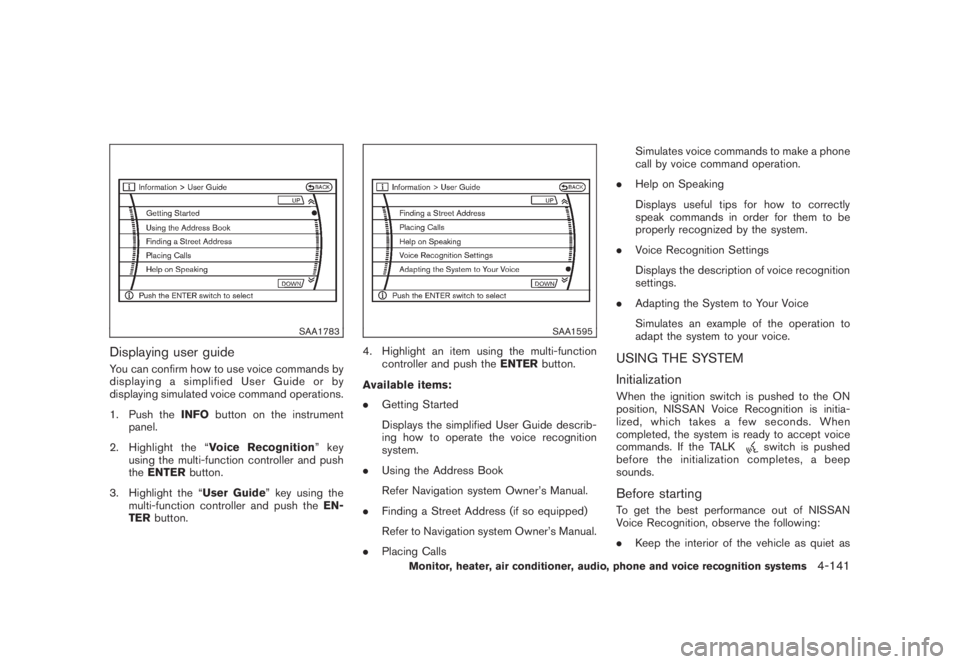
Displaying user guideYou can confirm how to use voice commands by
displaying a simplified User Guide or by
displaying simulated voice command operations.
1. Push theINFObutton on the instrument
panel.
2. Highlight the “Voice Recognition”key
using the multi-function controller and push
theENTERbutton.
3. Highlight the “User Guide” key using the
multi-function controller and push theEN-
TERbutton.
SAA1595
4. Highlight an item using the multi-function
controller and push theENTERbutton.
Available items:
.Getting Started
Displays the simplified User Guide describ-
ing how to operate the voice recognition
system.
.Using the Address Book
Refer Navigation system Owner’s Manual.
.Finding a Street Address (if so equipped)
Refer to Navigation system Owner’s Manual.
.Placing CallsSimulates voice commands to make a phone
call by voice command operation.
.Help on Speaking
Displays useful tips for how to correctly
speak commands in order for them to be
properly recognized by the system.
.Voice Recognition Settings
Displays the description of voice recognition
settings.
.Adapting the System to Your Voice
Simulates an example of the operation to
adapt the system to your voice.
USING THE SYSTEM
InitializationWhen the ignition switch is pushed to the ON
position, NISSAN Voice Recognition is initia-
lized, which takes a few seconds. When
completed, the system is ready to accept voice
commands. If the TALK
switch is pushed
before the initialization completes, a beep
sounds.
Before startingTo get the best performance out of NISSAN
Voice Recognition, observe the following:
.Keep the interior of the vehicle as quiet as
Monitor, heater, air conditioner, audio, phone and voice recognition systems
4-141
Page 310 of 444

Black plate (306,1)
Model "Z51-D" EDITED: 2008/ 6/ 26
— “Temperature twenty one and a half.”
.19.08C
— “Temperature nineteen point zero.”
— “Temperature nineteen point oh.”
— “Temperature nineteen.”
Phone numbers:
Speak phone numbers according to the follow-
ing examples:
.1-800-662-6200
— “Dial one eight oh oh six six two six two oh
oh.”
— “Dial one eight hundred six six two six two
oh oh.”
— “Dial one eight zero zero six six two oh
oh.”
Note 1: For the best voice recognition phone
dialing results, say phone numbers as single
digits.
Note 2: You cannot say 555-6000 as “five five
five six thousands”.
Personal vocabulary (voicetags)NISSAN Voice Recognition provides the func-
tion called “voicetags,” which can be associated
with the phone and the navigation system (if soequipped) . Using your own voice, 40 voicetags
can be registered in the “Phonebook” (phone)
and 10 locations can be registered in the
“Address Book” (navigation system) .
See “BLUETOOTH
®HANDS-FREE PHONE
SYSTEM WITH NAVIGATION SYSTEM” earlier
in this section and/or the separate Navigation
System Owner’s Manual (if so equipped) for the
method of “voicetag” registration.
SAA1601
VOICE COMMAND LEARNING FUNC-
TIONThe voice recognition system has a function to
learn the user’s voice for better voice recognition
performance. The system can memorize the
voices of up to three persons.Having the system learn the user’s voice1. Push theSETTINGbutton on the instrument
panel, highlight the “Others” key on the
display and then push theENTERbutton.
2. Highlight the “Voice Recognition” key and
then push theENTERbutton.
3. Highlight the “Voice Command Learning”
4-144
Monitor, heater, air conditioner, audio, phone and voice recognition systems
Page 315 of 444
Black plate (16,1)
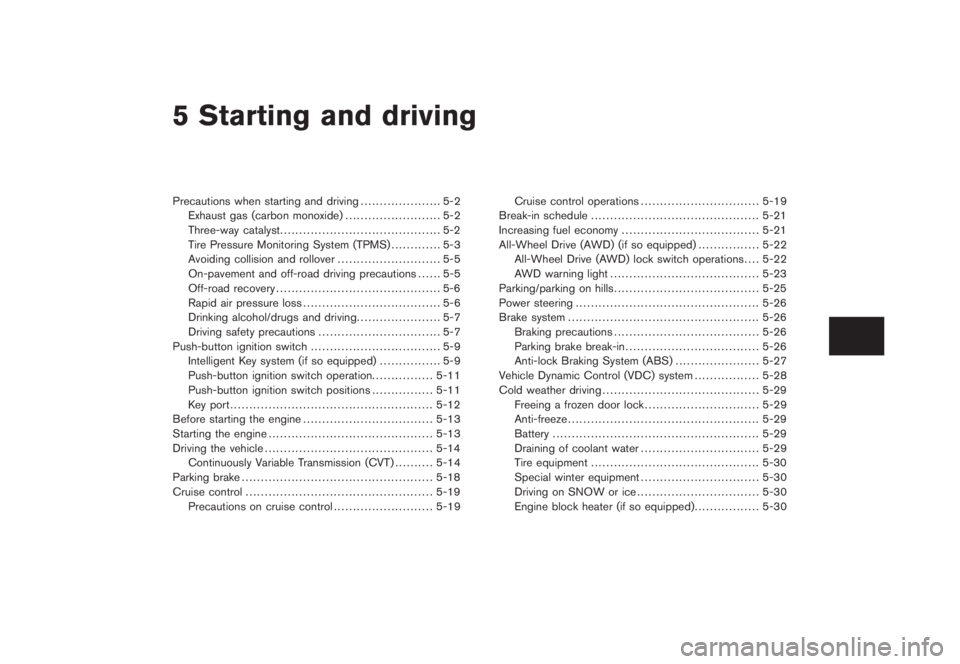
5 Starting and driving
Model "Z51-D" EDITED: 2008/ 6/ 23
Precautions when starting and driving..................... 5-2
Exhaust gas (carbon monoxide)......................... 5-2
Three-way catalyst.......................................... 5-2
Tire Pressure Monitoring System (TPMS)............. 5-3
Avoiding collision and rollover........................... 5-5
On-pavement and off-road driving precautions...... 5-5
Off-road recovery........................................... 5-6
Rapid air pressure loss.................................... 5-6
Drinking alcohol/drugs and driving...................... 5-7
Driving safety precautions................................ 5-7
Push-button ignition switch.................................. 5-9
Intelligent Key system (if so equipped)................ 5-9
Push-button ignition switch operation................ 5-11
Push-button ignition switch positions................ 5-11
Key port..................................................... 5-12
Before starting the engine.................................. 5-13
Starting the engine........................................... 5-13
Driving the vehicle............................................ 5-14
Continuously Variable Transmission (CVT).......... 5-14
Parking brake.................................................. 5-18
Cruise control................................................. 5-19
Precautions on cruise control.......................... 5-19Cruise control operations............................... 5-19
Break-in schedule............................................ 5-21
Increasing fuel economy.................................... 5-21
All-Wheel Drive (AWD) (if so equipped)................ 5-22
All-Wheel Drive (AWD) lock switch operations.... 5-22
AWD warning light....................................... 5-23
Parking/parking on hills...................................... 5-25
Power steering................................................ 5-26
Brake system.................................................. 5-26
Braking precautions...................................... 5-26
Parking brake break-in................................... 5-26
Anti-lock Braking System (ABS)...................... 5-27
Vehicle Dynamic Control (VDC) system................. 5-28
Cold weather driving......................................... 5-29
Freeing a frozen door lock.............................. 5-29
Anti-freeze.................................................. 5-29
Battery...................................................... 5-29
Draining of coolant water............................... 5-29
Tire equipment............................................ 5-30
Special winter equipment............................... 5-30
Driving on SNOW or ice................................ 5-30
Engine block heater (if so equipped)................. 5-30