2008 NISSAN ARMADA Climate control
[x] Cancel search: Climate controlPage 5 of 456

Table of
ContentsIllustrated table of contents
Safety—Seats, seat belts and supplemental restraint system
Instruments and controls
Pre-driving checks and adjustments
Monitor, climate, audio, phone and voice recognition systems
Starting and driving
In case of emergency
Appearance and care
Maintenance and do-it-yourself
Technical and consumer information
Index
0
1
2
3
4
5
6
7
8
9
10
Page 13 of 456

16. Climate controls (P. 4-38)
17. Power outlet/cigarette lighter
(accessory) (P. 2-40/P. 2-41)
18. Heated seat switch (if so equipped)
(P. 2-37)
19. Vehicle dynamic control (VDC) off
switch (P. 2-38)
20. Tow mode switch (P. 2-40)
21. Shift selector lever (P. 5-12)
22. Heated steering wheel (if so equipped)
(P. 2-37)
23. Center stack storage (P. 2-42)
24. Power outlet (P. 2-40)
25. Front passenger air bag status light
(P. 1-57)
26. Auxiliary jack (P. 4-55)
27. 4WD shift switch (if so equipped)
(P. 5-20)
28. Tilt steering wheel control (P. 3-27)
29. Rear or front and rear sonar system off
switch (if so equipped) (P. 2-38)
30. Pedal position adjustment switch (if so
equipped) (P. 3-27)
31. Power vent window (if so equipped)
(P. 2-55)
32. Lift gate open/close switch
(if so equipped) (P. 3-20)*: Refer to the separate Navigation System Own-
er’s Manual (if so equipped) .
See the page number indicated in paren-
theses for operating details.
Illustrated table of contents0-7
ZREVIEW COPYÐ2008 Armada(wzw)
Owners ManualÐUSA_English(nna)
03/05/07Ðarosenma
X
Page 73 of 456
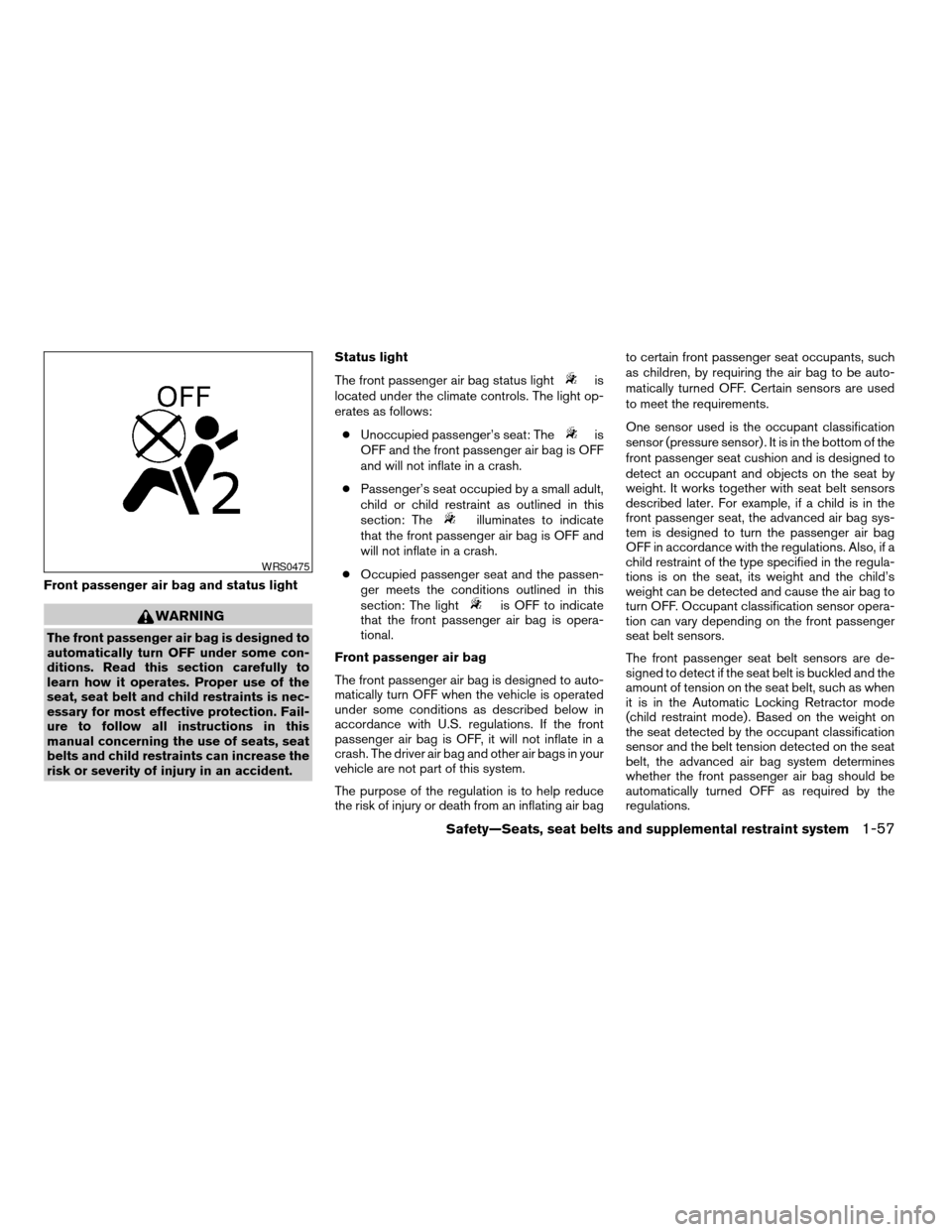
Front passenger air bag and status light
WARNING
The front passenger air bag is designed to
automatically turn OFF under some con-
ditions. Read this section carefully to
learn how it operates. Proper use of the
seat, seat belt and child restraints is nec-
essary for most effective protection. Fail-
ure to follow all instructions in this
manual concerning the use of seats, seat
belts and child restraints can increase the
risk or severity of injury in an accident.Status light
The front passenger air bag status light
is
located under the climate controls. The light op-
erates as follows:
cUnoccupied passenger’s seat: The
is
OFF and the front passenger air bag is OFF
and will not inflate in a crash.
cPassenger’s seat occupied by a small adult,
child or child restraint as outlined in this
section: The
illuminates to indicate
that the front passenger air bag is OFF and
will not inflate in a crash.
cOccupied passenger seat and the passen-
ger meets the conditions outlined in this
section: The light
is OFF to indicate
that the front passenger air bag is opera-
tional.
Front passenger air bag
The front passenger air bag is designed to auto-
matically turn OFF when the vehicle is operated
under some conditions as described below in
accordance with U.S. regulations. If the front
passenger air bag is OFF, it will not inflate in a
crash. The driver air bag and other air bags in your
vehicle are not part of this system.
The purpose of the regulation is to help reduce
the risk of injury or death from an inflating air bagto certain front passenger seat occupants, such
as children, by requiring the air bag to be auto-
matically turned OFF. Certain sensors are used
to meet the requirements.
One sensor used is the occupant classification
sensor (pressure sensor) . It is in the bottom of the
front passenger seat cushion and is designed to
detect an occupant and objects on the seat by
weight. It works together with seat belt sensors
described later. For example, if a child is in the
front passenger seat, the advanced air bag sys-
tem is designed to turn the passenger air bag
OFF in accordance with the regulations. Also, if a
child restraint of the type specified in the regula-
tions is on the seat, its weight and the child’s
weight can be detected and cause the air bag to
turn OFF. Occupant classification sensor opera-
tion can vary depending on the front passenger
seat belt sensors.
The front passenger seat belt sensors are de-
signed to detect if the seat belt is buckled and the
amount of tension on the seat belt, such as when
it is in the Automatic Locking Retractor mode
(child restraint mode) . Based on the weight on
the seat detected by the occupant classification
sensor and the belt tension detected on the seat
belt, the advanced air bag system determines
whether the front passenger air bag should be
automatically turned OFF as required by the
regulations.
WRS0475
Safety—Seats, seat belts and supplemental restraint system1-57
ZREVIEW COPYÐ2008 Armada(wzw)
Owners ManualÐUSA_English(nna)
03/05/07Ðarosenma
X
Page 85 of 456

16. Climate controls (P. 4-38)
17. Power outlet/cigarette lighter
(accessory) (P. 2-40/P. 2-41)
18. Heated seat switch (if so equipped)
(P. 2-37)
19. Vehicle dynamic control (VDC) off
switch (P. 2-38)
20. Tow mode switch (P. 2-40)
21. Shift selector lever (P. 5-12)
22. Heated steering wheel (if so equipped)
(P. 2-37)
23. Center stack storage (P. 2-42)
24. Power outlet (P. 2-40)
25. Front passenger air bag status light
(P. 1-57)
26. Auxiliary jack (P. 4-55)
27. 4WD shift switch (if so equipped)
(P. 5-20)
28. Tilt steering wheel control (P. 3-27)
29. Rear or front and rear sonar system off
switch (if so equipped) (P. 2-38)
30. Pedal position adjustment switch
(if so equipped) (P. 3-27)
31. Power vent window (if so equipped)
(P. 2-55)
32. Lift gate open/close switch
(if so equipped) (P. 3-20)*: Refer to the separate Navigation System
Owner’s Manual (if so equipped) .
See the page number indicated in paren-
theses for operating details.
Instruments and controls2-3
ZREVIEW COPYÐ2008 Armada(wzw)
Owners ManualÐUSA_English(nna)
03/05/07Ðarosenma
X
Page 110 of 456

brief period. Never leave your keys in the ignition,
and always lock the vehicle when unattended. Be
aware of your surroundings, and park in secure,
well-lit areas whenever possible.
Many devices offering additional protection, such
as component locks, identification markers, and
tracking systems, are available at auto supply
stores and specialty shops. Your NISSAN dealer
may also offer such equipment. Check with your
insurance company to see if you may be eligible
for discounts for various theft protection features.
How to arm the vehicle security
system
1. Close all windows.(The system can be
armed even if the windows are open.)
2. Turn the ignition switch to the LOCK posi-
tion and remove the key.
3. Close all doors. Lock all doors. The doors
can be locked with:
cthe power door lock switch (if the door is
opened, locked and then closed) .
cthe key — master or mechanical (Intelli-
gent Key models) .
cany request switch (Intelligent Key mod-
els) .
cthe keyfob or Intelligent Key.Keyfob and Intelligent Key operation:
cPush the
button. All doors lock.
The hazard lights flash twice and the horn
beeps once to indicate all doors are
locked.
cWhen the
button is pushed with
all doors locked, the hazard lights flash
twice and the horn beeps once as a re-
minder that the doors are already locked.
The horn may or may not beep. Refer to
“Silencing the horn beep feature” in the Pre-
driving checks and adjustments” section or
“Comfort & Convenience settings” in the
“Monitor, climate, audio, phone and voice
recognition systems” section.
4. Confirm that the
indicator light comes
on. Thelight stays on for about 30
seconds. The vehicle security system is now
pre-armed. After about 30 seconds the ve-
hicle security system automatically shifts
into the armed phase. The
light begins
to flash once every 3 seconds. If, during the
30-second pre-arm time period, the driver’s
door is unlocked by the key, a request
switch, the keyfob or Intelligent Key, or if the
ignition switch is turned to ACC or ON, the
system will not arm.cIf the key is turned slowly when locking
the driver’s door, the system may not
arm. Furthermore, if the key is turned
beyond the vertical position toward the
unlock position to remove the key, the
system may be disarmed when the key
is removed. If the indicator light fails to
glow for 30 seconds, unlock the door
once and lock it again.
cEven when the driver and/or passen-
gers are in the vehicle, the system will
arm with all doors closed and locked
with the ignition key in the OFF posi-
tion.
Vehicle security system activation
The vehicle security system will give the following
alarm:
cThe headlights blink and the horn sounds
intermittently.
cThe alarm automatically turns off after ap-
proximately 50 seconds. However, the alarm
reactivates if the vehicle is tampered with
again. The alarm can be shut off by unlocking
the driver’s door with the key, a request
switch or by pressing the
button on
the keyfob or Intelligent Key.
2-28Instruments and controls
ZREVIEW COPYÐ2008 Armada(wzw)
Owners ManualÐUSA_English(nna)
03/05/07Ðarosenma
X
Page 115 of 456

Autolight system
The autolight system allows the headlights to be
set so they turn on and off automatically. The
autolight system can:
cTurn on the headlights, front parking, tail,
license plate and instrument panel lights au-
tomatically when it is dark.
cTurn off all the lights when it is light.
cKeep all the lights on for up to 180 seconds
after you turn the key to OFF and all doors
are closed.NOTE:
Autolight activation sensitivity and the
time delay for autolight shutoff can be ad-
justed. See “Comfort and convenience set-
tings” in the “Monitor, climate, audio,
phone and voice recognition systems(sec-
tion later in this manual.
To turn on the autolight system:
1. Turn the headlight switch to the AUTO posi-
tion
s1.
2. Turn the ignition key to ON.
3. The autolight system automatically turns the
headlights on and off.
Initially, if the ignition switch is turned OFF and a
door is opened and left open, the headlights
remain ON for 5 minutes. If another door is
opened during the 5 minutes, then the 5 minute
timer is reset.
To turn the autolight system off, turn the switch to
the OFF,
,orposition.Be sure you do not put anything on top of
the autolight sensor
s1located in the top
side of the instrument panel. The autolight
sensor controls the autolight; if it is cov-
ered, the autolight sensor reacts as if it is
dark out and the headlights will illuminate.
If this occurs while parked with the engine
off and the key in the ON position, your
vehicle’s battery could become discharged.
WIC1251LIC0836
Instruments and controls2-33
ZREVIEW COPYÐ2008 Armada(wzw)
Owners ManualÐUSA_English(nna)
03/05/07Ðarosenma
X
Page 180 of 456

4 Monitor, climate, audio, phone and voice
recognition systems
Control panel buttons — color screen without
Navigation System.................................4-2
How to use the NISSAN controller...............4-3
How to select menus on the screen..............4-4
How to use the STATUS button..................4-4
How to use the INFO button.....................4-4
How to use the SETTING button.................4-9
OFF button.............................4-16
Control panel buttons — color screen with
Navigation System (if so equipped).................4-17
How to use the NISSAN controller..............4-18
How to use the touch screen...................4-18
Start-up screen...............................4-20
How to select menus on the screen.............4-20
How to use the STATUS button.................4-21
How to use the INFO button....................4-21
How to use the SETTING button................4-26
OFF button.............................4-34
Rearview monitor (if so equipped)..................4-34
How to read the displayed lines.................4-35
Adjusting the screen...........................4-35
Operating tips.................................4-36
Vents...........................................4-37Heater and air conditioner (automatic)..............4-38
Automatic operation...........................4-38
Manual operation..............................4-39
Operating tips.................................4-39
Rear seat air conditioner..........................4-40
Controls......................................4-41
Servicing air conditioner...........................4-41
Audio system....................................4-41
Radio........................................4-41
FM radio reception............................4-42
AM radio reception............................4-42
Satellite radio reception (if so equipped).........4-42
Audio operation precautions....................4-43
FM/AM/SAT radio with compact disc (CD)
changer (if so equipped).......................4-49
FM/AM/SAT radio with compact disc (CD)
player (if so equipped).........................4-57
CompactFlash™ (CF) player operation
(if so equipped)...............................4-62
Music Box hard-disk drive audio system
(if so equipped)...............................4-64
CD/CF (CompactFlash™) care and cleaning......4-73
Steering wheel switch for audio control..........4-75
ZREVIEW COPYÐ2008 Armada(wzw)
Owners ManualÐUSA_English(nna)
03/05/07Ðarosenma
X
Page 182 of 456
WARNING
cPositioning of the heating or air condi-
tioning controls and display controls
should not be done while driving in or-
der that full attention may be given to
the driving operation.
cDo not disassemble or modify this sys-
tem. If you do, it may result in accidents,
fire, or electrical shock.
cDo not use this system if you notice any
abnormality, such as a frozen screen or
lack of sound. Continued use of the
system may result in accident, fire or
electric shock.
cIn case you notice any foreign object in
the system hardware, spill liquid on it,
or notice smoke or smell coming from
it, stop using the system immediately
and contact your nearest NISSAN
dealer. Ignoring such conditions may
lead to accidents, fire or electrical
shock.
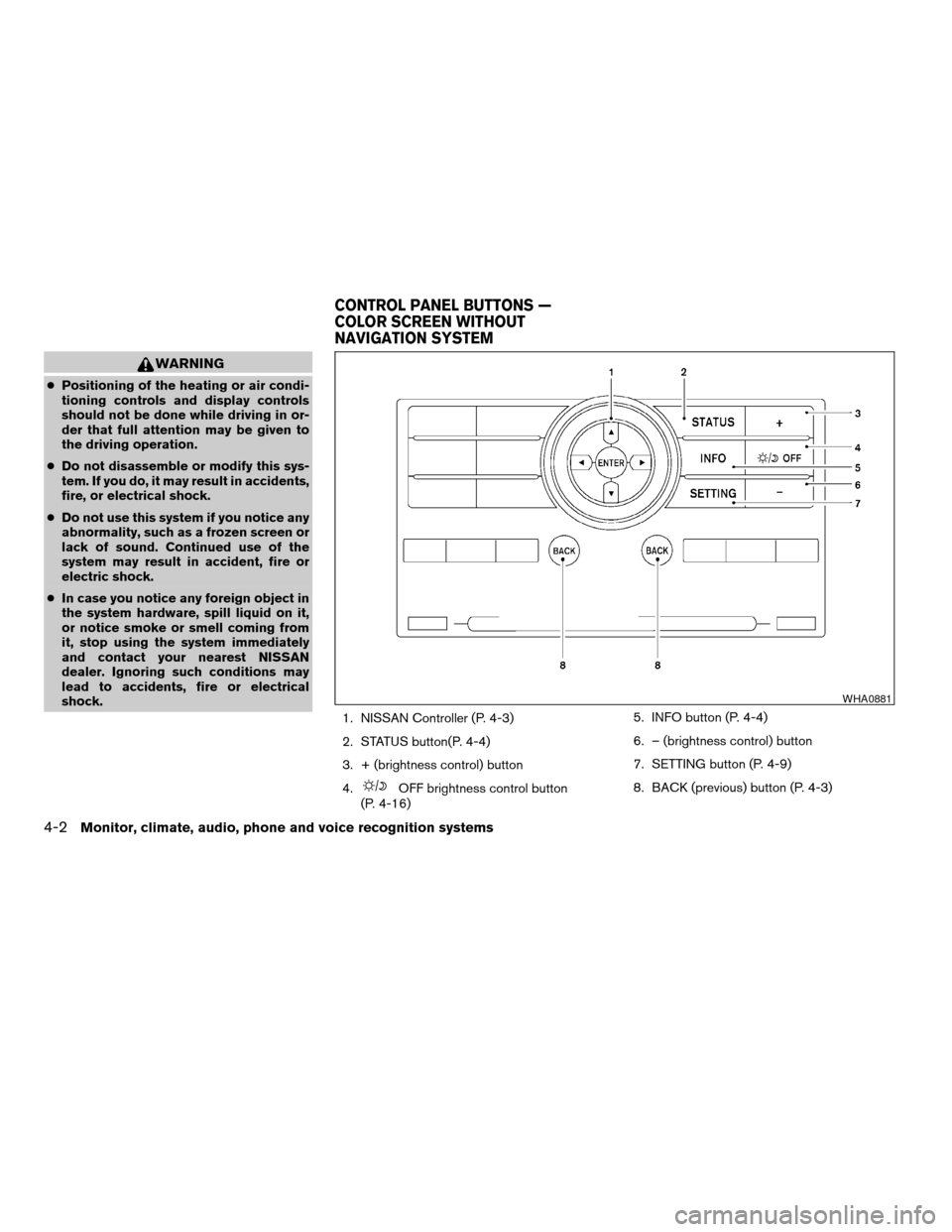
1. NISSAN Controller (P. 4-3)
2. STATUS button(P. 4-4)
3. + (brightness control) button
4.
OFF brightness control button
(P. 4-16)5. INFO button (P. 4-4)
6. – (brightness control) button
7. SETTING button (P. 4-9)
8. BACK (previous) button (P. 4-3)
WHA0881
CONTROL PANEL BUTTONS —
COLOR SCREEN WITHOUT
NAVIGATION SYSTEM
4-2Monitor, climate, audio, phone and voice recognition systems
ZREVIEW COPYÐ2008 Armada(wzw)
Owners ManualÐUSA_English(nna)
03/05/07Ðarosenma
X