2008 MERCEDES-BENZ GLK SUV AUX
[x] Cancel search: AUXPage 102 of 261
press and briefly hold the
9or:
button.
i DAB* radio mode 23
( Digital Audio Broad-
casting) (see the separate operating
instructions for the audio system* or
COMAND APS*).
Operating the audio player or audio
media* Audio data from various audio devices or
media can be played, depending on the equip-
ment fitted in the vehicle.
X Press the =or; button to select the
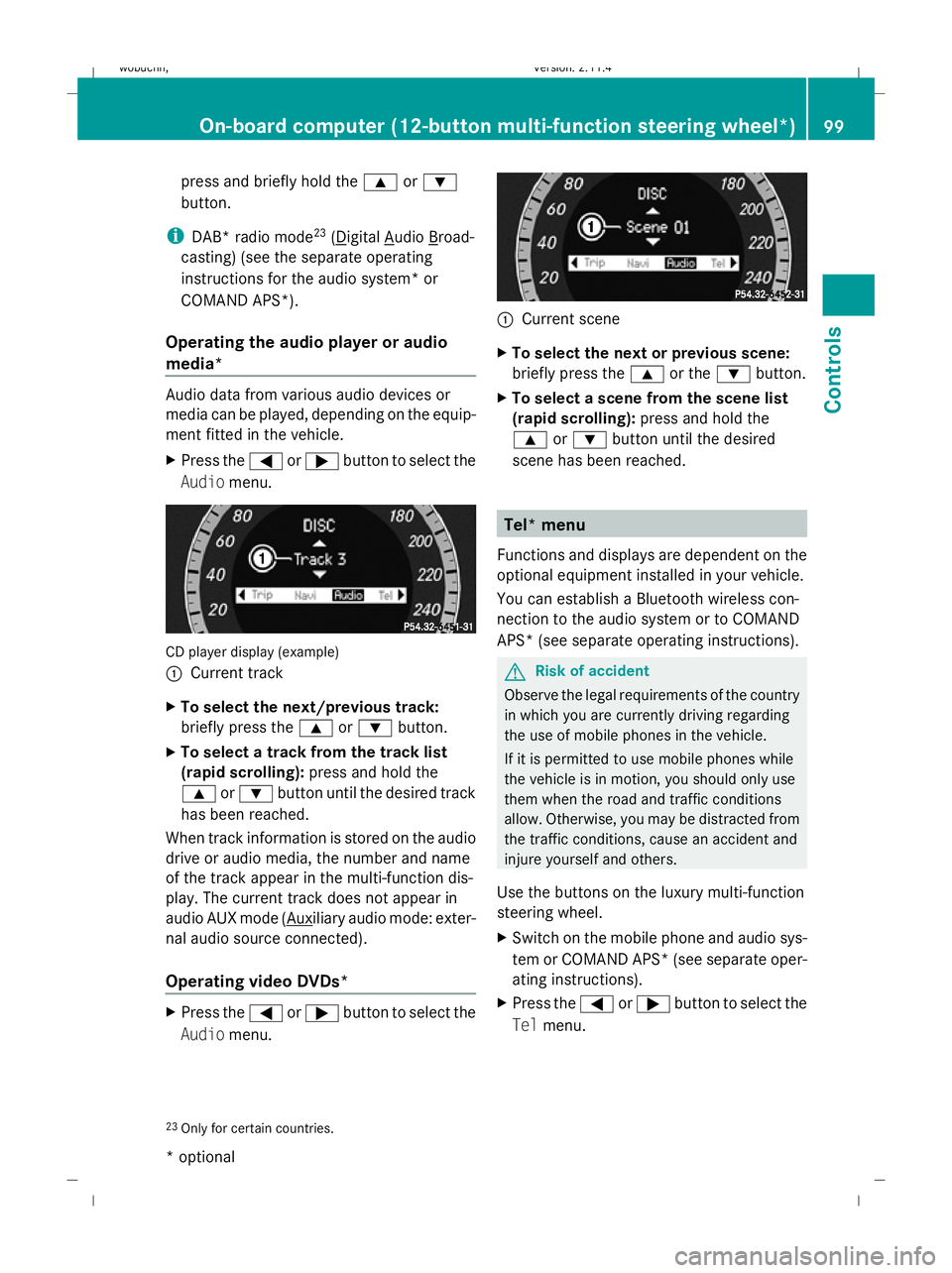
Audio menu. CD player display (example)
:
Current track
X To select the next/previous track:
briefly press the 9or: button.
X To select a track from the track list
(rapid scrolling): press and hold the
9 or: button until the desired track
has been reached.
When track information is stored on the audio
drive or audio media, the number and name
of the track appear in the multi-function dis-
play. The current track does not appear in
audio AUX mode ( Auxiliary audio mode: exter-
nal audio source connected).
Operating video DVDs* X
Press the =or; button to select the
Audio menu. :
Current scene
X To select the next or previous scene:
briefly press the 9or the :button.
X To select a scene from the scene list
(rapid scrolling): press and hold the
9 or: button until the desired
scene has been reached. Tel* menu
Functions and displays are dependent on the
optional equipment installed in your vehicle.
You can establish a Bluetooth wireless con-
nection to the audio system or to COMAND
APS* (see separate operating instructions). G
Risk of accident
Observe the legal requirements of the country
in which you are currently driving regarding
the use of mobile phones in the vehicle.
If it is permitted to use mobile phones while
the vehicle is in motion, you should only use
them when the road and traffic conditions
allow. Otherwise, you may be distracted from
the traffic conditions, cause an accident and
injure yourself and others.
Use the buttons on the luxury multi-function
steering wheel.
X Switch on the mobile phone and audio sys-
tem or COMAND APS *(see separate oper-
ating instructions).
X Press the =or; button to select the
Tel menu.
23 Only for certain countries. On-board computer (12-button multi-function steering wheel*)
99Controls
* optional
X204_AKB; 1; 5, en-GB
wobuchh,
Version: 2.11.4
2008-10-15T13:20:56+02:00 - Seite 99 ZDateiname: 6515_0671_02_buchblock.pdf; preflight
Page 133 of 261
are not designed to secure heavy items of
luggage.
You or other vehicle occupants could be
injured by objects being thrown around if you:
R brake sharply
R change direction suddenly
R are involved in an accident
Sharp-edged and fragile objects must not be
placed in the luggage net.
Do not place hard objects in the map pockets.
Objects must not protrude from the map
pockets.
Glove compartment X
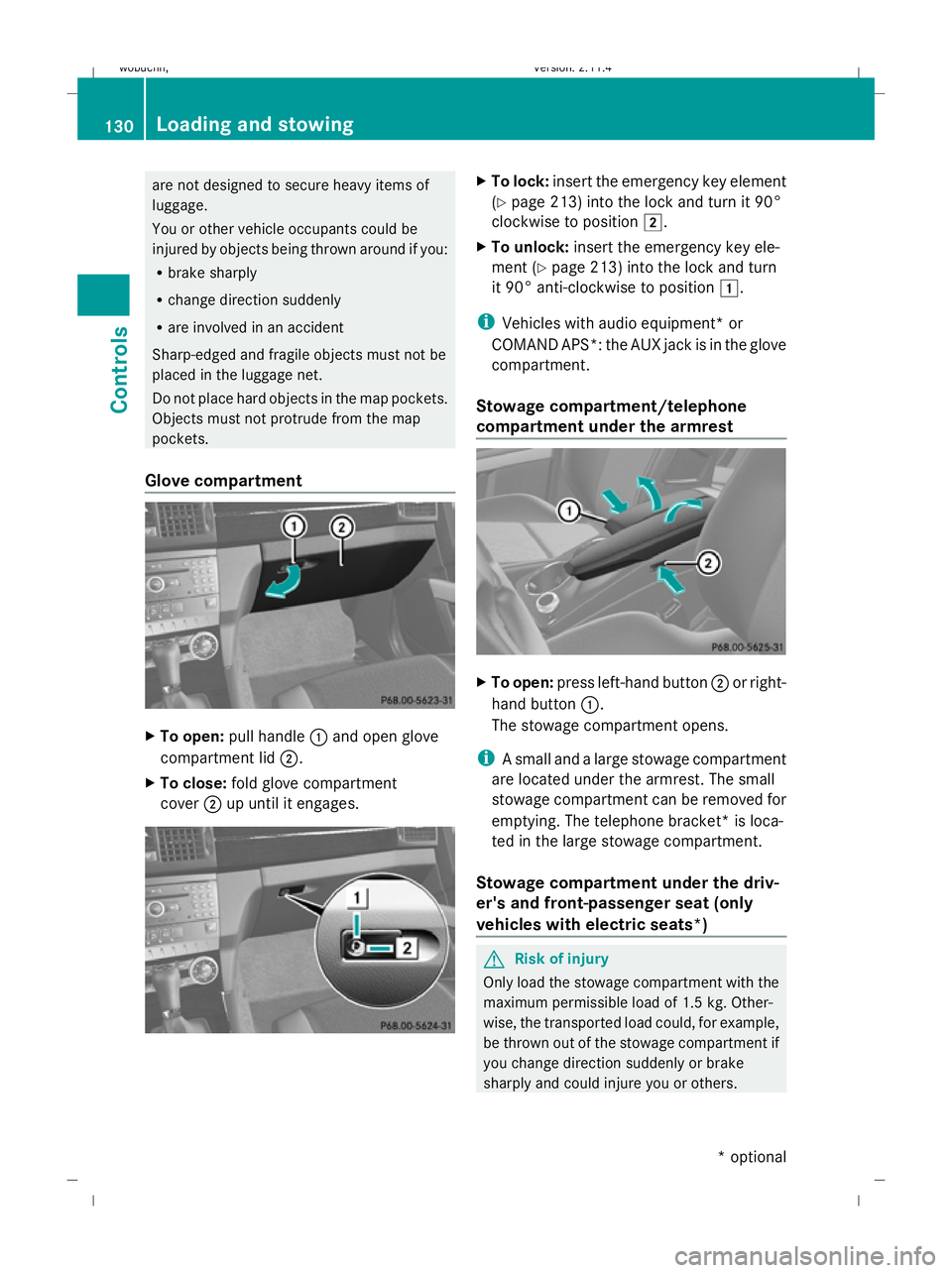
To open: pull handle :and open glove
compartment lid ;.
X To close: fold glove compartment
cover ;up until it engages. X
To lock: insert the emergency key element
(Y page 213) into the lock and turn it 90°
clockwise to position 2.
X To unlock: insert the emergency key ele-
ment (Y page 213) into the lock and turn
it 90° anti-clockwise to position 1.
i Vehicles with audio equipment *or
COMAND APS*: the AUX jack is in the glove
compartment.
Stowage compartment/telephone
compartment under the armrest X
To open: press left-hand button ;or right-
hand button :.
The stowage compartment opens.
i A small and a large stowage compartment
are located under the armrest. The small
stowage compartment can be removed for
emptying. The telephone bracket* is loca-
ted in the large stowage compartment.
Stowage compartment under the driv-
er's and front-passenger seat (only
vehicles with electric seats*) G
Risk of injury
Only load the stowage compartment with the
maximum permissible load of 1.5 kg. Other-
wise, the transported load could, for example,
be thrown out of the stowage compartment if
you change direction suddenly or brake
sharply and could injure you or others. 130 Loading and stowingControls
* optional
X204_AKB; 1; 5, en-GB
wobuchh,
Version: 2.11.4 2008-10-15T13:20:56+02:00 - Seite 130Dateiname: 6515_0671_02_buchblock.pdf; preflight
Page 248 of 261
X
Slide the right-hand front seat to its rear-
most position.
X Fold floor covering :upwards.
You will see vehicle identification number
(VIN) ;. Engine number
The engine number is stamped on the crank-
case. More information can be obtained from
any Mercedes-Benz Service Centre. Service products and capacities
Service products are:
R fuels (e.g. petrol, diesel)
R lubricants (e.g. engine oil, transmission oil)
R coolant
R brake fluid
R windscreen washer fluid
Mercedes-Benz recommends that you only
use those products which have been tested
and specially approved by Mercedes-Benz for
your vehicle and are listed in the Mercedes-
Benz Owner's Manual in the relevant chapter
since:
R parts and service products are matched.
R damage caused by the use of non-approved
service products is not covered by the war-
ranty.
You can recognise service products approved
by Mercedes-Benz by the following inscrip-
tion on the containers:
R MB-Freigabe (e.g. MB-Freigabe 229.51)
R MB Approval (e.g. MB Approval 229.51)
Other designations or recommendations that
relate to a level of quality or a specification in
accordance with an MB Sheet number (such
as MB 229.5) have not necessarily been
approved by Mercedes-Benz. You can obtain further information from any
Mercedes-Benz Service Centre. G
Risk of injury
When handling, storing and disposing of any
service products, please observe the relevant
regulations, as, otherwise, you could endan-
ger yourself and others.
Keep service products away from children.
To protect your health, do not allow service
products to come into contact with your eyes
or open wounds. See a doctor immediately if
any service product is swallowed. H
Environmental note
Dispose of service products in an environ-
mentally-responsible manner. Fuel
G
Risk of explosion
Fuel is highly flammable. Fire, naked flames
and smoking are therefore prohibited when
handling fuels.
Switch off the engine and the auxiliary heat-
ing* before refuelling. G
Risk of injury
Do not allow fuel to come into contact with
skin or clothing.
Allowing fuels to come into direct contact with
your skin or inhaling fuel vapours is damaging
to your health.
Tank capacity Total capacity 66 l
Of which reserve
fuel
Approximately 8 l
!
Do not use petrol to refuel vehicles with a
diesel engine. Do not use diesel to refuel
vehicles with a petrol engine. Never mix
diesel with petrol. Even small amounts of
the wrong fuel result in damage to the Service products and capacities
245Technical data
* optional
X204_AKB; 1; 5, en-GB
wobuchh,
Version: 2.11.4 2008-10-15T13:20:56+02:00 - Seite 245 ZDateiname: 6515_0671_02_buchblock.pdf; preflight