Page 122 of 509
121 Controls in detail
Power windows
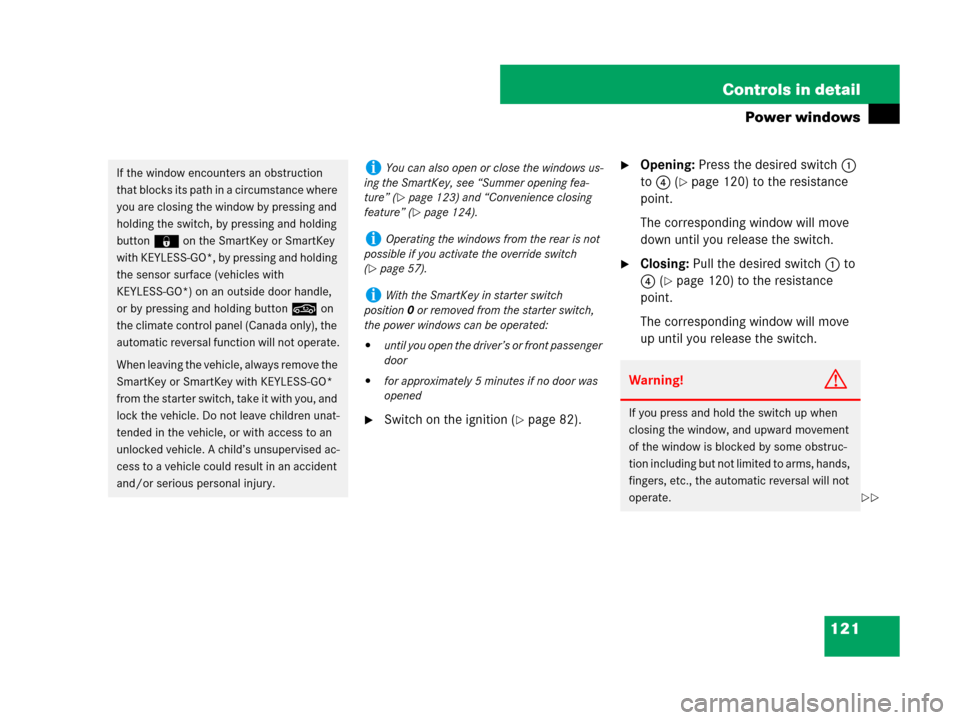
�Switch on the ignition (�page 82).
�Opening: Press the desired switch1
to 4 (
�page 120) to the resistance
point.
The corresponding window will move
down until you release the switch.
�Closing: Pull the desired switch1 to
4 (
�page 120) to the resistance
point.
The corresponding window will move
up until you release the switch.
If the window encounters an obstruction
that blocks its path in a circumstance where
you are closing the window by pressing and
holding the switch, by pressing and holding
button ‹ on the SmartKey or SmartKey
with KEYLESS-GO*, by pressing and holding
the sensor surface (vehicles with
KEYLESS-GO*) on an outside door handle,
or by pressing and holding button, on
the climate control panel (Canada only), the
automatic reversal function will not operate.
When leaving the vehicle, always remove the
SmartKey or SmartKey with KEYLESS-GO*
from the starter switch, take it with you, and
lock the vehicle. Do not leave children unat-
tended in the vehicle, or with access to an
unlocked vehicle. A child’s unsupervised ac-
cess to a vehicle could result in an accident
and/or serious personal injury.iYou can also open or close the windows us-
ing the SmartKey, see “Summer opening fea-
ture” (
�page 123) and “Convenience closing
feature” (
�page 124).
iOperating the windows from the rear is not
possible if you activate the override switch
(
�page 57).
iWith the SmartKey in starter switch
position0 or removed from the starter switch,
the power windows can be operated:
�until you open the driver’s or front passenger
door
�for approximately 5 minutes if no door was
openedWarning!G
If you press and hold the switch up when
closing the window, and upward movement
of the window is blocked by some obstruc-
tion including but not limited to arms, hands,
fingers, etc., the automatic reversal will not
operate.
��
Page 124 of 509
123 Controls in detail
Power windows
Summer opening feature
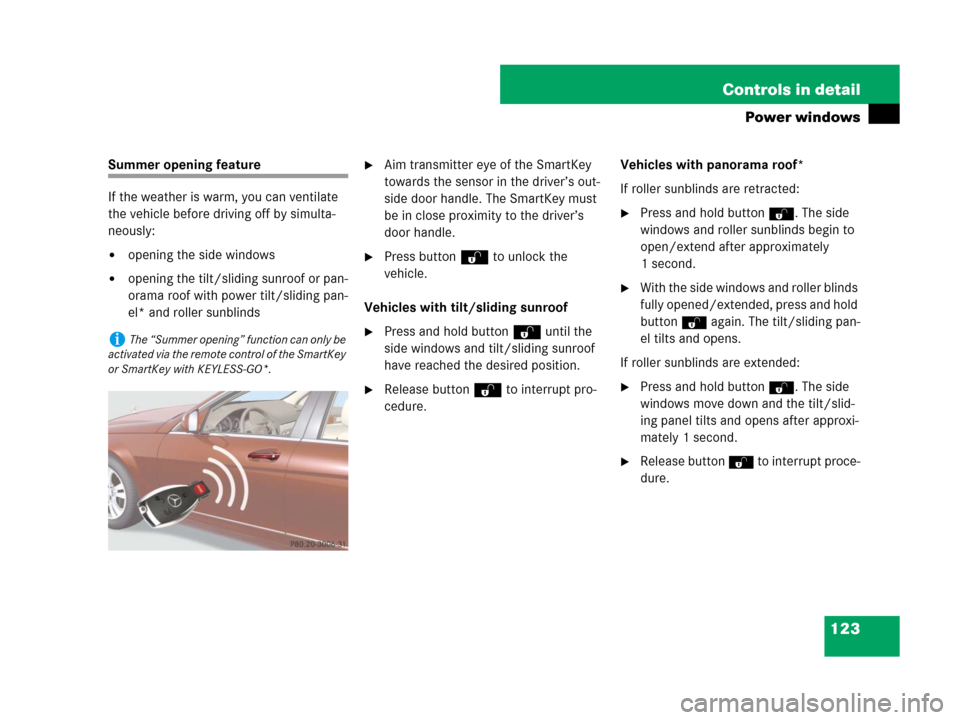
If the weather is warm, you can ventilate
the vehicle before driving off by simulta-
neously:
�opening the side windows
�opening the tilt/sliding sunroof or pan-
orama roof with power tilt/sliding pan-
el* and roller sunblinds
�Aim transmitter eye of the SmartKey
towards the sensor in the driver’s out-
side door handle. The SmartKey must
be in close proximity to the driver’s
door handle.
�Press button Œ to unlock the
vehicle.
Vehicles with tilt/sliding sunroof
�Press and hold button Œ until the
side windows and tilt/sliding sunroof
have reached the desired position.
�Release button Œ to interrupt pro-
cedure.Vehicles with panorama roof*
If roller sunblinds are retracted:
�Press and hold button Œ. The side
windows and roller sunblinds begin to
open/extend after approximately
1 second.
�With the side windows and roller blinds
fully opened/extended, press and hold
button
Πagain. The tilt/sliding pan-
el tilts and opens.
If roller sunblinds are extended:
�Press and hold button Œ. The side
windows move down and the tilt/slid-
ing panel tilts and opens after approxi-
mately 1 second.
�Release button Œ to interrupt proce-
dure.
iThe “Summer opening” function can only be
activated via the remote control of the SmartKey
or SmartKey with KEYLESS-GO*.
Page 125 of 509
124 Controls in detail
Power windows
Convenience closing feature
When you lock the vehicle, you can close
the side windows and tilt/sliding sunroof
or panorama roof with tilt/sliding panel*
simultaneously.
Afterward, you can close the roller sun-
blinds* of the panorama tilt/sliding sun-
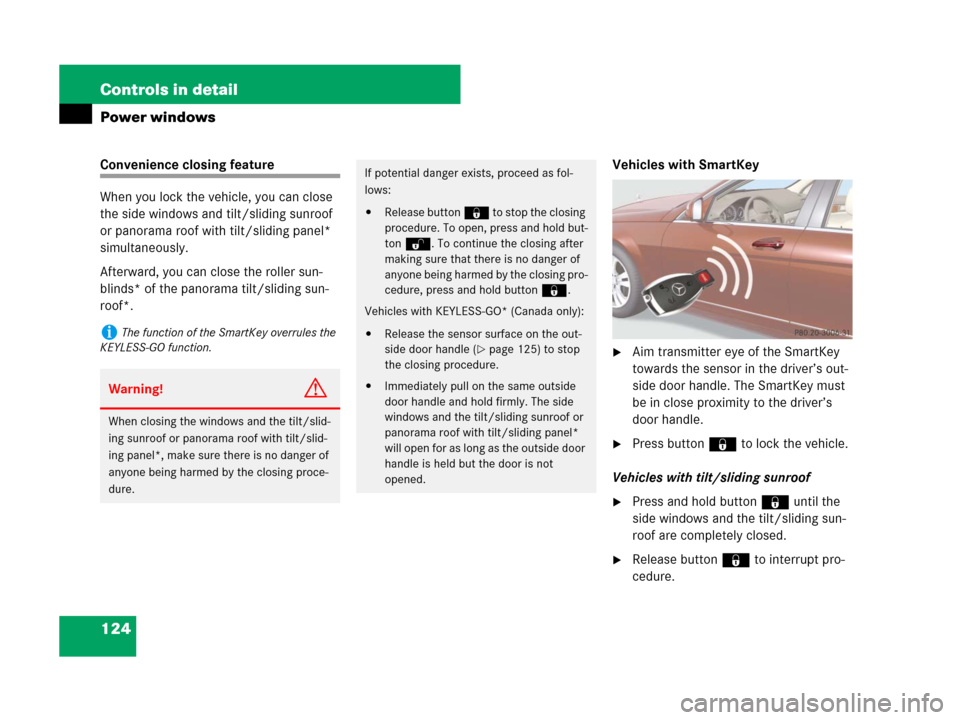
roof*.Vehicles with SmartKey
�Aim transmitter eye of the SmartKey
towards the sensor in the driver’s out-
side door handle. The SmartKey must
be in close proximity to the driver’s
door handle.
�Press button ‹ to lock the vehicle.
Vehicles with tilt/sliding sunroof
�Press and hold button ‹ until the
side windows and the tilt/sliding sun-
roof are completely closed.
�Release button ‹ to interrupt pro-
cedure.
iThe function of the SmartKey overrules the
KEYLESS-GO function.
Warning!G
When closing the windows and the tilt/slid-
ing sunroof or panorama roof with tilt/slid-
ing panel*, make sure there is no danger of
anyone being harmed by the closing proce-
dure.
If potential danger exists, proceed as fol-
lows:
�Release button ‹ to stop the closing
procedure. To open, press and hold but-
ton Œ. To continue the closing after
making sure that there is no danger of
anyone being harmed by the closing pro-
cedure, press and hold button‹.
Vehicles with KEYLESS-GO* (Canada only):
�Release the sensor surface on the out-
side door handle (
�page 125) to stop
the closing procedure.
�Immediately pull on the same outside
door handle and hold firmly. The side
windows and the tilt/sliding sunroof or
panorama roof with tilt/sliding panel*
will open for as long as the outside door
handle is held but the door is not
opened.
Page 126 of 509
125 Controls in detail
Power windows
Vehicles with panorama roof*
�Press and hold button ‹ until the
side windows and the tilt/sliding panel
are completely closed.
�Press and hold button ‹ again.
The roller sunblinds close.
�Release button ‹ to interrupt pro-
cedure.
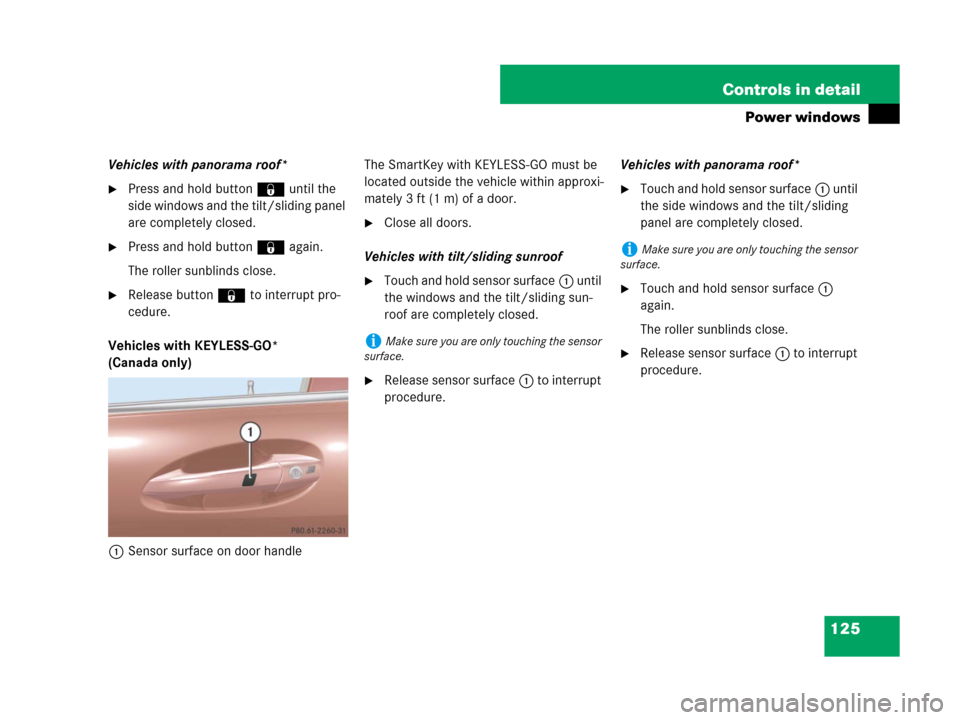
Vehicles with KEYLESS-GO*
(Canada only)
1Sensor surface on door handleThe SmartKey with KEYLESS-GO must be
located outside the vehicle within approxi-
mately 3 ft (1 m) of a door.
�Close all doors.
Vehicles with tilt/sliding sunroof
�Touch and hold sensor surface1 until
the windows and the tilt/sliding sun-
roof are completely closed.
�Release sensor surface1 to interrupt
procedure.Vehicles with panorama roof*
�Touch and hold sensor surface1 until
the side windows and the tilt/sliding
panel are completely closed.
�Touch and hold sensor surface1
again.
The roller sunblinds close.
�Release sensor surface1 to interrupt
procedure.iMake sure you are only touching the sensor
surface.
iMake sure you are only touching the sensor
surface.
Page 176 of 509
175 Controls in detail
Control system
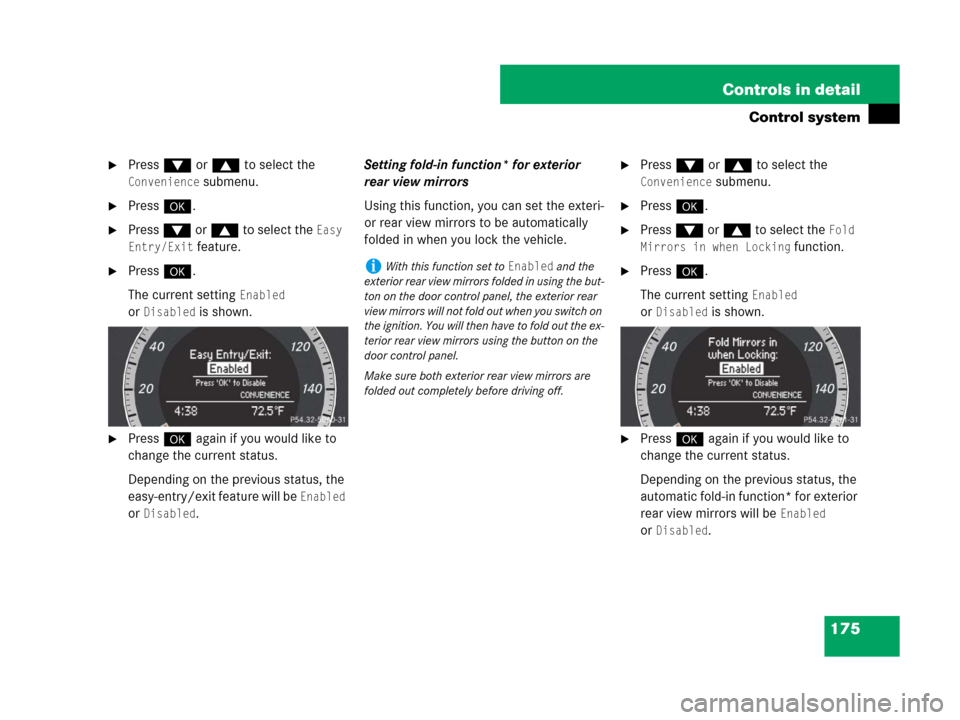
�Press % or $ to select the
Convenience submenu.
�Press #.
�Press % or $ to select the Easy
Entry/Exit
feature.
�Press #.
The current setting
Enabled
or
Disabled is shown.
�Press # again if you would like to
change the current status.
Depending on the previous status, the
easy-entry/exit feature will be
Enabled
or
Disabled.Setting fold-in function* for exterior
rear view mirrors
Using this function, you can set the exteri-
or rear view mirrors to be automatically
folded in when you lock the vehicle.
�Press % or $ to select the
Convenience submenu.
�Press #.
�Press % or $ to select the Fold
Mirrors in when Locking
function.
�Press #.
The current setting
Enabled
or
Disabled is shown.
�Press # again if you would like to
change the current status.
Depending on the previous status, the
automatic fold-in function* for exterior
rear view mirrors will be
Enabled
or
Disabled.
iWith this function set to Enabled and the
exterior rear view mirrors folded in using the but-
ton on the door control panel, the exterior rear
view mirrors will not fold out when you switch on
the ignition. You will then have to fold out the ex-
terior rear view mirrors using the button on the
door control panel.
Make sure both exterior rear view mirrors are
folded out completely before driving off.
Page 181 of 509
180 Controls in detail
Audio system
Audio display
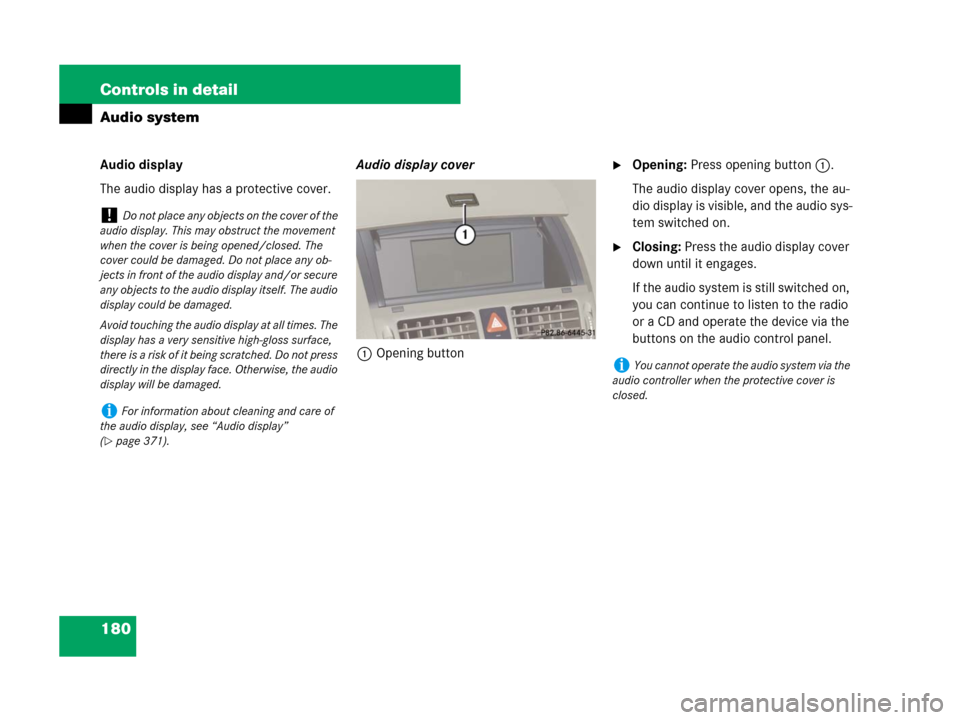
The audio display has a protective cover.Audio display cover
1Opening button�Opening: Press opening button1.
The audio display cover opens, the au-
dio display is visible, and the audio sys-
tem switched on.
�Closing: Press the audio display cover
down until it engages.
If the audio system is still switched on,
you can continue to listen to the radio
or a CD and operate the device via the
buttons on the audio control panel.
!Do not place any objects on the cover of the
audio display. This may obstruct the movement
when the cover is being opened/closed. The
cover could be damaged. Do not place any ob-
jects in front of the audio display and/or secure
any objects to the audio display itself. The audio
display could be damaged.
Avoid touching the audio display at all times. The
display has a very sensitive high-gloss surface,
there is a risk of it being scratched. Do not press
directly in the display face. Otherwise, the audio
display will be damaged.
iFor information about cleaning and care of
the audio display, see “Audio display”
(
�page 371).
iYou cannot operate the audio system via the
audio controller when the protective cover is
closed.
Page 248 of 509
247 Controls in detail
Air vents
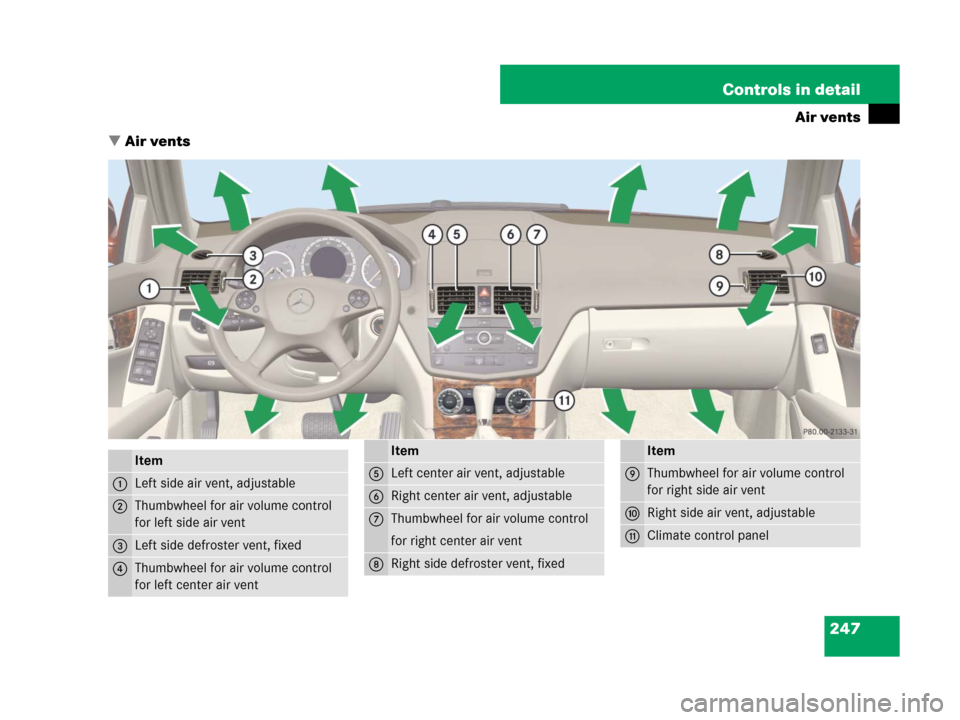
�Air vents
Item
1Left side air vent, adjustable
2Thumbwheel for air volume control
for left side air vent
3Left side defroster vent, fixed
4Thumbwheel for air volume control
for left center air vent
Item
5Left center air vent, adjustable
6Right center air vent, adjustable
7Thumbwheel for air volume control
for right center air vent
8Right side defroster vent, fixed
Item
9Thumbwheel for air volume control
for right side air vent
aRight side air vent, adjustable
bClimate control panel
Page 251 of 509
250 Controls in detail
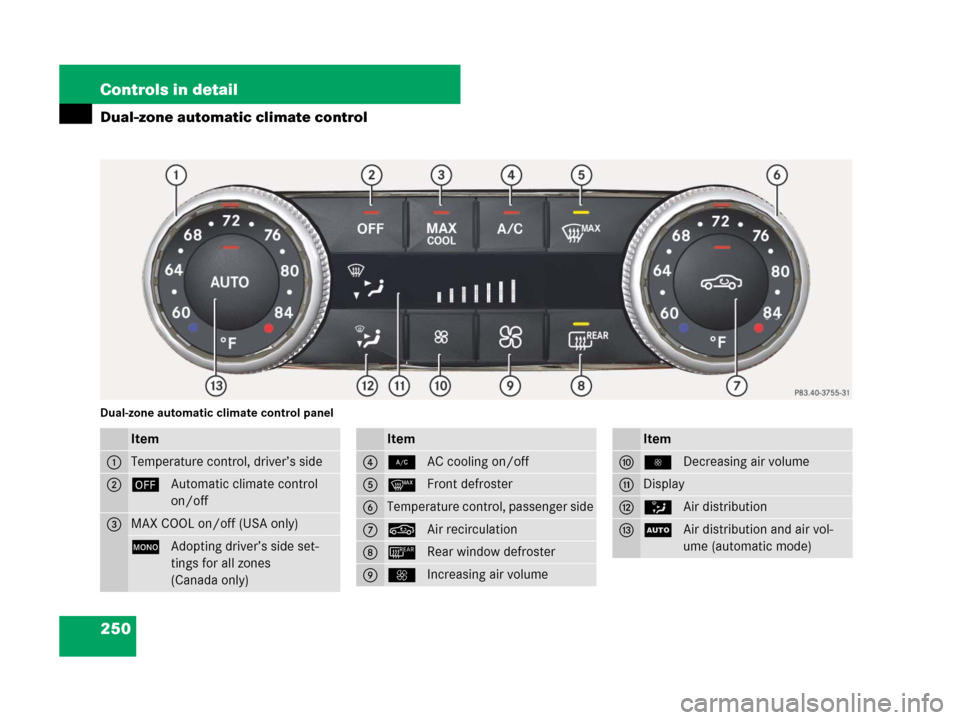
Dual-zone automatic climate control
Dual-zone automatic climate control panel
Item
1Temperature control, driver’s side
2´Automatic climate control
on/off
3MAX COOL on/off (USA only)
zAdopting driver’s side set-
tings for all zones
(Canada only)
Item
42AC cooling on/off
5yFront defroster
6Temperature control, passenger side
7,Air recirculation
8¯Rear window defroster
9QIncreasing air volume
Item
a·Decreasing air volume
bDisplay
cZAir distribution
dUAir distribution and air vol-
ume (automatic mode)