2008 LINCOLN NAVIGATOR towing
[x] Cancel search: towingPage 254 of 352

REVERSE CAMERA SYSTEM (IF EQUIPPED)
The reverse camera system located
on the liftgate provides a video
image (which appears in the rear
view mirror) of the area behind the
vehicle. It adds assistance to the
driver while reversing or reverse
parking the vehicle.
To use the reverse camera system,
place the transmission in R
(Reverse); an image will display on
the left portion of the rear view
mirror. The area displayed on the
screen may vary according to the
vehicle orientation and or road
condition.
•(A) Rear bumper
•(B) Centerline of vehicle
•(1) Red zone
•(2) Yellow zone
•(3) Green zone
Always use caution while backing.
Objects in the red zone are closest to your vehicle and objects in the
green zone are further away. Objects are getting closer to your vehicle as
they move from the green zone to the yellow or red zones.
Use the side mirrors and rear view mirror to get better coverage on both
sides and rear of the vehicle. When shifting out of reverse and into any
other gear, the image will remain on for a few seconds before it shuts off
to assist in parking or trailer hookup.
When towing, the reverse camera system will only see what is being
towed behind the vehicle; this might not provide adequate coverage as it
usually provides in normal operation and some objects might not be
seen.
The camera lens for the reverse camera system is located on the liftgate,
above the license plate. Keep the lens clean so the video image remains
clear and undistorted. Clean the lens with a soft, lint-free cloth and
non-abrasive cleaner.
2008 Navigator(nav)
Owners Guide (post-2002-fmt)
USA(fus)
Driving
254
Page 265 of 352

ROADSIDE ASSISTANCE
Getting roadside assistance
To fully assist you should you have a vehicle concern, Ford Motor
Company offers a complimentary roadside assistance program. This
program is separate from the New Vehicle Limited Warranty. The service
is available:
•24–hours, seven days a week
•for the coverage period listed on the Roadside Assistance Card
included in your Owner Guide portfolio.
Roadside assistance will cover:
•a flat tire change with a good spare (except vehicles that have been
supplied with a tire inflation kit)
•battery jump start
•lock-out assistance (key replacement cost is the customer’s
responsibility)
•fuel delivery – Independent Service Contractors, if not prohibited by
state, local or municipal law shall deliver up to 2.0 gallons (7.5L) of
gasoline or 5 gallons (18.9L) of diesel fuel to a disabled vehicle. Fuel
delivery service is limited to two no-charge occurrences within a
12-month period.
•winch out – available within 100 feet (30.5 meters) of a paved or
county maintained road, no recoveries.
•towing – Ford/Mercury/Lincoln eligible vehicle towed to an authorized
dealer within 35 miles (56.3 km) of the disablement location or to the
nearest authorized dealer. If a member requests to be towed to an
authorized dealer more than 35 miles (56.3 km) from the disablement
location, the member shall be responsible for any mileage costs in
excess of 35 miles (56.3 km).
Trailers shall be covered up to $200 if the disabled eligible vehicle
requires service at the nearest authorized dealer. If the trailer is disabled,
but the towing vehicle is operational, the trailer does not qualify for any
roadside services.
Canadian customers refer to your Customer Information Guide
for information on:
•coverage period
•exact fuel amounts
2008 Navigator(nav)
Owners Guide (post-2002-fmt)
USA(fus)
Roadside Emergencies
265
Page 266 of 352

•towing of your disabled vehicle
•emergency travel expense reimbursement
•travel planning benefits
Using roadside assistance
Complete the roadside assistance identification card and place it in your
wallet for quick reference. In the United States, this card is found in the
Owner Guide portfolio in the glove compartment. In Canada, the card is
found in theCustomer Information Guidein the glove compartment.
U.S. Ford or Mercury vehicle customers who require roadside assistance,
call 1–800–241–3673; Lincoln vehicle customers call 1–800–521–4140.
Canadian customers who require roadside assistance, call
1–800–665–2006.
If you need to arrange roadside assistance for yourself, Ford Motor
Company will reimburse a reasonable amount and for towing to the
nearest dealership within 35 miles. To obtain reimbursement information,
U.S. Ford or Mercury vehicles customers call 1–800–241–3673; Lincoln
vehicle customers call 1–800–521–4140. Customers will be asked to
submit their original receipts.
Canadian customers who need to obtain reimbursement information, call
1–800–665–2006.
Roadside coverage beyond basic warranty
In the United States, you may purchase additional roadside assistance
coverage beyond this period through the Ford Auto Club by contacting
your authorized dealer or by calling 1–800–FORD–CLUB.
Similarly in Canada, for uninterrupted Roadside Assistance coverage, you
may purchase extended coverage prior to your Basic Warranty’s Roadside
Assistance expiring. For more information and enrollment, contact
1–877–294–2582 or visit our website at www.ford.ca.
HAZARD FLASHER CONTROL
The hazard flasher is located on the
instrument panel by the radio. The
hazard flashers will operate when
the ignition is in any position or if
the key is not in the ignition.
Push in the flasher control and all
front and rear direction signals will flash. Press the flasher control again
2008 Navigator(nav)
Owners Guide (post-2002-fmt)
USA(fus)
Roadside Emergencies
266
Page 277 of 352
The usage of a full-size dissimilar spare tire/wheel can lead to
impairment of the following:
•Handling, stability and braking performance
•Comfort and noise
•Ground clearance and parking at curbs
•Winter weather driving capability
•Wet weather driving capability
•All-Wheel driving capability (if applicable)
•Load leveling adjustment (if applicable)
When driving with the full-size dissimilar spare tire/wheel additional
caution should be given to:
•Towing a trailer
•Driving vehicles equipped with a camper body
•Driving vehicles with a load on the cargo rack
Drive cautiously when using a full-size dissimilar spare tire/wheel and
seek service as soon as possible.
Stopping and securing the vehicle
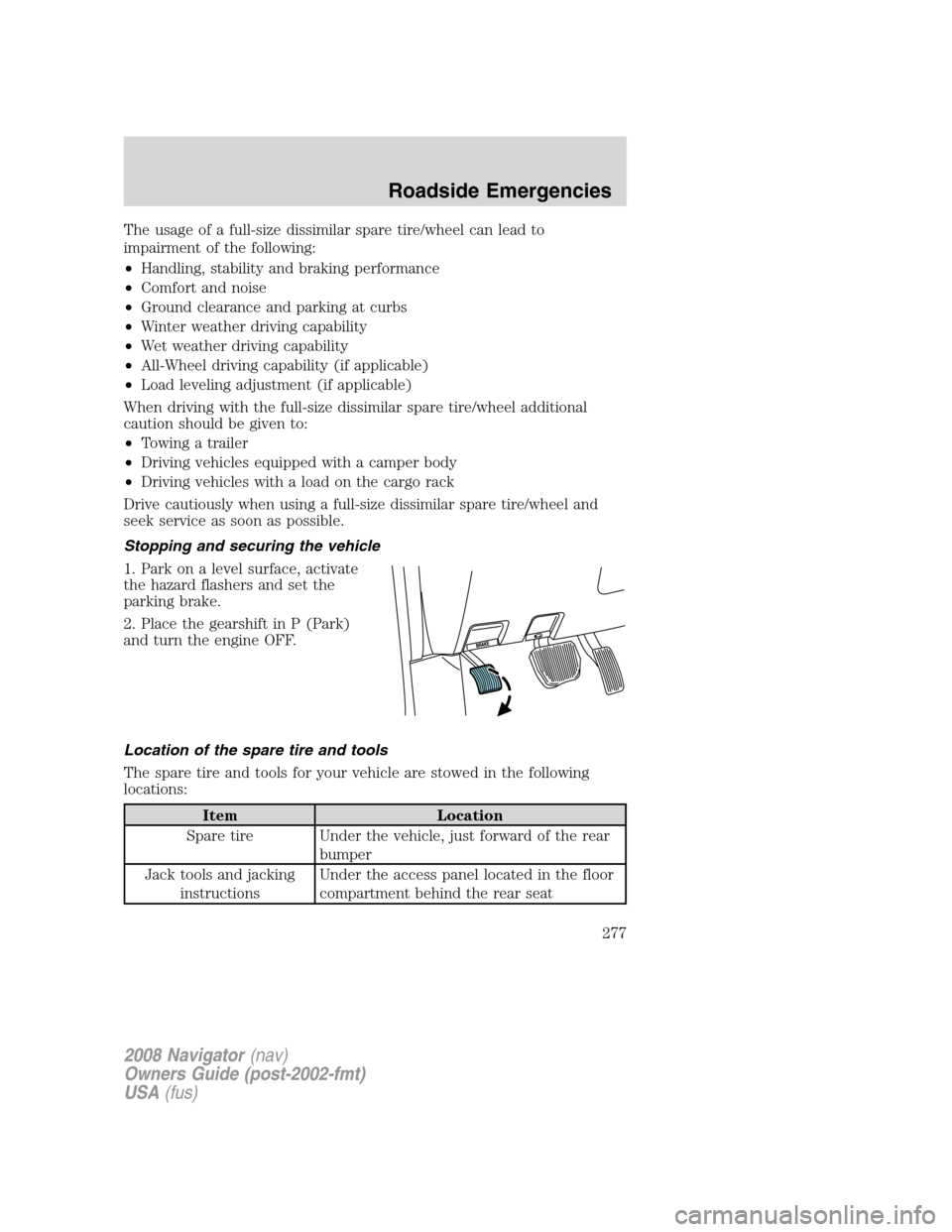
1. Park on a level surface, activate
the hazard flashers and set the
parking brake.
2. Place the gearshift in P (Park)
and turn the engine OFF.
Location of the spare tire and tools
The spare tire and tools for your vehicle are stowed in the following
locations:
Item Location
Spare tire Under the vehicle, just forward of the rear
bumper
Jack tools and jacking
instructionsUnder the access panel located in the floor
compartment behind the rear seat
2008 Navigator(nav)
Owners Guide (post-2002-fmt)
USA(fus)
Roadside Emergencies
277
Page 279 of 352

Tire change procedure
To help prevent the vehicle from moving when you change a tire,
be sure the parking brake is set, then block the wheels (both
front or both rear) on the opposite end of the vehicle from the wheel
being changed. If on a grade, block both opposite wheels on the
downward side of the hill.
If the vehicle slips off the jack, you or someone else could be
seriously injured.
On vehicles equipped with Air Suspension, turn OFF the Air
Suspension system prior to jacking, hoisting or towing your
vehicle.
Turn off the running boards (if equipped) before jacking or
placing any object under the vehicle. Never place your hand
between the extended running board and the vehicle. A moving
running board may cause injury.
Do not attempt to change a tire on the side of the vehicle close
to moving traffic. Pull far enough off the road to avoid the
danger of being hit when operating the jack and changing the wheel.
If your vehicle is equipped with air suspension, refer to Message center
in the Driver Controls chapter for instructions on turning the air
suspension system off.
Refer to the instruction sheet (located in the rear floor compartment
behind the 3rd row seat with the jack tray tools assembly kit) for
detailed tire change instructions.
2008 Navigator (nav)
Owners Guide (post-2002-fmt)
USA (fus)
Roadside Emergencies
279
Page 282 of 352

•Never use the front or rear
differential as a jacking point.
To lessen the risk of personal injury, do not put any part of your
body under the vehicle while changing a tire. Do not start the
engine when your vehicle is on the jack. The jack is only meant for
changing the tire.
7. Remove the lug nuts with the lug wrench.
8. Replace the flat tire with the spare tire, making sure the valve stem is
facing outward. Reinstall the lug nuts until the wheel is snug against the
hub. Do not fully tighten the lug nuts until the wheel has been lowered.
9. Lower the wheel by turning the jack handle counterclockwise.
10. Remove the jack and fully
tighten the lug nuts in the order
shown and reinstall the wheel cover.
11. Unblock the wheels.
12. Put flat tire, jack, lug wrench
and tools away. Make sure the jack
is fastened securely so it does not
rattle when you drive.
13. Turn on the air suspension
system (if equipped). Refer to
Message center in theDriver Controls chapter for instructions on
turning the air suspension system on.
Stowing the spare tire
1. Lay the tire on the ground, near the rear of the vehicle, with the valve
stem side facing up.
2008 Navigator (nav)
Owners Guide (post-2002-fmt)
USA (fus)
Roadside Emergencies
282
Page 291 of 352

WRECKER TOWING
If you need to have your vehicle towed, contact a professional towing
service or, if you are a member of a roadside assistance program, your
roadside assistance service provider.
It is recommended that your vehicle be towed with a wheel lift or flatbed
equipment. Do not tow with a slingbelt. Ford Motor Company has not
approved a slingbelt towing procedure. Also, wrecker towing the vehicle
by the front frame-mounted tow hooks is not recommended or advised.
The air suspension control and the ignition must be turned off
before being towed. Refer toAir suspensionin theDrivingchapter.
On 4x2 vehicles, it is acceptable to tow the vehicle with the front wheels
on the ground (without dollies) and the rear wheels off the ground.
On 4x4 vehicles, it is recommended that your vehicle be towed with a
wheel lift and dollies or flatbed equipment with all the wheels off the
ground.
If the vehicle is towed by other means or incorrectly, vehicle
damage may occur.
2008 Navigator(nav)
Owners Guide (post-2002-fmt)
USA(fus)
Roadside Emergencies
291
Page 292 of 352

With a disabled vehicle (without access to wheel dollies, car hauling
trailer or flatbed transport vehicle) your vehicle can be towed (all wheels
on the ground) under the following conditions:
Special Conditions:
•Release the parking brake.
•Turn the air suspension control to OFF.
•Turn the ignition to the OFF/UNLOCKED position.
•Place the transmission in N (Neutral).
If the vehicle’s battery is discharged, refer toAutomatic transmission
operationin theDrivingchapter for directions on how to move the
gearshift lever out of the P (Park) position, for proper towing.
•Do not exceed a distance of 50 miles (80 km).
•Do not exceed 35 mph (56 km/h) vehicle speed.
Ford Motor Company produces a towing manual for all authorized tow
truck operators. Have your tow truck operator refer to this manual for
proper hook-up and towing procedures for your vehicle.
2008 Navigator(nav)
Owners Guide (post-2002-fmt)
USA(fus)
Roadside Emergencies
292