Page 16 of 438
NOTE:If you try to remove the key before you place the
shift lever in PARK, the key may become trapped tem-
porarily in the ignition cylinder. If this occurs, rotate the
key to the right slightly, then remove the key as de-
scribed. If a malfunction occurs, the system will trap the
key in the ignition cylinder to warn you that this safety
feature is inoperable. The engine can be started and
stopped but the key cannot be removed until you obtain
service.
WARNING!
Never leave children alone in a vehicle. Leaving
unattended children in a vehicle is dangerous for a
number of reasons. A child or others could be seri-
ously or fatally injured. Don’t leave the keys in the
ignition. A child could operate power windows,
other controls, or move the vehicle.
CAUTION!
An unlocked car is an invitation to thieves. Always
remove the key from the ignition and lock all the
doors when leaving the vehicle unattended.
Locking Doors With The Key
You can insert the key with either side up. To lock the
door, turn the key rearward. To unlock the door, turn the
key forward. Refer to “Body Lubrication” under “Main-
tenance Procedures” in Section 7.
Key-In-Ignition Reminder
Opening the driver’s door when the key is in the ignition
sounds a signal to remind you to remove the key.
NOTE:With the driver’s door open and the key in the
ignition, both the power door locks and Remote Keyless
Entry (RKE) will not function.
14 THINGS TO KNOW BEFORE STARTING YOUR VEHICLE
Page 35 of 438
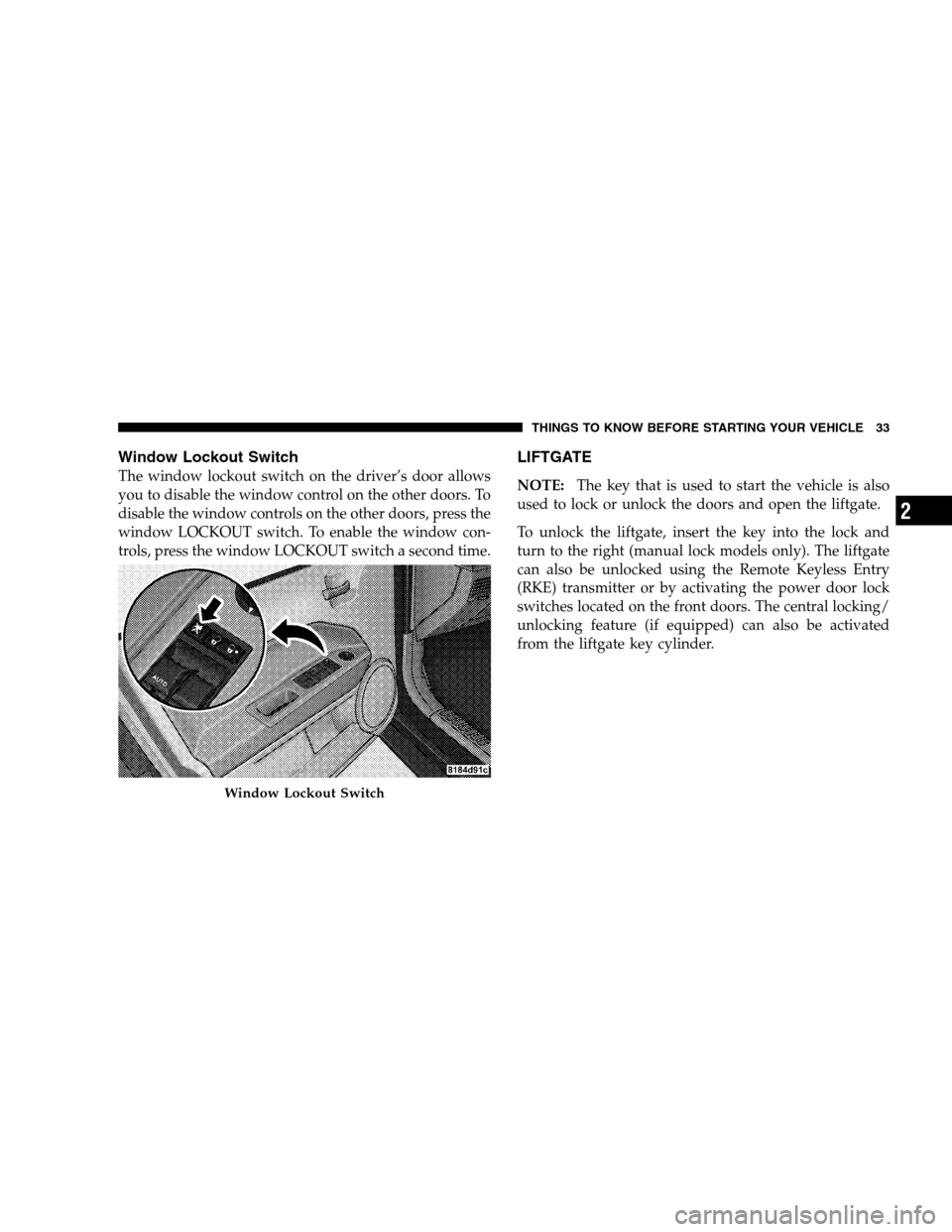
Window Lockout Switch
The window lockout switch on the driver’s door allows
you to disable the window control on the other doors. To
disable the window controls on the other doors, press the
window LOCKOUT switch. To enable the window con-
trols, press the window LOCKOUT switch a second time.
LIFTGATE
NOTE:The key that is used to start the vehicle is also
used to lock or unlock the doors and open the liftgate.
To unlock the liftgate, insert the key into the lock and
turn to the right (manual lock models only). The liftgate
can also be unlocked using the Remote Keyless Entry
(RKE) transmitter or by activating the power door lock
switches located on the front doors. The central locking/
unlocking feature (if equipped) can also be activated
from the liftgate key cylinder.
Window Lockout Switch
THINGS TO KNOW BEFORE STARTING YOUR VEHICLE 33
2
Page 54 of 438
WARNING!
•Relying on the airbags alone could lead to more
severe injuries in a collision. The airbags work
with your seat belt to restrain you properly. In
some collisions, the airbags won’t deploy at all.
Always wear your seat belts even though you have
airbags.
•Being too close to the steering wheel or instrument
panel during airbag deployment could cause seri-
ous injury. Airbags need room to inflate. Sit back,
comfortably extending your arms to reach the
steering wheel or instrument panel.
•If the vehicle has side curtain airbags, they also
need room to inflate. Do not lean against the door
or window. Sit upright in the center of the seat.
Airbag System Components
The airbag system consists of the following:
•Occupant Restraint Controller (ORC)
•Side Remote Acceleration Sensors (if equipped)
•Airbag Warning Light
•Driver Airbag
•Front Passenger Airbag
•Supplemental Side Curtain Airbags above side win-
dows (if equipped)
•Steering Wheel and Column
•Instrument Panel
•Interconnecting Wiring
•Seat Belt Reminder Light
•Knee Impact Bolsters
52 THINGS TO KNOW BEFORE STARTING YOUR VEHICLE
Page 75 of 438
UNDERSTANDING THE FEATURES OF YOUR VEHICLE
CONTENTS
�Mirrors ...............................78
▫Inside Day/Night Mirror — If Equipped......78
▫Outside Mirror — Driver’s Side............79
▫Outside Mirror — Passenger’s Side..........79
▫Folding Outside Mirrors — If Equipped......80
▫Power Remote Control Mirrors —
If Equipped..........................80
▫Vanity Mirrors — If Equipped.............82
▫Sun Visor Sliding Feature................82�Hands-Free Communication (UConnect�)—
If Equipped............................82
▫Operation............................84
▫Phone Call Features....................91
▫UConnect�System Features...............94
▫Advanced Phone Connectivity.............98
▫Things You Should Know About Your
UConnect�System....................100
▫General Information...................109
3
Page 82 of 438
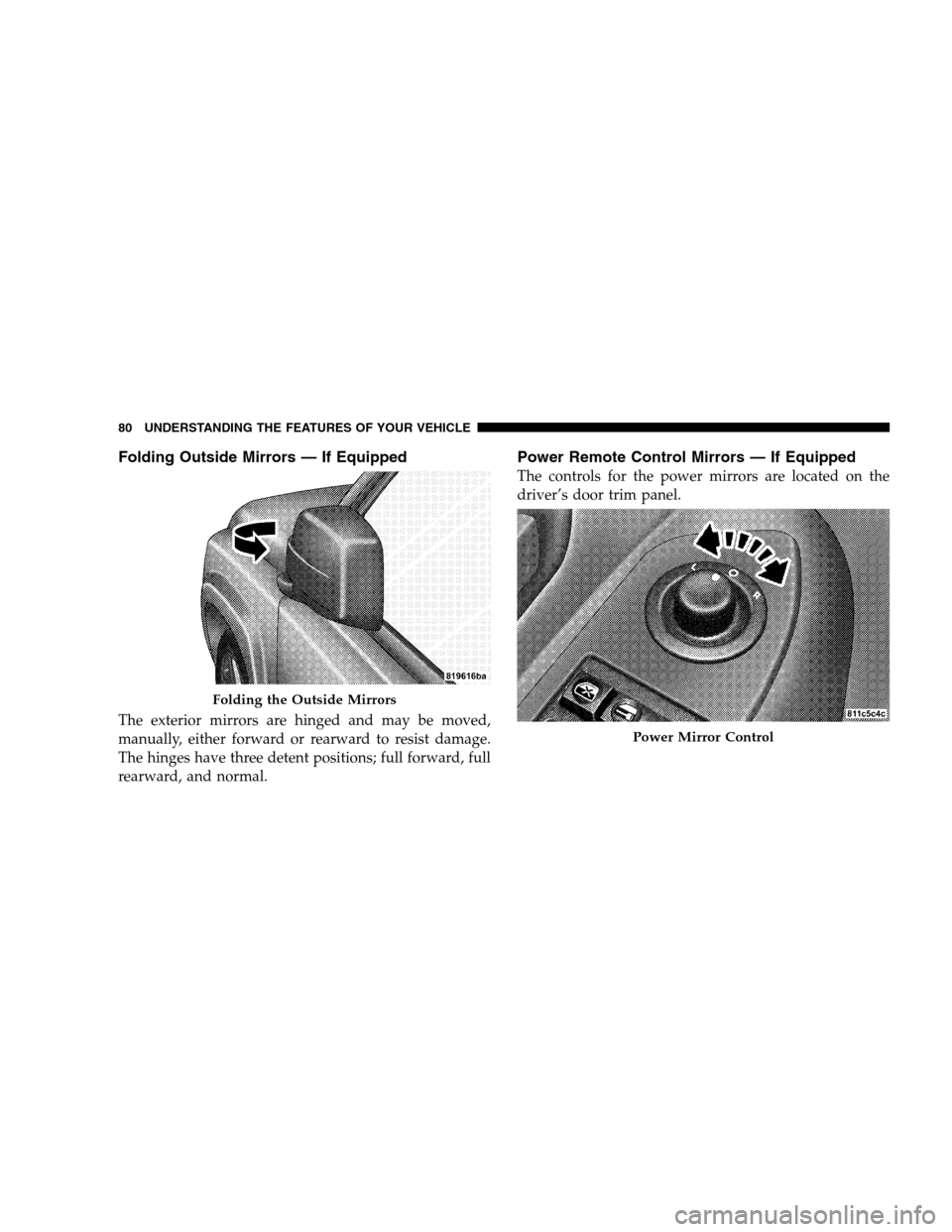
Folding Outside Mirrors — If Equipped
The exterior mirrors are hinged and may be moved,
manually, either forward or rearward to resist damage.
The hinges have three detent positions; full forward, full
rearward, and normal.
Power Remote Control Mirrors — If Equipped
The controls for the power mirrors are located on the
driver’s door trim panel.
Folding the Outside Mirrors
Power Mirror Control
80 UNDERSTANDING THE FEATURES OF YOUR VEHICLE
Page 144 of 438
ESP/BAS Warning Light and ESP Indicator Light
The malfunction indicator for the ESP is combined with
the BAS indicator. The yellow “ESP/BAS Warning Light”
and the yellow “ESP Indicator Light” in the instrument
cluster both come on when the ignition switch is turned
to the ON position. They should both go out with the
engine running. If the “ESP/BAS Warning Light” comes
on continuously with the engine running, a malfunction
has been detected in either the ESP or BAS system, or
both. If this light remains on after several ignition cycles,
and the vehicle has been driven several miles/kilometers
at speeds greater than 30 mph (48 km/h), see your
authorized dealer as soon as possible to have the problem
diagnosed and corrected.NOTE:•The “ESP Indicator Light” and the “ESP/BAS Warning
Light” come onmomentarilyeach time the ignition
switch is turned ON.
•Each time the ignition is turned ON, the ESP System
will be ON even if it was turned off previously.
•The ESP Control System will make buzzing or clicking
sounds when it is active. This is normal; the sounds
will stop when ESP becomes inactive following the
maneuver that caused the ESP activation.
GARAGE DOOR OPENER — IF EQUIPPED
HomeLink�replaces up to three remote controls (hand-
held transmitters) that operate devices such as garage
door openers, motorized gates, lighting, or home security
systems. The HomeLink�unit operates off your vehicle’s
battery.
142 UNDERSTANDING THE FEATURES OF YOUR VEHICLE
Page 171 of 438

�Sales Code REC — AM/FM/CD (6–Disc)
Radio With Navigation System.............217
▫Operating Instructions — Satellite Radio —
If Equipped.........................217
▫REC Setting The Clock.................218
�Satellite Radio — If Equipped..............220
▫System Activation.....................220
▫Electronic Serial Number/Sirius Identification
Number (ESN/SID)....................221
▫Selecting Satellite Mode In REF, RAQ, And
RAK Radios.........................222
▫Selecting A Channel...................222
▫Storing And Selecting Preset Channels......223
▫Using The PTY (Program Type) Button — If
Equipped...........................223
▫PTY Button Scan......................223▫PTY Button Seek......................223
▫Satellite Antenna......................223
▫Reception Quality.....................224
�Remote Sound System Controls —
If Equipped...........................224
▫Radio Operation......................225
▫CD Player..........................225
�CD/DVD Maintenance...................226
�Radio Operation And Cellular Phones........226
�Climate Controls.......................227
▫Climate Controls......................227
▫Air Conditioning.....................230
▫Air Filtration System — If Equipped........231
▫Operating Tips.......................232
UNDERSTANDING YOUR INSTRUMENT PANEL 169
4
Page 226 of 438
Reception Quality
Satellite reception may be interrupted due to one of the
following reasons:
•The vehicle is parked in an underground parking
structure or under a physical obstacle.
•Dense tree coverage may interrupt reception.
•Driving under wide bridges or along tall buildings can
cause intermittent reception.
•Placing objects over or too close to the antenna can
cause signal blockage.
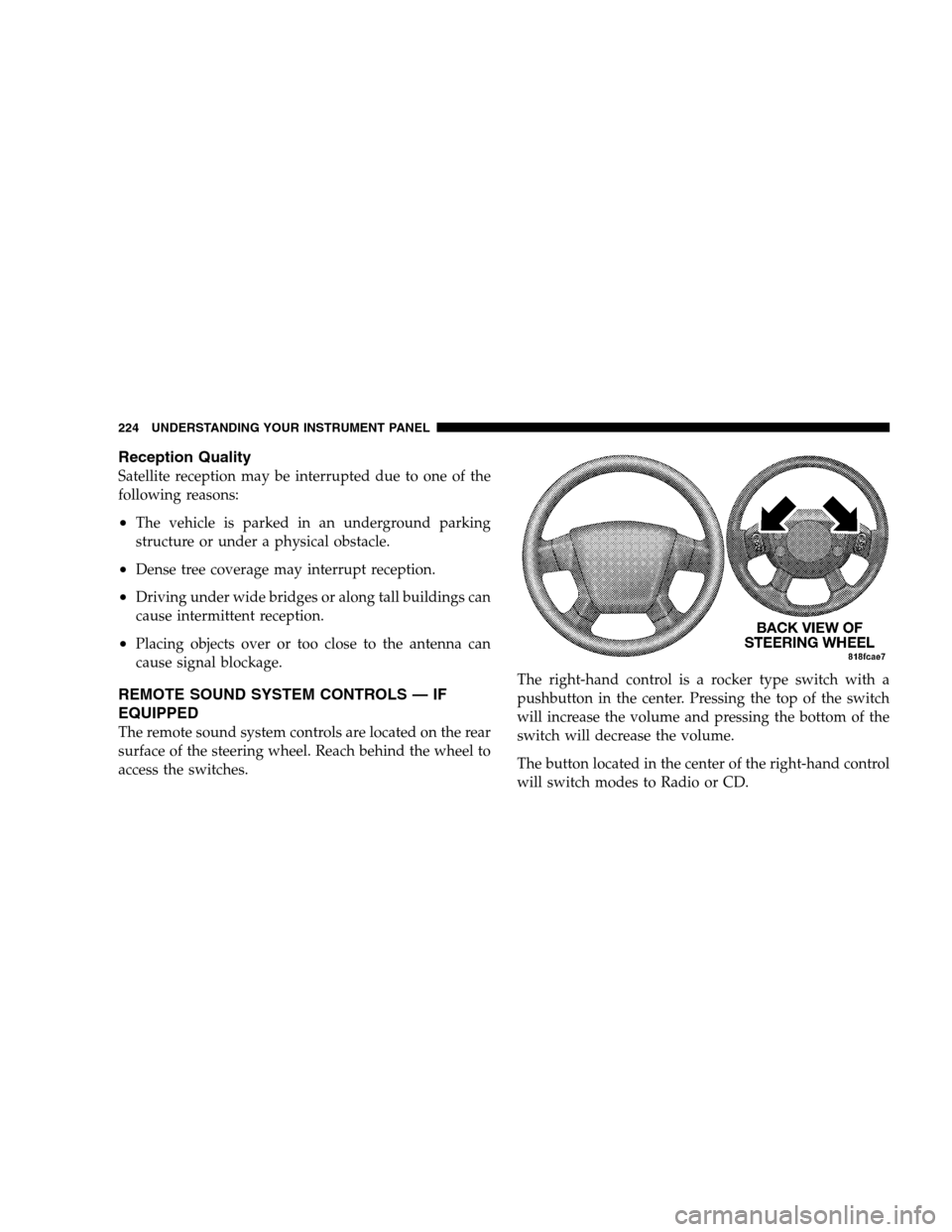
REMOTE SOUND SYSTEM CONTROLS — IF
EQUIPPED
The remote sound system controls are located on the rear
surface of the steering wheel. Reach behind the wheel to
access the switches.The right-hand control is a rocker type switch with a
pushbutton in the center. Pressing the top of the switch
will increase the volume and pressing the bottom of the
switch will decrease the volume.
The button located in the center of the right-hand control
will switch modes to Radio or CD.
224 UNDERSTANDING YOUR INSTRUMENT PANEL