Page 32 of 438
4. A single chime will indicate the completion of the
programming.
NOTE:Use the Auto Door Locks and Auto Unlock
features in accordance with local laws.
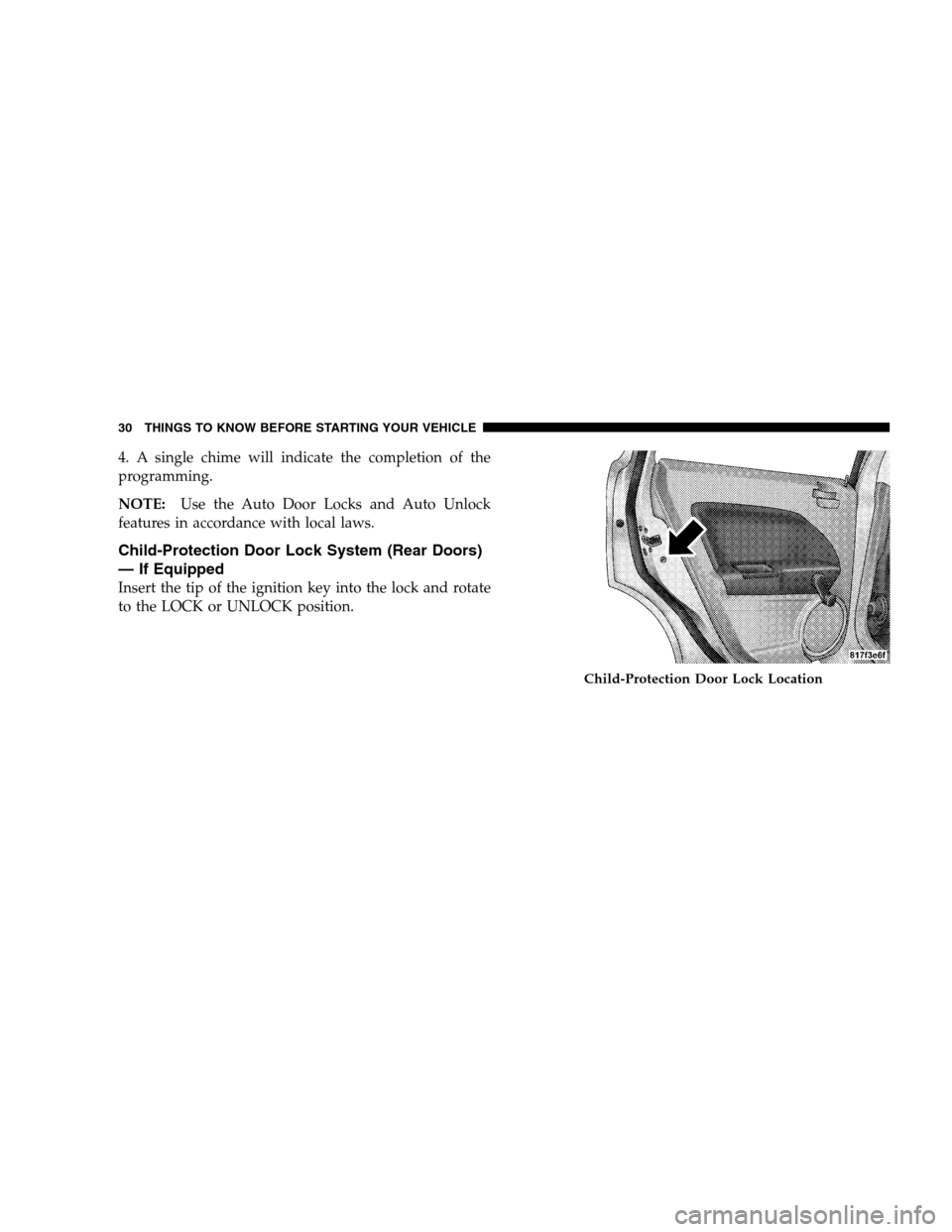
Child-Protection Door Lock System (Rear Doors)
— If Equipped
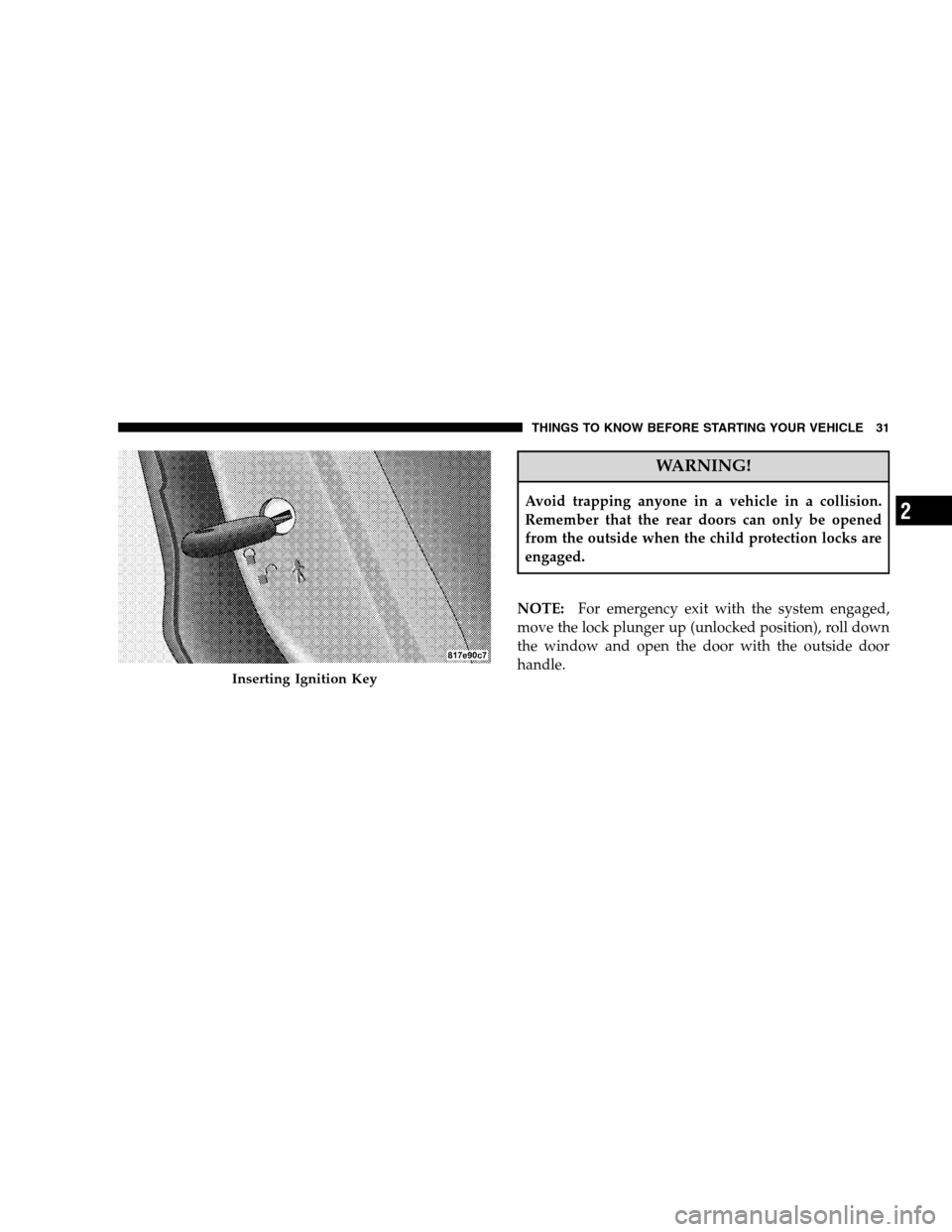
Insert the tip of the ignition key into the lock and rotate
to the LOCK or UNLOCK position.
Child-Protection Door Lock Location
30 THINGS TO KNOW BEFORE STARTING YOUR VEHICLE
Page 33 of 438
WARNING!
Avoid trapping anyone in a vehicle in a collision.
Remember that the rear doors can only be opened
from the outside when the child protection locks are
engaged.
NOTE:For emergency exit with the system engaged,
move the lock plunger up (unlocked position), roll down
the window and open the door with the outside door
handle.
Inserting Ignition Key
THINGS TO KNOW BEFORE STARTING YOUR VEHICLE 31
2
Page 35 of 438
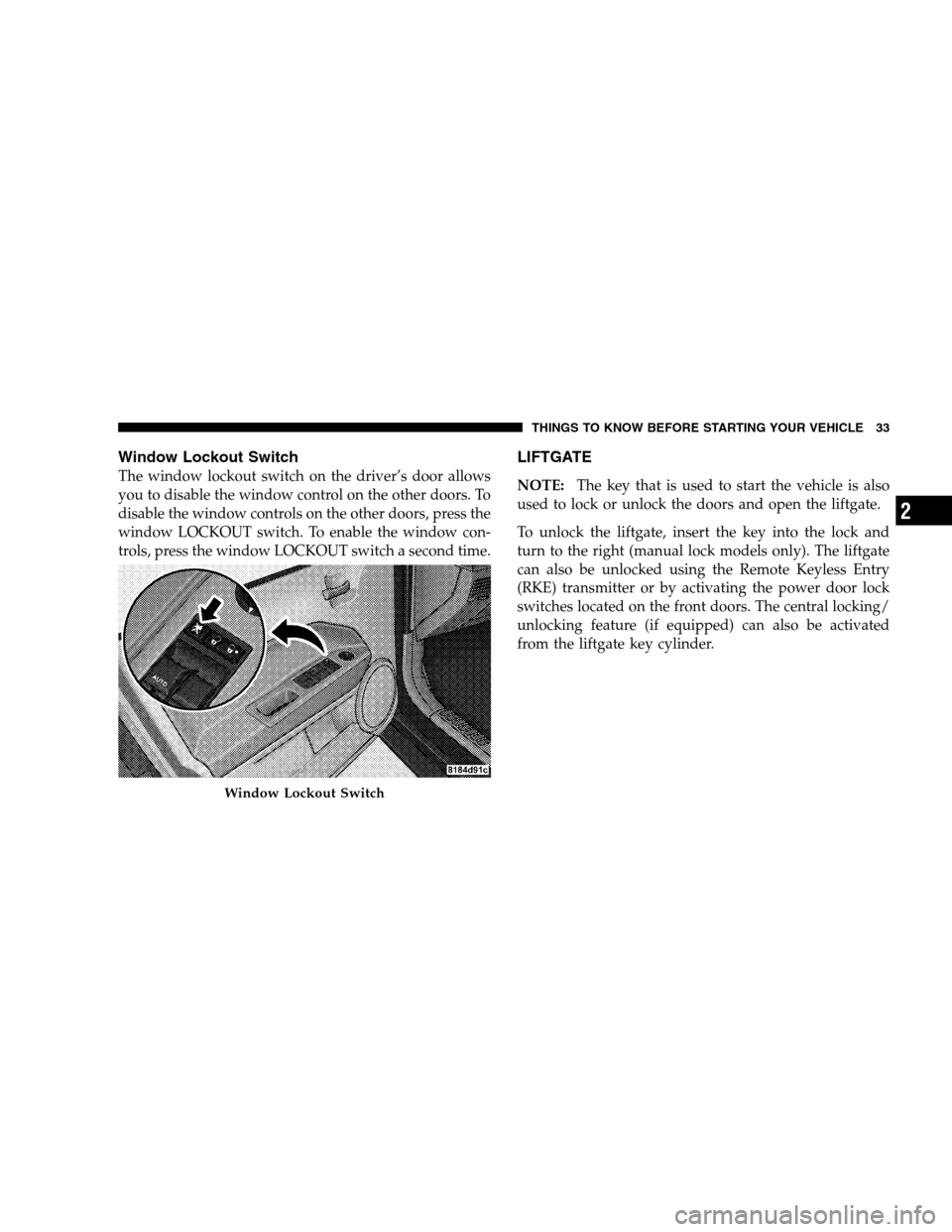
Window Lockout Switch
The window lockout switch on the driver’s door allows
you to disable the window control on the other doors. To
disable the window controls on the other doors, press the
window LOCKOUT switch. To enable the window con-
trols, press the window LOCKOUT switch a second time.
LIFTGATE
NOTE:The key that is used to start the vehicle is also
used to lock or unlock the doors and open the liftgate.
To unlock the liftgate, insert the key into the lock and
turn to the right (manual lock models only). The liftgate
can also be unlocked using the Remote Keyless Entry
(RKE) transmitter or by activating the power door lock
switches located on the front doors. The central locking/
unlocking feature (if equipped) can also be activated
from the liftgate key cylinder.
Window Lockout Switch
THINGS TO KNOW BEFORE STARTING YOUR VEHICLE 33
2
Page 36 of 438
Once unlocked, the liftgate can be opened or closed
without using the key. To open the liftgate, squeeze the
liftgate release and pull the liftgate open with one fluid
motion.NOTE:In the event of a power malfunction, or the RKE
transmitter is inoperative, insert the key into the liftgate
lock cylinder and turn to the right (manual lock models
only). Using the liftgate handle, pull the liftgate open
with one fluid motion.
Although the liftgate has no inside release mechanism,
the liftgate trim panel includes an opening with a snap-in
cap that provides access to release the latch in the event
of an electrical system malfunction.
Opening The Liftgate
34 THINGS TO KNOW BEFORE STARTING YOUR VEHICLE
Page 55 of 438
•Front Acceleration Sensors
•Driver and Front Passenger Seat Belt Pretensioners
How The Airbag System Works
•
TheOccupant Restraint Controller (ORC)determines
if a frontal collision is severe enough to require the
airbags to inflate. The front airbag inflators are de-
signed to provide different rates of airbag inflation
from direction provided by the ORC. This ORC will
detect rollover.
•The ORC also monitors the readiness of the electronic
parts of the system whenever the ignition switch is in
the START or ON positions. These include all of the
items listed above except the knee impact bolster, the
instrument panel, and the steering wheel and column.
If the key is in the LOCK position, in the ACC position,
or not in the ignition, the airbags are not on and will
not inflate.
•The ORC also turns on the Airbag Warning
Light in the instrument panel for six to eight
seconds as a self-check when the ignition is
first turned on. After the self-check, the
Airbag Warning Light will turn off. If the ORC detects
a malfunction in any part of the system, it turns on the
Airbag Warning Light either momentarily or continu-
ously. A single chime will sound if the light comes on
again after initial start up.
WARNING!
Ignoring the AIRBAG Warning Light in your instru-
ment panel could mean you won’t have the airbags to
protect you in a collision. If the light does not come
on, stays on after you start the vehicle, or if it comes
on as you drive, have the airbag system checked right
away.
THINGS TO KNOW BEFORE STARTING YOUR VEHICLE 53
2
Page 58 of 438
WARNING!
Deployed airbags can’t protect you in another colli-
sion. Have the airbags replaced by an authorized
dealer as soon as possible.
Enhanced Accident Response System
In the event of an impact that causes airbag deployment,
with the vehicle stopped, and the vehicle communication
network intact, and the power intact, the Enhanced
Accident Response System performs the following func-
tions:
•Cuts off fuel to the engine.
•Flashes hazard lights.
•Turns on the interior lights, which remain on as long as
the battery has power or until the ignition key is
removed.
•Unlocks the doors automatically.
56 THINGS TO KNOW BEFORE STARTING YOUR VEHICLE
Page 95 of 438
Three-Way Calling
To initiate three-way calling, press the “Voice Recogni-
tion” button while a call is in progress, and make a
second phone call, as described under�Making a Second
Call While Current Call in Progress.�After the second call
has established, press and hold the PHONE button until
you hear a double beep, indicating that the two calls have
been joined into one conference call.
Call Termination
To end a call in progress, momentarily press the PHONE
button. Only the active call(s) will be terminated and if
there is a call on hold, it will become the new active call.
If the active call is terminated by the far end, a call on
hold may not become active automatically. This is cell
phone-dependent. To bring the call back from hold, press
and hold the PHONE button until you hear a single beep.
Redial
•
Press the PHONE button to begin.
•After the�Ready�prompt and the following beep, say
�Redial.�
•The UConnect�system will call the last number that
was dialed from your cellular phone.
NOTE:This may not be the last number dialed from the
UConnect�system.
Call Continuation
Call continuation is the progression of a phone call on the
UConnect�system after the vehicle ignition key has been
switched to OFF. Call continuation functionality avail-
able on the vehicle can be any one of three types:
•After the ignition key is switched to OFF, a call can
continue on the UConnect�system either until the call
ends, or until the vehicle battery condition dictates
cessation of the call on the UConnect�system and
transfer of the call to the mobile phone.
UNDERSTANDING THE FEATURES OF YOUR VEHICLE 93
3
Page 96 of 438

•After the ignition key is switched to OFF, a call can
continue on the UConnect�system for a certain dura-
tion, after which the call is automatically transferred
from the UConnect�system to the mobile phone.
•An active call is automatically transferred to the
mobile phone after the ignition key is switched to OFF.
UConnect�System Features
Language Selection
To change the language that the UConnect�system is
using:
•Press the PHONE button to begin.
•After the�Ready�prompt and the following beep, say
the name of the language you wish to switch to
English, Espanol, or Francais.
•Continue to follow the system prompts to complete
language selection.After selecting one of the languages, all prompts and
voice commands will be in that language.
NOTE:After every UConnect�language change opera-
tion, only the language-specific 32-name phonebook is
usable. The paired phone name is not language-specific
and usable across all languages.
Emergency Assistance
If you are in an emergency and the mobile phone is
reachable:
•Pick up the phone and manually dial the emergency
number for your area.
If the phone is not reachable and the UConnect�system
is operational, you may reach the emergency number as
follows:
•Press the PHONE button to begin.
94 UNDERSTANDING THE FEATURES OF YOUR VEHICLE