Page 211 of 438

Operating Instructions - (CD Mode for CD Audio
Play)
NOTE:The ignition switch must be in the ON or ACC
position to operate the radio.
NOTE:This Radio is capable of playing compact discs
(CD), recordable compact discs (CD-R), rewritable com-
pact discs (CD-RW) compact discs with MP3 tracks and
multisession compact discs with CD and MP3 tracks.
Inserting Compact Disc(s)
Gently insert one CD into the CD player with the CD
label facing up. The CD will automatically be pulled into
the CD Player and the CD icon will illuminate on the
radio display.
CAUTION!
This CD player will accept 4 3/4 in (12 cm) discs only.
The use of other sized discs may damage the CD
player mechanism.
You may eject a disc with the radio OFF.
If you insert a disc with the ignition ON and the radio
ON, the unit will switch from radio to CD mode and
begin to play when you insert the disc. The display will
show the disc number, the track number, and index time
in minutes and seconds. Play will begin at the start of
track one.
UNDERSTANDING YOUR INSTRUMENT PANEL 209
4
Page 212 of 438
SEEK Button (CD Mode for CD Audio Play)
Press the right side of the SEEK button for the next
selection on the CD. Press the left side of the button to
return to the beginning of the current selection, or return
to the beginning of the previous selection if the CD is
within the first 10 seconds of the current selection.
MUTE Button (CD Mode for CD Audio Play)
Press the MUTE button to cancel the sound from the
speakers.�MUTE�will be displayed. Press the MUTE
button a second time and the sound from the speakers
will return. Rotating the volume control, turning the
radio ON/OFF, or turning OFF the ignition will also
return the sound from the speakers.
SCAN Button (CD Mode for CD Audio Play)
Press the SCAN button to scan through each track on the
CD currently playing.
LOAD/EJECT Button (CD Mode for CD Audio
Play)
LOAD/ EJECT - Load
Press the LOAD/EJECT button and the push-
button with the corresponding number where
the CD is being loaded. The radio will display
PLEASE WAIT and prompt when to INSERT
DISC. After the radio displays�LOAD DISC�insert the
CD into the player.
Radio display will show�LOADING DISC�when the disc
is loading, and “READING DISC” when the radio is
reading the disc.
LOAD / EJT - Eject
Press the LOAD/ EJT button and the push-
button with the corresponding number where
the CD was loaded and the disc will unload
and move to the entrance for easy removal.
210 UNDERSTANDING YOUR INSTRUMENT PANEL
Page 213 of 438
Radio display will show�EJECTING DISC�when the disc
is being ejected and prompt the user to remove the disc.
Press and hold the LOAD/ EJT button for five seconds
and all CDs will be ejected from the radio.
If you have ejected a disc and have not removed it within
15 seconds, it will be reloaded. If the CD is not removed,
the radio will continue to play the non-removed CD. If
the CD is removed and there are other CDs in the radio,
the radio will play the next CD after a two minute
timeout. If the CD is removed and there are no other CDs
in the radio, the radio will remain in CD mode and
display�INSERT DISC” for 10 seconds. If no discs are
inserted within 10 seconds “NO DISCS LOADED” will
be displayed.
On some vehicles a disc can be ejected with the radio and
ignition OFF.TIME Button (CD Mode for CD Audio Play)
Press this button to change the display from a large CD
playing time display to a small CD playing time display.
RW/FF (CD Mode for CD Audio Play)
Press and hold FF (Fast Forward) and the CD player will
begin to fast forward until FF is released or RW or
another CD button is pressed. The RW (Reverse) button
works in a similar manner.
Press and hold the FF button to fast forward through the
tracks. Release the FF button to stop the fast forward
feature.
TUNE Control (CD Mode for CD Audio Play)
Pressing the TUNE control allows the setting of the Tone,
Fade, and Balance. See Radio Mode.
AM/FM Button (CD Mode for CD Audio Play)
Switches the Radio to the Radio mode.
UNDERSTANDING YOUR INSTRUMENT PANEL 211
4
Page 217 of 438
PLEASE WAIT and prompt when to INSERT DISC. After
the radio displays�LOAD DISC�insert the CD into the
player.
Radio display will show�LOADING DISC�when the disc
is loading.
LOAD/EJECT - Eject
Press the LOAD/ EJECT button and the push-
button with the corresponding number where
the CD was loaded and the disc will unload
and move to the entrance for easy removal.
Radio display will show�EJECTING DISC�when the disc
is being ejected and prompt the user to remove the disc.
If you have ejected a disc and have not removed it within
15 seconds, it will be reloaded. If the CD is not removed,
the radio will continue to play the non-removed CD. If
the CD is removed and there are other CDs in the radio,
the radio will play the next CD after a two minute
timeout. If the CD is removed and there are no other CD’sin the radio, the radio will remain in CD mode and
display�INSERT DISC” for two minutes. After two
minutes the radio will go to the previous tuner mode.
MSG or INFO Button (CD Mode for MP3 Play)
Press and MSG or INFO button while playing MP3 disc.
The radio scrolls through the following TAG information:
Song Title, Artist, File Name, and Folder Name (if avail-
able).
Press the MSG or INFO button once more to return to
�elapsed time�priority mode.
Press and hold the MSG or INFO button while in the
message display priority mode or elapsed time display
priority mode will display the song title for each file.
RW/FF (CD Mode for MP3 Play)
Press the FF side of the button to move forward through
the MP3 selection.
UNDERSTANDING YOUR INSTRUMENT PANEL 215
4
Page 219 of 438
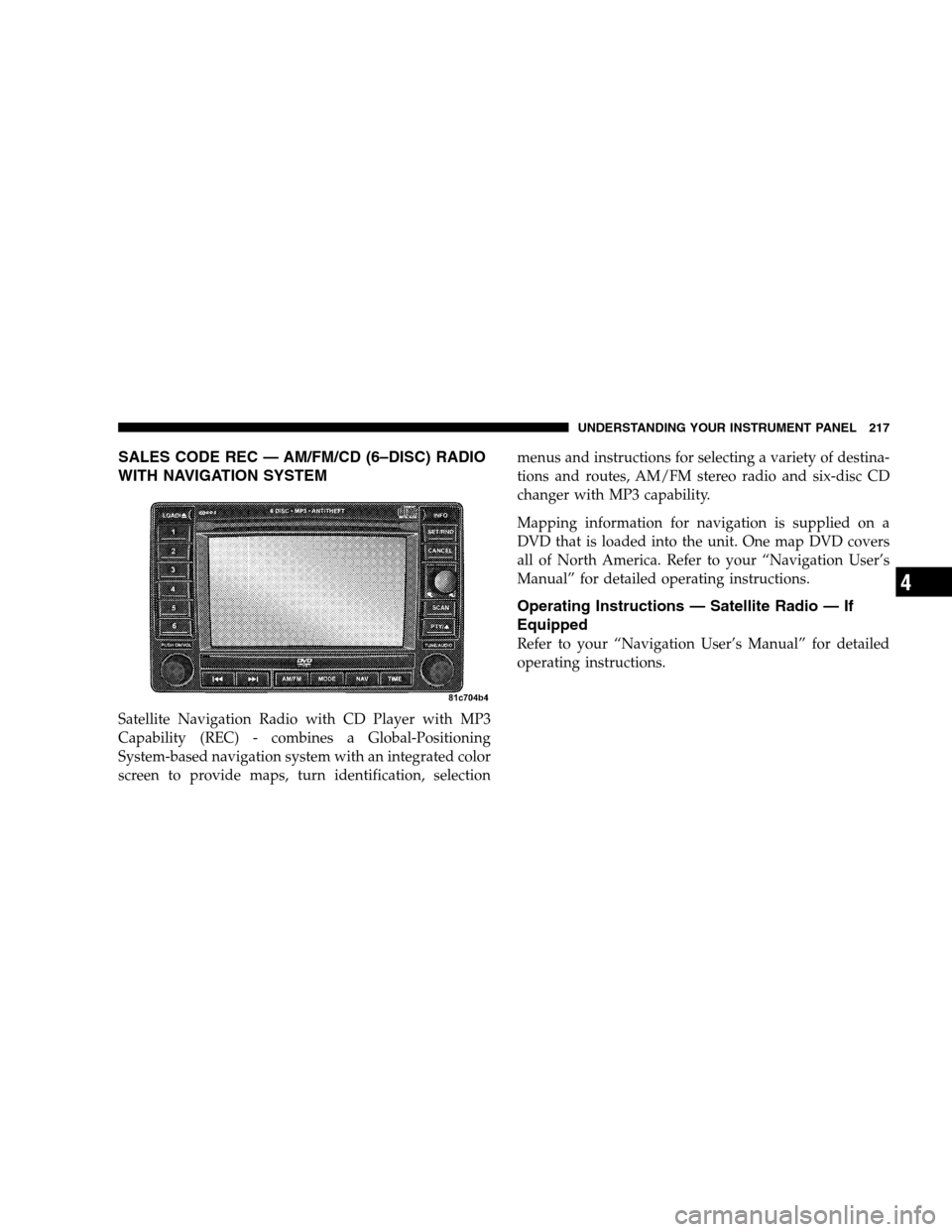
SALES CODE REC — AM/FM/CD (6–DISC) RADIO
WITH NAVIGATION SYSTEM
Satellite Navigation Radio with CD Player with MP3
Capability (REC) - combines a Global-Positioning
System-based navigation system with an integrated color
screen to provide maps, turn identification, selectionmenus and instructions for selecting a variety of destina-
tions and routes, AM/FM stereo radio and six-disc CD
changer with MP3 capability.
Mapping information for navigation is supplied on a
DVD that is loaded into the unit. One map DVD covers
all of North America. Refer to your “Navigation User’s
Manual” for detailed operating instructions.
Operating Instructions — Satellite Radio — If
Equipped
Refer to your “Navigation User’s Manual” for detailed
operating instructions.
UNDERSTANDING YOUR INSTRUMENT PANEL 217
4
Page 227 of 438
The left-hand control is a rocker type switch with a
pushbutton in the center. The function of the left-hand
control is different depending on which mode you are in.
The following describes the left-hand control operation in
each mode.
Radio Operation
Press the top of the switch to SEEK up to the next
listenable station.
Press the bottom of the switch to SEEK down to the next
listenable station.
The button located in the center of the left-hand control
will tune to the next preset station that you have pro-
grammed in the radio preset pushbuttons.
CD Player
Press the top of the switch once to go to the next track on
the CD.
Press the bottom of the switch once to go to the beginning
of the current track or to the beginning of the previous
track, if it is within one second after the current track
begins to play.
If you press the switch up or down twice it plays the
second track, three times, it will play the third, etc.
The button in the center of the left-hand switch changes
CDs on the 6-disc in-dash CD changer radio. This button
does not function for all other radios.
UNDERSTANDING YOUR INSTRUMENT PANEL 225
4
Page 422 of 438

Caution, Exhaust Gas...................... 69
CD (Compact Disc) Player...............195,203
CD (Compact Disc) Player Maintenance........ 226
Cellular Phone........................ 82,226
Center High Mounted Stop Light............ 392
Chains, Tire............................ 300
Changing A Flat Tire..................... 334
Chart, Tire Sizing........................ 284
Check Engine Light
(Malfunction Indicator Light)............... 350
Child Restraint.......................... 60
Child Restraint Tether Anchors............... 64
Child Restraint with Automatic Belts........... 63
Child Safety Locks........................ 30
Child Seat.............................. 66
Clean Air Gasoline....................... 311
Cleaning
Wheels............................. 378
Climate Control......................... 227Clock ........................194,197,205,218
Clutch............................... 372
Clutch Fluid........................... 372
CoinHolder ........................... 155
Compact Disc (CD) Maintenance............. 226
Compact Spare Tire...................... 295
Compass.............................. 192
Compass Calibration..................... 192
Compass Variance....................... 191
Console.............................. 155
Contract, Service........................ 411
Coolant (Antifreeze)...................395,396
Cooling System......................... 365
Adding Coolant (Antifreeze).............. 367
Coolant Level......................365,368
Disposal of Used Coolant................ 368
Drain, Flush, and Refill.................. 366
Inspection........................... 368
Points to Remember.................367,369
420 INDEX