Page 129 of 355
1
FEATURES OF YOUR HYUNDAI
117
!
WARNING:
o Do not place the sun visor in such a
manner that it obscures visibility of
the roadway, traffic or other objects.
o Do not move the sun visor out to cover
the side window if there is an item
attended to it such as a garage door
remote control, pens, air fresheners
or the like. These objects could cause
injury if the curtain air bag is deployed.
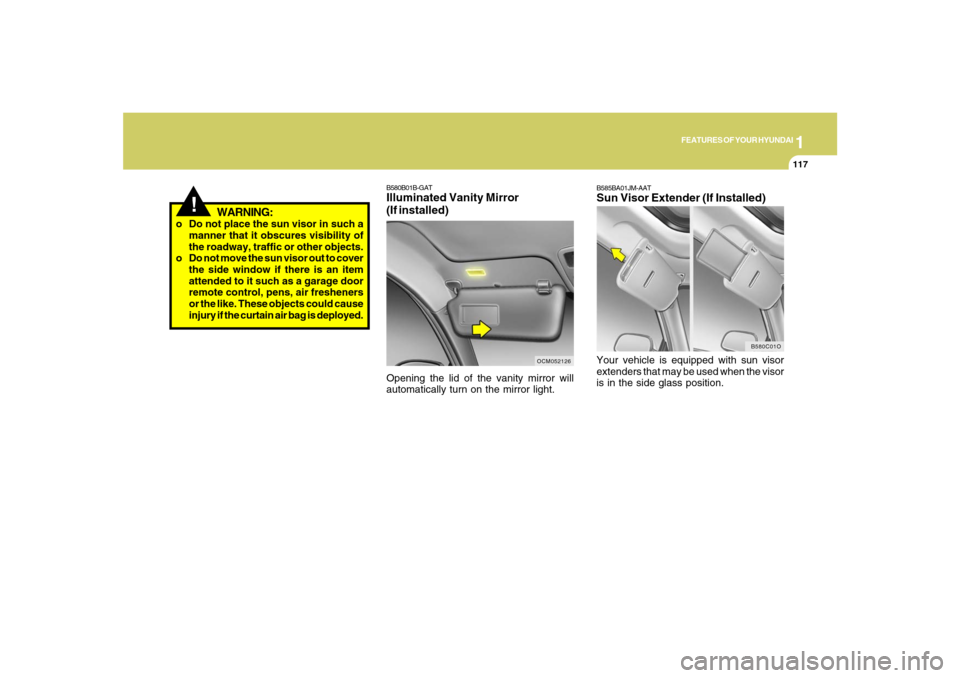
B580B01B-GATIlluminated Vanity Mirror
(If installed)Opening the lid of the vanity mirror will
automatically turn on the mirror light.
OCM052126
B580C01O
B585BA01JM-AATSun Visor Extender (If Installed)Your vehicle is equipped with sun visor
extenders that may be used when the visor
is in the side glass position.
Page 133 of 355
1
FEATURES OF YOUR HYUNDAI
121
NOTE:If the vehicle speed decreases more
than 9 mph (15 km/h) below the set speed
or decreases below 25 mph (40 km/h),
the cruise control system will automati-
cally cancel the set speed.
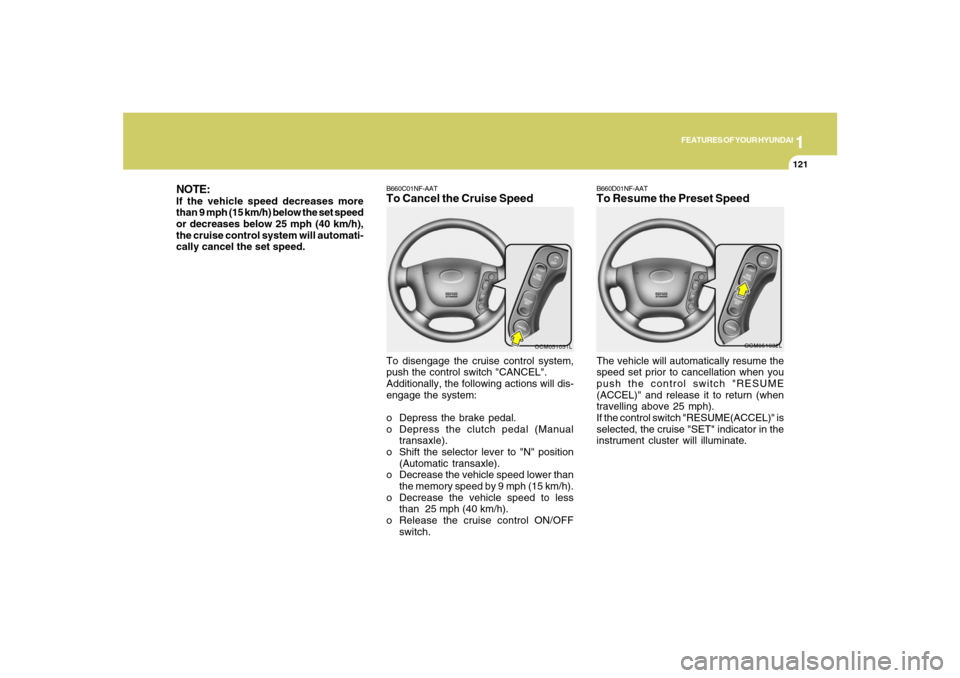
B660C01NF-AATTo Cancel the Cruise SpeedTo disengage the cruise control system,
push the control switch "CANCEL".
Additionally, the following actions will dis-
engage the system:
o Depress the brake pedal.
o Depress the clutch pedal (Manual
transaxle).
o Shift the selector lever to "N" position
(Automatic transaxle).
o Decrease the vehicle speed lower than
the memory speed by 9 mph (15 km/h).
o Decrease the vehicle speed to less
than 25 mph (40 km/h).
o Release the cruise control ON/OFF
switch.
OCM051031L
B660D01NF-AATTo Resume the Preset SpeedThe vehicle will automatically resume the
speed set prior to cancellation when you
push the control switch "RESUME
(ACCEL)" and release it to return (when
travelling above 25 mph).
If the control switch "RESUME(ACCEL)" is
selected, the cruise "SET" indicator in the
instrument cluster will illuminate.
OCM051032L
Page 136 of 355
1FEATURES OF YOUR HYUNDAI
124
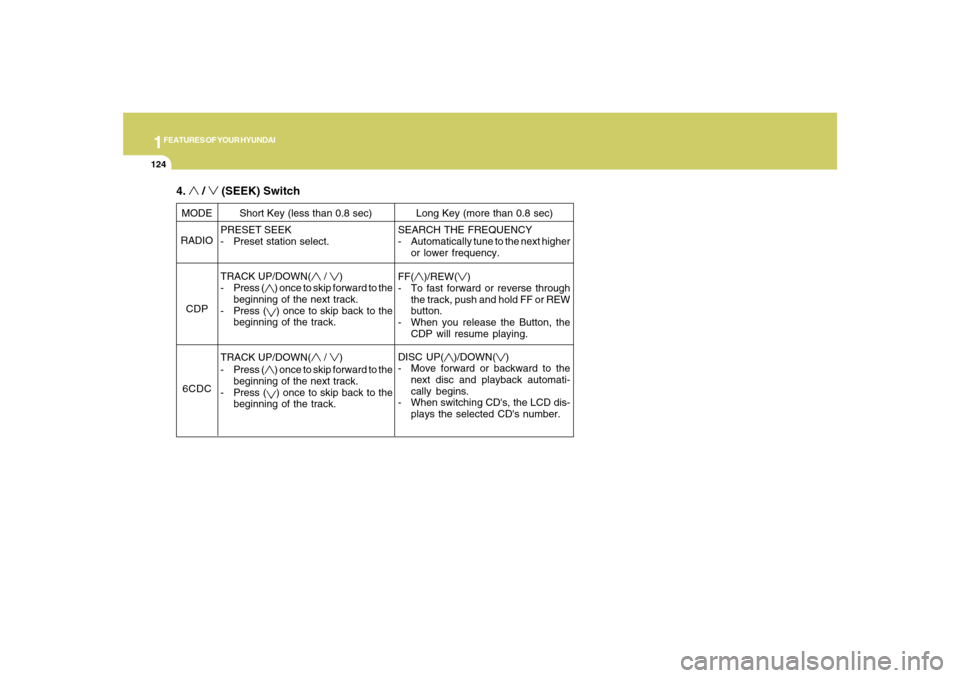
PRESET SEEK
- Preset station select.
TRACK UP/DOWN(
/
)
- Press (
) once to skip forward to the
beginning of the next track.
- Press () once to skip back to the
beginning of the track.
TRACK UP/DOWN(
/
)
- Press (
) once to skip forward to the
beginning of the next track.
- Press () once to skip back to the
beginning of the track. MODE
RADIO
CDP
6CDCShort Key (less than 0.8 sec) Long Key (more than 0.8 sec)
SEARCH THE FREQUENCY
- Automatically tune to the next higher
or lower frequency.
FF(
)/REW(
)
- To fast forward or reverse through
the track, push and hold FF or REW
button.
- When you release the Button, the
CDP will resume playing.
DISC UP(
)/DOWN(
)
- Move forward or backward to the
next disc and playback automati-
cally begins.
- When switching CD's, the LCD dis-
plays the selected CD's number.
4.
/
(SEEK) Switch
Page 146 of 355
1FEATURES OF YOUR HYUNDAI
134
AUTOMATIC HEATING AND COOLING CONTROL SYSTEMB970A01Y-AAT(If installed)Your Hyundai is equipped with an auto-
matic heating and cooling control system
controlled by simply setting the desired
temperature.
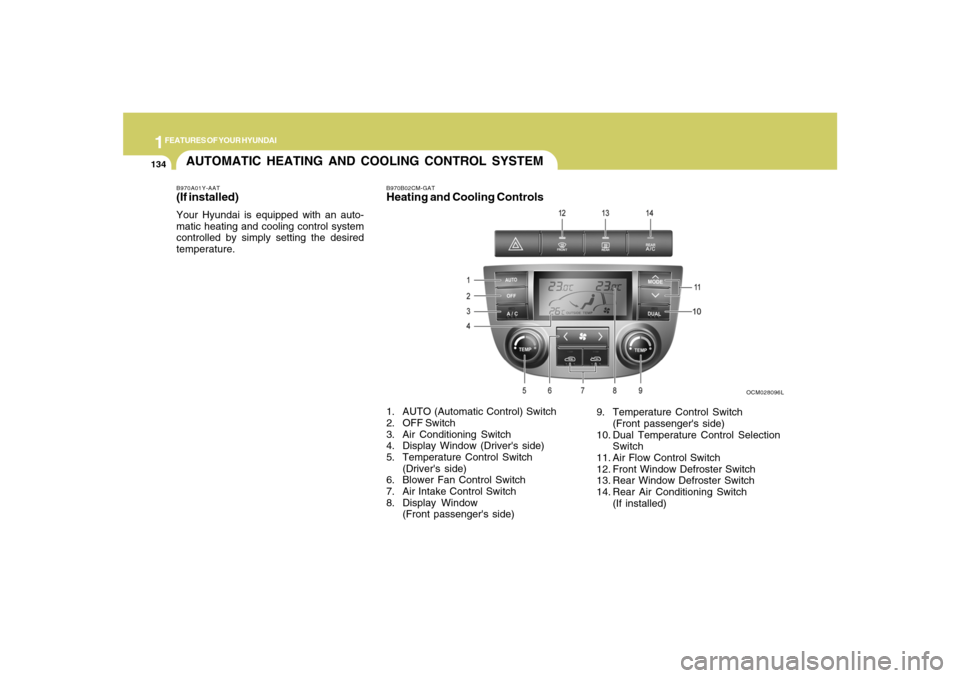
B970B02CM-GATHeating and Cooling Controls
OCM028096L
1. AUTO (Automatic Control) Switch
2. OFF Switch
3. Air Conditioning Switch
4. Display Window (Driver's side)
5. Temperature Control Switch
(Driver's side)
6. Blower Fan Control Switch
7. Air Intake Control Switch
8. Display Window
(Front passenger's side)9. Temperature Control Switch
(Front passenger's side)
10. Dual Temperature Control Selection
Switch
11. Air Flow Control Switch
12. Front Window Defroster Switch
13. Rear Window Defroster Switch
14. Rear Air Conditioning Switch
(If installed)
Page 147 of 355
1
FEATURES OF YOUR HYUNDAI
135
FEATURES OF YOUR HYUNDAI
135135135135
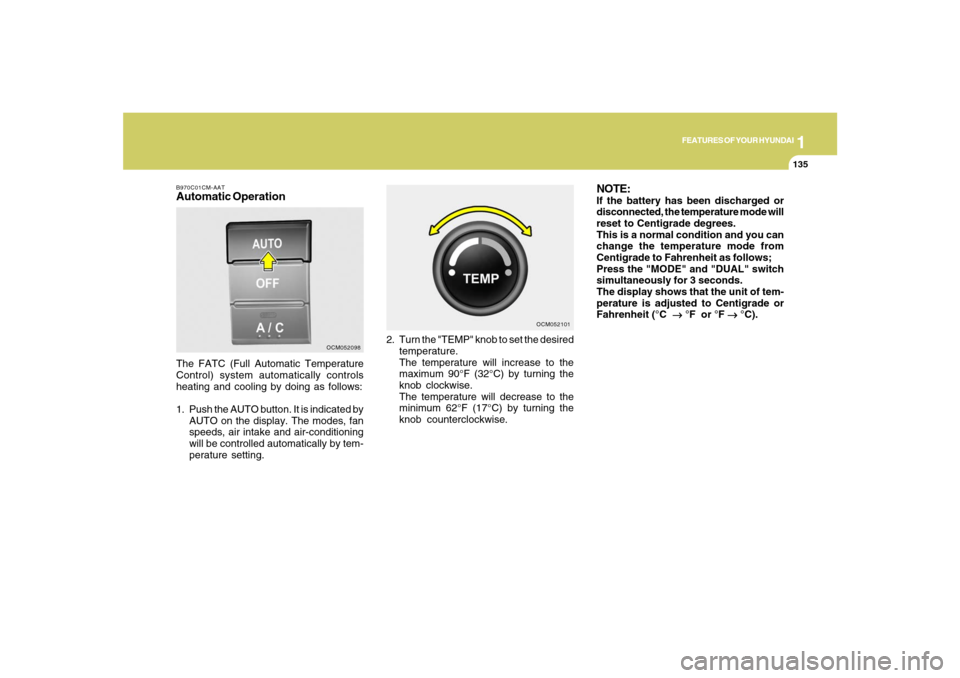
B970C01CM-AATAutomatic OperationThe FATC (Full Automatic Temperature
Control) system automatically controls
heating and cooling by doing as follows:
1. Push the AUTO button. It is indicated by
AUTO on the display. The modes, fan
speeds, air intake and air-conditioning
will be controlled automatically by tem-
perature setting.2. Turn the "TEMP" knob to set the desired
temperature.
The temperature will increase to the
maximum 90°F (32°C) by turning the
knob clockwise.
The temperature will decrease to the
minimum 62°F (17°C) by turning the
knob counterclockwise.
OCM052098OCM052101
NOTE:If the battery has been discharged or
disconnected, the temperature mode will
reset to Centigrade degrees.
This is a normal condition and you can
change the temperature mode from
Centigrade to Fahrenheit as follows;
Press the "MODE" and "DUAL" switch
simultaneously for 3 seconds.
The display shows that the unit of tem-
perature is adjusted to Centigrade or
Fahrenheit (°C
→ →→ →
→ °F or °F
→ →→ →
→ °C).
Page 148 of 355
1FEATURES OF YOUR HYUNDAI
136
B980B01Y-AATFan Speed Control SwitchThe fan speed can be set to the desired
speed by pressing the appropriate fan
speed control button. The higher the fan
speed is, the more air is delivered. Press-
ing the "OFF" button turns off the fan.
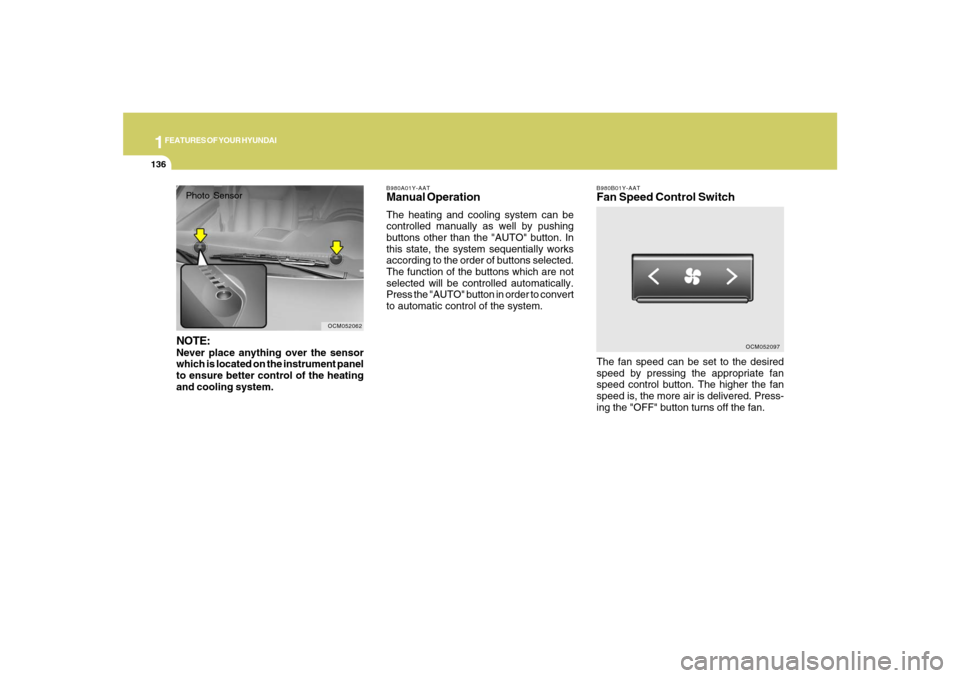
OCM052097 B980A01Y-AAT
Manual OperationThe heating and cooling system can be
controlled manually as well by pushing
buttons other than the "AUTO" button. In
this state, the system sequentially works
according to the order of buttons selected.
The function of the buttons which are not
selected will be controlled automatically.
Press the "AUTO" button in order to convert
to automatic control of the system.
OCM052062
Photo SensorNOTE:Never place anything over the sensor
which is located on the instrument panel
to ensure better control of the heating
and cooling system.
Page 153 of 355
1
FEATURES OF YOUR HYUNDAI
141
FEATURES OF YOUR HYUNDAI
141141141141
OCM052076N B980F01CM-AAT
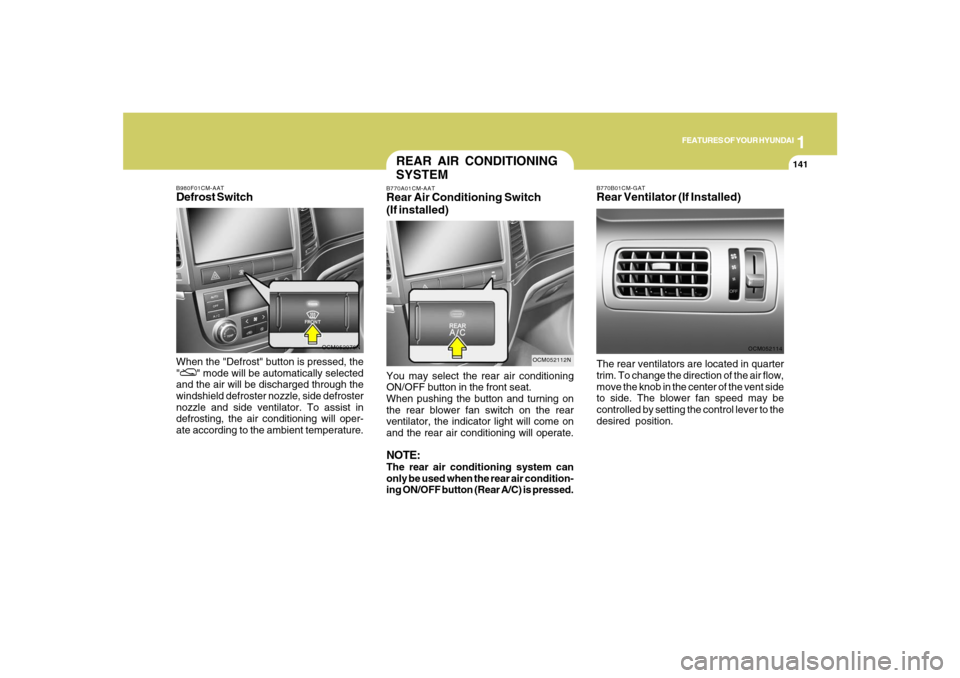
Defrost SwitchWhen the "Defrost" button is pressed, the
"
" mode will be automatically selected
and the air will be discharged through the
windshield defroster nozzle, side defroster
nozzle and side ventilator. To assist in
defrosting, the air conditioning will oper-
ate according to the ambient temperature.
B770B01CM-GATRear Ventilator (If Installed)
OCM052114
The rear ventilators are located in quarter
trim. To change the direction of the air flow,
move the knob in the center of the vent side
to side. The blower fan speed may be
controlled by setting the control lever to the
desired position.
REAR AIR CONDITIONING
SYSTEMB770A01CM-AATRear Air Conditioning Switch
(If installed)
OCM052112N
You may select the rear air conditioning
ON/OFF button in the front seat.
When pushing the button and turning on
the rear blower fan switch on the rear
ventilator, the indicator light will come on
and the rear air conditioning will operate.NOTE:The rear air conditioning system can
only be used when the rear air condition-
ing ON/OFF button (Rear A/C) is pressed.
Page 155 of 355
1
FEATURES OF YOUR HYUNDAI
143
FEATURES OF YOUR HYUNDAI
143143143143
CAUTION:
o Be sure to remove the antenna before
washing the car in an automatic car
wash or it may be damaged.
o Before entering a place with a low
height clearance, be sure to fold for-
ward or remove the roof mounted
antenna.
o When reinstalling your antenna, it is
important that it is fully tightened to
ensure proper reception.
!