Page 16 of 345
1FEATURES OF YOUR HYUNDAI2
!
B010A01TG-A
FUEL RECOMMENDATIONS
CAUTION:
Your Hyundai's New Vehicle Limited War-
ranty may not cover damage to the fuel
system and any performance problems
that are caused by the use of fuels con-
taining methanol or fuels containing
MTBE (Methyl Tertiary Butyl Ether) over
15.0% vol. (Oxygen Content 2.7% weight.)
B010B01A-AATWhat About Gasohol?Gasohol (a mixture of 90% unleaded gaso-
line and 10% ethanol or grain alcohol)
may be used in your Hyundai. However, if
your engine develops driveability prob-
lems, the use of 100% unleaded gasoline
is recommended. Fuels with unspecified
quantities of alcohol, or alcohols other
than ethanol, should not be used.
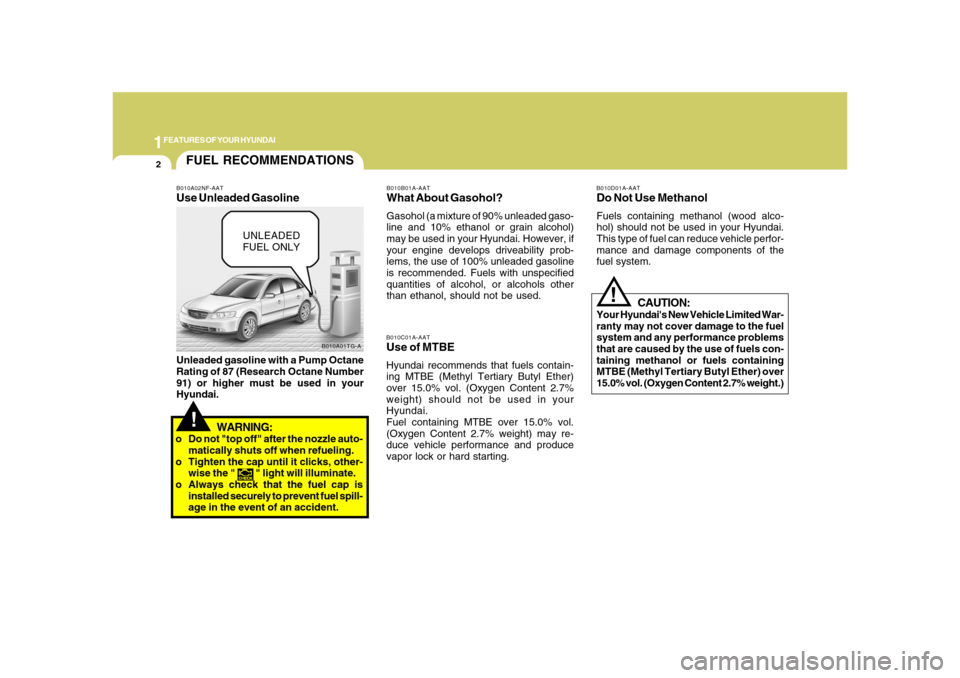
B010A02NF-AATUse Unleaded GasolineUnleaded gasoline with a Pump Octane
Rating of 87 (Research Octane Number
91) or higher must be used in your
Hyundai.
B010C01A-AATUse of MTBEHyundai recommends that fuels contain-
ing MTBE (Methyl Tertiary Butyl Ether)
over 15.0% vol. (Oxygen Content 2.7%
weight) should not be used in your
Hyundai.
Fuel containing MTBE over 15.0% vol.
(Oxygen Content 2.7% weight) may re-
duce vehicle performance and produce
vapor lock or hard starting.
B010D01A-AATDo Not Use MethanolFuels containing methanol (wood alco-
hol) should not be used in your Hyundai.
This type of fuel can reduce vehicle perfor-
mance and damage components of the
fuel system.
!
UNLEADED
FUEL ONLY
WARNING:
o Do not "top off" after the nozzle auto-
matically shuts off when refueling.
o Tighten the cap until it clicks, other-
wise the "
" light will illuminate.
o Always check that the fuel cap is
installed securely to prevent fuel spill-
age in the event of an accident.
Page 18 of 345
1FEATURES OF YOUR HYUNDAI4
!
One side of the key has the Hyundai
logo and the other side has an "S"
symbol.
Leaving your sub key with a parking
attendant will ensure that your vehicle's
trunk, trunk lid release, glove box com-
partment and rear trunk access may not
be unlocked in your absence.
CAUTION:
o If you make your own duplicate key,
you will not be able to cancel the sys-
tem or start the engine.
o When starting the engine, do not use
the key with other immobilizer keys in
close proximity; otherwise, the en-
gine may not start or may stop soon
after it starts.
Keep each key separated from one
another.
o Do not install the metal accessories
near the key or ignition switch.
The engine may not start for the metal
accessories may interrupt the tran-
sponder signal from normally trans-
mitting.
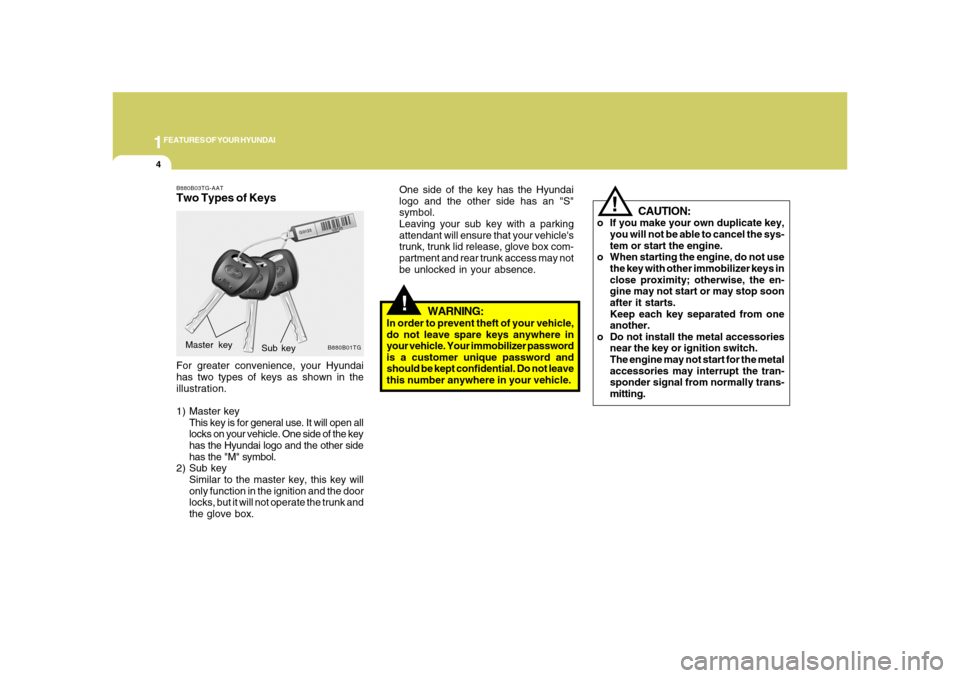
B880B03TG-AATTwo Types of KeysFor greater convenience, your Hyundai
has two types of keys as shown in the
illustration.
1) Master key
This key is for general use. It will open all
locks on your vehicle. One side of the key
has the Hyundai logo and the other side
has the "M" symbol.
2) Sub key
Similar to the master key, this key will
only function in the ignition and the door
locks, but it will not operate the trunk and
the glove box.
B880B01TG
Sub key Master key
!
WARNING:
In order to prevent theft of your vehicle,
do not leave spare keys anywhere in
your vehicle. Your immobilizer password
is a customer unique password and
should be kept confidential. Do not leave
this number anywhere in your vehicle.
Page 24 of 345
1FEATURES OF YOUR HYUNDAI10
B070F02NF-AATKEYLESS ENTRY SYSTEM
NOTE:This device complies with Part 15 of the
FCC rules. Operation is subject to the
following two conditions:
(1) This device may not cause harmful
interference, and (2) this device must
accept any interference received, in-
cluding interference that may cause
undesired operation.
CAUTION:
Changes or modifications not expressly
approved by the party responsible for
compliance could void the user's au-
thority to operate the equipment.
Locking doors1. Close all doors.
2. Push the "LOCK (
)" button on the
transmitter.
3. At the same time, all doors lock and the
turn signal lights will blink once to indi-
cate that the system is armed.
Unlocking doors1. Push the "UNLOCK (
)" button on the
transmitter.
2. At the same time, the driver's door un-
locks and the turn signal lights will blink
twice to indicate that the system is dis-
armed.
NOTE:If you wish to unlock all the doors, press
the "UNLOCK" button on the transmitter
again within 4 seconds.Releasing the trunk lidPush the trunk lid release button (
) on
the transmitter for longer than 1 second.
!
D050400BEN-EUAuto door lock/unlock feature
(If Installed)o All doors will be automatically locked
when shifting the transaxle shift lever
out of P(Park).
o All doors will be automatically unlocked
when shifting the transaxle shift lever
into P(Park).NOTE:An authorized Hyundai dealer can acti-
vate or deactivate some auto door lock/
unlock features as follows;
o Speed sensing auto door locking
o Auto door unlock by using the driver's
door lock button
o Auto door unlock when the ignition
key is removed from the ignition
switch
o Auto door lock/unlock when shifting
the transaxle shift lever out of P(Park)
or into P (Park)
If you want to activate or deactivate
some auto door lock/unlock features,
consult an authorized Hyundai dealer.
Page 27 of 345
1
FEATURES OF YOUR HYUNDAI
13
NOTE:When the system is disarmed while the
"DOOR" button for the interior light switch
is depressed, the interior light will illumi-
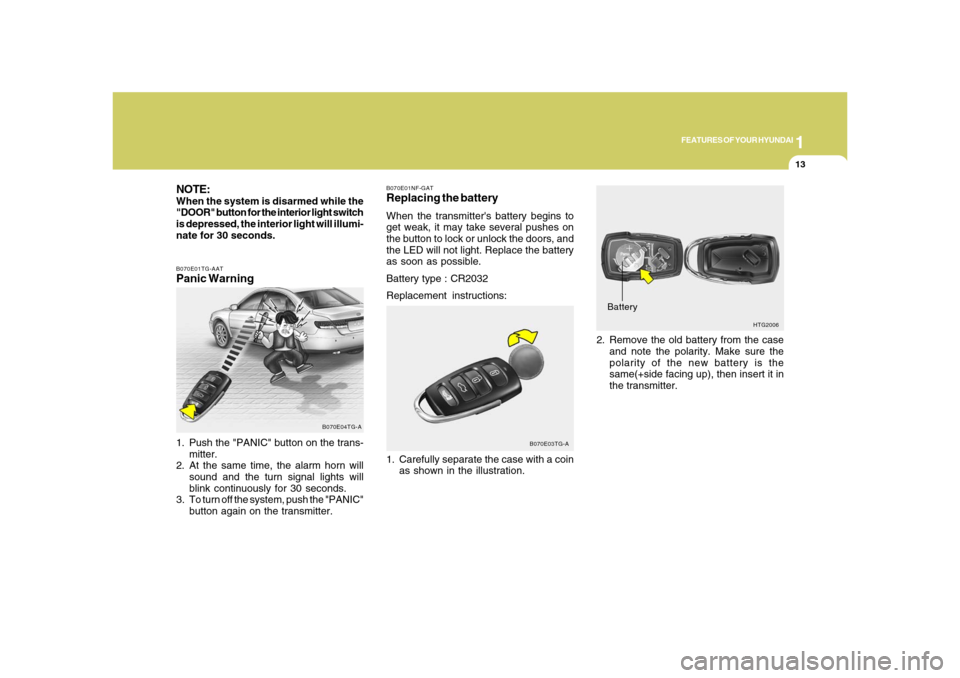
nate for 30 seconds.B070E01TG-AATPanic Warning1. Push the "PANIC" button on the trans-
mitter.
2. At the same time, the alarm horn will
sound and the turn signal lights will
blink continuously for 30 seconds.
3. To turn off the system, push the "PANIC"
button again on the transmitter.
B070E04TG-A
HTG2006
Battery2. Remove the old battery from the case
and note the polarity. Make sure the
polarity of the new battery is the
same(+side facing up), then insert it in
the transmitter.
B070E01NF-GATReplacing the batteryWhen the transmitter's battery begins to
get weak, it may take several pushes on
the button to lock or unlock the doors, and
the LED will not light. Replace the battery
as soon as possible.
Battery type : CR2032
Replacement instructions:
1. Carefully separate the case with a coin
as shown in the illustration.
B070E03TG-A
Page 32 of 345
1FEATURES OF YOUR HYUNDAI18
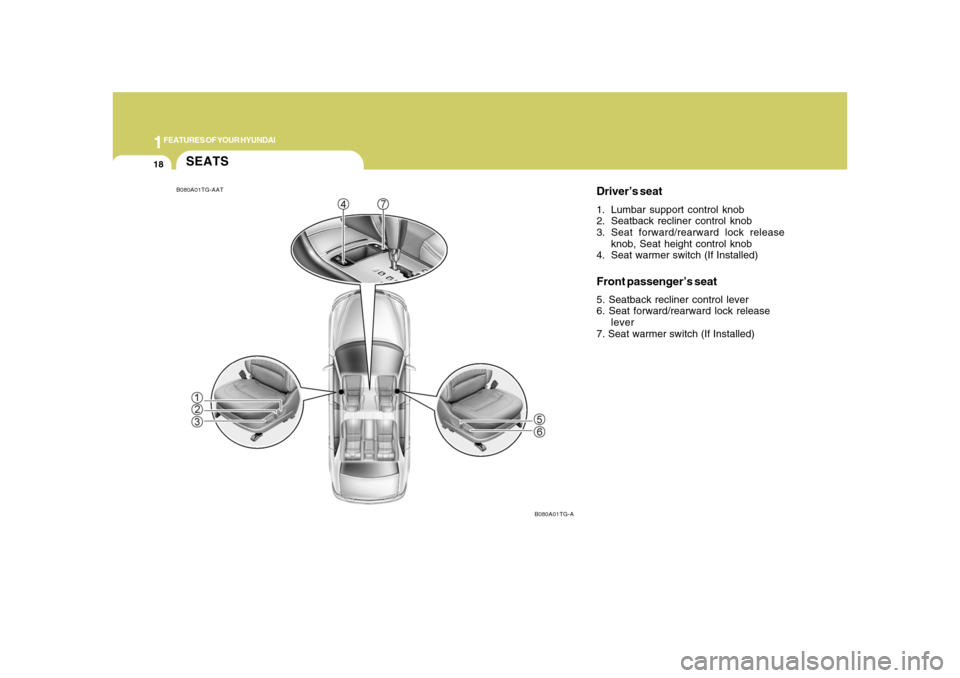
SEATS
Driver’s seat1. Lumbar support control knob
2. Seatback recliner control knob
3. Seat forward/rearward lock release
knob, Seat height control knob
4. Seat warmer switch (If Installed)Front passenger’s seat5. Seatback recliner control lever
6. Seat forward/rearward lock release
lever
7. Seat warmer switch (If Installed)
B080A01TG-AAT
B080A01TG-A
Page 33 of 345
1
FEATURES OF YOUR HYUNDAI
19
!
B090A02TG-AATFRONT POWER SEATSThe front seats can be adjusted appropri-
ately by using the control knob of the seat.
Before driving, adjust the seat to the proper
position so as to easily control the steering
wheel, pedals and switches on the instru-
ment panel.
CAUTION:
Do not operate two knobs at the same
time.
WARNING:
o Never adjust the driver’s seat while
the vehicle is moving. Any sudden or
unexpected movement of the seat
could cause you to lose control of the
vehicle resulting in an accident. Only
adjust the driver’s seat when the ve-
hicle is stationary.
o Do not sit or lean unnecessarily close
to the airbag. Position the seat so that
you can sit as far back as possible
from the airbag and still comfortably
reach all controls.
!
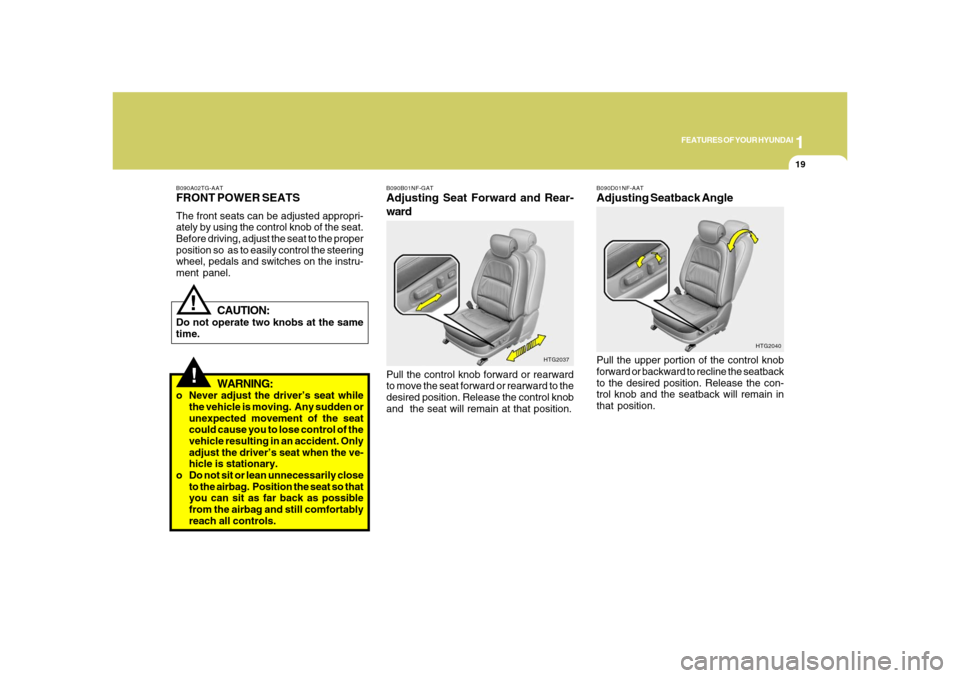
B090B01NF-GATAdjusting Seat Forward and Rear-
wardPull the control knob forward or rearward
to move the seat forward or rearward to the
desired position. Release the control knob
and the seat will remain at that position.
HTG2037B090D01NF-AAT
Adjusting Seatback AnglePull the upper portion of the control knob
forward or backward to recline the seatback
to the desired position. Release the con-
trol knob and the seatback will remain in
that position.
HTG2040
Page 34 of 345

1FEATURES OF YOUR HYUNDAI20
!
WARNING:
Riding with a reclined seatback in-
creases your chance of serious or fatal
injuries in the event of a collision or
sudden stop. The protection of your
restraint system (seat belts and airbags)
is greatly reduced by reclining your seat.
Seat belts must be snug against your
hips and chest to work properly. The
more the seatback is reclined, the greater
the chance that an occupant's hips will
slide under the lap belt or the occupant's
neck will strike the shoulder belt. Driv-
ers and passengers should always sit
well back in their seats, properly belted,
and with the seatbacks upright.
B080D02JM-AATAdjustable HeadrestsHeadrests are designed to help reduce
the risk of neck injuries.
To raise the headrest, pull it up. To lower
the headrest, push it down while pressing
the lock knob. To remove the headrest,
raise it as far as it can go then press the lock
knob while pulling upward. This should
only be done when the seat is not occu-
pied.
B080D01TG
Lock knob
!
WARNING:
o For maximum effectiveness in case
of an accident the headrest should be
adjusted so the middle of the head-
rest is at the same height as the top of
the occupant's eyes. For this reason,
the use of a cushion that holds the
body away from the seatback is not
recommended.
o Do not operate the vehicle with the
headrests removed as injury to the
occupants may occur in the event of
an accident. Headrests may provide
protection against neck injuries when
properly adjusted.
B080D02TG
Page 35 of 345

1
FEATURES OF YOUR HYUNDAI
21
B081D01LZ-AATTilting Headrest Forward and Rear-
wardThe headrest may be tilted forward to three
different positions by pulling the headrest
forward. To adjust the headrest rearward,
pull it fully forward to the farthest position
and release it. Adjust the headrest so that
it properly supports the head and neck.
HTG2045
B083D01NF-AATActive Headrests (If Installed)The active headrest is designed to move
forward and upward during a rear impact.
This helps to prevent the driver's and front
passenger's head from moving backward
and thus helps prevent neck injuries.
HNF2041-1
!
WARNING:
o Do not adjust the headrest height
while the vehicle is in motion.
B090E01TG-AATLumbar Support Control
(Driver's seat only)To adjust the lumbar support, press the
control switch on the outboard side of the
seat cushion. To increase the amount of
lumbar support, press the front portion of
the switch. To decrease lumbar support,
press the rear portion of the switch.
HTG2042-2