Page 155 of 329
The video screen is f or use by rear
seat passengers only. The driver and
f ront seat passenger should not try
to view the screen while driving.Press the button when you
want to pause the DVD. Press this
button again to go back to PLAY.
Pressthe buttontoskiptothe
beginning of the next chapter. Press
the button to return to the
beginning of the current chapter.
To move rapidly within a chapter,
press and hold the orbutton. The system will
continue to move through the chapter. Press the button to
move forward, or the button to
move backward. Release the button
when the system reaches the point
you want.
ToselectthemenuontheDVD,
press the MENU/SCROLL button
(U.S. models) or MENU button
(Canadian models). Use the ,
, , and buttons to
move to the desired menu selection,
then press the ENT button to enter
your selection.
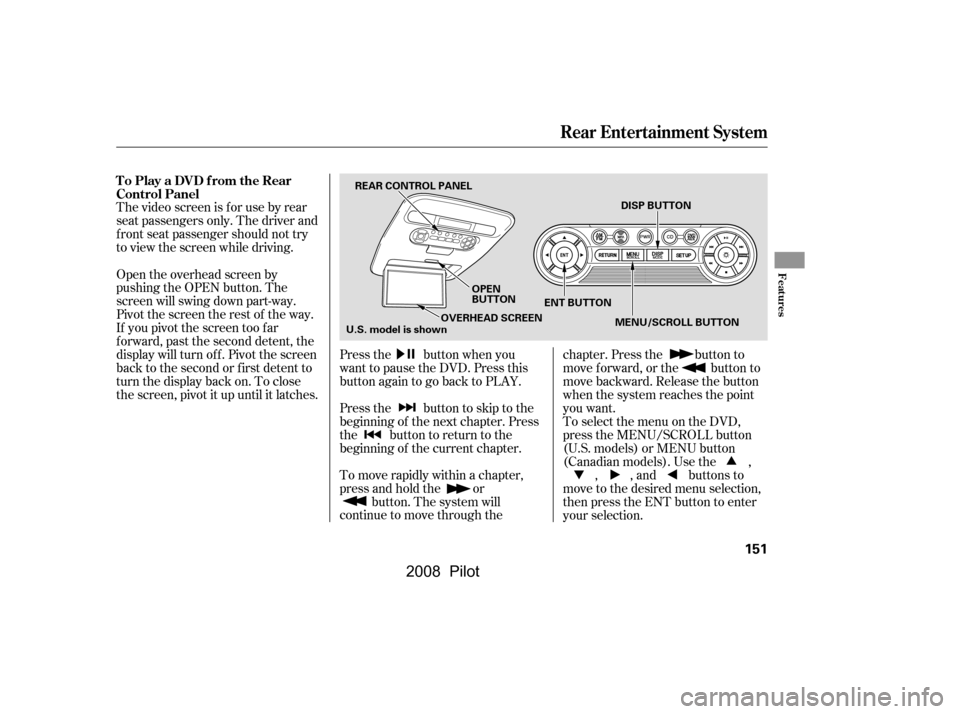
Open the overhead screen by
pushing the OPEN button. The
screen will swing down part-way.
Pivot the screen the rest of the way.
If you pivot the screen too f ar
f orward, past the second detent, the
display will turn of f . Pivot the screen
back to the second or first detent to
turn the display back on. To close
the screen, pivot it up until it latches.
To Play a DVD from the Rear
Control Panel
Rear Entertainment System
Features
151
REAR CONTROL PANEL
OPEN
BUTTONENT BUTTON DISP BUTTON
MENU/SCROLL BUTTON
OVERHEAD SCREEN
U.S. model is shown
�\f���—�\f���—�\f���y�
�
�����������y���
�(���+�����\f�y�\f�
�����y
2008 Pilot
Page 158 of 329
�Ý�Û�Ý�Û
�Ý�Û
Top Menu Audio
When you select ‘‘TOP MENU’’
using the or button, the DVD’s
title menu is displayed. This menu is
also displayed when you press the
MENU button while a DVD is not
playing.
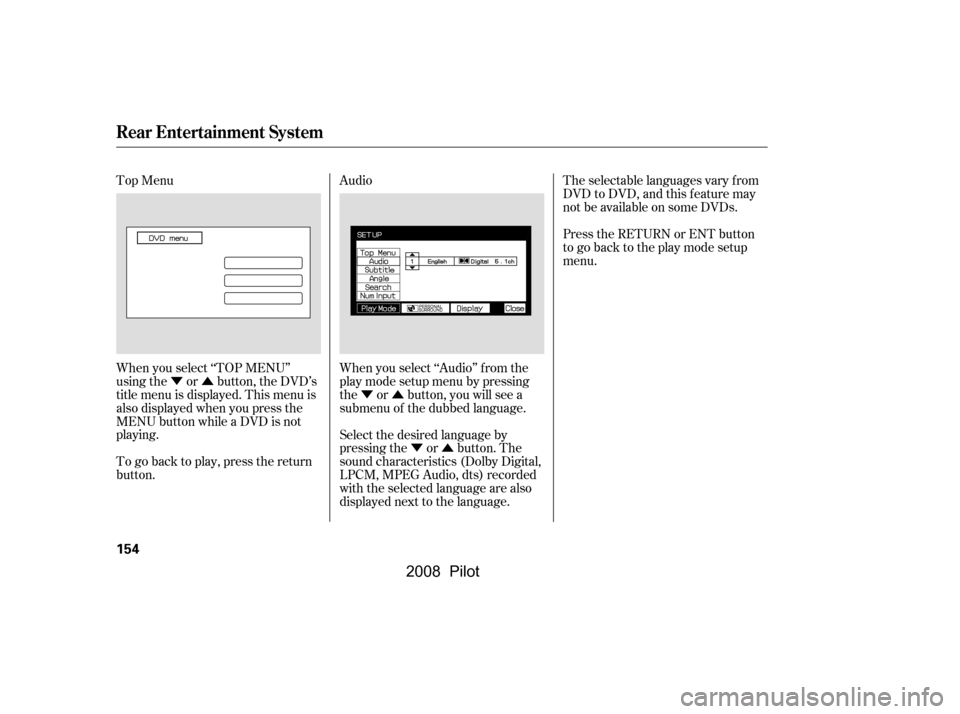
When you select ‘‘Audio’’ f rom the
play mode setup menu by pressing
the or button, you will see a
submenu of the dubbed language.The selectable languages vary f rom
DVD to DVD, and this feature may
notbeavailableonsomeDVDs.
Press the RETURN or ENT button
to go back to the play mode setup
menu.
Select the desired language by
pressing the or button. The
sound characteristics (Dolby Digital,
LPCM, MPEG Audio, dts) recorded
with the selected language are also
displayed next to the language.
To go back to play, press the return
button.
Rear Entertainment System
154
�\f���—�\f���—�\f���y�
�
�����������y���
�(���+�����\f�y�\f�
�����y
2008 Pilot
Page 159 of 329
�Ý�Û�Ý
�Û�Ý�Û
�Ý�Û
Subtitle Angle
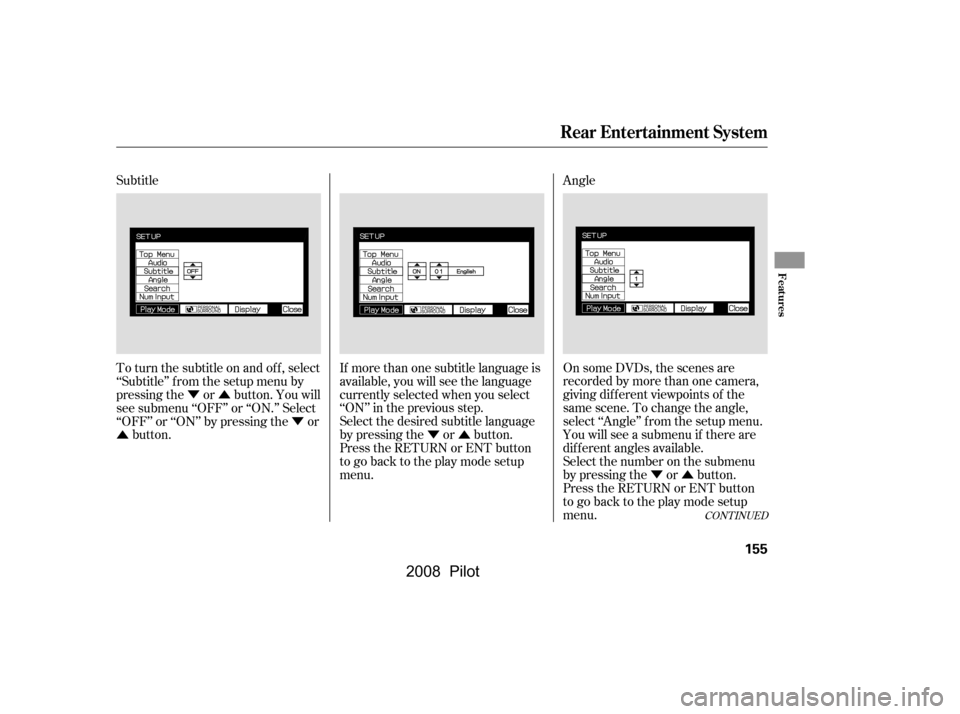
To turn the subtitle on and of f , select
‘‘Subtitle’’ f rom the setup menu by
pressing the or button. You will
see submenu ‘‘OFF’’ or ‘‘ON.’’ Select
‘‘OFF’’ or ‘‘ON’’ by pressing the or
button. If more than one subtitle language is
available, you will see the language
currently selected when you select
‘‘ON’’ in the previous step.
Select the desired subtitle language
by pressing the or button.
Press the RETURN or ENT button
to go back to the play mode setup
menu. On some DVDs, the scenes are
recorded by more than one camera,
giving dif f erent viewpoints of the
same scene. To change the angle,
select ‘‘Angle’’ f rom the setup menu.
Youwillseeasubmenuif thereare
dif f erent angles available.
Select the number on the submenu
by pressing the or button.
Press the RETURN or ENT button
to go back to the play mode setup
menu.
CONT INUED
Rear Entertainment System
Features
155
�\f���—�\f���—�\f���y�
�
�����������y���
�(���+�����\f�y�\f�
���\f�y
2008 Pilot
Page 161 of 329
NumInput
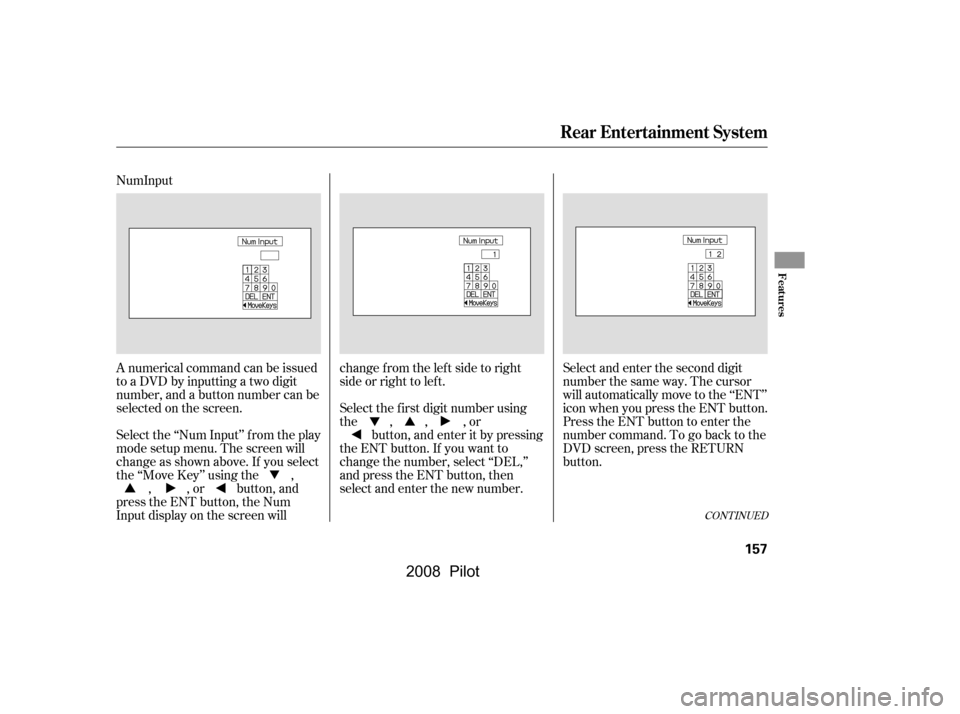
A numerical command can be issued
to a DVD by inputting a two digit
number, and a button number can be
selected on the screen.Select and enter the second digit
number the same way. The cursor
will automatically move to the ‘‘ENT’’
icon when you press the ENT button.
Press the ENT button to enter the
number command. To go back to the
DVD screen, press the RETURN
button.
Select the f irst digit number using
the , , , or
button, and enter it by pressing
the ENT button. If you want to
change the number, select ‘‘DEL,’’
and press the ENT button, then
select and enter the new number.
Select the ‘‘Num Input’’ f rom the play
mode setup menu. The screen will
change as shown above. If you select
the ‘‘Move Key’’ using the ,
, , or button, and
press the ENT button, the Num
Input display on the screen will changefromtheleftsidetoright
side or right to lef t.
CONT INUED
Rear Entertainment System
Features
157
�\f���—�\f���—�\f���y�
�
�������
���y���
�(���+�����\f�y�\f�
�����y
2008 Pilot
Page 165 of 329
�Ý�Û
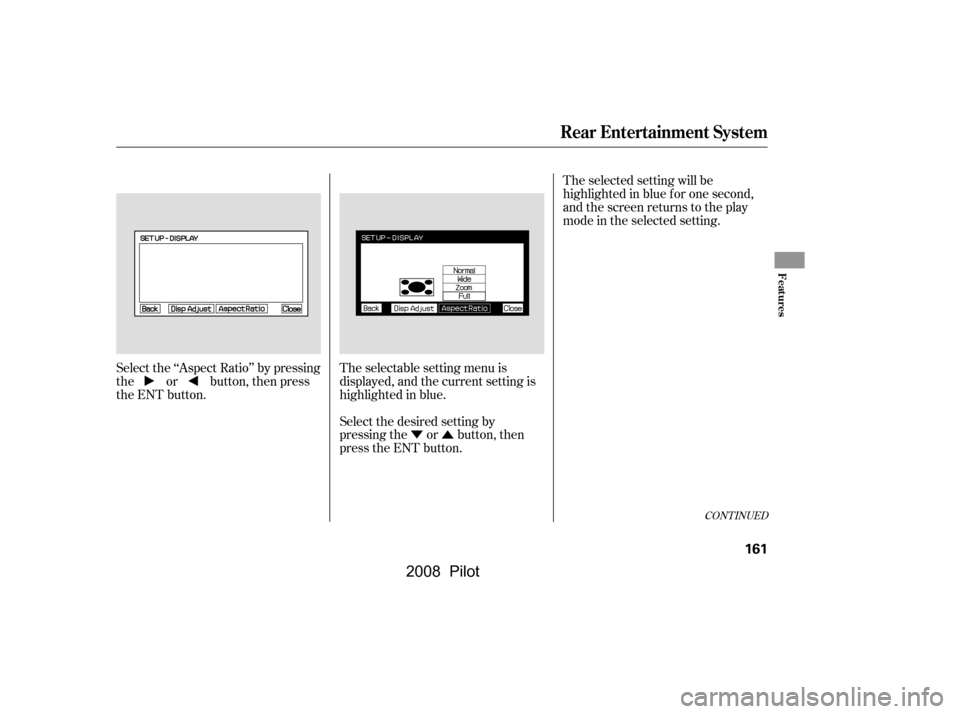
Select the ‘‘Aspect Ratio’’ by pressing
the or button, then press
the ENT button.
The selectable setting menu is
displayed, and the current setting is
highlighted in blue.
Select the desired setting by
pressing the or button, then
press the ENT button.The selected setting will be
highlighted in blue f or one second,
and the screen returns to the play
mode in the selected setting.
CONT INUED
Rear Entertainment System
Features
161
�\f���—�\f���—�\f���y�
�
�����������y���
�(���+�����\f�y�\f�
�����y
2008 Pilot
Page 168 of 329
�Ý�Û
Audio Language
You can select the dubbed language
bef ore playing DVDs.
Select ‘‘Audio Lang’’ by pressing theor button. You will see the
submenu next to ‘‘Audio Lang.’’
Follow the same instructions you
used to set the menu language.
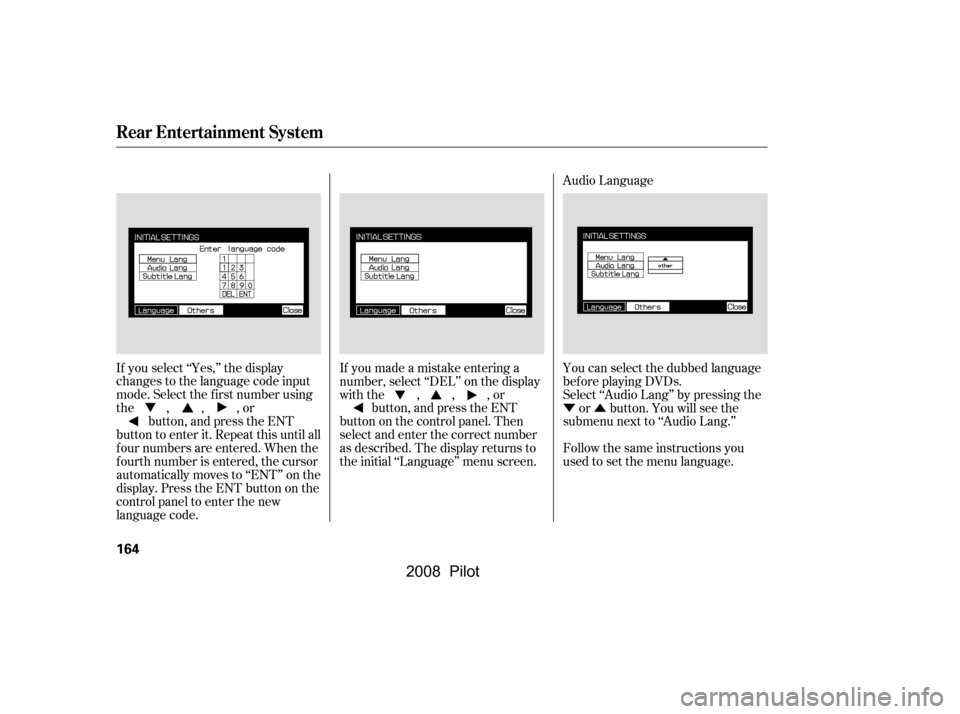
If you made a mistake entering a
number, select ‘‘DEL’’ on the display
with the , , , or
button, and press the ENT
buttononthecontrolpanel.Then
select and enter the correct number
as described. The display returns to
the initial ‘‘Language’’ menu screen.
If you select ‘‘Yes,’’ the display
changes to the language code input
mode. Select the f irst number using
the,,,or
button, and press the ENT
button to enter it. Repeat this until all
f our numbers are entered. When the
f ourth number is entered, the cursor
automatically moves to ‘‘ENT’’ on the
display. Press the ENT button on the
control panel to enter the new
language code.
Rear Entertainment System
164
�\f���—�\f���—�\f���y�
�
�������\f���y���
�(���+�����\f�y�\f�
�����y
2008 Pilot
Page 180 of 329
The security system helps to protect
your vehicle and valuables f rom thef t.
The horn sounds and a combination
of headlights, parking lights, side
marker lights, and taillights f lash if
someone attempts to break into your
vehicle. This alarm continues for 2
minutes, then the system resets. To
reset an alarm system bef ore the 2
minutes have elapsed, unlock the
driver’s f ront door with the key or
the remote transmitter.The security system will not set if
the hood, the tailgate, or any door is
not f ully closed. If the system will not
set, check the Door and Tailgate
Open Monitor on the instrument
panel (see page ) to see if the
doors and the tailgate are f ully
closed. Since it is not part of the
monitor display, manually check the
hood.
Do not attempt to alter this system
or add other devices to it.
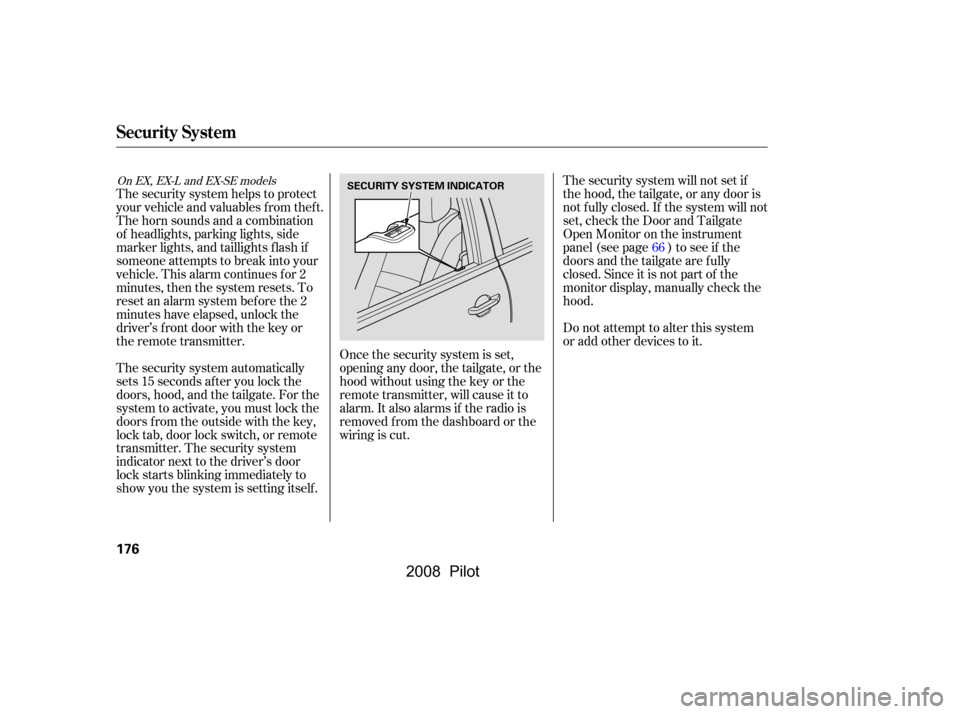
The security system automatically
sets 15 seconds after you lock the
doors, hood, and the tailgate. For the
system to activate, you must lock the
doors f rom the outside with the key,
lock tab, door lock switch, or remote
transmitter. The security system
indicator next to the driver’s door
lock starts blinking immediately to
show you the system is setting itself . Once the security system is set,
opening any door, the tailgate, or the
hood without using the key or the
remote transmitter, will cause it to
alarm. It also alarms if the radio is
removed f rom the dashboard or the
wiring is cut. 66
On EX, EX-L and EX-SE models
Security System
176
SECURITY SYSTEM INDICATOR
�\f���—�\f���—�\f���y�
�
�����������y���
�(���+�����\f�y�\f�
���
�y
2008 Pilot
Page 198 of 329

�µ�µ�µ
�µ �µ
�µ �µ
�µ
�µ
The f ollowing f actors can lower your
vehicle’s f uel economy:
Aggressive driving (hard
acceleration and braking)
Excessive idling, accelerating and
braking in stop-and-go traf f ic
Cold engine operation (engines
aremoreefficientwhenwarmed
up)
Driving with a heavy load or the
air conditioner running
Improperly inf lated tires
A properly maintained vehicle
maximizes f uel economy. Poor
maintenance can signif icantly reduce
f uel economy. Always maintain your
vehicle according to the maintenance
messages displayed on the
inf ormation display (see on page ).
For example: An under-inf lated tire increases
‘‘rolling resistance,’’ which reduces
f uel economy.
It puts a heavier
load on the engine, increasing f uel
consumption. In
particular, a build-up of snow or
mud on your vehicle’s underside
adds weight and rolling resistance.
Frequent cleaning helps your f uel
economy.
Rapid
acceleration, abrupt cornering,
and hard braking increase fuel
consumption. Aerodynamic drag has a big ef f ect
on f uel mileage at speeds above 45
mph (75 km/h). Reduce your
speed and you reduce the drag.
Trailers, car top carriers, roof
racks and bike racks are also big
contributors to increased drag.
If your vehicle has a
manual transmission, you can
boost your f uel economy by up
shif ting as early as possible. Idling
results in 0 miles per gallon.
The A/C
puts an extra load on the engine
which makes it use more f uel. Use
the f resh-air ventilation when
possible.
Combine several short trips into
one. A warmed-up engine is more
f uel ef f icient than a cold one.
242
Fuel Economy Factors
Improving Fuel Economy
Owner’s
Maintenance Checks Use the recommended viscosity
motor oil, displaying the A PI
Certif ication Seal (see page
).
Maintain proper tire inf lation
A void carrying excess weight in
your vehicle
K eep your vehicle clean
Drive moderately Observe the speed limit
Always drive in the highest gear
possible
Avoid excessive idling
Minimize the use of the air
conditioning system
Plan and combine trips
245
Fuel Economy
Vehicle Maint enance
Drive Ef f icient ly
194
�\f���—�\f���—�\f���y�
�
�������
�
�y���
�(���+�����\f�y�\f�
�����y
2008 Pilot