Page 119 of 329
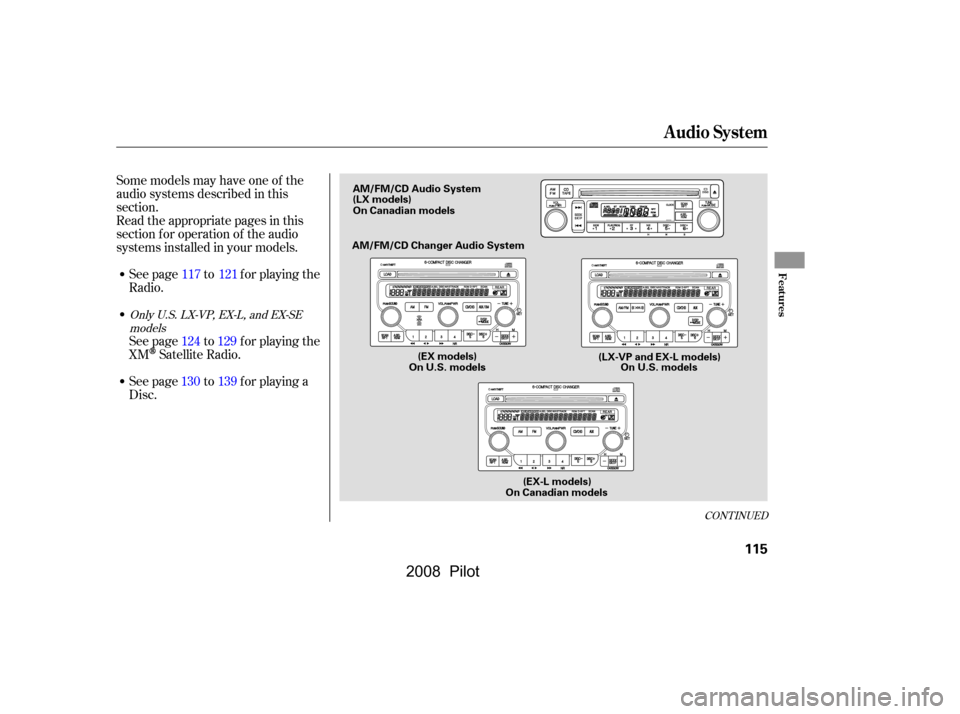
Some models may have one of the
audio systems described in this
section.
Read the appropriate pages in this
section f or operation of the audio
systems installed in your models.See page to f or playing the
Radio.
See page to f or playing a
Disc. See page to f or playing the
XM
Satellite Radio. 121
117
129
124
139
130
CONT INUED
Only U.S. LX-VP, EX-L, and EX-SE
models
Audio System
Features
115
AM/FM/CD Audio System
AM/FM/CD Changer Audio System
(EX models)
On U.S. models On U.S. models
(EX-L models)
On Canadian models
(LX models)
(LX-VP and EX-L models)
On Canadian models
�����—�����—�����y�
�
�����������y���
�(���+�������y���
�����y
2008 Pilot
Page 120 of 329
Audio System
116
On U.S. models(EX-L models)
On Canadian models
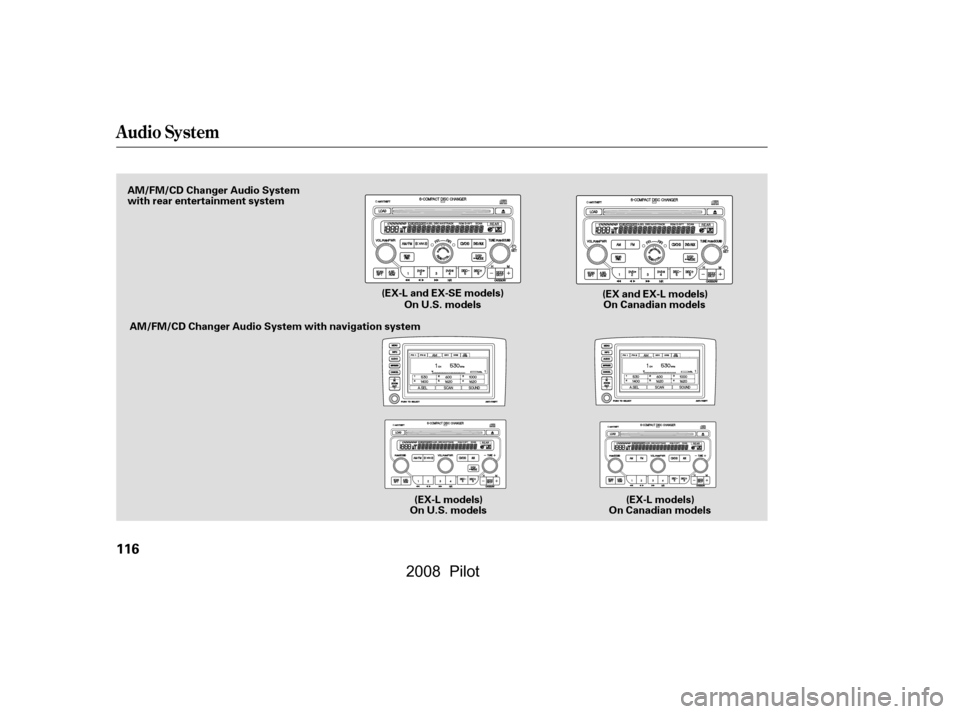
AM/FM/CD Changer Audio System
with rear entertainment system
On U.S. modelsOn Canadian models
AM/FM/CD Changer Audio System with navigation system
(EX-L models)
(EX-L and EX-SE models)
(EX and EX-L models)
�\f���—�\f���—�\f���y�
�
�����������y���
�(���+�����\f�y�\f�
���
�y
2008 Pilot
Page 123 of 329

�µ�µ�µ
If you are
traveling far from home and can no
longer receive your preset stations,
you can use the auto select feature to
find stations in the local area. ,pressthe
A. SEL (auto select) button. This
restores the presets you originally
set.
Press the A. SEL button. ‘‘A. SEL’’
f lashes in the display, and the system
goes into scan mode f or several
seconds. It stores the f requencies of
six AM and twelve FM stations in
the preset buttons.
You will see a ‘‘0’’ displayed af ter
pressing a preset button if auto
select cannot f ind a strong station f or
every preset button.
If you do not like the stations auto
select has stored, you can store
other f requencies on the preset
buttons as previously described. Eachmodeisshowninthedisplayas
it changes. Turn the TUNE/SOUND
knob to adjust the setting to your
liking. When the level reaches the
center, you will see ‘‘C’’ in the display.
The system will automatically return
the display to the selected audio
mode about 5 seconds af ter you stop
adjusting a mode.
These two
modes adjust the strength of the
sound coming f rom each speaker.
BAL adjusts the side-to-side strength,
while FAD adjusts the f ront-to-back
strength.
Press the MODE or SOUND knob
repeatedly to display the Bass (BAS),
Treble (TRE), Fader (FAD), and
Balance (BAL) settings. Use the TRE/BAS
modes to adjust the tone to your
liking.
You can use the instrument panel
brightness control knob to adjust the
illumination of the audio system (see
page ). The audio system
illuminates when the parking lights
are on, even if the system is turned
of f . 76To turn of f auto selectAUTO SELECT
Balance/Fader
Adjusting the SoundTreble/Bass
A udio System L ighting
Playing the Radio
Features
119
�\f���—�\f���—�\f���y�
�
�������
���y���
�(���+�����\f�y�\f�
�����y
2008 Pilot
Page 124 of 329
�µ
�µ
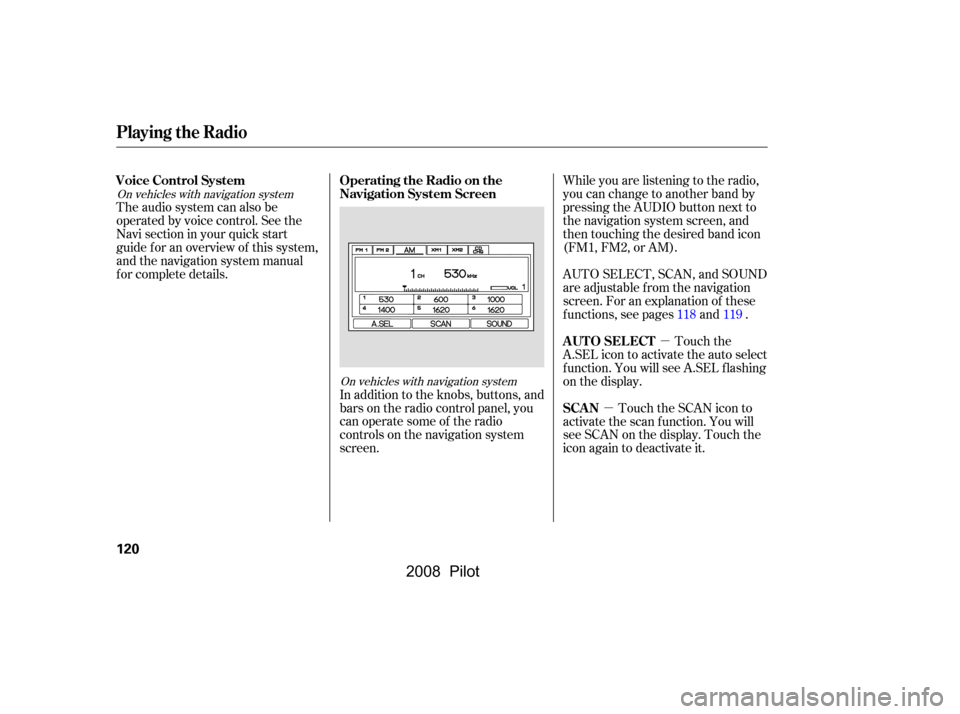
While you are listening to the radio,
you can change to another band by
pressing the AUDIO button next to
the navigation system screen, and
then touching the desired band icon
(FM1, FM2, or AM).
AUTO SELECT, SCAN, and SOUND
are adjustable f rom the navigation
screen. For an explanation of these
f unctions, see pages and .
Touch the
A.SEL icon to activate the auto select
f unction. You will see A.SEL f lashing
on the display.
Touch the SCAN icon to
activate the scan function. You will
see SCAN on the display. Touch the
icon again to deactivate it.
In addition to the knobs, buttons, and
bars on the radio control panel, you
can operate some of the radio
controls on the navigation system
screen.
The audio system can also be
operated by voice control. See the
Navi section in your quick start
guide f or an overview of this system,
and the navigation system manual
f or complete details.
118119
On vehicles with navigation system
On vehicles with navigation system
Playing the Radio
AUTO SELECT
SCAN
Operating the Radio on the
Navigation System Screen
Voice Control System
120
�\f���—�\f���—�\f���y�
�
�����������y���
�(���+�����\f�y�\f�
�����y
2008 Pilot
Page 125 of 329
�µ
�µ �´�µ
You can use the instrument panel
brightness control dial to adjust the
illumination of the audio system (see
page ). The audio system
illuminates when the parking lights
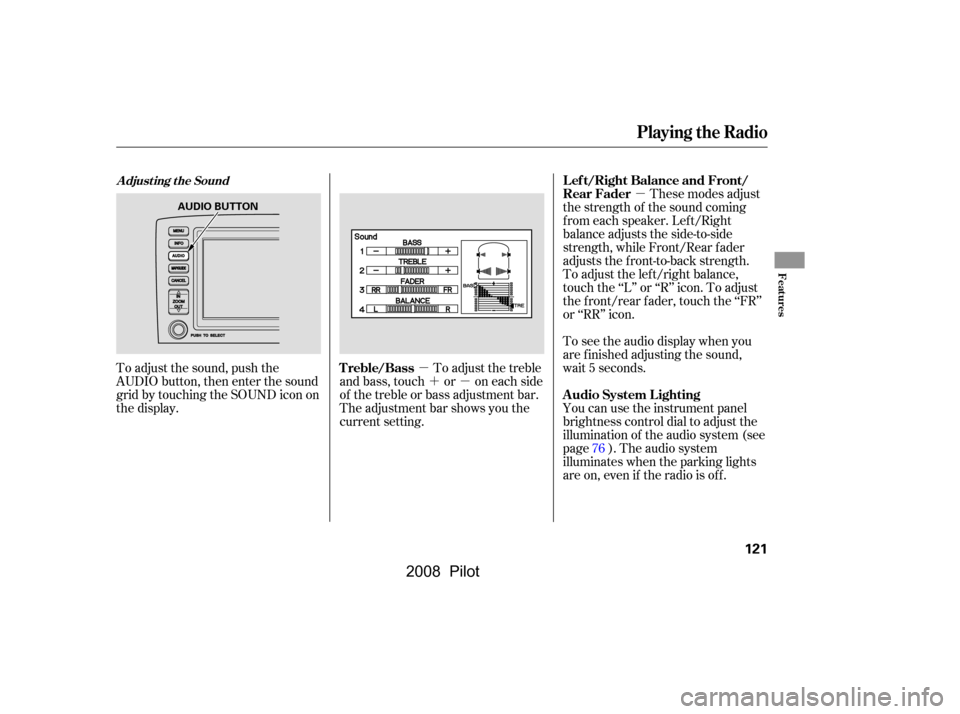
are on, even if the radio is of f .These modes adjust
the strength of the sound coming
f rom each speaker. Lef t/Right
balance adjusts the side-to-side
strength, while Front/Rear f ader
adjusts the front-to-back strength.
To adjust the left/right balance,
touch the ‘‘L’’ or ‘‘R’’ icon. To adjust
the f ront/rear f ader, touch the ‘‘FR’’
or ‘‘RR’’ icon.
To see the audio display when you
are f inished adjusting the sound,
wait 5 seconds.
To adjust the sound, push the
AUDIO button, then enter the sound
grid by touching the SOUND icon on
the display. To adjust the treble
and bass, touch or on each side
of the treble or bass adjustment bar.
The adjustment bar shows you the
current setting.
76
Playing the Radio
A udio System L ighting
L ef t/Right Balance and Front/
Rear Fader
Treble/Bass
A djust ing t he Sound
Features
121
AUDIO BUTTON
�\f���—�\f���—�\f���y�
�
���������
�y���
�(���+�����\f�y�\f�
�����y
2008 Pilot
Page 129 of 329
�µ
CONT INUED
XMis a registered trademark of
XM Satellite Radio, Inc.
Your audio system is capable of
receiving XM
Satellite Radio
anywhere in the United States,
except Hawaii and Alaska.
XM radio receives signals f rom two
satellites to produce clear, high-
quality digital reception. It of f ers
many channels in several categories.
Along with a large selection of
dif f erent types of music, XM radio
allows you to view channel and
category selections in the display.
The navigation system screen also
shows all XM inf ormation when the
AUDIO button is pressed.
To listen to XM radio, turn the
ignition switch to the ACCESSORY
(I) or the ON (II) position. Push the
PWR/VOL knob to turn on the audio system, and press the ‘‘XM’’ button.
Adjust the volume by turning the
PWR/VOL knob. The last channel
you listened to will show in the
display.
You can also change to the XM radio
while you are listening to an FM
station, AM station, CD, etc., by
touching the XM1 or XM2 icon on
the audio display (navigation system
screen).
To switch between
channel mode and category mode,
press and hold the DISP/MODE
button until the mode changes.
In channel mode, you can select all
of the available channels. In category
mode, such as Jazz, Rock, Classical,
etc., you can select all of the
channels within that category.
Each time you press and release the
DISP/MODE button, the display
changes in the f ollowing sequence:
Channel name, channel number,
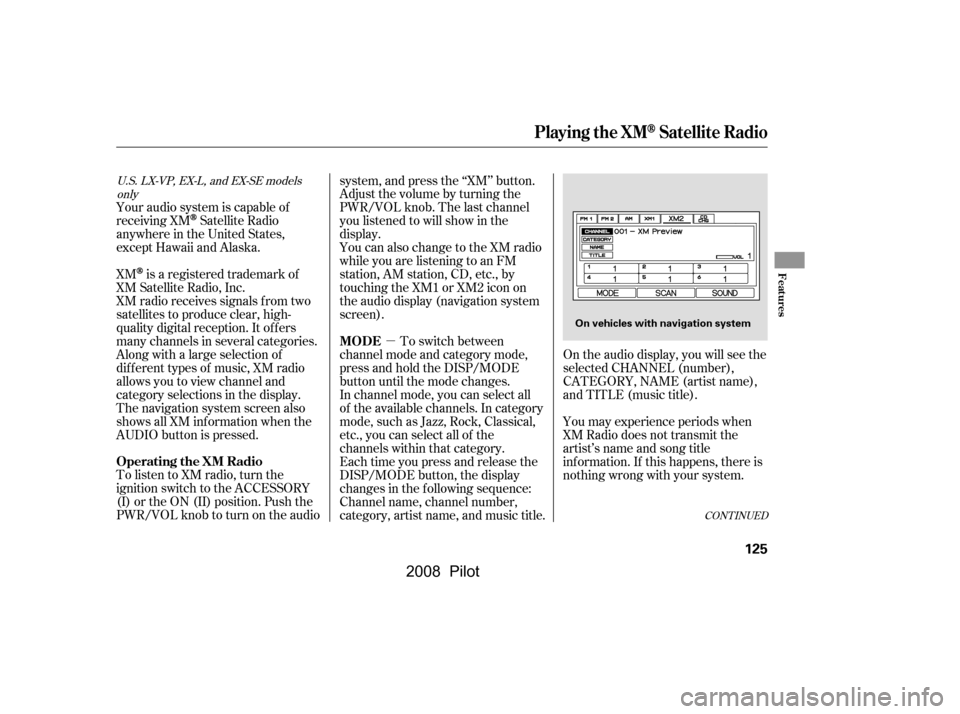
category, artist name, and music title. On the audio display, you will see the
selected CHANNEL (number),
CATEGORY, NAME (artist name),
and TITLE (music title).
You may experience periods when
XM Radio does not transmit the
artist’s name and song title
inf ormation. If this happens, there is
nothing wrong with your system.
U.S. LX-VP, EX-L, and EX-SE models
only
Playing the XMSatellite Radio
Operating the XM Radio MODE
Features
125
On vehicles with navigation system
�\f���—�\f���—�\f���y�
�
����\f��\f���y���
�(���+�����\f�y�\f�
���\f�y
2008 Pilot
Page 130 of 329

�µ
�µ �µ
�µ
�´
�µ Pick a preset number (icon) you
want f or that channel. Press and
hold the bar (icon) until you hear a
beep.
Repeat steps 2 and 3 to store the
f irst six channels.
To store a channel:
Press the XM button. Either XM1
or XM2 will show in the display. Press the XM button again or
touch the other XM icon (XM1 or
XM2) on the audio display. Store
the next six channels using steps 2
and 3.
Press either side of the CATEGORY
bar ( or ) to select another
category.
The scan f unction gives
you a sampling of all channels while
in the channel mode. In the category
mode, only the channels within that
category are scanned. To activate
scan, press the SCAN/RPT button or
touch the SCAN icon on the audio
display. The system plays each
channel in numerical order f or a f ew
seconds, then selects the next
channel. When you hear a channel
you want to continue listening to,
press the button or touch the icon
again. Youcanstoreupto12
preset channels using the six preset
buttons or preset icons on the audio
display. Each button stores one
channel f rom the XM1 band and one
channel f rom the XM2 band.
Once a channel is stored, press and
release the proper preset button
(icon) to tune to it.
Turn the TUNE knob lef t
or right to select channels. In the
category mode, you can only select
channels within that category.
In category mode, only channels
within that category can be selected.
In channel mode, all channels can be
selected.Use the TUNE knob, the
CATEGORY bar, or the SCAN
buttons to tune to a desired
channel.
1.
2. 3.
4.
5.
Playing the XMSatellite Radio
SEEK /SK IP (CA T EGORY)
SCAN
Preset
TUNE
126
�\f���—�\f���—�\f���y�
�
����\f��
���y���
�(���+�����\f�y�\f�
���
�y
2008 Pilot
Page 131 of 329
�µ�µ
�µ
�µ
�µ
�µ
The encryption
code is being
updated. Wait
until the
encryption code is
f ully updated.
Channels 0 and 1
should still work
normally. The signal is
currently too
weak. Move the
vehicle to an area
away from tall
buildings, and
with an
unobstructed view
of the southern
horizon.
The selected channel
number does not exist, or
isnotpartofyour
subscription, or this
channel has no artist or
title information at this
time.
The channel
currently selected is
no longer
broadcasting. XM is loading the
audio or program
inf ormation.
There is a problem
with the XM
antenna. Please
consult your dealer.
Playing the XMSatellite Radio
XM Radio Display Messages
‘‘UPDA T ING’’ ‘‘NO SIGNA L ’’
‘‘----’’
‘‘OFF A IR’’
‘‘L OA DING’’
‘‘A NT ENNA ’’
Features
127
�\f���—�\f���—�\f���y�
�
����\f��
���y���
�(���+�����\f�y�\f�
�����y
2008 Pilot