Page 131 of 413
�Î
�Î �Î
�Î
�Î
�Î
�ΠIf equipped
:
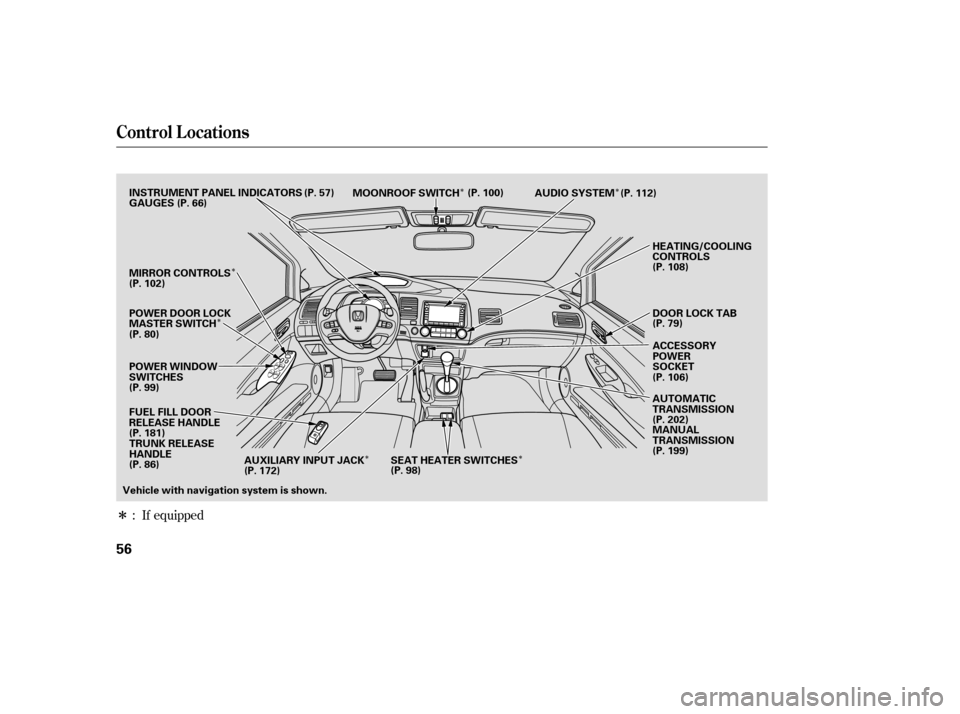
Control L ocations
56
POWER WINDOW
SWITCHES AUDIO SYSTEM
HEATING/COOLING
CONTROLS
POWER DOOR LOCK
MASTER SWITCH MOONROOF SWITCH
INSTRUMENT PANEL INDICATORS
ACCESSORY
POWER
SOCKET
DOOR LOCK TAB
GAUGES
(P. 57)
(P. 66)
(P. 80) (P. 79)
MIRROR CONTROLS
(P. 108)
FUEL FILL DOOR
RELEASE HANDLE
(P. 181) TRUNK RELEASE
HANDLE
Vehicle with navigation system is shown. AUTOMATIC
TRANSMISSION
(P. 202)
MANUAL
TRANSMISSION
(P. 199)
(P. 112)
(P. 100)
(P. 102)
(P. 99) (P. 86) (P. 106)
SEAT HEATER SWITCHES
(P. 98)
AUXILIARY INPUT JACK
(P. 172)
�����—�����—�����y���������������y���
�(�#���������y�������
�y
Page 146 of 413
�Î
�Î
�Î �Î �Î
�Î
�Π��ΠOnly on vehicles equipped with navigation system. Ref er to the navigati on system manual.
To use the horn, press the center pad of the steering wheel.
If equipped
1:2:3:
Controls Near the Steering Wheel
70
HEADLIGHTS/
TURN SIGNALS
HAZARD WARNING
BUTTON
PASSENGER AIRBAG
OFF INDICATOR
SEL/RESET BUTTON WINDSHIELD
WIPERS/WASHERS
INSTRUMENT PANEL BRIGHTNESS
DISPLAY CHANGE BUTTON
REAR WINDOW
DEFOGGER
(P. 73)
(P. 66)
(P. 66)
(P. 74)
(P. 74)
(P. 30)
(P. 72)
(P. 71)
STEERING WHEEL
ADJUSTMENT HORN
(P. 75)
Vehicle with navigation system is shown. HOOD RELEASE HANDLE
(P. 182)VEHICLE STABILITY ASSIST
(VSA) SYSTEM OFF SWITCH
REMOTE AUDIO CONTROLS
VOICE CONTROL SWITCHES HEATED MIRRORS
(P. 211)
(P. 171)
(P. 103)CRUISE CONTROL
BUTTONS
(P. 176)
1
2
2 3 2
2
�����—�����—�����y��������
������y���
�(�#���������y���������y
Page 155 of 413
�µ
�µ
�µ
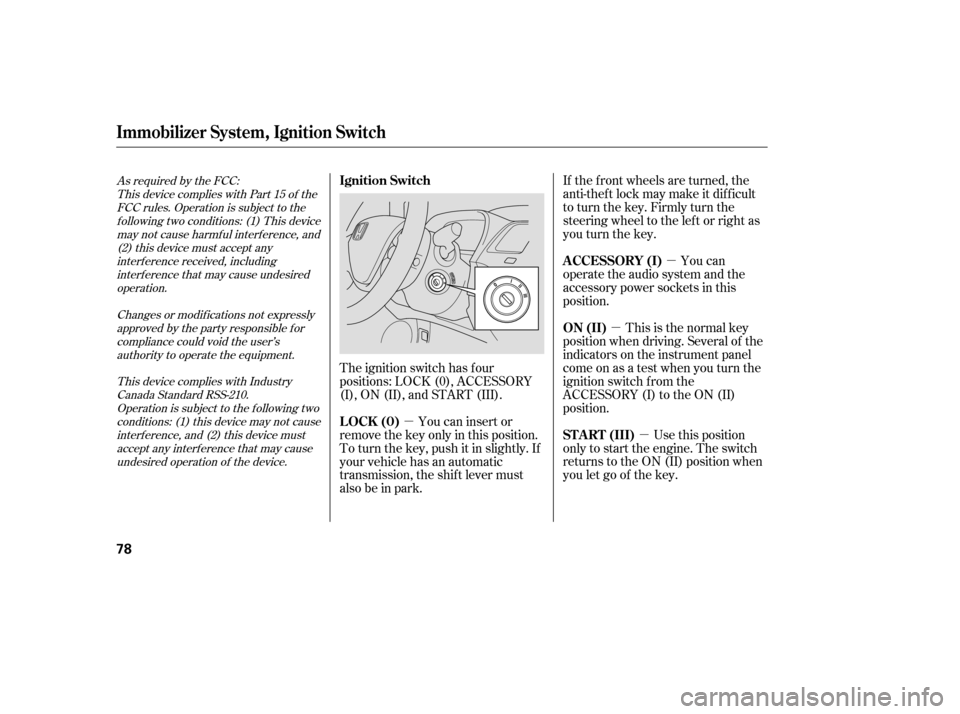
�µ If the f ront wheels are turned, the
anti-thef t lock may make it dif f icult
to turn the key. Firmly turn the
steering wheel to the lef t or right as
you turn the key.
You can
operate the audio system and the
accessory power sockets in this
position.
This is the normal key
position when driving. Several of the
indicators on the instrument panel
come on as a test when you turn the
ignition switch f rom the
ACCESSORY (I) to the ON (II)
position.
Use this position
only to start the engine. The switch
returns to the ON (II) position when
you let go of the key.
You can insert or
remove the key only in this position.
To turn the key, push it in slightly. If
your vehicle has an automatic
transmission, the shif t lever must
also be in park.
The ignition switch has f our
positions: LOCK (0), ACCESSORY
(I), ON (II), and START (III).
As required by the FCC:
This device complies with Part 15 of theFCC rules. Operation is subject to the
f ollowing two conditions: (1) This devicemay not cause harmf ul interf erence, and (2) this device must accept any
interf erence received, includinginterf erence that may cause undesiredoperation.
Changes or modif ications not expresslyapproved by the party responsible f or
compliance could void the user’sauthority to operate the equipment.
This device complies with IndustryCanada Standard RSS-210.Operation is subject to the f ollowing two
conditions: (1) this device may not causeinterf erence, and (2) this device mustaccept any interf erence that may cause
undesired operation of the device.
Immobilizer Syst em, Ignit ion Switch
A CCESSORY (I)
ON (II)
ST A RT (III)
Ignition Switch
LOCK (0)
78
�����—�����—�����y�����������
�
�y���
�(�#���������y���������y
Page 156 of 413
�µ
�µ
�µ
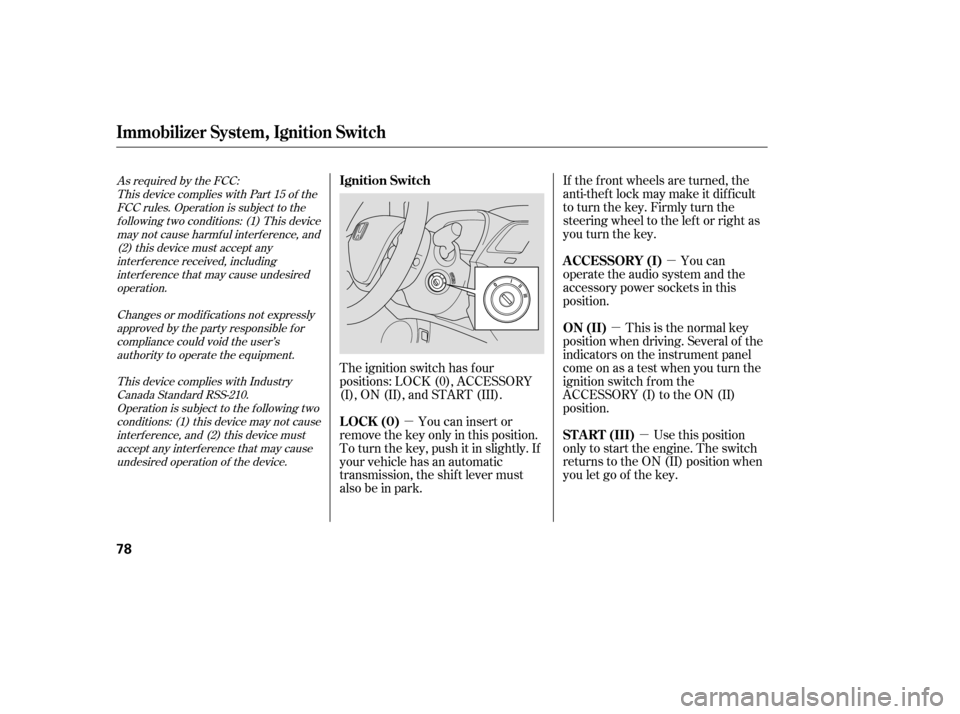
�µ If the f ront wheels are turned, the
anti-thef t lock may make it dif f icult
to turn the key. Firmly turn the
steering wheel to the lef t or right as
you turn the key.
You can
operate the audio system and the
accessory power sockets in this
position.
This is the normal key
position when driving. Several of the
indicators on the instrument panel
come on as a test when you turn the
ignition switch f rom the
ACCESSORY (I) to the ON (II)
position.
Use this position
only to start the engine. The switch
returns to the ON (II) position when
you let go of the key.
You can insert or
remove the key only in this position.
To turn the key, push it in slightly. If
your vehicle has an automatic
transmission, the shif t lever must
also be in park.
The ignition switch has f our
positions: LOCK (0), ACCESSORY
(I), ON (II), and START (III).
As required by the FCC:
This device complies with Part 15 of theFCC rules. Operation is subject to the
f ollowing two conditions: (1) This devicemay not cause harmf ul interf erence, and (2) this device must accept any
interf erence received, includinginterf erence that may cause undesiredoperation.
Changes or modif ications not expresslyapproved by the party responsible f or
compliance could void the user’sauthority to operate the equipment.
This device complies with IndustryCanada Standard RSS-210.Operation is subject to the f ollowing two
conditions: (1) this device may not causeinterf erence, and (2) this device mustaccept any interf erence that may cause
undesired operation of the device.
Immobilizer Syst em, Ignit ion Switch
A CCESSORY (I)
ON (II)
ST A RT (III)
Ignition Switch
LOCK (0)
78
�����—�����—�����y�����������
�
�y���
�(�#���������y���������y
Page 197 of 413
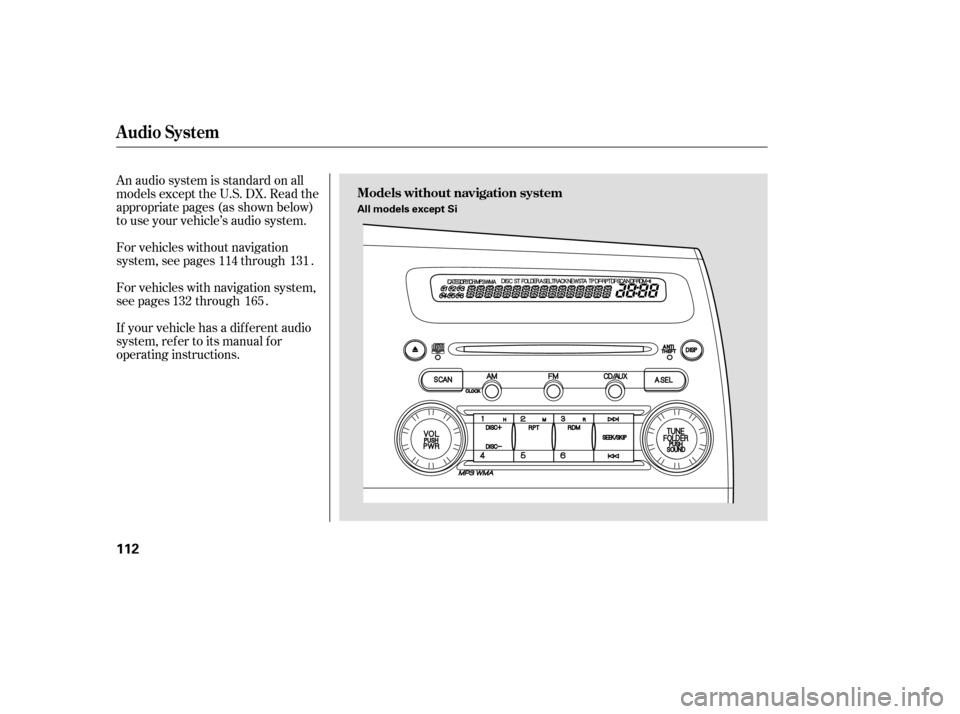
An audio system is standard on all
models except the U.S. DX. Read the
appropriate pages (as shown below)
to use your vehicle’s audio system.
For vehicles with navigation system,
see pages through .
If your vehicle has a dif f erent audio
system, ref er to its manual f or
operating instructions.
For vehicles without navigation
system, see pages through .
131
132 114
165
Audio System
Models without navigation system
112
All models except Si
�����—�����—�����y���������������y���
�(�#���������y���
�
���y
Page 198 of 413
Audio System
Features
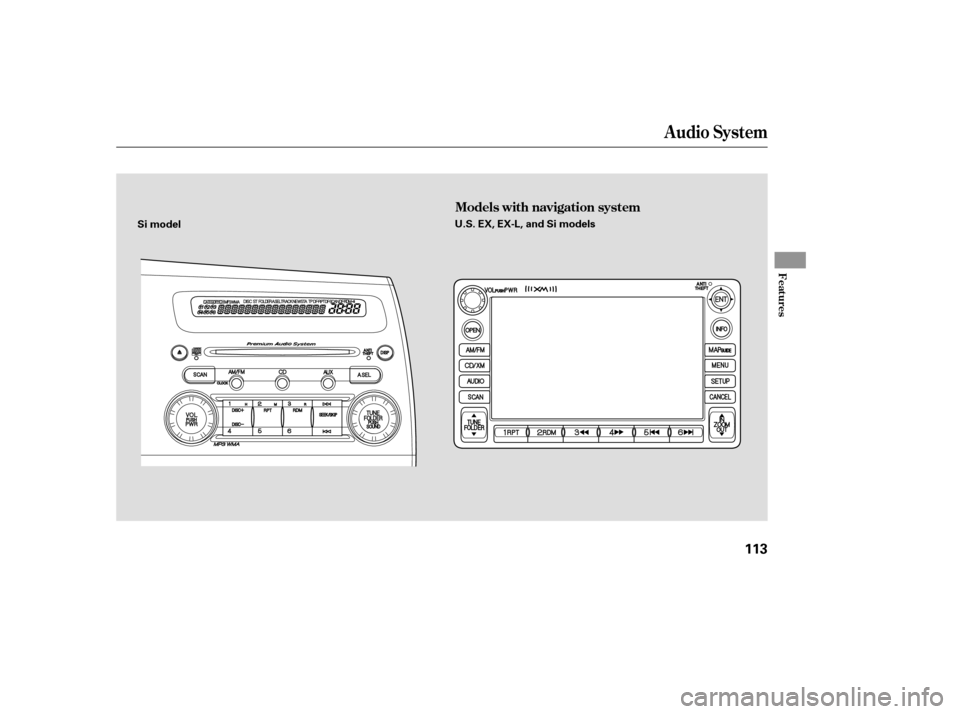
Models with navigation system
113
Si modelU.S. EX, EX-L, and Si models
�����—�����—�����y���������������y���
�(�#���������y���
�
���y
Page 199 of 413
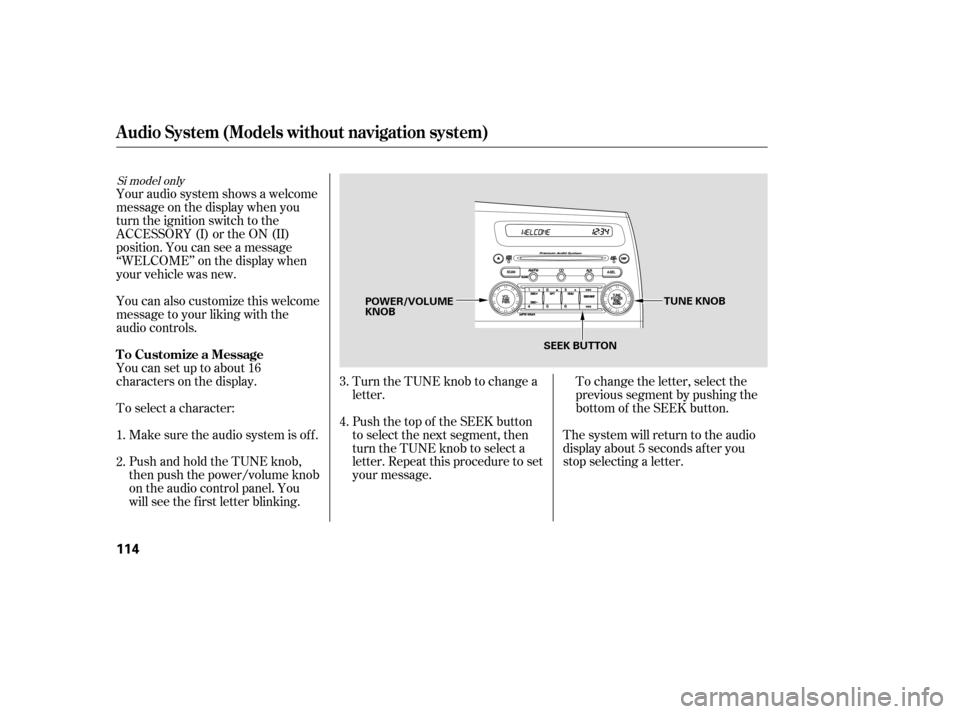
To change the letter, select the
previous segment by pushing the
bottom of the SEEK button.
Turn the TUNE knob to change a
letter.
Push the top of the SEEK button
to select the next segment, then
turn the TUNE knob to select a
letter. Repeat this procedure to set
your message. The system will return to the audio
display about 5 seconds af ter you
stop selecting a letter.
PushandholdtheTUNEknob,
then push the power/volume knob
on the audio control panel. You
will see the f irst letter blinking.
Make sure the audio system is of f .
To select a character:
Youcansetuptoabout16
characters on the display.
You can also customize this welcome
message to your liking with the
audio controls.
Your audio system shows a welcome
message on the display when you
turn the ignition switch to the
ACCESSORY (I) or the ON (II)
position. You can see a message
‘‘WELCOME’’ on the display when
your vehicle was new. 2.
3. 4.
1.
Si model only
Audio System (Models without navigation system)
T o Customize a Message
114
TUNE KNOB
POWER/VOLUME KNOB
SEEK BUTTON
�����—�����—�����y�����������
���y���
�(�#���������y���
�
���y
Page 200 of 413
CONT INUED
Audio System (Models without navigation system)
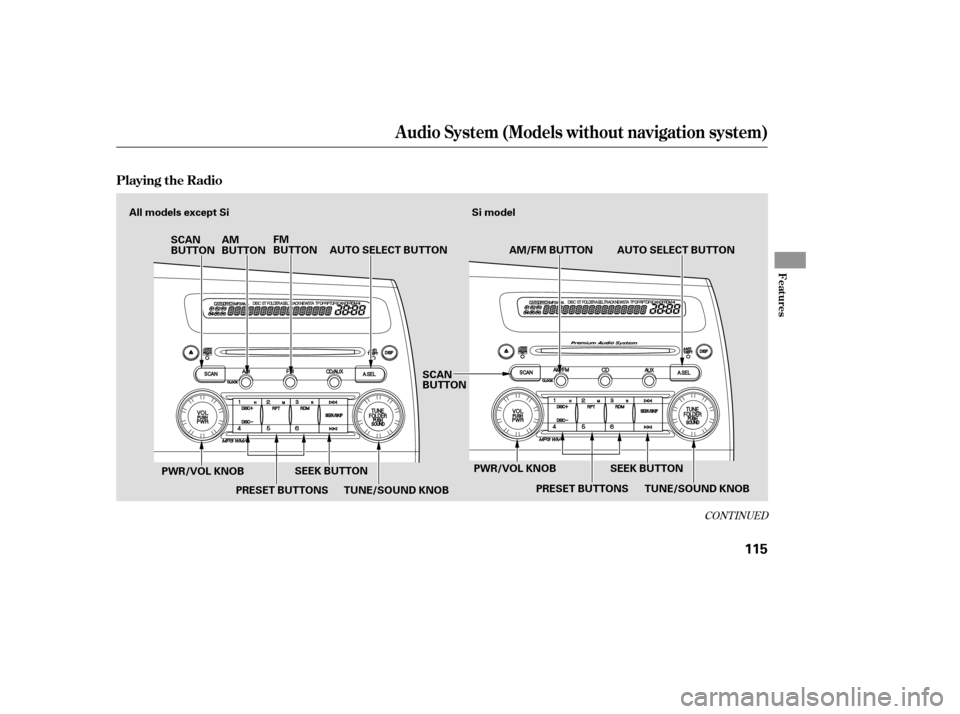
Playing the Radio
Features
115
TUNE/SOUND KNOBAUTO SELECT BUTTON
AM/FM BUTTON
AM
BUTTON FM
BUTTON
SCAN
BUTTON
TUNE/SOUND KNOB
SCAN
BUTTON
SEEK BUTTON
Si model
PRESET BUTTONS SEEK BUTTON
PWR/VOL KNOB AUTO SELECT BUTTON
PWR/VOL KNOBPRESET BUTTONS
All models except Si
�����—�����—�����y���������������y���
�(�#���������y���
�����y