Page 75 of 413
If you sit too close to the steering
wheel or dashboard, you can be
seriously injured by an inf lating f ront
airbag, or by striking the steering
wheel or dashboard.
If you cannot get f ar enough away
f rom the steering wheel and still
reach the controls, we recommend
that you investigate whether some
type of adaptive equipment may help.Once your seat is adjusted correctly,
rock it back and f orth to make sure
the seat is locked in position.
See page f or how to adjust the
f ront seats.
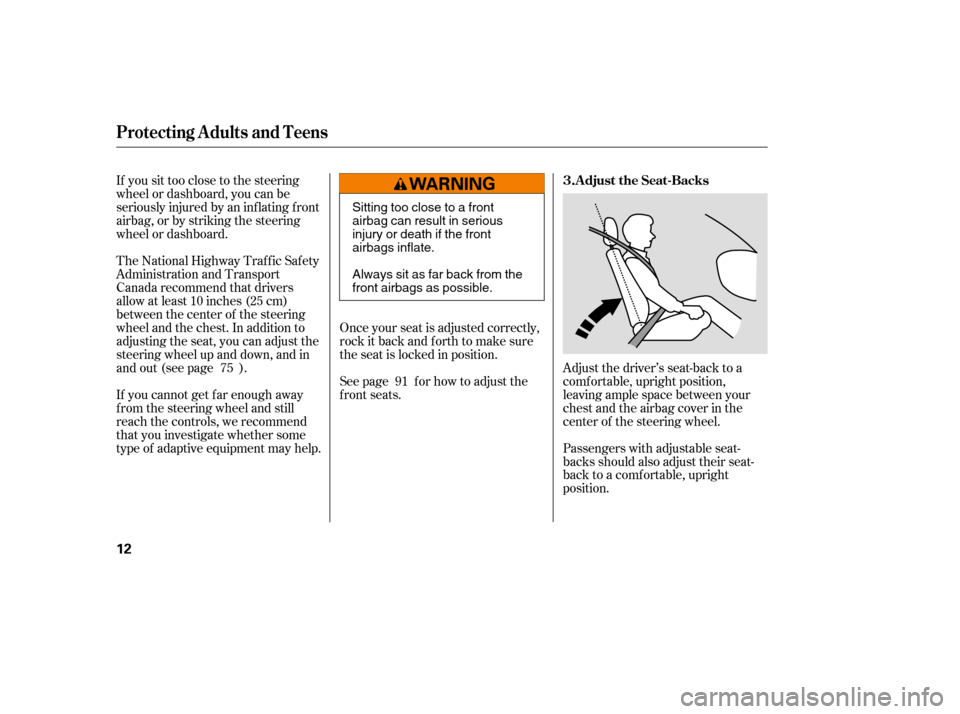
Adjust the driver’s seat-back to a
comf ortable, upright position,
leaving ample space between your
chest and the airbag cover in the
center of the steering wheel.
Passengers with adjustable seat-
backs should also adjust their seat-
back to a comf ortable, upright
position.
The National Highway Traffic Safety
Administration and Transport
Canada recommend that drivers
allow at least 10 inches (25 cm)
between the center of the steering
wheel and the chest. In addition to
adjusting the seat, you can adjust the
steering wheel up and down, and in
and out (see page ).
75
91 Adjust the Seat-Backs
3.
Protecting A dults and T eens
12
Sitting too close to a front
airbag can result in serious
injury or death if the front
airbags inflate.
Always sit as far back from the
front airbags as possible.
�����—�����—�����y�������������
�y���
�(�#���������y�����
���y
Page 89 of 413
Two SRS (supplemental restraint
system) f ront airbags. The driver’s
airbag is stored in the center of
the steering wheel; the f ront
passenger’sairbagisstoredinthe
dashboard. Both are marked ‘‘SRS
AIRBAG’’ (see page ).
Two side airbags, one f or the
driver and one f or a f ront
passenger. The airbags are stored
in the outer edges of the seat-
backs. Both are marked ‘‘SIDE
AIRBAG’’ (see page ).
Two side curtain airbags, one f or
each side of the vehicle. The
airbags are stored in the ceiling,
above the side windows. The f ront
and rear pillars are marked ‘‘SIDE
CURTAIN AIRBAG’’ (see page).
Your airbag system includes:
2427
29
Additional Inf ormation About Your Airbags
22
(16)
(15)
(15)
(15) Side Impact Sensor (Second)
(16) Side Curtain Airbags
�����—�����—�����y���������������y���
�(�#���������y���������y
Page 138 of 413

If you turn the steering wheel to the
f ull lef t or right position repeatedly
while stopping or driving at very low
speed, you may f eel slightly harder
steering due to overheating of the
steering gear box.This indicator normally comes on f or
a f ew seconds when you turn the
ignition switch to the ON (II)
position.
If this indicator comes on and stays
on at any other time, or if it does not
come on when you turn the ignition
switch to the ON (II) position, there
is a problem with the TPMS. With
this indicator on, the low tire
pressure indicator will not come on
when a tire loses pressure. Take the
vehicle to your dealer to have the
system checked.
This indicator normally comes on f or
a f ew seconds when you turn the
ignition switch to the ON (II)
position.
If it comes on while driving, it
indicates that one or more of your
vehicle’s tires are signif icantly low
on pressure.
If this happens, pull to the side of the
road when it is saf e, check which tire
has lost the pressure, and determine
the cause. If it is because of a flat tire,
replace the flat tire with the compact
spare (see page ), and have the
f lat tire repaired as soon as possible.
If two or more tires are underinf lated,
call a prof essional towing service
(see page ). For more
inf ormation, see page .
267
286 212
U.S. models only
U.S. models only
Instrument Panel Indicators
Tire Pressure Monitoring
System (T PMS) Indicator
Low Tire Pressure
Indicator
Inst rument s and Cont rols
63
�����—�����—�����y���������������y���
�(�#���������y���������y
Page 146 of 413
�Î
�Î
�Î �Î �Î
�Î
�Π��ΠOnly on vehicles equipped with navigation system. Ref er to the navigati on system manual.
To use the horn, press the center pad of the steering wheel.
If equipped
1:2:3:
Controls Near the Steering Wheel
70
HEADLIGHTS/
TURN SIGNALS
HAZARD WARNING
BUTTON
PASSENGER AIRBAG
OFF INDICATOR
SEL/RESET BUTTON WINDSHIELD
WIPERS/WASHERS
INSTRUMENT PANEL BRIGHTNESS
DISPLAY CHANGE BUTTON
REAR WINDOW
DEFOGGER
(P. 73)
(P. 66)
(P. 66)
(P. 74)
(P. 74)
(P. 30)
(P. 72)
(P. 71)
STEERING WHEEL
ADJUSTMENT HORN
(P. 75)
Vehicle with navigation system is shown. HOOD RELEASE HANDLE
(P. 182)VEHICLE STABILITY ASSIST
(VSA) SYSTEM OFF SWITCH
REMOTE AUDIO CONTROLS
VOICE CONTROL SWITCHES HEATED MIRRORS
(P. 211)
(P. 171)
(P. 103)CRUISE CONTROL
BUTTONS
(P. 176)
1
2
2 3 2
2
�����—�����—�����y��������
������y���
�(�#���������y���������y
Page 151 of 413
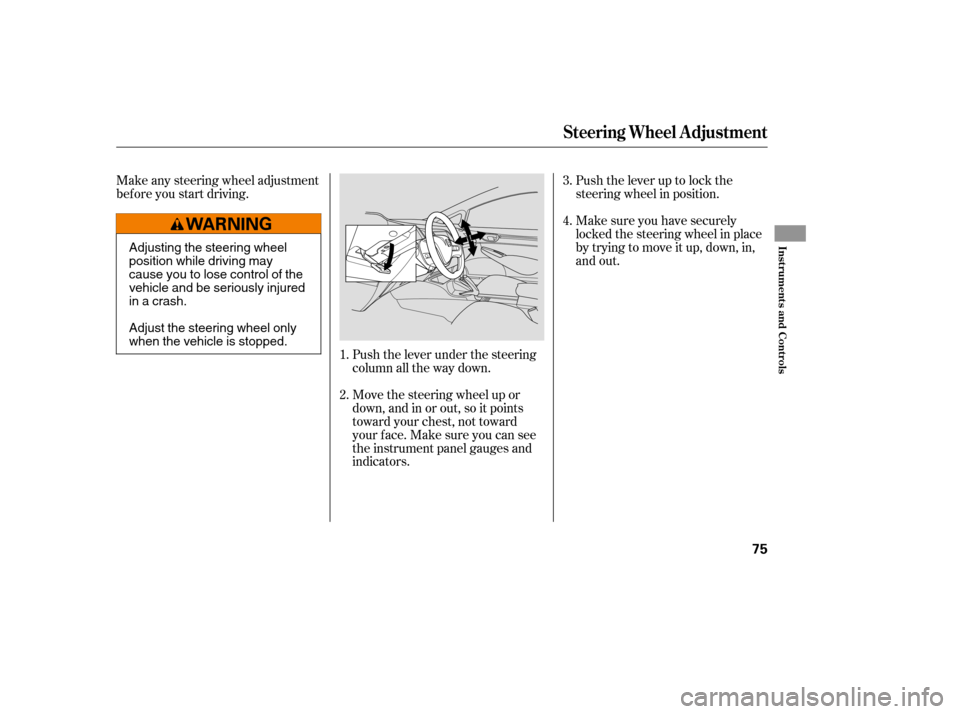
Make sure you have securely
locked the steering wheel in place
by trying to move it up, down, in,
and out.
Push the lever up to lock the
steering wheel in position.
Push the lever under the steering
column all the way down.
Move the steering wheel up or
down, and in or out, so it points
toward your chest, not toward
your f ace. Make sure you can see
the instrument panel gauges and
indicators.
Make any steering wheel adjustment
bef ore you start driving.
1.4.
2. 3.
Steering Wheel A djustment
Inst rument s and Cont rols
75
Adjusting the steering wheel
position while driving may
cause you to lose control of the
vehicle and be seriously injured
inacrash.
Adjust the steering wheel only
when the vehicle is stopped.
�����—�����—�����y��������
������y���
�(�#���������y���������y
Page 155 of 413
�µ
�µ
�µ
�µ If the f ront wheels are turned, the
anti-thef t lock may make it dif f icult
to turn the key. Firmly turn the
steering wheel to the lef t or right as
you turn the key.
You can
operate the audio system and the
accessory power sockets in this
position.
This is the normal key
position when driving. Several of the
indicators on the instrument panel
come on as a test when you turn the
ignition switch f rom the
ACCESSORY (I) to the ON (II)
position.
Use this position
only to start the engine. The switch
returns to the ON (II) position when
you let go of the key.
You can insert or
remove the key only in this position.
To turn the key, push it in slightly. If
your vehicle has an automatic
transmission, the shif t lever must
also be in park.
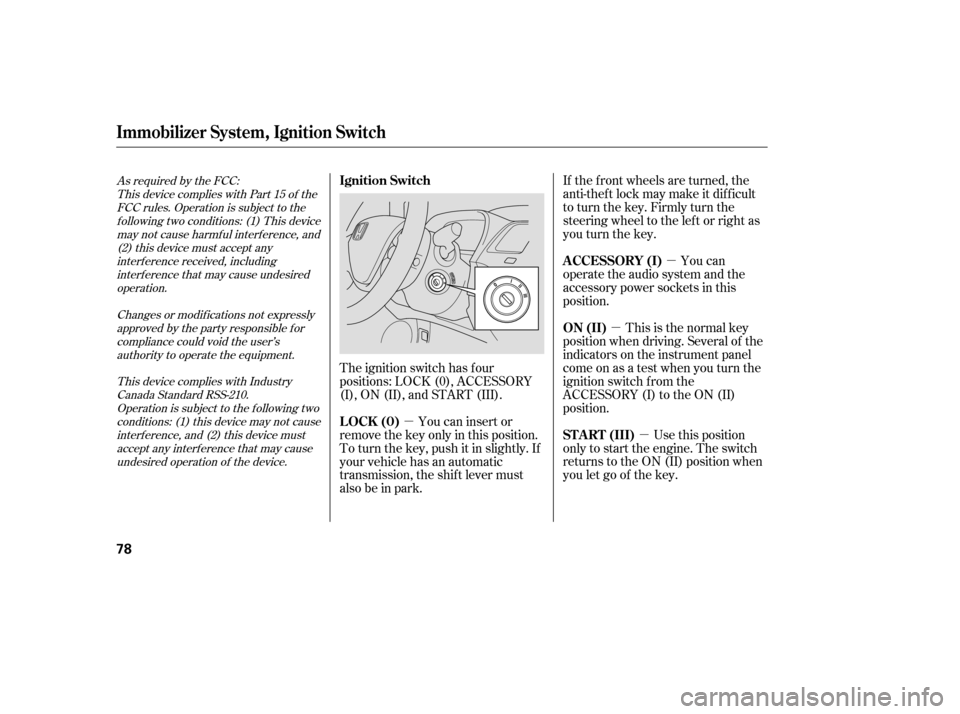
The ignition switch has f our
positions: LOCK (0), ACCESSORY
(I), ON (II), and START (III).
As required by the FCC:
This device complies with Part 15 of theFCC rules. Operation is subject to the
f ollowing two conditions: (1) This devicemay not cause harmf ul interf erence, and (2) this device must accept any
interf erence received, includinginterf erence that may cause undesiredoperation.
Changes or modif ications not expresslyapproved by the party responsible f or
compliance could void the user’sauthority to operate the equipment.
This device complies with IndustryCanada Standard RSS-210.Operation is subject to the f ollowing two
conditions: (1) this device may not causeinterf erence, and (2) this device mustaccept any interf erence that may cause
undesired operation of the device.
Immobilizer Syst em, Ignit ion Switch
A CCESSORY (I)
ON (II)
ST A RT (III)
Ignition Switch
LOCK (0)
78
�����—�����—�����y�����������
�
�y���
�(�#���������y���������y
Page 156 of 413
�µ
�µ
�µ
�µ If the f ront wheels are turned, the
anti-thef t lock may make it dif f icult
to turn the key. Firmly turn the
steering wheel to the lef t or right as
you turn the key.
You can
operate the audio system and the
accessory power sockets in this
position.
This is the normal key
position when driving. Several of the
indicators on the instrument panel
come on as a test when you turn the
ignition switch f rom the
ACCESSORY (I) to the ON (II)
position.
Use this position
only to start the engine. The switch
returns to the ON (II) position when
you let go of the key.
You can insert or
remove the key only in this position.
To turn the key, push it in slightly. If
your vehicle has an automatic
transmission, the shif t lever must
also be in park.
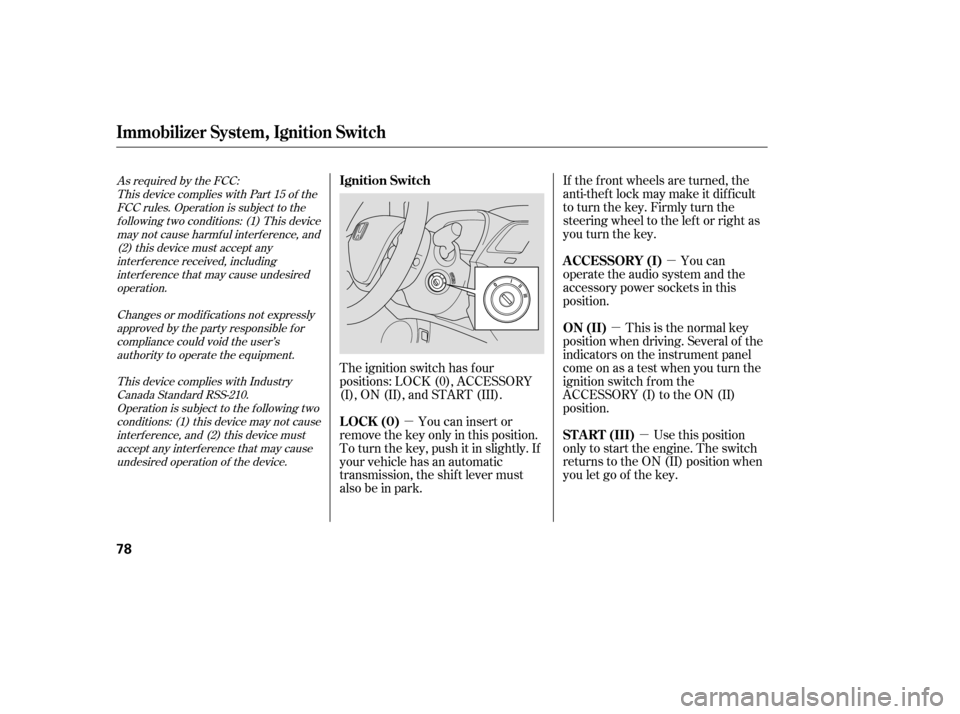
The ignition switch has f our
positions: LOCK (0), ACCESSORY
(I), ON (II), and START (III).
As required by the FCC:
This device complies with Part 15 of theFCC rules. Operation is subject to the
f ollowing two conditions: (1) This devicemay not cause harmf ul interf erence, and (2) this device must accept any
interf erence received, includinginterf erence that may cause undesiredoperation.
Changes or modif ications not expresslyapproved by the party responsible f or
compliance could void the user’sauthority to operate the equipment.
This device complies with IndustryCanada Standard RSS-210.Operation is subject to the f ollowing two
conditions: (1) this device may not causeinterf erence, and (2) this device mustaccept any interf erence that may cause
undesired operation of the device.
Immobilizer Syst em, Ignit ion Switch
A CCESSORY (I)
ON (II)
ST A RT (III)
Ignition Switch
LOCK (0)
78
�����—�����—�����y�����������
�
�y���
�(�#���������y���������y
Page 196 of 413

To remove f og f rom the inside of the
windows:Set the f an to the desired speed, or
high f or f aster def rosting.
Select . When you select , the system automatically
switches to f resh air mode and
turns on the A/C (if equipped).
The A/C indicator will not come
on, if it was previously of f .
Adjust the temperature so the
airf low f eels warm.
Select to help clear the
rear window.
To increase airf low to the
windshield, close the corner vents. To clear the windows f aster, you can
close the dashboard corner vents by
rotating the wheel next to each vent.
This sends more warm air to the
windshield def roster vents. Once the
windshield is clear, select f resh air
mode to avoid f ogging the windows.
For your saf ety, make sure you have
a clear view through all the windows
bef ore driving.
Turning the f an speed control dial all
the way to the left shuts the system
of f .
Keep the system of f f or short
periods only.
To keep stale air and mustiness
f rom collecting, you should have
the f an running at all times.
When you switch to , f rom
or , the A/C stays on.
This helps prevent the windows f rom
rapidly f ogging up when the air is
suddenly routed away f rom the
windshield. If you want to turn the
A/C off, press and release the A/C
button twice. The indicator in the
buttoncomesonandthengoesoff.
Select . When you select , the system automatically
switches to f resh air mode and
turns on the A/C (if equipped).
The A/C indicator will not come
on, if it was previously of f .
Select .
Set the f an and temperature
controls to maximum level.
5.
1. 2. 3.
1. 2. 3. 4.
Vents, Heating, and A/C
T o Def og and Def rost
T o Remove Exterior Frost or Ice
From the WindowsTo Turn Everything Of f
Features
111
�����—�����—�����y���������������y���
�(�#���������y���
�
���y