Page 177 of 420
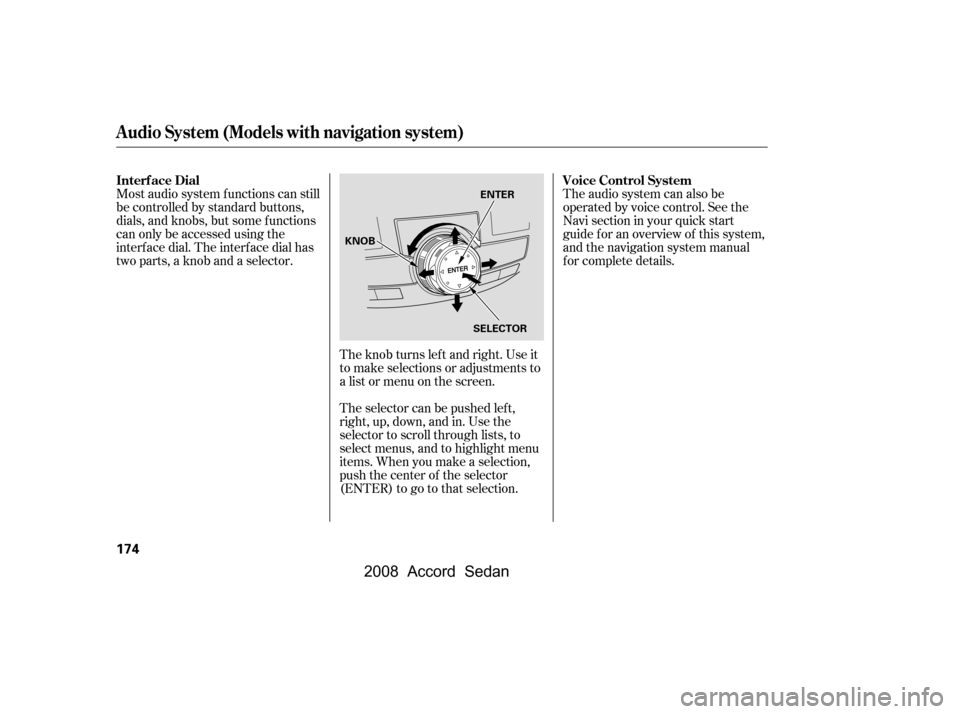
Most audio system f unctions can still
be controlled by standard buttons,
dials, and knobs, but some f unctions
can only be accessed using the
interf ace dial. The interf ace dial has
two parts, a knob and a selector.The knob turns lef t and right. Use it
to make selections or adjustments to
a list or menu on the screen.
The selector can be pushed lef t,
right, up, down, and in. Use the
selector to scroll through lists, to
select menus, and to highlight menu
items. When you make a selection,
push the center of the selector
(ENTER)togotothatselection.The audio system can also be
operated by voice control. See the
Navi section in your quick start
guide f or an overview of this system,
and the navigation system manual
f or complete details.
Interf ace Dial Voice Control System
Audio System (Models with navigation system)
174
ENTER
SELECTOR
KNOB
�\f���—�\f���—�
���y�
�
�����������y���
�)���\f���\f�\f�y�\f�
�����y
2008 Accord Sedan
Page 181 of 420

�µIf you are
traveling far from home and can no
longer receive your preset stations,
you can use the auto select feature to
find stations in the local area.
Usethetune,skip(seek),scan,or
RDS function to tune the radio to a
desired station.
Press the preset button, and hold
it until you hear a beep. You can
also store f requencies with the
interf ace dial. Select the preset
icon you want to store the
f requency on, then press ENTER
on the interf ace selector, and hold
it f or more than 2 seconds.
Repeat steps 1 through 3 to store a
total of six stations on AM and
twelve stations on FM.
Push the interf ace selector down to
scroll down the screen, highlight
A.SEL, then press ENTER on the
interf ace selector. You will see
A.SEL on the screen, and the system
goes into scan mode f or several
seconds. press ENTER
on the interf ace selector.
You can also press the A.SEL side of
the SCAN/A.SEL bar. You will see
A.SEL on the screen, and the system
goes into scan mode f or several
seconds. The system stores the
f requencies of six AM and twelve
FM stations in the preset buttons.
You will see ‘‘0’’ displayed if auto
select cannot f ind a strong station f or
every preset button.
If you do not like the stations auto
select has stored, you can store
other f requencies on the preset
buttons (icons) as previously
described.
2.
3.
4.
To turn of f auto select,
AUTO SELECT
Playing the FM/A M Radio (Models with navigation system)
178
A.SEL INDICATOR
PRESET ICON
A.SEL ICON
�\f���—�\f���—�
���y�
�
�����������y���
�)���\f���\f�\f�y�\f�
�����y
2008 Accord Sedan
Page 200 of 420
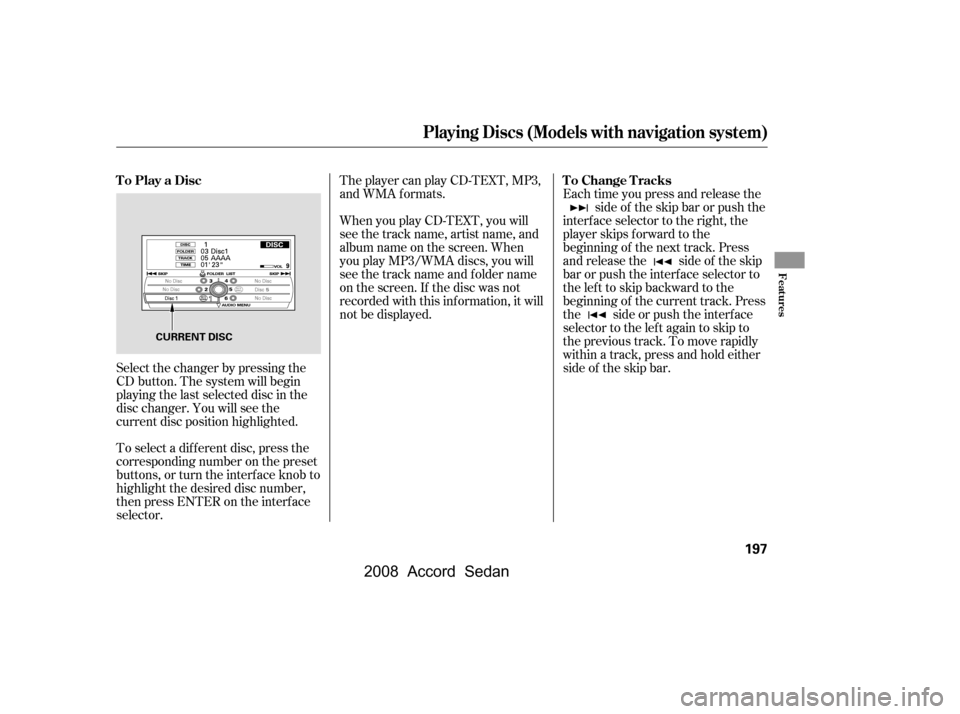
When you play CD-TEXT, you will
see the track name, artist name, and
album name on the screen. When
you play MP3/WMA discs, you will
see the track name and folder name
on the screen. If the disc was not
recorded with this inf ormation, it will
not be displayed.
The player can play CD-TEXT, MP3,
and WMA formats.
Select the changer by pressing the
CD button. The system will begin
playing the last selected disc in the
disc changer. You will see the
current disc position highlighted.
To select a dif f erent disc, press the
corresponding number on the preset
buttons, or turn the interf ace knob to
highlight the desired disc number,
then press ENTER on the interf ace
selector. Each time you press and release the
side of the skip bar or push the
interface selector to the right, the
player skips f orward to the
beginning of the next track. Press
and release the side of the skip
barorpushtheinterfaceselectorto
thelefttoskipbackwardtothe
beginning of the current track. Press
the side or push the interf ace
selector to the left again to skip to
the previous track. To move rapidly
within a track, press and hold either
side of the skip bar.
To Play a Disc To Change Tracks
Playing Discs (Models with navigation system)
Features
197
CURRENT DISC
�\f���—�\f���—�
���y�
�
�����������y���
�)���\f���\f�\f�y�\f���\f���y
2008 Accord Sedan
Page 201 of 420
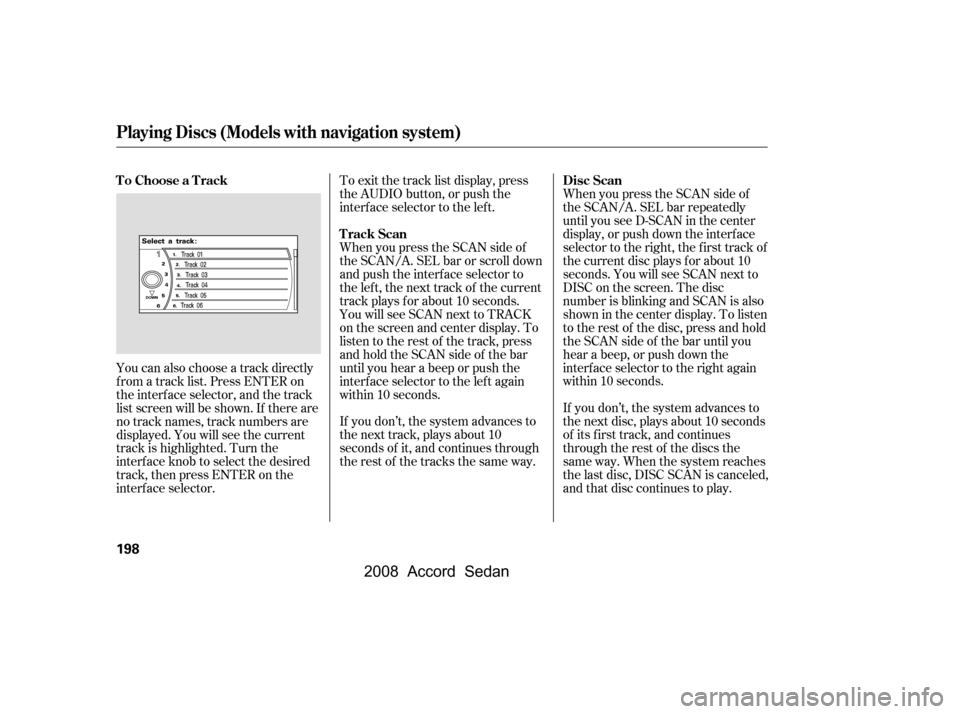
You can also choose a track directly
f rom a track list. Press ENTER on
the interf ace selector, and the track
list screen will be shown. If there are
no track names, track numbers are
displayed. You will see the current
track is highlighted. Turn the
interf ace knob to select the desired
track, then press ENTER on the
interf ace selector.To exit the track list display, press
the AUDIO button, or push the
interf ace selector to the lef t.
When you press the SCAN side of
the SCAN/A. SEL bar or scroll down
and push the interf ace selector to
the left, the next track of the current
track plays f or about 10 seconds.
You will see SCAN next to TRACK
on the screen and center display. To
listen to the rest of the track, press
andholdtheSCANsideof thebar
until you hear a beep or push the
interface selector to the left again
within 10 seconds.
If you don’t, the system advances to
the next track, plays about 10
seconds of it, and continues through
the rest of the tracks the same way.
When you press the SCAN side of
the SCAN/A. SEL bar repeatedly
until you see D-SCAN in the center
display, or push down the interf ace
selector to the right, the first track of
the current disc plays f or about 10
seconds. You will see SCAN next to
DISC on the screen. The disc
number is blinking and SCAN is also
shown in the center display. To listen
to the rest of the disc, press and hold
the SCAN side of the bar until you
hear a beep, or push down the
interf ace selector to the right again
within 10 seconds.
If you don’t, the system advances to
the next disc, plays about 10 seconds
of its f irst track, and continues
through the rest of the discs the
same way. When the system reaches
the last disc, DISC SCAN is canceled,
and that disc continues to play.
To Choose a Track
Track ScanDisc Scan
Playing Discs (Models with navigation system)
198
�\f���—�\f���—�����y�
�\f��
�\f������y���
�)���\f���\f�\f�y�\f���\f���y
2008 Accord Sedan
Page 202 of 420
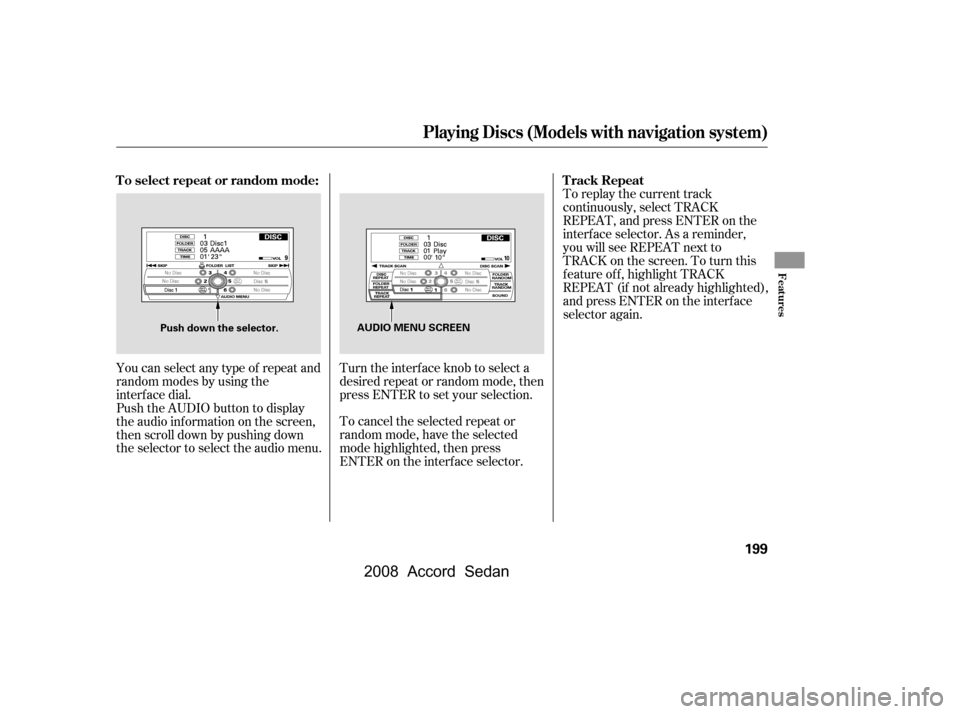
You can select any type of repeat and
random modes by using the
interf ace dial.
Push the AUDIO button to display
the audio inf ormation on the screen,
then scroll down by pushing down
the selector to select the audio menu.Turn the interface knob to select a
desired repeat or random mode, then
press ENTER to set your selection.
To cancel the selected repeat or
random mode, have the selected
mode highlighted, then press
ENTER on the interf ace selector.To replay the current track
continuously, select TRACK
REPEAT, and press ENTER on the
interf ace selector. As a reminder,
you will see REPEAT next to
TRACKonthescreen.Toturnthis
f eature of f , highlight TRACK
REPEAT (if not already highlighted),
andpressENTERontheinterface
selector again.
To select repeat or random mode: Track Repeat
Playing Discs (Models with navigation system)
Features
199
AUDIO MENU SCREEN
Push down the selector.
�\f���—�\f���—�
���y�
�
���������
�y���
�)���\f���\f�\f�y�\f���\f���y
2008 Accord Sedan
Page 203 of 420

To replay the current disc
continuously, select DISC REPEAT,
andpressENTERontheinterface
selector. As a reminder, you will see
REPEAT next to DISC on the screen.
To turn this feature off, highlight
DISC REPEAT (if not already
highlighted), and press ENTER on
the interf ace selector again.To play the tracks of the current disc
in random order, select TRACK
RANDOM, and press ENTER on the
interf ace selector. As a reminder,
you will see RANDOM next to
TRACKonthescreen.Toturnthis
feature off, highlight TRACK
RANDOM (if not already
highlighted), and press ENTER on
the interf ace selector again.To take the system out of disc mode,
press the FM/AM button, the
button, or the AUX button.
To return to disc mode, press the CD
button.
If you turn the system of f while a
disc is playing, either with the
power/volume knob or the ignition
switch, play will continue at the same
point when you turn it back on.
Disc Repeat Random Play To Stop Playing a Disc
Playing Discs (Models with navigation system)
200
�\f���—�\f���—�����y�
�\f��
�
������y���
�)���\f���\f�\f�y�\f���\f���y
2008 Accord Sedan
Page 205 of 420
Changing and Selecting the Folders/Files
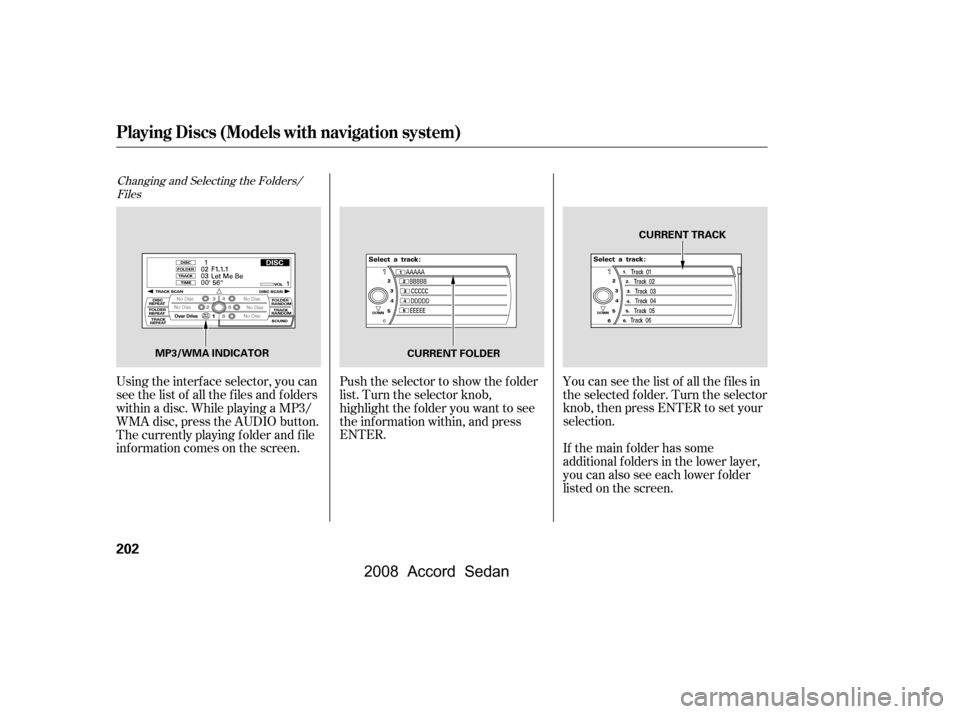
Using the interf ace selector, you can
see the list of all the f iles and f olders
within a disc. While playing a MP3/
WMA disc, press the AUDIO button.
The currently playing f older and f ile
inf ormation comes on the screen. Push the selector to show the f older
list. Turn the selector knob,
highlight the f older you want to see
the information within, and press
ENTER.
If the main folder has some
additional f olders in the lower layer,
you can also see each lower folder
listedonthescreen.
You can see the list of all the f iles in
the selected f older. Turn the selector
knob, then press ENTER to set your
selection.
Playing Discs (Models with navigation system)
202
MP3/WMA INDICATOR CURRENT TRACK
CURRENT FOLDER
�\f���—�\f���—�
���y�
�
�������\f���y���
�)���\f���\f�\f�y�\f���\f���y
2008 Accord Sedan
Page 206 of 420
This f eature, when activated, plays
all f iles in the current f older in
random order. To activate f older
random play, select FOLDER
RANDOM by interf ace knob, and
press ENTER on the interf ace
selector. You will see RANDOM
next to FOLDER on the screen. To
turn this f eature of f , highlight
FOLDER RANDOM (if not already
highlighted), and press ENTER on
the interf ace selector again.
This f eature, when activated, replays
all f iles on the selected f older. To
activate f older repeat mode, select
FOLDER REPEAT by interface
knob, and press ENTER on the
interf ace selector. You will see
REPEAT next to FOLDER on the
screen. To turn this f eature of f ,
highlight FOLDER REPEAT (if not
already highlighted), and press
ENTER on the interf ace selector
again.
This feature, when activated,
samples the f irst f ile of each f older
f or 10 seconds. To scan a f older,
press the SCAN side of the SCAN/
A. SEL bar repeatedly. You will see
SCAN next to FOLDER and the
f older number blinking.
Toselectanytypeof therepeat
modes, use the interf ace dial. For
more information, see page .Toselectanytypeof therandom
modes, use the interf ace dial. For
more information, see page .
To listen to the rest of the folder,
press and hold the SCAN side of the
bar until you hear a beep. If you do
not, the system advances to the next
f older, plays 10 seconds of it, and
continues throughout the rest of the
f older in the same way. When the
system samples the f irst f ile of all
f olders, f older scan is canceled, and
the last f ile played continues to play.
199199Folder Random
Folder Repeat
Folder Scan
Playing Discs (Models with navigation system)
Features
203
�\f���—�\f���—�����y�
�\f��
�
����\f�y���
�)���\f���\f�\f�y�\f���\f���y
2008 Accord Sedan