2008 GMC SIERRA warning
[x] Cancel search: warningPage 306 of 578

In this mode, engine power is not reduced automatically
and the driven wheels can spin more freely. This can
cause the brake-traction control to activate constantly.
Notice:If you allow the wheel(s) of one axle to spin
excessively while the StabiliTrak
®, ABS and brake
warning lights and the SERVICE STABILITRAK
message are displayed, you could damage the
transfer case. The repairs would not be covered by
your warranty. Reduce engine power and do not
spin the wheel(s) excessively while these lights and
this message are displayed.
The traction control system may activate on dry or
rough roads or under conditions such as heavy
acceleration while turning or abrupt upshifts/downshifts
of the transmission. When this happens, you may
notice a reduction in acceleration, or may hear a noise
or vibration. This is normal.
If your vehicle is in cruise control when the system
activates, the StabiliTrak
®light will ash and the cruise
control will automatically disengage. When road
conditions allow you to use cruise again, you may
re-engage the cruise control. SeeCruise Control on
page 3-14.
StabiliTrak
®may also turn off automatically if it
determines that a problem exists with the system. If the
problem does not clear itself after restarting the
vehicle, you should see your dealer/retailer for service.
Steering
Power Steering
If you lose power steering assist because the engine
stops or the system is not functioning, you can steer but
it will take much more effort.
Steering Tips
It is important to take curves at a reasonable speed.
A lot of the “driver lost control” accidents mentioned on
the news happen on curves. Here is why:
Experienced driver or beginner, each of us is subject to
the same laws of physics when driving on curves.
The traction of the tires against the road surface makes
it possible for the vehicle to change its path when
you turn the front wheels. If there is no traction, inertia
will keep the vehicle going in the same direction. If
you have ever tried to steer a vehicle on wet ice, you
will understand this.
The traction you can get in a curve depends on the
condition of the tires and the road surface, the angle at
which the curve is banked, and your speed. While
you are in a curve, speed is the one factor you
can control.
4-8
Page 310 of 578
Of course, traction is reduced when water, snow, ice,
gravel, or other material is on the road. For safety, you
will want to slow down and adjust your driving to
these conditions. It is important to slow down on slippery
surfaces because stopping distance will be longer and
vehicle control more limited.
While driving on a surface with reduced traction, try your
best to avoid sudden steering, acceleration, or braking,
including reducing vehicle speed by shifting to a lower
gear. Any sudden changes could cause the tires to
slide. You may not realize the surface is slippery until
your vehicle is skidding. Learn to recognize warning
clues — such as enough water, ice, or packed snow on
the road to make a mirrored surface — and slow down
when you have any doubt.
Remember: Any Antilock Brake System (ABS) helps
avoid only the braking skid.Off-Road Driving
This off-road guide is for vehicles that have four-wheel
drive. Also, seeBraking on page 4-3. If your vehicle
does not have four-wheel drive or is equipped with
20-inch tire/wheel assemblies, you should not drive
off-road unless you are on a level, solid surface.
The airbag system is designed to work properly under a
wide range of conditions, including off-road usage.
Observe safe driving speeds, especially on rough
terrain. As always, wear your safety belt.
Off-road driving can be great fun. But it does have
some denite hazards. The greatest of these is
the terrain itself.
“Off-roading” means you have left the great
North American road system behind. Traffic lanes
are not marked. Curves are not banked. There are no
road signs. Surfaces can be slippery, rough, uphill,
or downhill. In short, you have gone right back to nature.
Off-road driving involves some new skills. And that is
why it is very important that you read this guide. You will
nd many driving tips and suggestions. These will
help make your off-road driving safer and more
enjoyable.
4-12
Page 326 of 578
Driving in Rain and on Wet Roads
Rain and wet roads can reduce vehicle traction
and affect your ability to stop and accelerate. Always
drive slower in these types of driving conditions
and avoid driving through large puddles and
deep-standing or owing water.
{CAUTION:
Wet brakes can cause crashes. They might not
work as well in a quick stop and could cause
pulling to one side. You could lose control of
the vehicle.
After driving through a large puddle of water
or a car/vehicle wash, lightly apply the brake
pedal until the brakes work normally.
Flowing or rushing water creates strong
forces. Driving through owing water could
cause your vehicle to be carried away. If this
happens, you and other vehicle occupants
could drown. Do not ignore police warnings
and be very cautious about trying to drive
through owing water.
Hydroplaning
Hydroplaning is dangerous. Water can build up under
your vehicle’s tires so they actually ride on the
water. This can happen if the road is wet enough and
you are going fast enough. When your vehicle is
hydroplaning, it has little or no contact with the road.
There is no hard and fast rule about hydroplaning. The
best advice is to slow down when the road is wet.
4-28
Page 329 of 578
Winter Driving
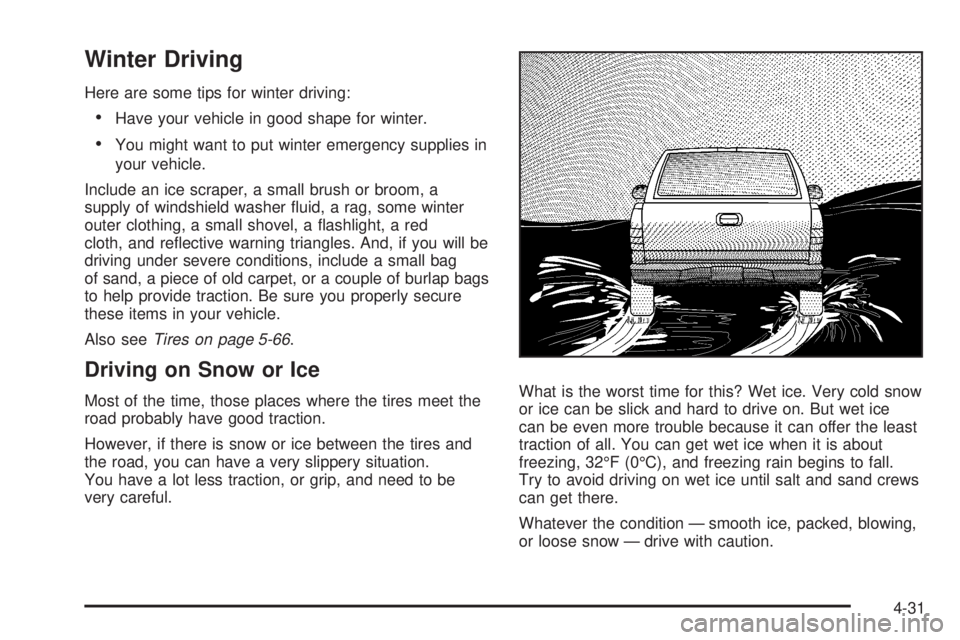
Here are some tips for winter driving:
Have your vehicle in good shape for winter.
You might want to put winter emergency supplies in
your vehicle.
Include an ice scraper, a small brush or broom, a
supply of windshield washer uid, a rag, some winter
outer clothing, a small shovel, a ashlight, a red
cloth, and reective warning triangles. And, if you will be
driving under severe conditions, include a small bag
of sand, a piece of old carpet, or a couple of burlap bags
to help provide traction. Be sure you properly secure
these items in your vehicle.
Also seeTires on page 5-66.
Driving on Snow or Ice
Most of the time, those places where the tires meet the
road probably have good traction.
However, if there is snow or ice between the tires and
the road, you can have a very slippery situation.
You have a lot less traction, or grip, and need to be
very careful.What is the worst time for this? Wet ice. Very cold snow
or ice can be slick and hard to drive on. But wet ice
can be even more trouble because it can offer the least
traction of all. You can get wet ice when it is about
freezing, 32°F (0°C), and freezing rain begins to fall.
Try to avoid driving on wet ice until salt and sand crews
can get there.
Whatever the condition — smooth ice, packed, blowing,
or loose snow — drive with caution.
4-31
Page 330 of 578
StabiliTrak®improves your ability to accelerate when
driving on a slippery road. But you can turn StabiliTrak®
off if you ever need to. SeeStabiliTrak®System on
page 4-6andIf Your Vehicle is Stuck in Sand, Mud, Ice,
or Snow on page 4-34. Even with StabiliTrak
®, slow
down and adjust your driving to the road conditions.
Under certain conditions, you might want to turn
StabiliTrak
®off, such as when driving through deep
snow and loose gravel, to help maintain vehicle motion
at lower speeds.
The Antilock Brake System (ABS) improves your
vehicle’s stability when you make a hard stop on a
slippery road. Even though you have ABS, begin
stopping sooner than you would on dry pavement. See
Antilock Brake System (ABS) on page 4-4.
Allow greater following distance on any slippery road.
Watch for slippery spots. The road might be ne until
you hit a spot that is covered with ice. On an
otherwise clear road, ice patches can appear in
shaded areas where the sun cannot reach, such as
around clumps of trees, behind buildings, or under
bridges. Sometimes the surface of a curve or an
overpass can remain icy when the surrounding roads
are clear. If you see a patch of ice ahead of you,
brake before you are on it. Try not to brake while you
are actually on the ice, and avoid sudden steering
maneuvers.
If You Are Caught in a Blizzard
If you are stopped by heavy snow, you could be in a
serious situation. You should probably stay with
your vehicle unless you know for sure that you are near
help and you can hike through the snow. Here are
some things to do to summon help and keep yourself
and your passengers safe:
Turn on the hazard warning ashers.
Tie a red cloth to your vehicle to alert police that
you have been stopped by the snow.
Put on extra clothing or wrap a blanket around you.
If you do not have blankets or extra clothing, make
body insulators from newspapers, burlap bags,
rags, oor mats — anything you can wrap around
yourself or tuck under your clothing to keep warm.
4-32
Page 378 of 578
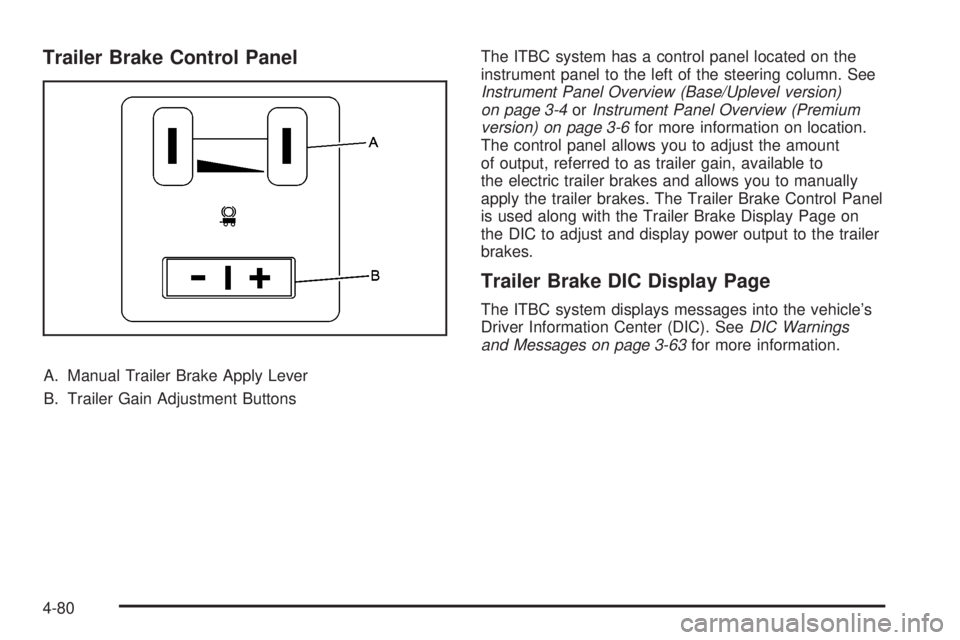
Trailer Brake Control Panel
A. Manual Trailer Brake Apply Lever
B. Trailer Gain Adjustment ButtonsThe ITBC system has a control panel located on the
instrument panel to the left of the steering column. See
Instrument Panel Overview (Base/Uplevel version)
on page 3-4orInstrument Panel Overview (Premium
version) on page 3-6for more information on location.
The control panel allows you to adjust the amount
of output, referred to as trailer gain, available to
the electric trailer brakes and allows you to manually
apply the trailer brakes. The Trailer Brake Control Panel
is used along with the Trailer Brake Display Page on
the DIC to adjust and display power output to the trailer
brakes.
Trailer Brake DIC Display Page
The ITBC system displays messages into the vehicle’s
Driver Information Center (DIC). SeeDIC Warnings
and Messages on page 3-63for more information.
4-80
Page 379 of 578
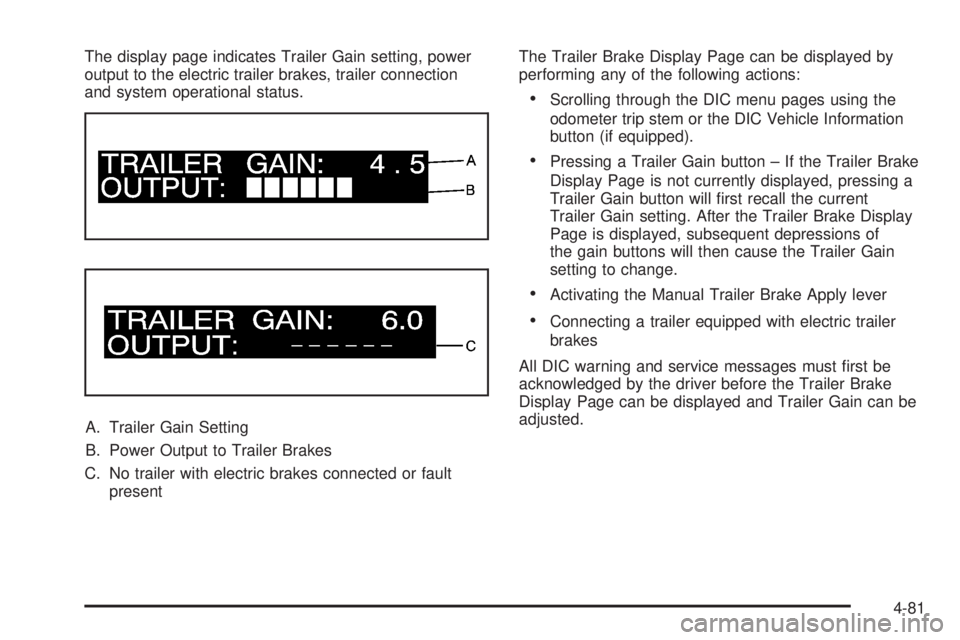
The display page indicates Trailer Gain setting, power
output to the electric trailer brakes, trailer connection
and system operational status.
A. Trailer Gain Setting
B. Power Output to Trailer Brakes
C. No trailer with electric brakes connected or fault
presentThe Trailer Brake Display Page can be displayed by
performing any of the following actions:
Scrolling through the DIC menu pages using the
odometer trip stem or the DIC Vehicle Information
button (if equipped).
Pressing a Trailer Gain button – If the Trailer Brake
Display Page is not currently displayed, pressing a
Trailer Gain button will rst recall the current
Trailer Gain setting. After the Trailer Brake Display
Page is displayed, subsequent depressions of
the gain buttons will then cause the Trailer Gain
setting to change.
Activating the Manual Trailer Brake Apply lever
Connecting a trailer equipped with electric trailer
brakes
All DIC warning and service messages must rst be
acknowledged by the driver before the Trailer Brake
Display Page can be displayed and Trailer Gain can be
adjusted.
4-81
Page 386 of 578

Turn Signals When Towing a Trailer
The arrows on your instrument panel will ash whenever
you signal a turn or lane change. Properly hooked up,
the trailer lamps will also ash, telling other drivers
you’re about to turn, change lanes or stop.
When towing a trailer, the arrows on your instrument
panel will ash for turns even if the bulbs on the trailer
are burned out. Thus, you may think drivers behind
you are seeing your signal when they are not. It’s
important to check occasionally to be sure the trailer
bulbs are still working.
Driving On Grades
Reduce speed and shift to a lower gearbeforeyou start
down a long or steep downgrade. If you don’t shift
down, you might have to use your brakes so much that
they would get hot and no longer work well.You can tow in DRIVE (D). You may want to shift the
transmission to lower gear selection if the transmission
shifts too often (e.g., under heavy loads and/or hilly
conditions).
You may also want to activate the tow/haul mode if the
transmission shifts too often. SeeTow/Haul Mode
Light on page 3-53.
When towing at high elevation on steep uphill grades,
consider the following: Engine coolant at higher
elevations will boil at a lower temperature than at or
near sea level. If you turn your engine off immediately
after towing at high elevation on steep uphill grades,
your vehicle may show signs similar to engine
overheating. To avoid this, let the engine run while
parked, preferably on level ground, with the transmission
in PARK (P) at least ve minutes before turning the
engine off. If you do get the overheat warning, see
Engine Overheating on page 5-30.
4-88