2008 GMC SIERRA door lock
[x] Cancel search: door lockPage 100 of 578

During a remote start, if your vehicle has an automatic
climate control system and heated seats, the heated
seats will turn on during colder outside temperatures and
will shut off when the key is turned to ON/RUN. If
your vehicle does not have an automatic climate control
system, during remote start, you will need to manually
turn the heated seats on and off. SeeHeated Seats
on page 1-6for additional information.
Laws in some communities may restrict the use of
remote starters. For example, some laws may require a
person using the remote start to have the vehicle in
view when doing so. Check local regulations for
any requirements on remote starting of vehicles.
Do not use the remote start feature if your vehicle is low
on fuel. Your vehicle may run out of fuel.
The RKE transmitter with the remote start button,
provides an increased range of operation. However, the
range may be less while the vehicle is running. As a
result, you may need to be closer to your vehicle to turn
it off, than you were to turn it on.
There are other conditions which can affect the
performance of the transmitter, seeRemote Keyless
Entry (RKE) System on page 2-4for additional
information./(Remote Start):This button will be on the RKE
transmitter if you have remote start.
To start the vehicle using the remote start feature:
1. Aim the transmitter at the vehicle.
2. Press and release the transmitter’s lock button. The
vehicle’s doors will lock. Immediately press and
hold the transmitter’s remote start button until the
turn signal lights ash. If you cannot see the
vehicle’s lights, press and hold the remote start
button for two to four seconds. Pressing the remote
start button again after the vehicle has started
will turn the engine off.
When the vehicle starts, the parking lamps will turn
on and remain on while the vehicle is running.
If the vehicle is left running it will automatically shut
off after 10 minutes unless a time extension has
been done.
3. If it is the rst remote start since the vehicle has
been driven, repeat these steps, while the engine
is still running, to extend the engine running time by
10 minutes. Remote start can be extended
one time.
After entering the vehicle during a remote start, insert
and turn the key to RUN to drive the vehicle.
2-8
Page 102 of 578
Doors and Locks
Door Locks
{CAUTION:
Unlocked doors can be dangerous.
Passengers, especially children, can easily
open the doors and fall out of a moving
vehicle. When a door is locked, the handle
will not open it. You increase the chance
of being thrown out of the vehicle in a
crash if the doors are not locked. So, wear
safety belts properly and lock the doors
whenever you drive.
Young children who get into unlocked
vehicles may be unable to get out. A child
can be overcome by extreme heat and can
suffer permanent injuries or even death
from heat stroke. Always lock your vehicle
whenever you leave it.
Outsiders can easily enter through an
unlocked door when you slow down or
stop your vehicle. Locking your doors can
help prevent this from happening.There are several ways to lock and unlock your vehicle.
From the outside, use the Remote Keyless Entry (RKE)
transmitter or the key in the driver’s door.
From the inside, use the power door locks or manual
door locks. To lock or unlock the door with the manual
locks, push down or pull up on the manual lock knob.
Power Door Locks
The power door lock switches are located on the
front doors.
K(Unlock):Press to unlock the doors.
Q(Lock):Remove the key from the ignition and press
to lock the doors.
Delayed Locking
When locking the doors with the power lock switch or
the Remote Keyless Entry (RKE) transmitter and a door
is open, the doors will lock ve seconds after the last
door is closed. You will hear three chimes to signal that
the delayed locking feature is in use.
Pressing the power lock switch twice or the lock button
on the RKE transmitter twice will override the delayed
locking feature and immediately lock all the doors.
2-10
Page 103 of 578
This feature will not operate if the key is in the ignition.
You can program this feature using the Driver
Information Center (DIC). See DELAY DOOR LOCK
underDIC Vehicle Customization (With DIC Buttons) on
page 3-72.
Programmable Automatic Door
Locks
Vehicles with an automatic lock/unlock feature enable
you to program the vehicle’s power door locks. You can
program this feature through the Driver Information
Center (DIC). SeeDIC Vehicle Customization (With DIC
Buttons) on page 3-72for more information on DIC
programming.
Rear Door Security Locks
Your vehicle has rear door security locks. These
prevent passengers from opening the rear doors from
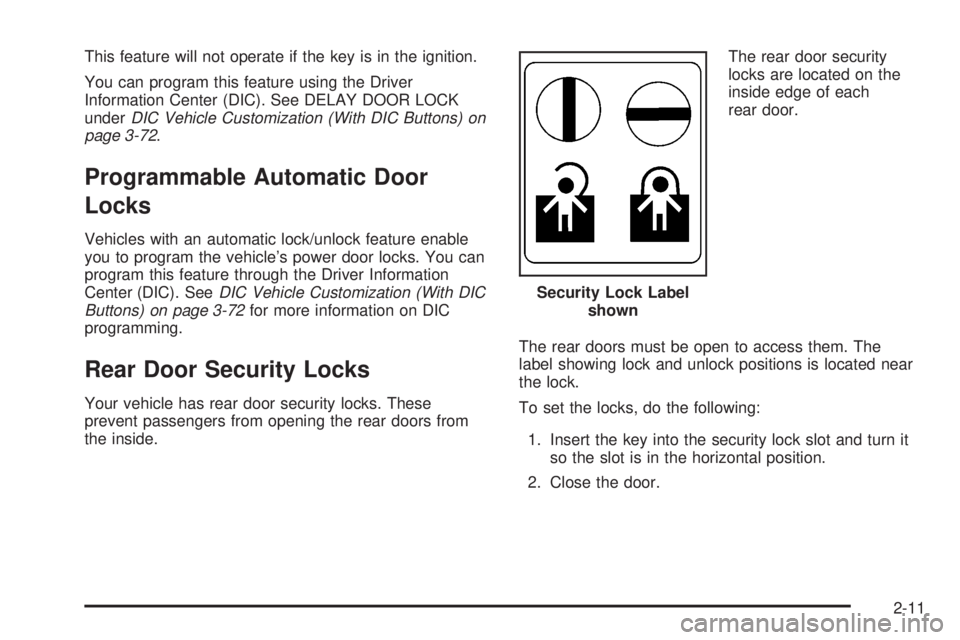
the inside.The rear door security
locks are located on the
inside edge of each
rear door.
The rear doors must be open to access them. The
label showing lock and unlock positions is located near
the lock.
To set the locks, do the following:
1. Insert the key into the security lock slot and turn it
so the slot is in the horizontal position.
2. Close the door.Security Lock Label
shown
2-11
Page 104 of 578
When you want to open a rear door when the security
lock is on, do the following:
1. Unlock the door by lifting the rear door manual lock,
using the power door lock switch, or the Remote
Keyless Entry (RKE) transmitter, if the vehicle
has one.
2. Open the door from the outside.
To cancel the rear door security lock, do the following:
1. Unlock the door and open it from the outside.
2. Insert the key into the security lock slot and turn it
so the slot is in the vertical position.Lockout Protection
This feature protects you from locking the key in the
vehicle when the key is in the ignition and a front door
is open.
If the driver’s side power door lock switch is pressed
when the driver’s door is open and the key is in
the ignition, all of the doors will lock and then the driver’s
door will unlock.
If the passenger’s side power door lock switch is
pressed when the front passenger’s door is open and
the key is in the ignition, all of the doors will lock
and then the front passenger’s door will unlock.
2-12
Page 105 of 578
Rear Doors
Extended Cab
Your vehicle may have a rear access door(s) that allows
easier access to the rear area of the extended cab.
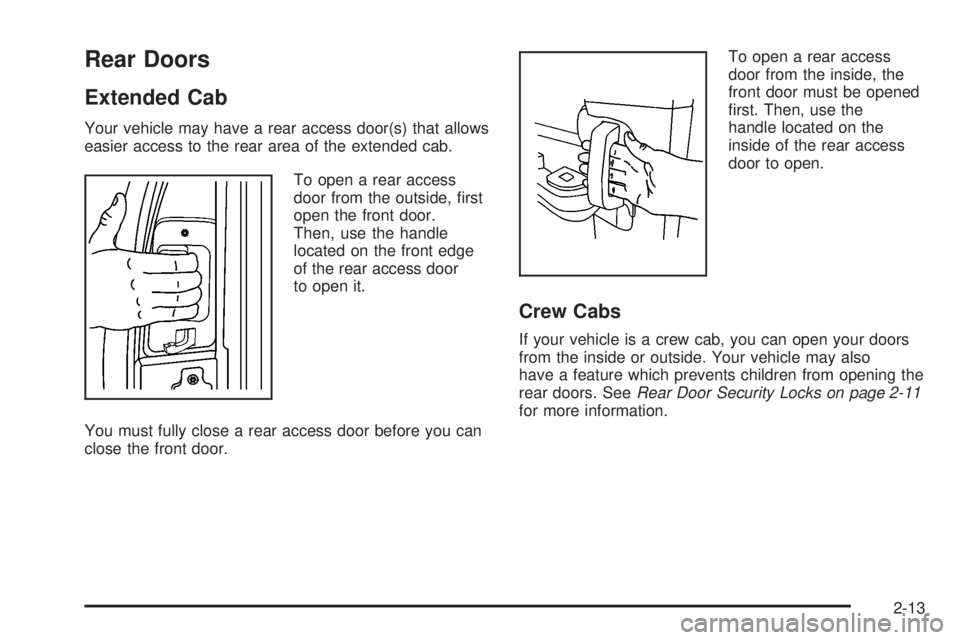
To open a rear access
door from the outside, rst
open the front door.
Then, use the handle
located on the front edge
of the rear access door
to open it.
You must fully close a rear access door before you can
close the front door.To open a rear access
door from the inside, the
front door must be opened
rst. Then, use the
handle located on the
inside of the rear access
door to open.
Crew Cabs
If your vehicle is a crew cab, you can open your doors
from the inside or outside. Your vehicle may also
have a feature which prevents children from opening the
rear doors. SeeRear Door Security Locks on page 2-11
for more information.
2-13
Page 108 of 578
Manual Windows
Turn the hand crank on each door to manually raise or
lower the manual windows.
Power Windows
{CAUTION:
Leaving children, helpless adults, or pets in a
vehicle with the windows closed is dangerous.
They can be overcome from extreme heat in
warm or hot weather and suffer permanent
injuries or even death from heat stroke.
Leaving children in a vehicle with the ignition
key is dangerous for many reasons, children
or others could be badly injured or even killed.
They could operate the power windows or
other controls or even make the vehicle move.
The windows will function with the keys in the
ignition and they could be seriously injured or
CAUTION: (Continued)
CAUTION: (Continued)
killed if caught in the path of a closing window.
Do not leave keys in a vehicle with children.
When there are children in the rear seat use the
window lockout button to prevent unintentional
operation of the windows.
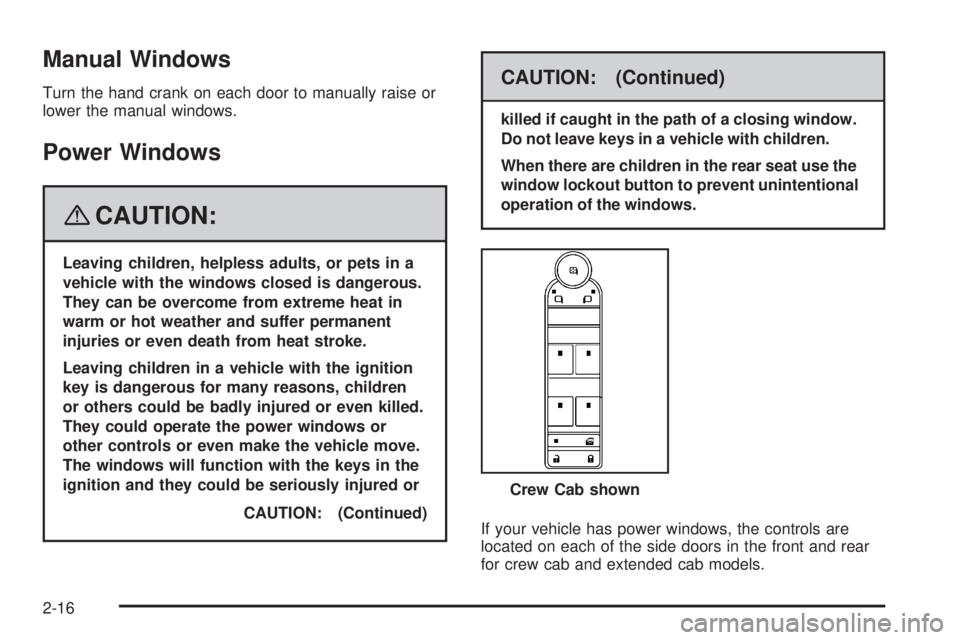
If your vehicle has power windows, the controls are
located on each of the side doors in the front and rear
for crew cab and extended cab models.Crew Cab shown
2-16
Page 109 of 578
The driver’s door has a switch for the passenger’s and
rear windows as well. Your power windows will work
when the ignition has been turned to ACCESSORY or
RUN or when Retained Accessory Power (RAP) is active.
SeeRetained Accessory Power (RAP) on page 2-23.
Press the switch down to lower the window, and pull up
the front of the switch to raise the window.
Express Down Windows
Vehicles with the express down feature allow the driver
and front passenger windows to be lowered without
holding the switch. Press down fully on the window
switch, then release, to activate the express down mode.
The express down mode can be canceled at any time
by pulling up on the switch. To open the window
partway, press the switch to the rst depression position,
until the window is at the desired position.
Window Lockout
o
(Window Lockout):If your crew cab or extended
cab vehicle has power windows, the driver’s door power
window switch has a lockout feature. The lockout switch
is located in front of the window switches. This feature
prevents the rear and passenger’s windows from
operating, except from the driver’s position. Press the
switch to engage or disengage the lockout feature. An
indicator light on the switch will come on when the lockout
feature is engaged, and will go off when disengaged.
Power Sliding Rear Window
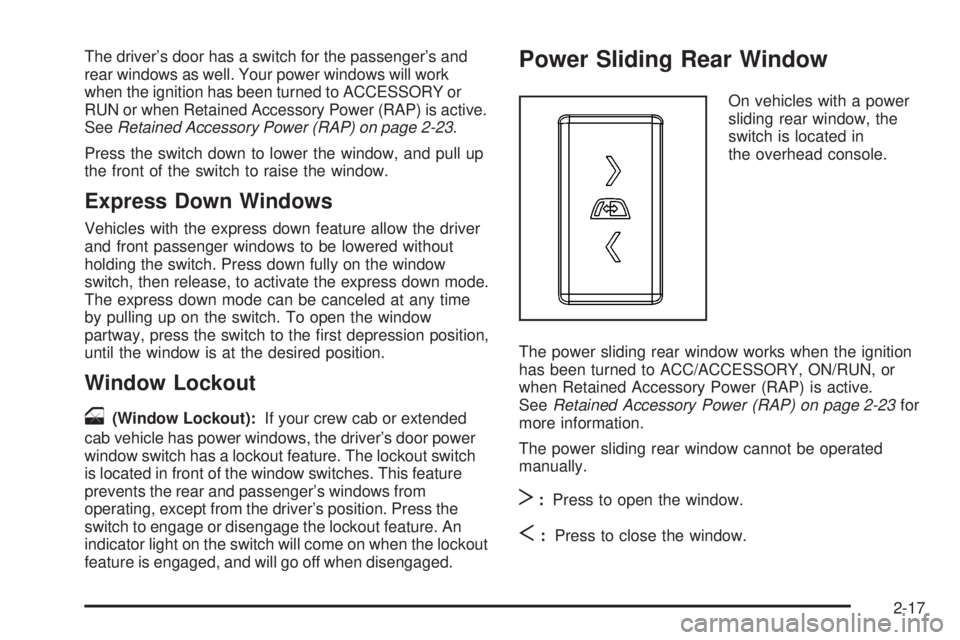
On vehicles with a power
sliding rear window, the
switch is located in
the overhead console.
The power sliding rear window works when the ignition
has been turned to ACC/ACCESSORY, ON/RUN, or
when Retained Accessory Power (RAP) is active.
SeeRetained Accessory Power (RAP) on page 2-23for
more information.
The power sliding rear window cannot be operated
manually.
T:Press to open the window.
S:Press to close the window.
2-17
Page 110 of 578

Sun Visors
Pull the sun visor down to block glare. Swing the sun
visor to the side to cover the side window.
The passenger’s side sun visor may have a vanity
mirror.
Theft-Deterrent Systems
Vehicle theft is big business, especially in some cities.
Although your vehicle has a number of theft-deterrent
features, we know that nothing we put on it can make it
impossible to steal.
Content Theft-Deterrent
Your vehicle may have a content theft-deterrent alarm
system.
This is the security light.To arm the theft-deterrent system:
1. Open the door.
2. Lock the door with the Remote Keyless Entry (RKE)
transmitter. The security light should come on and
ash.
If the delayed locking feature is active, the alarm
will not be activated until all doors are closed
and the security light goes off.
3. Close all doors. The security light will stop ashing
and go off after approximately 30 seconds. The
content theft deterrent alarm is not armed until the
security light goes off.
If a locked door is opened without using the RKE
transmitter, a ten second pre-alarm will occur. The horn
will chirp and the lights will ash. If the key is not
placed in the ignition and turned to START or the door
is not unlocked by pressing the unlock button on the
RKE transmitter during the ten second pre-alarm,
the alarm will go off. Your vehicle’s headlamps will ash
and the horn will sound for about two minutes, then
will turn off to save the battery power.
2-18