2008 GMC ACADIA door lock
[x] Cancel search: door lockPage 90 of 472

The RKE transmitter with the remote start button,
provides an increased range of operation. However, the
range may be less while the vehicle is running. As a
result, you may need to be closer to your vehicle to turn
it off, than you were to turn it on.
There are other conditions which can affect the
performance of the transmitter, seeRemote Keyless
Entry (RKE) System on page 2-4for additional
information.
/(Remote Start):This button will be on the RKE
transmitter if you have remote start.
To start the vehicle:
1. Aim the transmitter at the vehicle.
2. Press and release the transmitter’s lock button, then
immediately press and hold the transmitter’s remote
start button until the turn signal lights ash. If you
cannot see the vehicle’s lights, press and hold the
remote start button for at least four seconds. The
vehicle’s doors will lock. Pressing the remote start
button again, after the vehicle has started, will shut
the vehicle off.
When the vehicle starts, the parking lamps will turn
on and remain on while the vehicle is running.3. If it is the rst remote start since the vehicle has
been driven, repeat these steps while the engine
is still running, to extend the time by 10 minutes for
the engine to continue to run. Remote start can
be extended one time.
After entering the vehicle during a remote start, insert
and turn the key to the ON/RUN position to drive
the vehicle.
If the vehicle is left running it will automatically shut off
after 10 minutes unless a time extension has been done.
To manually shut off a remote start:
Aim the RKE transmitter at the vehicle and press
the remote start button until the parking lamps
turn off.
Turn on the hazard warning ashers.
Turn the ignition switch on and then off.
The vehicle can be started using the remote start
feature two separate times between driving sequences.
The engine will run for 10 minutes after each remote
start.
Or, you can extend the engine run time by another
10 minutes within the rst 10 minute remote start time
frame, and before the engine stops.
2-8
Page 92 of 472

Doors and Locks
Door Locks
{CAUTION:
Unlocked doors can be dangerous.
Passengers, especially children, can easily
open the doors and fall out of a moving
vehicle. When a door is locked, the handle
will not open it. You increase the chance
of being thrown out of the vehicle in a
crash if the doors are not locked. So, wear
safety belts properly and lock the doors
whenever you drive.
CAUTION: (Continued)
CAUTION: (Continued)
Young children who get into unlocked
vehicles may be unable to get out. A child
can be overcome by extreme heat and can
suffer permanent injuries or even death
from heat stroke. Always lock your vehicle
whenever you leave it.
Outsiders can easily enter through an
unlocked door when you slow down or
stop your vehicle. Locking your doors can
help prevent this from happening.
The vehicle’s doors can be manually locked or unlocked
in the following ways:
From the outside, use the key in the driver’s door.
From the inside, use the lock control on the door.
2-10
Page 93 of 472

Power Door Locks
The power door lock switches are located on the front
doors.
K(Unlock):Press to unlock the doors.
Q(Lock):Press to lock the doors.
Delayed Locking
When locking the doors with the power lock switch and a
door or the liftgate is open, the doors will lock ve
seconds after the last door is closed. You will hear three
chimes to signal that the delayed locking feature is in use.
Pressing the power lock switch twice or the lock button on
the RKE transmitter twice will override the delayed
locking feature and immediately lock all the doors.
This feature will not operate if the key is in the ignition.
You can program this feature using the Driver
Information Center (DIC). See DELAY DOOR LOCK
underDIC Vehicle Customization (With DIC Buttons) on
page 3-75.
Programmable Automatic Door
Locks
Vehicles with an automatic lock/unlock feature enable
you to program the vehicle’s power door locks. You can
program this feature through the Driver Information
Center (DIC). SeeDIC Vehicle Customization (With DIC
Buttons) on page 3-75for more information on DIC
programming.
Rear Door Security Locks
Your vehicle has rear door security locks. These
prevent passengers from opening the rear doors from
the inside.
2-11
Page 94 of 472

The rear door security
locks are located on the
inside edge of each
rear door. The rear doors
must be open to access
them. The label showing
lock and unlock positions is
located near the lock.
To set the locks, do the following:
1. Insert the key into the security lock slot and turn it
so the slot is in the horizontal position.
2. Close the door.
When you want to open a rear door when the security
lock is on, do the following:
1. Unlock the door using the remote keyless entry
transmitter, if the vehicle has one, the power
door lock switch, or the rear door manual lock.
2. Open the door from the outside.To cancel the rear door security lock, do the following:
1. Unlock the door and open it from the outside.
2. Insert the key into the security lock slot and turn it
so the slot is in the vertical position.
Lockout Protection
This feature protects you from locking the key in the
vehicle when the key is in the ignition and a front door
is open.
If the driver’s side power door lock switch is pressed
when the driver’s door is open and the key is in
the ignition, all of the doors will lock and then the driver’s
door will unlock.
If the passenger’s side power door lock switch is
pressed when the front passenger’s door is open and
the key is in the ignition, all of the doors will lock
and then the front passenger’s door will unlock. Lock Label shown
2-12
Page 95 of 472

Liftgate
{CAUTION:
It can be dangerous to drive with the liftgate
open because carbon monoxide (CO) gas can
come into your vehicle. You cannot see or
smell CO. It can cause unconsciousness and
even death.
If you must drive with the liftgate open, or if
electrical wiring or other cable connections
must pass through the seal between the body
and the liftgate:
Make sure all other windows are shut.
Turn the fan on your heating or cooling
system to its highest speed with the
recirculation mode off. That will force
outside air into your vehicle. See Climate
Control System in the index.
If you have air outlets on or under the
instrument panel, open them all the way.
If your vehicle has a power liftgate, disable
the power liftgate function.
SeePower Liftgate on page 2-14.If your vehicle has a power liftgate, seePower Liftgate
on page 2-14.
To unlock the liftgate, use the power door lock switch or
press the door unlock button on the Remote Keyless
Entry (RKE) transmitter twice. SeeRemote Keyless
Entry (RKE) System Operation on page 2-5.
To open the liftgate, press the touchpad on the
underside of the liftgate handle. The vehicle must be in
PARK (P) to open the liftgate. To close the liftgate,
use the pull cup or pull strap as an aid.
The liftgate has an electric latch. If the battery is
disconnected or has low voltage, the liftgate will not
open. The liftgate will resume operation when the battery
is reconnected and charged.
If the battery is properly connected and has adequate
voltage, and the liftgate still will not function, your vehicle
should be taken to a dealership for service.
2-13
Page 99 of 472
Your vehicle has pinch sensors located on the side
edges of the liftgate. If an object is caught between the
liftgate and the body and presses against this sensor,
the liftgate will reverse direction and open fully.
The liftgate will remain open until it is activated again or
closed manually. Do not force the liftgate open or
closed during a power cycle.
Manual Operation of Power Liftgate
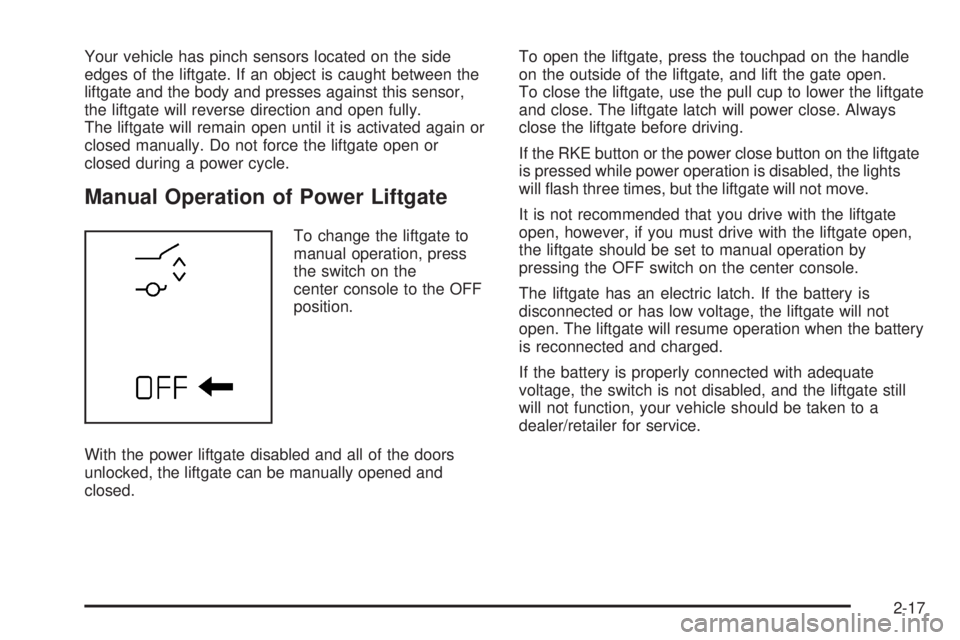
To change the liftgate to
manual operation, press
the switch on the
center console to the OFF
position.
With the power liftgate disabled and all of the doors
unlocked, the liftgate can be manually opened and
closed.To open the liftgate, press the touchpad on the handle
on the outside of the liftgate, and lift the gate open.
To close the liftgate, use the pull cup to lower the liftgate
and close. The liftgate latch will power close. Always
close the liftgate before driving.
If the RKE button or the power close button on the liftgate
is pressed while power operation is disabled, the lights
will ash three times, but the liftgate will not move.
It is not recommended that you drive with the liftgate
open, however, if you must drive with the liftgate open,
the liftgate should be set to manual operation by
pressing the OFF switch on the center console.
The liftgate has an electric latch. If the battery is
disconnected or has low voltage, the liftgate will not
open. The liftgate will resume operation when the battery
is reconnected and charged.
If the battery is properly connected with adequate
voltage, the switch is not disabled, and the liftgate still
will not function, your vehicle should be taken to a
dealer/retailer for service.
2-17
Page 101 of 472

Power Windows
{CAUTION:
Leaving children, helpless adults, or pets in a
vehicle with the windows closed is dangerous.
They can be overcome from extreme heat in
warm or hot weather and suffer permanent
injuries or even death from heat stroke.
Leaving children in a vehicle with the ignition
key is dangerous for many reasons, children
or others could be badly injured or even killed.
They could operate the power windows or
other controls or even make the vehicle move.
The windows will function with the keys in the
ignition and they could be seriously injured or
killed if caught in the path of a closing
window. Do not leave keys in a vehicle with
children.
When there are children in the rear seat use
the window lockout button to prevent
unintentional operation of the windows.The power window
controls are located on
each of the side doors.
The driver’s door also has switches that control the
passenger and rear windows. The power windows work
when the ignition has been turned to ACCESSORY
or ON or when Retained Accessory Power (RAP)
is active. SeeRetained Accessory Power (RAP) on
page 2-27.
Press the switch to lower the window.
Pull up on the front edge of the switch to raise the
window.Uplevel shown, base
similar
2-19
Page 102 of 472

Express-Down Windows
Windows that have the express-down feature allow the
windows to be lowered without holding the switch.
Press the window switch fully and release it to activate
the express-down feature. The express mode can
be canceled at any time by briey pressing, or pulling
the switch.
Express-Up Window
Windows that have the express-up feature allow the
windows to be raised all the way without holding
the switch up. Pull the switch up fully and release it to
activate the express-up feature. The express-up
mode can be canceled at any time by briey pressing,
or pulling the switch.
Programming the Power Windows
If the battery on your vehicle has been recharged,
disconnected, or replaced, windows with the express-up
feature need to be reprogrammed for this feature to
work. To program the window:
1. With the ignition in the ACCESSORY or ON
positions, or when Retained Accessory
Power (RAP) is active, close all doors. See
Retained Accessory Power (RAP) on page 2-27.2. Press and continue to hold the window switch until
the window is fully open.
3. Pull up and hold the window switch to close the
window. Continue to hold it briey after the
window is fully closed.
4. Repeat for each window that has the express up
feature.
Anti-Pinch Feature
The anti-pinch feature is on windows with the
express-up feature. If an object is in the way of the
window as it is express-closing, or in certain weather
conditions like severe icing, the window will stop
and open to a factory preset position. The window
functions normally once the obstruction is removed.
Window Lockout
o
(Window Lockout):The window lockout switch is
located with the power window switches on the
driver’s door armrest. This feature prevents the rear
passenger windows from operating, except from
the driver’s position. Press the switch to turn the lockout
feature on or off. An indicator light will come on to
show the lockout feature is on.
2-20