Page 136 of 400
BED EXTENDER (IF EQUIPPED)
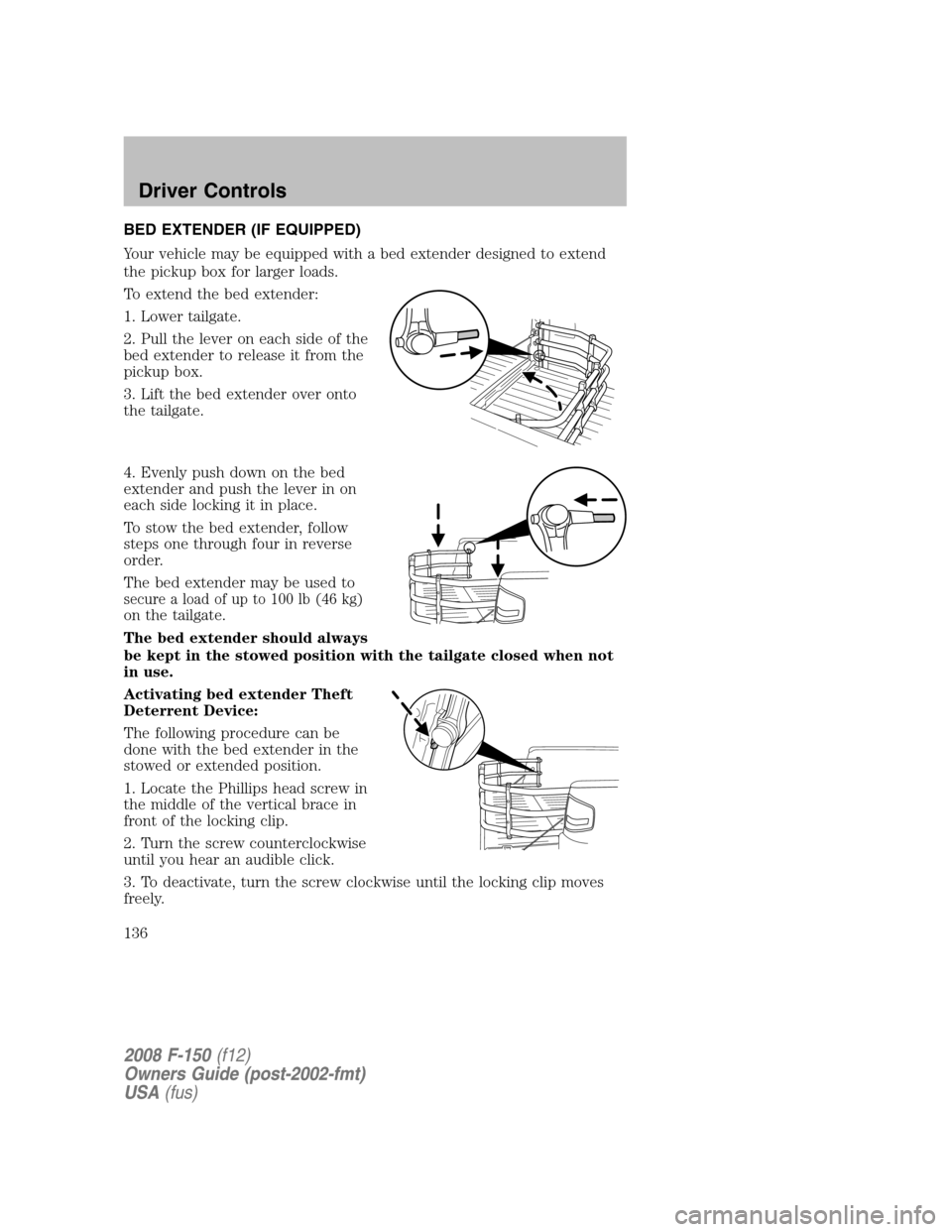
Your vehicle may be equipped with a bed extender designed to extend
the pickup box for larger loads.
To extend the bed extender:
1. Lower tailgate.
2. Pull the lever on each side of the
bed extender to release it from the
pickup box.
3. Lift the bed extender over onto
the tailgate.
4. Evenly push down on the bed
extender and push the lever in on
each side locking it in place.
To stow the bed extender, follow
steps one through four in reverse
order.
The bed extender may be used to
secure a load of up to 100 lb (46 kg)
on the tailgate.
The bed extender should always
be kept in the stowed position with the tailgate closed when not
in use.
Activating bed extender Theft
Deterrent Device:
The following procedure can be
done with the bed extender in the
stowed or extended position.
1. Locate the Phillips head screw in
the middle of the vertical brace in
front of the locking clip.
2. Turn the screw counterclockwise
until you hear an audible click.
3. To deactivate, turn the screw clockwise until the locking clip moves
freely.
2008 F-150(f12)
Owners Guide (post-2002-fmt)
USA(fus)
Driver Controls
136
Page 138 of 400
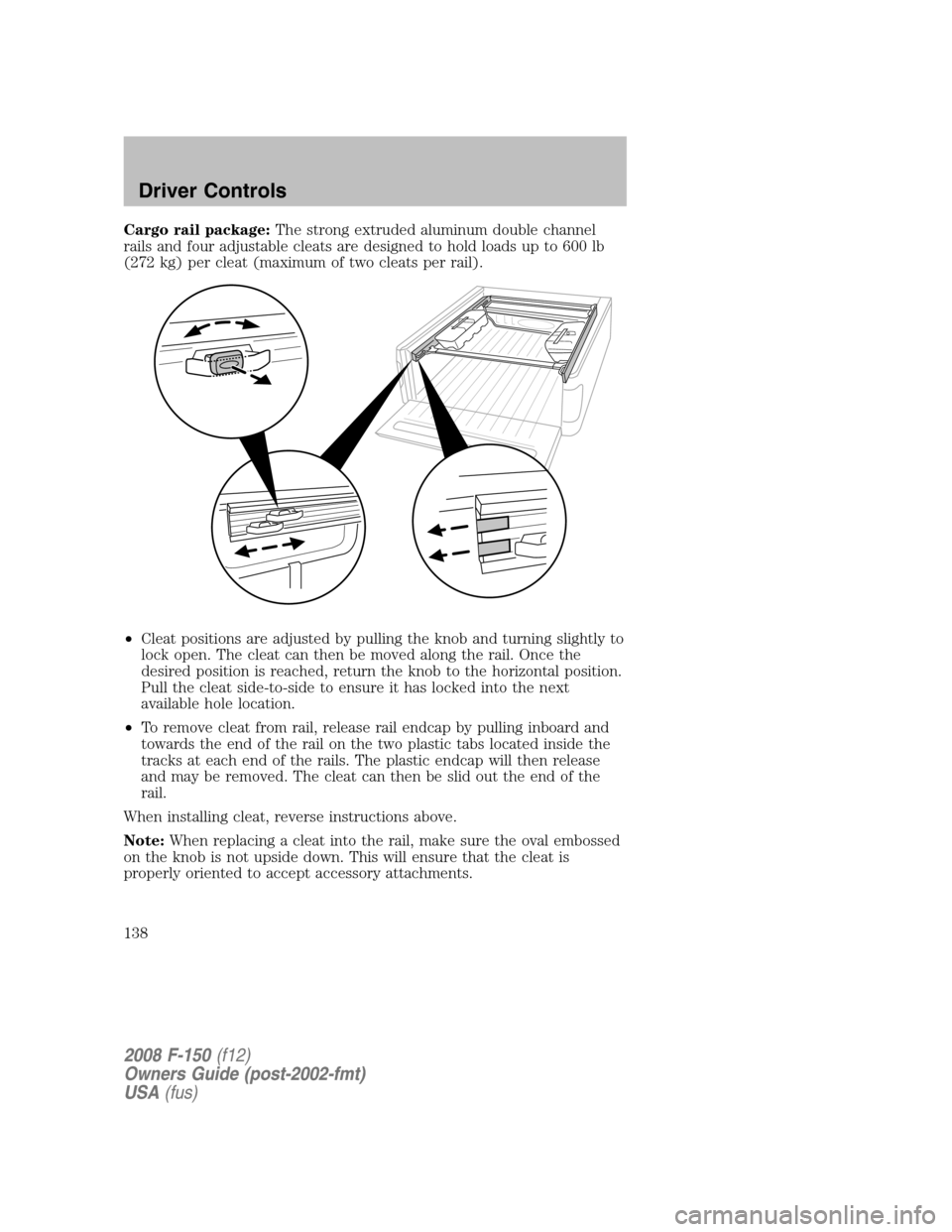
Cargo rail package:The strong extruded aluminum double channel
rails and four adjustable cleats are designed to hold loads up to 600 lb
(272 kg) per cleat (maximum of two cleats per rail).
•Cleat positions are adjusted by pulling the knob and turning slightly to
lock open. The cleat can then be moved along the rail. Once the
desired position is reached, return the knob to the horizontal position.
Pull the cleat side-to-side to ensure it has locked into the next
available hole location.
•To remove cleat from rail, release rail endcap by pulling inboard and
towards the end of the rail on the two plastic tabs located inside the
tracks at each end of the rails. The plastic endcap will then release
and may be removed. The cleat can then be slid out the end of the
rail.
When installing cleat, reverse instructions above.
Note:When replacing a cleat into the rail, make sure the oval embossed
on the knob is not upside down. This will ensure that the cleat is
properly oriented to accept accessory attachments.
2008 F-150(f12)
Owners Guide (post-2002-fmt)
USA(fus)
Driver Controls
138
Page 147 of 400

REMOTE ENTRY SYSTEM (IF EQUIPPED)
This device complies with part 15 of the FCC rules and with RS-210 of
Industry Canada. Operation is subject to the following two conditions:
(1) This device may not cause harmful interference, and (2) This device
must accept any interference received, including interference that may
cause undesired operation.
Changes or modifications not expressly approved by the party
responsible for compliance could void the user’s authority to
operate the equipment.
The typical operating range for your remote entry transmitter is
approximately 33 feet (10 meters). A decrease in operating range could
be caused by:
•weather conditions,
•nearby radio towers,
•structures around the vehicle, or
•other vehicles parked next to your vehicle.
Your vehicle is equipped with a remote entry system which allows you to:
•unlock the vehicle doors without
a key.
•lock all the vehicle doors without
a key.
•activate the personal alarm.
If there are problems with the remote entry system, make sure to take
ALL remote entry transmitterswith you to your authorized dealer in
order to aid in troubleshooting the problem.
Unlocking the doors
1. Pressand release to unlock the driver’s door.Note:The interior
lamps will illuminate.
2. Press
and release again within three seconds to unlock all the
doors.
Locking the doors
1. Pressand release to lock all the doors. The parklamps will flash.
2008 F-150(f12)
Owners Guide (post-2002-fmt)
USA(fus)
Locks and Security
147
Page 156 of 400
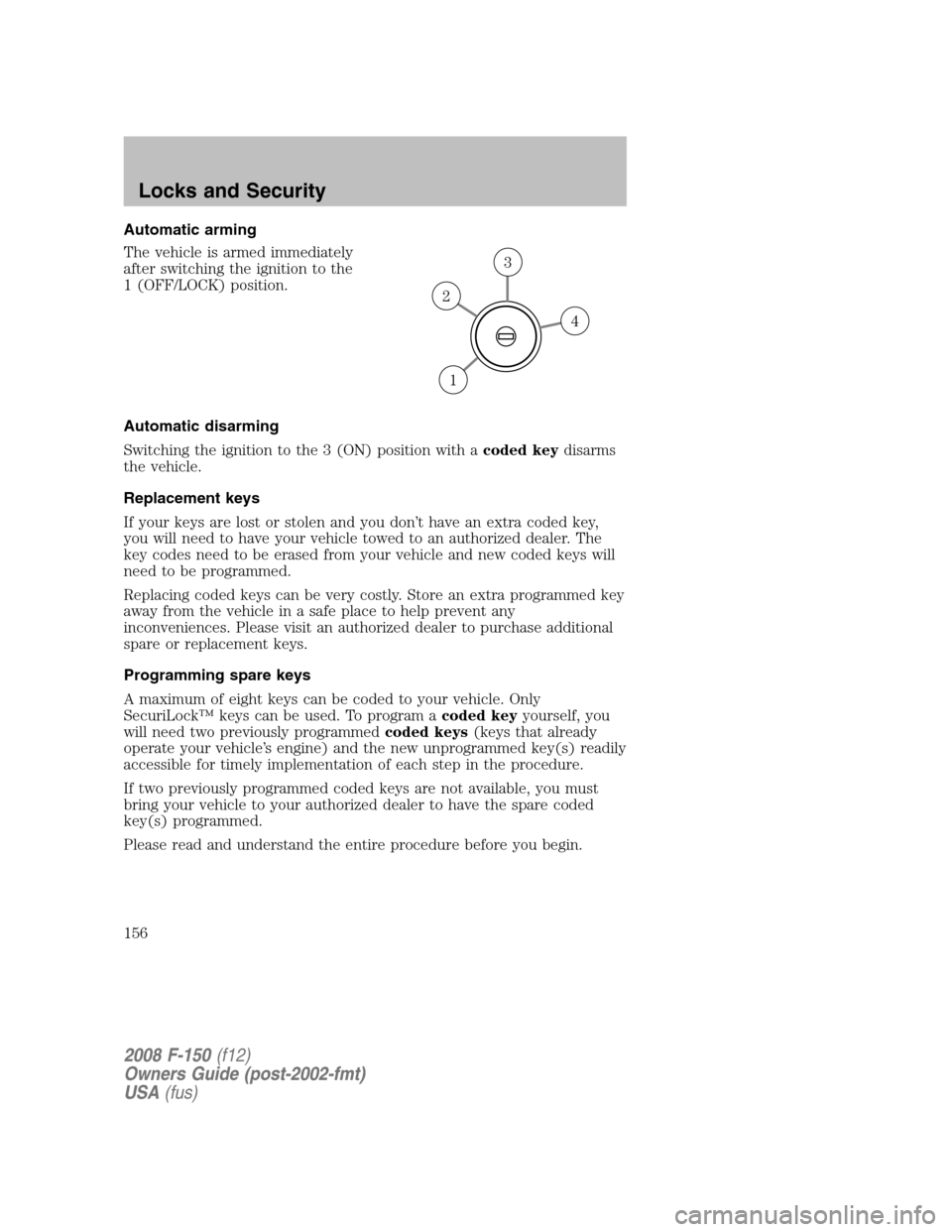
Automatic arming
The vehicle is armed immediately
after switching the ignition to the
1 (OFF/LOCK) position.
Automatic disarming
Switching the ignition to the 3 (ON) position with acoded keydisarms
the vehicle.
Replacement keys
If your keys are lost or stolen and you don’t have an extra coded key,
you will need to have your vehicle towed to an authorized dealer. The
key codes need to be erased from your vehicle and new coded keys will
need to be programmed.
Replacing coded keys can be very costly. Store an extra programmed key
away from the vehicle in a safe place to help prevent any
inconveniences. Please visit an authorized dealer to purchase additional
spare or replacement keys.
Programming spare keys
A maximum of eight keys can be coded to your vehicle. Only
SecuriLock™ keys can be used. To program acoded keyyourself, you
will need two previously programmedcoded keys(keys that already
operate your vehicle’s engine) and the new unprogrammed key(s) readily
accessible for timely implementation of each step in the procedure.
If two previously programmed coded keys are not available, you must
bring your vehicle to your authorized dealer to have the spare coded
key(s) programmed.
Please read and understand the entire procedure before you begin.
4
3
2
1
2008 F-150(f12)
Owners Guide (post-2002-fmt)
USA(fus)
Locks and Security
156
Page 159 of 400
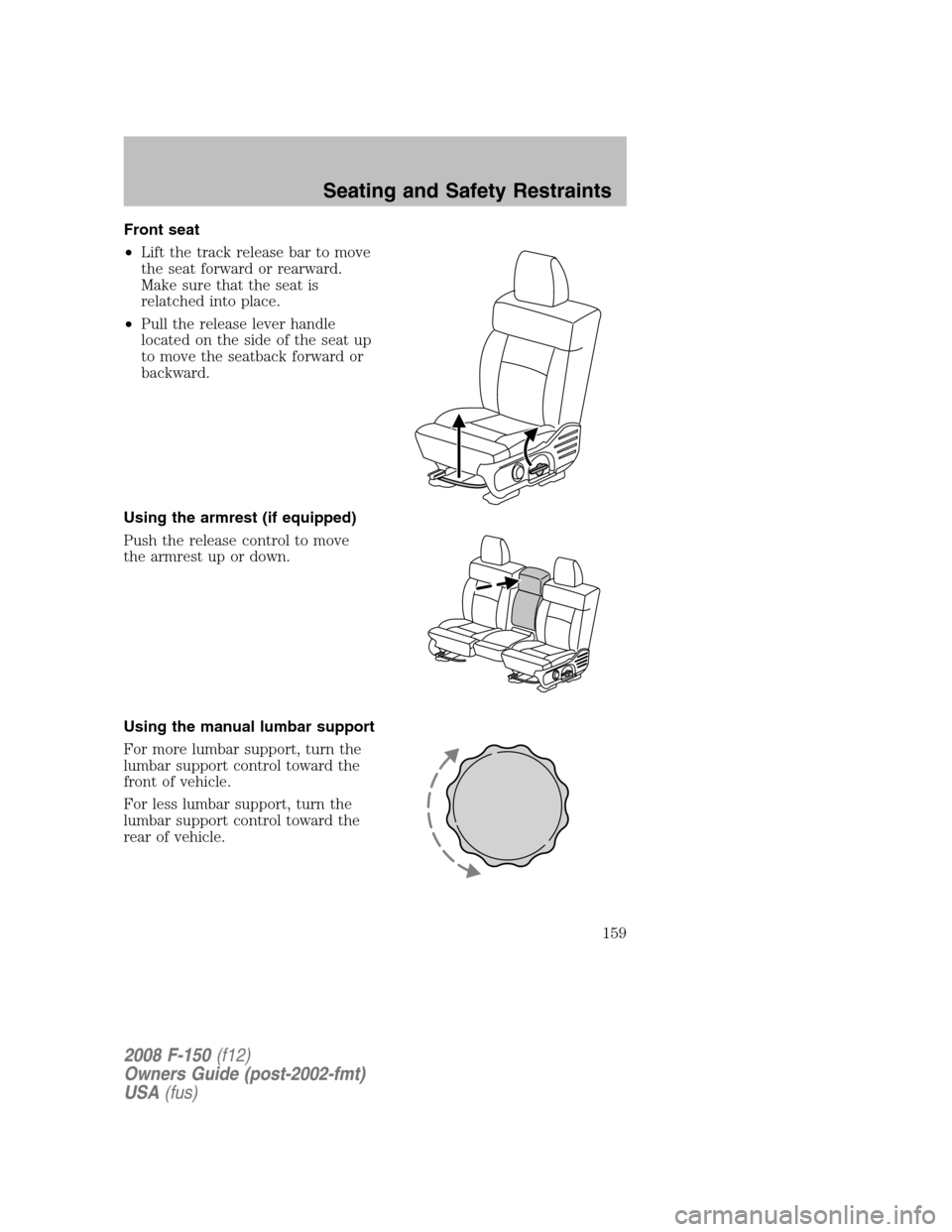
Front seat
•Lift the track release bar to move
the seat forward or rearward.
Make sure that the seat is
relatched into place.
•Pull the release lever handle
located on the side of the seat up
to move the seatback forward or
backward.
Using the armrest (if equipped)
Push the release control to move
the armrest up or down.
Using the manual lumbar support
For more lumbar support, turn the
lumbar support control toward the
front of vehicle.
For less lumbar support, turn the
lumbar support control toward the
rear of vehicle.
2008 F-150(f12)
Owners Guide (post-2002-fmt)
USA(fus)
Seating and Safety Restraints
159
Page 160 of 400
Adjusting the front power seat (if equipped)
Never adjust the driver’s seat or seatback when the vehicle is
moving.
Do not pile cargo higher than the seatbacks to avoid injuring
people in a collision or sudden stop.
Always drive and ride with your seatback upright and the lap
belt snug and low across the hips.
Reclining the seatback can cause an occupant to slide under the
seat’s safety belt, resulting in severe personal injuries in the
event of a collision.
Sitting improperly out of position or with the seat back reclined
too far can take off weight from the seat cushion and affect the
decision of the passenger sensing system, resulting in serious injury or
death in a crash. Always sit upright against your seatback, with your
feet on the floor.
To reduce the risk of possible serious injury: Do not hang objects
off seat back or stow objects in the seatback map pocket (if
equipped) when a child is in the front passenger seat. Do not place
objects underneath the front passenger seat or between the seat and
the center console (if equipped). Check the “passenger airbag off” or
“pass airbag off” indicator lamp for proper airbag status. Refer toFront
passenger sensing systemsection for additional details. Failure to
follow these instructions may interfere with the front passenger seat
sensing system.
2008 F-150(f12)
Owners Guide (post-2002-fmt)
USA(fus)
Seating and Safety Restraints
160
Page 170 of 400
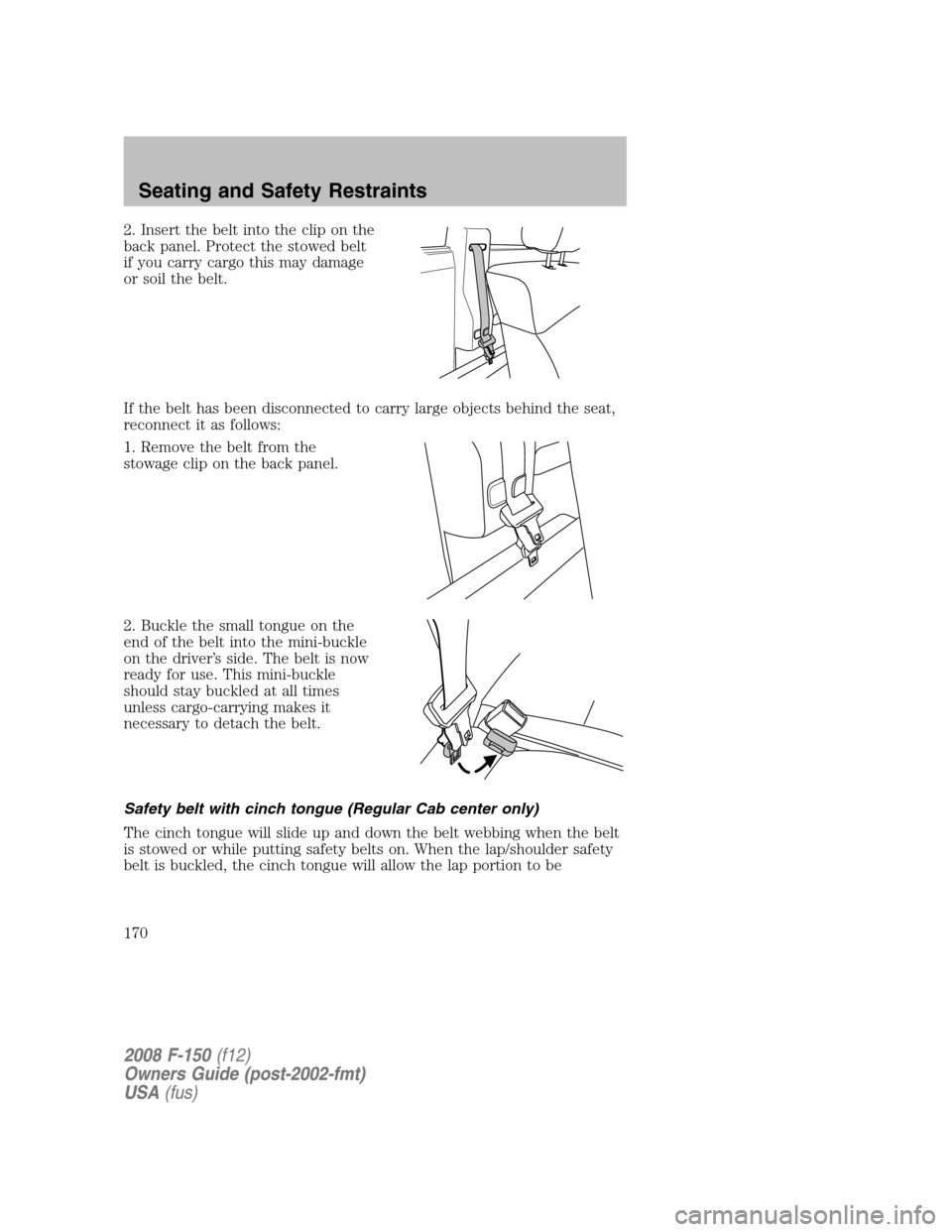
2. Insert the belt into the clip on the
back panel. Protect the stowed belt
if you carry cargo this may damage
or soil the belt.
If the belt has been disconnected to carry large objects behind the seat,
reconnect it as follows:
1. Remove the belt from the
stowage clip on the back panel.
2. Buckle the small tongue on the
end of the belt into the mini-buckle
on the driver’s side. The belt is now
ready for use. This mini-buckle
should stay buckled at all times
unless cargo-carrying makes it
necessary to detach the belt.
Safety belt with cinch tongue (Regular Cab center only)
The cinch tongue will slide up and down the belt webbing when the belt
is stowed or while putting safety belts on. When the lap/shoulder safety
belt is buckled, the cinch tongue will allow the lap portion to be
2008 F-150(f12)
Owners Guide (post-2002-fmt)
USA(fus)
Seating and Safety Restraints
170
Page 179 of 400
The Belt-Minder�feature uses two different warning chimes. During the
first minute of activation, the warning chime will sound once every
second. The remaining warning chimes will sound twice every second
while the system is activated.
If... Then...
The driver’s and front
passenger’s safety belts are
buckled...The Belt-Minder�feature will not
activate.
The driver’s or front
passenger’s safety belt is not
buckled when the vehicle has
reached at least 6 mph and
1-2 minutes have elapsed since
the ignition switch has been
turned to ON...The Belt-Minder�feature is activated
- the safety belt warning light
illuminates and the warning chime
sounds for 6 seconds every
30 seconds, repeating for
approximately 5 minutes or until the
safety belts are buckled.
The driver’s or front
passenger’s safety belt becomes
unbuckled for approximately
1 minute while the vehicle is
traveling at least 6 mph and
1-2 minutes have elapsed since
the ignition switch has been
turned to ON...The Belt-Minder�feature is activated
- the safety belt warning light
illuminates and the warning chime
sounds for 6 seconds every
30 seconds, repeating for
approximately 5 minutes or until the
safety belts are buckled.
The Belt-Minder�feature is
activated and the vehicle speed
is less than 3 mph...The Belt-Minder�feature is
suspended - the safety belt warning
light remains illuminated, but the
warning chime does not sound. This
time does not count towards the
5-minute expiration time.
2008 F-150(f12)
Owners Guide (post-2002-fmt)
USA(fus)
Seating and Safety Restraints
179