Page 127 of 527
WARNING!
Be certain that the seatback is securely locked into
position. If the seatback in not securely locked into
position the seat will not provide the proper stability
for child seats and/or passengers. An improperly
latched seat could cause serious injury.
Kneel Mode
UNDERSTANDING THE FEATURES OF YOUR VEHICLE 125
3
Page 153 of 527
1.Turn the ignition switch to the ON/RUN position.
2.Press the Menu buttonuntil Personal Settings is
displayed.
3.Press the STEP buttonuntil ªCompass Varianceº is
displayed.
4.Press and release RESET buttonuntil the proper
variance zone is selected according to the map.
5.Press and release the Compass buttonto exit.
GARAGE DOOR OPENER Ð IF EQUIPPED
HomeLinktreplaces up to three remote controls (hand-
held transmitters) that operate devices such as garage
door openers, motorized gates, lighting, or home security
systems. The HomeLinktunit operates off your vehicle's
battery.
Compass Variance Map
UNDERSTANDING THE FEATURES OF YOUR VEHICLE 151
3
Page 154 of 527
The HomeLinktbuttons are located in the overhead
console, and contain one, two, or three dots/lines desig-
nating the different HomeLinktchannels.
NOTE:HomeLinktis disabled when the Vehicle Secu-
rity Alarm is active.WARNING!
Your motorized door or gate will open and close while
you are training the Universal Transceiver. Do not train
the transceiver if people or pets are in the path of the
door or gate. Only use this transceiver with a garage
door opener that has a ªstop and reverseº feature as
required by federal safety standards. This includes
most garage door opener models manufactured after
1982. Do not use a garage door opener without these
safety features. Call toll-free 1±800±355±3515 or, on the
Internet at www.HomeLink.com for safety information
or assistance.
HomeLinktButtons
152 UNDERSTANDING THE FEATURES OF YOUR VEHICLE
Page 158 of 527

Similar to this Canadian law, some U.S. gate operators are
designed to ªtime-outº in the same manner.
It may be helpful to unplug the device during the cycling
process to prevent possible overheating of the garage
door or gate motor.
If you are having difficulties programming a garage door
opener or a gate operator, replace ªProgramming
HomeLinkº Step 3 with the following:
3. Continue to press and hold the HomeLinktbutton
while you press and release - every two seconds
(ªcycleº) your hand-held transmitter until HomeLinkt
has successfully accepted the frequency signal. The
EVIC display will change from ªCHANNEL # TRAIN-
INGº to ªCHANNEL # TRAINED.º
If you unplugged the device for training, plug it back in
at this time.Then proceed with Step 4 under ªProgramming
HomeLinktº earlier in this section.
Using HomeLinkT
To operate, simply press and release the programmed
HomeLinktbutton. Activation will now occur for the
trained device (i.e., garage door opener, gate operator,
security system, entry door lock, home/office lighting,
etc.) The hand-held transmitter of the device may also be
used at any time.
Reprogramming A Single HomeLinkTButton
To reprogram a channel that has been previously trained,
follow these steps:
1. Turn the ignition switch to the ON/RUN position.
2. Press and hold the desired HomeLinktbutton for 20
seconds until the EVIC display states ªCHANNEL #
TRAINING.ºDo not release the button.
156 UNDERSTANDING THE FEATURES OF YOUR VEHICLE
Page 159 of 527

3.Without releasing the button,proceed with Program-
ming HomeLinktStep 2 and follow all remaining steps.
Security
It is advised to erase all channels before you sell or turn
in your vehicle.
To do this, press and hold the two outside buttons for 20
seconds until the EVIC message states ªCHANNELS
CLEARED.º Note that all channels will be erased. Indi-
vidual channels cannot be erased.
The HomeLinktUniversal Transceiver is disabled when
the Vehicle Security Alarm is active.
Troubleshooting Tips
If you are having trouble programming HomeLinkt, here
are some of the most common solutions:
²Replace the battery in the original transmitter.
²Press the learn button on the garage door opener to
complete the training for rolling code.
²Did you unplug the device for training, and remember
to plug it back in?
If you are having any problems or require assistance,
please call toll-free 1±800±355±3515 or, on the Internet at
www.HomeLink.com for information or assistance.
General Information
This device complies with FCC rules Part 15 and Industry
Canada RSS-210. Operation is subject to the following
two conditions:
1. This device may not cause harmful interference
2. This device must accept any interference that may be
received including interference that may cause undesired
operation
UNDERSTANDING THE FEATURES OF YOUR VEHICLE 157
3
Page 160 of 527

NOTE:The transmitter has been tested and it complies
with FCC and IC rules. Changes or modifications not
expressly approved by the party responsible for compli-
ance could void the user 's authority to operate the
device.
The term ªIC:º before the certification/registration num-
ber only signifies that Industry Canada technical specifi-
cations were met.
POWER SUNROOF Ð IF EQUIPPED
The power sunroof switch is located between the sun
visors on the overhead console.
NOTE:The Power Accessory Delay feature will allow
the power sunroof to operate for ten minutes after the
ignition is turned OFF or a front door is opened.
WARNING!
²Never leave children alone in a vehicle. Leaving
unattended children in a vehicle is dangerous for a
number of reasons. A child or others could be
seriously or fatally injured. Don't leave the key in
the ignition. A child could operate power win-
dows, other controls, or move the vehicle.
²In an accident, there is a greater risk of being
thrown from a vehicle with an open sunroof. You
could also be seriously injured or killed. Always
fasten your seat belt properly and make sure all
passengers are properly secured too.
²Do not allow small children to operate the sun-
roof. Never allow fingers or other body parts, or
any object to project through the sunroof opening.
Injury may result.
158 UNDERSTANDING THE FEATURES OF YOUR VEHICLE
Page 165 of 527
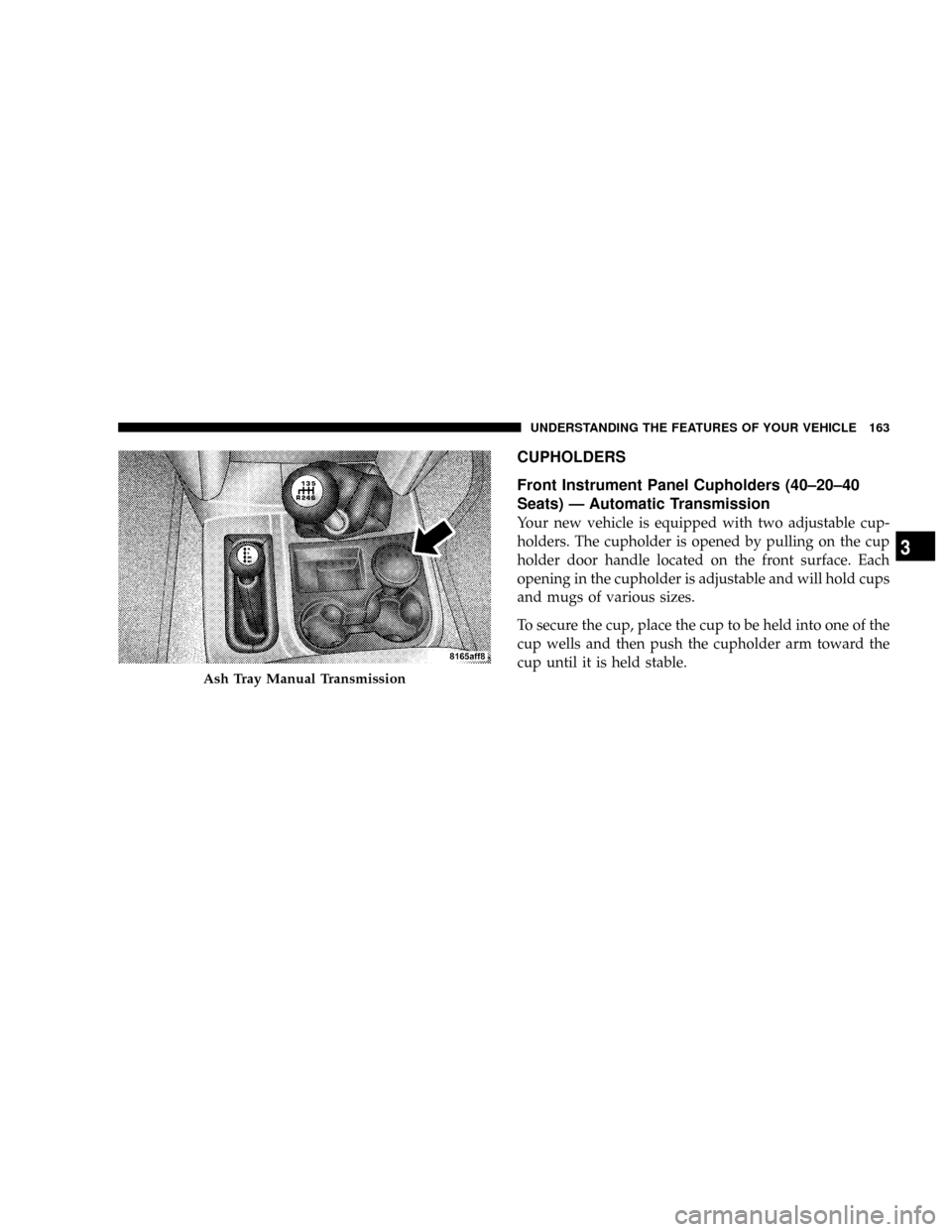
CUPHOLDERS
Front Instrument Panel Cupholders (40±20±40
Seats) Ð Automatic Transmission
Your new vehicle is equipped with two adjustable cup-
holders. The cupholder is opened by pulling on the cup
holder door handle located on the front surface. Each
opening in the cupholder is adjustable and will hold cups
and mugs of various sizes.
To secure the cup, place the cup to be held into one of the
cup wells and then push the cupholder arm toward the
cup until it is held stable.
Ash Tray Manual Transmission
UNDERSTANDING THE FEATURES OF YOUR VEHICLE 163
3
Page 166 of 527
Cupholder Door HandleCupholders Automatic Transmission
164 UNDERSTANDING THE FEATURES OF YOUR VEHICLE