Page 116 of 467
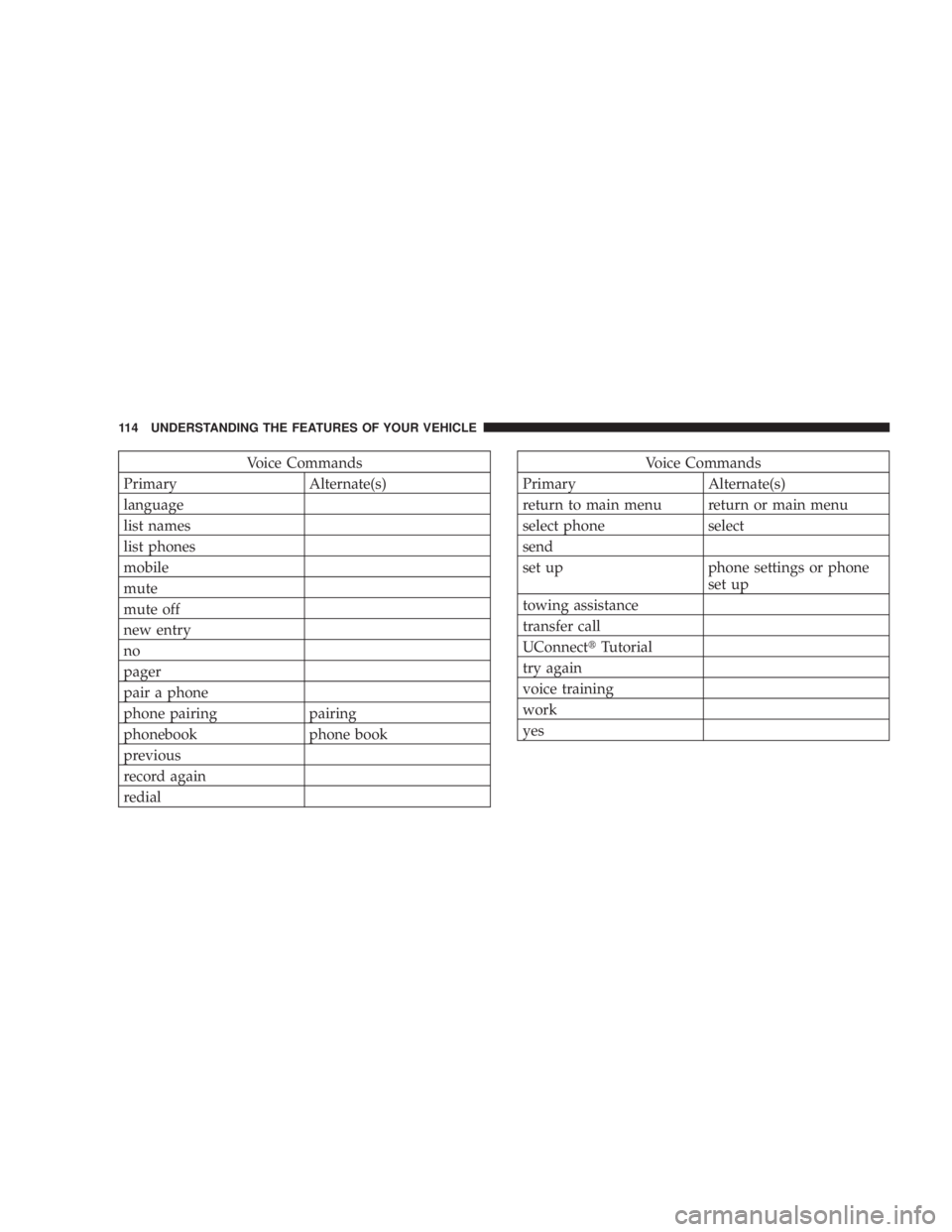
Voice Commands
Primary Alternate(s)
language
list names
list phones
mobile
mute
mute off
new entry
no
pager
pair a phone
phone pairing pairing
phonebook phone book
previous
record again
redial Voice Commands
Primary Alternate(s)
return to main menu return or main menu
select phone select
send
set up phone settings or phone
set up
towing assistance
transfer call
UConnect t Tutorial
try again
voice training
work
yes114 UNDERSTANDING THE FEATURES OF YOUR VEHICLE
Page 156 of 467
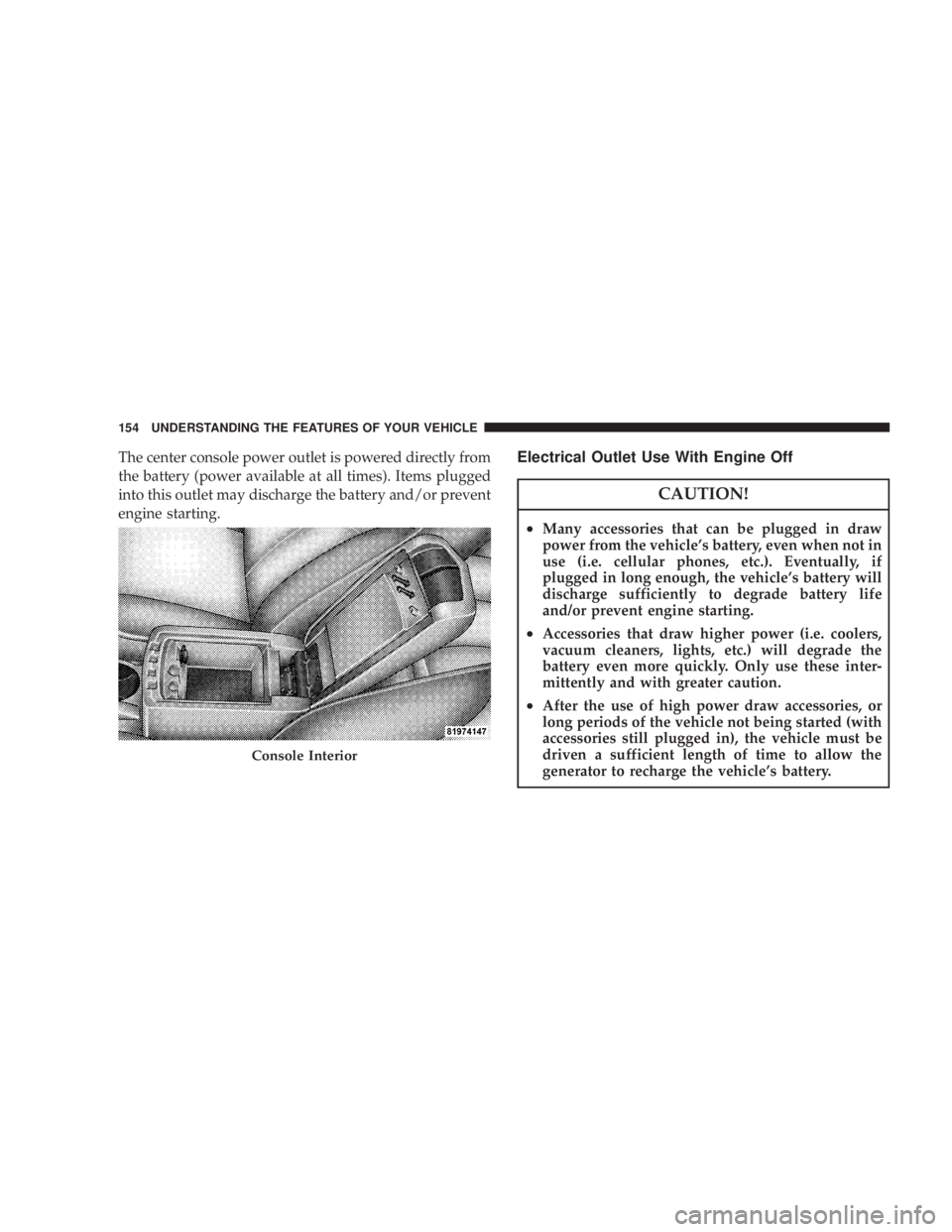
The center console power outlet is powered directly from
the battery (power available at all times). Items plugged
into this outlet may discharge the battery and/or prevent
engine starting. Electrical Outlet Use With Engine Off
CAUTION!² Many accessories that can be plugged in draw
power from the vehicle's battery, even when not in
use (i.e. cellular phones, etc.). Eventually, if
plugged in long enough, the vehicle's battery will
discharge sufficiently to degrade battery life
and/or prevent engine starting.
² Accessories that draw higher power (i.e. coolers,
vacuum cleaners, lights, etc.) will degrade the
battery even more quickly. Only use these inter-
mittently and with greater caution.
² After the use of high power draw accessories, or
long periods of the vehicle not being started (with
accessories still plugged in), the vehicle must be
driven a sufficient length of time to allow the
generator to recharge the vehicle's battery.Console Interior154 UNDERSTANDING THE FEATURES OF YOUR VEHICLE
Page 159 of 467
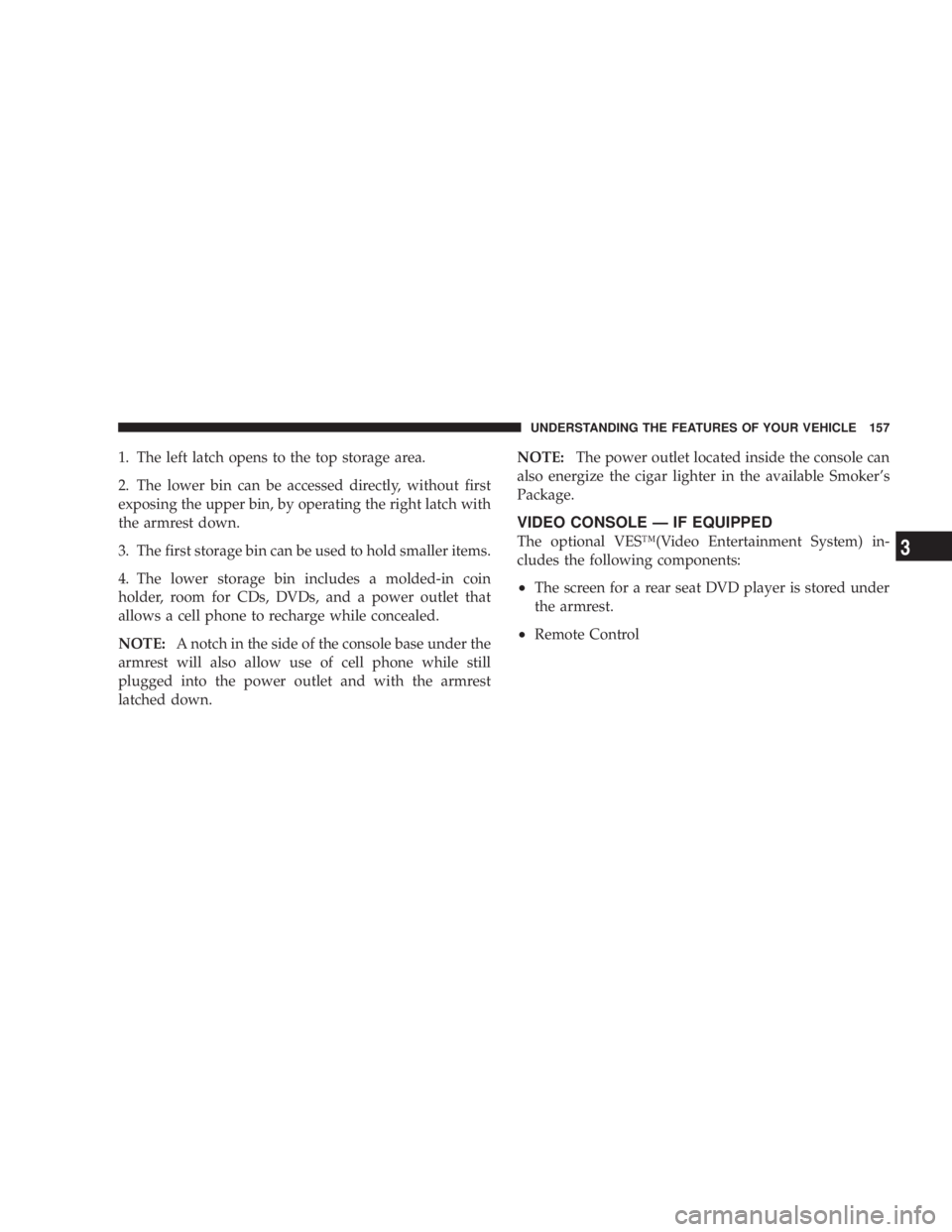
1. The left latch opens to the top storage area.
2. The lower bin can be accessed directly, without first
exposing the upper bin, by operating the right latch with
the armrest down.
3. The first storage bin can be used to hold smaller items.
4. The lower storage bin includes a molded-in coin
holder, room for CDs, DVDs, and a power outlet that
allows a cell phone to recharge while concealed.
NOTE: A notch in the side of the console base under the
armrest will also allow use of cell phone while still
plugged into the power outlet and with the armrest
latched down. NOTE: The power outlet located inside the console can
also energize the cigar lighter in the available Smoker's
Package.
VIDEO CONSOLE Ð IF EQUIPPED
The optional VESŸ(Video Entertainment System) in-
cludes the following components:
² The screen for a rear seat DVD player is stored under
the armrest.
² Remote Control UNDERSTANDING THE FEATURES OF YOUR VEHICLE 157
3
Page 167 of 467
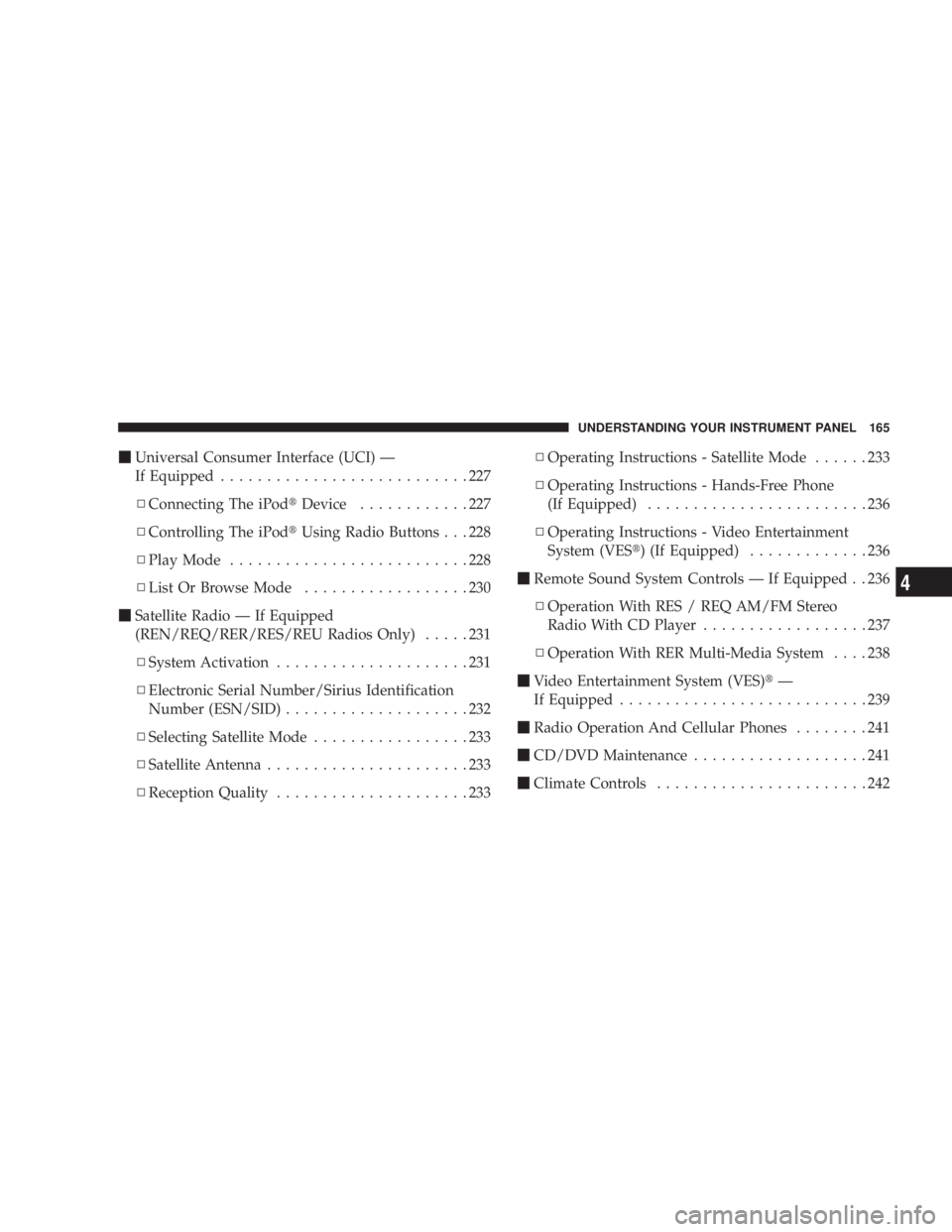
m Universal Consumer Interface (UCI) Ð
If Equipped ...........................227
N Connecting The iPod t Device ............227
N Controlling The iPod t Using Radio Buttons . . . 228
N Play Mode ..........................228
N List Or Browse Mode ..................230
m Satellite Radio Ð If Equipped
(REN/REQ/RER/RES/REU Radios Only) .....231
N System Activation .....................231
N Electronic Serial Number/Sirius Identification
Number (ESN/SID) ....................232
N Selecting Satellite Mode .................233
N Satellite Antenna ......................233
N Reception Quality .....................233 N Operating Instructions - Satellite Mode ......233
N Operating Instructions - Hands-Free Phone
(If Equipped) ........................236
N Operating Instructions - Video Entertainment
System (VES t ) (If Equipped) .............236
m Remote Sound System Controls Ð If Equipped . . 236
N Operation With RES / REQ AM/FM Stereo
Radio With CD Player ..................237
N Operation With RER Multi-Media System ....238
m Video Entertainment System (VES) t Ð
If Equipped ...........................239
m Radio Operation And Cellular Phones ........241
m CD/DVD Maintenance ...................241
m Climate Controls .......................242 UNDERSTANDING YOUR INSTRUMENT PANEL 165
4
Page 189 of 467
4. Press and release the RESET button and the ªCALº
indicator will quit flashing.
5. Drive the vehicle slowly, completing one or more
circles (in an area free from large metal or metallic
objects) until the ªCALº indicator turns off. The compass
will now function normally.
Compass Variance
Compass Variance is the difference between magnetic
North and Geographic North. In some areas of the
country, the difference between magnetic and geographic
North is great enough to cause the compass to give false
readings. If this occurs, the compass variance must be set
using the following procedure:
NOTE: Magnetic materials and cell phones should be
kept away from the top of the Instrument Panel. This is
where the compass sensor is located. UNDERSTANDING YOUR INSTRUMENT PANEL 187
4
Page 195 of 467
Power Switch/Volume Control (Rotary)
Push the On/Volume control knob to turn on the radio.
Push the On/Volume control knob a second time to turn
off the radio.
Electronic Volume Control
The electronic volume control turns continuously (360
degrees) in either direction without stopping. Turning the
On/Volume control knob to the right increases the vol-
ume and to the left decreases it.
When the audio system is turned on, the sound will be
set at the same volume level as last played.
SEEK Buttons
Press and release the SEEK buttons to search for the next
listenable station in AM/FM mode. Press the right switch
to seek up and the left switch to seek down. The radio
will remain tuned to the new station until you make
another selection. Holding either button will bypass
stations without stopping until you release it. SCAN Button
Pressing the SCAN button causes the tuner to search for
the next listenable station in AM or FM frequencies,
pausing for five seconds at each listenable station before
continuing to the next. To stop the search, press the
SCAN button a second time.
Voice Recognition System (Radio) Ð If Equipped
Refer to ªVoice Recognition System (VR)º in Section 3.
Voice Recognition Button (UConnect t Hands-Free
Phone) Ð If Equipped
Press this button to operate the Hands-Free Phone
(UConnect t ) feature (if equipped). Refer to ªHands-Free
Communication (UConnect t )º in Section 3.
If your vehicle is not equipped with or this feature is not
available on your vehicle, a ªNot Equipped With
UConnectº message will display on the radio screen. UNDERSTANDING YOUR INSTRUMENT PANEL 193
4
Page 196 of 467

Phone Button (UConnect t Hands-Free Phone) Ð If
Equipped
Press this button to operate the Hands-Free Phone
(UConnect t ) feature (if equipped). Refer to ªHands-Free
Communication (UConnect t )º in Section 3.
If your vehicle is not equipped with or this feature is not
available on your vehicle, a ªNot Equipped With
UConnectº message will display on the radio screen.
TIME Button
Press the TIME button and the time of day will display. In
AM or FM mode, pressing the TIME button will switch
between the time and frequency displays.
Clock Setting Procedure
1. Press and hold the TIME button, until the hours blink.
2. Adjust the hours by turning the right side Tune/Scroll
control knob. 3. After adjusting the hours, press the right side Tune/
Scroll control knob to set the minutes. The minutes will
begin to blink.
4. Adjust the minutes using the right side Tune/Scroll
control knob. Press the Tune/Scroll control knob to save
time change.
5. To exit, press any button/knob or wait five seconds.
The clock can also be set by pressing the SETUP button.
For vehicles equipped with satellite radio, press the
SETUP button, use the Tune/Scroll control to select SET
CLOCK, and then follow the above procedure, starting at
Step 2. For vehicles not equipped with satellite radio,
press the SETUP button and then follow the above
procedure, starting at Step 2.194 UNDERSTANDING YOUR INSTRUMENT PANEL
Page 206 of 467
Press and hold the INFO button again for three seconds
to return to 9 elapsed time 9 display.
Operation Instructions - Auxiliary Mode
The auxiliary (AUX) jack is an audio input jack, which
allows the user to plug in a portable device such as an
MP3 player, or cassette player, and utilize the vehicle's
audio system to amplify the source and play through the
vehicle speakers.
Pressing the AUX button will change the mode to auxil-
iary device if the AUX jack is connected.
NOTE: The AUX device must be turned on and the
device's volume set to proper level. If the AUX audio is
not loud enough, turn the device's volume up. If the AUX
audio sounds distorted, turn the device's volume down. TIME Button (Auxiliary Mode)
Press this button to change the display to time of day. The
time of day will display for five seconds (when ignition is
OFF).
Operating Instructions - Hands-Free Phone
(UConnect t ) (If Equipped)
Refer to ªHands-Free Communication (UConnect t )º in
Section 3.
Operating Instructions - Satellite Radio Mode (If
Equipped)
Refer to ªSatellite Radioº in this section.
Operating Instructions - Video Entertainment
System (VES) t (If Equipped)
Refer to separate ªVideo Entertainment System (VES) t
Guide.º204 UNDERSTANDING YOUR INSTRUMENT PANEL