Page 93 of 467
can be adjusted either from the radio volume control
knob or from the steering wheel radio control (right
switch), if so equipped.
The radio display will be used for visual prompts from
the UConnect t system such as 9 CELL 9 or caller ID on
certain radios.
Operation
Voice commands can be used to operate the UConnect t
system and to navigate through the UConnect t menu
structure. Voice commands are required after most
UConnect t system prompts. You will be prompted for a
specific command and then guided through the available
options.
² Prior to giving a voice command, one must wait for
the beep, which follows the 9 Ready 9 prompt or another
prompt. ² For certain operations, compound commands can be
used. For example, instead of saying 9 Setup 9 and then
9 Phone Pairing, 9 the following compound command
can be said: 9 Setup Phone Pairing. 9
² For each feature explanation in this section, only the
combined form of the voice command is given. You
can also break the commands into parts and say each
part of the command when you are asked for it. For
example, you can use the combined form voice com-
mand 9 Phonebook New Entry, 9 or you can break the
combined form command into two voice commands:
9 Phonebook 9 and 9 New Entry. 9 Please remember, the
UConnect t system works best when you talk in a
normal conversational tone, as if speaking to someone
sitting a few feet/meters away from you.
Voice Command Tree
Refer to ªVoice Treeº in this section. UNDERSTANDING THE FEATURES OF YOUR VEHICLE 91
3
Page 141 of 467
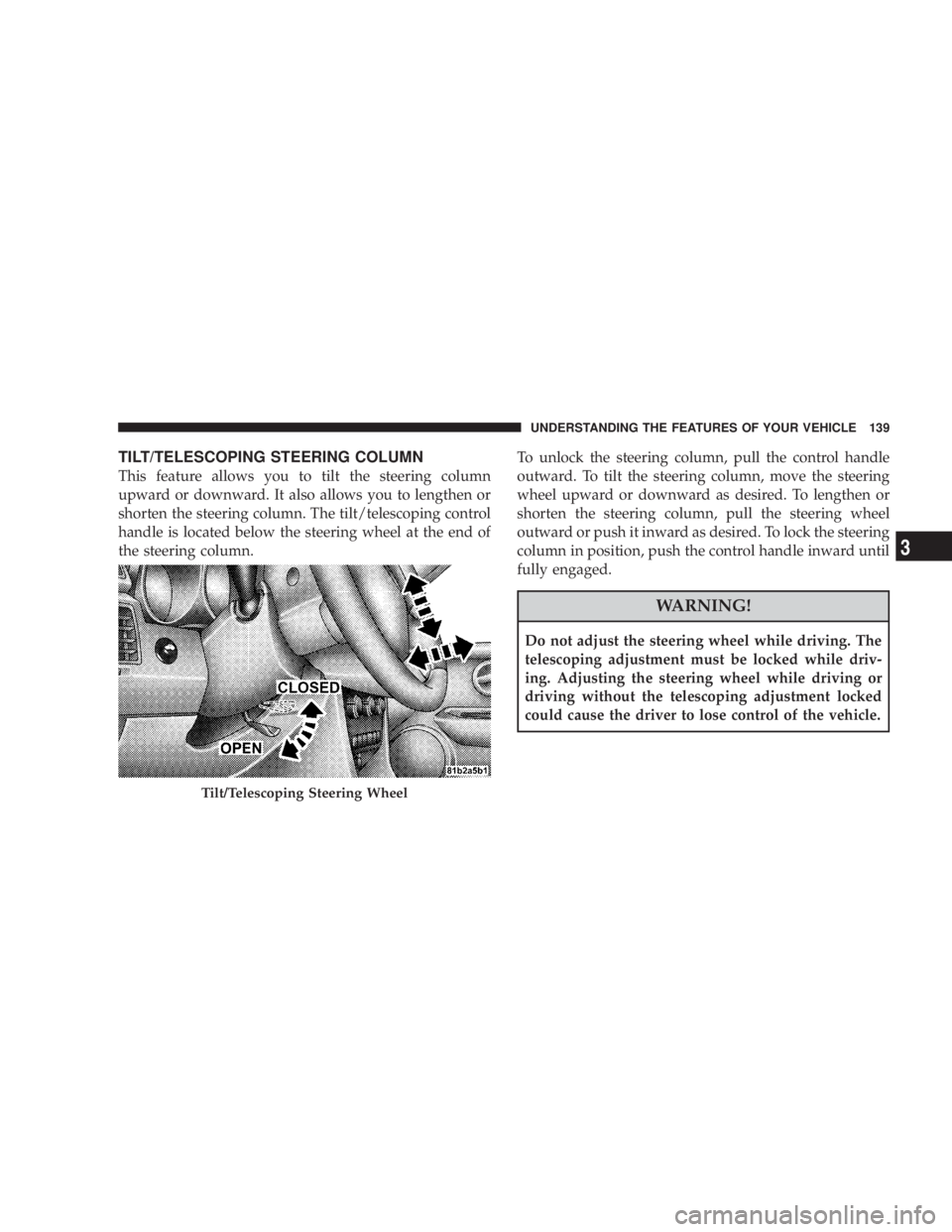
TILT/TELESCOPING STEERING COLUMN
This feature allows you to tilt the steering column
upward or downward. It also allows you to lengthen or
shorten the steering column. The tilt/telescoping control
handle is located below the steering wheel at the end of
the steering column. To unlock the steering column, pull the control handle
outward. To tilt the steering column, move the steering
wheel upward or downward as desired. To lengthen or
shorten the steering column, pull the steering wheel
outward or push it inward as desired. To lock the steering
column in position, push the control handle inward until
fully engaged.
WARNING!Do not adjust the steering wheel while driving. The
telescoping adjustment must be locked while driv-
ing. Adjusting the steering wheel while driving or
driving without the telescoping adjustment locked
could cause the driver to lose control of the vehicle.
Tilt/Telescoping Steering Wheel UNDERSTANDING THE FEATURES OF YOUR VEHICLE 139
3
Page 142 of 467
ELECTRONIC SPEED CONTROL Ð IF EQUIPPED
When engaged, this device takes over the accelerator
operation at speeds greater than 25 mph (40 km/h).
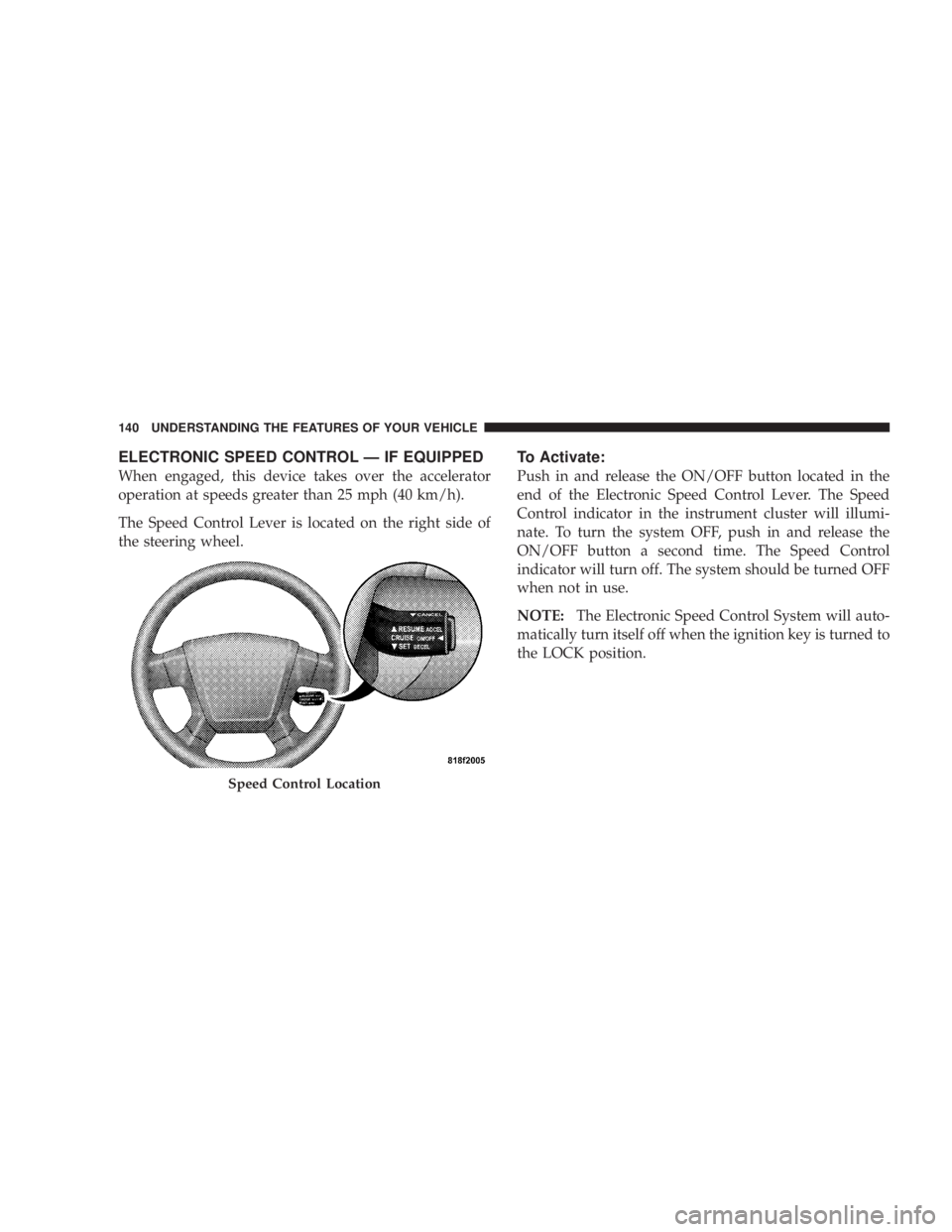
The Speed Control Lever is located on the right side of
the steering wheel. To Activate:
Push in and release the ON/OFF button located in the
end of the Electronic Speed Control Lever. The Speed
Control indicator in the instrument cluster will illumi-
nate. To turn the system OFF, push in and release the
ON/OFF button a second time. The Speed Control
indicator will turn off. The system should be turned OFF
when not in use.
NOTE: The Electronic Speed Control System will auto-
matically turn itself off when the ignition key is turned to
the LOCK position.
Speed Control Location140 UNDERSTANDING THE FEATURES OF YOUR VEHICLE
Page 181 of 467

could lead to immediate loss of power or severe catalytic
converter damage. The vehicle should be serviced as
soon as possible if this occurs.
26. Anti-Lock Warning Light (ABS)
This light monitors the ABS. This light will
come on when the ignition key is turned to the
ON position and may stay on for as long as
four seconds.
If the ABS light remains on or comes on during driving,
it indicates that the Anti-Lock portion of the brake system
is not functioning and that service is required, however,
the conventional brake system will continue to operate
normally provided that the BRAKE warning light is not
on.
If the ABS light is on, the brake system should be serviced
as soon as possible to restore the benefit of Anti-Lock
Brakes. The ABS warning light should be checked frequently to
assure that it is operating properly. Turn the ignition key
to the on position, but do not start the vehicle. The light
should come on. If the light does not come on, have the
system checked by an authorized dealer.
27. High Beam Indicator
This light shows that the headlights are on high
beam. Push the turn signal lever away from the
steering wheel to switch the headlights from high or low
beam.
28. Brake System Warning Light
This light monitors various brake functions,
including brake fluid level and parking brake
application. If the brake light turns on, it may
indicate that the parking brake is applied, that
the brake fluid level is low, or that there is a problem with
the anti-lock brake system (if equipped). UNDERSTANDING YOUR INSTRUMENT PANEL 179
4
Page 194 of 467
NOTE: The radio, steering wheel radio controls (if
equipped), and six-disc CD/DVD changer (if equipped)
will remain active for up to 10 minutes after the ignition
switch has been turned OFF. Opening a vehicle front
door will cancel this feature.
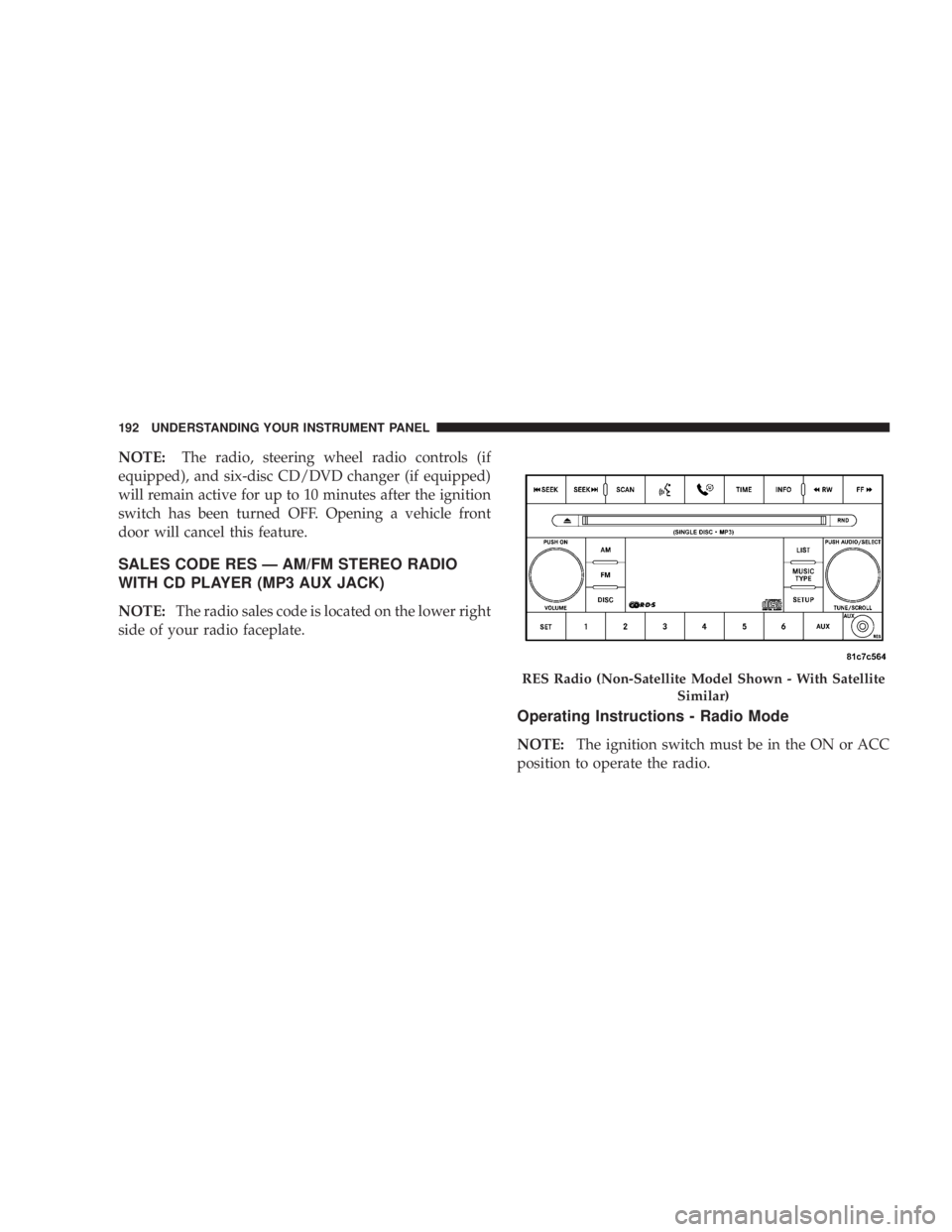
SALES CODE RES Ð AM/FM STEREO RADIO
WITH CD PLAYER (MP3 AUX JACK)
NOTE: The radio sales code is located on the lower right
side of your radio faceplate.
Operating Instructions - Radio Mode
NOTE: The ignition switch must be in the ON or ACC
position to operate the radio. RES Radio (Non-Satellite Model Shown - With Satellite
Similar)192 UNDERSTANDING YOUR INSTRUMENT PANEL
Page 238 of 467
You may add a second channel to each pushbutton by
repeating the above procedure with this exception: Press
the SET button twice and SET 2 will show in the display
window. Each button can be set for SET 1 and SET 2. This
allows a total of 12 Satellite channels to be stored into
pushbutton memory. The channels stored in SET 2
memory can be selected by pressing the pushbutton
twice.
Every time a preset button is used, a corresponding
button number will display.
Button s1-6
These buttons tune the radio to the channels that you
commit to pushbutton memory (12 Satellite stations). Operating Instructions - Hands-Free Phone (If
Equipped)
Refer to ªHands-Free Communication (UConnect t )º in
Section 3.
Operating Instructions - Video Entertainment
System (VES T ) (If Equipped)
Refer to separate ªVideo Entertainment System (VES t )
Guide.º
REMOTE SOUND SYSTEM CONTROLS Ð IF
EQUIPPED
The remote sound system controls are located on the rear
surface of the steering wheel. The left- and right-hand
controls are rocker-type switches with a push-button in
the center of each switch. Reach behind the steering
wheel to access the switches.236 UNDERSTANDING YOUR INSTRUMENT PANEL
Page 260 of 467
m All Wheel Drive Ð If Equipped ............275
m Parking Brake .........................276
m Brake System ..........................278
N Anit-Lock Brake System (ABS) ............279
m Electronic Brake Control Systems ±
ABS/TCS/BAS/ESP .....................281
N Anti-Lock Brake System (ABS) ............281
N Traction Control System (TCS) ............282
N Brake Assist System (BAS) ...............282
N Electronic Stability Program (ESP) .........283
m Power Steering ........................287
m Driving On Slippery Surfaces ..............288
N Acceleration .........................288 N Traction ............................288
m Driving Through Water ..................289
N Flowing/Rising Water ..................289
m Tire Safety Information ...................291
N Tire Markings ........................291
N Tire Loading And Tire Pressure ...........295
m Tires Ð General Information ...............299
N Tire Pressure .........................299
N Tire Inflation Pressures .................300
N Radial-Ply Tires ......................302
N Compact Spare Tire Ð If Equipped .........303
N Limited Use Spare Ð If Equipped .........304
N Tire Spinning ........................305258 STARTING AND OPERATING
Page 281 of 467

Anit-Lock Brake System (ABS)
The Anti-Lock Brake System provides increased vehicle
stability and brake performance under most braking
conditions. The system automatically ªpumpsº the
brakes during severe braking conditions to prevent
wheel lock-up.
WARNING!Pumping of the Anti-Lock Brakes will diminish their
effectiveness and may lead to an accident. Pumping
makes the stopping distance longer. Just press firmly
on your brake pedal when you need to slow down or
stop. WARNING!² Anti-lock system (ABS) cannot prevent the natural
laws of physics from acting on the vehicle, nor can
it increase braking or steering efficiency beyond
that afforded by the condition of the vehicle
brakes and tires or the traction afforded.
² The ABS cannot prevent accidents, including
those resulting from excessive speed in turns,
following another vehicle too closely, or hydro-
planing. Only a safe, attentive, and skillful driver
can prevent accidents.
² The capabilities of an ABS equipped vehicle must
never be exploited in a reckless or dangerous
manner, which could jeopardize the user's safety
or the safety of others. STARTING AND OPERATING 279
5