Page 76 of 163
78
Pneumatic suspension
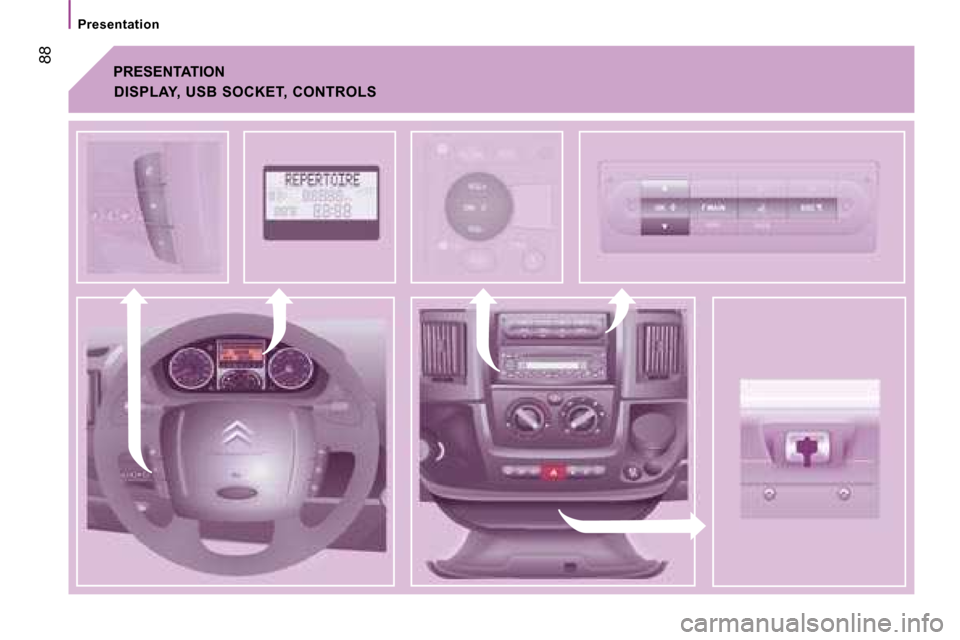
PNEUMATIC SUSPENSION
If your vehicle is fitted with the pneumatic
suspension, you can adjust the height of
the rear sill to make loading and unloading
easier.
The control pad is located on the fascia.
There is a nominal level as well as 6 sill
adjustment levels, raising (from +1 to +3) or
lowering (from -1 to -3). Each level reached
is indicated on the instrument panel display. Manual adjustment of the loading
sill
Raise: upwards adjustment of the
platform sill
Press the control, release to
stop the movement. Each press
increases by one level: +1 to +3.
Lower: downwards adjustment of
the platform sill Press the control, release to stop
the movement.
Each press decreases by one
level: -1 to -3. Return to the optimum sill height
Press the same number of times in reverse
as the level of the position displayed.
Warning light
Refer to the "Instruments and controls"
section of chapter 2.
Good practice
Driving with the sill too high or too low risks
damaging the components under the body.
You must avoid this control in the following
circumstances:
- when working underneath the vehicle,
- when changing a wheel,
- when the vehicle is being transported by lorry, train, ferry, boat, ...
Page 77 of 163
Chronotachograph
79
4
IN-CAR TECHNOLOGY
CHRONOTACHOGRAPH
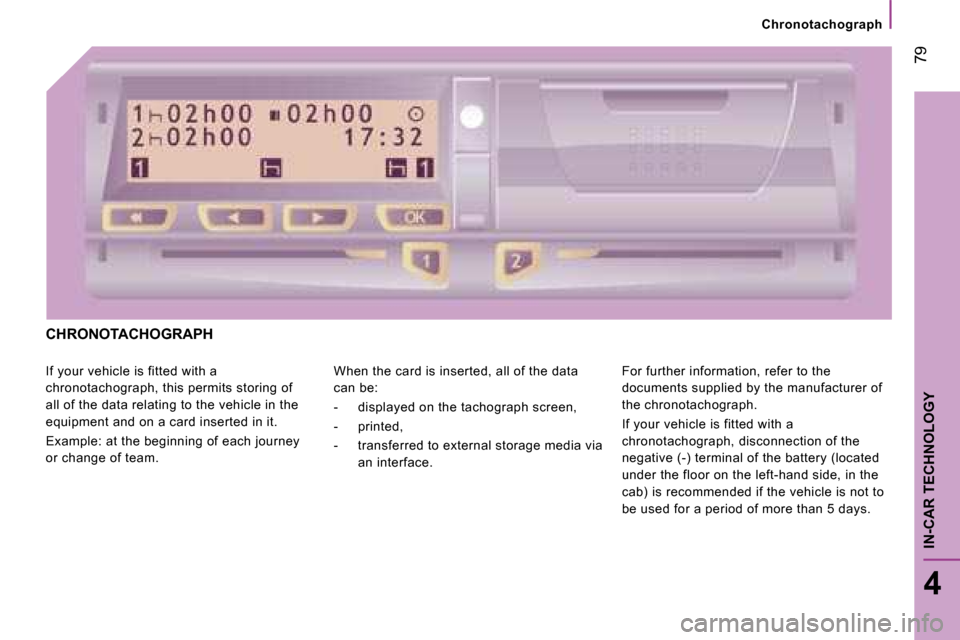
If your vehicle is fitted with a
chronotachograph, this permits storing of
all of the data relating to the vehicle in the
equipment and on a card inserted in it.
Example: at the beginning of each journey
or change of team. When the card is inserted, all of the data
can be:
- displayed on the tachograph screen,
- printed,
- transferred to external storage media via
an interface. For further information, refer to the
documents supplied by the manufacturer of
the chronotachograph.
If your vehicle is fitted with a
chronotachograph, disconnection of the
negative (-) terminal of the battery (located
under the floor on the left-hand side, in the
cab) is recommended if the vehicle is not to
be used for a period of more than 5 days.
Page 82 of 163
Audio equipment
83
4
IN-CAR TECHNOLOGY
Scroll the
display
Sélectionner
Display
Select
Display
Select
Display
Select
Display
Enables you
to…
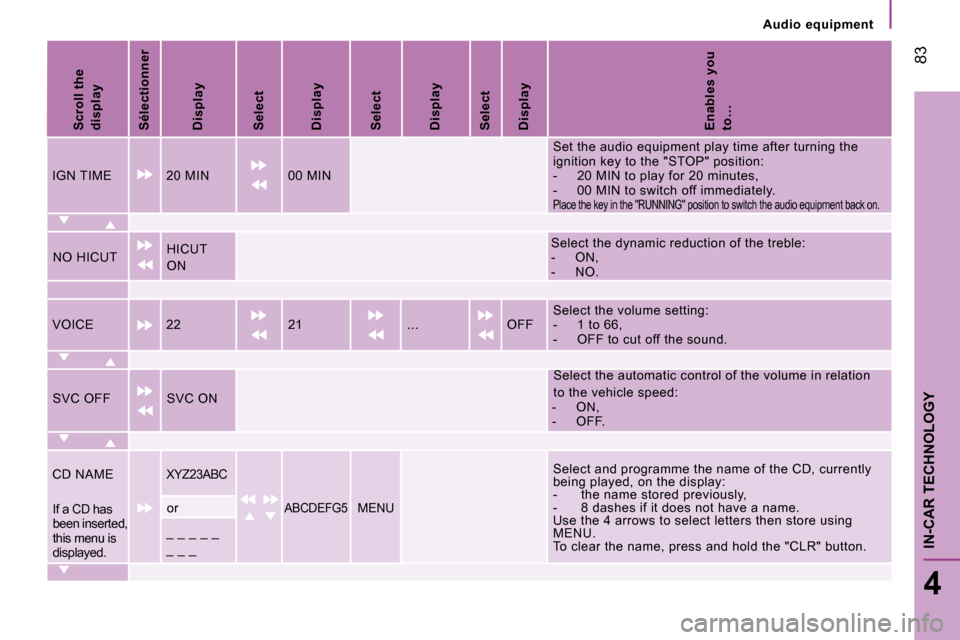
IGN TIME 20 MIN 00 MIN Set the audio equipment play time after turning th
e
ignition key to the "STOP" position:
- 20 MIN to play for 20 minutes,
- 00 MIN to switch off immediately.
Place the key in the "RUNNING" position to switch the audio equipment back on.
NO HICUT HICUT
ON Select the dynamic reduction of the treble:
- ON,
- NO.
VOICE 22 21 ... OFF Select the volume setting:
- 1 to 66,
- OFF to cut off the sound.
SVC OFF SVC ON Select the automatic control of the volume in rela
tion
to the vehicle speed:
- ON,
- OFF.
CD NAME
XYZ23ABC Select and programme the name of the CD, currently
being played, on the display:
- the name stored previously,
- 8 dashes if it does not have a name.
Use the 4 arrows to select letters then store usin g
MENU.
To clear the name, press and hold the "CLR" button .
If a CD has
been inserted,
this menu is
displayed. or ABCDEFG5 MENU
_ _ _ _ _
_ _ _
Page 83 of 163
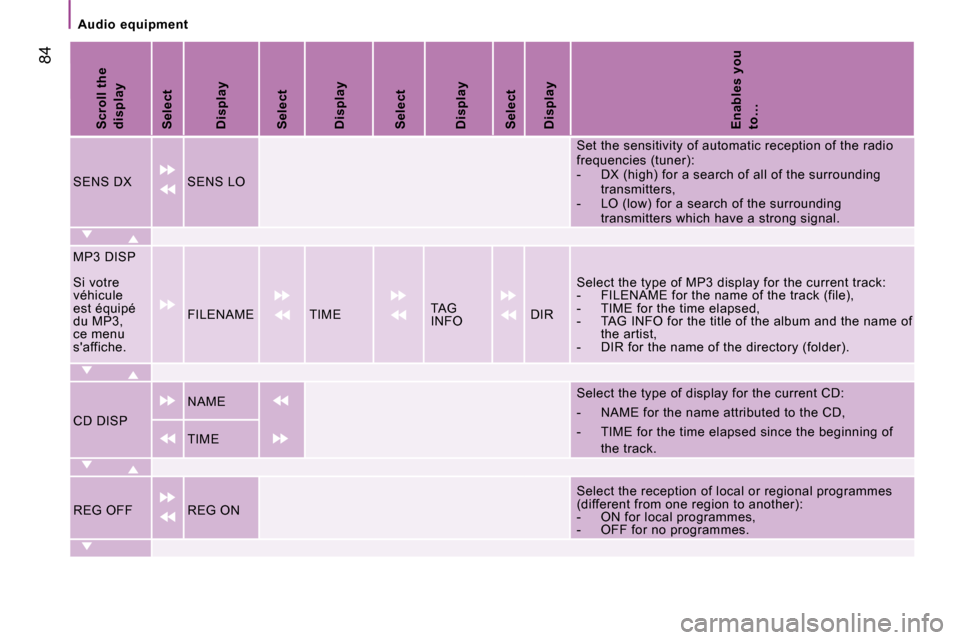
84
Audio equipment
Scroll the
display
Select
Display
Select
Display
Select
Display
Select
Display
Enables you
to…
SENS DX SENS LO Set the sensitivity of automatic reception of the
radio
frequencies (tuner):
- DX (high) for a search of all of the surround ing
transmitters,
- LO (low) for a search of the surrounding transmitters which have a strong signal.
MP3 DISP
Si votre
véhicule
est équipé
du MP3,
ce menu
s'affiche. FILENAME TIME
TAG
INFO DIR Select the type of MP3 display for the current tra
ck:
- FILENAME for the name of the track (file),
- TIME for the time elapsed,
- TAG INFO for the title of the album and the na me of
the artist,
- DIR for the name of the directory (folder).
CD DISP NAME
Select the type of display for the current CD:
- NAME for the name attributed to the CD,
- TIME for the time elapsed since the beginning
of
the track.
TIME
REG OFF REG ON Select the reception of local or regional programm
es
(different from one region to another):
- ON for local programmes,
- OFF for no programmes.
Page 84 of 163
Audio equipment
85
4
IN-CAR TECHNOLOGY
Scroll the
display
Select
Display
Select
Display
Select
Display
Select
Display
Enables you
to…
PRESET USER CLASSIC ROCK JAZZ Select pre-defined equaliser settings.
Select USER to set the equaliser manually then go
to
the EQ SET menu.
Bass and Treble adjustments are always possible.
EQ SET
EQ SET
If USER is
selected in
PRESET,
this
menu is
displayed. Programme the 7 bands of the equaliser manually.
To store the settings, press MENU.
Page 85 of 163

22
11
86
Audio equipment
CD
The MP3 format, an abbreviation of MPEG 1.2 & 2.5 Audio
Layer 3, is an audio compression standard which per mits the
recording of several tens of music files on a singl e disc.
MP3
In order to be able to play a recorded CDR or CDRW , when
recording it is preferable to select standards ISO 9660
level 1.2 or Joliet.
If the disc is recorded in another format, it may not be played
correctly.
It is recommended that the same recording standard is
always used for an individual disc, with as low a s peed as
possible (4x maximum) for optimum sound quality.
In the particular case of a multi-session CD, the Joliet
standard is recommended.
The audio equipment will only play files with the extension
".mp3" with a sampling rate of 22.05 KHz or 44.1 KH z.
No other type of file (.wma, .mp4, m3u...) can be p layed.
It is advisable to restrict file names to 20 chara cters without
using special characters (e.g.: " " ? ; ù) to avoid any playing
or displaying problems.
PLAYING A CD OR AN MP3 COMPILATION
Insert circular compact discs only.
Some anti-pirating systems, on original
discs or CDs copied using a personal
recorder, may cause faults which are no
reflection on the quality of the original player.
Insert a CD or an MP3 compilation in the player, p lay begins
automatically.
If the player already contains a disc,
press the source SRC button several
times in succession and select CD.
Press one of the buttons to select a
track on the CD.
Page 87 of 163
88
Presentation
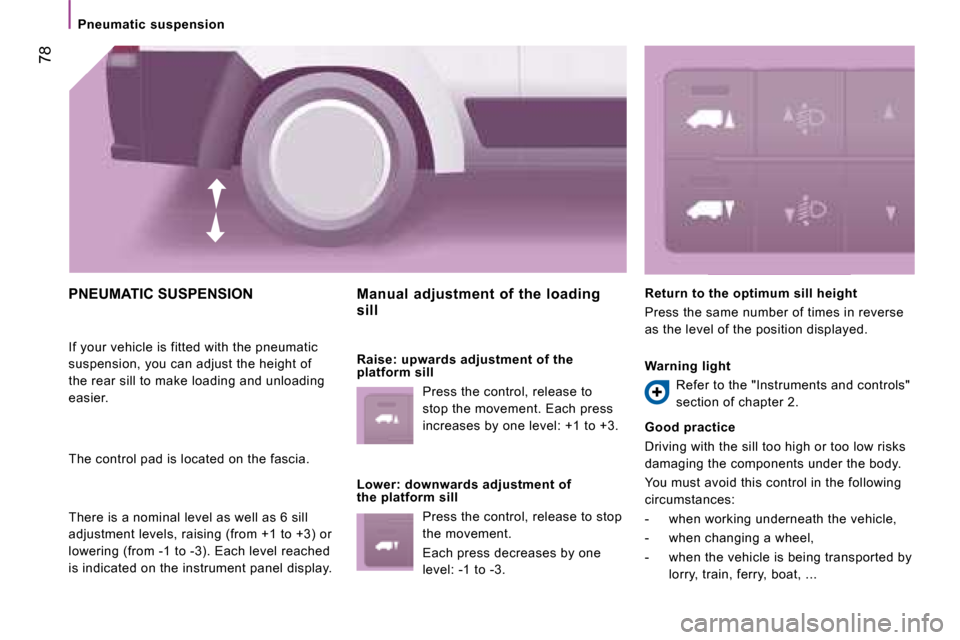
PRESENTATION
DISPLAY, USB SOCKET, CONTROLS
Page 88 of 163

1 F2
OSOSESC
NMOK
NAVF1
SOSSOSMAINOK
OK
NAV F1 F2
SOSSOSMAINESC
Presentation
89
4
IN-CAR TECHNOLOGY
PRESENTATION
Adjustment of the volume
of the functions: hands-
free, audio player, voice
announcements.
Pause/resume the file
being played (portable
player).
USB connection socket. Remove the plastic cover to
connect your portable player.
Displaying of the menus and directories of the fil
es being
played (portable player).
- Scrolling of the menu options.
- Selection of the files to be played (portable player). - Activation of the voice recognition.
- Interruption of the voice message in
order to issue a new voice command.
- Deactivation of the voice recognition.
- Interruption of the voice message.
- Exit from the main menu.
- Exit from a sub-menu and return
to the previous menu option.
- Exit without storing.
- Deactivation/reactivation of the microphone during a telephone
conversation.
- Confi rmation of the current menu option.
- Transfer of the telephone
conversation from the hands-free
system to the mobile telephone and
vice versa.
- Declining of the incoming telephone call.
- Interruption of the current telephone
call.
- Activation of the main menu.
- Confi rmation of the current menu option.
- Acceptance of the incoming call.
- Switching from one telephone
conversation to another.
- Repeat of the last voice message.
DESCRIPTION OF THE CONTROLS