Page 241 of 531
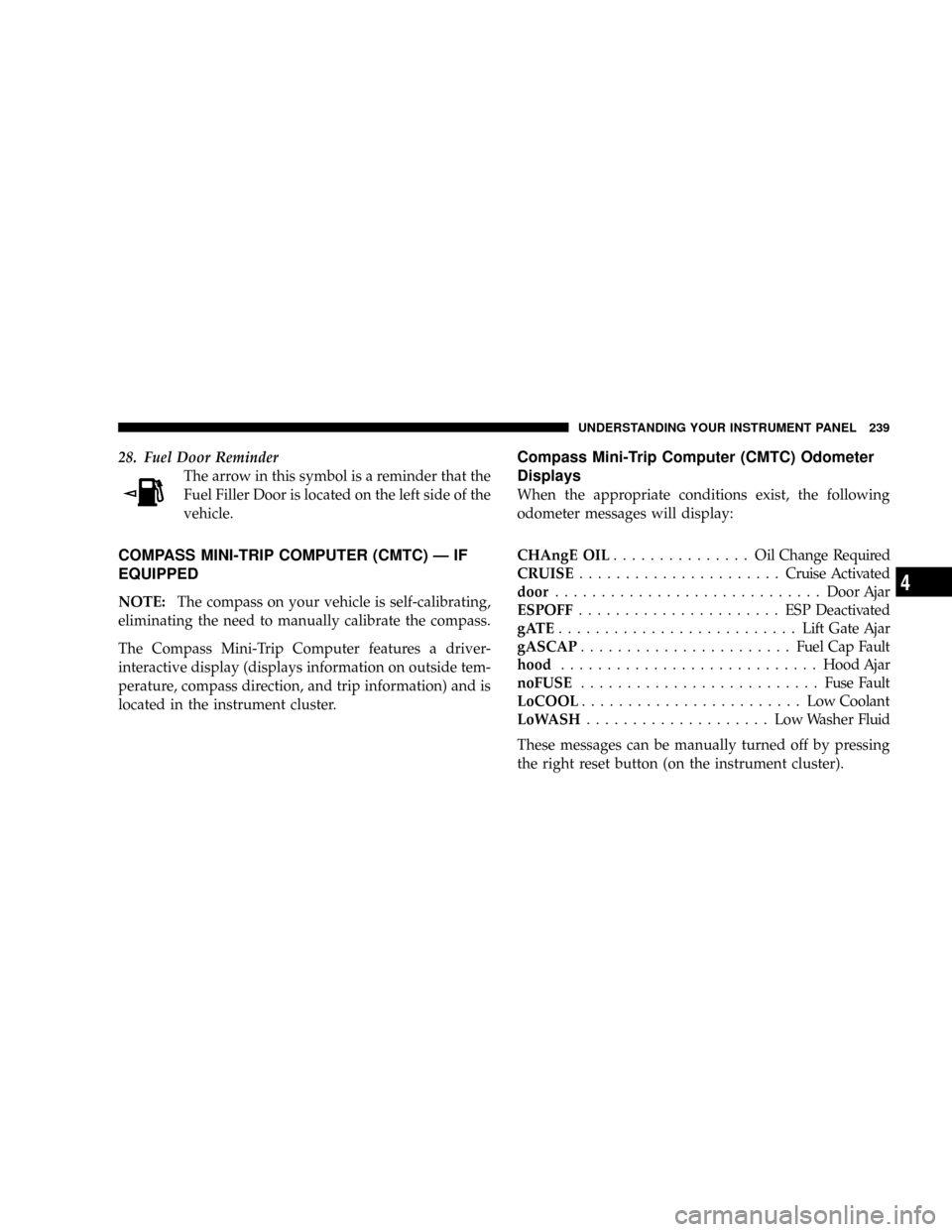
28. Fuel Door Reminder
The arrow in this symbol is a reminder that the
Fuel Filler Door is located on the left side of the
vehicle.
COMPASS MINI-TRIP COMPUTER (CMTC) Ð IF
EQUIPPED
NOTE:The compass on your vehicle is self-calibrating,
eliminating the need to manually calibrate the compass.
The Compass Mini-Trip Computer features a driver-
interactive display (displays information on outside tem-
perature, compass direction, and trip information) and is
located in the instrument cluster.
Compass Mini-Trip Computer (CMTC) Odometer
Displays
When the appropriate conditions exist, the following
odometer messages will display:
CHAngE OIL............... OilChange Required
CRUISE......................Cruise Activated
door.............................Door Ajar
ESPOFF...................... ESPDeactivated
gATE..........................Lift Gate Ajar
gASCAP.......................Fuel Cap Fault
hood............................Hood Ajar
noFUSE..........................Fuse Fault
LoCOOL........................ LowCoolant
LoWASH.................... LowWasher Fluid
These messages can be manually turned off by pressing
the right reset button (on the instrument cluster).
UNDERSTANDING YOUR INSTRUMENT PANEL 239
4
Page 242 of 531
Compass Mini-Trip Computer (CMTC) Reset
Buttons
CMTC Reset Button
Press the left reset button located on the instrument
cluster to scroll through the sub menus (i.e., Trip Func-
tions: AVG Fuel Economy, DTE, Elapsed Time, and
Units).
To reset the display shown, turn the ignition switch to the
ON position, then press and hold the reset button for
approximately two seconds.When the appropriate conditions exist, the following
odometer messages will display:
NE. Eight-point compass headings are displayed (N, S, E,
W, NE, NW, SE, SW)
14ÉF............ Temperature (Fahrenheit or Celsius)
AV G......... AverageFuel Economy (U.S. or Metric)
DTE.......................Distance to Empty
ET............................Elapsed Time
P.......................... ParkAssist On/Off
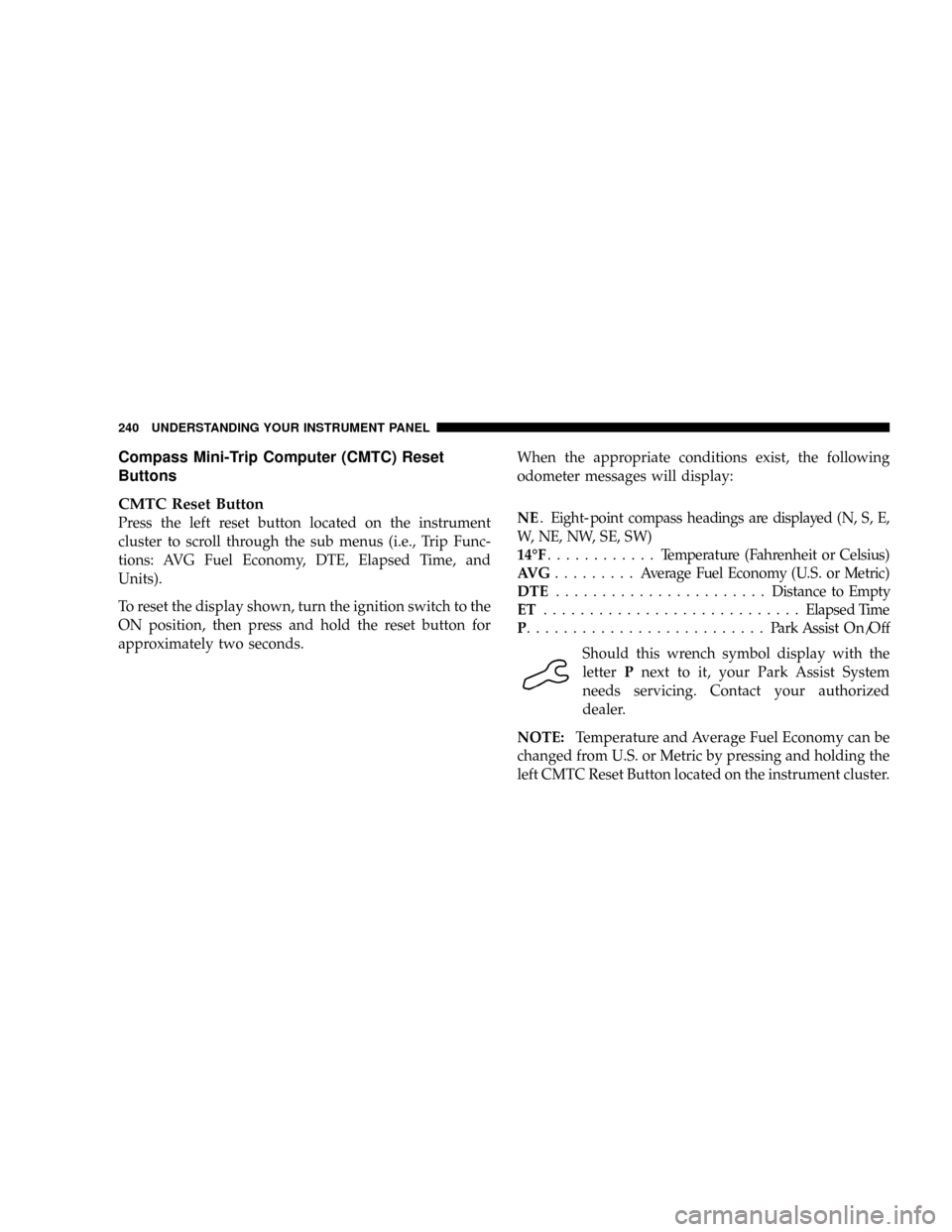
Should this wrench symbol display with the
letterPnext to it, your Park Assist System
needs servicing. Contact your authorized
dealer.
NOTE:Temperature and Average Fuel Economy can be
changed from U.S. or Metric by pressing and holding the
left CMTC Reset Button located on the instrument cluster.
240 UNDERSTANDING YOUR INSTRUMENT PANEL
Page 243 of 531

Compass Mini-Trip Computer (CMTC) Trip
Odometer (ODO)
This display shows the distance traveled since the last
reset. Press and release the right button located on the
instrument cluster to switch from odometer, to trip A or
trip B. Press and hold the right button while the
odometer/trip odometer is displayed to reset.
Trip A
Shows the total distance traveled for Trip A since the last
reset.
Trip B
Shows the total distance traveled for Trip B since the last
reset.
Compass/Temperature Display
Compass Variance
Compass Variance is the difference between magnetic
North and Geographic North. In some areas of the
country, the difference between magnetic and geographic
North is great enough to cause the compass to give false
readings. In order to ensure compass accuracy, the com-
pass variance should be properly set according to the
compass variance map zone that the vehicle is in.
NOTE:Magnetic materials should be kept away from
the top of the instrument panel. This is where the
compass sensor is located.
UNDERSTANDING YOUR INSTRUMENT PANEL 241
4
Page 254 of 531

when exiting the vehicle. To make your selection, press
and release the RESET button until 0, 30, 60, or 90
appears.
Turn Headlights On with Remote Key Unlock
When this feature is selected, the headlights will activate
and remain on for up to 90 seconds when the doors are
unlocked with the remote keyless entry transmitter. To
make your selection, press and release the RESET button
until OFF, 30 sec., 60 sec., or 90 sec. appears.
Delay Power Off to Accessories Until Exit
When this feature is selected, the power window
switches, radio, hands±free system (if equipped), DVD
video system (if equipped), power sunroof (if equipped),
and power outlets will remain active for up to 10 minutes
after the ignition switch is turned off. Opening a vehicle
door will cancel this feature. To make your selection,
press and release the RESET button until Off, 45 sec., 5
min., or 10 min. appears.
Rear Park Assist System Ð If Equipped
When ENABLE is selected, the Rear Park Assist System is
activated. When DISABLE is selected, the System is
deactivated and, the instrument cluster will display the
9PARK ASSIST DISABLED9message.
Display Units of Measure in
The EVIC, odometer, and navigation system (if
equipped) can be changed between English and Metric
units of measure. To make your selection, press and
release the RESET button until US or METRIC appears.
RADIO GENERAL INFORMATION
RADIO BROADCAST SIGNALS
Your radio will provide excellent reception under most
operating conditions. Like any system, however, car
radios have performance limitations, due to mobile op-
eration and natural phenomena, which might lead you to
believe your sound system is malfunctioning. To help
252 UNDERSTANDING YOUR INSTRUMENT PANEL
Page 338 of 531
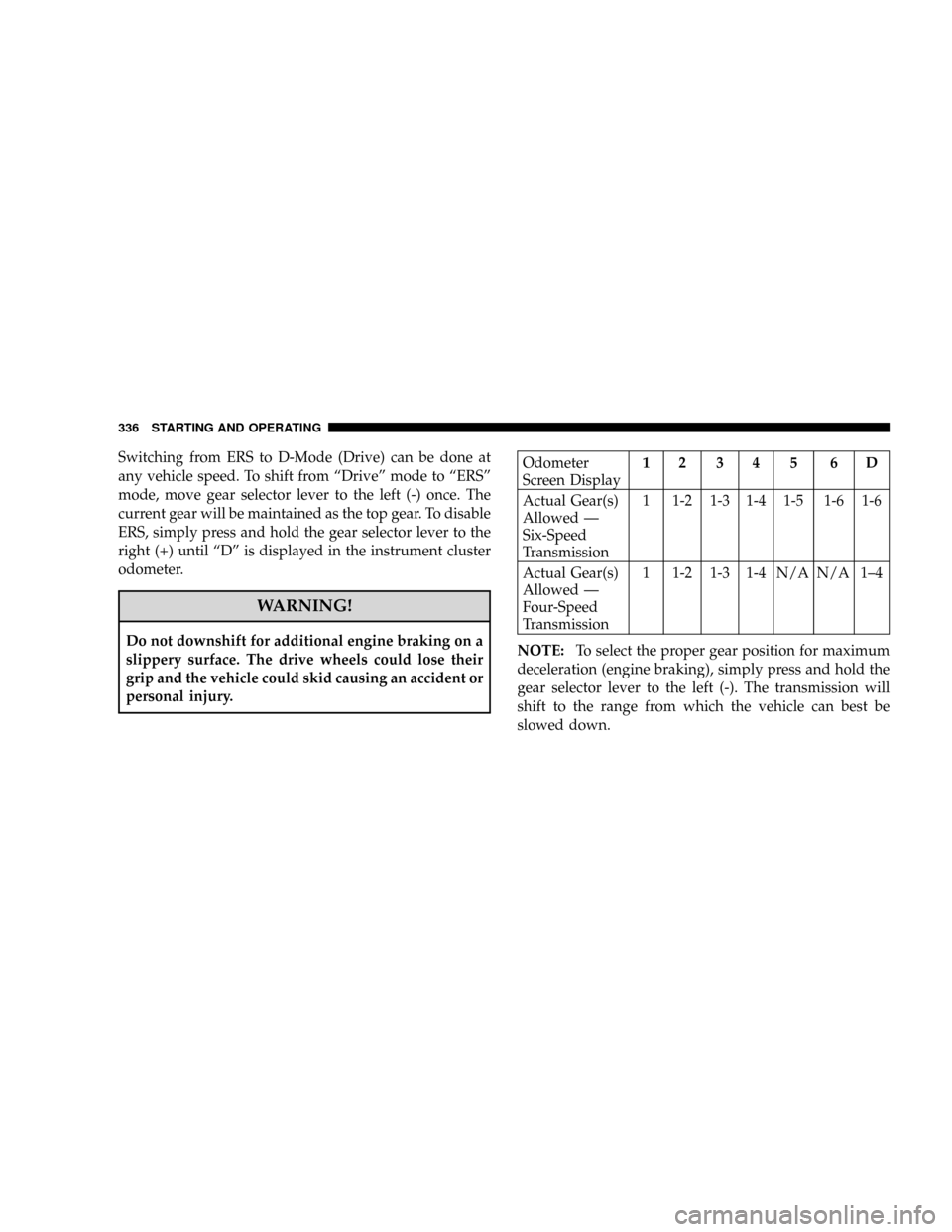
Switching from ERS to D-Mode (Drive) can be done at
any vehicle speed. To shift from ªDriveº mode to ªERSº
mode, move gear selector lever to the left (-) once. The
current gear will be maintained as the top gear. To disable
ERS, simply press and hold the gear selector lever to the
right (+) until ªDº is displayed in the instrument cluster
odometer.
WARNING!
Do not downshift for additional engine braking on a
slippery surface. The drive wheels could lose their
grip and the vehicle could skid causing an accident or
personal injury.
Odometer
Screen Display12 34 5 6D
Actual Gear(s)
Allowed Ð
Six-Speed
Transmission1 1-2 1-3 1-4 1-5 1-6 1-6
Actual Gear(s)
Allowed Ð
Four-Speed
Transmission1 1-2 1-3 1-4 N/A N/A 1±4
NOTE:To select the proper gear position for maximum
deceleration (engine braking), simply press and hold the
gear selector lever to the left (-). The transmission will
shift to the range from which the vehicle can best be
slowed down.
336 STARTING AND OPERATING
Page 369 of 531
WARNING!
²DO NOT use a tire, wheel size or rating other than that
specified for your vehicle. Some combinations of un-
approved tires and wheels may change suspension
dimensions and performance characteristics, resulting
in changes to steering, handling, and braking of your
vehicle. This can cause unpredictable handling and
stress to steering and suspension components. You
could lose control and have an accident resulting in
serious injury or death. Use only the tire and wheel
sizes with load ratings approved for your vehicle.
²NEVER use a tire with a smaller load index or capacity,
other than what was originally equipped on your
vehicle. Using a tire with a smaller load index could
result in tire overloading and failure. You could lose
control and have an accident.
²Failure to equip your vehicle with tires having ad-
equate speed capability can result in sudden tire fail-
ure and loss of vehicle control.
CAUTION!
Replacing original tires with tires of a different size
may result in false speedometer and odometer
readings.
Alignment and Tire Balance
Poor suspension alignment may result in:
²Fast tire wear.
²Uneven tire wear, such as feathering and one-sided
wear.
²Vehicle pull to right or left.
Tires may also cause the vehicle to pull to the left or right.
Alignment will not correct this condition. See your
authorized dealer for proper diagnosis.
STARTING AND OPERATING 367
5
Page 387 of 531
NOTE:
²Tighten the fuel filler cap until you hear a ªclickingº
sound. This is an indication that the fuel filler cap is
properly tightened.
²If the gas cap is not tightened properly, the Malfunc-
tion Indicator Light may come on. Be sure the gas cap
is tightened every time the vehicle is refueled.
WARNING!
A fire may result if gasoline is pumped into a
portable container that is inside of a vehicle. You
could be burned. Always place gas containers on the
ground while filling.
Loose Fuel Filler Cap Message
²
If thegASCAPmessage is displayed in the instrument
cluster, this signifies a leak or change in the evapora-
tive system is detected. Sometimes this is the result of
a loosely fitting (or possibly damaged) filler cap.
Tighten the fuel filler cap properly and press the
odometer reset button to turn thegASCAPmessage
off.
²Make sure that the fuel filler cap is tightened each time
the vehicle is refueled.
²If the problem continues, the message will appear the
next time the vehicle is started. See your authorized
dealer service center as soon as possible. See Section 7
of this manual for more information.
STARTING AND OPERATING 385
5
Page 438 of 531
Loose Fuel Filler Cap Message Ð gASCAP
Should the ªLoose Fuel Filler Capº or ªgASCAPº mes-
sage appear, there may be a problem in the evaporative
system. Before taking the vehicle into an authorized
dealer, check first to see if the fuel filler cap is possibly
loose, improperly installed, or damaged. A loose fuel
filler cap message will be displayed in the instrument
cluster. Tighten the gas cap until a9clicking9sound is
heard. This is an indication that the gas cap is properly
tightened. Press the odometer reset button to turn the
message off. If the problem persists, the message will
appear the next time the vehicle is started. If the problem
is detected twice in a row, the system will turn on the
Malfunction Indicator Light (MIL). Resolving the prob-
lem will turn the MIL light off. Take your vehicle in to an
authorized dealer.
EMISSIONS INSPECTION AND MAINTENANCE
PROGRAMS
In some localities, it may be a legal requirement to pass
an inspection of this vehicle's emissions control system.
Failure to pass could prevent vehicle registration.
For states that require an Inspection and Mainte-
nance (I/M), this check verifies the Malfunction
Indicator Light (MIL) is functioning and is not on
when the engine is running, and that the OBD II system
is ready for testing.
Normally, the OBD II system will be ready. The OBD II
system maynotbe ready if the vehicle was recently
serviced, recently had a dead battery, or a battery replace-
ment. If the OBD II system should be determined not
ready for the I/M test, the vehicle may fail the test.
436 MAINTAINING YOUR VEHICLE