Page 36 of 457
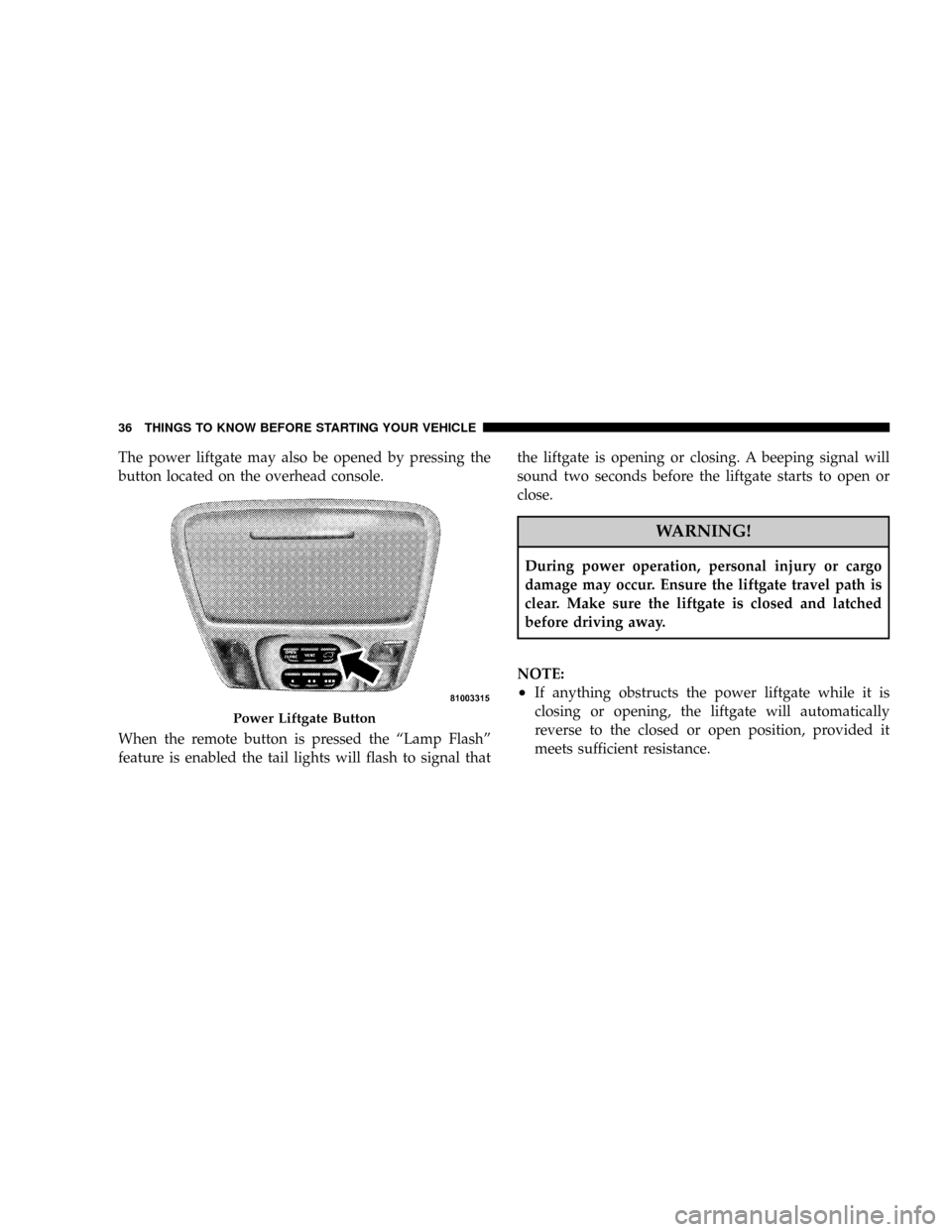
The power liftgate may also be opened by pressing the
button located on the overhead console.
When the remote button is pressed the ªLamp Flashº
feature is enabled the tail lights will flash to signal thatthe liftgate is opening or closing. A beeping signal will
sound two seconds before the liftgate starts to open or
close.
WARNING!
During power operation, personal injury or cargo
damage may occur. Ensure the liftgate travel path is
clear. Make sure the liftgate is closed and latched
before driving away.
NOTE:
²If anything obstructs the power liftgate while it is
closing or opening, the liftgate will automatically
reverse to the closed or open position, provided it
meets sufficient resistance.
Power Liftgate Button
36 THINGS TO KNOW BEFORE STARTING YOUR VEHICLE
Page 63 of 457

WARNING!
Deployed airbags, front seat belt pretensioners and
driver inflatable knee blocker cannot protect you in
another collision. Have the airbags, front seat belt
pretensioners and driver inflatable knee blocker (if
equipped) replaced by an authorized dealer as soon
as possible.
Enhanced Accident Response
If the airbags and seat belt pretensioners deploy after an
impact and the electrical system remains functional,
vehicles equipped with power door locks will unlock
automatically. In addition, approximately 10 seconds
after the vehicle has stopped moving, the interior lights
will illuminate until the ignition switch is turned off.In the event of an impact that causes airbag deployment,
with the vehicle stopped, and the vehicle communication
network intact, and the power intact, the Enhanced
Accident Response System performs the following func-
tions:
²Cuts off fuel to the engine
²Flashes hazard lights
²Turns on the interior lights approximately 10 seconds
after the vehicle has stopped moving, and will remain
on as long as the battery has power or until the
ignition key is removed
²Unlocks the doors automatically
THINGS TO KNOW BEFORE STARTING YOUR VEHICLE 63
2
Page 80 of 457
Periodic Safety Checks You Should Make Outside
The Vehicle
Tires
Examine tires for excessive tread wear or uneven wear
patterns. Check for stones, nails, glass, or other objects
lodged in the tread. Inspect tread and sidewall for cuts or
cracks. Check wheel nuts for tightness, and tires (includ-
ing spare) for proper pressure.
Lights
Have someone observe the operation of exterior lights
while you work the controls. Check turn signal and high
beam indicator lights on the instrument panel.
Fluid Leaks
Check area under vehicle after overnight parking for fuel,
engine coolant, oil or other fluid leaks. Also, if gasoline
fumes are detected or fuel, power steering fluid, trans-
mission fluid or brake fluid leaks are suspected, the cause
should be located and corrected immediately.
80 THINGS TO KNOW BEFORE STARTING YOUR VEHICLE
Page 83 of 457

mLights...............................134
NOverhead Console Map/Reading Lights.....134
NInterior Lights.......................135
NMulti-Function Lever...................136
NHeadlights, Parking Lights, Instrument Panel
Lights.............................136
NAutomatic Headlights..................137
NDaytime Running Lights (Canada Only).....138
NLights-On Reminder...................138
NHeadlight Time Delay..................138
NFog Lights Ð If Equipped...............138
NTurn Signals.........................139
NHighbeam/Lowbeam Select Switch.........139NPassing Light........................139
mWindshield Wipers And Washers...........140
NWindshield Washers...................140
NMist Feature.........................140
NWindshield Wiper Operation.............141
NIntermittent Wiper System...............141
NRear Window Wiper/Washer.............141
mTilt Steering Column....................143
mElectronic Speed Control..................144
NTo Activate..........................144
NTo Set a Desired Speed.................145
NTo Deactivate........................145
NTo Resume Speed.....................145
UNDERSTANDING THE FEATURES OF YOUR VEHICLE 83
3
Page 85 of 457
NCourtesy/Reading Lights................168
NSunglasses Storage....................168
mPower Sunroof Ð If Equipped.............169
NExpress Open Feature..................170
NWind Buffeting.......................171
NSunroof Comfort Position Ð If Equipped....171
NSunroof Maintenance...................172
mElectrical Power Outlets..................172
NElectrical Outlet Use With Engine Off.......173
mCupholders...........................174
NFront Seat Cupholders..................174NSecond Row Seat Cupholders.............174
NThird Row Seat Cupholders Ð If Equipped . . . 175
mStorage..............................175
NConsole Features......................175
NRear Cargo Storage Bin Ð If Equipped......175
NRetractable Cargo Area Cover Ð
If Equipped.........................176
NCargo Tie-Down Hooks.................177
mRoof Luggage Rack Ð If Equipped..........178
mLoad Leveling System...................180
UNDERSTANDING THE FEATURES OF YOUR VEHICLE 85
3
Page 89 of 457

Press the rocker switch to the L or R for Left or Right
mirror selection. Use the center off position to guard
against accidentally moving a mirror position.
Select a mirror and press one of the four arrows for the
direction you want the mirror to move.
Power mirror preselected positions can be controlled by
the optional Driver Memory Seat Feature. Refer to
ªDriver Memory Seatº in section 3 of this manual.
Heated Remote Control Mirrors Ð If Equipped
These mirrors are heated to melt frost or ice. This feature
is activated whenever you turn on the Rear Window
Defrost.
Illuminated Vanity Mirrors
An illuminated vanity mirror is on the sun visor. To use
the mirror, rotate the sun visor down and swing the
mirror cover upward. The lights turn on automatically.
Closing the mirror cover turns off the lights.
Sun Visor Extension
The sun visors may be pulled out to provide extended
coverage of the side glass.
HANDS±FREE COMMUNICATION (UConnectŸ) Ð
IF EQUIPPED
UConnectŸ is a voice-activated, hands-free, in- vehicle
communications system. UConnectŸ allows you to dial
a phone number with your cellular phone using simple
voice commands (e.g.,9Callº{ªMikeº{ºWork9or9Dialº
{ª248-555-12129). Your cellular phone's audio is trans-
mitted through your vehicle's audio system; the system
will automatically mute your radio when using the
UConnectŸ system.
NOTE:The UConnectŸ system use requires a cellular
phone equipped with the Bluetooth9Hands-Free Profile,9
version 0.96 or higher. See www.chrysler.com/uconnect
for supported phones.
UNDERSTANDING THE FEATURES OF YOUR VEHICLE 89
3
Page 119 of 457
NOTE:
²If the lights in the second row heated seat switch begin
to flash when the switch is pressed, it indicates that the
heated seat is not functioning properly and that ser-
vice is required. See your authorized dealer for service.
²Once a heat setting is selected, heat will be felt within
2 to 3 minutes.
²The heated seats will turn off when the ignition switch
is turned to the OFF position.
Rear Heated Seat Switches
UNDERSTANDING THE FEATURES OF YOUR VEHICLE 119
3
Page 134 of 457
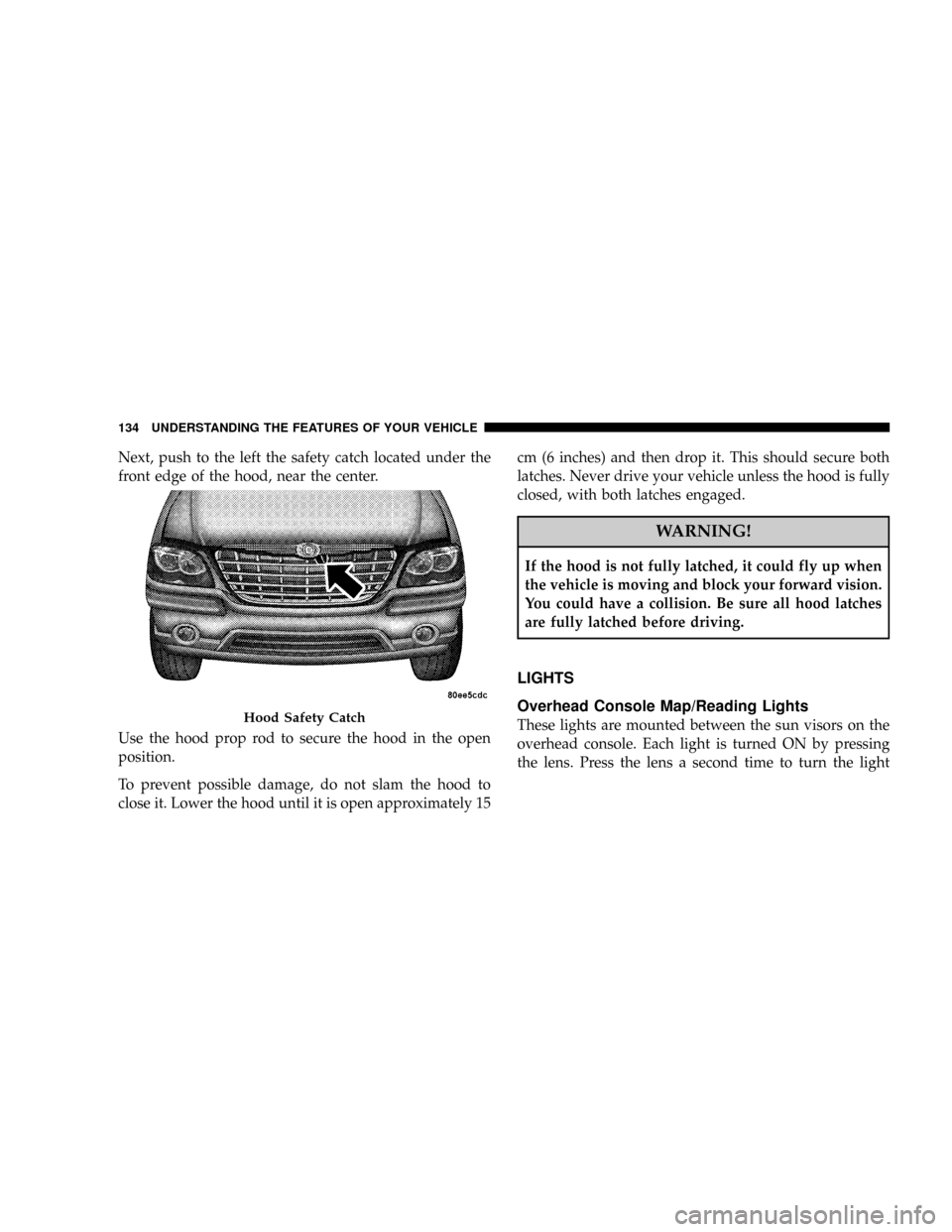
Next, push to the left the safety catch located under the
front edge of the hood, near the center.
Use the hood prop rod to secure the hood in the open
position.
To prevent possible damage, do not slam the hood to
close it. Lower the hood until it is open approximately 15cm (6 inches) and then drop it. This should secure both
latches. Never drive your vehicle unless the hood is fully
closed, with both latches engaged.
WARNING!
If the hood is not fully latched, it could fly up when
the vehicle is moving and block your forward vision.
You could have a collision. Be sure all hood latches
are fully latched before driving.
LIGHTS
Overhead Console Map/Reading Lights
These lights are mounted between the sun visors on the
overhead console. Each light is turned ON by pressing
the lens. Press the lens a second time to turn the lightHood Safety Catch
134 UNDERSTANDING THE FEATURES OF YOUR VEHICLE