Page 308 of 358
EXTERIOR LIGHT BULB SERVICE
Headlights
WARNING!
Halogen lamps contain pressurized gas. A bulb can
explode if you:
²Touch or move it when hot
²Drop the bulb
²Scratch the bulb
Wear eye and hand protection.
NOTE:To prevent a possible electrical short circuit,
switch off light prior to replacing a bulb.
1. Push the tab down at the top end of the cover and
remove.2. Disconnect the electrical connector.
3. Release the spring clamps holding the bulb in place,
and pull out the bulb. Replace the bulb and reverse the
removal procedure exactly.
306 MAINTAINING YOUR VEHICLE
Page 309 of 358
CAUTION!
Do not touch the new bulb with your fingers. Oil
contamination will severely shorten bulb life. If the
bulb comes in contact with an oily surface, clean the
bulb with rubbing alcohol.
Front Turn Signal and Parking/Standing Lights
²
Twist the bulb socket counterclockwise and pull out.
Push the bulb into the socket, turn counterclockwise
and remove.
²Replace the bulb, push in and twist clockwise. Rein-
stall the socket, and turn clockwise.
Front and Rear Sidemarker Lights
1. Push the front sidemarker assembly in and slide it
forward. Push the rear sidemarker assembly in and slide
rearward. The assembly will release from the fascia.
2. Twist the bulb socket counterclockwise and pull out.
Push the bulb into the socket, turn counterclockwise and
remove.
3. Replace the light, push in and twist clockwise.
MAINTAINING YOUR VEHICLE 307
7
Page 310 of 358
4. Realign the two tabs and push the light in until it
engages into the lock.Tail, Stop, Back Up and Turn Signal Lights
1. Open the rear liftgate/decklid and remove the access
door in the trim panel.
2. Twist the bulb socket counterclockwise and pull out.
3. Replace the light and return to open socket, turn
clockwise until it stops.
4. Replace the access door in the trim panel.
308 MAINTAINING YOUR VEHICLE
Page 311 of 358
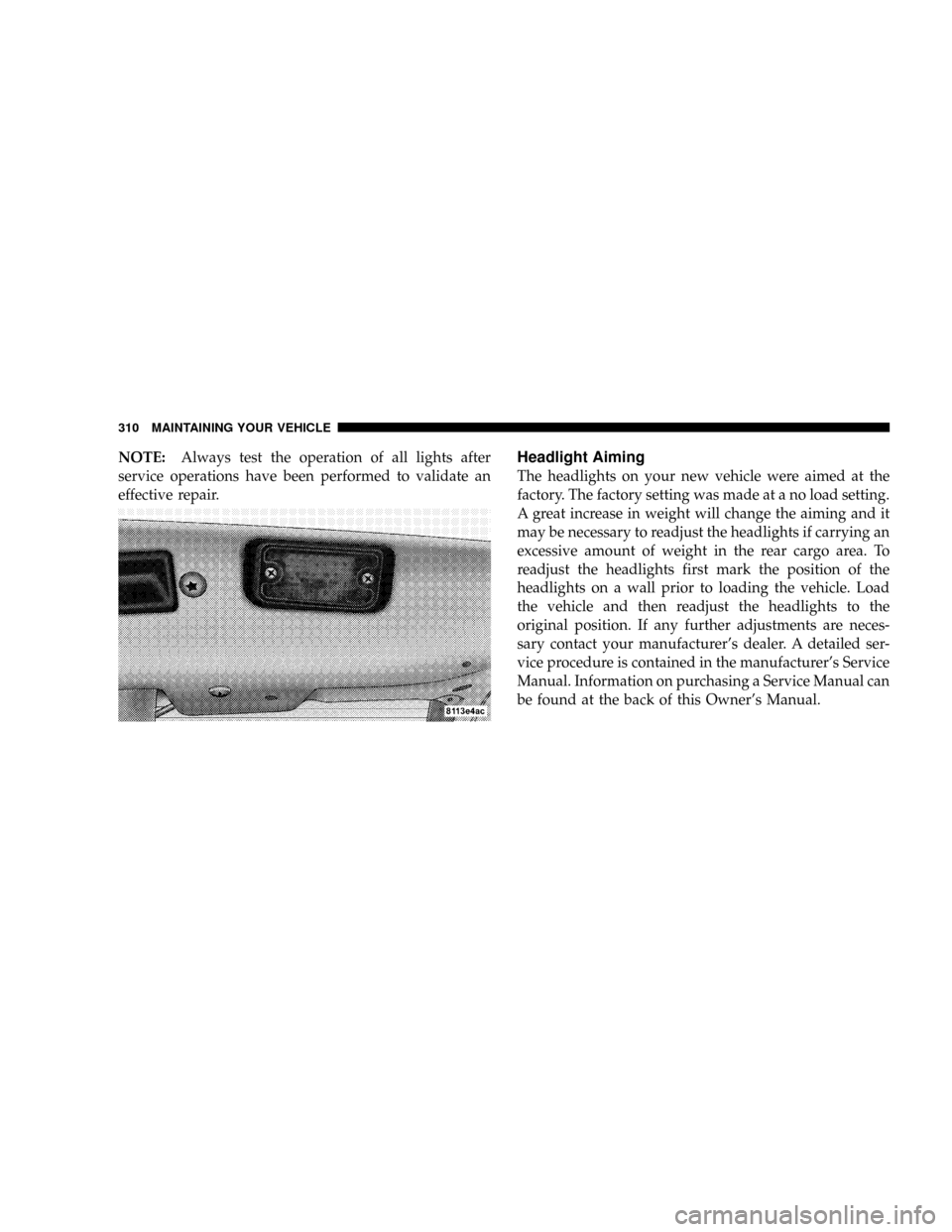
License Plate Light
1. Remove the two lens assembly mounting screws.
2. Pull the bulb out of the socket.
3. Replace the bulb and reattach the lens assembly.
4. Align and resecure the two lens assembly mounting
screws.
NOTE:Be sure not to over-torque the mounting screws
or permanent damage to the lens may occur.
MAINTAINING YOUR VEHICLE 309
7
Page 312 of 358
NOTE:Always test the operation of all lights after
service operations have been performed to validate an
effective repair.Headlight Aiming
The headlights on your new vehicle were aimed at the
factory. The factory setting was made at a no load setting.
A great increase in weight will change the aiming and it
may be necessary to readjust the headlights if carrying an
excessive amount of weight in the rear cargo area. To
readjust the headlights first mark the position of the
headlights on a wall prior to loading the vehicle. Load
the vehicle and then readjust the headlights to the
original position. If any further adjustments are neces-
sary contact your manufacturer's dealer. A detailed ser-
vice procedure is contained in the manufacturer's Service
Manual. Information on purchasing a Service Manual can
be found at the back of this Owner's Manual.
310 MAINTAINING YOUR VEHICLE
Page 324 of 358

MAINTENANCE SCHEDULES
There are two maintenance schedules that show the
requiredservice for your vehicle.
Schedule ªAº typically rotates with Schedule ªB.º Follow
Schedule ªAº after the first service interval, Schedule ªBº
after the second service interval, and so on. In some cases
where the service interval has been extended due to very
light duty driving, a Schedule ªBº service may be indi-
cated following a previous Schedule ªBº service. There
are additional service tasks required under Schedule ªB.º
Your Flexible Service System (FSS) Ð see Understanding
Your Instrument Panel section Ð should give you an
exact indication of when your vehicle should be sched-
uled for service and which schedule to follow.
Additional Periodic Maintenanceitems should also be
performed beyond the items listed in the following charts
to assure the optimum performance of your vehicle.
SCOPE OF WORK FOR ªAº SCHEDULE
MAINTENANCE SERVICE
Oil Change
²Change oil and replace filter
Maintenance
²Lubricate hood hinges, latch, and secondary latch
²Reset FSS Display
Function Check
²Horn, hazard warning flashers, turn signals, and indi-
cator lamps
²Headlamps and exterior lighting
²Windshield wipers and washer system
Inspection
²Check front and rear brake pads for lining thickness
322 MAINTENANCE SCHEDULES
8
M
A
I
N
T
E
N
A
N
C
E
S
C
H
E
D
U
L
E
S
Page 325 of 358
²Check tires for damage and general condition
²Check tire inflation pressures and correct if necessary
Fluid Levels
Check fluid levels for the following systems and correct if
necessary. Should there be a loss of fluid that cannot be
explained by regular use, trace and eliminate the cause.
²Engine cooling system (check corrosion inhibitor/
antifreeze)
²Hydraulic brake system
²Power steering system
²Windshield washer system
SCOPE OF WORK FOR ªBº SCHEDULE
MAINTENANCE SERVICE
Oil Change
²Change oil and replace filter
Maintenance
²Rotate tires
²Replace dust filter (if equipped)
²Lubricate hood hinges, latch, and secondary latch
²Reset FSS Display
Function Check
²Horn, hazard warning flashers, turn signals, and indi-
cator lamps
²Headlamps and exterior lighting
²Windshield wipers and washer system
MAINTENANCE SCHEDULES 323
8
M
A
I
N
T
E
N
A
N
C
E
S
C
H
E
D
U
L
E
S
Page 327 of 358

FSS SYSTEM
The Flexible Service System (FSS) permits a flexible
service schedule that is directly related to the operating
conditions of the vehicle. See the Understanding Your
Instrument Panel section for details on how to use the
FSS.
The oil change interval for your vehicle is initially set at
7,000 mi (Canada: 11 000 km). Very light duty driving
cycles (most trips more than 10 mi [16 km]) at moderate
speeds in moderate temperature conditions) can extend
the service interval beyond 7,000 mi (Canada: 11 000 km).
IfANYof the following apply to your driving, the oil
change interval can be reduced significantly:
þDay or night temperatures are below 32ÉF (0ÉC).
þStop and go driving.
þExtensive engine idling.
þDriving in dusty conditions.
þShort trips of less than 10 mi (16 km).
þMore than 50% of your driving is at sustained high
speeds during hot weather, above 90ÉF (32ÉC).
There are two symbols which will appear in the main
odometer display field prior to the next suggested ser-
vice.
This symbol represents Service A.
This second symbol represents Service B. Ser-
vice B rotates with Service A and includes
additional service tasks.
The next service is normally calculated and
displayed next to the Service A or Service B
symbol as distance remaining before the next
service is required.
MAINTENANCE SCHEDULES 325
8
M
A
I
N
T
E
N
A
N
C
E
S
C
H
E
D
U
L
E
S