Page 138 of 479
DRIVER MEMORY SYSTEM Ð IF EQUIPPED
Once programmed, the memory buttons 1 and 2 on the
driver's door panel can be used to recall the driver's seat
position, driver's outside mirror position, adjustable
brake and accelerator pedals position, Automatic Tem-
perature Control (ATC) temperature and radio station
Third Row Seat Folded ForwardThird Row Seat Return Pull Strap
UNDERSTANDING THE FEATURES OF YOUR VEHICLE 137
3
Page 139 of 479
preset settings. Your Remote Keyless Entry (RKE) Trans-
mitters can also be programmed to recall the same
positions when the UNLOCK button is pressed.
Your vehicle was delivered with two RKE Transmitters.
One or both transmitters can be linked to either memoryposition. The memory system can accommodate up to
two transmitters, each transmitter linked to either of the
two memory positions.
Setting Memory Positions and Linking Remote
Keyless Entry Transmitter to Memory
NOTE:Each time the SET (S) button and a numbered
button (1 or 2) are pressed, you erase the memory settings
for that button and store new settings.
1. Adjust the driver's seat, recliner, and both sideview
mirrors to the desired positions.
NOTE:Not all motors may be moved at one time.
Please refer to the 8-way power seat description in this
section.
2. Adjust the brake and accelerator pedals to the desired
positions.
Memory Buttons
138 UNDERSTANDING THE FEATURES OF YOUR VEHICLE
Page 161 of 479
REAR PARK ASSIST SYSTEM Ð IF EQUIPPED
NOTE:The manufacturer suggests disabling the Rear
Park Assist System when towing a trailer. Refer to
ªPersonal Settings (Customer Programmable Features)º
under ªOverhead Console with Electronic Vehicle Infor-
mation Center (EVIC) ± If Equippedº in Section 3.
This system is used to help drivers determine if an
obstacle is in the way of the vehicle while it is backing up
in addition to the use of inside rearview and outside
mirrors.
When the driver selects REVERSE, the system scans for
objects behind the vehicle using four sensors located in
the rear bumper. Objects can be detected from up to 78.7
in (200 cm). A warning display above the rear window
provides both visible and audible warnings indicating
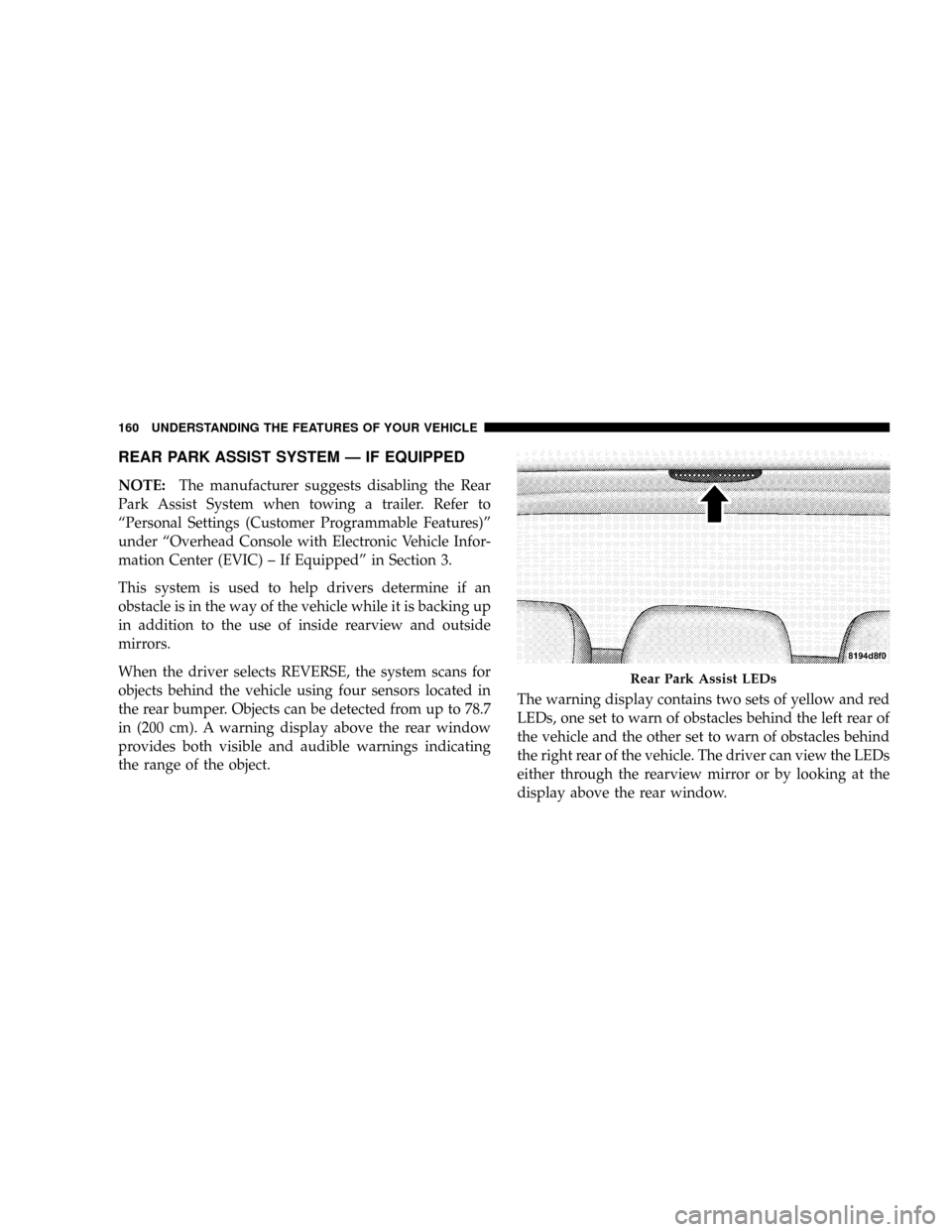
the range of the object.The warning display contains two sets of yellow and red
LEDs, one set to warn of obstacles behind the left rear of
the vehicle and the other set to warn of obstacles behind
the right rear of the vehicle. The driver can view the LEDs
either through the rearview mirror or by looking at the
display above the rear window.
Rear Park Assist LEDs
160 UNDERSTANDING THE FEATURES OF YOUR VEHICLE
Page 172 of 479

stopped and the transmission is in the PARK or
NEUTRAL position and the driver's door is opened.
To make your selection, press and release the RESET
button until ªONº or ªOFFº appears.
²ªRKE UNLOCK DRV DR 1stº ± WhenDRV DR 1stis
selected, only the driver's door will unlock on the first
press of the RKE UNLOCK button. When Driver Door
1st Press is selected, you must press the Remote
Keyless Entry UNLOCK button twice to unlock the
passenger's doors. To make your selection, press and
release the RESET button until ªDRV DR 1st º appears.
²ªRKE UNLOCK ALL DR 1STº ± When AllALL DR
1STis selected, all of the doors will unlock on the first
press of the RKE UNLOCK button. To make your
selection, press and release the RESET button until
ªAll DR 1stº appears.
²MEM. RECALL WITH RKE > ON ± When ON is
selected, pressing the UNLOCK button on the RKEwill recall the memory settings for the seat, mirror and
radio. To make your selection, press and release the
RESET button until ªON9or ªOFFº appears.
²ªSOUND HORN W/LOCK > ONº ± When ON is
selected, a short horn sound will occur when the
Remote Keyless Entry LOCK button is pressed. This
feature may be selected with or without the flash lights
on lock/unlock feature. To make your selection, press
and release the RESET button until ªONº or ªOFFº
appears.
²ªFLASH LAMPS W/LOCK >ONº ± When ON is
selected, the front and rear turn signals will flash when
the doors are locked or unlocked with the RKE Trans-
mitter. This feature may be selected with or without
the sound horn on lock feature selected. To make your
selection, press and release the RESET button until
ªONº or ªOFFº appears.
UNDERSTANDING THE FEATURES OF YOUR VEHICLE 171
3
Page 173 of 479

²ªHEADLAMP OFF DELAY > 0 SECº ± When this
feature is selected, the driver can choose to have the
headlamps remain on for 0, 30, 60, or 90 seconds when
exiting the vehicle. To make your selection, press and
release the RESET button until ª0,º ª30,º ª60,º or ª90º
appears.
NOTE:The headlamp switch must be in the ªAº auto
mode before this feature will work.
²HEADLAMPS W/WIPERS > ON ± When ON is
selected, the headlamps will automatically turn on
when the wiper switch is activated.
²EASY EXIT SEAT > ON ± When ON is selected, and
the key is removed from the ignition, the driver's seat
will automatically move rearward to allow easy exit.
²TILT MIRRORS IN ªRº > ON ± When ON is selected,
and the transmission is put in REVERSE, the outside
mirrors will tilt downward.
²ªKEY OFF POWER DELAY> OFFº ± When this feature
is selected, the power window switches, radio, hands±
free system (if equipped), and power outlets will
remain active for up to 10 minutes after the ignition
switch is turned off. Opening a vehicle door will
cancel this feature. To make your selection, press and
release the RESET button until ªOff,º ª45 sec.,º ª5
min.,º ª10 min.º appears.
²ªILLUMINATED APRCH > OFFº ± When this feature
is selected, the headlights will activate and remain on
for up to 90 seconds when the doors are unlocked with
the RKE Transmitter. To make your selection, press
and release the RESET button until ªOFF,º ª30 sec.,º
ª60 sec.,º or ª90 sec.º appears.
²PARK ASST. SYSTEM > ON ± When YES is selected,
the Rear Park Assist System is activated. When NO is
selected, the System is deactivated.
172 UNDERSTANDING THE FEATURES OF YOUR VEHICLE
Page 266 of 479

If the rear wiper is operating when the ignition is turned
OFF, the wiper will automatically return to the Park
position. When the vehicle is restarted, the wiper will
resume operation.
Rear Window Defrosting
A pushbutton type switch is located in the climate
control panel. Press the switch and the rear win-
dow defroster and electric remote control heated mirrors
(if equipped) will turn on. An amber indicator on the
pushbutton will light when the defroster is turned on. A
symbol will be displayed when the defroster is turned on
with an ATC control. Push again to turn off prior to
time-out. The defroster will automatically turn off after
15 minutes. For 10 more minutes of operation, push the
button again. To prevent excessive battery drain, use the
defroster only when the engine is operating.
CAUTION!
Use care when washing the inside of the rear window
to prevent damage to heating elements. Use a soft
cloth and a mild washing solution, wiping parallel to
the heating elements. Also, keep all objects a safe
distance from the window to prevent damaging the
heating elements.
INSTRUMENT PANEL AND CONTROLS 265
4
Page 272 of 479
STARTING PROCEDURES
Before starting your vehicle, adjust your seat, adjust both
inside and outside mirrors, and fasten your seat belts.
WARNING!
Be sure to turn off the engine and remove the key
from the ignition switch if you want to rest or sleep
in your car. Accidents can be caused by inadvertently
moving the shift lever or by pressing the accelerator
pedal. This may cause excessive heat in the exhaust
system, resulting in overheating and vehicle fire
which may cause serious or fatal injuries.
WARNING!
Do not leave children or animals inside parked
vehicles in hot weather. Interior heat build up may
cause serious injury or death.
Automatic Transmission
Start the engine with the selector lever in NEUTRAL or
PARK position. Apply the brake before shifting to any
driving range.
Normal Starting
Normal starting of either a warm or cold engine is
obtained without pumping or depressing the accelerator
pedal.
STARTING AND OPERATING 271
5
Page 419 of 479

Cleaning Headlights
Your vehicle has plastic headlights that are lighter and
less susceptible to stone breakage than glass headlights.
Plastic is not as scratch resistant as glass and therefore
different lens cleaning procedures must be followed.
To minimize the possibility of scratching the lenses and
reducing light output, avoid wiping with a dry cloth. To
remove road dirt, wash with a mild soap solution fol-
lowed by rinsing.
Do not use abrasive cleaning components, solvents, steel
wool or other aggressive material to clean the lenses.
Glass Surfaces
All glass surfaces should be cleaned on a regular basis
with any commercial household-type glass cleaner.
Never use an abrasive type cleaner. Use caution when
cleaning inside rear windows equipped with electricdefrosters or windshields equipped with a windshield
wiper de-icer. Do not use scrapers or other sharp instru-
ments which may scratch the elements.
When cleaning the rear view mirror, spray cleaner on the
towel or rag that you are using. Do not spray cleaner
directly on the mirror.
Cleaning Plastic Instrument Cluster Lenses
The lenses in front of the instruments in this vehicle are
molded in clear plastic. When cleaning the lenses, care
must be taken to avoid scratching the plastic.
1. Clean with a wet soft rag. A mild soap solution may be
used, but do not use high alcohol content or abrasive
cleaners. If soap is used, wipe clean with a clean damp
rag.
2. Dry with a soft tissue.
418 MAINTAINING YOUR VEHICLE


