Page 143 of 519
headlight lens. In addition, the windshield washers will
spray the windshield and the windshield wipers will
cycle.
NOTE:The headlight washers will operate on the first
spray of the windshield washer and then every fourth
spray after that.Adding Washer Fluid
The headlight washer and windshield washer share the
same fluid reservoir. The reservoir is located in the front
of the engine compartment. Be sure to check the fluid
level in the reservoir at regular intervals. Fill the reservoir
with windshield washer solvent (not radiator antifreeze)
and operate the system for a few seconds to flush out the
residual water.
Headlight Washer
UNDERSTANDING THE FEATURES OF YOUR VEHICLE 143
3
Page 149 of 519
Electronic Speed Control Operation
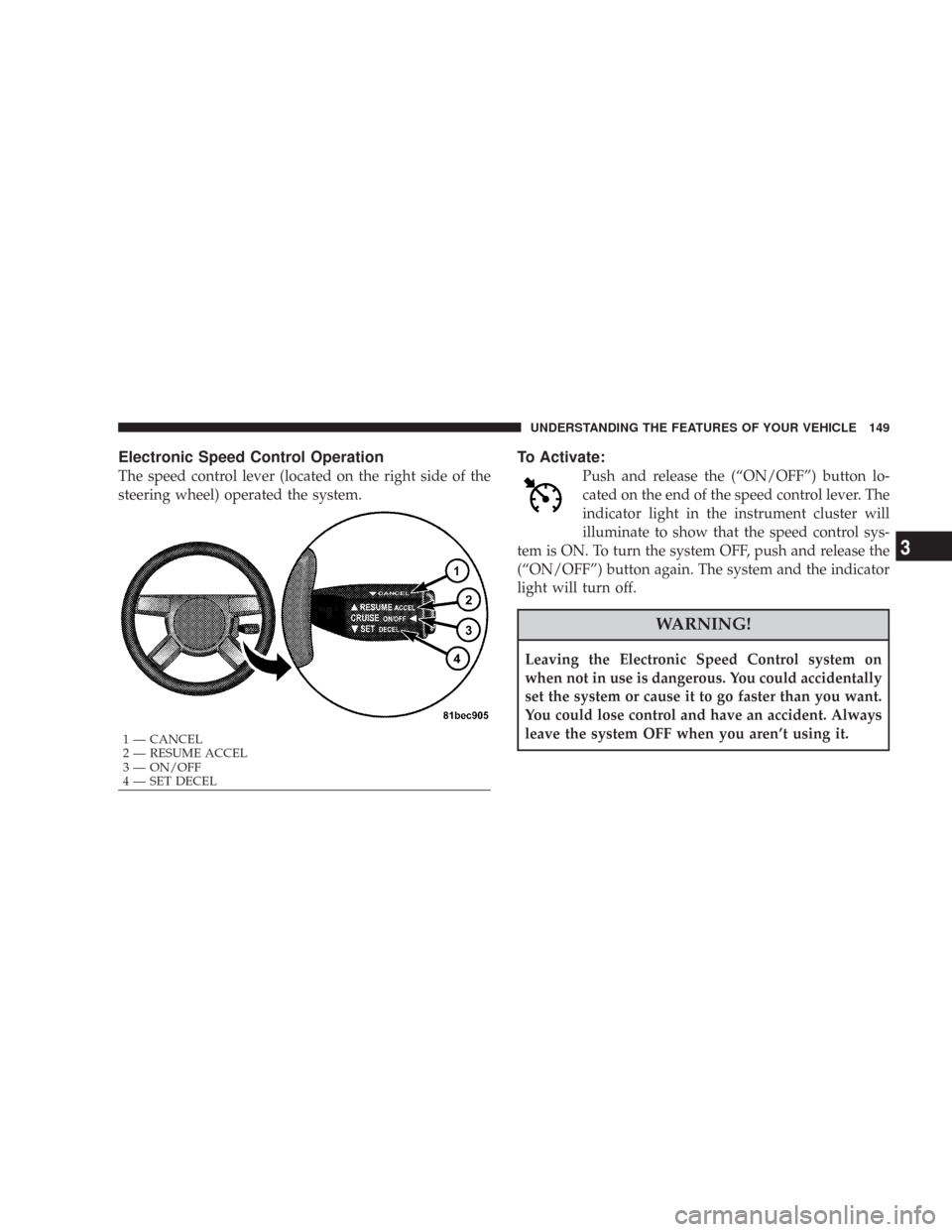
The speed control lever (located on the right side of the
steering wheel) operated the system.
To Activate:
Push and release the (“ON/OFF”) button lo-
cated on the end of the speed control lever. The
indicator light in the instrument cluster will
illuminate to show that the speed control sys-
tem is ON. To turn the system OFF, push and release the
(“ON/OFF”) button again. The system and the indicator
light will turn off.
WARNING!
Leaving the Electronic Speed Control system on
when not in use is dangerous. You could accidentally
set the system or cause it to go faster than you want.
You could lose control and have an accident. Always
leave the system OFF when you aren’t using it.
1 — CANCEL
2 — RESUME ACCEL
3 — ON/OFF
4 — SET DECEL
UNDERSTANDING THE FEATURES OF YOUR VEHICLE 149
3
Page 151 of 519

Tapping (“RESUME ACCEL”) once will result ina1mph
(1.6 km/h) speed increase. Each time the lever is tapped,
speed increases so that tapping the lever three times will
increase speed by 3 mph (4.8 km/h), etc.
To decrease speed while speed control is set, push down
and hold the lever (“SET DECEL”). Release the lever
when the desired speed is reached, and a new set speed
will be established.
Tapping (“SET DECEL”) once will result in a 1 mph (1.6
km/h) speed decrease. Each time the lever is tapped,
speed decreases.
To Accelerate For Passing:
Depress the accelerator as you would normally. When the
pedal is released, the vehicle will return to the set speed.
Using Speed Control On Hills
NOTE:The speed control system maintains speed up
and down hills. A slight speed change on moderate hills
is normal.
The automatic transmission will downshift while climb-
ing uphill or descending downhill. This downshift is
necessary to maintain vehicle set speed.
On steep hills, a greater speed loss or gain may occur so
it may be preferable to drive without speed control.
WARNING!
Speed Control can be dangerous where the system can’t
maintain a constant speed. Your vehicle could go too fast
for the conditions, and you could lose control. An
accident could be the result. Don’t use Speed Control in
heavy traffic or on roads that are winding, icy, snow-
covered, or slippery.
UNDERSTANDING THE FEATURES OF YOUR VEHICLE 151
3
Page 152 of 519
ADAPTIVE CRUISE CONTROL (ACC) — IF
EQUIPPED
Adaptive Cruise Control (ACC) increases the driving
convenience provided by cruise control while traveling
on highways and major roadways. However, it is not a
safety system and not designed to prevent collisions.
ACC will allow you to keep cruise control engaged in
light to moderate traffic conditions without the constant
need to reset your cruise control. ACC utilizes an infrared
sensor designed to detect a vehicle directly ahead in your
path.NOTE:
•If the sensor does not detect a vehicle directly ahead of
you, ACC will function in the same way as a standard
cruise control system. For additional information, refer
to “Electronic Speed Control” in this section.
•If the ACC sensor detects a vehicle ahead, ACC will
apply limited braking or acceleration automatically so
that your vehicle maintains a preset following dis-
tance.
152 UNDERSTANDING THE FEATURES OF YOUR VEHICLE
Page 153 of 519
WARNING!
•Adaptive Cruise Control (ACC) is a convenience system. It is not a
substitute for active driving involvement. It is always the driver ’s
responsibility to be attentive of road, traffic, and weather conditions,
vehicle speed, distance to the vehicle ahead, and most importantly
brake operation to ensure safe operation of the vehicle under all road
conditions. Your complete attention is always required while driving
to maintain safe control of your vehicle. Failure to follow these
warnings can result in an accident or serious personal injury.
•The ACC system:
Does not react to pedestrians, oncoming vehicles, and stationary
objects (i.e. a stopped vehicle in a traffic jam or a disabled vehicle).
Does not predict the lane curvature or the movement of preceding
vehicles and will not compensate for such changes.
Cannot take street, traffic, and weather conditions into account, and
may be limited upon adverse sight distance conditions.
Does not always fully recognize complex driving conditions, which
can result in wrong or missing distance warnings.
May not detect a vehicle ahead when strong light (for example,
sunrise or sunset) is directly shining on the front of the vehicle.
Can only apply a maximum of 25% of the vehicle’s braking capability,
and will not bring the vehicle to a complete stop.
WARNING!
You should switch off the ACC system:
•When driving in fog; heavy rain; heavy snow;
sleet; heavy traffic; and complex driving situations
(i.e. in highway construction zones).
•When entering a turn lane or highway off ramp;
when driving on roads that are winding, icy,
snow-covered, slippery, or have steep uphill or
downhill slopes; and when towing a trailer.
•When circumstances do not allow safe driving at a
constant speed.
Failure to follow these warnings can result in an
accident or serious personal injury.
UNDERSTANDING THE FEATURES OF YOUR VEHICLE 153
3
Page 159 of 519

Tapping the lever down once will result ina1mph
(Canada 1 km/h) decrease in set speed. Each subsequent
tap of the lever results in a decrease of 1 mph (Canada
1 km/h).
NOTE:
•When you use the lever to decelerate, if the engine’s
braking power does not slow the vehicle sufficiently to
reach the set speed, the brake system will automati-
cally slow the vehicle.
•The ACC system maintains set speed when driving up
hill and down hill. However, a slight speed change on
moderate hills is normal. In addition, downshifting
may occur while climbing uphill or descending down-
hill. This is normal operation and necessary to main-
tain set speed.
Setting the Following Distance in ACC
The specified following distance for ACC can be set by
varying the distance setting between long, medium, and
short. Using this distance setting and the vehicle speed,
ACC calculates and sets the distance to the vehicle ahead.
This distance setting displays in the EVIC.
1 — Sensor Bars. Default Distance Setting is Three Bars = Long.UNDERSTANDING THE FEATURES OF YOUR VEHICLE 159
3
Page 160 of 519

You can change the distance setting by pushing the lever
away from you and release (“DISTANCE”). Each time
this is done, the distance setting toggles between long,
medium, and short.
If there is no vehicle ahead, the vehicle will maintain the
set speed. If a slower moving vehicle is detected in the
same lane, the EVIC displays the “Sensed Vehicle Indi-
cator” icon, and the system adjusts vehicle speed auto-
matically to maintain the distance setting, regardless of
the set speed.The vehicle will then maintain the set distance until:
•The vehicle ahead accelerates to a speed above the set
speed.
•The vehicle ahead moves out of your lane or view of
the sensor.
•The vehicle ahead slows to a speed below 15 mph (24
km/h) and the system automatically disables itself.
•The distance setting is changed.
•The system disengages. (Refer to the information on
ACC Activation).
The maximum braking applied by ACC is limited; how-
ever, the driver can always apply the brakes manually, if
necessary.
NOTE:The brake lights will illuminate whenever the
ACC system applies the brakes.
160 UNDERSTANDING THE FEATURES OF YOUR VEHICLE
Page 165 of 519
Display Warnings & Maintenance
ACC Blinded Warning
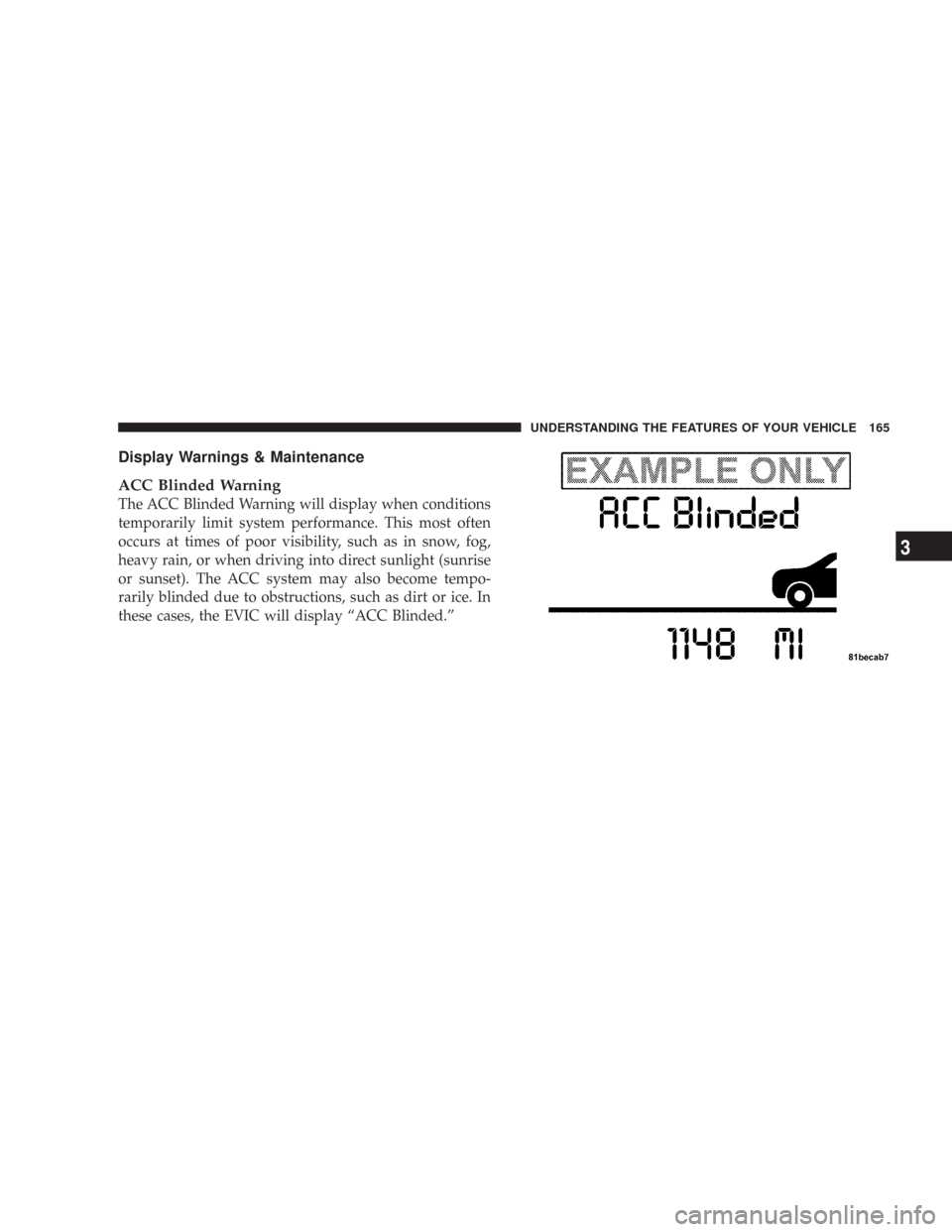
The ACC Blinded Warning will display when conditions
temporarily limit system performance. This most often
occurs at times of poor visibility, such as in snow, fog,
heavy rain, or when driving into direct sunlight (sunrise
or sunset). The ACC system may also become tempo-
rarily blinded due to obstructions, such as dirt or ice. In
these cases, the EVIC will display “ACC Blinded.”
UNDERSTANDING THE FEATURES OF YOUR VEHICLE 165
3