Page 144 of 519
WARNING!
Commercially available windshield washer solvents
are flammable. They could ignite and burn you. Care
must be exercised when filling or working around
the washer solution.
TILT/TELESCOPING STEERING COLUMN
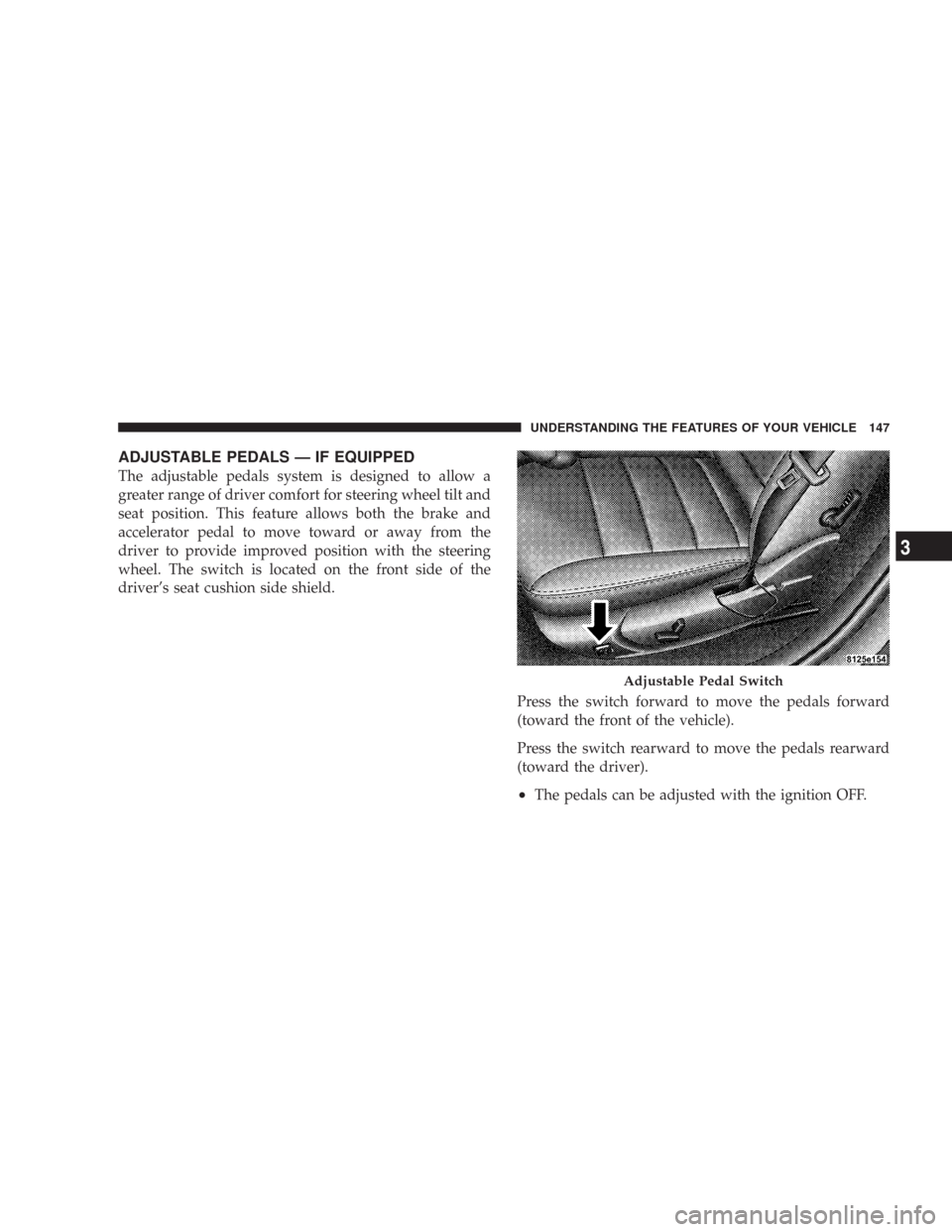
This feature allows you to tilt the steering column
upward or downward. It also allows you to lengthen or
shorten the steering column. The tilt/telescoping control
handle is located below the steering wheel at the end of
the steering column.
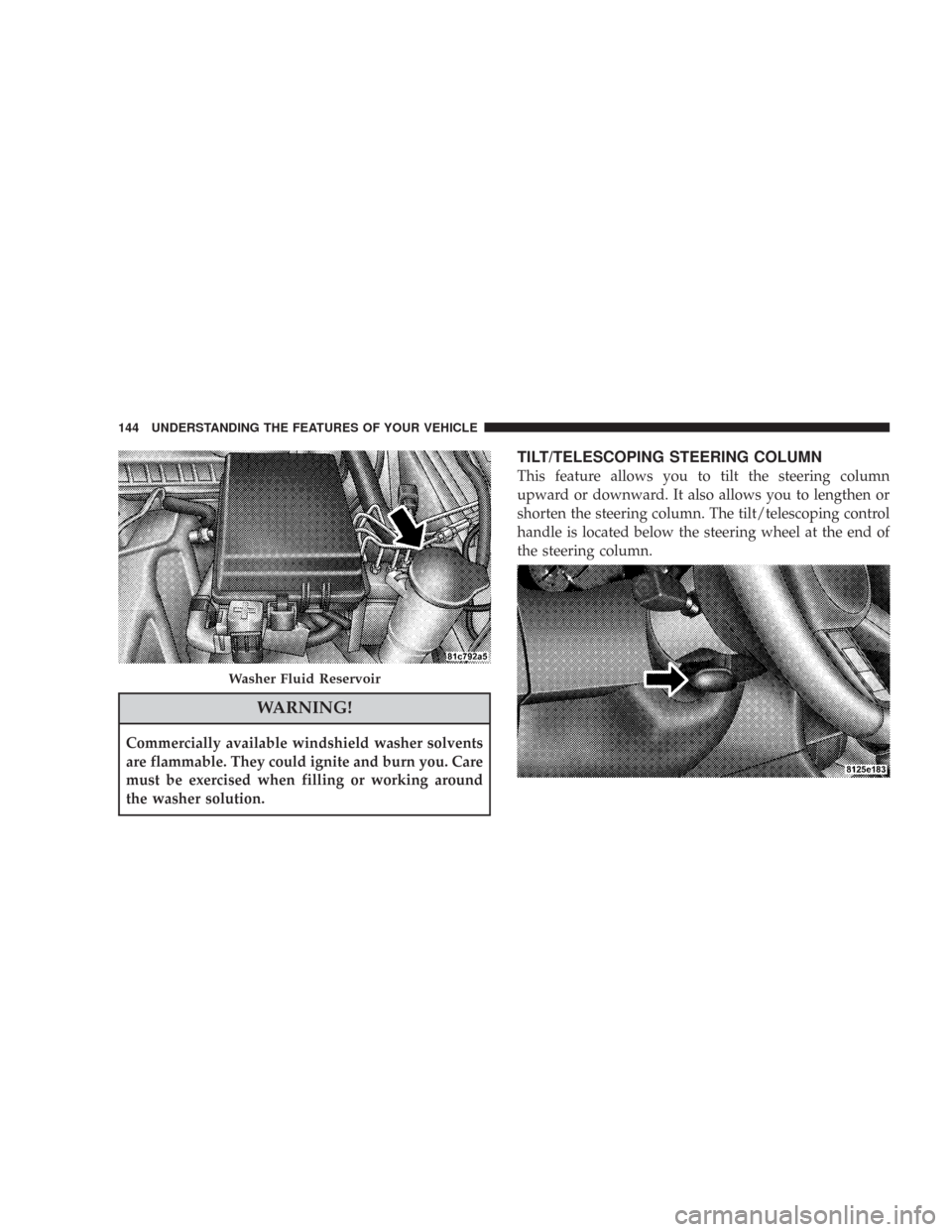
Washer Fluid Reservoir
144 UNDERSTANDING THE FEATURES OF YOUR VEHICLE
Page 145 of 519
To unlock the steering column, pull the control handle
outward. To tilt the steering column, move the steering
wheel upward or downward as desired. To lengthen or
shorten the steering column, pull the steering wheel
outward or push it inward as desired. To lock the steering
column in position, push the control handle inward until
fully engaged.
WARNING!
Do not adjust the steering wheel while driving. The
telescoping adjustment must be locked while driv-
ing. Adjusting the steering wheel while driving or
driving without the telescoping adjustment locked
could cause the driver to lose control of the vehicle.
POWER TILT/TELESCOPING STEERING COLUMN
— IF EQUIPPED
This feature allows you to tilt the steering column
upward or downward. It also allows you to lengthen or
shorten the steering column. The power tilt/telescoping
steering column lever is located below the multi-function
lever on the steering column.
UNDERSTANDING THE FEATURES OF YOUR VEHICLE 145
3
Page 147 of 519
ADJUSTABLE PEDALS — IF EQUIPPED
The adjustable pedals system is designed to allow a
greater range of driver comfort for steering wheel tilt and
seat position. This feature allows both the brake and
accelerator pedal to move toward or away from the
driver to provide improved position with the steering
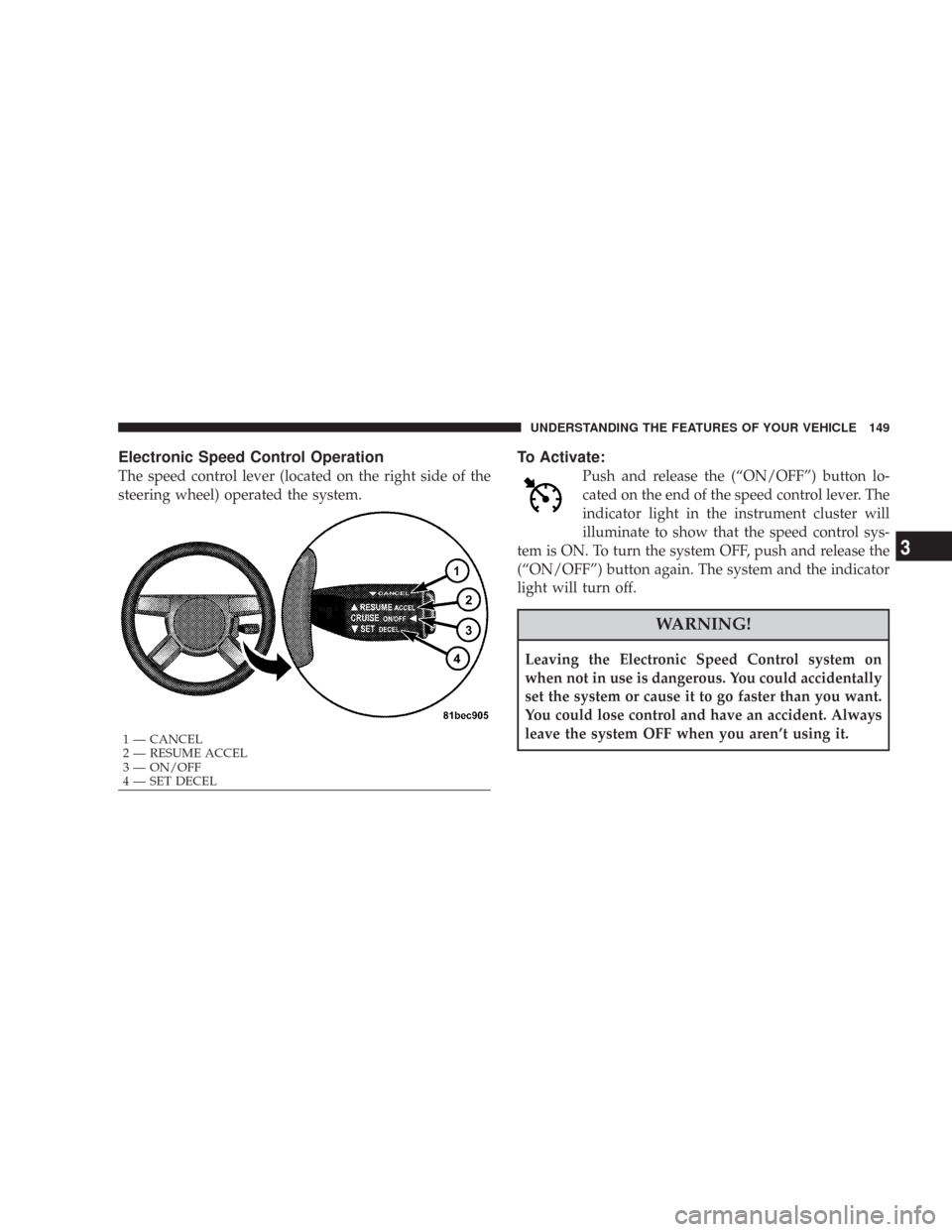
wheel. The switch is located on the front side of the
driver’s seat cushion side shield.
Press the switch forward to move the pedals forward
(toward the front of the vehicle).
Press the switch rearward to move the pedals rearward
(toward the driver).
•The pedals can be adjusted with the ignition OFF.
Adjustable Pedal Switch
UNDERSTANDING THE FEATURES OF YOUR VEHICLE 147
3
Page 149 of 519
Electronic Speed Control Operation
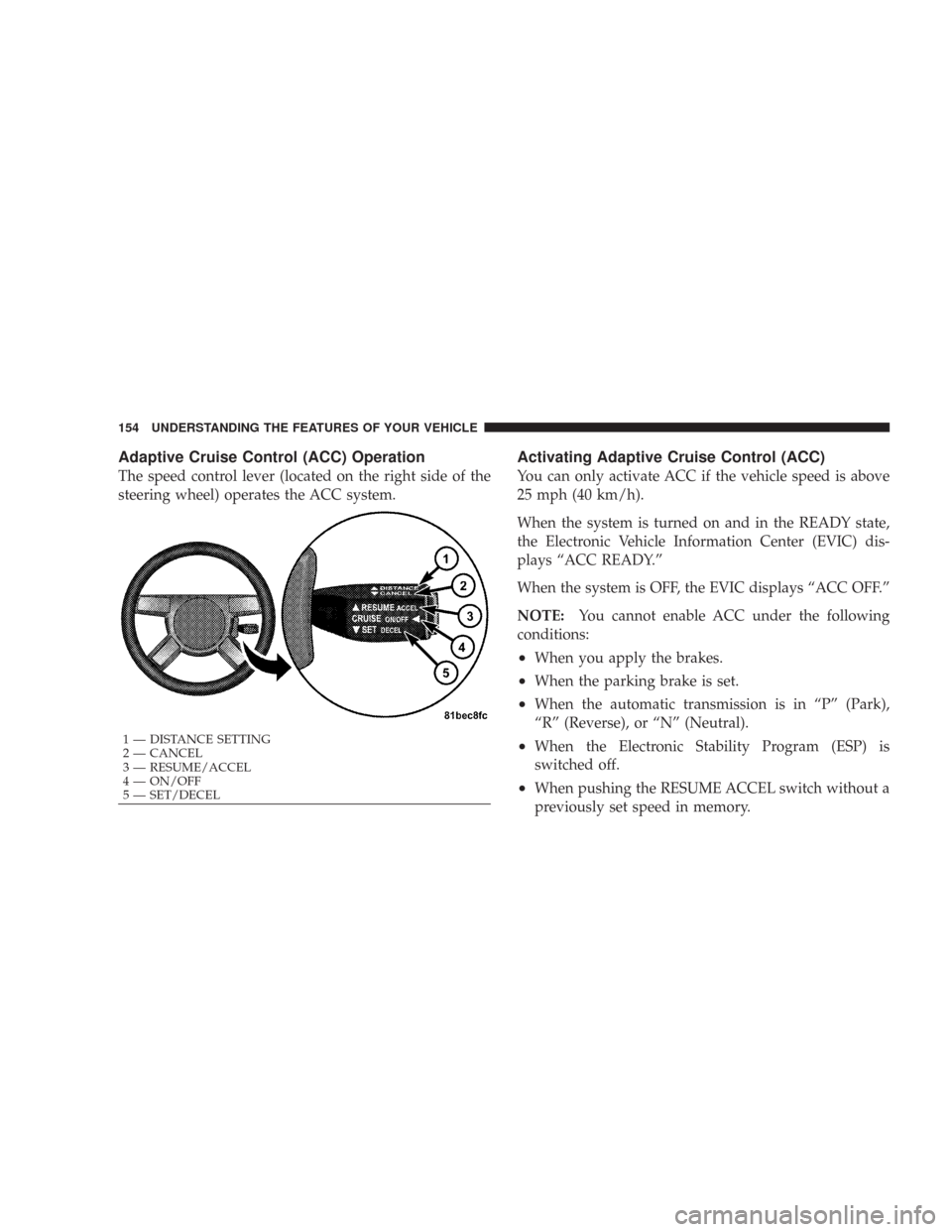
The speed control lever (located on the right side of the
steering wheel) operated the system.
To Activate:
Push and release the (“ON/OFF”) button lo-
cated on the end of the speed control lever. The
indicator light in the instrument cluster will
illuminate to show that the speed control sys-
tem is ON. To turn the system OFF, push and release the
(“ON/OFF”) button again. The system and the indicator
light will turn off.
WARNING!
Leaving the Electronic Speed Control system on
when not in use is dangerous. You could accidentally
set the system or cause it to go faster than you want.
You could lose control and have an accident. Always
leave the system OFF when you aren’t using it.
1 — CANCEL
2 — RESUME ACCEL
3 — ON/OFF
4 — SET DECEL
UNDERSTANDING THE FEATURES OF YOUR VEHICLE 149
3
Page 154 of 519
Adaptive Cruise Control (ACC) Operation
The speed control lever (located on the right side of the
steering wheel) operates the ACC system.
Activating Adaptive Cruise Control (ACC)
You can only activate ACC if the vehicle speed is above
25 mph (40 km/h).
When the system is turned on and in the READY state,
the Electronic Vehicle Information Center (EVIC) dis-
plays “ACC READY.”
When the system is OFF, the EVIC displays “ACC OFF.”
NOTE:You cannot enable ACC under the following
conditions:
•When you apply the brakes.
•When the parking brake is set.
•When the automatic transmission is in “P” (Park),
“R” (Reverse), or “N” (Neutral).
•When the Electronic Stability Program (ESP) is
switched off.
•When pushing the RESUME ACCEL switch without a
previously set speed in memory.
1 — DISTANCE SETTING
2 — CANCEL
3 — RESUME/ACCEL
4 — ON/OFF
5 — SET/DECEL 154 UNDERSTANDING THE FEATURES OF YOUR VEHICLE
Page 162 of 519
Adaptive Cruise Control (ACC) Menu
The EVIC displays the current ACC system settings. The
EVIC is located in the upper part of the instrument
cluster between the speedometer and the tachometer. The
information it displays depends on ACC system status.
Press the Menu button (located on the steering
wheel) repeatedly until one of the following
displays in the EVIC:ACC OFFWhen ACC is deactivated, the display will read “ACC
OFF.”
Menu
Button
162 UNDERSTANDING THE FEATURES OF YOUR VEHICLE
Page 208 of 519

WARNING!
A hot engine cooling system is dangerous. You or
others could be badly burned by steam or boiling
coolant. You may want to call a service center if your
vehicle overheats. If you decide to look under the
hood yourself, see Section 7 of this manual. Follow
the warnings under the Cooling System Pressure Cap
paragraph.
15. Trip Odometer Button
Trip Odometer Button — Base Cluster
The word�TRIP�will appear when this button is pressed.
Push in and hold the button for two seconds when the
trip odometer displays to reset it to 0 miles (kilometers).
A second press of the button will display the outside
temperature in the odometer.Trip Odometer Button — Premium Cluster
Press this button to change the display from odometer to
either of two trip odometer settings. The letter “A” or “B”
will appear when in the trip odometer mode. Push in and
hold the button for two seconds to reset the trip odometer
to 0 miles (kilometers). The odometer must be in trip
mode to reset it.
16. High Beam Light
This light will turn on when the high beam
headlights are ON. Push the Multi-Function lever
away from the steering wheel to switch the headlights to
high beam. (See page 134 for more information.)
17. Transmission Range Indicator
This display indicator shows the automatic transmission
gear selection.
208 UNDERSTANDING YOUR INSTRUMENT PANEL
Page 213 of 519
ELECTRONIC VEHICLE INFORMATION CENTER
(EVIC) — IF EQUIPPED
The Electronic Vehicle Information Center (EVIC) fea-
tures a driver-interactive display. It is located in the
upper part of the cluster between the speedometer and
tachometer. Vehicles equipped with steering wheelmounted buttons (described in this section) are also
equipped with the EVIC. The EVIC consists of the
following:
•System Status
•Vehicle information warning message displays
•Tire Pressure Monitor System (if equipped)
•Personal Settings (customer programmable features)
•Compass display
•Outside temperature display
•Trip computer functions
•UConnect™ hands-free communication system dis-
plays (if equipped)
•Navigation system screens (if equipped)
•Audio mode display
Electronic Vehicle Information Center
UNDERSTANDING YOUR INSTRUMENT PANEL 213
4