2008 CHEVROLET TRAIL BLAZER key
[x] Cancel search: keyPage 1 of 472
Seats and Restraint Systems........................... 1-1
Front Seats
............................................... 1-2
Rear Seats
..............................................1-10
Safety Belts
.............................................1-12
Child Restraints
.......................................1-30
Airbag System
.........................................1-51
Restraint System Check
............................1-66
Features and Controls..................................... 2-1
Keys
........................................................ 2-3
Doors and Locks
....................................... 2-6
Windows
.................................................2-12
Theft-Deterrent Systems
............................2-15
Starting and Operating Your Vehicle
...........2-19
Mirrors
....................................................2-37
OnStar
®System
......................................2-47
Universal Home Remote System
................2-50
Storage Areas
.........................................2-55
Sunroof
..................................................2-58
Instrument Panel............................................. 3-1
Instrument Panel Overview
.......................... 3-4
Climate Controls
......................................3-21
Warning Lights, Gages, and Indicators
........3-30
Driver Information Center (DIC)
..................3-49
Audio System(s)
.......................................3-64Driving Your Vehicle....................................... 4-1
Your Driving, the Road, and Your Vehicle
..... 4-2
Towing
...................................................4-41
Service and Appearance Care.......................... 5-1
Service
..................................................... 5-3
Fuel
......................................................... 5-5
Checking Things Under the Hood
...............5-10
All-Wheel Drive
........................................5-49
Rear Axle
...............................................5-49
Four-Wheel Drive
.....................................5-50
Front Axle
...............................................5-51
Headlamp Aiming
.....................................5-52
Bulb Replacement
....................................5-52
Windshield Wiper Blade Replacement
.........5-55
Tires
......................................................5-58
Appearance Care
...................................5-100
Vehicle Identication
...............................5-109
Electrical System
....................................5-109
Capacities and Specications
...................5-121
Maintenance Schedule..................................... 6-1
Maintenance Schedule
................................ 6-2
Customer Assistance Information.................... 7-1
Customer Assistance and Information
........... 7-2
Reporting Safety Defects
...........................7-14
Vehicle Data Recording and Privacy
...........7-17
Index................................................................ 1
2008 Chevrolet TrailBlazer Owner ManualM
Page 9 of 472
To store the memory settings, do the following:
1. Adjust the driver’s seat, including the seatback
recliner and lumbar and the adjustable pedals, if
equipped, to the desired position.
SeeAdjustable Throttle and Brake Pedal on
page 2-22for more information.
2. Press and hold the 1 or 2 button of the memory
control for three seconds. A double chime will sound
to let you know that the position has been stored.
To repeat the procedure for a second driver, follow the
preceding steps, but press the other numbered
memory control button.
To recall the memory settings, do one of the following:
Press and release button 1 or 2 while the vehicle
is in PARK (P). A single chime will sound and
the memory position will be recalled.
If programmed to do so through the Driver
Information Center (DIC), pressing the unlock button
on the remote keyless entry transmitter will recall the
preset driver’s memory seat and adjustable pedals
position. The numbers on the back of the
transmitters, 1 or 2, correspond to the numbers on
the memory controls.
If programmed to do so through the DIC, placing the
key in the ignition will recall the driver’s memory seat
and adjustable pedals positions.See “Seat Recall” underDIC Vehicle Customization on
page 3-58for more information.
To stop recall movement of the memory seat feature at
any time, press one of the memory buttons or power
seat controls.
Easy Exit Seat
The control for the easy exit seat function is located on
the driver’s door below the memory buttons 1 and 2.
The easy exit seat button is used to program and recall
the desired driver’s seat position when exiting or
entering the vehicle. The power lumbar, recline, and
adjustable pedals, if equipped, positions will not
be stored or recalled when using the easy exit seat
function. The seat position can be saved for up to two
drivers.
To store the easy exit seat position, do the following:
1. Press and release the 1 or 2 button of the memory
control for less than three seconds. The seat will
move to the stored memory position.
2. Adjust the seat to the desired exit position.
3. Press and hold the easy exit seat button for more
than three seconds. A double chime will sound to
let you know that the position has been stored
for the selected button 1 or 2.
1-5
Page 10 of 472
To repeat the procedure for a second driver, follow the
preceding steps, but press the other numbered memory
control button.
To recall the easy exit seat position, do one of the
following:
Press the easy exit seat button on the memory
control while the vehicle is in PARK (P).
The seat will move to the stored exit position.
Or, if the easy exit seat feature is activated in the
Driver Information Center (DIC), removing the key
from the ignition will move the seat to the exit
position. See “Easy Exit Seat” underDIC Vehicle
Customization on page 3-58for more information
on activating this feature in the DIC.
If an easy exit seat position has not been stored,
the default position is all the way rearward.
Reclining Seatbacks
Manual Reclining Seatbacks
{CAUTION:
You can lose control of the vehicle if you try to
adjust a manual driver’s seat while the vehicle
is moving. The sudden movement could startle
and confuse you, or make you push a pedal
when you do not want to. Adjust the driver’s
seat only when the vehicle is not moving.
{CAUTION:
If the seatback is not locked, it could move
forward in a sudden stop or crash. That could
cause injury to the person sitting there. Always
push and pull on the seatback to be sure it is
locked.
1-6
Page 33 of 472
Safety Belt Use During Pregnancy
Safety belts work for everyone, including pregnant
women. Like all occupants, they are more likely to be
seriously injured if they do not wear safety belts.
A pregnant woman should wear a lap-shoulder belt, and
the lap portion should be worn as low as possible,
below the rounding, throughout the pregnancy.
The best way to protect the fetus is to protect the mother.
When a safety belt is worn properly, it is more likely that
the fetus will not be hurt in a crash. For pregnant women,
as for anyone, the key to making safety belts effective is
wearing them properly.
Safety Belt Extender
If the safety belt will fasten around you, you should
use it.
But if a safety belt is not long enough, your dealer/retailer
will order you an extender. When you go in to order it,
take the heaviest coat you will wear, so the extender will
be long enough for you. To help avoid personal injury,
do not let someone else use it, and use it only for the seat
it is made to t. The extender has been designed for
adults. Never use it for securing child seats. To wear it,
attach it to the regular safety belt. For more information,
see the instruction sheet that comes with the extender.
1-29
Page 73 of 472
Keys...............................................................2-3
Remote Keyless Entry (RKE) System................2-4
Remote Keyless Entry (RKE) System
Operation...................................................2-5
Doors and Locks.............................................2-6
Door Locks....................................................2-6
Power Door Locks..........................................2-7
Delayed Locking.............................................2-7
Programmable Automatic Door Locks................2-8
Rear Door Security Locks..............................2-10
Lockout Protection........................................2-11
Liftgate/Liftglass............................................2-11
Windows........................................................2-12
Power Windows............................................2-13
Sun Visors...................................................2-14
Theft-Deterrent Systems..................................2-15
Content Theft-Deterrent.................................2-15
Passlock
®(U. S. Only)..................................2-16
PASS-Key®III+ Electronic Immobilizer.............2-17
PASS-Key®III+ Electronic Immobilizer
Operation (Canada Only)............................2-17
Starting and Operating Your Vehicle................2-19
New Vehicle Break-In....................................2-19
Ignition Positions..........................................2-20
Retained Accessory Power (RAP)...................2-21
Starting the Engine.......................................2-21Adjustable Throttle and Brake Pedal................2-22
Engine Coolant Heater..................................2-23
Active Fuel Management™.............................2-24
Automatic Transmission Operation...................2-24
Four-Wheel Drive..........................................2-28
Parking Brake..............................................2-32
Shifting Into PARK (P)...................................2-33
Shifting Out of PARK (P)...............................2-35
Parking Over Things That Burn.......................2-35
Engine Exhaust............................................2-36
Running the Vehicle While Parked..................2-36
Mirrors...........................................................2-37
Manual Rearview Mirror.................................2-37
Manual Rearview Mirror with OnStar
®..............2-38
Automatic Dimming Rearview Mirror with
OnStar
®and Compass...............................2-38
Automatic Dimming Rearview Mirror with
OnStar
®, Compass and Temperature
Display....................................................2-40
Automatic Dimming Rearview Mirror with
Compass and Temperature Display..............2-42
Outside Manual Mirrors..................................2-45
Outside Power Mirrors...................................2-45
Outside Curb View Assist Mirror.....................2-46
Outside Convex Mirror...................................2-46
Outside Heated Mirrors..................................2-46
Section 2 Features and Controls
2-1
Page 75 of 472
Keys
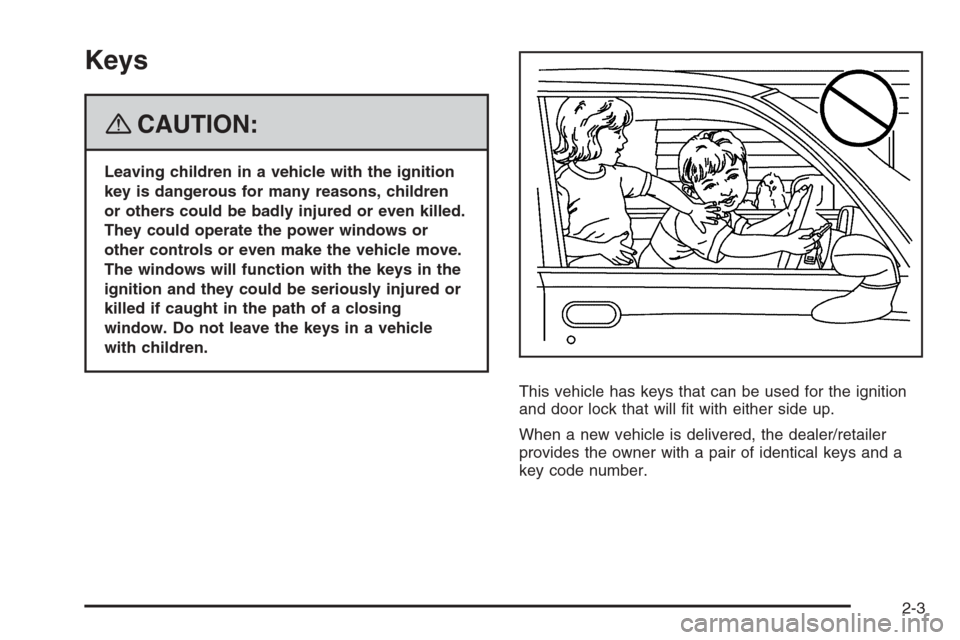
{CAUTION:
Leaving children in a vehicle with the ignition
key is dangerous for many reasons, children
or others could be badly injured or even killed.
They could operate the power windows or
other controls or even make the vehicle move.
The windows will function with the keys in the
ignition and they could be seriously injured or
killed if caught in the path of a closing
window. Do not leave the keys in a vehicle
with children.
This vehicle has keys that can be used for the ignition
and door lock that will t with either side up.
When a new vehicle is delivered, the dealer/retailer
provides the owner with a pair of identical keys and a
key code number.
2-3
Page 76 of 472
The key code number tells your dealer/retailer or a
qualied locksmith how to make extra keys. Keep this
number in a safe place. If you lose your keys, you will be
able to have new ones made easily using this number.
Your selling dealer/retailer should also have this number.
Notice:If you ever lock your keys in your vehicle,
you may have to damage the vehicle to get in.
Be sure you have spare keys.
If you ever get locked out of your vehicle, call the
Roadside Assistance Center. SeeRoadside Assistance
Program on page 7-7.
Remote Keyless Entry (RKE)
System
If the vehicle has the Remote Keyless Entry (RKE)
system, it operates on a radio frequency subject
to Federal Communications Commission (FCC) Rules
and with Industry Canada.
This device complies with Part 15 of the FCC Rules.
Operation is subject to the following two conditions:
1. This device may not cause interference.
2. This device must accept any interference received,
including interference that may cause undesired
operation of the device.This device complies with RSS-210 of Industry Canada.
Operation is subject to the following two conditions:
1. This device may not cause interference.
2. This device must accept any interference received,
including interference that may cause undesired
operation of the device.
Changes or modications to this system by other than
an authorized service facility could void authorization to
use this equipment.
At times you may notice a decrease in range. This is
normal for any RKE system. If the transmitter does not
work or if you have to stand closer to your vehicle
for the transmitter to work, try this:
Check the distance. The transmitter may be too far
from the vehicle. It may be necessary to stand
closer during rainy or snowy weather.
Check the location. Other vehicles or objects may
be blocking the signal. Take a few steps to the
left or right, hold the transmitter higher, and
try again.
Check the transmitter’s battery. See “Battery
Replacement” later in this section.
If the transmitter is still not working correctly, see
your dealer/retailer or a qualied technician for
service.
2-4
Page 77 of 472
Remote Keyless Entry (RKE)
System Operation
The Remote Keyless Entry (RKE) transmitter functions
will work up to 30 feet (9 m) away.
There are other conditions which can affect the
performance of the transmitter. SeeRemote Keyless
Entry (RKE) System on page 2-4.
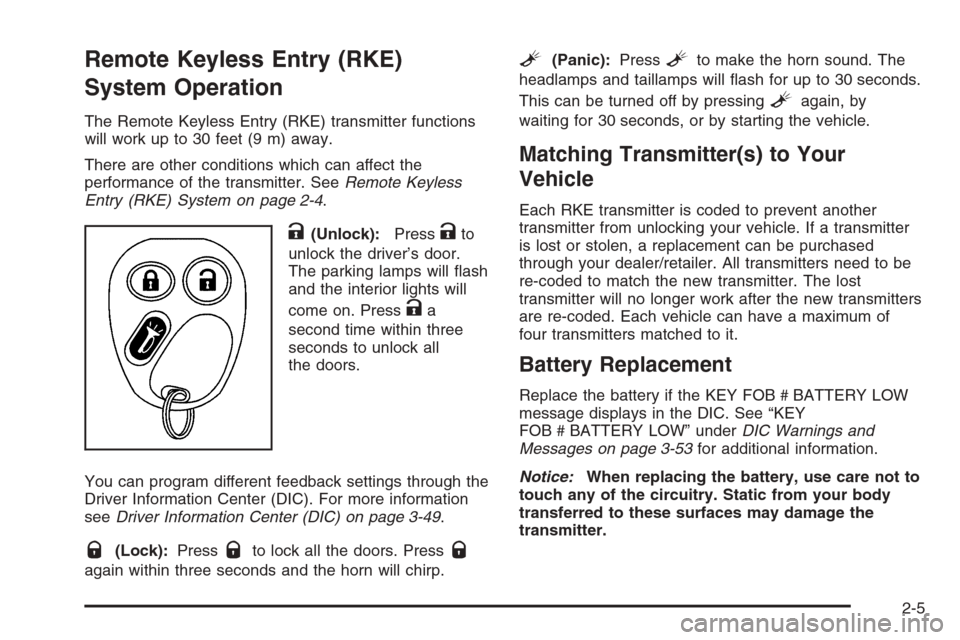
K(Unlock):PressKto
unlock the driver’s door.
The parking lamps will ash
and the interior lights will
come on. Press
Ka
second time within three
seconds to unlock all
the doors.
You can program different feedback settings through the
Driver Information Center (DIC). For more information
seeDriver Information Center (DIC) on page 3-49.
Q(Lock):PressQto lock all the doors. PressQ
again within three seconds and the horn will chirp.
L(Panic):PressLto make the horn sound. The
headlamps and taillamps will ash for up to 30 seconds.
This can be turned off by pressing
Lagain, by
waiting for 30 seconds, or by starting the vehicle.
Matching Transmitter(s) to Your
Vehicle
Each RKE transmitter is coded to prevent another
transmitter from unlocking your vehicle. If a transmitter
is lost or stolen, a replacement can be purchased
through your dealer/retailer. All transmitters need to be
re-coded to match the new transmitter. The lost
transmitter will no longer work after the new transmitters
are re-coded. Each vehicle can have a maximum of
four transmitters matched to it.
Battery Replacement
Replace the battery if the KEY FOB # BATTERY LOW
message displays in the DIC. See “KEY
FOB # BATTERY LOW” underDIC Warnings and
Messages on page 3-53for additional information.
Notice:When replacing the battery, use care not to
touch any of the circuitry. Static from your body
transferred to these surfaces may damage the
transmitter.
2-5