2008 CHEVROLET TRAIL BLAZER door lock
[x] Cancel search: door lockPage 88 of 472
Testing the Alarm
To test the alarm:
1. From inside the vehicle, lower the driver’s window
and open the driver’s door.
2. Activate the system by locking the doors with the
power door lock switch while the door is open, or
with the RKE transmitter.
3. Get out of the vehicle, close the door and wait for
the security light to go out.
4. Then reach in through the window, unlock the door
with the manual door lock and open the door. This
should set off the alarm.
When the alarm is set the power door unlock switch will
not work.
If the alarm does not sound when it should but the
headlamps ash, check to see if the horn works. The
horn fuse may be blown. To replace the fuse, seeFuses
and Circuit Breakers on page 5-110.
If the alarm does not sound or the headlamps do not
ash, the vehicle should be serviced by your
dealer/retailer.
Passlock®(U. S. Only)
Your vehicle has the Passlock theft-deterrent system.
Passlock is a passive theft-deterrent system that
enables fuel if the ignition lock cylinder is turned with a
valid key. If a correct key is not used or the ignition
lock cylinder has been tampered with, the fuel system is
disabled and the vehicle will not start.
During normal operation, the security light will turn off
about ve seconds after the key is turned to ON/RUN.
If the engine stalls and the security light ashes,
wait about 10 minutes until the light stops ashing before
trying to restart the engine. Remember to release the
key from START as soon as the engine starts.
If the engine does not start after three tries, the vehicle
needs service.
If the engine is running and the security light comes on,
you will be able to restart the engine if you turn the
engine off. However, your Passlock system is not
working properly and must be serviced by your
dealer/retailer. Your vehicle is not protected by Passlock
at this time. You may also want to check the fuse.
SeeFuses and Circuit Breakers on page 5-110. See
your dealer/retailer for service.
In an emergency, call the Roadside Assistance Center.
SeeRoadside Assistance Program on page 7-7.
Do not leave the key or device that disarms or
deactivates the theft deterrent system in the vehicle.
2-16
Page 92 of 472
Ignition Positions
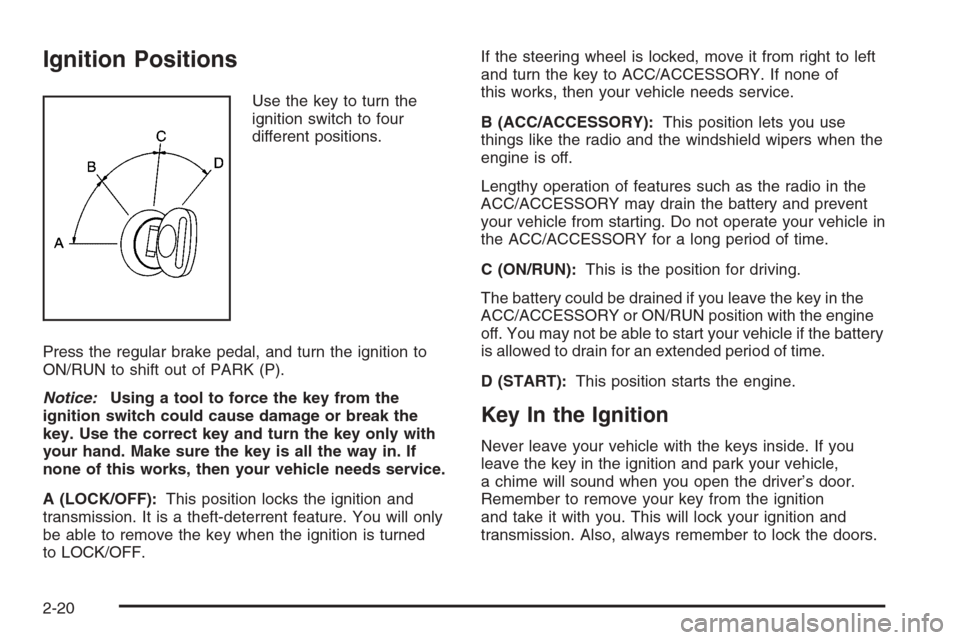
Use the key to turn the
ignition switch to four
different positions.
Press the regular brake pedal, and turn the ignition to
ON/RUN to shift out of PARK (P).
Notice:Using a tool to force the key from the
ignition switch could cause damage or break the
key. Use the correct key and turn the key only with
your hand. Make sure the key is all the way in. If
none of this works, then your vehicle needs service.
A (LOCK/OFF):This position locks the ignition and
transmission. It is a theft-deterrent feature. You will only
be able to remove the key when the ignition is turned
to LOCK/OFF.If the steering wheel is locked, move it from right to left
and turn the key to ACC/ACCESSORY. If none of
this works, then your vehicle needs service.
B (ACC/ACCESSORY):This position lets you use
things like the radio and the windshield wipers when the
engine is off.
Lengthy operation of features such as the radio in the
ACC/ACCESSORY may drain the battery and prevent
your vehicle from starting. Do not operate your vehicle in
the ACC/ACCESSORY for a long period of time.
C (ON/RUN):This is the position for driving.
The battery could be drained if you leave the key in the
ACC/ACCESSORY or ON/RUN position with the engine
off. You may not be able to start your vehicle if the battery
is allowed to drain for an extended period of time.
D (START):This position starts the engine.
Key In the Ignition
Never leave your vehicle with the keys inside. If you
leave the key in the ignition and park your vehicle,
a chime will sound when you open the driver’s door.
Remember to remove your key from the ignition
and take it with you. This will lock your ignition and
transmission. Also, always remember to lock the doors.
2-20
Page 93 of 472
The battery could be drained if you leave the key in the
ignition while your vehicle is parked. You may not be
able to start your vehicle after it has been parked for an
extended period of time.
Retained Accessory Power (RAP)
These vehicle accessories can be used for up to
20 minutes after the engine is turned off:
Audio System
Power Windows
Overhead Console
Sunroof (if equipped)
These features will work when the key is in ON/RUN or
ACC/ACCESSORY. Once the key is turned from
ON/RUN to LOCK/OFF, these features continue to work
for up to 20 minutes, or until a door is opened.
Starting the Engine
Move your shift lever to PARK (P) or NEUTRAL (N).
Your engine will not start in any other position – this is a
safety feature. To restart when you are already
moving, use NEUTRAL (N) only.
Notice:Do not try to shift to PARK (P) if your
vehicle is moving. If you do, you could damage the
transmission. Shift to PARK (P) only when your
vehicle is stopped.
Starting Procedure
1. With your foot off the accelerator pedal, turn the
ignition key to START. When the engine starts,
let go of the key. The idle speed will go down as
your engine gets warm. Do not race the engine
immediately after starting it. Operate the engine and
transmission gently to allow the oil to warm up
and lubricate all moving parts.
Your vehicle has a Computer-Controlled Cranking
System. This feature assists in starting the engine
and protects components. If the ignition key is turned
to the START position, and then released when the
engine begins cranking, the engine will continue
cranking for a few seconds or until the vehicle starts.
2-21
Page 119 of 472
OnStar®System
OnStar uses several innovative technologies and live
advisors to provide you with a wide range of safety,
security, information, and convenience services. If your
airbags deploy, the system is designed to make an
automatic call to OnStar Emergency advisors who can
request emergency services be sent to your location.
If you lock your keys in the vehicle, call OnStar at
1-888-4-ONSTAR and they can send a signal to unlock
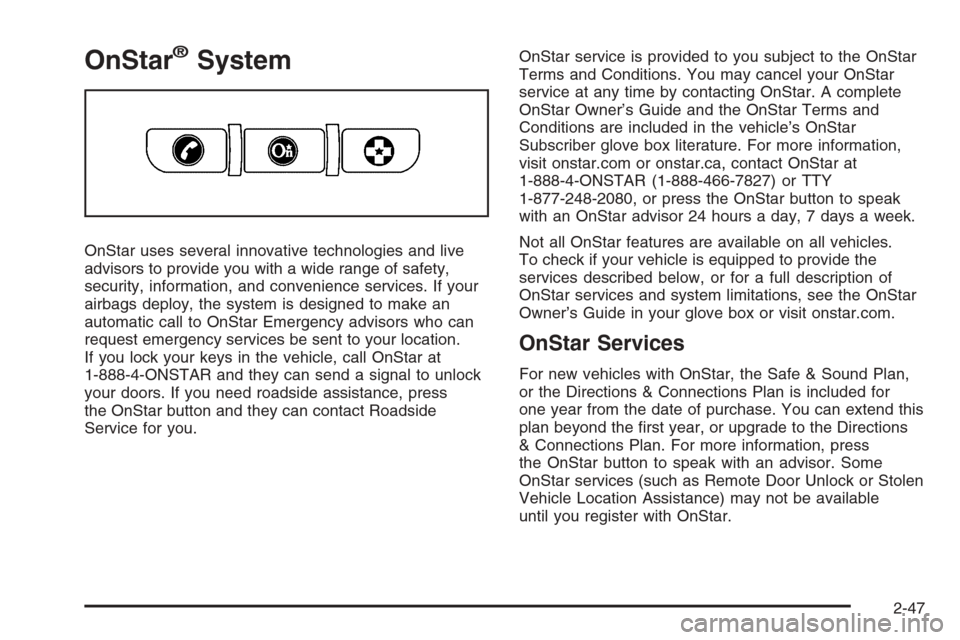
your doors. If you need roadside assistance, press
the OnStar button and they can contact Roadside
Service for you.OnStar service is provided to you subject to the OnStar
Terms and Conditions. You may cancel your OnStar
service at any time by contacting OnStar. A complete
OnStar Owner’s Guide and the OnStar Terms and
Conditions are included in the vehicle’s OnStar
Subscriber glove box literature. For more information,
visit onstar.com or onstar.ca, contact OnStar at
1-888-4-ONSTAR (1-888-466-7827) or TTY
1-877-248-2080, or press the OnStar button to speak
with an OnStar advisor 24 hours a day, 7 days a week.
Not all OnStar features are available on all vehicles.
To check if your vehicle is equipped to provide the
services described below, or for a full description of
OnStar services and system limitations, see the OnStar
Owner’s Guide in your glove box or visit onstar.com.
OnStar Services
For new vehicles with OnStar, the Safe & Sound Plan,
or the Directions & Connections Plan is included for
one year from the date of purchase. You can extend this
plan beyond the rst year, or upgrade to the Directions
& Connections Plan. For more information, press
the OnStar button to speak with an advisor. Some
OnStar services (such as Remote Door Unlock or Stolen
Vehicle Location Assistance) may not be available
until you register with OnStar.
2-47
Page 120 of 472
Available Services with Safe & Sound Plan
Automatic Notication of Airbag Deployment
Advanced Automatic Crash Notication (AACN)
(If equipped)
Link to Emergency Services
Roadside Assistance
Stolen Vehicle Location Assistance
AccidentAssist
Remote Door Unlock/Vehicle Alert
OnStar Vehicle Diagnostics
GM Goodwrench On Demand Diagnostics
OnStar Hands-Free Calling with 30 complimentary
minutes
OnStar Virtual Advisor (U.S. Only)
Available Services included with Directions
& Connections Plan
All Safe and Sound Plan Services
Driving Directions - Advisor delivered or OnStar
Turn-by-Turn Navigation (If equipped)
RideAssist
Information and Convenience Services
OnStar Hands-Free Calling
OnStar Hands-Free Calling allows eligible OnStar
subscribers to make and receive calls using voice
commands. Hands-Free Calling is fully integrated into
the vehicle, and can be used with OnStar Pre-Paid
Minute Packages. Hands-Free Calling may also
be linked to a Verizon Wireless service plan in the U.S.
or a Bell Mobility service plan in Canada, depending
on eligibility. To nd out more, refer to the OnStar
Owner’s Guide in the vehicle’s glove box, visit
www.onstar.com or www.onstar.ca, or speak with an
OnStar advisor by pressing the OnStar button or calling
1-888-4-ONSTAR (1-888-466-7827).
2-48
Page 128 of 472
Luggage Carrier
{CAUTION:
If you try to carry something on top of your
vehicle that is longer or wider than the luggage
carrier — like paneling, plywood, a mattress
and so forth — the wind can catch it as you
drive along. This can cause you to lose
control. What you are carrying could be
violently torn off, and this could cause you or
other drivers to have a collision, and of course
damage your vehicle. You may be able to carry
something like this inside. But, never carry
something longer or wider than the luggage
carrier on top of your vehicle.
If your vehicle has a luggage carrier, it will allow you to
load things on top of your vehicle. The luggage
carrier has side rails attached to the roof, places to use
for tying things down and may have sliding crossrails.
These let you load some other things on top of
your vehicle, as long as they are not wider or longer
than the luggage carrier.To slide the crossrails to where you want them, pull up
on the lever on each side of the crossrail. This
releases the crossrail and allows you to slide it. When
the crossrail is where you want it, press down on
the levers to lock it into place.
Notice:Loading cargo on the luggage carrier that
weighs more than 220 lbs (100 kg) or hangs over the
rear or sides of the vehicle may damage your
vehicle. Load cargo so that it rests on the slats as
far forward as possible and against the side
rails, making sure to fasten it securely.
Do not exceed the maximum vehicle capacity when
loading your vehicle. For more information on vehicle
capacity and loading, seeLoading Your Vehicle on
page 4-35.
To prevent damage or loss of cargo as you are driving,
check now and then to make sure the luggage carrier
is locked and cargo is still securely fastened.
When the luggage carrier is not in use, place the
crossrails at the following positions for wind noise
reduction. Place one crossrail at the rear most point of
the vehicle and the other crossrail above the opening
of the rear door.
2-56
Page 144 of 472
Headlamps
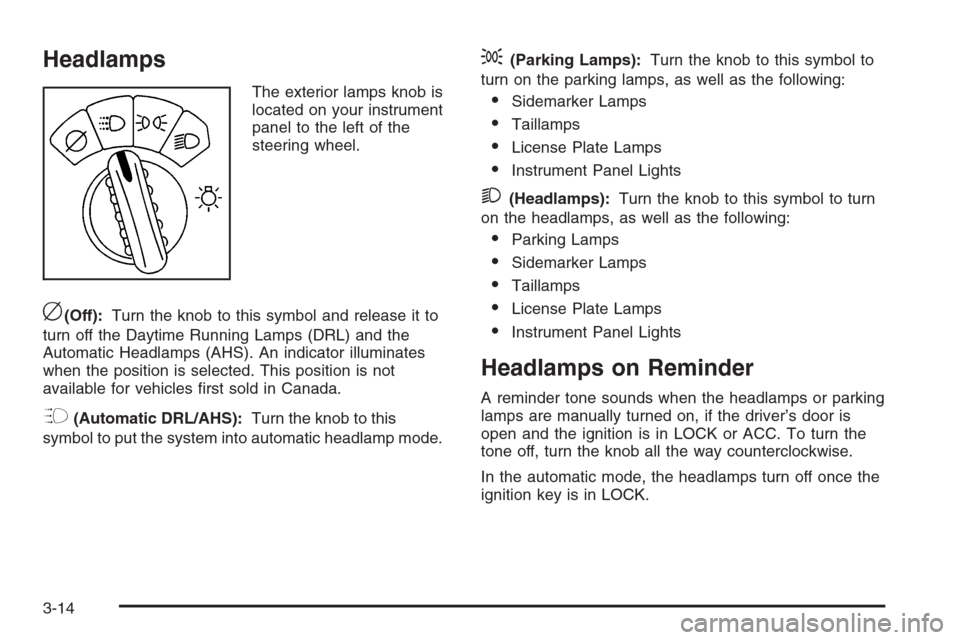
The exterior lamps knob is
located on your instrument
panel to the left of the
steering wheel.
c(Off):Turn the knob to this symbol and release it to
turn off the Daytime Running Lamps (DRL) and the
Automatic Headlamps (AHS). An indicator illuminates
when the position is selected. This position is not
available for vehicles rst sold in Canada.
?(Automatic DRL/AHS):Turn the knob to this
symbol to put the system into automatic headlamp mode.
;(Parking Lamps):Turn the knob to this symbol to
turn on the parking lamps, as well as the following:
Sidemarker Lamps
Taillamps
License Plate Lamps
Instrument Panel Lights
2(Headlamps):Turn the knob to this symbol to turn
on the headlamps, as well as the following:
Parking Lamps
Sidemarker Lamps
Taillamps
License Plate Lamps
Instrument Panel Lights
Headlamps on Reminder
A reminder tone sounds when the headlamps or parking
lamps are manually turned on, if the driver’s door is
open and the ignition is in LOCK or ACC. To turn the
tone off, turn the knob all the way counterclockwise.
In the automatic mode, the headlamps turn off once the
ignition key is in LOCK.
3-14
Page 147 of 472
Instrument Panel Brightness
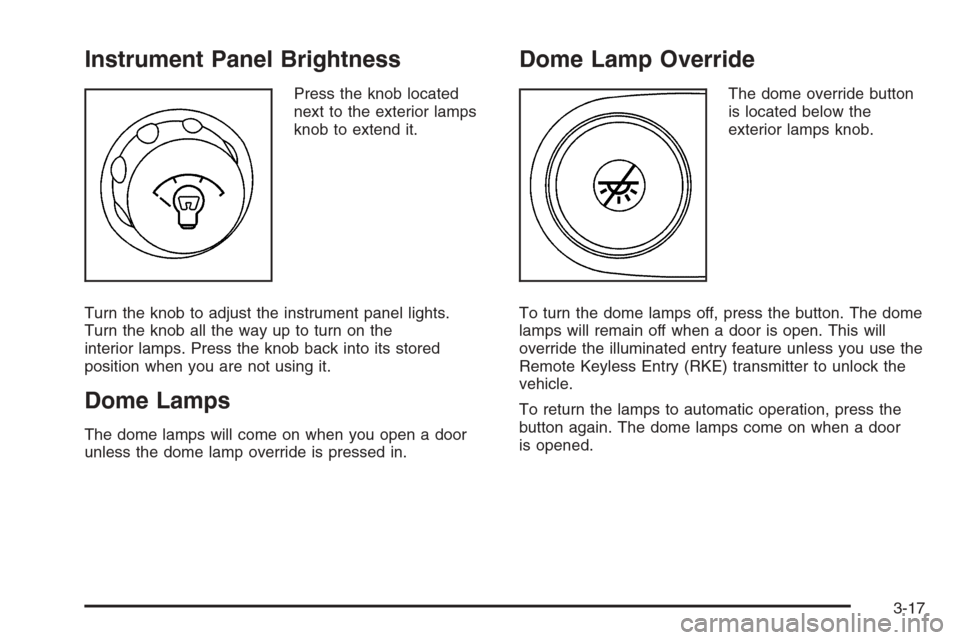
Press the knob located
next to the exterior lamps
knob to extend it.
Turn the knob to adjust the instrument panel lights.
Turn the knob all the way up to turn on the
interior lamps. Press the knob back into its stored
position when you are not using it.
Dome Lamps
The dome lamps will come on when you open a door
unless the dome lamp override is pressed in.
Dome Lamp Override
The dome override button
is located below the
exterior lamps knob.
To turn the dome lamps off, press the button. The dome
lamps will remain off when a door is open. This will
override the illuminated entry feature unless you use the
Remote Keyless Entry (RKE) transmitter to unlock the
vehicle.
To return the lamps to automatic operation, press the
button again. The dome lamps come on when a door
is opened.
3-17