2008 CHEVROLET TRAIL BLAZER instrument panel
[x] Cancel search: instrument panelPage 69 of 472
Adding Equipment to Your
Airbag-Equipped Vehicle
Q:Is there anything I might add to or change
about the vehicle that could keep the airbags
from working properly?
A:Yes. If you add things that change your vehicle’s
frame, bumper system, height, front end or side
sheet metal, they may keep the airbag system from
working properly. Changing or moving any parts of
the front seats, safety belts, the airbag sensing and
diagnostic module, steering wheel, instrument panel,
roof-rail airbag modules, ceiling headliner or pillar
garnish trim, rearview mirror, front sensors, rollover
sensor module, or airbag wiring can affect the
operation of the airbag system.
In addition, your vehicle has a passenger sensing
system for the right front passenger’s position, which
includes sensors that are part of the passenger’s
seat. The passenger sensing system may not
operate properly if the original seat trim is replaced
with non-GM covers, upholstery or trim, or with GM
covers, upholstery or trim designed for a different
vehicle. Any object, such as an aftermarket seat
heater or a comfort enhancing pad or device,
installed under or on top of the seat fabric, could also
interfere with the operation of the passenger sensingsystem. This could either prevent proper deployment
of the passenger airbag(s) or prevent the passenger
sensing system from properly turning off the
passenger airbag(s). SeePassenger Sensing
System on page 1-60.
If you have any questions about this, you should
contact Customer Assistance before you modify
your vehicle. The phone numbers and addresses for
Customer Assistance are in Step Two of the
Customer Satisfaction Procedure in this manual.
SeeCustomer Satisfaction Procedure on page 7-2.
If your vehicle has rollover roof-rail airbags, see
Different Size Tires and Wheels on page 5-77
for additional important information.
Q:Because I have a disability, I have to get my
vehicle modied. How can I nd out whether
this will affect my airbag system?
A:If you have questions, call Customer Assistance.
The phone numbers and addresses for Customer
Assistance are in Step Two of the Customer
Satisfaction Procedure in this manual. See
Customer Satisfaction Procedure on page 7-2.
In addition, your dealer/retailer and the service manual
have information about the location of the airbag
sensors, sensing and diagnostic module and airbag
wiring.
1-65
Page 83 of 472
Lockout Protection
This feature stops the power door locks from locking
when the key is in the ignition and a door is open
to protect you from locking your key in the vehicle.
If the power lock switch is pressed when a door is open
and the key is in the ignition, all the doors will lock
and then the driver’s door will unlock.
Liftgate/Liftglass
{CAUTION:
It can be dangerous to drive with the
liftgate or liftglass open because carbon
monoxide (CO) gas can come into your
vehicle. You cannot see or smell CO. It can
cause unconsciousness and even death.
CAUTION: (Continued)
CAUTION: (Continued)
If you must drive with the liftgate open or if
electrical wiring or other cable connections
must pass through the seal between the body
and the liftgate or liftglass:
Make sure all other windows are shut.
Turn the fan on your climate control
system to its highest speed and select the
control setting that will force outside air
into your vehicle. See “Climate Control
System” in the Index.
If you have air outlets on or under the
instrument panel, open them all the way.
SeeEngine Exhaust on page 2-36.
Liftgate Release
To unlock the liftgate, use the power door lock switch or
the remote keyless entry transmitter. SeeRemote
Keyless Entry (RKE) System Operation on page 2-5. The
liftglass will also unlock when the liftgate is unlocked.
Press the button on the liftglass to open it. To open the
entire liftgate, lift the handle located in the center of
the liftgate. When the liftgate is opened, the liftglass will
lock after a short delay.
2-11
Page 87 of 472
Theft-Deterrent Systems
Vehicle theft is big business, especially in some cities.
Your vehicle has theft-deterrent features, however,
they do not make it impossible to steal.
Content Theft-Deterrent
Your vehicle may have a content theft-deterrent alarm
system.
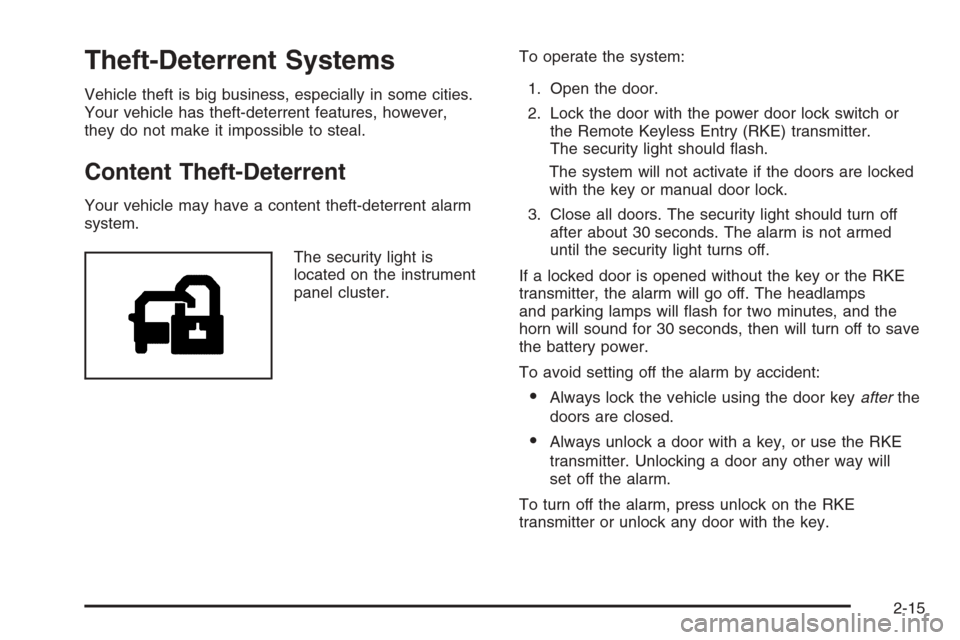
The security light is
located on the instrument
panel cluster.To operate the system:
1. Open the door.
2. Lock the door with the power door lock switch or
the Remote Keyless Entry (RKE) transmitter.
The security light should ash.
The system will not activate if the doors are locked
with the key or manual door lock.
3. Close all doors. The security light should turn off
after about 30 seconds. The alarm is not armed
until the security light turns off.
If a locked door is opened without the key or the RKE
transmitter, the alarm will go off. The headlamps
and parking lamps will ash for two minutes, and the
horn will sound for 30 seconds, then will turn off to save
the battery power.
To avoid setting off the alarm by accident:
Always lock the vehicle using the door keyafterthe
doors are closed.
Always unlock a door with a key, or use the RKE
transmitter. Unlocking a door any other way will
set off the alarm.
To turn off the alarm, press unlock on the RKE
transmitter or unlock any door with the key.
2-15
Page 100 of 472
Four-Wheel Drive
If your vehicle has four-wheel drive, the engine’s driving
power can be sent to all four wheels for extra traction.
To get the most satisfaction out of four-wheel drive, you
must be familiar with its operation. Read the part that
follows before using four-wheel drive. You should
use Two-Wheel High for most normal driving conditions.
Notice:Driving on clean, dry pavement in
Four-Wheel-Drive High or Four-Wheel-Drive Low for
an extended period of time may cause premature
wear on your vehicle’s powertrain. Do not drive on
clean, dry pavement in Four-Wheel-Drive High or
Four-Wheel-Drive Low for extended periods of time.
Notice:If you continually drive your vehicle with
the transfer case in AUTO or Four-Wheel Drive, you
could shorten the life of the transfer case or the
Four-Wheel Drive system. The selector switch
should be left in Two-Wheel Drive High mode. Only
use AUTO and Four-Wheel Drive when you need
extra traction such as in wet or slippery road
conditions.
Automatic Transfer Case
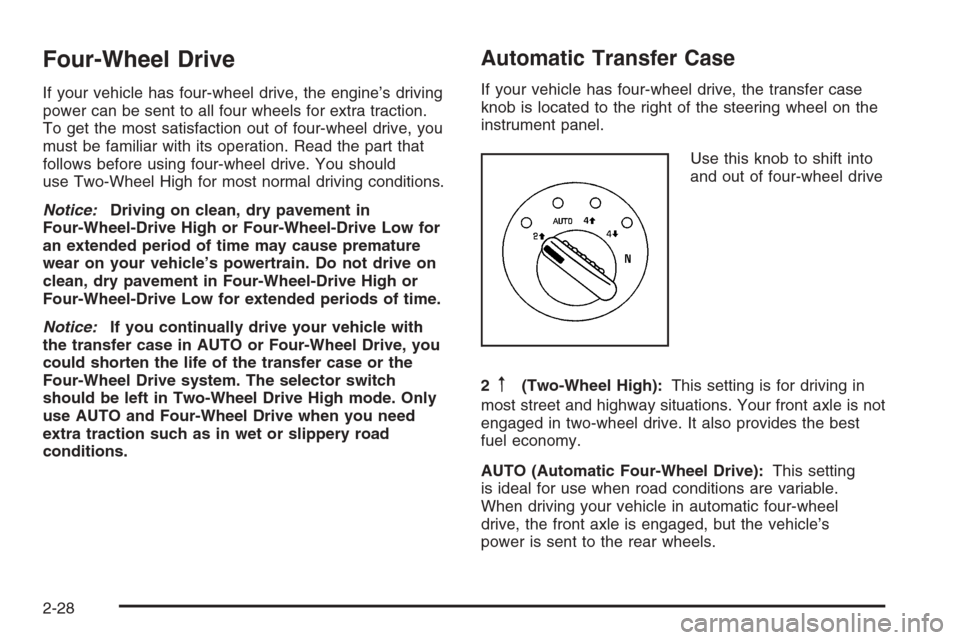
If your vehicle has four-wheel drive, the transfer case
knob is located to the right of the steering wheel on the
instrument panel.
Use this knob to shift into
and out of four-wheel drive
2
m(Two-Wheel High):This setting is for driving in
most street and highway situations. Your front axle is not
engaged in two-wheel drive. It also provides the best
fuel economy.
AUTO (Automatic Four-Wheel Drive):This setting
is ideal for use when road conditions are variable.
When driving your vehicle in automatic four-wheel
drive, the front axle is engaged, but the vehicle’s
power is sent to the rear wheels.
2-28
Page 101 of 472
When the vehicle senses a loss of traction, the system
will automatically engage four-wheel drive. Driving in
this mode results in slightly lower fuel economy
than Two-Wheel High.
4
m(Four-Wheel High):This setting should be used
when you need extra traction, such as on snowy or
icy roads or in most off-road situations. This setting also
engages your front axle to help drive your vehicle.
4
n(Four-Wheel Low):This setting also engages
your front axle and delivers extra torque. It sends
maximum power to all four wheels. You might choose
this setting if you are driving off-road in deep sand, deep
mud, and climbing or descending steep hills.
{CAUTION:
Shifting the transfer case to NEUTRAL can
cause your vehicle to roll even if the
transmission is in PARK (P). You or someone
else could be seriously injured. Be sure to set
the parking brake before placing the transfer
case in NEUTRAL. SeeParking Brake on
page 2-32.NEUTRAL:Shift the vehicle’s transfer case to
NEUTRAL only when towing your vehicle. See
Recreational Vehicle Towing on page 4-42for more
information.
An indicator light in the knob will show you which
position the transfer case is in. The indicator lights will
come on briey when you turn on the ignition and
one will stay on. If the lights do not come on, you should
take your vehicle to your dealer for service. An
indicator light will ash while shifting the transfer case.
It will stay on when the shift is complete. If for some
reason the transfer case cannot make a requested shift,
it will return to the last chosen setting.
If the service Four-Wheel Drive Warning Light on the
instrument panel cluster stays on, you should take your
vehicle to your dealer for service. SeeService
Four-Wheel Drive Warning Light on page 3-47for
further information.Shifting Into Four-Wheel High or Automatic
Four-Wheel Drive
Turn the knob to Four-Wheel High or Automatic
Four-Wheel Drive. This can be done at any speed
unless you are shifting out of Four-Wheel Low. The
indicator light will ash while shifting. It will remain on
when the shift is complete.
2-29
Page 104 of 472
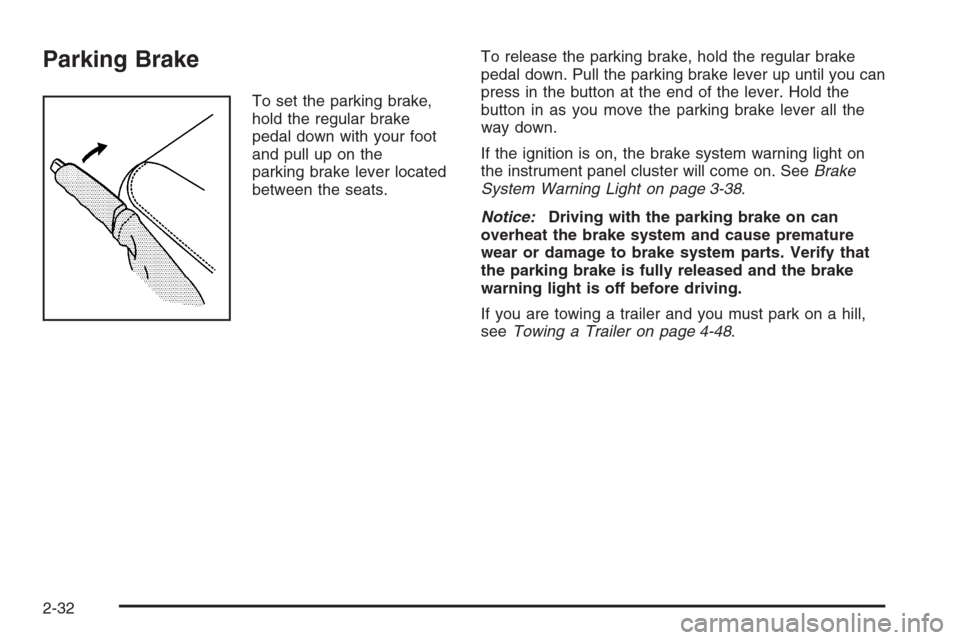
Parking Brake
To set the parking brake,
hold the regular brake
pedal down with your foot
and pull up on the
parking brake lever located
between the seats.To release the parking brake, hold the regular brake
pedal down. Pull the parking brake lever up until you can
press in the button at the end of the lever. Hold the
button in as you move the parking brake lever all the
way down.
If the ignition is on, the brake system warning light on
the instrument panel cluster will come on. SeeBrake
System Warning Light on page 3-38.
Notice:Driving with the parking brake on can
overheat the brake system and cause premature
wear or damage to brake system parts. Verify that
the parking brake is fully released and the brake
warning light is off before driving.
If you are towing a trailer and you must park on a hill,
seeTowing a Trailer on page 4-48.
2-32
Page 131 of 472
Instrument Panel Overview...............................3-4
Hazard Warning Flashers................................3-6
Other Warning Devices...................................3-6
Horn .............................................................3-6
Tilt Wheel.....................................................3-6
Turn Signal/Multifunction Lever.........................3-7
Turn and Lane-Change Signals........................3-7
Headlamp High/Low-Beam Changer..................3-8
Flash-to-Pass.................................................3-8
Windshield Wipers..........................................3-9
Windshield Washer.........................................3-9
Rear Window Wiper/Washer...........................3-10
Cruise Control..............................................3-10
Headlamps..................................................3-14
Headlamps on Reminder................................3-14
Daytime Running Lamps (DRL).......................3-15
Automatic Headlamp System..........................3-15
Fog Lamps ..................................................3-16
Instrument Panel Brightness...........................3-17
Dome Lamps ...............................................3-17
Dome Lamp Override....................................3-17
Entry Lighting...............................................3-18
Exit Lighting.................................................3-18
Reading Lamps............................................3-18
Electric Power Management...........................3-18
Battery Run-Down Protection..........................3-19
Accessory Power Outlet(s).............................3-20Ashtray(s) and Cigarette Lighter......................3-21
Climate Controls............................................3-21
Dual Climate Control System..........................3-21
Dual Automatic Climate Control System...........3-24
Outlet Adjustment.........................................3-28
Rear Climate Control System.........................3-28
Warning Lights, Gages, and Indicators............3-30
Instrument Panel Cluster................................3-31
Speedometer and Odometer...........................3-32
Trip Odometer..............................................3-32
Tachometer.................................................3-32
Safety Belt Reminders...................................3-33
Airbag Readiness Light..................................3-34
Passenger Airbag Status Indicator...................3-35
Charging System Light..................................3-37
Voltmeter Gage............................................3-37
Brake System Warning Light..........................3-38
Anti-lock Brake System (ABS) Warning Light. . . .3-39
StabiliTrak Service Light................................3-39
StabiliTrak Indicator Light...............................3-40
Engine Coolant Temperature Gage..................3-40
Tire Pressure Light.......................................3-41
Malfunction Indicator Lamp.............................3-41
Oil Pressure Gage........................................3-44
Change Engine Oil Light................................3-45
Security Light...............................................3-46
Section 3 Instrument Panel
3-1
Page 132 of 472
Cruise Control Light......................................3-46
Reduced Engine Power Light.........................3-46
Highbeam On Light.......................................3-47
Service Four-Wheel Drive
Warning Light...........................................3-47
Check Gages Warning Light...........................3-47
Gate Ajar Light.............................................3-47
Fuel Gage...................................................3-48
Low Fuel Warning Light.................................3-48
Check Gas Cap Light....................................3-48
Driver Information Center (DIC).......................3-49
DIC Operation and Displays...........................3-50
DIC Warnings and Messages.........................3-53
DIC Vehicle Customization.............................3-58Audio System(s).............................................3-64
Setting the Clock..........................................3-66
Radio(s)......................................................3-66
Using an MP3..............................................3-83
XM Radio Messages.....................................3-87
Navigation/Radio System...............................3-89
Rear Seat Entertainment (RSE) System...........3-89
Rear Seat Audio (RSA)................................3-103
Theft-Deterrent Feature................................3-104
Audio Steering Wheel Controls......................3-105
Radio Reception.........................................3-106
Fixed Mast Antenna....................................3-106
XM™ Satellite Radio Antenna System............3-107
Chime Level Adjustment...............................3-107
Section 3 Instrument Panel
3-2