2008 CHEVROLET SILVERADO battery
[x] Cancel search: batteryPage 306 of 596
Battery Replacement
To change the remote control batteries, do the following:
1. Slide the rear cover back on the remote control.
2. Replace the two batteries in the compartment.
Make sure they are installed correctly using the
diagram on the inside of the remote control.
3. Replace the battery cover.
If the remote control is to be stored for a long period of
time, remove the batteries and keep them in a cool,
dry place.
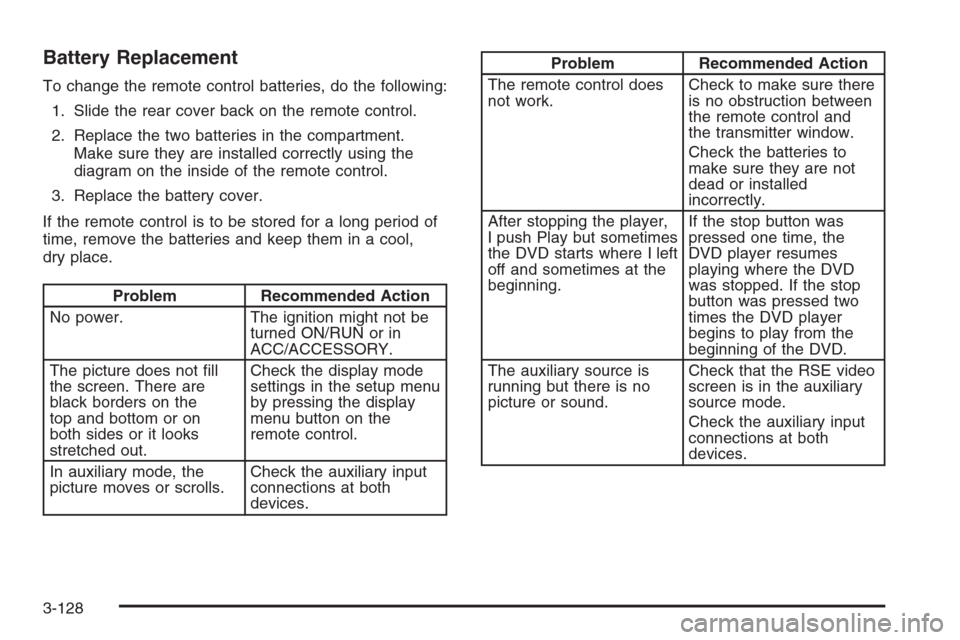
Problem Recommended Action
No power. The ignition might not be
turned ON/RUN or in
ACC/ACCESSORY.
The picture does not ll
the screen. There are
black borders on the
top and bottom or on
both sides or it looks
stretched out.Check the display mode
settings in the setup menu
by pressing the display
menu button on the
remote control.
In auxiliary mode, the
picture moves or scrolls.Check the auxiliary input
connections at both
devices.
Problem Recommended Action
The remote control does
not work.Check to make sure there
is no obstruction between
the remote control and
the transmitter window.
Check the batteries to
make sure they are not
dead or installed
incorrectly.
After stopping the player,
I push Play but sometimes
the DVD starts where I left
off and sometimes at the
beginning.If the stop button was
pressed one time, the
DVD player resumes
playing where the DVD
was stopped. If the stop
button was pressed two
times the DVD player
begins to play from the
beginning of the DVD.
The auxiliary source is
running but there is no
picture or sound.Check that the RSE video
screen is in the auxiliary
source mode.
Check the auxiliary input
connections at both
devices.
3-128
Page 345 of 596
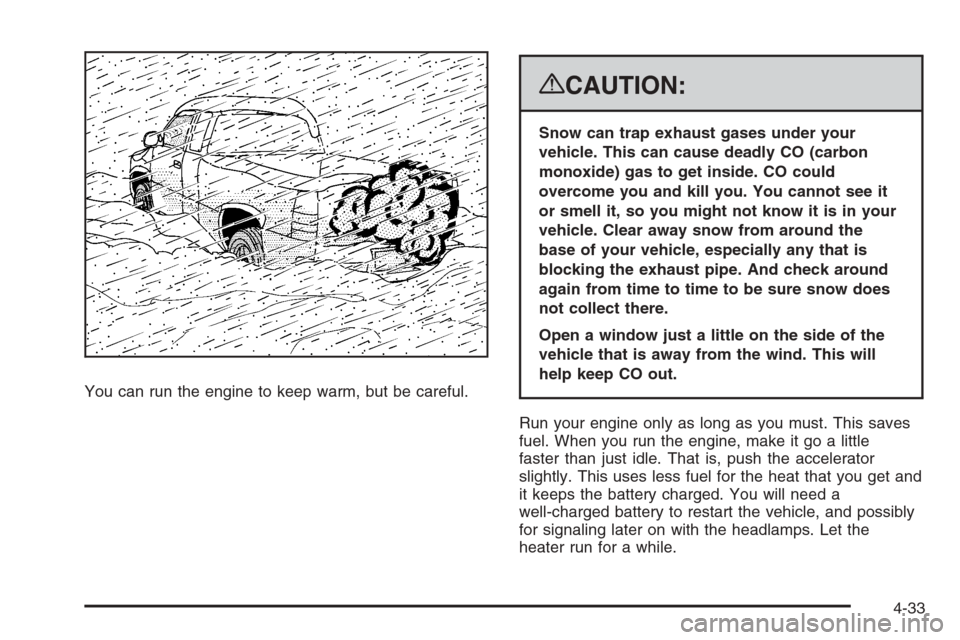
You can run the engine to keep warm, but be careful.
{CAUTION:
Snow can trap exhaust gases under your
vehicle. This can cause deadly CO (carbon
monoxide) gas to get inside. CO could
overcome you and kill you. You cannot see it
or smell it, so you might not know it is in your
vehicle. Clear away snow from around the
base of your vehicle, especially any that is
blocking the exhaust pipe. And check around
again from time to time to be sure snow does
not collect there.
Open a window just a little on the side of the
vehicle that is away from the wind. This will
help keep CO out.
Run your engine only as long as you must. This saves
fuel. When you run the engine, make it go a little
faster than just idle. That is, push the accelerator
slightly. This uses less fuel for the heat that you get and
it keeps the battery charged. You will need a
well-charged battery to restart the vehicle, and possibly
for signaling later on with the headlamps. Let the
heater run for a while.
4-33
Page 403 of 596
Heavy-Duty Trailer Wiring Harness
Package
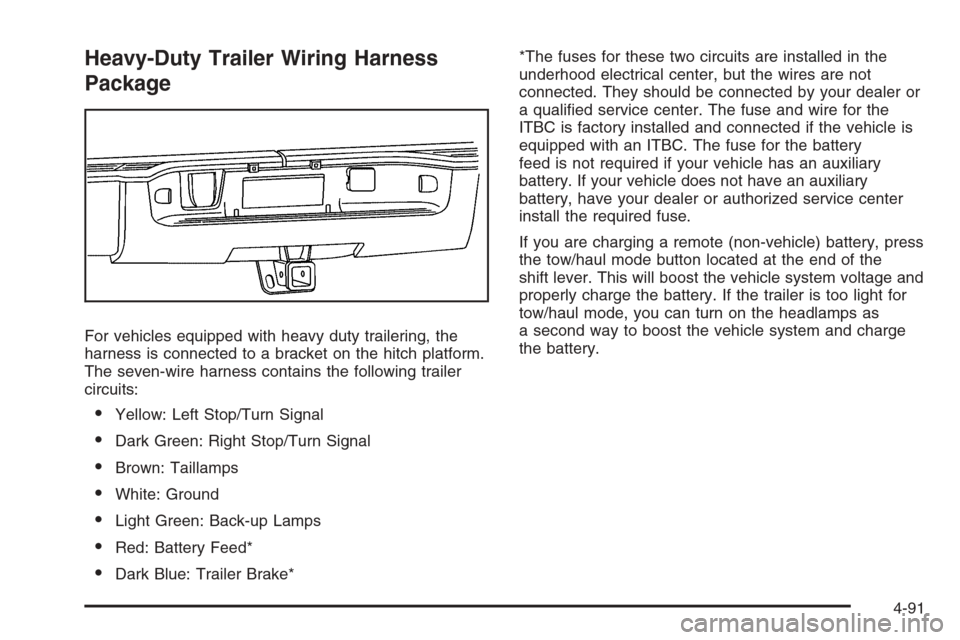
For vehicles equipped with heavy duty trailering, the
harness is connected to a bracket on the hitch platform.
The seven-wire harness contains the following trailer
circuits:
Yellow: Left Stop/Turn Signal
Dark Green: Right Stop/Turn Signal
Brown: Taillamps
White: Ground
Light Green: Back-up Lamps
Red: Battery Feed*
Dark Blue: Trailer Brake**The fuses for these two circuits are installed in the
underhood electrical center, but the wires are not
connected. They should be connected by your dealer or
a qualied service center. The fuse and wire for the
ITBC is factory installed and connected if the vehicle is
equipped with an ITBC. The fuse for the battery
feed is not required if your vehicle has an auxiliary
battery. If your vehicle does not have an auxiliary
battery, have your dealer or authorized service center
install the required fuse.
If you are charging a remote (non-vehicle) battery, press
the tow/haul mode button located at the end of the
shift lever. This will boost the vehicle system voltage and
properly charge the battery. If the trailer is too light for
tow/haul mode, you can turn on the headlamps as
a second way to boost the vehicle system and charge
the battery.
4-91
Page 404 of 596
Camper/Fifth-Wheel Trailer Wiring Package
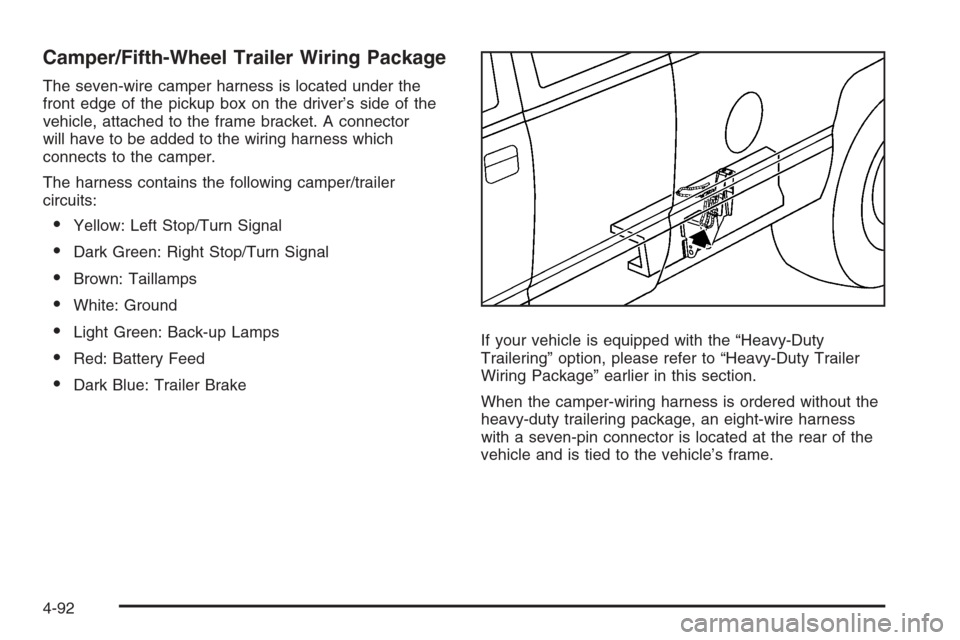
The seven-wire camper harness is located under the
front edge of the pickup box on the driver’s side of the
vehicle, attached to the frame bracket. A connector
will have to be added to the wiring harness which
connects to the camper.
The harness contains the following camper/trailer
circuits:
Yellow: Left Stop/Turn Signal
Dark Green: Right Stop/Turn Signal
Brown: Taillamps
White: Ground
Light Green: Back-up Lamps
Red: Battery Feed
Dark Blue: Trailer BrakeIf your vehicle is equipped with the “Heavy-Duty
Trailering” option, please refer to “Heavy-Duty Trailer
Wiring Package” earlier in this section.
When the camper-wiring harness is ordered without the
heavy-duty trailering package, an eight-wire harness
with a seven-pin connector is located at the rear of the
vehicle and is tied to the vehicle’s frame.
4-92
Page 405 of 596
Electric Brake Control Wiring
Provisions
These wiring provisions are included with your vehicle
as part of the trailer wiring package. These provisions
are for an electric brake controller. The instrument panel
contains blunt cut wires near the data link connector
for the trailer brake controller. The harness contains the
following wires:
Dark Blue: Brake Signal to Trailer Connector
Red/Black: Battery
Light Blue/White: Brake Switch
White: Ground
It should be installed by your dealer or a qualied
service center.
If your vehicle is equipped with an ITBC, the blunt cuts
exist, but are not connected further in the harness. If
you install an aftermarket trailer brake controller,
the ITBC must be disconnected. Do not power both
ITBC and aftermarket controllers to control the trailer
brakes at the same time.
Auxiliary Battery
The auxiliary battery provision can be used to supply
electrical power to additional equipment that you may
choose to add, such as a slide-in camper. If your vehicle
has this provision, this relay will be located on the driver’s
side of the vehicle, next to the underhood electrical
center.
Be sure to follow the proper installation instructions that
are included with any electrical equipment that you install.
Notice:Leaving electrical equipment on for
extended periods will drain the battery. Always turn
off electrical equipment when not in use and do
not use equipment that exceeds the maximum
amperage rating for the auxiliary battery provision.
Trailer Recommendations
You must subtract your hitch loads from the CWR for
your vehicle. Weigh your vehicle with the trailer
attached, so that you won’t go over the GVWR or
GAWR. If you are using a weight-distributing hitch,
weigh the vehicle without the spring bars in place.
You’ll get the best performance if you spread out the
weight of your load the right way, and if you choose the
correct hitch and trailer brakes.
For more information, seeTowing a Trailer on
page 4-55.
4-93
Page 407 of 596
Service............................................................5-4
Accessories and Modications..........................5-4
California Proposition 65 Warning.....................5-4
California Perchlorate Materials Requirements.....5-5
Doing Your Own Service Work.........................5-5
Adding Equipment to the Outside of
Your Vehicle..............................................5-5
Fuel................................................................5-6
Gasoline Octane............................................5-6
Gasoline Specications....................................5-6
California Fuel...............................................5-7
Additives.......................................................5-7
Fuel E85 (85% Ethanol)..................................5-8
Fuels in Foreign Countries...............................5-9
Filling the Tank............................................5-10
Filling a Portable Fuel Container.....................5-12
Checking Things Under the Hood....................5-12
Hood Release..............................................5-13
Engine Compartment Overview.......................5-14
Engine Oil (Gasoline Engine)..........................5-15
Engine Oil Life System..................................5-18
Engine Air Cleaner/Filter (Gasoline Engines).....5-20
Automatic Transmission Fluid
(6-Speed Transmission)..............................5-22Automatic Transmission Fluid
(4-Speed Transmission)..............................5-26
Engine Coolant.............................................5-29
Coolant Surge Tank Pressure Cap..................5-32
Engine Overheating.......................................5-32
Overheated Engine Protection
Operating Mode (V8 Engines Only)..............5-34
Cooling System............................................5-35
Engine Fan Noise.........................................5-40
Power Steering Fluid.....................................5-41
Windshield Washer Fluid................................5-42
Brakes........................................................5-43
Battery........................................................5-46
Jump Starting...............................................5-47
Rear Axle.......................................................5-52
Four-Wheel Drive............................................5-54
Front Axle......................................................5-56
Noise Control System.....................................5-57
Tampering with Noise Control System
Prohibited.................................................5-57
Headlamp Aiming...........................................5-58
Section 5 Service and Appearance Care
5-1
Page 421 of 596
A. Engine Air Cleaner/Filter. SeeEngine Air
Cleaner/Filter (Gasoline Engines) on page 5-20.
B. Air Filter Restriction Indicator (If Equipped).
SeeEngine Air Cleaner/Filter (Gasoline Engines)
on page 5-20.
C. Coolant Surge Tank and Pressure Cap. SeeCooling
System on page 5-35andCoolant Surge Tank
Pressure Cap on page 5-32.
D. Positive (+) Terminal. SeeJump Starting on
page 5-47.
E. Battery. SeeBattery on page 5-46.
F. Engine Oil Fill Cap. See “When to Add Engine Oil”
underEngine Oil (Gasoline Engine) on page 5-15.
G. Automatic Transmission Dipstick. See “Checking the
Fluid Level” underAutomatic Transmission Fluid
(6-Speed Transmission) on page 5-22orAutomatic
Transmission Fluid (4-Speed Transmission) on
page 5-26.
H. Remote Negative (−) Terminal (Out of View).
SeeJump Starting on page 5-47.
I. Engine Oil Dipstick (Out of View). See “Checking
Engine Oil” underEngine Oil (Gasoline Engine)
on page 5-15.
J. Engine Cooling Fan. SeeCooling System on
page 5-35.
K. Power Steering Fluid Reservoir. SeePower Steering
Fluid on page 5-41.L. Brake Master Cylinder Reservoir. See “Brake Fluid”
underBrakes on page 5-43.
M. Underhood Fuse Block. SeeUnderhood Fuse Block
on page 5-129.
N. Windshield Washer Fluid Reservoir. See “Adding
Washer Fluid” underWindshield Washer Fluid
on page 5-42.
Engine Oil (Gasoline Engine)
If your vehicle has a diesel engine, see “Engine Oil” in
the DURAMAX®Diesel manual.
Checking Engine Oil
It is a good idea to check the engine oil every time you
get fuel. In order to get an accurate reading, the oil
must be warm and the vehicle must be on level ground.
The engine oil dipstick handle is a yellow loop.
SeeEngine Compartment Overview on page 5-14for
the location of the engine oil dipstick.
1. Turn off the engine and give the oil several minutes
to drain back into the oil pan. If you do not do this,
the oil dipstick might not show the actual level.
2. Pull out the dipstick and clean it with a paper towel
or cloth, then push it back in all the way. Remove it
again, keeping the tip down, and check the level.
5-15
Page 452 of 596
Replacing Brake System Parts
The braking system on a vehicle is complex. Its many
parts have to be of top quality and work well together if
the vehicle is to have really good braking. Your vehicle
was designed and tested with top-quality brake parts.
When you replace parts of the braking system — for
example, when the brake linings wear down and you
need new ones put in — be sure you get new approved
replacement parts. If you do not, the brakes might not
work properly. For example, if someone puts in brake
linings that are wrong for your vehicle, the balance
between the front and rear brakes can change — for the
worse. The braking performance you have come to
expect can change in many other ways if someone puts
in the wrong replacement brake parts.
Battery
Your vehicle has a maintenance free battery
(or batteries). When it is time for a new battery, see
your dealer/retailer for one that has the replacement
number shown on the original battery’s label.
SeeEngine Compartment Overview on page 5-14
for battery location.
Warning:Battery posts, terminals, and related
accessories contain lead and lead compounds,
chemicals known to the State of California to cause
cancer and reproductive harm. Wash hands after
handling.
Vehicle Storage
{CAUTION:
Batteries have acid that can burn you and gas
that can explode. You can be badly hurt if you
are not careful. SeeJump Starting on page 5-47
for tips on working around a battery without
getting hurt.
Infrequent Usage: If you drive your vehicle infrequently,
remove the black, negative (−) cable from the battery.
This will help keep the battery from running down.
Extended Storage: For extended storage of your vehicle,
remove the black, negative (−) cable from the battery
or use a battery trickle charger. This will help maintain
the charge of the battery over an extended period
of time.
5-46