2008 CHEVROLET SILVERADO door lock
[x] Cancel search: door lockPage 113 of 596
The theft-deterrent system will not activate if the doors
are locked with the vehicle’s key or the manual door lock.
It activates only if you use the power door lock switch with
the door open or the RKE transmitter. You should also
remember that you can start your vehicle with the correct
ignition key if the alarm has been set off.
To avoid setting off the alarm by accident:
If you do not want to activate the theft-deterrent
system, the vehicle should be locked with the
door key after the doors are closed.
Always unlock a door with the RKE transmitter.
Unlocking a door any other way will set off the alarm
if the system has been armed.
If you set off the alarm by accident, press unlock on
the RKE transmitter or place the key in the ignition and
turn it to START to turn it off.
Testing the Alarm
To test the alarm:
1. From inside the vehicle, lower the driver’s window
and open the driver’s door.
2. Activate the system by locking the doors with the
RKE transmitter.
3. Get out of the vehicle, close the door and wait for
the security light to go out.
4. Then reach in through the window, unlock the door
with the manual door lock and open the door.
This should set off the alarm.
If the alarm does not sound when it should but the
headlamps ash, check to see if the horn works.
The horn fuse may be blown. To replace the fuse,
seeFuses and Circuit Breakers on page 5-125.
If the alarm does not sound or the headlamps do not
ash, see your dealer/retailer for service.
2-19
Page 117 of 596
B (ACC/ACCESSORY):This position lets things like
the radio and the windshield wipers operate while
the engine is off.
Lengthy operation of features such as the radio in the
ACC/ACCESSORY ignition position and the ON/RUN
position may drain the battery and prevent your vehicle
from starting. Do not operate your vehicle in the ACC/
ACCESSORY ignition position for a long period of time.
C (ON/RUN):This is the position for driving. It is the
position the ignition switch returns to after the engine
starts, and the key is released.
The battery could be drained if you leave the key in the
ACC/ACCESSORY or ON/RUN position with the engine
off. You may not be able to start your vehicle if the battery
is allowed to drain for an extended period of time.
D (START):This position starts the engine.Key In the Ignition
Never leave your vehicle with the keys inside, as it is an
easy target for joy riders or thieves. If you leave the key in
the ignition and park your vehicle, a chime will sound,
when you open the driver’s door. Always remember to
remove your key from the ignition and take it with you.
This will lock your ignition and transmission. Also, always
remember to lock the doors.
The battery could be drained if you leave the key in the
ignition while your vehicle is parked. You may not be
able to start your vehicle after it has been parked for an
extended period of time.
2-23
Page 118 of 596
Retained Accessory Power (RAP)
The following vehicle accessories can be used for up to
10 minutes after the engine is turned off:
Audio System
Power Windows
OnStar®System (if equipped)
Sunroof (if equipped)
These features work when the key is in ON/RUN or
ACC/ACCESSORY. Once the key is turned from
ON/RUN to LOCK/OFF, the windows and sunroof
continue to work up to 10 minutes until any door
is opened. The radio continues to work for up to
10 minutes or until the driver’s door is opened.
Starting the Engine
If your vehicle has the DURAMAX®Diesel engine, see
the DURAMAX®Diesel manual for more information.
To place the transmission in the proper gear:
Move your shift lever to PARK (P) or NEUTRAL (N).
Your engine will not start in any other position -- this is
a safety feature. To restart when you are already
moving, use NEUTRAL (N) only.
Starting Procedure
1. With your foot off the accelerator pedal, turn the
ignition key to START. When the engine starts,
let go of the key. The idle speed will go down as
your engine gets warm. Do not race the engine
immediately after starting it. Operate the engine
and transmission gently to allow the oil to warm
up and lubricate all moving parts.
Your vehicle has a Computer-Controlled Cranking
System. This feature assists in starting the engine
and protects components. If the ignition key is turned
to the START position, and then released when the
engine begins cranking, the engine will continue
cranking for a few seconds or until the vehicle starts.
If the engine does not start and the key is held in
START for many seconds, cranking will be stopped
after 15 seconds to prevent cranking motor damage.
To prevent gear damage, this system also prevents
cranking if the engine is already running. Engine
cranking can be stopped by turning the ignition
switch to the ACC/ACCESSORY or LOCK/OFF
position.
Notice:Cranking the engine for long periods of
time, by returning the key to the START position
immediately after cranking has ended, can overheat
and damage the cranking motor, and drain the
battery. Wait at least 15 seconds between each try,
to let the cranking motor cool down.
2-24
Page 161 of 596

When the System Does Not Seem to
Work Properly
If the URPA system will not activate due to a temporary
condition, the message PARKING ASSIST OFF will be
displayed on the DIC and a red light will be shown on the
rear URPA display when the shift lever is moved into
R (Reverse). This occurs under the following conditions:
The driver disables the system.
The parking brake pedal is depressed.
The ultrasonic sensors are not clean. Keep the
vehicle’s rear bumper free of mud, dirt, snow, ice and
slush. For cleaning instructions, seeWashing Your
Vehicle on page 5-118.
A trailer was attached to the vehicle, or a bicycle or
an object was hanging out of the tailgate during the
last drive cycle, the red light may illuminate in the
rear display. Once the attached object is removed,
URPA will return to normal operation.
A tow bar is attached to the vehicle.
The vehicle’s bumper is damaged. Take the vehicle
to your dealer/retailer to repair the system.
Other conditions may affect system performance,
such as vibrations from a jackhammer or the
compression of air brakes on a very large truck.
If the system is still disabled, after driving forward at
least 15 mph (25 km/h), take the vehicle to your
dealer/retailer.
OnStar®System
OnStar uses several innovative technologies and live
advisors to provide you with a wide range of safety,
security, information, and convenience services. If your
airbags deploy, the system is designed to make an
automatic call to OnStar Emergency advisors who can
request emergency services be sent to your location.
If you lock your keys in the vehicle, call OnStar at
1-888-4-ONSTAR and they can send a signal to unlock
your doors. If you need roadside assistance, press
the OnStar button and they can contact Roadside
Service for you.
OnStar service is provided to you subject to the
OnStar Terms and Conditions. You may cancel your
OnStar service at any time by contacting OnStar.
2-67
Page 162 of 596
A complete OnStar Owner’s Guide and the OnStar
Terms and Conditions are included in the vehicle’s
OnStar Subscriber glove box literature. For more
information, visit onstar.com or onstar.ca, contact
OnStar at 1-888-4-ONSTAR (1-888-466-7827) or TTY
1-877-248-2080, or press the OnStar button to speak
with an OnStar advisor 24 hours a day, 7 days a week.
Not all OnStar features are available on all vehicles.
To check if your vehicle is equipped to provide the
services described below, or for a full description of
OnStar services and system limitations, see the OnStar
Owner’s Guide in your glove box or visit onstar.com.
OnStar Services
For new vehicles with OnStar, the Safe & Sound Plan,
or the Directions & Connections Plan is included for
one year from the date of purchase. You can extend this
plan beyond the rst year, or upgrade to the Directions
& Connections Plan. For more information, press
the OnStar button to speak with an advisor. Some
OnStar services (such as Remote Door Unlock or Stolen
Vehicle Location Assistance) may not be available
until you register with OnStar.
Available Services with Safe & Sound Plan
Automatic Notication of Airbag Deployment
Advanced Automatic Crash Notication (AACN)
(If equipped)
Link to Emergency Services
Roadside Assistance
Stolen Vehicle Location Assistance
AccidentAssist
Remote Door Unlock/Vehicle Alert
OnStar Vehicle Diagnostics
GM Goodwrench On Demand Diagnostics
OnStar Hands-Free Calling with
30 complimentary minutes
OnStar Virtual Advisor (U.S. Only)
2-68
Page 176 of 596
Sunroof
If your vehicle has a power sliding sunroof, the ignition
needs to be turned to RUN, or the Retained Accessory
Power (RAP) must be activated to open or close
the sunroof. When RAP is active, the sunroof will work
for 10 minutes after the ignition is turned off, or until
the driver’s door is opened. SeeRetained Accessory
Power (RAP) on page 2-24for more information.
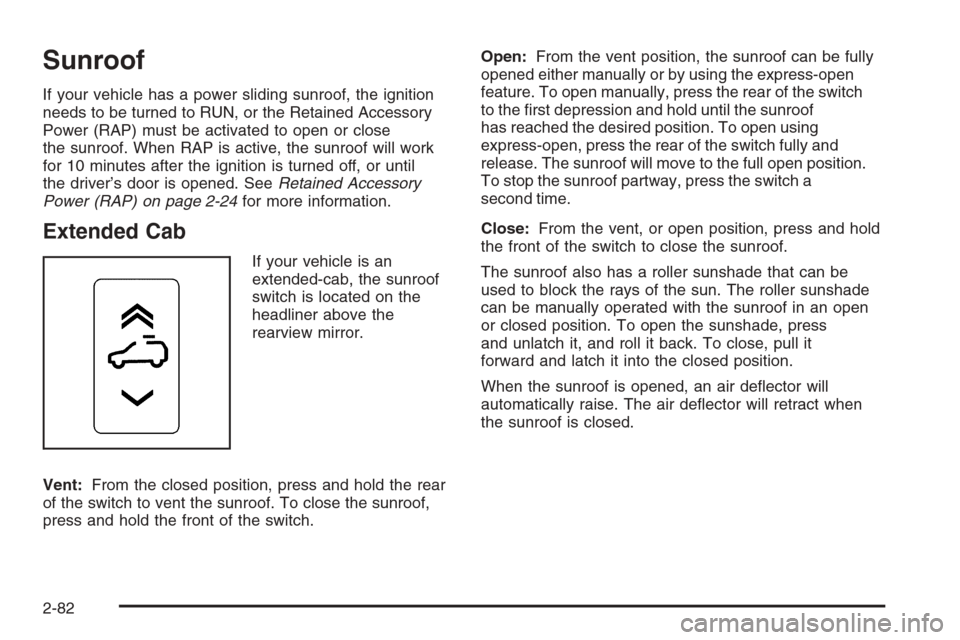
Extended Cab
If your vehicle is an
extended-cab, the sunroof
switch is located on the
headliner above the
rearview mirror.
Vent:From the closed position, press and hold the rear
of the switch to vent the sunroof. To close the sunroof,
press and hold the front of the switch.Open:From the vent position, the sunroof can be fully
opened either manually or by using the express-open
feature. To open manually, press the rear of the switch
to the rst depression and hold until the sunroof
has reached the desired position. To open using
express-open, press the rear of the switch fully and
release. The sunroof will move to the full open position.
To stop the sunroof partway, press the switch a
second time.
Close:From the vent, or open position, press and hold
the front of the switch to close the sunroof.
The sunroof also has a roller sunshade that can be
used to block the rays of the sun. The roller sunshade
can be manually operated with the sunroof in an open
or closed position. To open the sunshade, press
and unlatch it, and roll it back. To close, pull it
forward and latch it into the closed position.
When the sunroof is opened, an air deector will
automatically raise. The air deector will retract when
the sunroof is closed.
2-82
Page 199 of 596
If your vehicle has this button, your vehicle may have
the snow plow prep package. For further information see
Adding a Snow Plow or Similar Equipment on
page 4-43.
Instrument Panel Brightness
D(Instrument Panel Brightness):This feature
controls the brightness of the instrument panel lights
and is located next to the exterior lamp control.
Push the knob to extend out and then it can be turned.
Turn the knob clockwise or counterclockwise to
brighten or dim the instrument panel lights. Turning the
knob to the farthest clockwise position turns on the
dome lamps.
Dome Lamps
The dome lamps come on when any door is opened.
They turn off after all the doors are closed.
The dome lamps can also be turned on by turning the
instrument panel brightness knob, located next to
the exterior lamps control, clockwise to the farthest
position. In this position, the dome lamps remain
on whether a door is opened or closed.
Dome Lamp Override
The dome lamp override button is located next to the
exterior lamps control.
k(Dome Off):Press the button in and the dome
lamps remain off when a door is opened. Press
the button again to return it to the extended position so
that the dome lamps come on when a door is opened.
Entry Lighting
Your vehicle has an illuminated entry feature.
When the doors are opened, the dome lamps will come
on if the dome override button is in the extended
position. If the dome override button is pressed in,
the lamps will not come on.
Exit Lighting
The interior lamps come on when the key is removed
from the ignition. They turn off automatically in
20 seconds. The lights do not come on if the dome
override button is pressed in.
3-21
Page 202 of 596
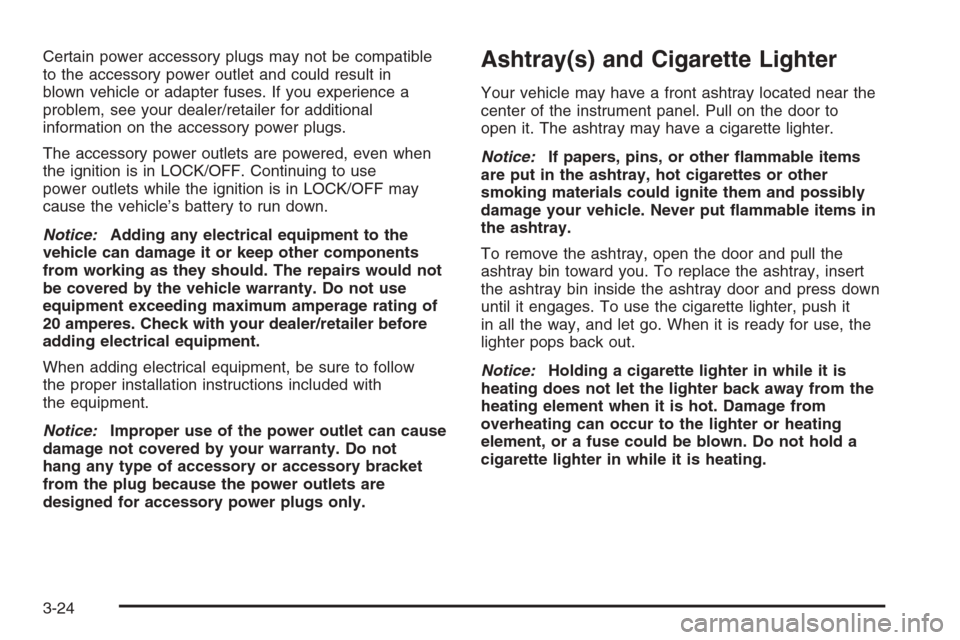
Certain power accessory plugs may not be compatible
to the accessory power outlet and could result in
blown vehicle or adapter fuses. If you experience a
problem, see your dealer/retailer for additional
information on the accessory power plugs.
The accessory power outlets are powered, even when
the ignition is in LOCK/OFF. Continuing to use
power outlets while the ignition is in LOCK/OFF may
cause the vehicle’s battery to run down.
Notice:Adding any electrical equipment to the
vehicle can damage it or keep other components
from working as they should. The repairs would not
be covered by the vehicle warranty. Do not use
equipment exceeding maximum amperage rating of
20 amperes. Check with your dealer/retailer before
adding electrical equipment.
When adding electrical equipment, be sure to follow
the proper installation instructions included with
the equipment.
Notice:Improper use of the power outlet can cause
damage not covered by your warranty. Do not
hang any type of accessory or accessory bracket
from the plug because the power outlets are
designed for accessory power plugs only.Ashtray(s) and Cigarette Lighter
Your vehicle may have a front ashtray located near the
center of the instrument panel. Pull on the door to
open it. The ashtray may have a cigarette lighter.
Notice:If papers, pins, or other ammable items
are put in the ashtray, hot cigarettes or other
smoking materials could ignite them and possibly
damage your vehicle. Never put ammable items in
the ashtray.
To remove the ashtray, open the door and pull the
ashtray bin toward you. To replace the ashtray, insert
the ashtray bin inside the ashtray door and press down
until it engages. To use the cigarette lighter, push it
in all the way, and let go. When it is ready for use, the
lighter pops back out.
Notice:Holding a cigarette lighter in while it is
heating does not let the lighter back away from the
heating element when it is hot. Damage from
overheating can occur to the lighter or heating
element, or a fuse could be blown. Do not hold a
cigarette lighter in while it is heating.
3-24