2008 CHEVROLET MALIBU four wheel drive
[x] Cancel search: four wheel drivePage 108 of 412
INTERMEDIATE (I):This position is also used for
normal driving. However, it reduces vehicle speed without
using your brakes for slight downgrades where the
vehicle would otherwise accelerate due to steepness
of grade. If constant upshifting or downshifting occurs
while driving up steep hills, this position can be used to
prevent repetitive types of shifts. You might choose
INTERMEDIATE (I) instead of DRIVE (D) when driving on
hilly, winding roads and when towing a trailer, so that
there is less shifting between gears.
LOW (L):This position gives you access to FOURTH,
THIRD, SECOND and FIRST gear ranges. This
provides more engine braking but lower fuel economy
than DRIVE (D). You can use it on very steep hills, or in
deep snow or mud. If the electronic range select is
put in LOW (L), the transmission will not shift into lower
gears until the vehicle is going slow enough.Automatic Transmission Operation
(Six Speed Transmission)
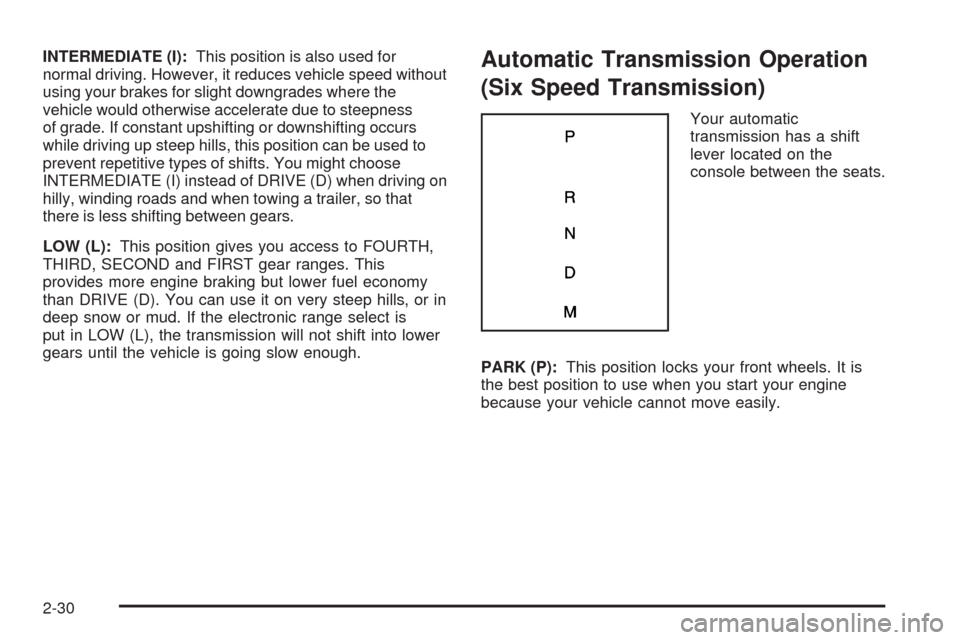
Your automatic
transmission has a shift
lever located on the
console between the seats.
PARK (P):This position locks your front wheels. It is
the best position to use when you start your engine
because your vehicle cannot move easily.
2-30
Page 137 of 412
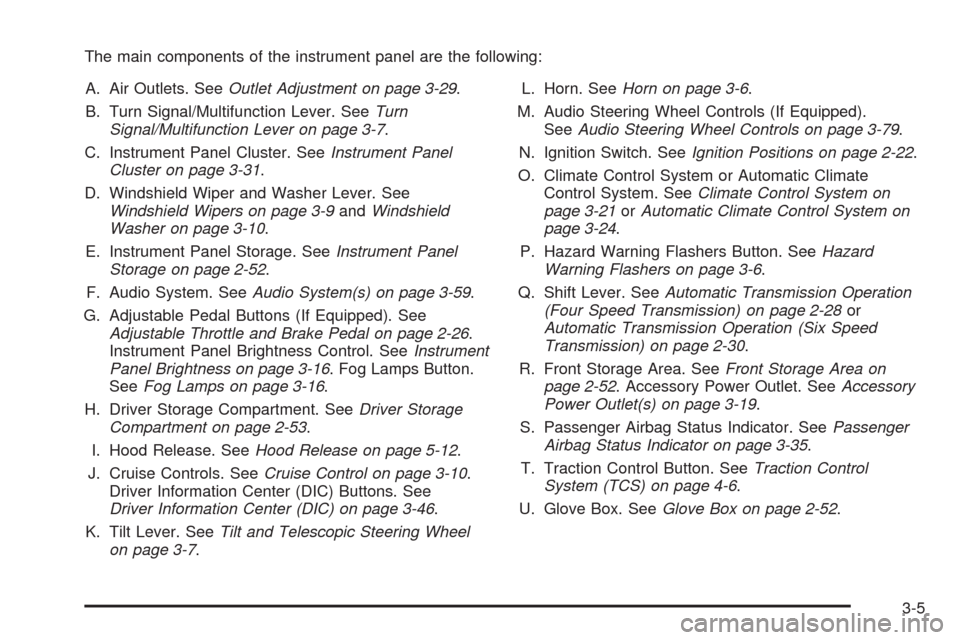
The main components of the instrument panel are the following:
A. Air Outlets. SeeOutlet Adjustment on page 3-29.
B. Turn Signal/Multifunction Lever. SeeTurn
Signal/Multifunction Lever on page 3-7.
C. Instrument Panel Cluster. SeeInstrument Panel
Cluster on page 3-31.
D. Windshield Wiper and Washer Lever. See
Windshield Wipers on page 3-9andWindshield
Washer on page 3-10.
E. Instrument Panel Storage. SeeInstrument Panel
Storage on page 2-52.
F. Audio System. SeeAudio System(s) on page 3-59.
G. Adjustable Pedal Buttons (If Equipped). See
Adjustable Throttle and Brake Pedal on page 2-26.
Instrument Panel Brightness Control. SeeInstrument
Panel Brightness on page 3-16. Fog Lamps Button.
SeeFog Lamps on page 3-16.
H. Driver Storage Compartment. SeeDriver Storage
Compartment on page 2-53.
I. Hood Release. SeeHood Release on page 5-12.
J. Cruise Controls. SeeCruise Control on page 3-10.
Driver Information Center (DIC) Buttons. See
Driver Information Center (DIC) on page 3-46.
K. Tilt Lever. SeeTilt and Telescopic Steering Wheel
on page 3-7.L. Horn. SeeHorn on page 3-6.
M. Audio Steering Wheel Controls (If Equipped).
SeeAudio Steering Wheel Controls on page 3-79.
N. Ignition Switch. SeeIgnition Positions on page 2-22.
O. Climate Control System or Automatic Climate
Control System. SeeClimate Control System on
page 3-21orAutomatic Climate Control System on
page 3-24.
P. Hazard Warning Flashers Button. SeeHazard
Warning Flashers on page 3-6.
Q. Shift Lever. SeeAutomatic Transmission Operation
(Four Speed Transmission) on page 2-28or
Automatic Transmission Operation (Six Speed
Transmission) on page 2-30.
R. Front Storage Area. SeeFront Storage Area on
page 2-52. Accessory Power Outlet. SeeAccessory
Power Outlet(s) on page 3-19.
S. Passenger Airbag Status Indicator. SeePassenger
Airbag Status Indicator on page 3-35.
T. Traction Control Button. SeeTraction Control
System (TCS) on page 4-6.
U. Glove Box. SeeGlove Box on page 2-52.
3-5
Page 197 of 412
Finding a Station
BAND:Press to switch between FM1, FM2, AM, or
XM™ (if equipped). The selection displays.
f(Tune):Turn to select radio stations.
©SEEK¨:Press the arrows to go to the previous or
the next station and stay there.
To scan stations, press and hold either arrow for a
few seconds until the radio beeps once. The radio goes
to a station, plays for a few seconds, then goes to
the next station. Press either arrow again to stop
scanning.
The radio seeks and scans stations only with a strong
signal that are in the selected band.
To scan presets within the current selected band by
pressing and holding either seek arrow for four seconds
until a double beep sounds. The radio goes to a stored
preset, plays for a few seconds if a strong signal is
present, then goes to the next stored preset. The station
frequency ashes while the radio is in the scan mode.
4(Information):Press to switch the display between
the radio station frequency and the time. While the
ignition is off, press this button to display the time.
4(Information) (With XM™ Satellite Radio Service,
MP3, and RDS Features):Press this button to
display additional text information related to the current
FM-RDS or XM™ station, or MP3 song. A choice of
additional information such as: Channel, Song, Artist,
and CAT (category) can appear. Continue pressing this
button to highlight the desired label, or press the
pushbutton positioned under any one of the labels and
the information about that label displays.
While information is not available, No Info displays.
Storing a Radio Station as a Favorite
Drivers are encouraged to set up their radio station
favorites while the vehicle is in PARK (P). Tune to your
favorite stations using the presets, favorites button,
and steering wheel controls if the vehicle has this
feature. SeeDefensive Driving on page 4-2.
3-65
Page 303 of 412
Low-Prole Performance Tire
If your vehicle has P225/50R18 or P225/50R17
size tires, they are classied as low-prole
performance tires. These tires are designed for
very responsive driving on wet or dry pavement.
You may also notice more road noise with
low-prole performance tires and that they
tend to wear faster.
Notice:If the vehicle has low-prole tires,
they are more susceptible to damage from
road hazards or curb impact than standard
prole tires. Tire and/or wheel assembly
damage can occur when coming into contact
with road hazards like, potholes, or sharp
edged objects, or when sliding into a curb.
The vehicle warranty does not cover this
type of damage. Keep tires set to the correct
ination pressure and, when possible avoid
contact with curbs, potholes, and other road
hazards.
Winter Tires
If you expect to drive on snow or ice covered roads
often, you may want to get winter tires for your vehicle.
All season tires provide good overall performance on
most surfaces but they may not offer the traction
you would like or the same level of performance
as winter tires on snow or ice covered roads.
Winter tires, in general, are designed for increased
traction on snow and ice covered roads. With winter tires,
there may be decreased dry road traction, increased road
noise, and shorter tread life. After switching to winter
tires, be alert for changes in vehicle handling and braking.
See your dealer/retailer for details regarding winter tire
availability and proper tire selection. Also, seeBuying
New Tires on page 5-70.
If you choose to use winter tires:
Use tires of the same brand and tread type on all
four wheel positions.
Use only radial ply tires of the same size, load range,
and speed rating as the original equipment tires.
Winter tires with the same speed rating as your original
equipment tires may not be available for H, V, W, Y,
and ZR speed rated tires. If you choose winter tires with
a lower speed rating, never exceed the tire’s maximum
speed capability.
5-53
Page 317 of 412
7. The passenger side rear turn signal comes on to
indicate that corner sensor is ready to be learned.
Proceed to the passenger side rear tire and
repeat the procedure in Step 5.
8. The driver side rear turn signal comes on to
indicate that corner sensor is ready to be learned.
Proceed to the driver side rear tire, and repeat
the procedure in Step 5.
9. After hearing the single horn chirp for the driver
side rear tire, two additional horn chirps sound
to indicate the tire learning process is done.
Turn the ignition switch to LOCK/OFF.
If no tires are learned after entering the TPMS learn
mode, or if communication with the receiver stops, or
if the time limit has expired, turn the ignition switch to
LOCK/OFF and start over beginning with Step 2.
10. Set all four tires to the recommended air pressure
level as indicated on the Tire and Loading
Information label.
11. Put the valve caps back on the valve stems.Tire Inspection and Rotation
We recommend that you regularly inspect your
vehicle’s tires, including the spare tire, for signs
of wear or damage. SeeWhen It Is Time for New
Tires on page 5-69for more information.
Tires should be rotated every 5,000 to 8,000 miles
(8 000 to 13 000 km). SeeScheduled Maintenance
on page 6-4.
The purpose of a regular tire rotation is to achieve
a uniform wear for all tires on the vehicle. This
will ensure that your vehicle continues to perform
most like it did when the tires were new.
Any time you notice unusual wear, rotate the tires
as soon as possible and check wheel alignment.
Also check for damaged tires or wheels. See
When It Is Time for New Tires on page 5-69and
Wheel Replacement on page 5-74.
5-67
Page 320 of 412
Buying New Tires
GM has developed and matched specic tires for
your vehicle. The original equipment tires installed
on your vehicle, when it was new, were designed
to meet General Motors Tire Performance Criteria
Specication (TPC Spec) system rating. If you need
replacement tires, GM strongly recommends that
you get tires with the same TPC Spec rating. This
way, your vehicle will continue to have tires that are
designed to give the same performance and vehicle
safety, during normal use, as the original tires.
GM’s exclusive TPC Spec system considers
over a dozen critical specications that impact the
overall performance of your vehicle, including brake
system performance, ride and handling, traction
control, and tire pressure monitoring performance.
GM’s TPC Spec number is molded onto the tire’s
sidewall near the tire size. If the tires have an
all-season tread design, the TPC Spec number
will be followed by an MS for mud and snow. See
Tire Sidewall Labeling on page 5-54for additional
information.GM recommends replacing tires in sets of four.
This is because uniform tread depth on all tires
will help keep your vehicle performing most like
it did when the tires were new. Replacing less
than a full set of tires can affect the braking
and handling performance of your vehicle.
SeeTire Inspection and Rotation on page 5-67
for information on proper tire rotation.
{CAUTION:
Mixing tires could cause you to lose
control while driving. If you mix tires of
different sizes, brands, or types (radial
and bias-belted tires), the vehicle may
not handle properly, and you could have
a crash. Using tires of different sizes,
brands, or types may also cause damage
to your vehicle. Be sure to use the correct
size, brand, and type of tires on all wheels.
It is all right to drive with your compact
spare temporarily, as it was developed for
use on your vehicle. SeeCompact Spare
Tire on page 5-88.
5-70