2008 CHEVROLET MALIBU light
[x] Cancel search: lightPage 140 of 412
Turn and Lane-Change Signals
The turn signal has two upward (for right) and two
downward (for left) positions. These positions let you
signal a turn or a lane change.
To signal a turn, move the lever all the way up or down.
When the turn is nished, the lever returns automatically
to the normal position.
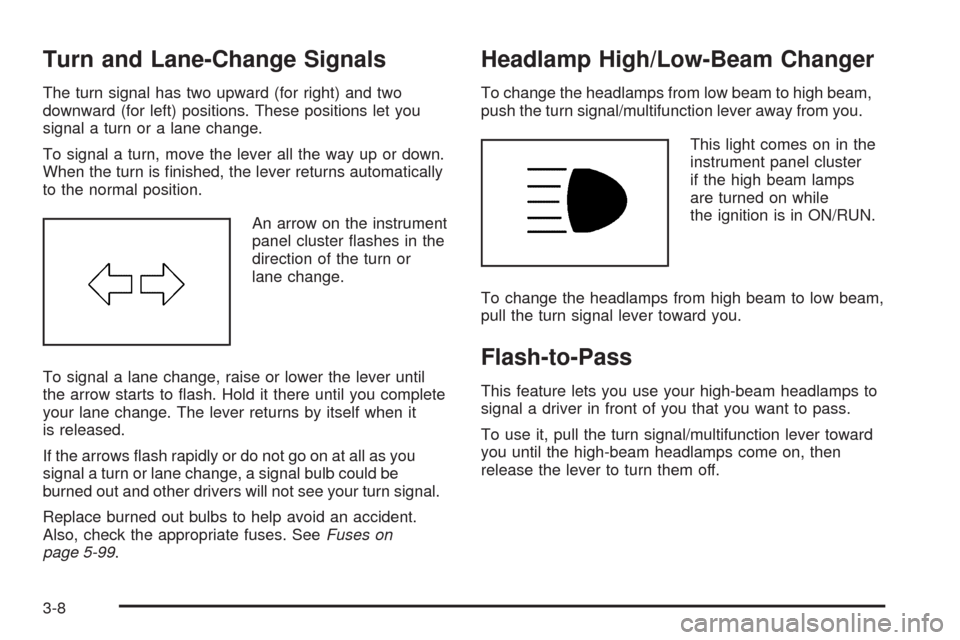
An arrow on the instrument
panel cluster ashes in the
direction of the turn or
lane change.
To signal a lane change, raise or lower the lever until
the arrow starts to ash. Hold it there until you complete
your lane change. The lever returns by itself when it
is released.
If the arrows ash rapidly or do not go on at all as you
signal a turn or lane change, a signal bulb could be
burned out and other drivers will not see your turn signal.
Replace burned out bulbs to help avoid an accident.
Also, check the appropriate fuses. SeeFuses on
page 5-99.
Headlamp High/Low-Beam Changer
To change the headlamps from low beam to high beam,
push the turn signal/multifunction lever away from you.
This light comes on in the
instrument panel cluster
if the high beam lamps
are turned on while
the ignition is in ON/RUN.
To change the headlamps from high beam to low beam,
pull the turn signal lever toward you.
Flash-to-Pass
This feature lets you use your high-beam headlamps to
signal a driver in front of you that you want to pass.
To use it, pull the turn signal/multifunction lever toward
you until the high-beam headlamps come on, then
release the lever to turn them off.
3-8
Page 143 of 412
Setting Cruise Control
{CAUTION:
If you leave your cruise control on when you
are not using cruise, you might hit a button
and go into cruise when you do not want to.
You could be startled and even lose control.
Keep the cruise control switch off until you
want to use cruise control.
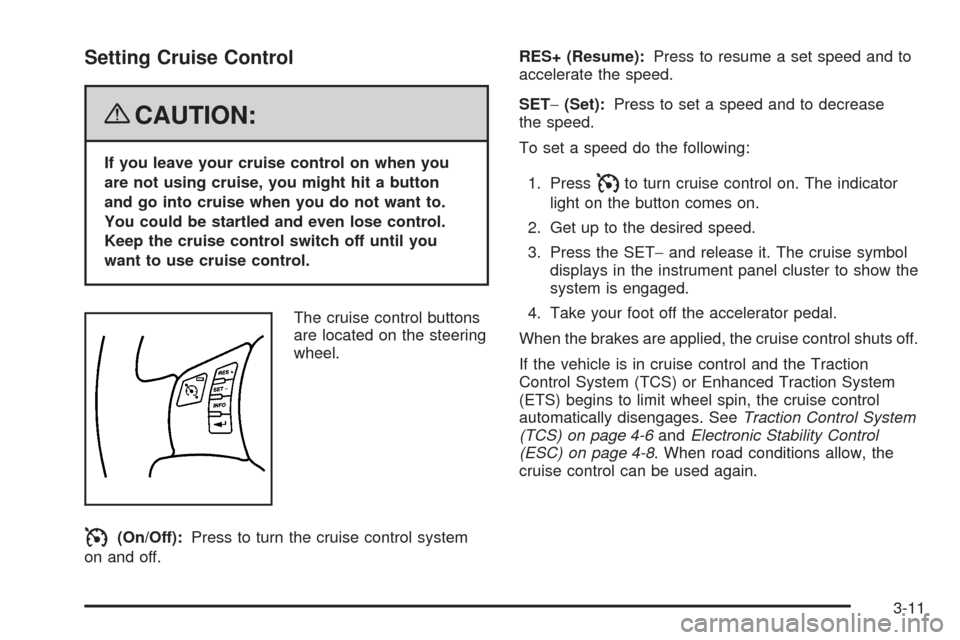
The cruise control buttons
are located on the steering
wheel.
I(On/Off):Press to turn the cruise control system
on and off.RES+ (Resume):Press to resume a set speed and to
accelerate the speed.
SET−(Set):Press to set a speed and to decrease
the speed.
To set a speed do the following:
1. Press
Ito turn cruise control on. The indicator
light on the button comes on.
2. Get up to the desired speed.
3. Press the SET−and release it. The cruise symbol
displays in the instrument panel cluster to show the
system is engaged.
4. Take your foot off the accelerator pedal.
When the brakes are applied, the cruise control shuts off.
If the vehicle is in cruise control and the Traction
Control System (TCS) or Enhanced Traction System
(ETS) begins to limit wheel spin, the cruise control
automatically disengages. SeeTraction Control System
(TCS) on page 4-6andElectronic Stability Control
(ESC) on page 4-8. When road conditions allow, the
cruise control can be used again.
3-11
Page 145 of 412
Ending Cruise Control
There are two ways to disengage the cruise control:
Step lightly on the brake pedal to disengage
the cruise control.
Press the on/off button, to turn off the cruise
control.
Erasing Speed Memory
The cruise control set speed memory is erased when
the cruise control or the ignition are turned off.
Headlamps
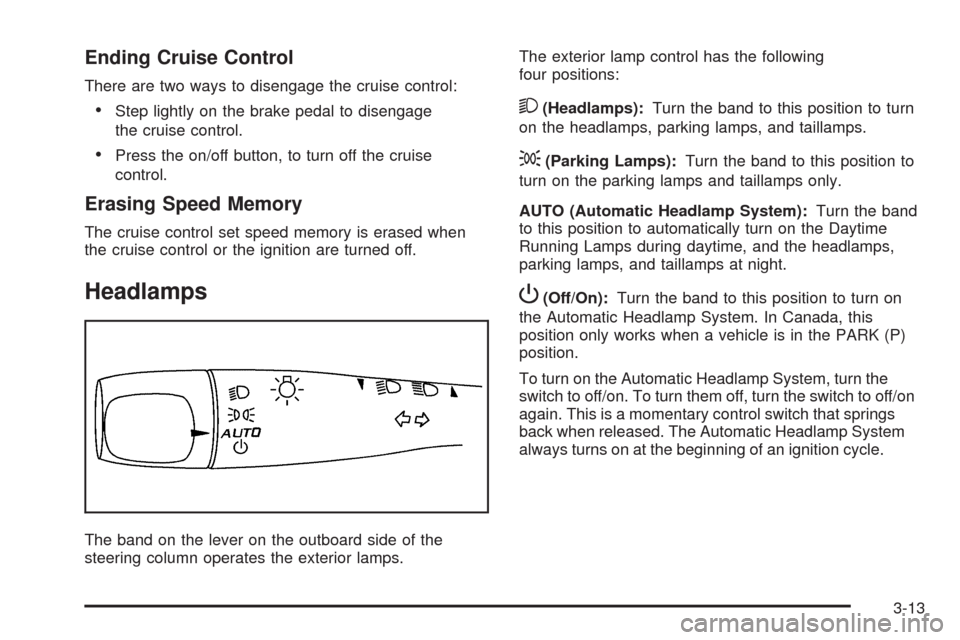
The band on the lever on the outboard side of the
steering column operates the exterior lamps.The exterior lamp control has the following
four positions:
2(Headlamps):Turn the band to this position to turn
on the headlamps, parking lamps, and taillamps.
;(Parking Lamps):Turn the band to this position to
turn on the parking lamps and taillamps only.
AUTO (Automatic Headlamp System):Turn the band
to this position to automatically turn on the Daytime
Running Lamps during daytime, and the headlamps,
parking lamps, and taillamps at night.
P(Off/On):Turn the band to this position to turn on
the Automatic Headlamp System. In Canada, this
position only works when a vehicle is in the PARK (P)
position.
To turn on the Automatic Headlamp System, turn the
switch to off/on. To turn them off, turn the switch to off/on
again. This is a momentary control switch that springs
back when released. The Automatic Headlamp System
always turns on at the beginning of an ignition cycle.
3-13
Page 146 of 412
Headlamps on Reminder
If you open the driver’s door and turn off the
ignition while leaving the lamps on, you will hear a
warning chime.
Headlamps Off in Park
This feature works when the ignition is in the ON/RUN
position and it is dark outside. To turn the headlamps
off when it is dark outside but keep other exterior lights
on, turn the exterior lamp control to the parking lamp
position.
To turn on the headlamps along with the other lamps
when it is dark outside, turn the exterior lamp control to
the AUTO or headlamp position.
This function does not work for vehicles rst sold in
Canada.
Delayed Headlamps
The delayed headlamps feature keeps the headlamps
on for 20 seconds after the key is turned to LOCK/OFF,
then the headlamps automatically turn off.
To override the 20 second delayed headlamp feature
while it is active turn the turn signal/multifunction
lever up one position and then back to AUTO.
Daytime Running Lamps (DRL)
Daytime Running Lamps (DRL) can make it easier for
others to see the front of your vehicle during the
day. DRL are helpful in many different driving conditions,
but they can be especially helpful in the short periods
after dawn and before sunset. Fully functional DRL
are required on all vehicles rst sold in Canada. The
vehicle has a light sensor on top of the instrument panel
that controls the DRL. Make sure it is not covered, or
the head lamps will be on when they are not needed.
The DRL system makes the low-beam headlamps come
on at a reduced brightness when the following conditions
are met:
The ignition is on.
The exterior lamps control is in AUTO.
The exterior lamps control is in the parking lamps
only position (This applies only to vehicles that are
rst sold in Canada).
The light sensor detects daytime light.
The parking brake is released or the vehicle is
not in PARK.
When the DRL system is on, the taillamps, sidemarker
lamps, parking lamps, and instrument panel lights
are not on unless you turn the exterior lamps control to
the parking lamp position.
As with any vehicle, you should turn on the regular
headlamp system when they are needed.
3-14
Page 147 of 412
Automatic Headlamp System
When it is dark enough outside, the automatic headlamp
system turns on the headlamps at the normal brightness
along with other lamps such as the taillamps,
sidemarker, parking lamps, and the instrument panel
lights. The radio lights will also be dim.
Your vehicle has a light sensor on top of the instrument
panel that controls the automatic headlamp system.
Make sure it is not covered or the automatic headlamp
system will be on when it is not needed.
There is a delay in the transition between the daytime
and nighttime operation of the DRL and the automatic
headlamp systems so that driving under bridges or
bright overhead street lights does not affect the system.
The DRL and automatic headlamp systems will only
be affected when the light sensor sees a change
in lighting lasting longer than this delay.If vehicle is started in a dark garage, the automatic
headlamp system comes on immediately. Once
the vehicle leaves the garage, it takes about one minute
for the automatic headlamp system to change to DRL
if it is light outside. During that delay, the instrument
panel cluster may not be as bright as usual. Make sure
the instrument panel brightness control is in the full
bright position. See “Instrument Panel Brightness
Control” underInstrument Panel Brightness on
page 3-16.
To idle the vehicle with the automatic headlamp system
off, turn the ignition on and set the exterior light
switch to the off/on position. For vehicles rst sold in
Canada, the transmission must stay in PARK (P) for this
function.
The regular headlamps should be used when needed.
3-15
Page 148 of 412
Fog Lamps
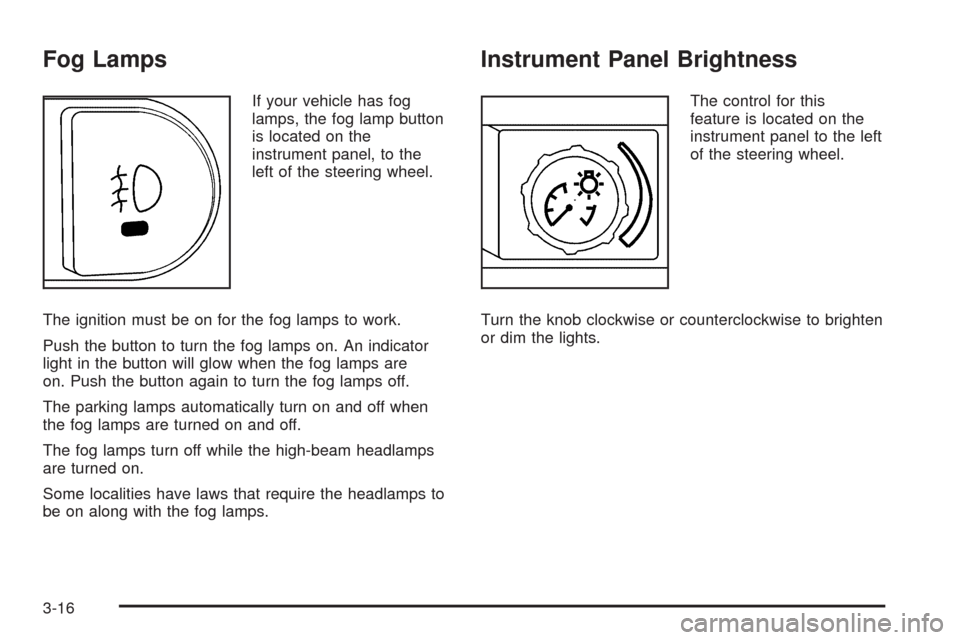
If your vehicle has fog
lamps, the fog lamp button
is located on the
instrument panel, to the
left of the steering wheel.
The ignition must be on for the fog lamps to work.
Push the button to turn the fog lamps on. An indicator
light in the button will glow when the fog lamps are
on. Push the button again to turn the fog lamps off.
The parking lamps automatically turn on and off when
the fog lamps are turned on and off.
The fog lamps turn off while the high-beam headlamps
are turned on.
Some localities have laws that require the headlamps to
be on along with the fog lamps.
Instrument Panel Brightness
The control for this
feature is located on the
instrument panel to the left
of the steering wheel.
Turn the knob clockwise or counterclockwise to brighten
or dim the lights.
3-16
Page 149 of 412
Dome Lamp
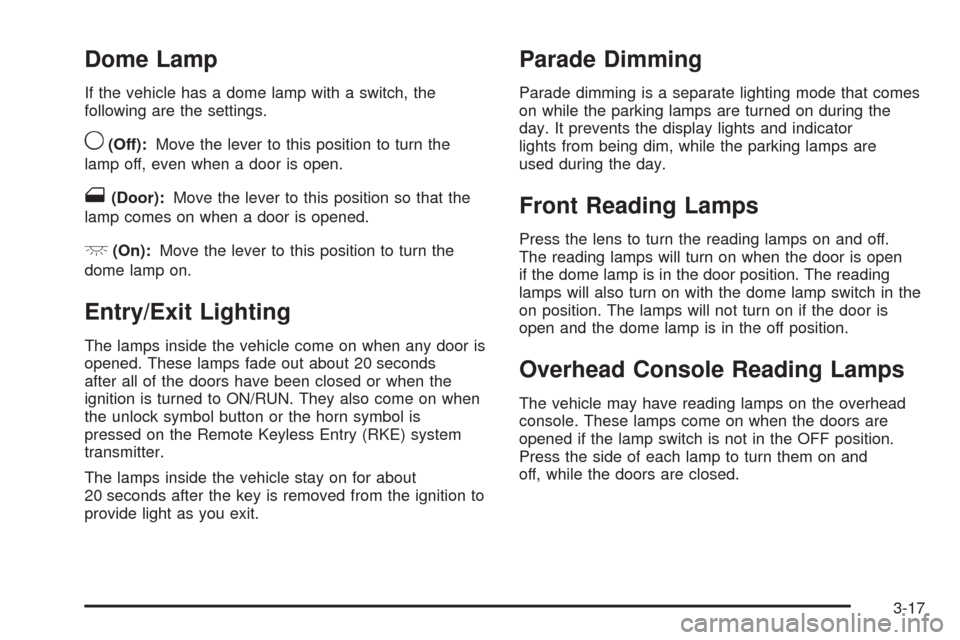
If the vehicle has a dome lamp with a switch, the
following are the settings.
9(Off):Move the lever to this position to turn the
lamp off, even when a door is open.
1(Door):Move the lever to this position so that the
lamp comes on when a door is opened.
+(On):Move the lever to this position to turn the
dome lamp on.
Entry/Exit Lighting
The lamps inside the vehicle come on when any door is
opened. These lamps fade out about 20 seconds
after all of the doors have been closed or when the
ignition is turned to ON/RUN. They also come on when
the unlock symbol button or the horn symbol is
pressed on the Remote Keyless Entry (RKE) system
transmitter.
The lamps inside the vehicle stay on for about
20 seconds after the key is removed from the ignition to
provide light as you exit.
Parade Dimming
Parade dimming is a separate lighting mode that comes
on while the parking lamps are turned on during the
day. It prevents the display lights and indicator
lights from being dim, while the parking lamps are
used during the day.
Front Reading Lamps
Press the lens to turn the reading lamps on and off.
The reading lamps will turn on when the door is open
if the dome lamp is in the door position. The reading
lamps will also turn on with the dome lamp switch in the
on position. The lamps will not turn on if the door is
open and the dome lamp is in the off position.
Overhead Console Reading Lamps
The vehicle may have reading lamps on the overhead
console. These lamps come on when the doors are
opened if the lamp switch is not in the OFF position.
Press the side of each lamp to turn them on and
off, while the doors are closed.
3-17
Page 150 of 412
Overhead Ambient Lighting
These lamps will automatically turn on and off as
controlled by the light sensor located on top of the
instrument panel.
Rear Reading Lamps
The vehicle’s dome lamp may have two rear reading
lamps. Press the lens of the reading lamps to turn them
on or off.
Trunk Lamp
The trunk lamp comes on when the trunk is open and
turns off when it is closed.
Battery Run-Down Protection
Your vehicle has a battery run-down protection feature
designed to protect the vehicle’s battery.
When any interior lamp (trunk, reading, or visor vanity)
is left on while the ignition is turned off, the battery
run-down protection system will automatically shut the
lamp(s) off after 20 minutes. This will avoid draining
the battery.
To reactivate the interior lamps, do one of the following:
Turn on the ignition.
Turn the exterior lamp control off and then on.
Open a door.
Press any Remote Keyless Entry (RKE) transmitter
button (if equipped).
Press the remote trunk release button.
Press the power door lock switch.
The battery run-down feature will also be activated
when any door on the vehicle is left open and the
ignition is in LOCK/OFF.
3-18