2008 CHEVROLET HHR lights
[x] Cancel search: lightsPage 190 of 430
EXT (Exterior) LIGHTS
This feature, which allows the vehicle’s exterior
perimeter lighting to turn on each time the unlock button
on the Remote Keyless Entry (RKE) transmitter is
pressed, can be enabled or disabled. When EXT
LIGHTS appears on the display, press and hold the
reset button for at least one second to scroll through the
available settings:
OFF:The exterior perimeter lighting will not turn on
when the unlock button on the RKE transmitter is
pressed.
ON (default):The exterior perimeter lighting will turn on
when the unlock button on the RKE transmitter is
pressed.
SeeRemote Keyless Entry (RKE) System Operation on
page 2-5for more information.
To select a setting and move on to the next feature,
press the information button while the desired setting is
displayed on the DIC.
LANGUAGE
This feature allows you to select the language in which
the DIC will display. When LANGUAGE appears on
the display, press and hold the reset button for at least
one second to scroll through the available settings:
ENGLISH (default):All messages will appear in
English.
FRENCH:All messages will appear in French.
SPANISH:All messages will appear in Spanish.
GERMAN:All messages will appear in German.
To select a setting and exit out of the personalization
menu mode, press the information button while the
desired setting is displayed on the DIC.
Exiting Personalization Menu
The personalization menu will be exited when any of the
following conditions occur:
A ten second time period has elapsed.
The ignition is turned off.
The end of the personalization menu list is reached.
3-58
Page 220 of 430
Traction Control Operation
Traction control limits wheel spin by reducing engine
power to the wheels (engine speed management)
and by applying brakes to each individual wheel
(brake-traction control) as necessary.
The traction control system is enabled automatically
when you start your vehicle, and it will activate and ash
the ESC/TCS light and display the LOW TRACTION
message if it senses that any of the wheels are spinning
or beginning to lose traction while driving. For more
information on the LOW TRACTION message,
seeDriver Information Center (DIC) on page 3-46.
Notice:If you allow the wheel(s) of one axle to spin
excessively while the ESC/TCS, ABS and Brake
warning lights and the SERVICE ESC and/or
SERVICE TRACTION messages are displayed, you
could damage the differential. The repairs would not
be covered by your warranty. Reduce engine
power and do not spin the wheel(s) excessively
while these lights and this message are displayed.Notice:When traction control is turned off, or
Competitive Driving Mode is active, it is possible to
lose traction. If you attempt to shift with the front
wheels spinning with a loss of traction, it is possible
to cause damage to the transmission. Do not
attempt to shift when the front wheels do not have
traction. Damage caused by misuse of the vehicle
is not covered. See your warranty book for
additional information.
The traction control system may activate on dry or
rough roads or under conditions such as heavy
acceleration while turning or abrupt upshifts/downshifts
of the transmission. When this happens, you may
notice a reduction in acceleration, or may hear a noise
or vibration. This is normal.
If your vehicle is in cruise control while the system
activates, the ESC/TCS light ashes and the cruise
control automatically disengages. When road conditions
allow you to use cruise control again, you may re-engage
the cruise control. SeeCruise Control on page 3-12.
Adding non-dealer/non-retailer accessories can affect
your vehicle’s performance. SeeAccessories and
Modifications on page 5-3for more information.
4-8
Page 278 of 430
Engine Coolant
The cooling system in your vehicle is lled with
DEX-COOL®engine coolant. This coolant is designed
to remain in your vehicle for ve years or 150,000 miles
(240 000 km), whichever occurs rst, if you add only
DEX-COOL
®extended life coolant.
The following explains your cooling system and how to
add coolant when it is low. If you have a problem
with engine overheating, seeEngine Overheating on
page 5-26.
A 50/50 mixture of clean, drinkable water and
DEX-COOL
®coolant will:
Give freezing protection down to−34°F (−37°C).
Give boiling protection up to 265°F (129°C).
Protect against rust and corrosion.
Help keep the proper engine temperature.
Let the warning lights and gages work as they
should.
Notice:Using coolant other than DEX-COOL
®may
cause premature engine, heater core, or radiator
corrosion. In addition, the engine coolant may
require changing sooner, at the rst maintenance
service after each 30,000 miles (50 000 km) or
24 months, whichever occurs rst. Any repairs
would not be covered by your warranty. Always use
DEX-COOL
®(silicate-free) coolant in your vehicle.
What to Use
Use a mixture of one-half clean, drinkable water and
one-half DEX-COOL®coolant which will not damage
aluminum parts. If you use this coolant mixture, you do
not need to add anything else.
{CAUTION:
Adding only plain water to your cooling
system can be dangerous. Plain water, or
some other liquid such as alcohol, can boil
before the proper coolant mixture will. Your
vehicle’s coolant warning system is set for the
proper coolant mixture. With plain water or the
wrong mixture, your engine could get too hot
but you would not get the overheat warning.
Your engine could catch re and you or others
could be burned. Use a 50/50 mixture of clean,
drinkable water and DEX-COOL
®coolant.
Notice:If you use an improper coolant mixture,
your engine could overheat and be badly damaged.
The repair cost would not be covered by your
warranty. Too much water in the mixture can freeze
and crack the engine, radiator, heater core, and
other parts.
5-24
Page 375 of 430

Fuses Usage
1 Fuse Puller
2 Empty
3 Empty
4 Empty
5 Empty
6 Amplier
7 Cluster
8 Ignition Switch, PASS-Key
®III+
9 Stoplamp
10Heating, Ventilation, Air
Conditioning, PASS-Key
®III+
11 Empty
12 Spare
13 Airbag
14 Spare
15 Windshield Wiper
16 Climate Control System, Ignition
17 Window Retained Accessory Power
18 Empty
Fuses Usage
19Electric Power Steering, Steering
Wheel Control
20 Sunroof
21 Spare
22 Empty
23 Audio System
24 XM Radio™, OnStar™
25Engine Control Module,
Transmission Control Module
26 Door Locks
27 Interior Lights
28 Steering Wheel Control Illumination
29 Power Windows
Relays Usage
30 Climate Control System
31 Empty
32 Retained Accessory Power (RAP)
5-121
Page 424 of 430
Light (cont.)
Enhanced Traction System (ETS) Warning
Light......................................................3-37
Fog Lamp..................................................3-44
Highbeam On.............................................3-44
Malfunction Indicator....................................3-40
Oil Pressure...............................................3-43
Passenger Airbag Status Indicator..................3-32
Safety Belt Reminders..................................3-30
Security.....................................................3-44
Tire Pressure..............................................3-39
Up-Shift.....................................................3-35
Lighting
Entry/Exit...................................................3-19
Lights............................................................3-15
Flash-to-Pass............................................... 3-8
High/Low Beam Changer................................ 3-8
On Reminder..............................................3-16
Limited-Slip Differential....................................4-10
Loading Your Vehicle.......................................4-27
Lockout Protection..........................................2-12
Locks
Automatic Door Lock....................................2-10
Delayed Locking..........................................2-10
Door........................................................... 2-9
Lockout Protection.......................................2-12
Power Door.................................................. 2-9
Programmable Automatic Door Unlock............2-10Locks (cont.)
Rear Door Security Locks.............................2-11
Loss of Control...............................................4-16
Lumbar
Power Controls............................................. 1-4
M
Maintenance Schedule
Additional Required Services........................... 6-6
At Each Fuel Fill........................................... 6-8
At Least Once a Month.................................. 6-9
At Least Once a Year.................................... 6-9
Introduction.................................................. 6-2
Maintenance Footnotes.................................. 6-7
Maintenance Record....................................6-16
Maintenance Replacement Parts....................6-14
Maintenance Requirements............................. 6-2
Owner Checks and Services........................... 6-8
Recommended Fluids and Lubricants.............6-12
Scheduled Maintenance................................. 6-4
Using.......................................................... 6-2
Your Vehicle and the Environment................... 6-2
Malfunction Indicator Light................................3-40
Manual Seats................................................... 1-2
Manual Transmission
Fluid..........................................................5-23
Operation...................................................2-31
Manual, Using.................................................... iii
8
Page 430 of 430
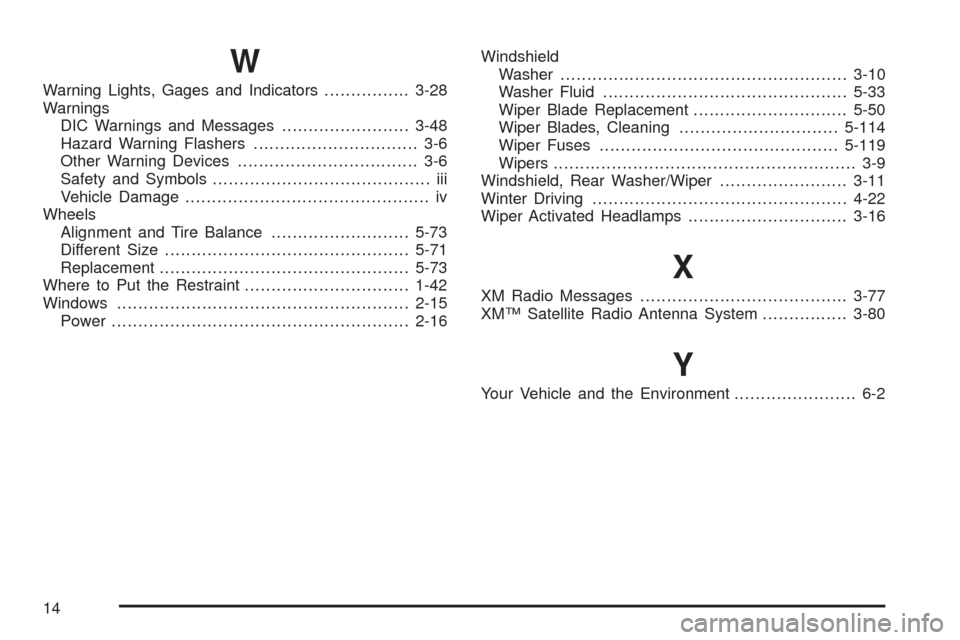
W
Warning Lights, Gages and Indicators................3-28
Warnings
DIC Warnings and Messages........................3-48
Hazard Warning Flashers............................... 3-6
Other Warning Devices.................................. 3-6
Safety and Symbols......................................... iii
Vehicle Damage.............................................. iv
Wheels
Alignment and Tire Balance..........................5-73
Different Size..............................................5-71
Replacement...............................................5-73
Where to Put the Restraint...............................1-42
Windows.......................................................2-15
Power........................................................2-16Windshield
Washer......................................................3-10
Washer Fluid..............................................5-33
Wiper Blade Replacement.............................5-50
Wiper Blades, Cleaning..............................5-114
Wiper Fuses.............................................5-119
Wipers......................................................... 3-9
Windshield, Rear Washer/Wiper........................3-11
Winter Driving................................................4-22
Wiper Activated Headlamps..............................3-16
X
XM Radio Messages.......................................3-77
XM™ Satellite Radio Antenna System................3-80
Y
Your Vehicle and the Environment....................... 6-2
14